Stuck on a login page with blurry images or twisted letters you can barely read? That’s the moment most people start wondering what’s really behind these puzzles, and whether they’re more than just a headache. If you’ve tried to register for new accounts, automate workflows, or manage multiple profiles, you’ve probably hit that wall: the site throws a CAPTCHA, you slow down, and sometimes you fail, even when you’re human.
Here’s the catch, CAPTCHA codes were designed to spot bots, but the lines are getting blurry. Tools and scripts try to work around them, while platforms keep changing how these tests work. So, understanding what is a captcha code and why sites throw different types at you is more than just trivia. It’s about not getting blocked, not losing access, and not tripping up your own process.
The real question goes deeper than “what does captcha mean.” You need to know how does captcha work under the hood, which types you’ll run into in 2026, and why some workflows fail even when you do everything “right.” If you skip those details, you’ll end up guessing, and that’s when accounts get flagged or banned for reasons that seem random.
Start with the basics: here’s what a CAPTCHA code is, why it’s everywhere, and what it’s actually testing.
What Does a CAPTCHA Code Actually Mean in 2026?
A CAPTCHA code is a test built to separate people from bots, usually when you log in, sign up, or make a transaction. In 2026, these tests aren’t just about clicking pictures, they’re now tuned to spot even the smartest scripts and automated tools, making them a frontline defense for any web service that cares about account security.
Why CAPTCHA Codes Exist
Sites use CAPTCHAs to block bots from spamming, scraping, or taking over accounts. These codes force a human check at the critical moment, when a new login, signup, or sensitive action happens.
How the Definition Has Changed Over Time
Back in the early 2000s, CAPTCHAs meant squiggly letters you could barely read. Bots got smarter, so the challenges changed. By 2026, what passes for a CAPTCHA can mean anything from image selection (“click all buses”) to invisible tests tracking your cursor movement. Now, many sites use AI-powered puzzles or background behavioral analysis instead of showing a code at all. For example, some systems judge you by the way you move your mouse or type, then only show a challenge if you look suspicious. The tradeoff: harder CAPTCHAs block more bots but frustrate real users, especially when the puzzle is unclear or the system misreads a human as a script. The most common failure? A user enters the right answer but gets rejected anyway because the system flags their browser or network as “bot-like”, and there’s no way to appeal.
What CAPTCHA Stands For (and What It Doesn’t)
- The classic meaning is “Completely Automated Public Turing test to tell Computers and Humans Apart.”
- It’s not always about a code you see, some CAPTCHAs are now silent, working in the background.
- The biggest myth: passing a CAPTCHA proves you’re safe. In 2026, it only proves the system thinks you’re not a bot right now, that status can change with every session.
The next step is to look at how these tests actually work to stop bots, and what those systems check for behind the scenes.
How Do CAPTCHA Codes Work to Stop Bots?
CAPTCHA codes stop bots by giving users a task most scripts can’t solve reliably, then watching how they act during the challenge. It’s not just about picking out traffic lights or typing blurry text. The real check is whether your answers and behavior match what a human would do.
The Human Verification Process
You’re asked to solve a puzzle, maybe picking all the boats in a photo grid, typing distorted letters, or clicking a checkbox. These tasks sound easy for real people but throw off bots that don’t “see” images or can’t handle weird letter shapes. Most bots break down when they can’t process visual patterns, especially with random backgrounds, rotations, or noise.
What Data CAPTCHA Collects Beyond the Challenge
What’s under the hood goes deeper than the visible quiz. Modern CAPTCHAs collect data from your browser and device, screen size, language, time zone, installed fonts, and even how fast you click or move your mouse. If you breeze through the puzzle in half a second with perfect, straight mouse lines, the system flags that as “bot-like.” On the other hand, a shaky mouse path, a few hesitations, or normal delays between clicks look much more human.
Some CAPTCHAs also track whether your browser has plugins known for automation, if you’re coming from a fresh session, or if your IP address is on a suspicious list. The risk is, if you use a script or a browser automation tool that forgets to randomize these signals, you’ll get flagged even before answering the challenge. What trips up most automation isn’t the puzzle, it’s the invisible tracking and the way you interact with the page.
A common failure looks like this: you solve the image grid instantly, but the site notices your mouse never actually moved over the tiles, or your browser fingerprint is identical to thousands of other attempts that day. That’s when you end up with more challenges, or worse, a block.
Why Some Bots Still Get Through (and How)
- Machine learning bots can now “see” images and solve simple CAPTCHAs, especially if the patterns repeat.
- CAPTCHA-solving farms use real people paid to solve challenges and return the answer to the bot.
- Some sites use weak or outdated challenges that haven’t kept up with public solver scripts, so automation gets through.
The next thing to look at is which CAPTCHA types are common in 2026, and why some are much harder for bots to crack than others.
What Are the Main Types of CAPTCHA Codes (with 2026 Examples)?
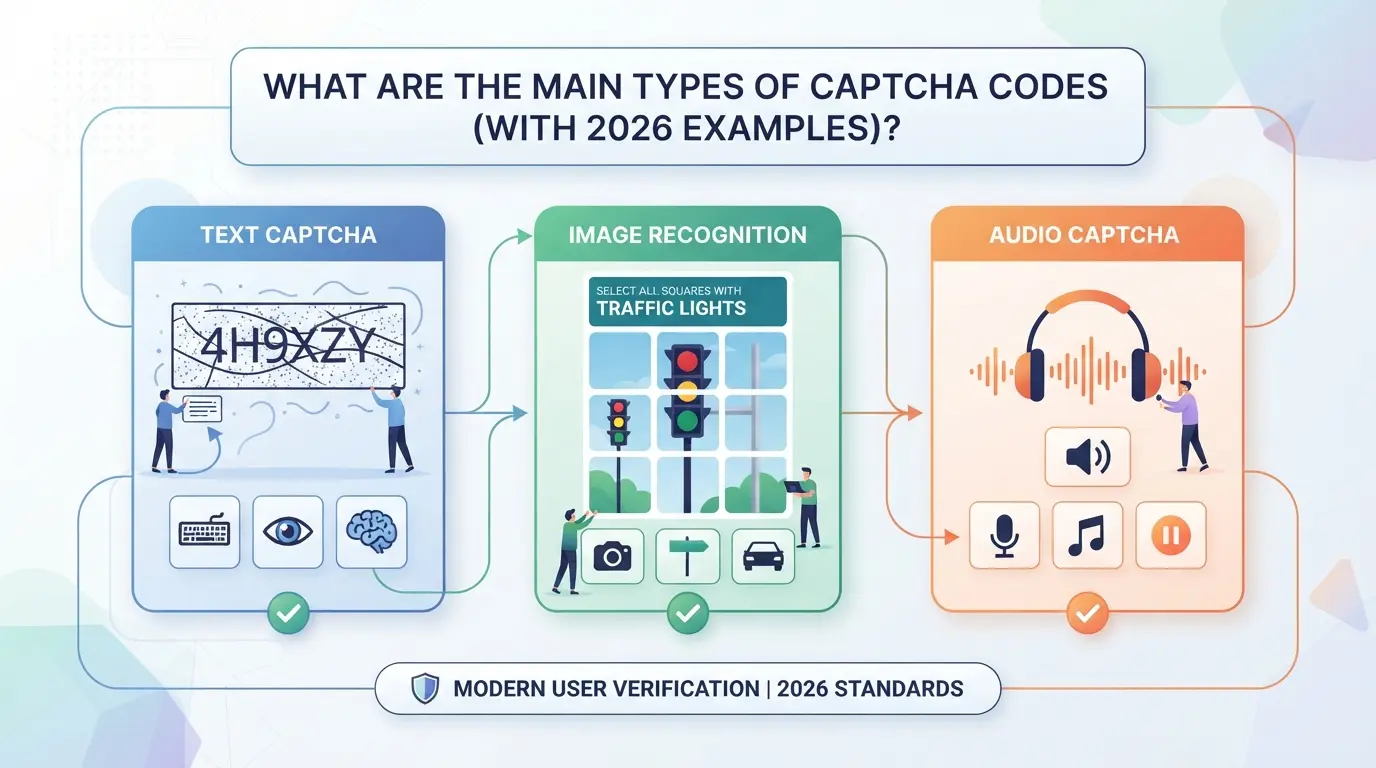
Every site seems to use a different test, but most fall into a handful of categories. Here’s how the main CAPTCHA types work in 2026, with real-world examples and what can go wrong if you pick the wrong approach.
Text-Based CAPTCHAs
| CAPTCHA Type |
Example (2026) |
Strengths |
Weaknesses |
| Distorted text |
9wR7K , twisted font, noise |
Simple to add, low cost |
OCR bots break many patterns |
| Combined numbers/letters |
X4nL8 , overlapping chars |
Harder for scripts |
Accessibility limits, user error |
| Obfuscated words |
“apple” with background |
Customizable complexity |
Bot solvers adapt fast |
Even in 2026, simple text CAPTCHAs are easy for bots to break with OCR or paid solving services. They fail most often when sites reuse old templates.
Image and Object Recognition CAPTCHAs
Photo grids that ask you to “click all traffic lights” or “select every crosswalk” are now everywhere. But AI models can solve the most common image sets, while humans struggle with blurry or ambiguous photos. Accessibility drops fast, screen readers can’t interpret these grids, and slow connections may not load them at all.
Audio and Math CAPTCHAs
Audio CAPTCHAs (“type what you hear”, garbled numbers, layered noise) aim to help users with poor vision. In practice, the audio is often too distorted for both humans and bots. Simple math puzzles (“what is 8 + 3?”) are easy for scripts to solve but slow down real users, especially on mobile.
Invisible and Behavioral CAPTCHAs
No-click CAPTCHAs (like reCAPTCHA v3) run in the background, scoring users based on mouse movement, typing speed, and device fingerprints. These are nearly invisible to humans but can block you if your setup looks “unnatural”, for example, if you use automation tools or rotate proxies too quickly.
Custom and Enterprise CAPTCHAs in 2026
Enterprise-grade CAPTCHAs now mix in biometric checks (like face scan, voice sample) or device fingerprinting. Some platforms use adaptive logic, if your login pattern changes, the system triggers a harder challenge. These are tough to automate but can lock out legitimate users if they travel, switch devices, or use privacy tools.
If you only focus on passing the basic test, you’ll miss the newer, less visible challenges, and those are now where most real-world failures start. The next section covers what can go wrong when relying on CAPTCHAs.
What Are the Real Risks and Drawbacks of Using CAPTCHA Codes?
User Experience and Conversion Loss
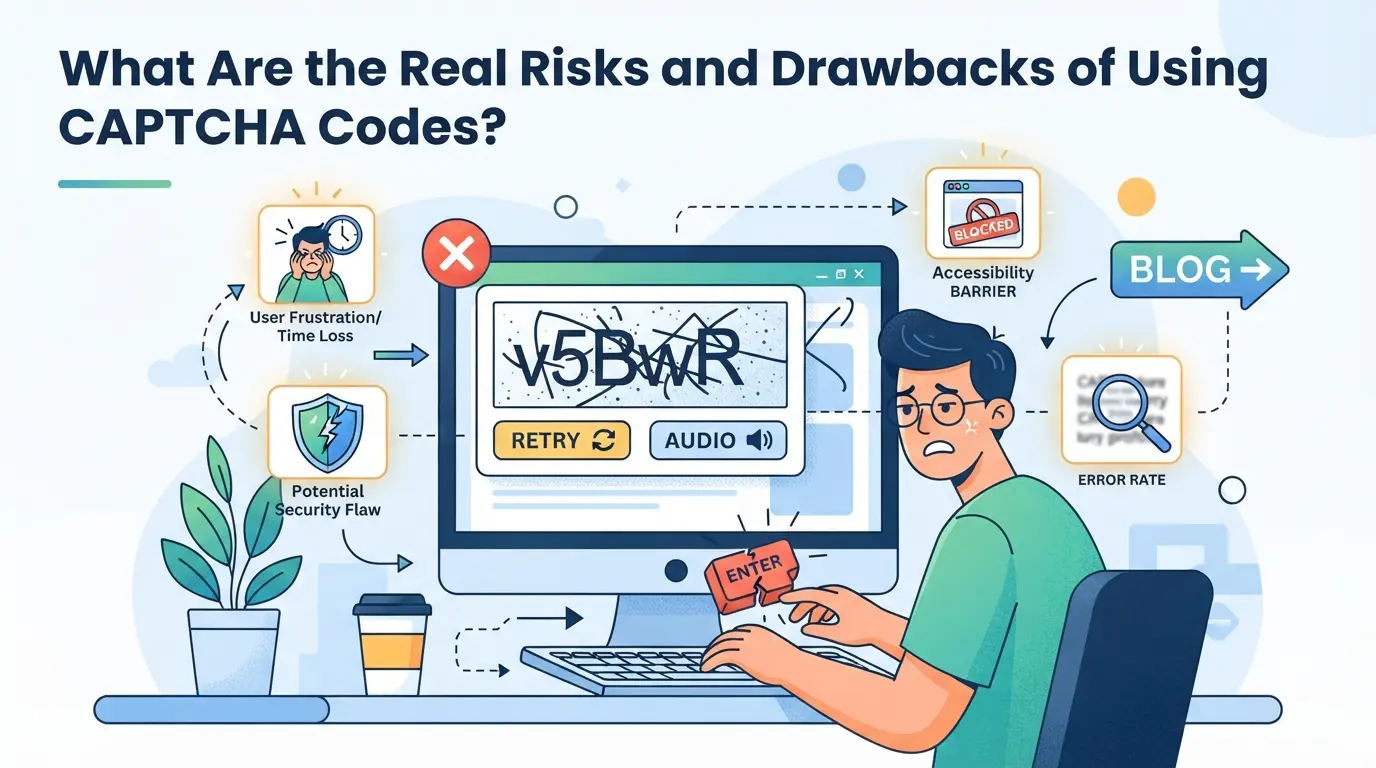
CAPTCHA codes frustrate real users more than most operators expect. Bounce rates spike when people hit unreadable puzzles or slow image tests, especially on mobile. Lost conversions stack up fast when even a small percent of users walk away instead of solving the challenge.
Accessibility and Legal Compliance Challenges
Sites that rely on visual or audio CAPTCHAs can accidentally block users with disabilities, opening up legal risk.
- Blind users may not be able to complete visual puzzles; even audio alternatives often fail screen readers.
- Sticking to CAPTCHAs without regular accessibility audits puts you at risk for lawsuits or non-compliance fines in regions with ADA or GDPR enforcement.
Security Weaknesses and Bot Workarounds
Bots are no longer always stuck at the gate. Cheap CAPTCHA-solving services and AI scripts can break simple puzzles in seconds, so a code on the page is not a guarantee of real human verification. Relying on CAPTCHAs alone leaves a gap in your defense.
Operational Overhead for Multi-Account Teams
Teams running many accounts hit CAPTCHAs far more often than solo users. This extra friction leads to wasted time, repeated logins, and session errors, especially when browser or proxy setups are inconsistent. It’s a direct hit to efficiency and reliability.
How to Reduce CAPTCHA Friction and Account Risk When Managing Multiple Accounts
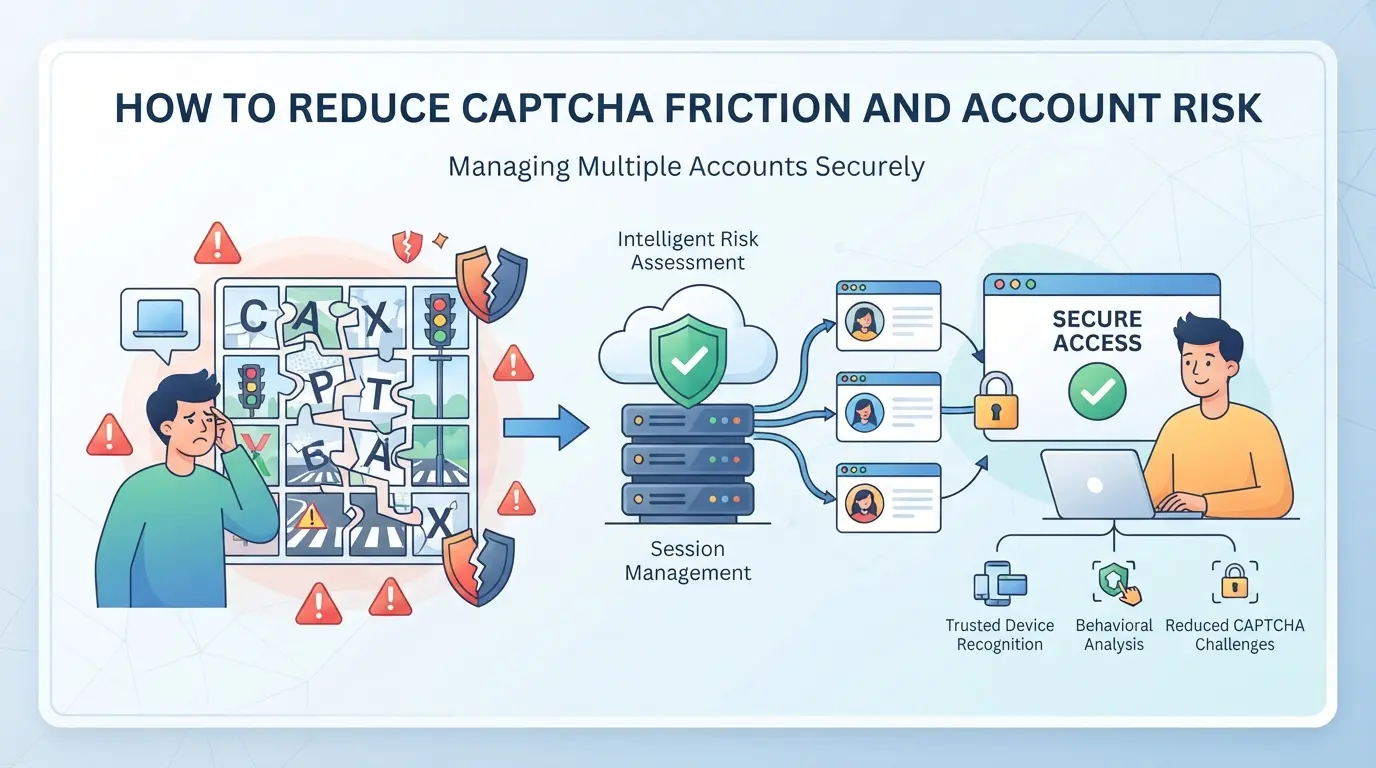
If you keep getting CAPTCHA tests on every login or action, the problem usually isn’t just bad luck. Most triggers come from inconsistent setups, reused fingerprints, or sloppy proxy habits, not from what is a captcha code itself, but from what your workflow signals to the platform.
Keep Browser Environments Consistent
Switching browsers, OS, or screen sizes mid-session is a red flag for automated systems. They track changes and spike the risk of CAPTCHA or even lockouts. Here’s how to cut down on false triggers:
- Stick to one browser profile per account. Changing browsers or devices between logins is a classic pattern for flagged activity.
- Keep your browser updates and extensions stable, upgrading or adding new plugins can change your fingerprint and prompt more tests.
- Match timezone and language settings to your proxy location. A mismatch here often leads to friction, especially after a location change.
Use Reliable Proxies and Avoid IP Overlap
Shared or blacklisted proxies almost guarantee more CAPTCHA. To lower risk:
- Assign a dedicated proxy to each account, never reuse an IP across accounts.
- Test proxies before use; a slow or flagged IP can trigger CAPTCHA even if everything else looks normal.
Avoid Automation Patterns That Look Like Bots
Running scripts that blast through logins or fill forms at superhuman speed is an easy way to get flagged.
- Vary timing between actions, fixed delays make you look scripted.
- Randomize mouse movement and scrolling; straight lines and instant clicks are a giveaway.
- Mix in manual actions if you see a spike in CAPTCHA prompts.
Separate Profiles for Each Account
Mixing accounts in the same browser profile leaks cookies and device info, making detection easy. Keep things isolated:
- Create a unique browser profile for each account.
- Never log multiple accounts through the same profile or device.
- Wipe cookies and cache between accounts to avoid cross-contamination.
Follow these steps and you’ll see fewer CAPTCHA interruptions, and fewer surprise lockouts. Next up: how to actually set up those separate browser profiles and proxy assignments for safer multi-account work.
Using DICloak for Browser Profile and Proxy Separation in Multi-Account CAPTCHA Workflows
Manual setups fall short when you run more than a handful of platform accounts, shared browser storage and recycled IPs almost guarantee repeated CAPTCHA triggers. For operators or teams who need to keep account workflows clean, DICloak gives a way to set up isolated browser profiles and assign user-owned proxies per profile. This approach does not manage, bypass, or guarantee outcomes with CAPTCHA codes; it simply keeps browser and network signals from blending across accounts, which is where most environment-based flags start.
Creating Isolated Browser Profiles with Custom Fingerprints in DICloak
Operators can create a separate DICloak browser profile for each platform account, configuring fingerprint signals like operating system, User Agent, time zone, and geolocation. This keeps sessions, cookies, and local storage from crossing over between accounts, reducing the chance that a platform sees multiple logins as coming from the same device. In practice, a creator or team sets up a profile, reviews the available fingerprint controls, and uses that profile only for its assigned account, never for two at once. The scope here is limited: profile-level separation and supported fingerprint settings, not platform acceptance or invisibility.

Configuring User-Owned Proxies for Each Profile in DICloak
Repeated CAPTCHA prompts often trace back to reused or flagged IP addresses. DICloak lets operators enter their own proxy details, host, port, protocol, username, and password, into each profile, then run a built-in connection test and confirm the detected exit IP and country match the intended workflow. This makes it possible to line up browser and network environments for each account, but the proxy itself is always user-selected and tested. DICloak does not provide, rotate, or guarantee proxy quality; the connection only applies at the browser-profile level.

Teams who need extra layers, like device attestation or behavioral checks, should weigh these baseline setups against options covered in the next section.
When CAPTCHA Alternatives or Additional Security Layers Make Sense
Not every workflow should start and end with CAPTCHA. If you’re handling sensitive logins, or you’re seeing high user drop-off, other security layers can do the heavy lifting, or even replace CAPTCHA, without blocking real users.
Device Fingerprinting and Behavioral Analysis
| Method |
Strengths |
Weaknesses |
| Device Fingerprinting |
Catches bots that reuse device settings |
Can mislabel shared or changing devices |
| Behavioral Analysis |
Flags non-human patterns (speed, mouse use) |
False positives with power users |
Choosing these tools over CAPTCHA helps catch bots that slip past simple image tests, but they’re easier for real users to trip by accident, especially in shared device setups.
Passkeys, MFA, and Risk-Based Authentication
Passkeys and multi-factor authentication (MFA) can stop account takeovers even if a CAPTCHA is solved. Risk-based checks, like sending a code only when a login looks odd, keep most users moving fast and only slow down the risky cases.
Choosing the Right Mix for Your Workflow
Avoid stacking every method by default. Pick the layer that matches your risk, CAPTCHA for basic bot traffic, fingerprinting for high-value targets, or passkeys when account theft is the bigger worry.
Frequently Asked Questions About what is a captcha code
What is the difference between CAPTCHA and reCAPTCHA in 2026?
CAPTCHA was the original test using puzzles like typing distorted words. reCAPTCHA, now more common, uses Google’s advanced system. It often just checks a box or analyzes browsing behavior. reCAPTCHA also helps digitize books and train AI. The main difference is reCAPTCHA’s smarter, less annoying approach and better protection against modern bots.
Why do I keep seeing CAPTCHA codes even when I’m not a bot?
You might see what is a captcha code if your IP address has a bad reputation, you switch devices or browsers often, or your actions seem odd to the site. Fast clicks, using proxys, or clearing cookies can trigger more tests. Sites use these clues to block real bots but sometimes catch real people too.
Can bots really solve CAPTCHA codes in 2026?
Advanced AI and paid CAPTCHA-solving services can break many older CAPTCHAs. Some bots use machine learning to recognize images or text puzzles. However, newer systems like reCAPTCHA v3 analyze behavior, making it harder for bots to trick them. No system is perfect, but most basic bots still get stopped.
How can I make sure my team doesn’t get locked out by CAPTCHA when managing multiple accounts?
Keep separate browser profiles for each account. Use clean proxies with good reputations. Avoid switching devices or locations quickly. Always log out and in carefully. Teach your team to avoid suspicious patterns, like rapid logins or copy-paste. Good habits help prevent triggering extra CAPTCHAs or lockouts.
Are there legal or privacy risks with using CAPTCHA or device fingerprinting?
CAPTCHAs and fingerprinting can raise privacy and legal issues. Some tests are hard for people with disabilities, which can violate accessibility laws. Device fingerprinting collects information that might be subject to privacy rules, such as GDPR or CCPA. Always check your local rules before adding these to your site.
If you want to strengthen your website’s defenses against automated abuse, consider implementing a modern, user-friendly verification tool. Protecting data and ensuring genuine user interaction is easier with the right solution in place. Try DICloak For Free
 Web Proxy Tools
 Free Tools
 Cookie Plugin
 UA Generator
 MAC Address Generator
 IP Generator
 IP Address List
 2FA Code Generator
 World Clock
 Anonymous Check
 WebRTC Leak Test
 UUID Generator
 Free Web Proxy Site
 Proxy Checker
 FB Ad Checker
 AI Web Scraping
 Free SMM Tools
 Twitter Shadowban Checker
 Instagram Name Checker
 UTM Generator
 Username Generator
 AI Hashtag Generator
 LinkedIn Headline Generator
 Social Media Image Resizer