You try to log into Claude and get a blunt message: account suspended, no warning, no clear reason. That’s where most users get stuck, searching for answers, not even sure what triggered the ban in the first place. The question why was i banned from claude isn’t just about curiosity. It’s about wanting to know if you made a simple mistake, got flagged by an automated system, or if your account is gone for good.
It’s easy to assume that bans only hit people doing something obviously wrong. In practice, even small actions, like sharing a workspace, using an unusual proxy, or tripping a filter with the wrong prompt, can bring a suspension. Sometimes the real issue is a pattern you didn’t realize looked risky from the platform’s side.
The bigger headache is not knowing which of the many possible claude account ban reasons actually applies to your case. You might see people online saying “just appeal,” but if you don’t know what triggered the block, you’re shooting in the dark. The real difference is understanding the signals that get flagged, what counts as a repeat violation, and what steps actually help if you want the ban lifted. Some users can recover fast, while others get stuck waiting weeks, or never get their account back at all.
Before you try a random fix, it pays to break down the most common claude suspension causes and what each one means for your next move. Here's what to check first.
What Are the Most Common Reasons for Getting Banned from Claude?
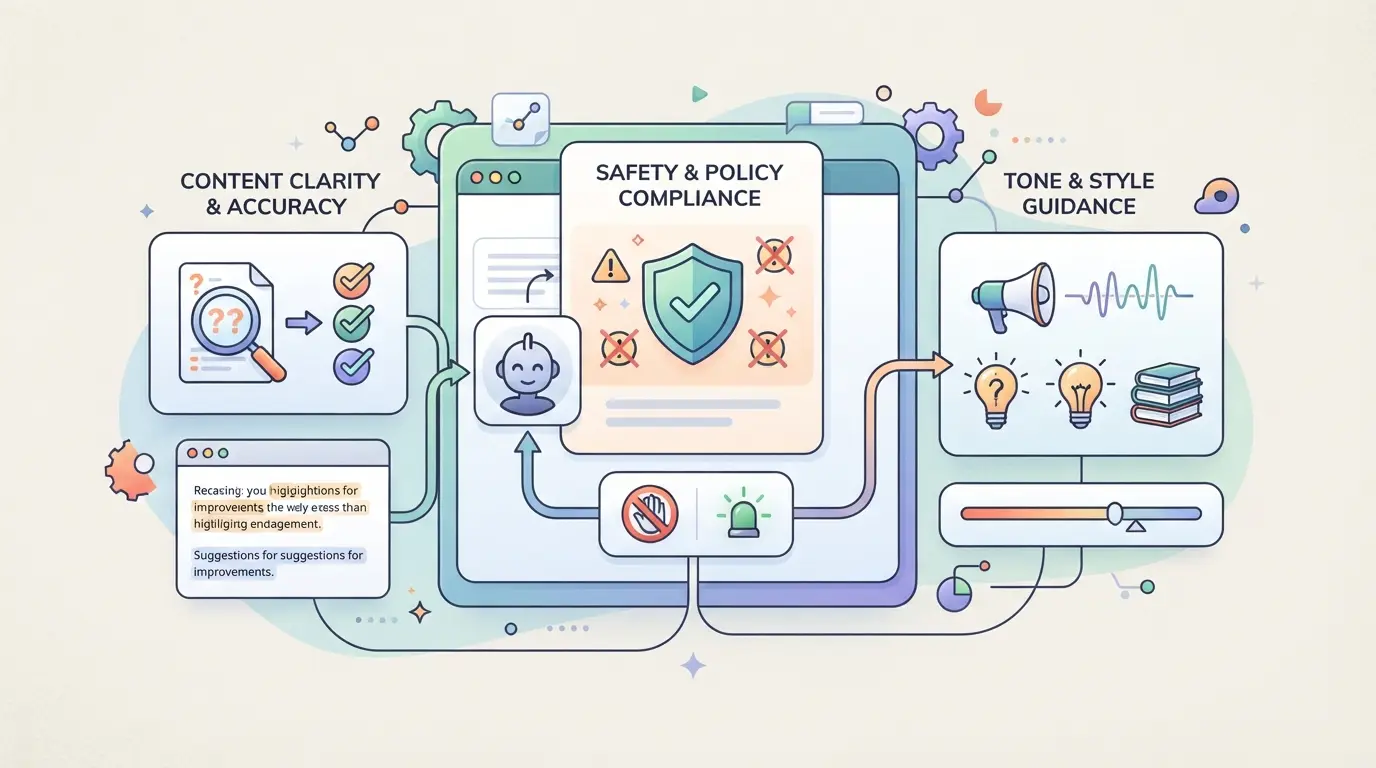
Most Claude bans come down to three patterns: breaking content rules, looking like a bot or high-volume farm, or logging in from a suspicious set of locations. If you’re asking “why was I banned from claude,” the answer is almost always inside one of these.
Violating Claude's Content Policies
Uploading or generating illegal, violent, or explicit material triggers an instant ban. Claude’s filters scan for banned topics and repeated attempts, even if you think you’re skirting the line, quickly get logged. Some users get flagged for sharing private info or trying to game the model into unsafe output.
Suspicious or Automated Usage Patterns
Claude tracks how often you use the service, how quickly you send prompts, and whether your activity matches normal user behavior. If you’re sending hundreds of requests per hour or using scripts to automate conversations, the system often flags you. For example, running multiple browser tabs with different accounts and cycling prompts every few seconds will trip automated detection. Even if you’re just using Claude for heavy work, an unusual spike, like suddenly doubling your activity in a day, can trigger a temporary lockout. Sometimes, false positives hit legitimate users who share devices or work in teams, but repeated flagged behavior almost always leads to a longer suspension.
Access from Multiple Locations or Devices
- Logging in from IPs in different countries within hours, especially if you’re not traveling, raises suspicion
- Using several devices at once, like a phone and a laptop in separate cities, gets noticed
- Frequent proxy changes or connecting from datacenter IPs looks like account sharing or automation
If you see a warning about “unusual activity” or get logged out after switching networks, your login pattern is likely on the radar. Bans from this cause are often harder to appeal, since the system treats them as security threats rather than simple mistakes.
Understanding what the system is watching is the first step toward solving a ban. Next, it’s worth knowing how to spot early warning signs, sometimes, the platform gives clues before a full block hits.
How Can You Tell If a Ban Is Coming? Warning Signs and Early Alerts
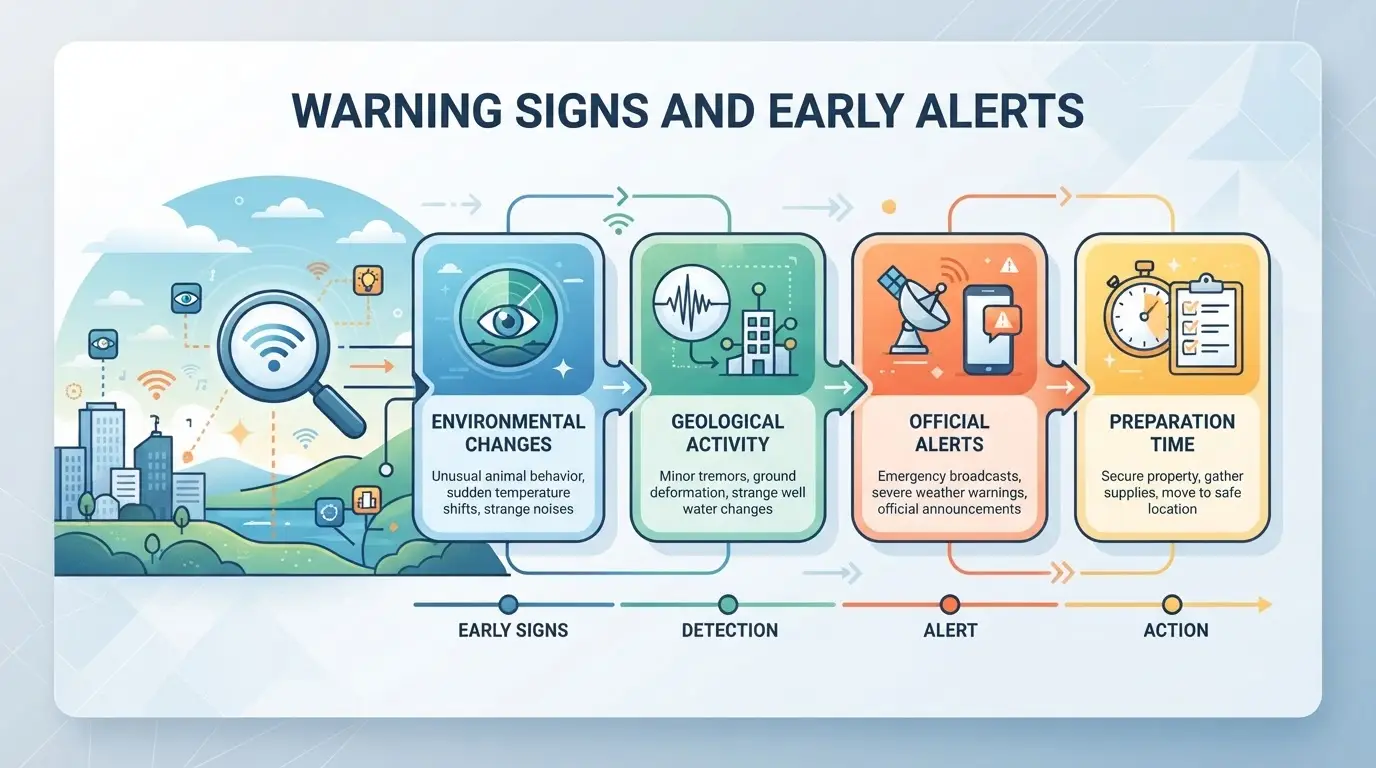
Most Claude bans don’t come out of nowhere, there’s almost always a signal before the account is locked for good. If you’re wondering why was i banned from claude, the answer is usually hiding in subtle changes to your login flow, odd messages from support, or short-term holds that many users ignore until it’s too late. Spotting these early gives you a window to react before a full ban lands.
Unusual Login Verification Requests
Suddenly facing captchas on every login, repeat 2FA prompts, or requests to upload ID are all signs your account is under extra review. If this starts happening after months of smooth access, it’s rarely random. The most reliable early alert is a sharp jump in verification steps, especially if you haven’t changed your device or location. Wait too long to act, and the next step is often a hard lock, not just another prompt.
Temporary Suspensions or Access Holds
Short holds or review messages are not just routine “maintenance.” They’re usually a sign your account tripped an automated rule or was flagged for review. Watch for these:
- “Your account is under review” banners after login
- Sudden loss of access for a few hours or days
- Pop-up messages about “policy violations” or “unusual activity”
If you see these, even if access returns, assume you’re on a watchlist. Repeating the same actions that led to the hold is the fastest way to get fully banned.
Notifications or Emails from Claude Support
Direct outreach from the platform almost always means a rule was triggered in your recent activity. Don’t brush off a warning email or a policy notice, these are your last chance to fix things before a permanent ban.
- Scan your inbox (and spam folder) for any “Policy Violation” or “Warning” messages from Claude
- Check for notifications inside the app about content or behavior issues
- Read every message fully, some warnings require a reply or action to avoid escalation
If you miss or ignore these signals, the odds of recovery after a ban drop sharply. Next up: what to check first if you’re already banned.
What Should You Check First If You’re Banned? A Self-Diagnosis Checklist
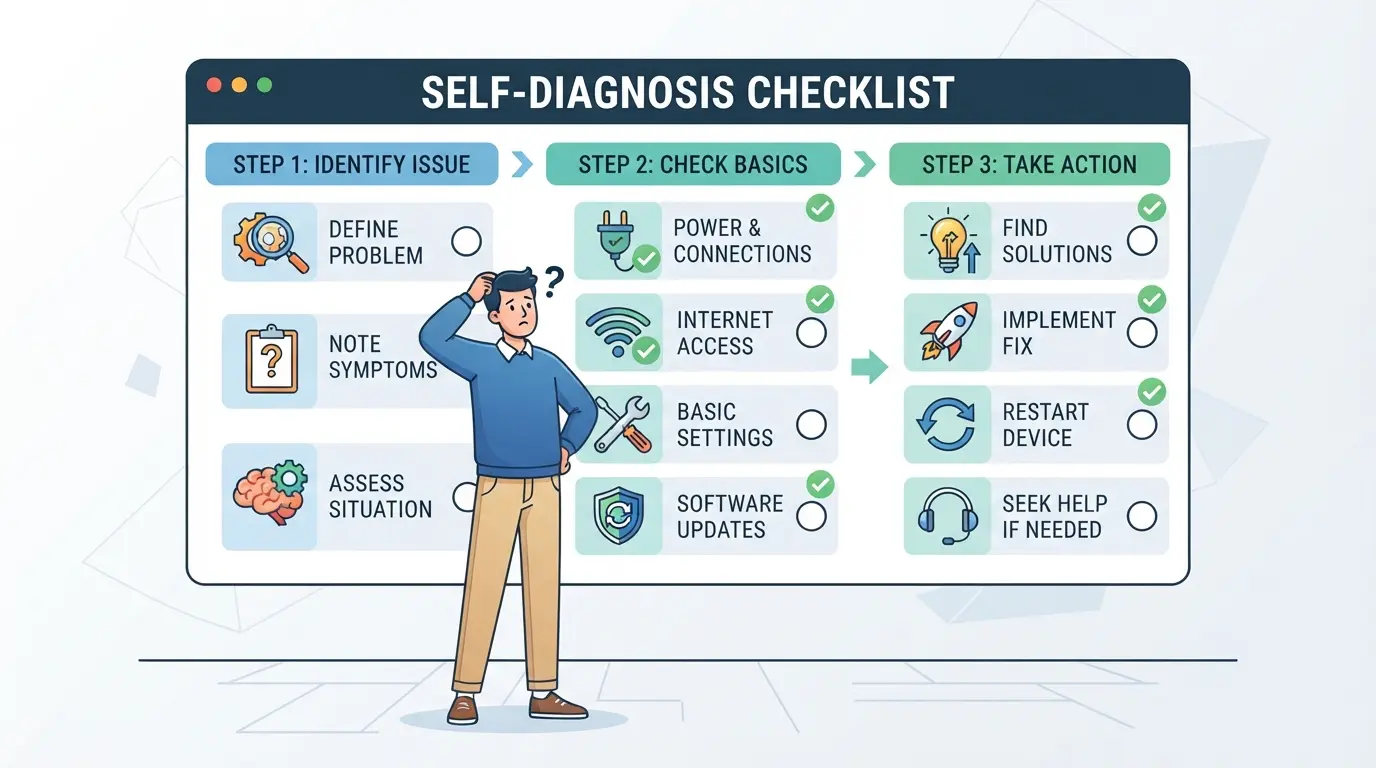
When you lose access, the real question isn’t just “why was I banned from Claude”, it’s how to spot the specific trigger before you waste days on appeals or risky workarounds. Here’s a focused checklist to help you pin down what actually happened.
Review Recent Account Activity
Most bans start with a pattern, not a single click. Start by scanning your recent logins and actions. If you see logins from new devices, locations, or a burst of requests in a short window, that’s a strong sign you tripped an automated flag. Bulk uploads, mass API calls, or running scripts can all stand out, even if they felt routine at the time. The fastest way to spot the real cause is to match the timestamp of the ban with any unusual activity in your logs.
Check for Policy Violation Notices
Claude often sends automated messages or banners before and after a ban. These may not spell out the rule you broke, but the exact wording gives clues about whether it’s a content, automation, or access issue.
- Open your email inbox and search for messages from Claude in the last 48 hours.
- Look for in-app banners or popups mentioning “policy violation” or “restricted access.”
- Read the precise wording, phrases like “unusual activity detected” point to login/device issues, while “inappropriate content” means your prompt or upload got flagged.
Assess Your Access Methods
The way you connected to Claude matters. Frequent IP changes, logging in from several cities in one day, or using shared computers makes you look risky, even if your content was clean. Many users get banned simply for switching between home, office, and mobile too quickly.
- Did you log in from multiple locations or countries within a short period?
- Was your last session on a public or shared device?
- Did you access using proxies, or did your internet connection route through different exit points?
If you check these boxes, the ban may be linked to platform security rules, not what you actually did inside the account.
Pausing here saves you from guessing, and helps you send a more targeted appeal if you move to the next step. The checklist above covers the direct causes; now you can focus on fixing the right problem, not just hoping time will solve it.
How to Appeal a Claude Ban: Steps, Tips, and What to Expect
If you think your Claude ban was a mistake, you need to act fast and show proof, guessing rarely works. Here’s the appeal process and how to avoid getting ignored.
Gather Evidence and Prepare Your Appeal
- Save screenshots of any ban messages or warnings you saw.
- Write down what you were doing right before the ban (apps, prompts, team actions).
- Check your email for any messages from Claude support, sometimes they explain the reason.
- If your usage was normal, note that clearly. Patterns matter more than one-time mistakes.
Submit an Appeal to Claude Support
- Go to the official Claude support page or use the contact form in your account portal.
- Include your account email, all screenshots, and a clear timeline of events.
- Keep your message short and to the point, long stories usually get standard replies.
What Happens After You Appeal?
- Standard response time is 2-7 days, but appeals flagged as “security risk” often take longer or get no reply.
- If support asks for more info, answer within 24 hours, delay can push your ticket back in line.
- Most bans are final if you violated repeat rules, but clear evidence of error can get you reinstated.
What Risks Come with Sharing Claude Accounts? Why Teams Get Banned More Often
Sharing a Claude account sounds convenient, but it’s one of the fastest ways to trigger a platform ban, especially for teams working across locations. If you’ve ever wondered “why was I banned from claude” after sharing login details, the answer often comes down to how platforms spot patterns that look like abuse, not just rule-breaking.
Multiple Users, Multiple Locations: Why It Triggers Detection
Platforms like Claude check for sudden logins from different cities, countries, or devices. When two or more people access the same account from separate IPs or browsers, the system flags it as suspicious. This mismatch in “fingerprint” data, device, browser, and network details, makes the account stand out for review or instant suspension.
Credential Leaks and Account Takeover Risks
Any time you hand out a password or session cookie, you create a new risk: now anyone with those details can log in, not just your team.
- If a password leaks or is reused, outsiders can hijack the account, change settings, or spam requests, sometimes before you notice.
- The safer move is to avoid sharing root credentials. Use official team features or, if you must share, limit access by time, device, or location.
The real danger isn’t just getting banned, it’s losing control of your data before you even realize something’s wrong.
How Teams Can Share Platform Accounts More Safely with DICloak
When teams need to share access to platform accounts, like Claude, missteps with browser fingerprints, IP addresses, or exposed credentials often lead to bans or leaks. If you run a shared workflow, setting up controls in DICloak can cut down on careless mistakes that get accounts flagged. The scope here is limited to browser-profile and internal team controls; nothing in DICloak changes how the connected platform reviews shared accounts.
Keep Access Consistent with Unified IP and Fingerprint Profiles
Teams using DICloak can create one shared browser profile for a platform account. Once the admin sets a fingerprint and user-owned proxy on that profile, all authorized members who open it use the same browser and IP configuration. This keeps platform-side signals stable across team logins, instead of exposing every member’s device and network. But this only works if everyone sticks to the same shared profile, separate profiles, or forgetting the proxy, often breaks the pattern and raises risk. The platform may still see different users even with this setup, so don’t treat it as a guarantee. 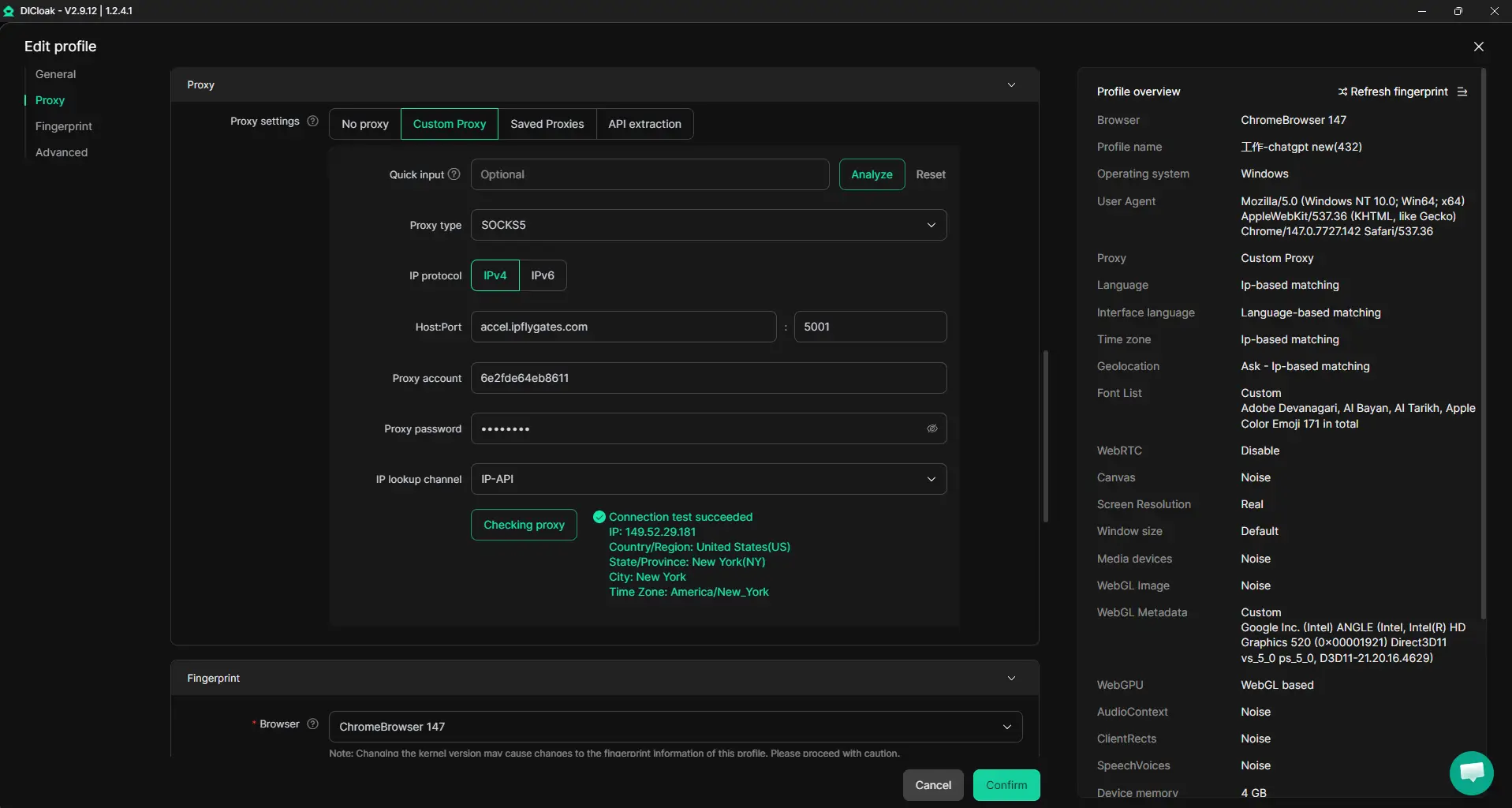
Browser-Profile Access Controls for Shared Account Workflows
Credential leaks often start when team members can see saved passwords, cookies, or developer tools in a shared profile. Admins can use DICloak security settings to block password views, lock cookies, and disable extension changes. You can also restrict sensitive account pages and web elements, so even curious members can’t pull out login details. This protection stays at the profile level; it doesn’t block access or leaks that happen inside the platform itself. 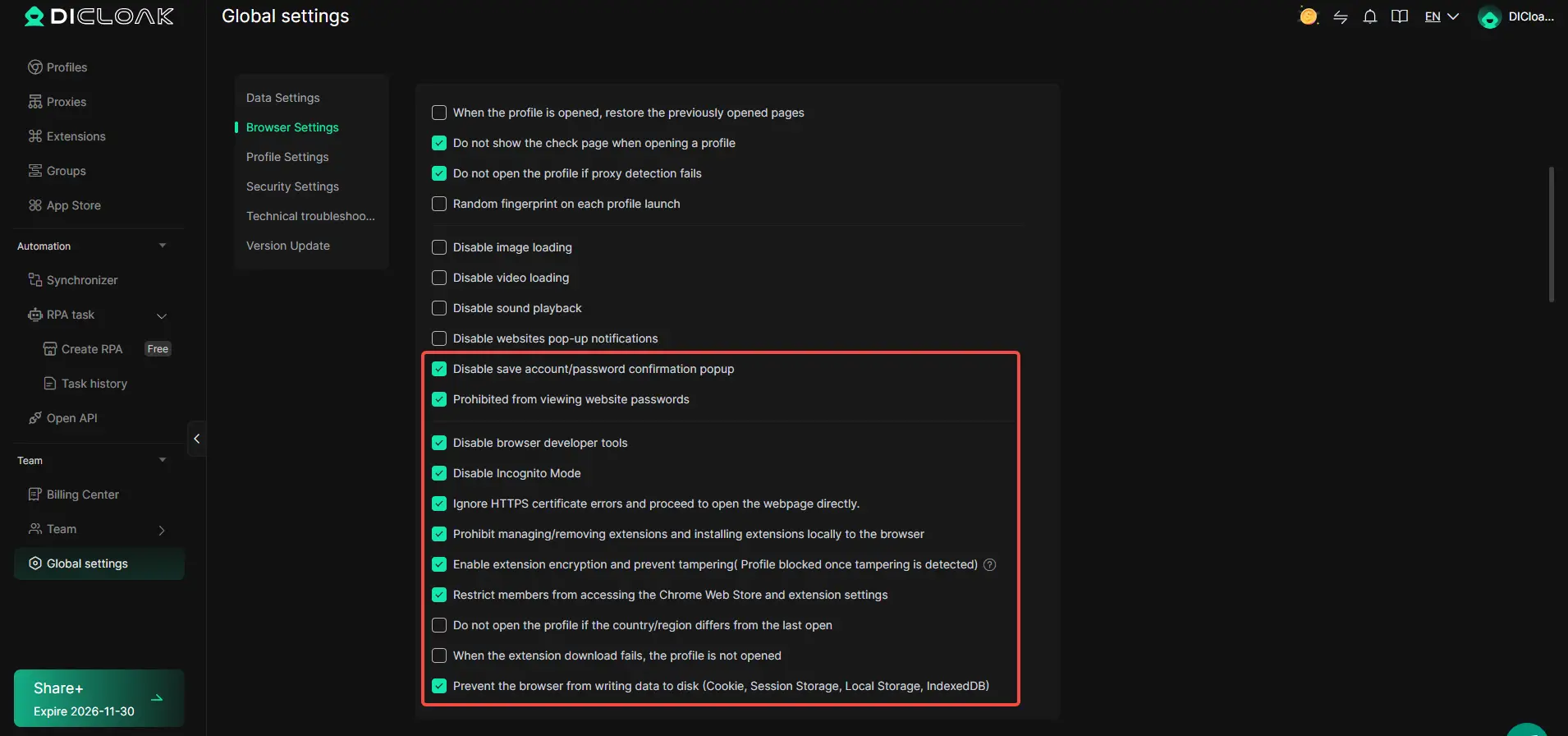
Assign Only the Permissions Each Team Member Needs
Admins can group members by role and set who can access which browser profiles, turn off unneeded features, and hide fields regular users shouldn’t see. For example, only the main operator might get access to profile edits, while others can just launch the needed session without seeing credentials. These permissions work inside DICloak, not on the platform account itself, so combine them with account-level controls where possible. 
A clear team workflow in DICloak makes accidental leaks or suspicious access less likely, setting the stage for safer long-term platform use.
Best Practices to Avoid Future Claude Bans in 2026
If you’re worried about another suspension, focus on what actually triggers the ban, not just what feels “safe.” Many users search “why was I banned from claude” but miss patterns that flag accounts for review. Here’s how to lower your risk moving forward.
Follow Content and Usage Guidelines Closely
Always check the latest platform policies before starting new workflows. Even if your past actions didn’t raise flags, small rule changes can shift what gets reviewed. Ignoring updated usage limits or gray areas is the fastest way to repeat a ban.
Keep Access Patterns Consistent
- Log in from the same device and browser when possible
- Avoid rapid location or proxy changes
- Don’t share logins across unrelated teams
Monitor Account Health Regularly
A ban rarely comes out of nowhere. Watch for early warning signs and address them fast.
- Review all warning and policy emails within 24 hours
- Check your account activity log for any unknown sessions
- Track error messages, if you see repeated login prompts or sudden lockouts, pause activity
When Should You Consider Creating a New Account or Switching Platforms?
If your appeal goes nowhere and the ban clearly isn’t getting lifted, it’s time to decide: start from scratch with a new Claude account or pick a different AI tool. Both paths have trade-offs, here’s what to weigh before you jump in.
Risks and Limits of Creating a New Account
| Factor |
New Account |
Switching Platforms |
| Linked Account Risk |
High (if device, email, or IP overlap) |
None (fresh start) |
| Ban Likelihood |
Often immediate if reused details |
Only if you repeat old behaviors |
| Time to Regain Access |
Minutes (if undetected) |
Minutes to days, varies by tool |
If you recycle old info, like email, phone, or browser fingerprint, the system often spots it, leading to an instant ban. Even a new device can get flagged if you’re on the same network.
When to Try Competing AI Platforms
Switch platforms if you keep running into walls or bans feel permanent. Before moving, check the new tool’s terms and see if your old usage pattern caused the problem, otherwise, you’ll just run into the same block somewhere else.
The bottom line: if every recovery step fails, a clean start with new details or a switch is usually your only way back in.
Frequently Asked Questions About why was i banned from claude
Why was I banned from Claude even though I followed the rules?
Sometimes, Claude uses automated systems to detect unusual activities. These systems can make mistakes. Fast logins, using many devices, or certain browser plugins may trigger a ban, even if you follow the rules. False positives are possible, especially if your access pattern looks like bot activity or matches known risky behavior.
Can I get unbanned from Claude if I appeal?
Yes, you can appeal a Claude ban. Go to the official support page and submit a request with details about your account and what happened. Be honest and provide any evidence that shows you followed the rules. Clear, polite communication increases your chances of getting your account reinstated.
Does using a proxy help avoid Claude bans?
Using a proxy may help keep your connection stable, but it does not guarantee you won't get banned. Claude may flag certain proxy IP addresses, especially if they are shared by many users or are on blocklists. Relying on a proxy alone does not prevent account suspensions.
Is it safe to share my Claude account with my team?
Sharing your Claude account can lead to bans. Multiple people logging in from different locations or devices looks suspicious to automated systems. For safer teamwork, use official team or workspace features instead of sharing passwords. This helps avoid triggering the security systems that protect user accounts.
What should I do if my new Claude account is instantly banned?
If your new account gets banned right away, check your device, browser, and internet connection. Reused IPs, flagged devices, or browser extensions might be the cause. Try setting up from a different device or network, and contact support with details about your situation for further help.
If you find yourself unable to access your account, consider reviewing the platform's guidelines and reflecting on recent activity that may have led to the suspension. Seeking alternative AI options can help you stay productive while you resolve the issue or wait for a response from support. Try DICloak For Free
 Web Proxy Tools
 Free Tools
 Cookie Plugin
 UA Generator
 MAC Address Generator
 IP Generator
 IP Address List
 2FA Code Generator
 World Clock
 Anonymous Check
 WebRTC Leak Test
 UUID Generator
 Free Web Proxy Site
 Proxy Checker
 FB Ad Checker
 AI Web Scraping
 Free SMM Tools
 Twitter Shadowban Checker
 Instagram Name Checker
 UTM Generator
 Username Generator
 AI Hashtag Generator
 LinkedIn Headline Generator
 Social Media Image Resizer