Choosing between a physical card and a digital code isn’t the only snag when you look for a ticketmaster gift card. Fees, balance check quirks, and third-party sellers make a simple gift feel complicated fast. The “e-gift card” sounds easy, but some buyers end up stuck, unable to use their code on pre-sales, or confused about where to find their ticketmaster gift card balance after checkout.
It’s easy to assume any Ticketmaster card is the same, but not all sources or formats work for every use. Some cards can’t be used for certain events, expire without warning, or come with hidden restrictions if you bought from a reseller. Even the way you check your balance or redeem a code can trip you up if you miss a detail buried in the fine print.
What actually matters is whether the card fits your specific need, like last-minute gifting, safe online use, or splitting event costs with a group. Picking the wrong format or seller can mean your balance is locked, or you’re blocked from using the card when you need it most. If you’re comparing ticketmaster e-gift cards to classic plastic, or scouting ticketmaster gift card alternatives, ignoring the small differences costs you time and money.
To make the right call, start with the basics: card types, where to buy them, and how each one really works.
What Should You Check Before Buying a Ticketmaster Gift Card in 2026?
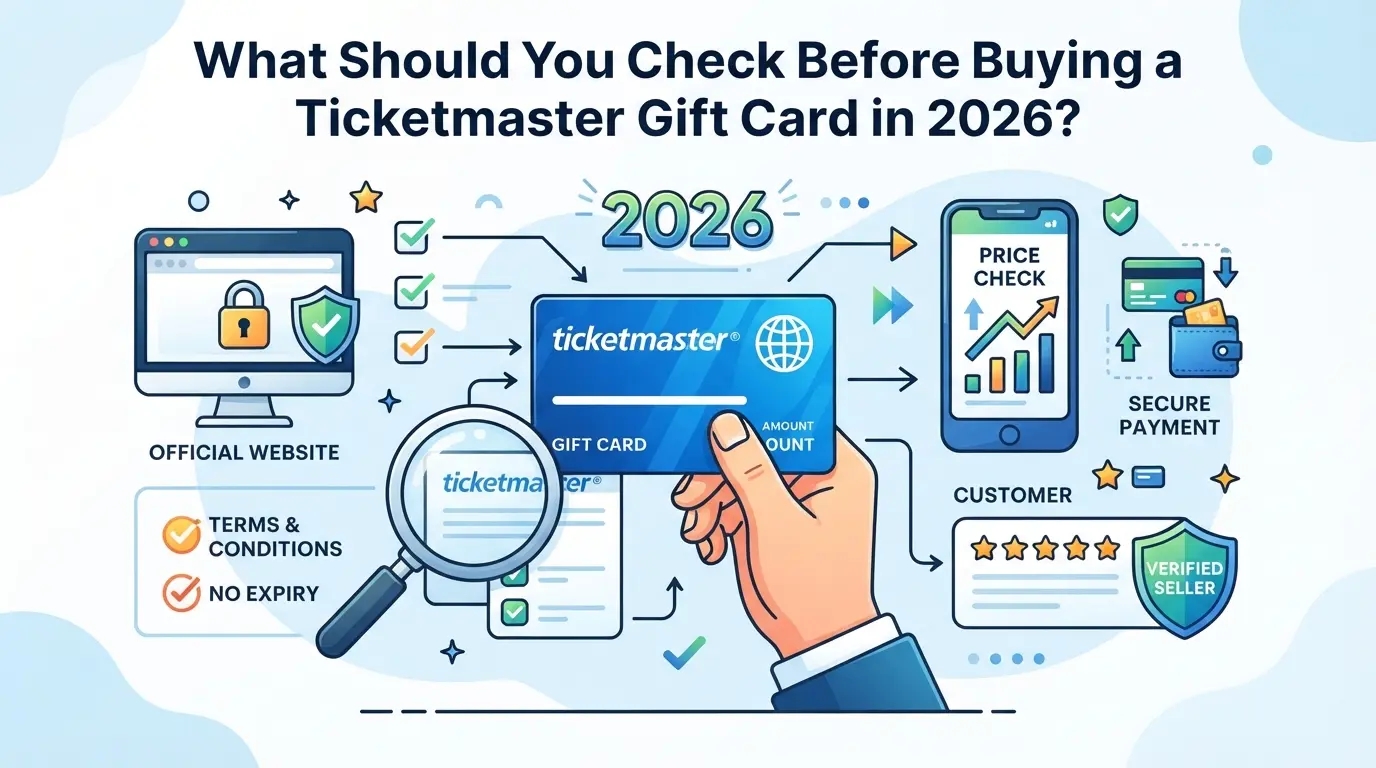
If you skip the basics, you risk buying a card that’s useless for your event or impossible to redeem. The main thing to check is where the card comes from and what restrictions it carries, those two points decide if you’ll actually be able to use it or not.
Which sellers are safe and which to avoid?
Most people head straight to the cheapest seller, but that’s where scams and dead cards show up first. Only buy from Ticketmaster’s official site, major retail partners (like Target or Walmart), or trusted online stores with clear refund policies. Skip listings on resale sites, auction platforms, or any social media DMs offering codes at a discount, those are high-risk for fraud or already-redeemed cards. Even if a third-party site looks polished, check if they’re listed as an official partner on Ticketmaster’s own help pages. If a seller can’t give you a direct link to terms or customer support, treat that as a red flag.
What restrictions or exclusions apply to Ticketmaster gift cards?
- Check if the card is limited to certain events, venues, or regions, some only work in the US or for Live Nation shows.
- Confirm expiration rules and fees; some cards expire after 3-5 years, while others deduct a monthly charge if unused.
- Make sure the card covers all ticket types you want, some exclude resale, parking, or VIP experiences.
How can you check a Ticketmaster gift card’s balance and validity?
A working code is not enough, many issues show up only after you try to pay. Always confirm these before you rely on the card:
- Visit the official Ticketmaster gift card balance page and enter your card number and PIN to check current value.
- If the site reports “invalid” or “zero balance” but the card is new, contact support immediately with proof of purchase.
- Try a small transaction to test redemption, if it fails, do not attempt multiple times, as repeated errors can lock the card.
If you miss any of these checks, you could end up with a card you can’t use, next, we’ll cover the most common ways these cards fail and what warning signs to watch for.
Why Some Ticketmaster Gift Cards Don’t Work as Expected
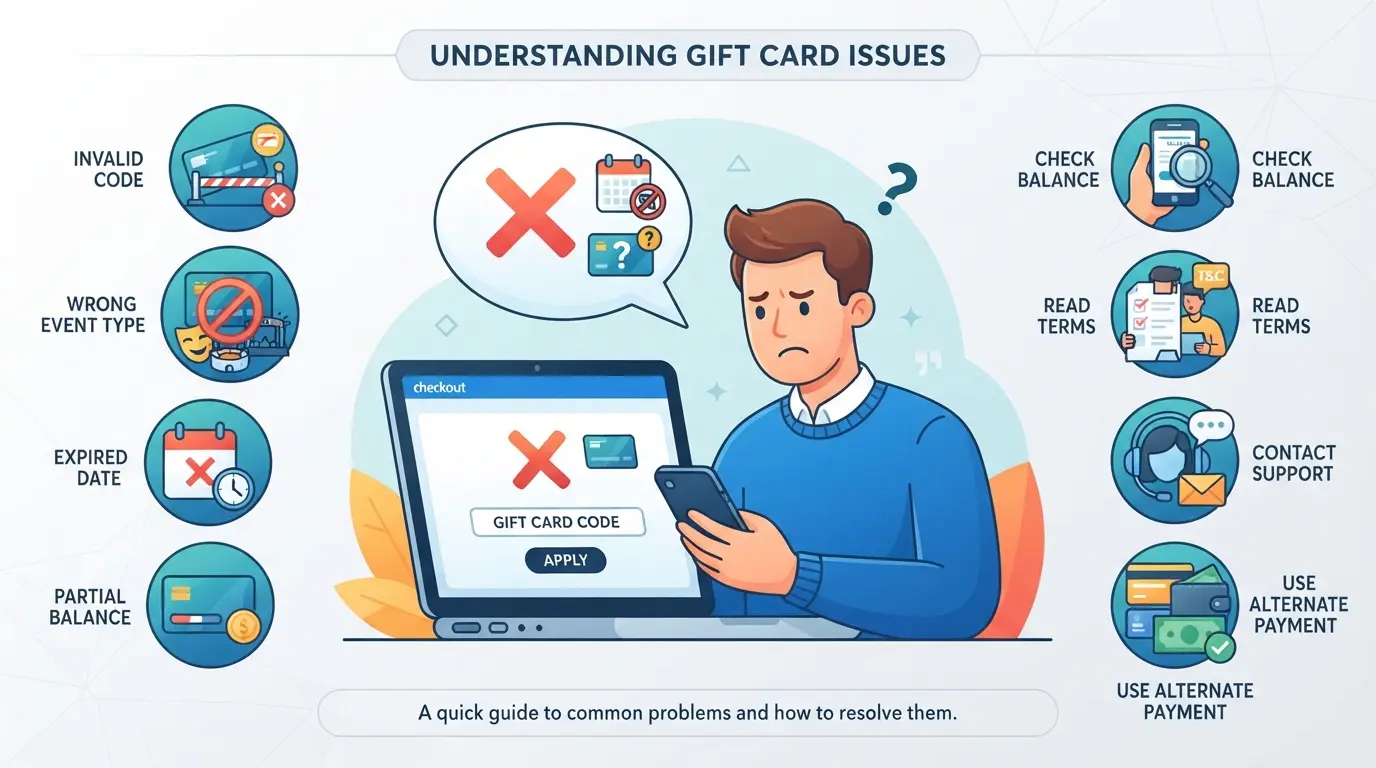
Even when you check all the basics, cards can still fail at checkout. The most common reason is a mismatch between how Ticketmaster applies restrictions and how buyers expect to use the balance, especially for digital events, presales, or last-minute purchases.
Common technical and policy reasons for failure
Most failed redemptions come down to two things: event restrictions and card status. Some events (like high-demand concerts) don’t accept gift card payments, even if the site says “gift cards accepted.” If your card isn’t activated or you mistyped the code, the checkout will block you right away.
How platform changes in 2026 affect gift card use
Ticketmaster rolled out new fraud filters and policy updates this year. Cards bought from unofficial sellers are now flagged more often, sometimes even after a successful balance check, the card gets rejected when you try to pay. For example, if you bought a discounted card from a reseller, you might see a “payment method not allowed” error at checkout. The system also started blocking cards if your account region or device profile doesn’t match the card’s origin country, which didn’t always matter before. The biggest shift is that many cards now require full account verification before use, skip this step and your balance sits unused. If you’re trying to use a card for a group purchase, watch out: bulk orders or multiple redemptions from the same IP can trigger an automatic freeze, especially on newer accounts.
What to do if your Ticketmaster gift card is declined
- Double-check if the event accepts gift cards, exclusions are common on presales, platinum, or resale tickets.
- Log in and verify your Ticketmaster account fully before trying again; incomplete verification is a top cause of failure in 2026.
- If the card still won’t work, contact Ticketmaster support through your account portal, skip email, as chat or phone gets faster results.
How Ticketmaster Gift Cards Compare to Other Event Gift Cards in 2026
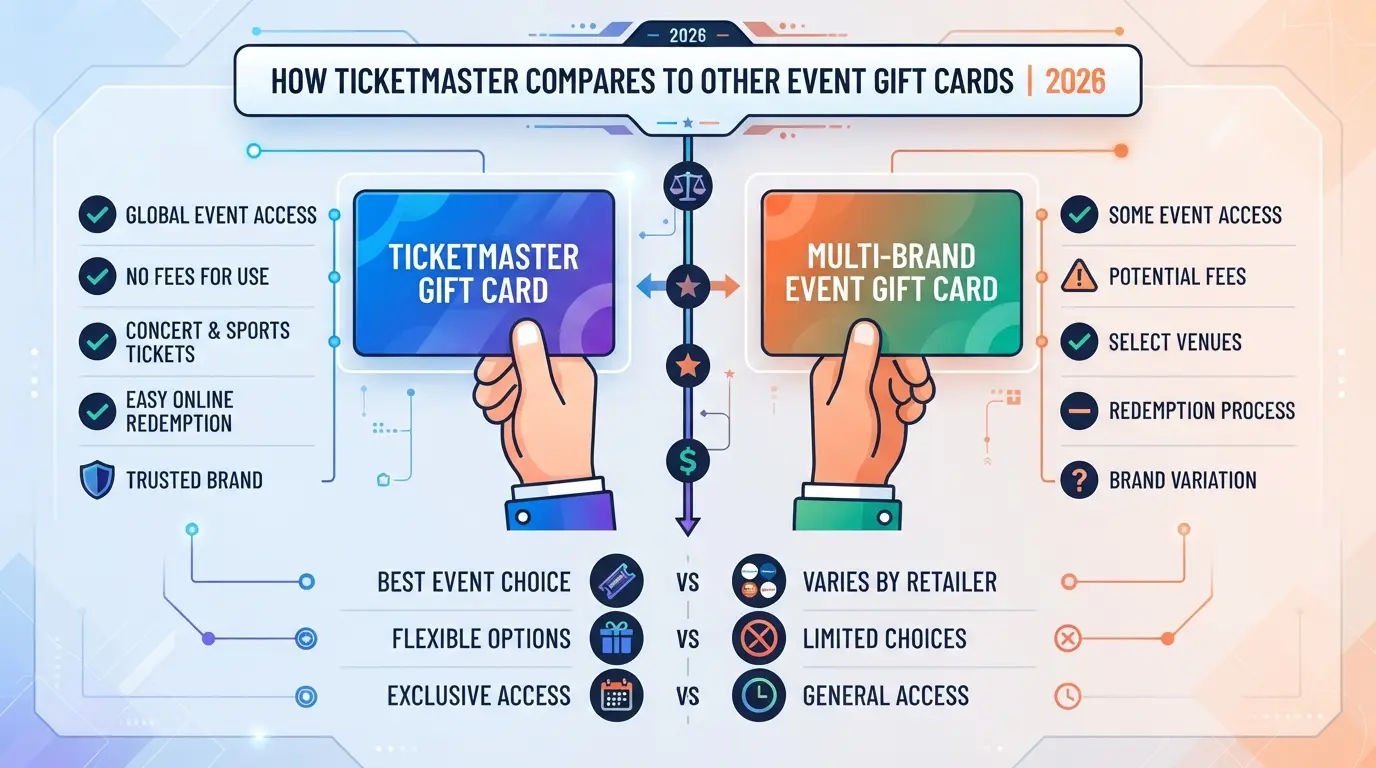
If you’re torn between a Ticketmaster gift card and other event gift cards, the real difference comes down to where you can spend it, how fees work, and what happens if something goes wrong. Not every card works for every event, so fit matters more than brand.
Ticketmaster vs. StubHub vs. Eventbrite gift cards
| Feature |
Ticketmaster Gift Card |
StubHub Gift Card |
Eventbrite Gift Card\\\\\\\* |
| Where it works |
Concerts, sports, theater on Ticketmaster (not all venues) |
Any event listed on StubHub |
Only for events where Eventbrite is ticketing partner (rare in 2026) |
| Fees |
$0 to buy, but ticketing fees apply at purchase |
$0 to buy, buyer and service fees at checkout |
$0 to buy, some events add extra processing fees |
| Support |
Ticketmaster customer service |
StubHub customer service |
Eventbrite support (limited for gift cards) |
*Eventbrite’s own gift cards are much less common, most users get promo codes instead.
A Ticketmaster card covers more mainstream concerts and sports but locks you into their system, if your event isn’t on Ticketmaster, the balance is useless.
Physical vs. digital (e-gift) cards: Pros and cons
Physical cards feel better to unwrap, but e-gift cards arrive within minutes, even on weekends or holidays. If you’re short on time, e-gift is the only reliable way to send last-minute. Physical cards risk being lost or delayed in the mail.
When an alternative gift card is a better fit
If you know the recipient only attends local indie shows or uses platforms like StubHub for resale tickets, a Ticketmaster card could go unused. The strongest move is to match the card to the platform where the recipient actually buys tickets, guess wrong and the card might just sit unused.
Next up: pricing and value quirks, how discounting, expiration, and hidden costs shape what your gift is actually worth.
What Affects Ticketmaster Gift Card Pricing and Value in 2026?
You won’t always pay the face value for a Ticketmaster gift card, and the real-world value can drop if you miss hidden costs or expiration traps. Here’s what actually shapes how much your card is worth when it’s time to use it.
Face value vs. purchase price: What’s the difference?
Most buyers expect to pay $25 for a $25 card, but that’s not guaranteed. Buying from a third-party seller or reseller often means paying more than face value, sometimes 5–15% higher for high-demand event seasons.
Fees, expiration, and deductions to watch for
Ticketmaster’s official site rarely adds activation or maintenance fees, but some retailers still slip them in. Physical cards bought at supermarkets or gas stations might include a $2–$5 activation charge, which instantly lowers your real balance. In 2026, most Ticketmaster gift cards don’t expire, but check the back, some older stock or bulk-purchased cards expire after 12 or 24 months if not used. If you redeem a card and the balance is missing, it usually means a fee or expiration rule kicked in. Always double-check fee tables and fine print before you pay.
How to get the best deal on a Ticketmaster gift card
- Buy direct from Ticketmaster or major partners, avoid auction sites and classified ads
- Watch for seasonal promos (Black Friday, Cyber Monday) for 5–10% discounts
- Verify activation at checkout; keep the receipt until you see the balance credited
If you understand these pricing and value factors, you’ll avoid paying more than you should and spot the traps that cut into your card’s real value. Next, see exactly how to buy, send, and redeem a Ticketmaster card without risking your balance.
Step-by-Step: How to Buy, Send, and Redeem a Ticketmaster Gift Card
If you want a clear workflow for gifting or using event credit, the real action is in three steps: buy, send, and redeem. Skip the generic advice, here’s exactly how to get a card, transfer it, and use it without common errors.
Buying a Ticketmaster gift card: Online and in-store options
- Go to Ticketmaster’s official gift card page or visit a major retailer (like Walmart or Target).
- Pick digital for instant email delivery, or plastic for physical gifting. Double-check the expiration and fee info, some retail cards have extra activation fees.
- Complete purchase with a credit/debit card. If the site rejects your payment, check for card limits or mismatched billing details.
- Save your order confirmation. If you don’t get a card code or tracking, contact support within 24 hours.
Sending a Ticketmaster gift card: Digital and physical delivery
- For e-gift cards, enter the recipient’s email carefully, one typo and the card goes to the wrong inbox.
- For physical cards, add the full shipping address and select “trackable shipping” if offered. Lost cards sent without tracking are rarely replaced.
- Confirm delivery: E-gift cards usually arrive within an hour; physical cards take 3-7 days. No delivery? Check spam/junk or contact support.
Redeeming a Ticketmaster gift card: What to expect
- At checkout, choose “Add a Gift Card” and enter the card number and PIN. Don’t share your card details with anyone.
- If you see an “invalid code” error, check for typos or try again after clearing your browser cache.
- Still not working? Sometimes, certain events don’t accept gift cards, try another event or call Ticketmaster support.
Mistakes during purchase or delivery are hard to fix after the fact, so double-check each step before sending or redeeming any code. Next, learn how to keep multiple accounts under control when handling event gift cards.
How to Manage Multiple Platform Accounts Safely When Handling Gift Cards
Why separating browser sessions matters for account safety
Running multiple accounts in the same browser is risky, platforms often spot shared cookies, device fingerprints, or reused IP addresses, leading to linked accounts or sudden bans.
Best practices for teams or frequent buyers
Assign each account to a specific person, and use individual devices or browser profiles for bulk gifting. For large teams, have a written handoff process that documents who controls which account and when a ticketmaster gift card gets redeemed. This avoids confusion and helps trace any issues if a balance goes missing.
When to consider advanced browser tools for account management
- You manage five or more event accounts at once
- Accounts get flagged after switching profiles or locations
- You need to keep balances, cookies, and login data separate for compliance or audit reasons
Using DICloak to Separate Browser Profiles and Proxies in Multi-Account Gift Card Operations
For readers handling more than one platform account, whether buying, redeeming, or gifting event cards, the real challenge is keeping sessions and network signals from crossing over. Standard browsers quickly leak identifiers or mix up sessions, which risks confusion or data overlap between accounts. DICloak lets operators build separated browser profiles, assign proxies, and mirror actions live, so each account session stays contained within its own profile. This workflow does not manage ticketmaster gift cards themselves; it’s about the browser layer only.
Creating isolated browser profiles and configuring fingerprints in DICloak
Operators start by making a unique DICloak profile for each platform account involved in their multi-account gift card workflow. Each profile stores its own cookies, session data, and browser fingerprint signals, like system language, time zone, or WebGL metadata. This means every session runs in its own box, with fingerprint settings adjusted for each profile as needed. The scope is strictly browser-profile separation; it does not alter anything on the ticket site itself.

Assigning user-owned proxies to each profile for network separation
Where network separation matters, operators attach their own proxy (HTTP, HTTPS, or SOCKS5) to each DICloak profile. After entering proxy details, they run the built-in check to confirm the connection and view the exit IP or location. This lets each profile route traffic through different network paths if required. Proxy selection, ownership, and rotation rules are up to the operator, DICloak only applies the user’s settings.

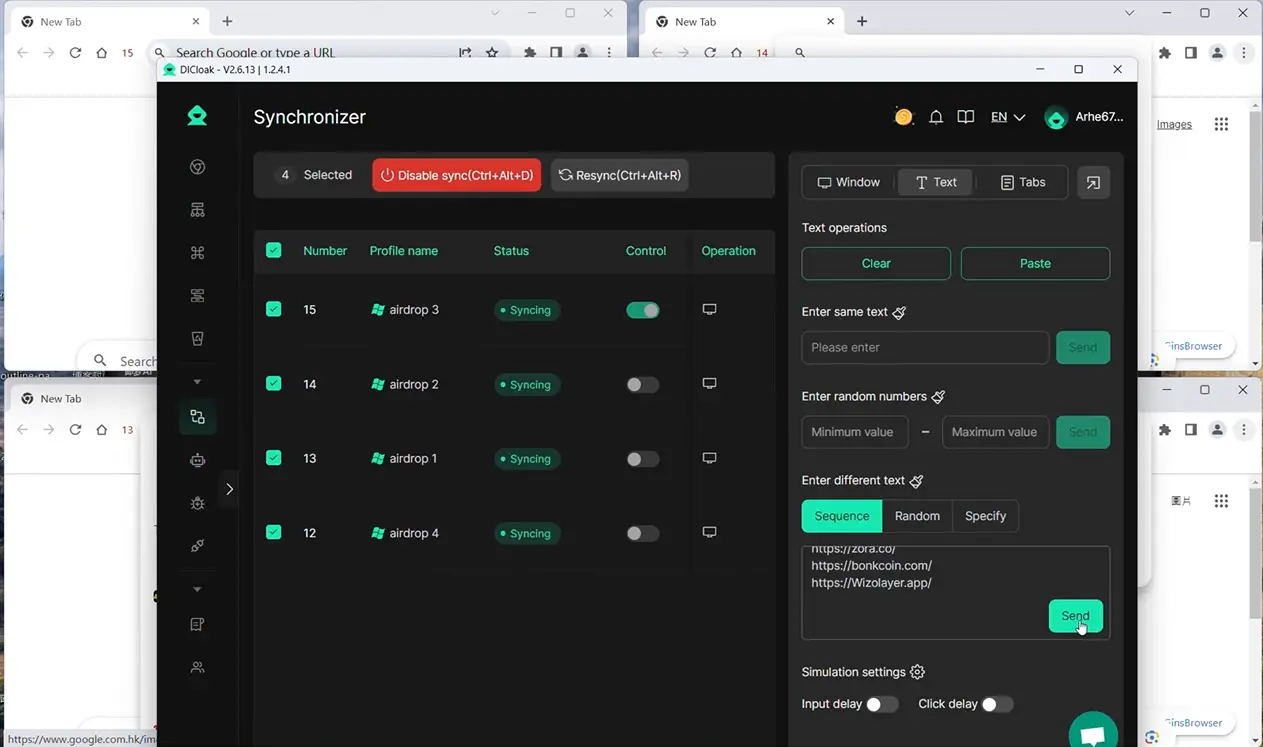
Synchronizing actions across multiple profiles with DICloak’s Window Synchronizer
When an operator needs to repeat the same supported action, like navigating to a redemption page, across several open profiles, the Window Synchronizer mirrors their clicks and inputs from a master window to the rest. This is always a live, operator-supervised process. It saves time and keeps steps consistent across sessions, especially in bulk redemption or testing scenarios.
When a Ticketmaster Gift Card Is Not the Best Choice: Key Scenarios and Safer Alternatives
Events or venues not covered by Ticketmaster cards
If the show or venue doesn’t use Ticketmaster for ticketing, the card is worthless for that event, refunds aren’t possible. Always check the official event page for accepted payment types. For local venues or festivals, prepaid debit cards or the event’s own gift card work better.
When recipient flexibility matters more than brand
A brand-locked card can leave your gift stuck if plans change.
- The recipient may want to pick a show on another platform or split costs with friends who use different ticket sites.
- A universal event card or prepaid debit card often avoids these limits and lets them choose any ticketing site.
Risks of resale, secondhand, or discounted cards
Discounted or resold cards often come with hidden risks, balances might be drained, or codes can be invalid. Even if you see a deal, stick to buying directly from authorized sellers or the official Ticketmaster site. This reduces your chance of ending up with a useless balance.
Frequently Asked Questions About ticketmaster gift card
Can I use a Ticketmaster gift card for any event or venue?
Ticketmaster gift cards can be used for most events sold through Ticketmaster.com or the Ticketmaster app, but some venues or promoters may not accept them. Before buying, check the event’s purchase page for accepted payment methods or look for a gift card logo. Not all resale tickets or affiliated partners are eligible.
How do I check the balance on my Ticketmaster gift card?
You can check your ticketmaster gift card balance online at Ticketmaster.com/giftcards by entering your card number and PIN. You can also call Ticketmaster customer service for a balance check. Always have your card details ready when checking your balance over the phone or online.
Are Ticketmaster gift cards refundable or transferable?
Ticketmaster gift cards are not refundable, even if lost or unused. They are also non-transferable and tied to the cardholder. Once purchased, you cannot return or exchange them for cash, except where required by law. Make sure to double-check all details before buying.
What should I do if my Ticketmaster gift card is lost or stolen?
If your card is lost or stolen, contact Ticketmaster customer service right away with your original purchase details. Replacement is possible only if you have proof of purchase and the card has a remaining balance. Lost cards without this information are typically not replaced.
Can I combine multiple Ticketmaster gift cards for one purchase?
Yes, Ticketmaster allows you to use up to five gift cards in a single order during checkout. Simply enter each card’s number and PIN on the payment page. The system will apply the balances in the order you enter them, up to your total purchase amount.
Whether you’re looking to surprise a friend or treat yourself, considering a prepaid option for event experiences can be a thoughtful gesture. Take a moment to compare available retailers, check the terms, and decide which purchasing method fits your needs best. Try DICloak For Free
 Web Proxy Tools
 Free Tools
 Cookie Plugin
 UA Generator
 MAC Address Generator
 IP Generator
 IP Address List
 2FA Code Generator
 World Clock
 Anonymous Check
 WebRTC Leak Test
 UUID Generator
 Free Web Proxy Site
 Proxy Checker
 FB Ad Checker
 AI Web Scraping
 Free SMM Tools
 Twitter Shadowban Checker
 Instagram Name Checker
 UTM Generator
 Username Generator
 AI Hashtag Generator
 LinkedIn Headline Generator
 Social Media Image Resizer