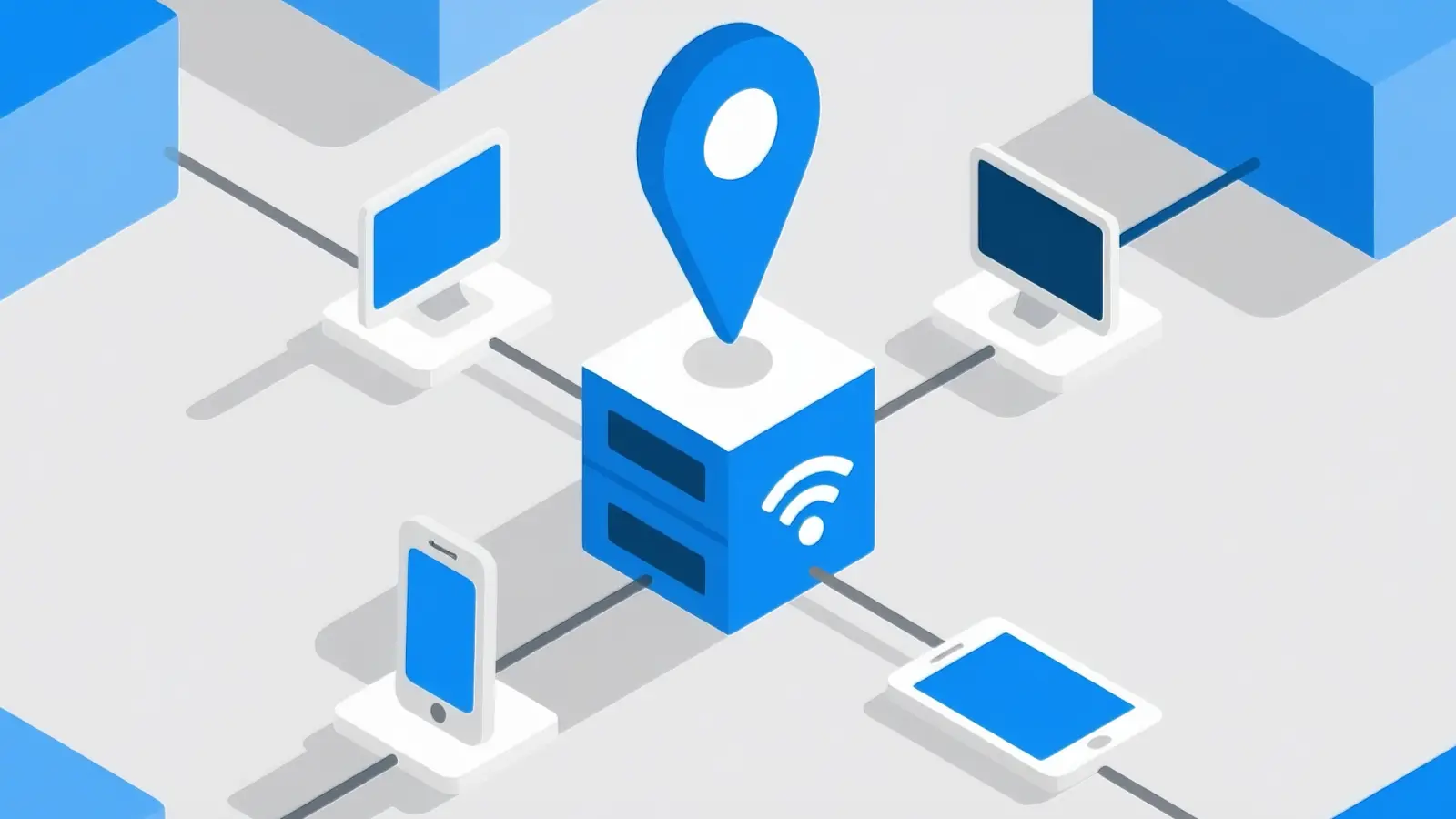
A link bypasser can help users skip slow redirects and reach final links faster. But not every tool is safe or reliable. This guide explains how link bypassers work in 2026, why they fail, what risks to watch for, and how to choose safer options.
Why Do Link Bypassers Fail on Certain Websites?
A link bypasser can help users reach a final destination faster, but it does not work on every website. Many short-link and gated-link platforms use timers, session tokens, redirects, ads, and browser checks to control access. When those checks change, the bypasser may fail, loop, or send users to the wrong page.
How website restrictions block bypassers
Some websites block a link bypasser by using session-based links, expiring tokens, CAPTCHA checks, or required user actions. For example, a download page may only create the final link after the user waits, clicks a button, or completes a browser check. If the bypasser cannot copy that exact session, it may return an error or an expired link. This is why one tool may work on a simple short link but fail on a more protected page.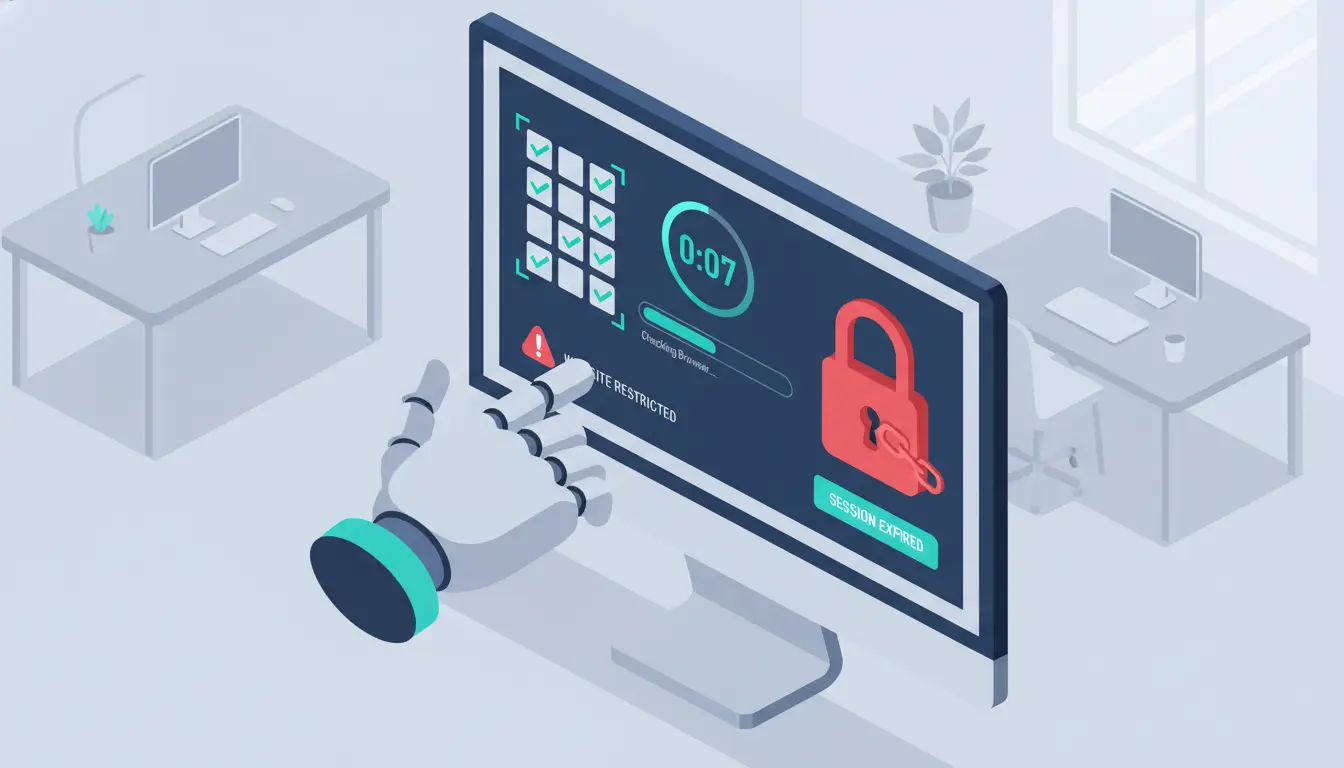
Common mistakes users make when bypassing links
Many users paste broken, old, or incomplete links into a bypasser and expect it to work. Others retry the same link too many times, switch networks during the process, or use unsafe browser extensions without checking permissions. These mistakes can lead to failed redirects, security warnings, or fake download pages. A safer habit is to check the original URL, avoid tools that ask for too much access, and stop using any site that opens suspicious pop-ups.
Signs that a bypasser tool might not work for your needs
A link bypasser may not be a good fit if it only supports a few sites, has many failed user reports, asks you to install unknown files, or cannot explain how it handles links. Some bypass tools are inconsistent and may also create privacy or security risks. If a tool keeps looping, returns expired links, or sends you through more ads than the original page, it is better to use another option or avoid the link completely.
What Risks Should You Consider When Using Link Bypassers?
A link bypasser can save time, but it can also create privacy, security, and trust risks. Many bypasser sites handle links through third-party servers, ads, redirects, or scripts. That means you should not paste sensitive links or use a tool just because it looks fast.
How bypassers can expose your data to third parties
When you use a link bypasser, you may share the original URL, your browser data, IP address, and click behavior with another site. Some pages may also open pop-ups, fake download buttons, or tracking scripts. Short links already hide the final destination, and security groups have warned that attackers often use them to hide phishing or malware pages.
For example, a user may paste a download link into a bypasser, click the first “continue” button, and end up on a fake file page. The tool did not just fail. It also added a new risk.
Legal and ethical concerns with bypassing links
Some links are gated for a reason. They may support a creator, protect paid content, or require a user to accept site terms before access. Using a link bypasser to skip those steps can break site rules or harm creators who depend on ad or gate revenue.
A safer rule is simple: do not use bypassers to access paid, private, or restricted content. If the link belongs to a creator or service you trust, use the normal route when possible.
How to identify safe and reliable bypasser tools
A safer link bypasser should be transparent, simple, and low-permission. Avoid tools that ask you to install unknown files, disable browser security, log in with personal accounts, or allow wide browser permissions. Also avoid sites filled with fake buttons or forced downloads.
Check whether the tool has recent user feedback, clear supported sites, HTTPS, and a clean interface. If it keeps looping, hides the final URL, or sends you through more ads than the original link, it is not worth using.
How to Choose the Right Link Bypasser for Your Needs
Not every link bypasser works the same way. Some are fast but risky. Others are safer but limited. The right choice depends on what kind of links you deal with and how much risk you are willing to take. A careful choice can save time and reduce problems.
Key features to look for in a bypasser tool
A good link bypasser should support common short-link platforms, load quickly, and show clear results. It should not ask for downloads, logins, or extra permissions. Look for tools that use HTTPS and have a simple interface without too many ads.
For example, if a tool pastes your link and shows the final destination clearly, it is easier to trust than one that keeps redirecting without explanation. Transparency is a strong sign of a better tool.
Comparing web-based tools vs. browser extensions
Web-based bypassers are easier to use. You just paste the link and get the result. They are safer for quick checks because they do not require installation.
Browser extensions can be faster for repeated use, but they carry more risk. Some extensions request access to your browsing data, which can expose your activity.
For example, a user who installs an unknown extension may solve one link problem but create a bigger privacy issue. If you use extensions, choose well-known ones with clear permissions.
How to evaluate user reviews and ratings
User feedback can reveal real problems. Look for patterns in reviews, not just high ratings. If many users mention failed links, pop-ups, or suspicious behavior, that is a warning sign.
For example, if several users say a link bypasser works for basic links but fails on newer platforms, you know its limits. A reliable tool usually has consistent feedback and fewer complaints about security or performance.
Taking a few minutes to check reviews can help you avoid tools that waste time or create risk.
Step-by-Step Guide to Using a Link Bypasser Effectively
A link bypasser works best when you use it carefully. The goal is not only to skip a slow link page. It is also to avoid fake buttons, unsafe redirects, and broken results. A few checks before and after using the tool can make the process safer.
Preparing your browser or device for bypassing
Before using a link bypasser, update your browser and turn on basic security features. Avoid using tools that ask you to install unknown files or disable protection. It also helps to use a clean browser window, so old cookies or extensions do not interfere with the redirect process. For example, if a bypasser keeps opening pop-ups, close the page and try another trusted tool instead.
How to test if a bypasser is working correctly
A working link bypasser should give you the final link clearly. It should not send you through many extra pages or ask for personal information. After pasting the link, check whether the result matches the content you expected. For example, if you are trying to reach a file page, the final URL should look related to that file host, not a random ad or survey page.
Troubleshooting common errors during bypassing
Common problems include expired links, endless loading, CAPTCHA loops, and unsupported websites. If the link does not work, first check whether the original link is still active. Then try refreshing, using another browser, or testing a different bypasser. If the tool keeps failing or redirects you to suspicious pages, stop using it. In many cases, the safest fix is to use the original link path or avoid the link completely.
Are Free Link Bypassers Worth the Risk?
Free tools are easy to find, but they are not always the best choice. A link bypasser can save time, yet the wrong one can add risk, extra ads, or broken results. It helps to understand what you gain and what you give up.
Differences between free and paid bypasser tools
Free bypassers usually work for basic links. They are quick to use, but they often have limits. You may see slower speed, fewer supported sites, or more ads.
Paid tools often offer more stable results, faster processing, and better support for complex links. For example, a free tool may fail on a newer short-link system, while a paid version can handle it without errors.
Hidden risks of using free bypassers
Free link bypasser tools often rely on ads or third-party redirects. This can lead to pop-ups, fake buttons, or tracking scripts. Some may even redirect you to unsafe pages.
For example, a user may click a “continue” button and get sent to a fake download page instead of the real link. These risks are more common on free platforms with little control or moderation.
When to consider upgrading to a premium tool
A premium tool may be worth it if you use bypassers often or deal with more complex links. It can save time and reduce repeated errors.
For example, if you test links daily for work or research, a more reliable tool can improve efficiency. But for occasional use, a simple and trusted free option may still be enough.
The key is to balance convenience with safety. A link bypasser should help you, not create new problems.
How to Avoid Getting Blocked While Using Link Bypassers
A link bypasser may stop working if a website detects unusual behavior. Many platforms try to protect their links with timers, scripts, and behavior checks. If your activity looks automated or inconsistent, the system may block access or show errors.
Why some websites detect and block bypassers
Websites use tools like IP tracking, cookies, browser fingerprints, and behavior checks to spot bypassing. For example, if a user skips steps too fast or loads a page without expected actions, the site may flag it.
Some platforms also use CAPTCHA or session tokens. These are designed to make sure a real person is completing the steps. A link bypasser that cannot copy these steps correctly may fail or get blocked.
Tips to stay under the radar when bypassing links
Move slowly and avoid repeating the same action many times in a short period. Use a normal browser instead of unknown tools that trigger warnings. Do not switch networks or devices during the process, as this can break the session.
For example, if you open a link, then quickly refresh or retry many times, the system may block you. A slower and more consistent approach often works better.
Also avoid clicking random buttons or pop-ups. Stick to clear and expected actions.
Tools that help bypassers avoid detection
Some tools focus on maintaining a stable browsing environment. This can include keeping cookies consistent, using a steady connection, and avoiding sudden changes in behavior.
For example, using a clean browser profile or limiting extensions can reduce conflicts. However, no tool can guarantee full success. A link bypasser should be used carefully, and if a site blocks access, it is often safer to follow the original process instead of forcing it.
What Are the Limitations of Link Bypassers in 2026?
A link bypasser can work for simple redirects, but it has clear limits. In 2026, many websites use stronger checks and dynamic systems that make bypassing harder. This means not every link can be skipped, even with the best tools.
Why some links are impossible to bypass
Some links are built with server-side checks. The final URL is only created after you complete steps like waiting, clicking buttons, or passing a CAPTCHA. Since this process happens in real time, a link bypasser cannot generate the same result without those actions.
For example, a file-sharing page may only unlock the download link after a timer ends and a session is confirmed. If that session is missing, the bypasser cannot access the final link.
How bypassers struggle with advanced security measures
Modern platforms use tools like dynamic tokens, behavior tracking, and anti-bot systems. These features check how you interact with the page, not just the link itself.
For example, if a tool tries to skip directly to the final page without normal user actions, the system may block it or return an error. This is why some bypassers work one day and fail the next after a site update.
Alternative solutions when bypassers fail
When a link bypasser does not work, the safest option is often to follow the normal process. This may include waiting for the timer, completing simple steps, or verifying the page.
Another option is to check if the content is available from a direct or official source. For example, many files or resources can be found through the original website or trusted platforms.
If a link feels unsafe or too complicated, it is better to avoid it. A link bypasser should save time, not create new risks.
How DICloak Antidetect Browser Enhances Link Bypassing
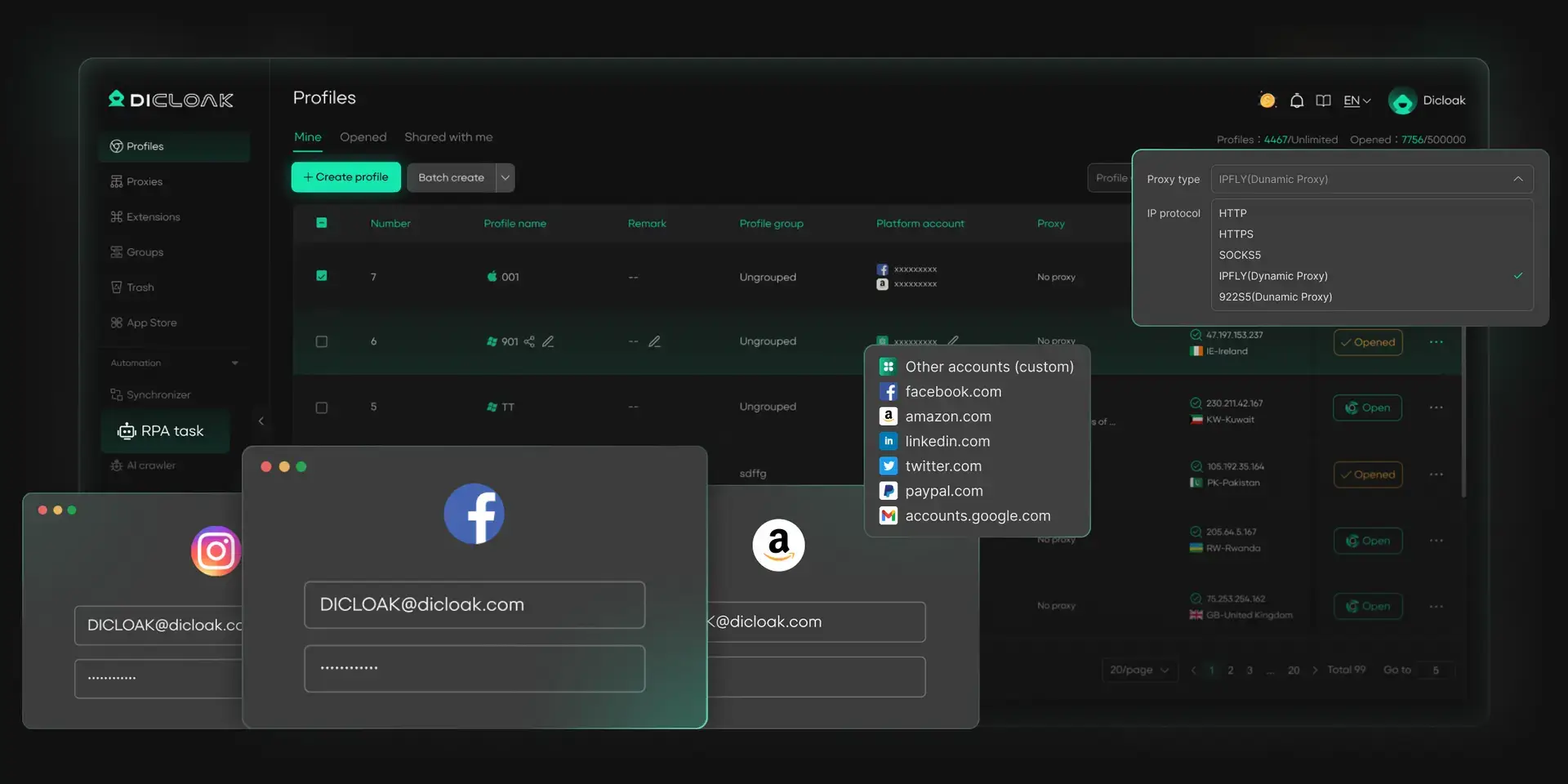
A link bypasser can fail when websites detect repeated actions, mixed sessions, or unusual behavior. In these cases, using a cleaner and more controlled browsing setup can help. With DICloak, users can manage link access in separate browser profiles, which makes the process more stable and easier to handle.
Managing multiple bypassing profiles with unique fingerprints
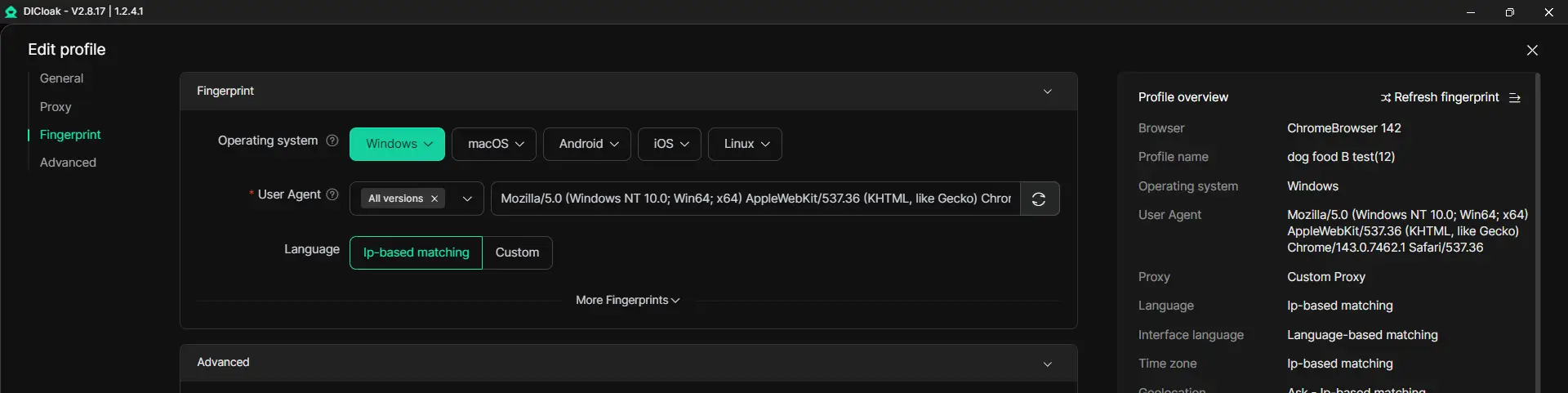
With DICloak, users can run each task in its own browser profile. Each profile has its own cookies, storage, and browser fingerprint. This helps avoid mixing sessions between different links or tasks. For example, if one link process fails due to session conflict, you can try again in a fresh profile without affecting other activities. This keeps each attempt more isolated and easier to manage.
Reducing detection risks with advanced masking features
Some websites detect unusual behavior by checking browser signals. With DICloak, each profile maintains a consistent environment, which can reduce issues caused by sudden changes in browser data. For example, using the same stable profile instead of switching setups repeatedly can help avoid triggering extra checks like CAPTCHA loops or session resets.
Simplifying proxy setup for seamless bypassing
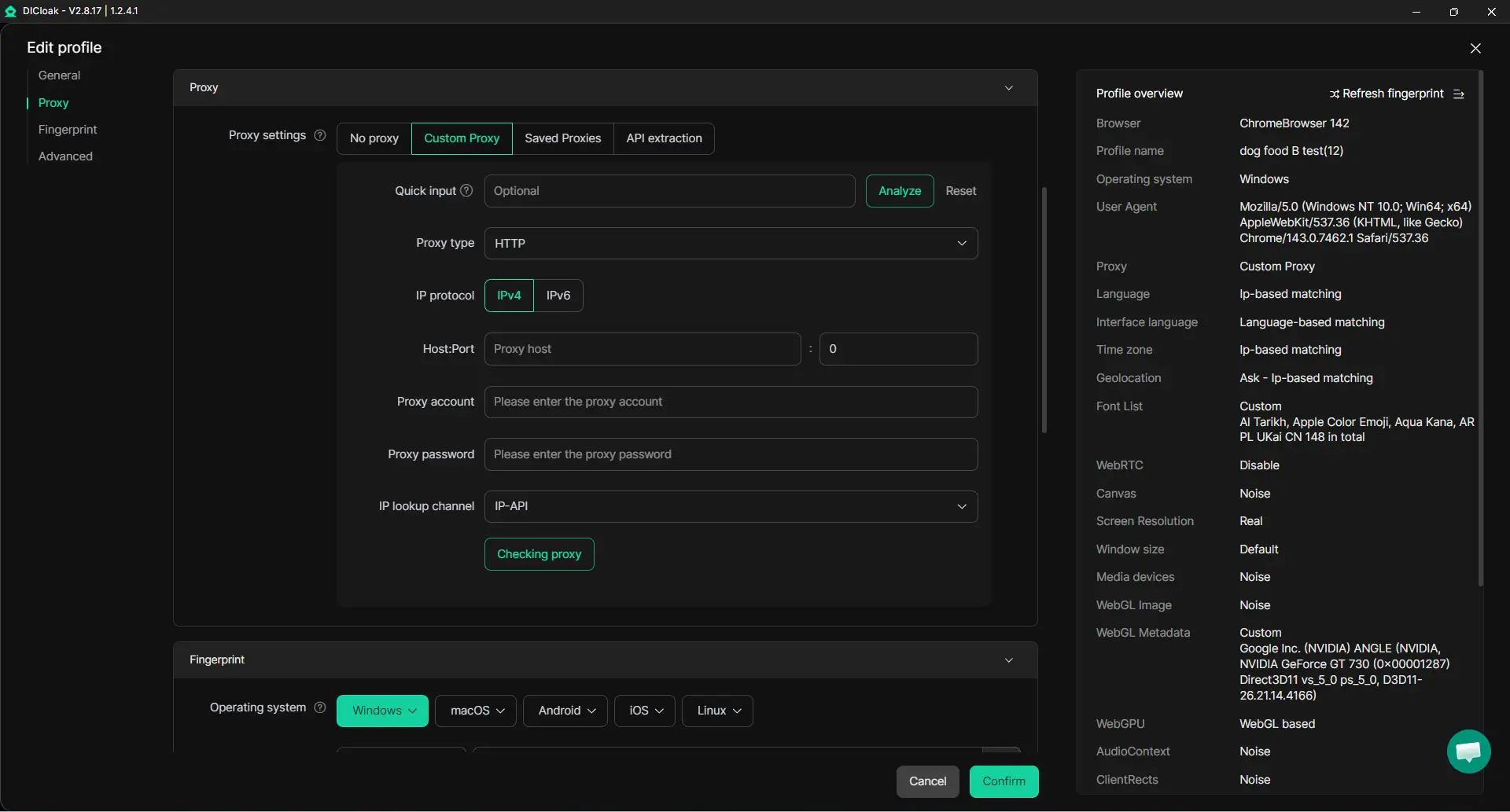
With DICloak, users can configure proxy for each browser profile. This helps keep network conditions stable and aligned with each session. For example, if a link process depends on a consistent connection, using the same proxy within one profile can reduce errors caused by IP changes. This makes link handling more predictable and less likely to break during the process.
FAQ About Link Bypasser
Can link bypassers work on mobile devices?
Yes, many link bypasser tools work on mobile browsers. You can paste the link into a web-based tool just like on desktop. However, some mobile browsers may block pop-ups or scripts, which can affect results.
Are link bypassers legal to use?
It depends on how you use them. A link bypasser is not illegal by itself, but using it to skip paid content, protected downloads, or platform rules may violate terms of service. It is safer to avoid bypassing restricted or paid links.
How do I know if a bypasser is safe to download?
Avoid downloading unknown software. A safe link bypasser should not require installation, login, or wide permissions. Check user reviews, use HTTPS sites, and avoid tools that trigger warnings or ask for personal data.
What types of links are easiest to bypass?
Simple short links with basic redirects are easier to bypass. For example, links with only a timer or a few redirects often work well. More complex links with CAPTCHA or session checks are harder to handle.
Do bypassers work on encrypted or password-protected links?
No, most link bypasser tools cannot access encrypted or password-protected links. These links require valid credentials or user input, which bypassers cannot generate automatically.
Conclusion
A link bypasser can be useful for simple links, but it should be used carefully. Avoid tools with fake buttons, forced downloads, or unclear permissions. When a link feels unsafe or too restricted, the better choice is to use the original path or leave it alone.
 Web Proxy Tools
 Free Tools
 Cookie Plugin
 UA Generator
 MAC Address Generator
 IP Generator
 IP Address List
 2FA Code Generator
 World Clock
 Anonymous Check
 WebRTC Leak Test
 UUID Generator
 Free Web Proxy Site
 Proxy Checker
 FB Ad Checker
 AI Web Scraping
 Free SMM Tools
 Twitter Shadowban Checker
 Instagram Name Checker
 UTM Generator
 Username Generator
 AI Hashtag Generator
 LinkedIn Headline Generator
 Social Media Image Resizer