Joining Twitter (X) remains a fundamental move for technical practitioners and brands. While the registration process is designed for speed, achieving long-term account viability requires more than just filling out a form. Navigating regional requirements, understanding security protocols, and managing the initial "trust-building" phase with the algorithm are critical to ensuring your profile remains active and secure from day one.
What should you prepare before signing up for Twitter?
Before initiating the registration workflow, perform the following pre-flight data preparation to ensure a friction-less setup.
Choosing between email and phone number verification
From a strategic standpoint, your choice of identifier affects long-term management. Email registration offers a higher degree of privacy and is often preferred for those managing multiple identities. However, using a phone number provides a more robust recovery path and streamlines the verification of security settings if the account is flagged.
Understanding age and location requirements
The platform strictly enforces a minimum age requirement of 13. Furthermore, location-based restrictions remain in effect; access is currently blocked or registration is heavily limited in certain jurisdictions, specifically Iran and North Korea, due to regional laws and government policies.
Ensuring the right network environment
A stable, high-bandwidth connection is necessary to prevent packet loss during the verification code handshake. Ensure your hardware—whether a PC, smartphone, or tablet—is updated and connected to a reliable network to avoid session timeouts.
How to create a Twitter account on your computer
The desktop interface is the preferred environment for detailed initial configuration and data entry.
- Navigate to the sign-up interface: Access the official Twitter landing page and select "Create Account" to initialize the registration module.
- Enter personal details and verification: Input your name, contact method (email or phone), and birth date. Click "Next." Twitter will immediately dispatch a verification code to your chosen contact method. Enter this code into the prompt to authenticate your session.
- Finalizing security and interests: Construct a high-entropy password. Once the account is initialized, the platform will lead you through a selection of interest categories, such as News, Sports, or Technology, to seed your initial content algorithm.
What is the process for mobile registration?
Mobile registration is optimized for speed and offers a specific technical advantage: immediate integration of device-level contact data. This allows practitioners to seed their feed and follow-list rapidly by leveraging existing networks.
- Installing and starting the app: Deploy the Twitter application from the App Store (iOS) or Google Play Store (Android). Launch the application and select "Sign Up."
- Mobile-specific verification steps: Provide your credentials and establish a unique username. Authenticate the account using the verification code sent via SMS or email.
- Optimizing the mobile onboarding experience: The mobile workflow prioritizes immediate profile enrichment. You will be prompted to upload a profile photo and draft a bio immediately. Seeding your interests at this stage is crucial for the algorithm to categorize your account correctly.
How to set up your profile for the first time?
"Day 1" tasks are critical for establishing account legitimacy. A professional, completed profile reduces the likelihood of being flagged as a bot.
Crafting your bio and profile picture
Establish a unique presence by uploading a clear, recognizable profile image. Your bio should be descriptive and use keywords relevant to your niche; this is the primary data point other users and the platform's search algorithm use to index your profile.
Curating your feed through interests
By selecting specific interest nodes during setup, you help the platform customize your feed. Following relevant high-authority accounts in these categories further refines your content stream.
Implementing basic privacy and security settings
Security is a non-negotiable priority. Enable two-factor authentication (2FA) immediately to prevent unauthorized access. Additionally, decide between a public or private profile configuration based on your visibility goals.
Why am I having trouble creating my account?
Technical hurdles during sign-up are often tied to security triggers or data entry errors.
Troubleshooting verification code issues
If a code fails to arrive, verify the accuracy of your contact data and check your network stability. Delayed delivery is often a symptom of high server load or local network latency.
Handling unavailable usernames
If your preferred handle is occupied, create a variant using underscores or relevant suffixes. Technical Tip: Avoid using long strings of random numbers at the end of your username (e.g., @User8473625), as this pattern is frequently associated with automated spam accounts and can trigger early account restrictions.
Managing immediate account restrictions
Twitter’s security heuristics may temporarily restrict a new account if it detects unusual activity during the registration phase. These restrictions are standard security measures and are typically resolved within a 24-to-48-hour window as the account is manually or automatically cleared.
How do you keep a new Twitter account from being suspended?
The 2026 algorithm is hypersensitive to automated-looking patterns. To avoid suspension, you must "nurture" the account through a natural activity ramp-up.
Controlling early engagement levels and Rate Limiting
New accounts are subject to strict rate limiting. Avoid mass following, excessive liking, or rapid-fire retweeting in the first 72 hours. A recommended strategy is to maintain a 1:1 ratio of original posts to interactions for the first 48 hours to demonstrate human-like behavior.
Establishing a natural activity pattern
Focus on quality over quantity. Post original content and engage in thoughtful, non-repetitive interactions. This signals to the platform that the account is operated by a genuine user rather than a script.
Avoiding behaviors that trigger spam filters
Avoid high-risk actions such as using irrelevant or trending hashtags in unrelated posts, mass-following accounts in a single session, or sending unsolicited direct messages.
Using DICloak for managing purchased Twitter accounts
Managing Twitter (X) accounts safely becomes just as important as the purchase itself. Running multiple accounts in one normal browser can create shared data signals, such as cookies and device fingerprints, which may link accounts together and increase risk.
A more stable approach is to separate each account into its own profile. With DICloak, users can create isolated browser profiles, where each account runs with its own fingerprint and proxy setup. This helps keep accounts independent and reduces the chance of cross-account issues.
For example, a marketer managing several Twitter accounts for different niches can assign one profile per account. This way, login sessions, cookies, and activity do not mix. It also makes daily management cleaner and more organized.
In addition, automation tools can help reduce repetitive work. DICloak includes features like RPA and a multi-window synchronizer, which allow users to perform actions across multiple profiles while still mimicking natural behavior. This can save time when handling multiple accounts at scale.
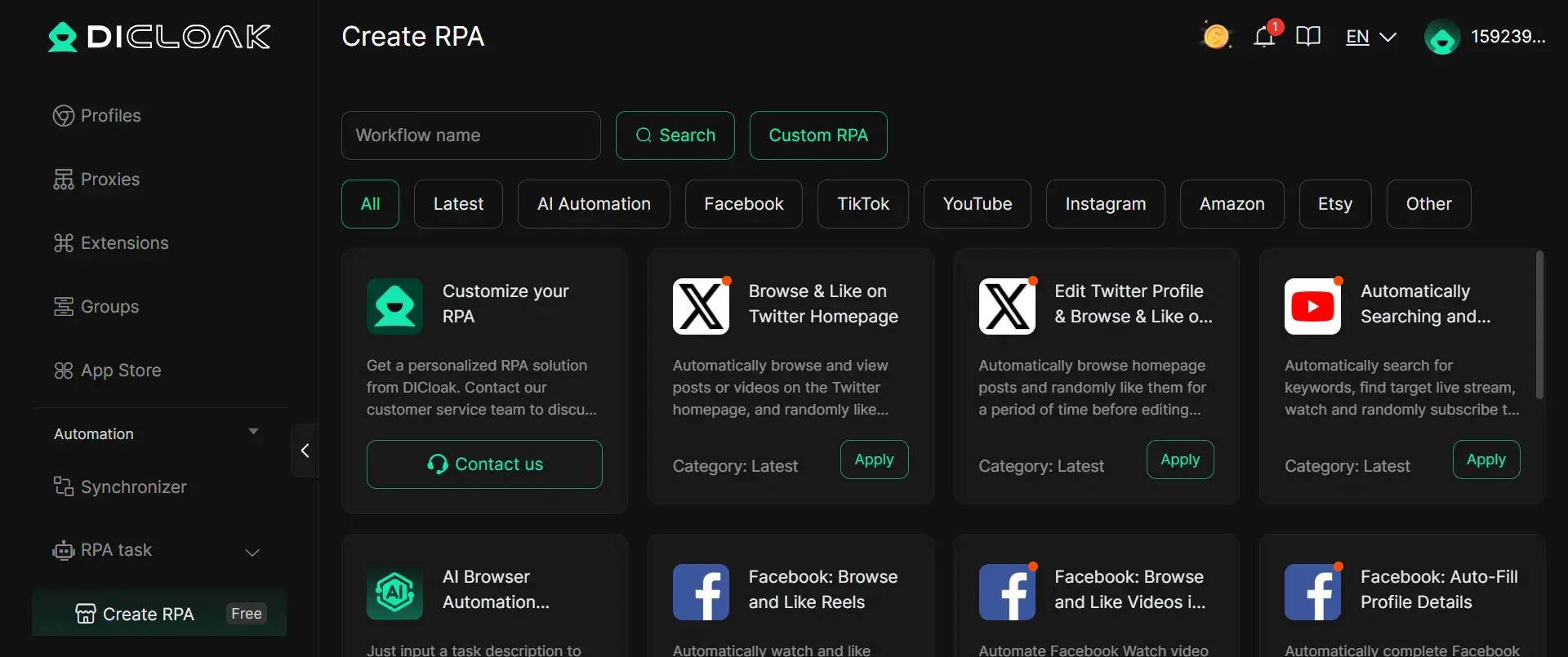
Overall, when dealing with multiple accounts, keeping each profile separate and maintaining consistent activity patterns is key. A structured setup can help you manage accounts more smoothly and reduce unnecessary risks over time.
Here’s how to do that all on DICloak:
- Head to DICloak's website, download the app, and sign up using your Google account or email.
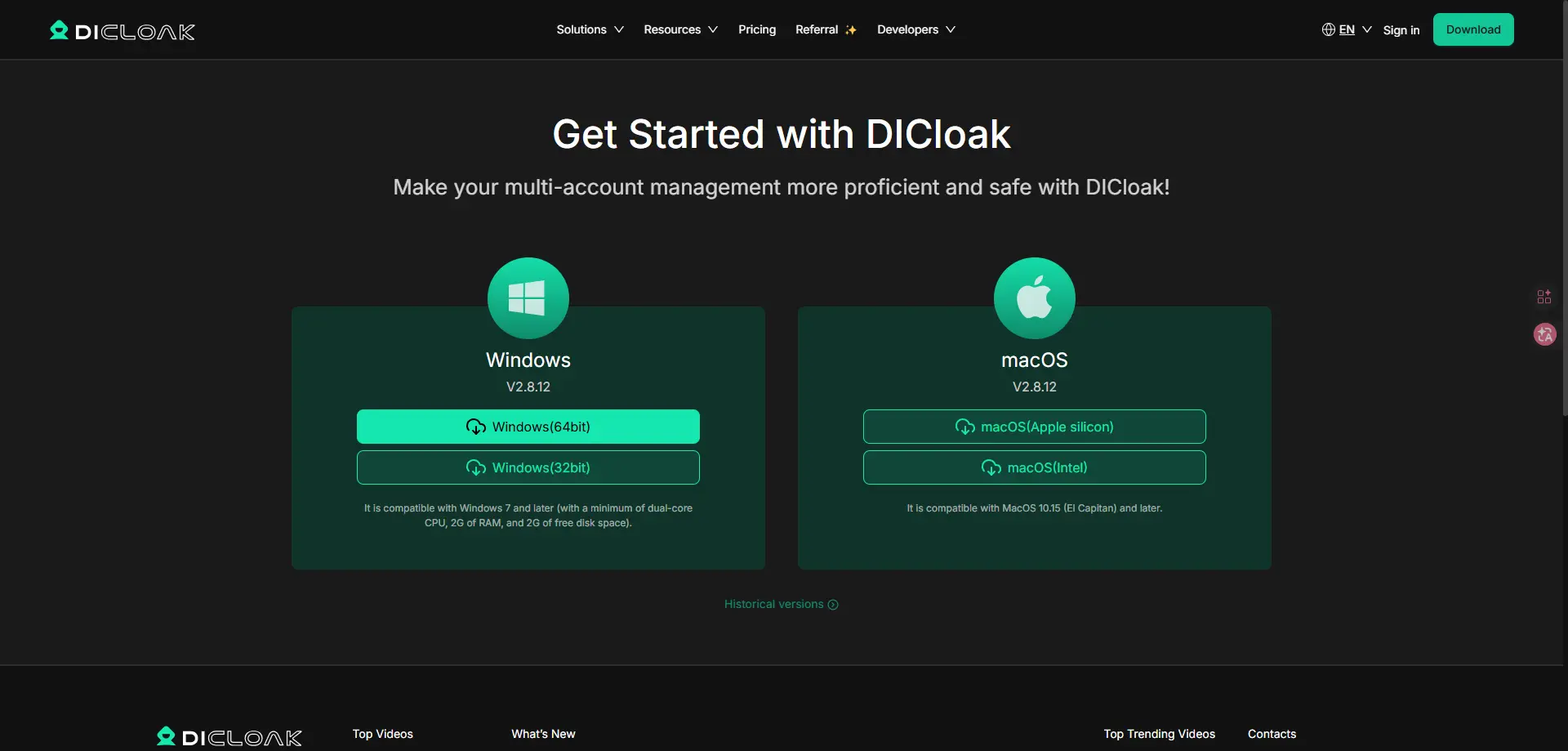
- Once your account is registered, you can directly use the free trial with 5 profiles.
- Click “Create Profile” and enter a profile name. Also, you can bulk import profiles if you need.
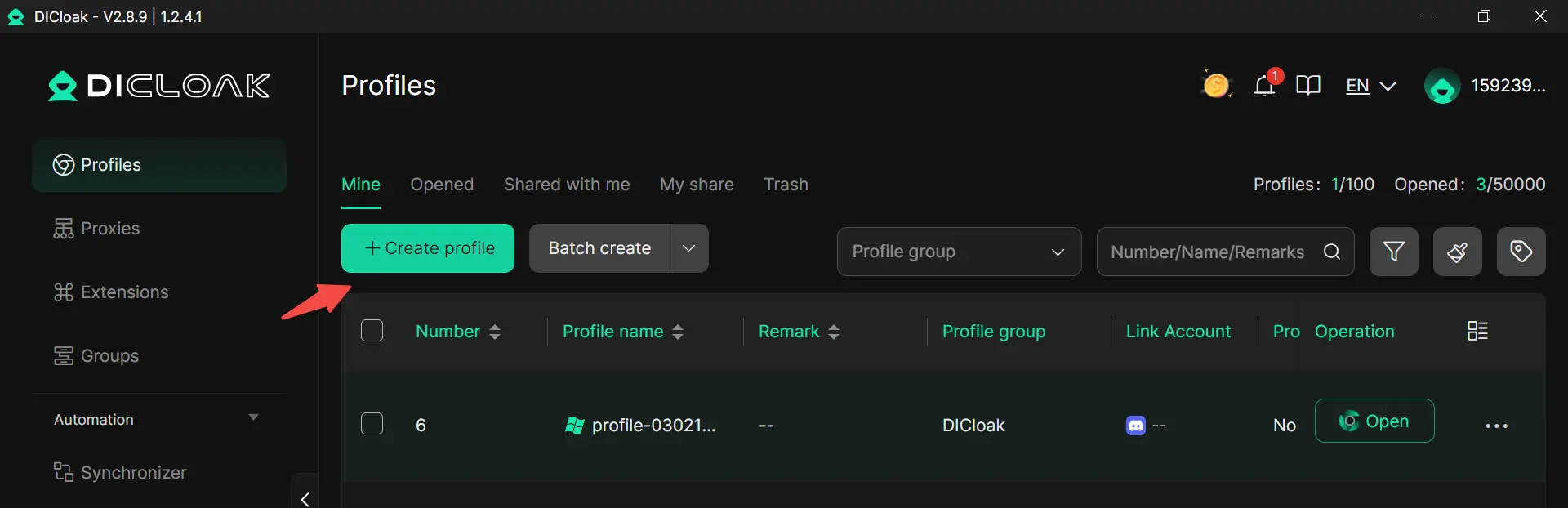
- Set the profile group if you want to organize better.
- Configure your purchased proxies.
- Click confirm.
- Open your profile, visit X, and then log in to your X accounts.
Conclusion
While creating a Twitter account in 2026 is a streamlined process, long-term success is predicated on technical discipline. By following precise registration steps, maintaining a natural engagement cadence to respect rate limits, and utilizing environmental isolation tools for multiple profiles, you can ensure a stable and professional presence on the platform.
FAQ about creating Twitter (X) accounts
How many Twitter accounts can one email address register?
Each Twitter account requires a unique identifier. You can only register one account per email address. Managing multiple accounts requires a dedicated email or phone number for each registration.
How long does it take for a new account to become stable?
Initial stability is usually achieved within a few hours. However, the first 24 hours is considered the "high-risk window" where the account is most susceptible to automated flags. Full feature access and algorithmic trust generally solidify within 24 to 48 hours.
Can I try again immediately if registration fails?
Yes, you can re-attempt registration immediately. However, you should first troubleshoot the cause of the failure—such as incorrect data entry or network instability—to avoid being flagged for repetitive failed attempts.
Can I change my username later?
Yes. Usernames can be modified in the account settings at any time, provided the new handle is unique and adheres to platform guidelines.
Is it allowed to have more than one Twitter account?
Twitter allows multiple accounts, but they must be managed responsibly. The platform monitors the "digital footprint" between accounts; if they are used for abusive actions, mass automation, or to circumvent a previous ban, all linked accounts may be suspended. Utilizing environmental isolation is the standard practice for safely managing separate professional personas.
 Web Proxy Tools
 Free Tools
 Cookie Plugin
 UA Generator
 MAC Address Generator
 IP Generator
 IP Address List
 2FA Code Generator
 World Clock
 Anonymous Check
 WebRTC Leak Test
 UUID Generator
 Free Web Proxy Site
 Proxy Checker
 FB Ad Checker
 AI Web Scraping
 Free SMM Tools
 Twitter Shadowban Checker
 Instagram Name Checker
 UTM Generator
 Username Generator
 AI Hashtag Generator
 LinkedIn Headline Generator
 Social Media Image Resizer