Privacy is now a daily concern for many online users, not just a topic for security teams. For cybersecurity analysts, marketers, and growth teams, the safety of Tor Browser is not a simple “yes” or “no” question. It depends on how it is used, what risks you need to manage, and whether the tool fits the task.
Tor, also known as The Onion Router, is still a well-known tool for layered encryption and anonymous browsing. But for account management, research, or business-related browsing, it also has limits. Understanding those limits can help users make safer and more practical decisions.
Understanding the Mechanics of Onion Routing
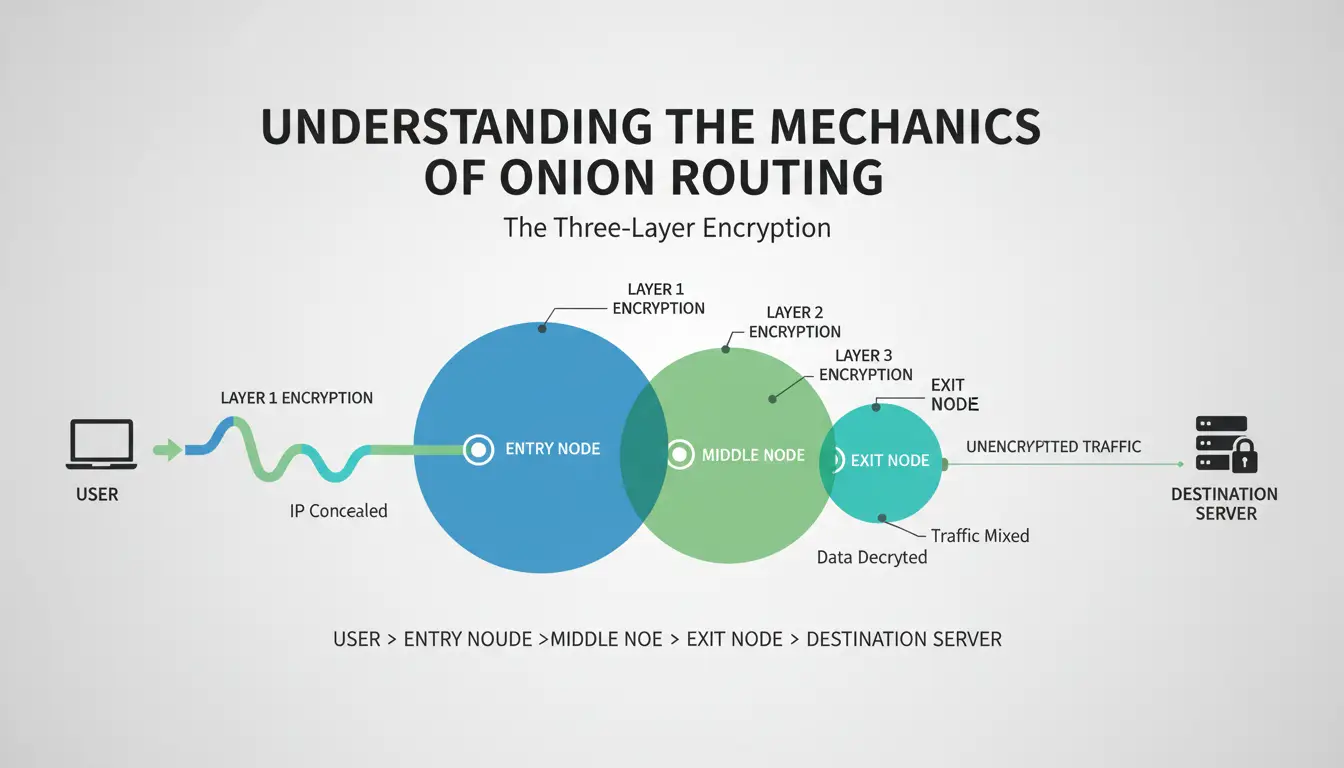
The technical foundation of Tor is "onion routing," a process that directs traffic through a circuit of at least three random servers known as nodes. This decoupling of identity from activity is designed to prevent any single entity from mapping a user's digital footprint.
The Three-Layer Encryption Process
Consistent with its "onion" namesake, data in the Tor network is wrapped in three layers of encryption. As the packet traverses the circuit, each node "peels" away one layer. Because each node only possesses the cryptographic key for its specific layer, it only knows the identity of the previous hop and the next hop—never the full path from the origin to the destination.
Analyzing the Entry, Middle, and Exit Node Chain
- Entry Node: This is the only point that knows your real IP address. However, it cannot see what data you are sending or your final destination.
- Middle Node: A blind relay that forwards traffic. It knows neither the original sender nor the final recipient, acting as a buffer to prevent the entry and exit nodes from colluding.
- Exit Node: The final stage where the last layer of encryption is removed. Crucially, the destination website perceives the Exit Node’s IP address as the origin of the traffic. While this provides the necessary IP masking, it introduces a significant security bottleneck.
Is Tor Browser Safe Against Modern Tracking and Fingerprinting?
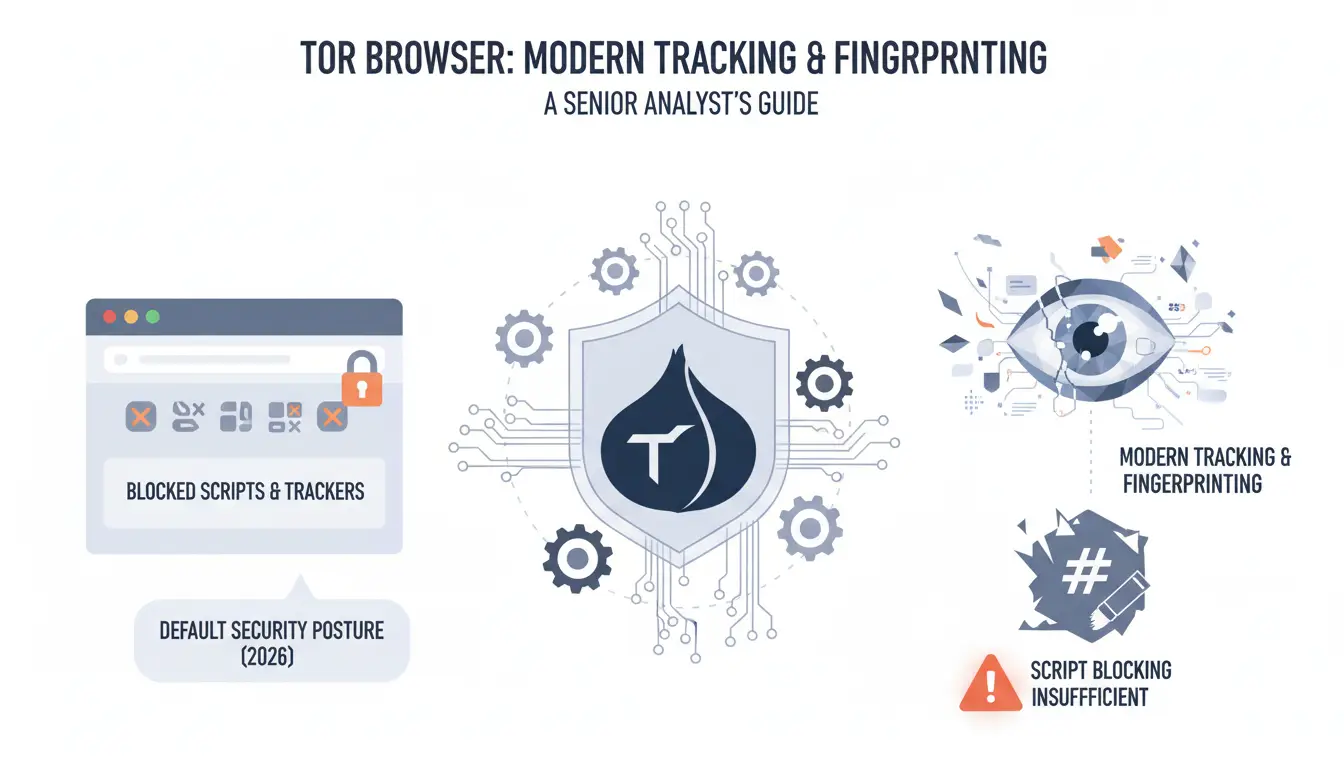
Tor is engineered with a "one-size-fits-all" security posture. By default, it blocks most scripts and third-party trackers to mitigate browser fingerprinting. However, in 2026, simple script blocking is often insufficient.
One of the most persistent threats is the Canvas hash. Modern platforms use the HTML5 Canvas element to force the browser to draw a hidden image; because every GPU and driver combination renders pixels slightly differently, this creates a unique hardware-based ID. While Tor standardizes these parameters so all users look identical, this "uniformity" itself becomes a signal that the user is on the Tor network, often leading to increased scrutiny from automated security systems.
The Critical Risks of Exit Node Interception
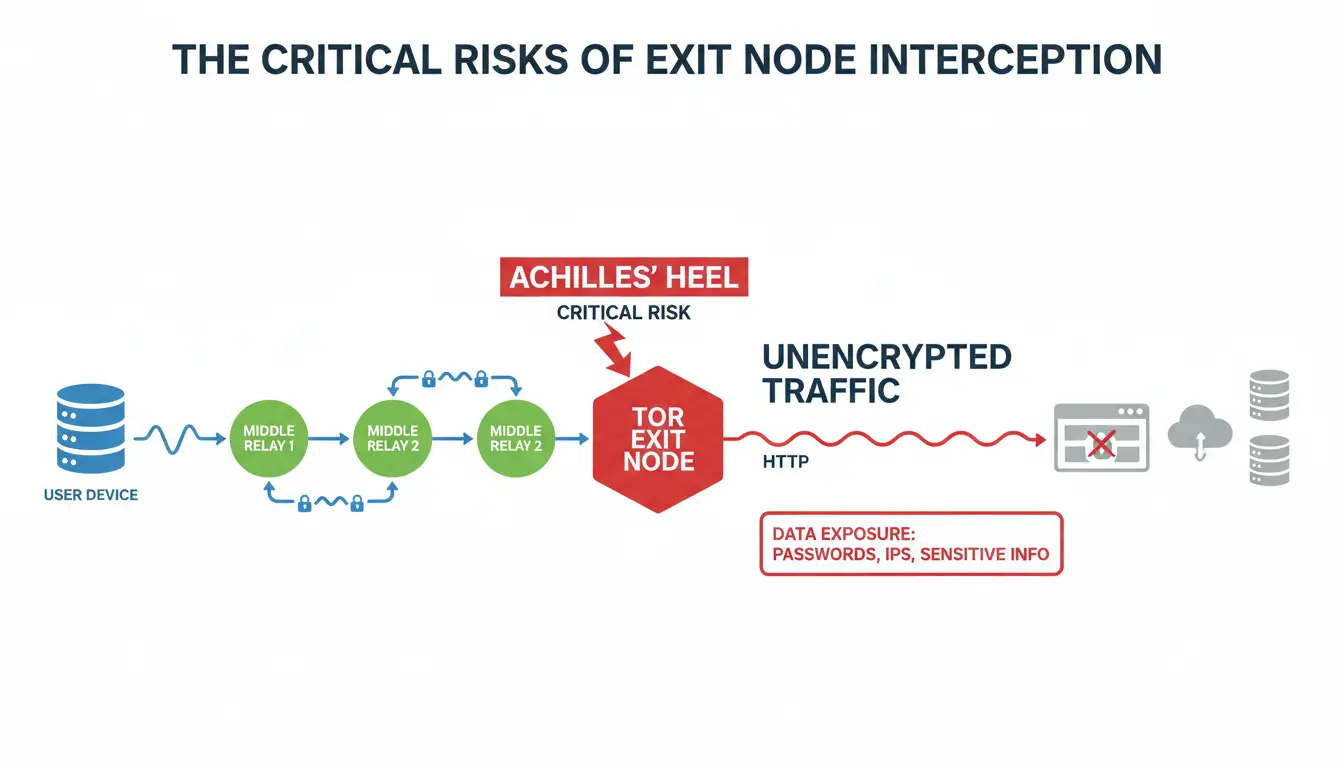
The exit node is the "achilles heel" of the Tor network. Because the exit node operator must decrypt the final layer of traffic to send it to the open web, they occupy a position of extreme trust.
How Unencrypted Traffic Leads to Data Exposure
If a user accesses a website via HTTP (rather than HTTPS), the exit node operator can see the entirety of the unencrypted traffic, including login credentials, session cookies, and personal data. Even with HTTPS, exit nodes can be used to perform sophisticated traffic correlation attacks, where an adversary monitors both the entry and exit points to deanonymize a user via timing patterns—a threat that has grown more potent with the rise of AI-driven network analysis.
Why Digital Platforms Block and Flag Tor Exit Nodes
For professionals managing e-commerce or social media infrastructure, Tor presents a high "risk score." Because Tor exit node IPs are public and often shared by thousands of users—including botnets and malicious actors—platforms view this traffic as inherently suspicious. Accessing a professional account through a Tor exit node often triggers immediate "checkpoints" or account locks. Platforms use automated logic to flag these shared IPs as high-risk, making Tor unsuitable for persistent multi-account operations.
Strategic Comparison of Anonymity Infrastructure
| Feature |
Standard Browsers + Proxy |
Tor Browser |
DICloak Infrastructure |
| Speed |
High (Direct/Single-Hop) |
Low (Triple-Hop Latency) |
High (Optimized performance) |
| Fingerprint Control |
Minimal / Generic |
Standardized (Fixed) |
Advanced (Custom/Persistent) |
| IP Reputation |
Variable |
Publicly Flagged / High Risk |
High (via user-configured proxies) |
| Multi-Account Isolation |
Poor |
Random / Inconsistent |
Professional (Profile Isolation) |
Assessing Legal Compliance and Regional Risks
The legality of Tor is generally tied to regional censorship laws.
Navigating Censorship in Restricted Jurisdictions
Tor is legal in many regions, but the rules are not the same everywhere. In some places, Tor access may be limited by local laws, network policies, or internet service providers. Because of this, users should understand the rules in their location before using Tor or any privacy tool.
Some networks may block access to Tor-related services. Tor also offers connection options for users who have trouble accessing the network, but these options should be used carefully and in line with local laws. If you are unsure, it is safer to check trusted legal or organizational guidance before using Tor in a restricted environment.
Pro Tip: For professional multi-account management, relying solely on Tor's random routing is a high-risk strategy. Implement dedicated proxy management to ensure the session-to-session IP consistency required for account longevity and to avoid triggering platform fraud detection.
How DICloak Enhances Digital Growth Infrastructure
DICloak represents the evolution of anonymity into "identity management." While Tor attempts to make you invisible by making you look like everyone else, DICloak allows you to manage unique, persistent digital identities.
By automating the spoofing of hardware parameters—including the Canvas hash, WebGL metadata, and font lists—DICloak helps keep that each of your browser profiles appears as a distinct, legitimate device. This precision helps reduce the risk of platforms linking your accounts through hardware fingerprinting, a common cause of "chain-bans" in affiliate marketing and e-commerce.
Strategic Use Cases: Isolating Digital Footprints
The greatest risk to any professional workflow is "identity leakage." Logging into a personal Gmail or LinkedIn account while using Tor can instantly link your real identity to your anonymous circuit.
DICloak mitigates this by creating independent "containers" for every profile. Each container has its own localized cookies, cache, and hardware fingerprint. This infrastructure allows a growth expert to run dozens of accounts simultaneously, each appearing to the platform as if it were operating from a different physical machine and a stable, high-reputation IP (via user-configured proxies).
Objective Analysis of the Anti-Detect Approach
Pros:
- Performance: Operates at standard internet speeds without the triple-hop lag of Tor.
- IP Consistency: Allows for the use of dedicated, high-quality proxies that don't carry the "public node" stigma.
- Platform Compatibility: Significantly reduces the frequency of CAPTCHAs and security checkpoints.
Cons:
- Investment: Unlike the free Tor Project, professional infrastructure requires a subscription.
- Technical Setup: Optimal security requires a deliberate configuration of proxies and fingerprint profiles.
Expert Verdict: Is Tor Browser Safe for Professional Workflows?
Tor Browser remains the gold standard for journalists, activists, and individuals seeking to bypass censorship or mask their IP from their ISP. However, for "Digital Growth Infrastructure," its inherent latency and the high risk-score of its public exit nodes make it a liability. For professional account management and secure identity scaling, a specialized anti-detect browser like DICloak, paired with high-quality proxy management, provides a more stable, scalable, and secure environment.
Frequently Asked Questions About Tor Security
Is it legal to use Tor?
In many regions, using Tor is legal for privacy, research, and secure browsing. However, rules can vary by location. In some places, access to Tor may be limited by local laws, network policies, or internet service providers. Before using Tor, it is better to check the rules that apply in your country, school, workplace, or organization.
Does Tor hide my IP from my ISP?
Your ISP can see that you are using the Tor network, but they cannot see the specific websites you visit or the data you transmit, as it is encrypted before it leaves your device.
Can I use other network privacy tools with Tor?
While some network privacy tools are compatible, professionals generally pivot to Proxy Management for dedicated IP consistency. Proxies offer the IP consistency required for professional accounts, whereas Tor’s routing is too volatile for long-term session management.
Is Tor faster than a regular browser?
No. Because your data must travel through three different nodes globally, there is significant latency. It is not suitable for high-bandwidth professional tasks like video production or large-scale data scraping.
 Web Proxy Tools
 Free Tools
 Cookie Plugin
 UA Generator
 MAC Address Generator
 IP Generator
 IP Address List
 2FA Code Generator
 World Clock
 Anonymous Check
 WebRTC Leak Test
 UUID Generator
 Free Web Proxy Site
 Proxy Checker
 FB Ad Checker
 AI Web Scraping
 Free SMM Tools
 Twitter Shadowban Checker
 Instagram Name Checker
 UTM Generator
 Username Generator
 AI Hashtag Generator
 LinkedIn Headline Generator
 Social Media Image Resizer