When teams manage many browser profiles, members, and devices in DICloak, small workflow details can make a big difference. This update brings clearer Trash records, faster member manager settings, and easier Profile remarks editing. These improvements help teams work more clearly and give managers better visibility into daily operations.
Key Takeaways
- Sorting and deletion time records are now available in Trash
- Set member manager can now be used in batches from the member list
- Profile remarks can now be edited across multiple lines
- Username has been added to login device records
Easier History Filtering in Trash
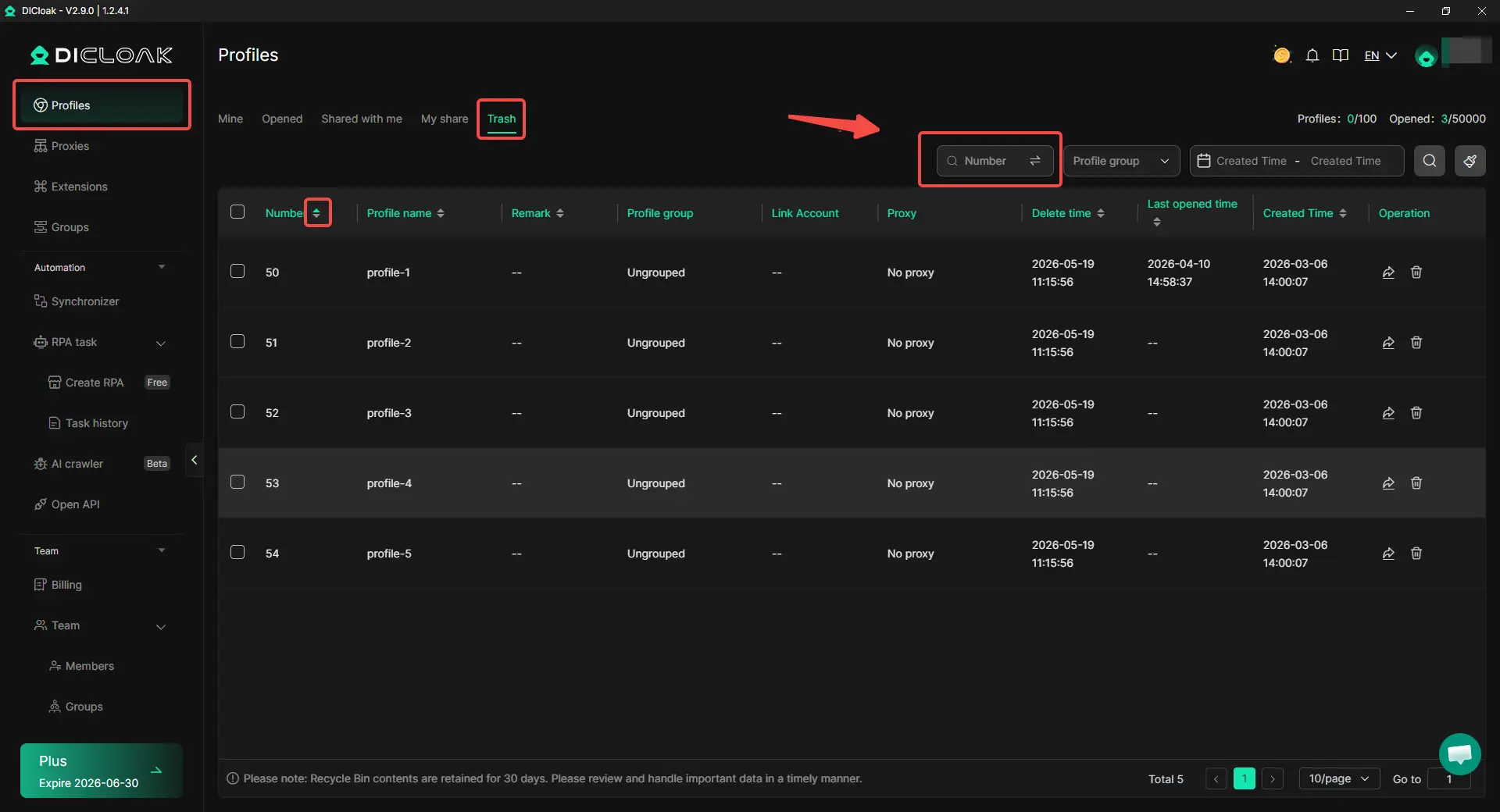
When many browser profiles are deleted during daily cleanup, Trash can quickly become hard to check. Deletion time records have now been added to Trash, so users can see when each profile was deleted.
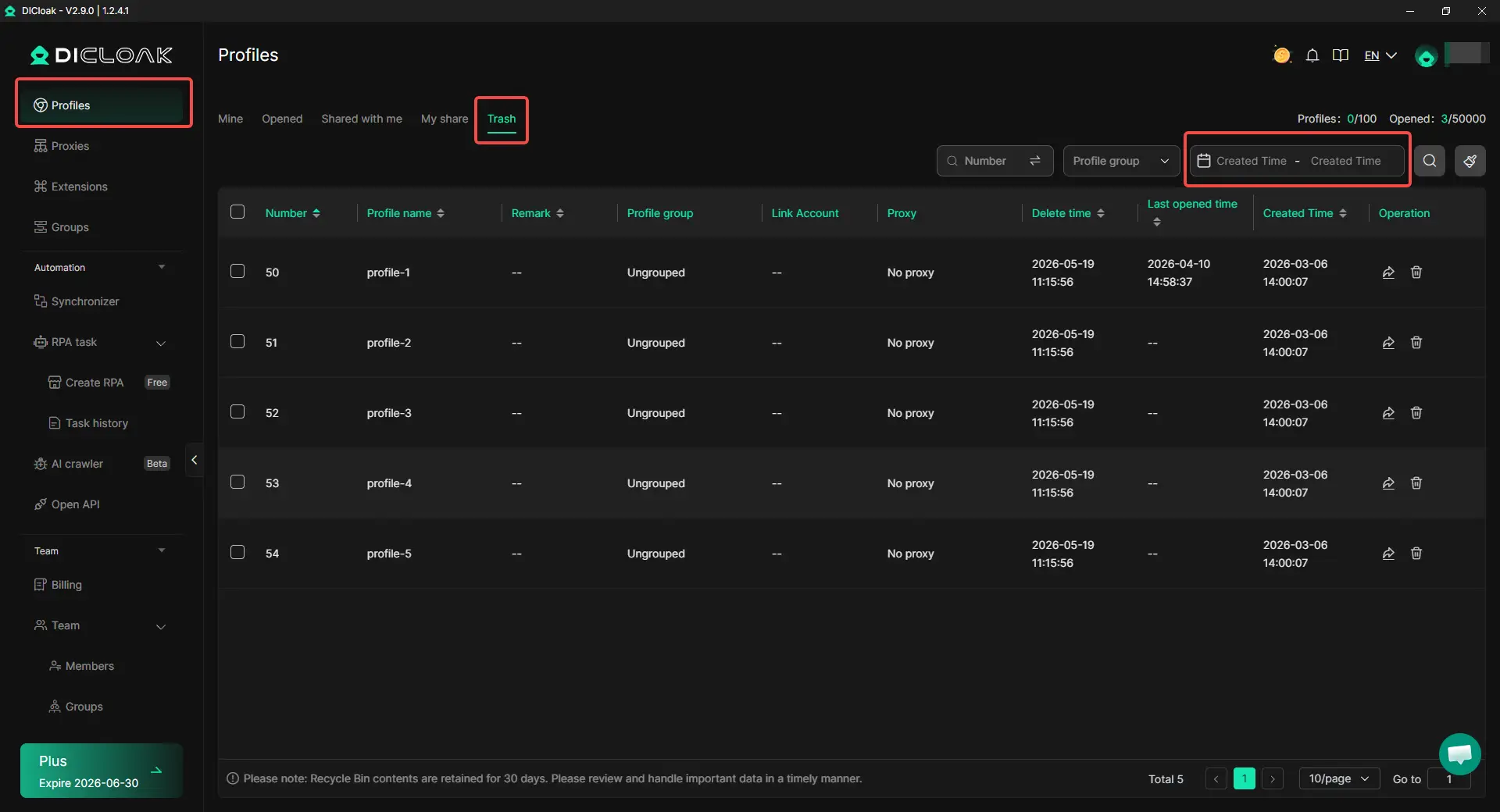
Sorting is also available in Trash. This helps teams filter and locate deleted profiles more quickly, especially when there are many historical records. For example, if a manager wants to find profiles deleted yesterday or during a recent cleanup, they can check the records more easily instead of searching one by one.
Batch Set Member Manager in the Member List
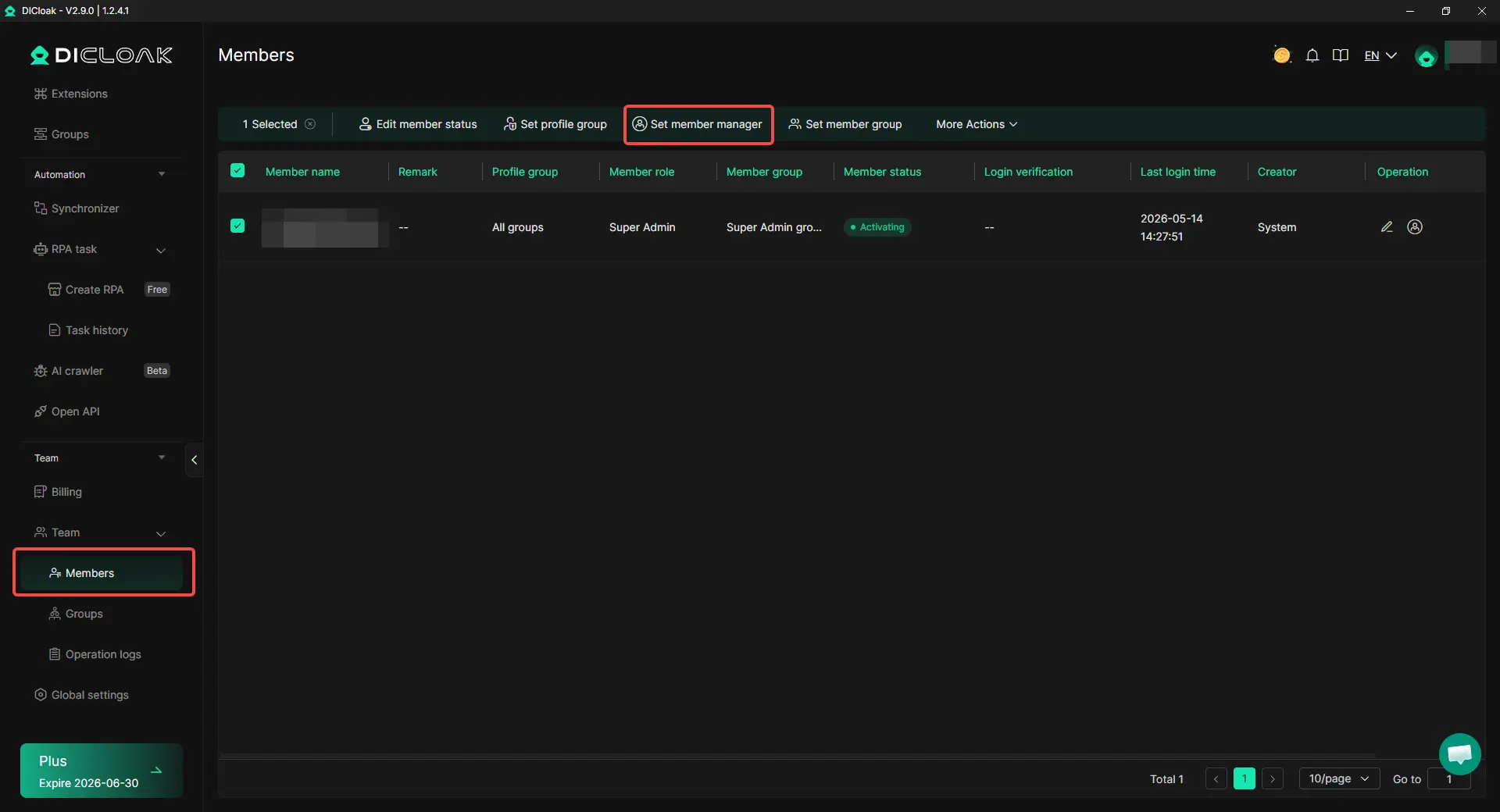
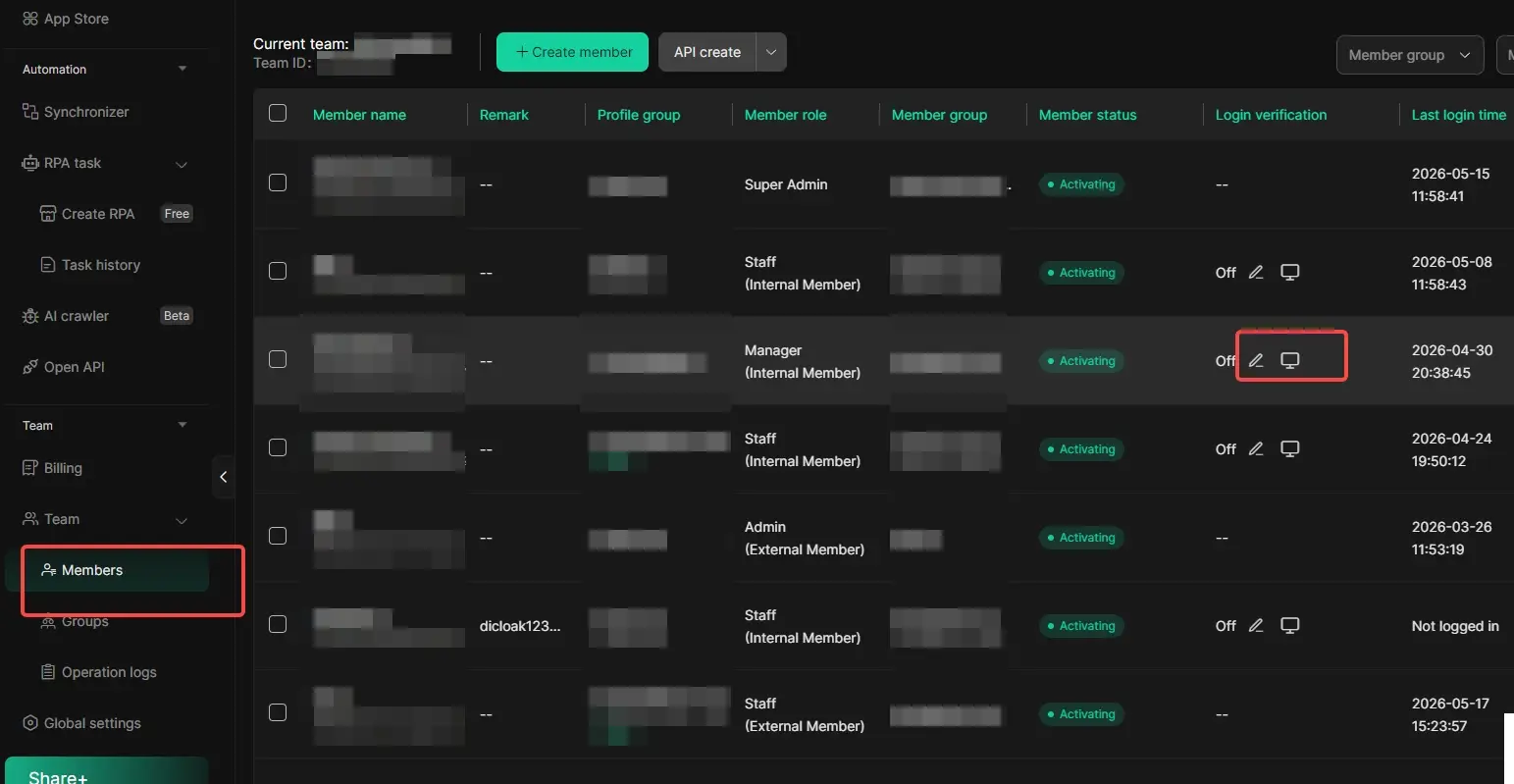
For teams with many members, setting managers one by one can take time. Admins can now use Set member manager in batches from the member list, instead of updating each member one by one. This is useful for agencies, e-commerce teams, and account management teams. It reduces repeated work and helps keep team roles clear when team structures change.
Multi-Line Profile Remarks
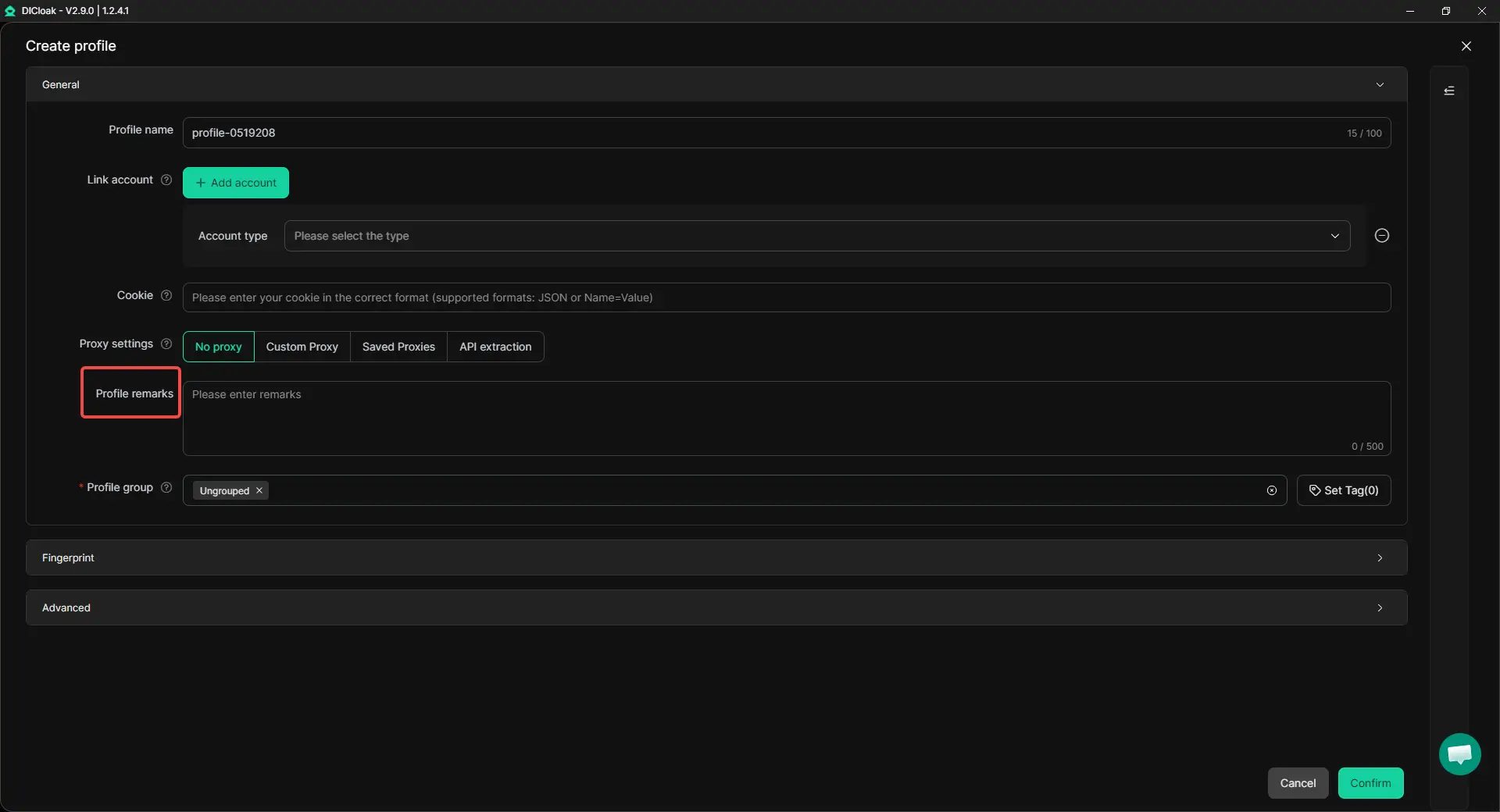
Profile remarks now support multi-line text editing. This makes remarks easier to read and organize. Users can add details such as account purpose, login tips, project name, region, proxy notes, or task status. Instead of putting all information in one long line, teams can separate details clearly.
For example, a team can record the account purpose, target market, warm-up stage, and key rules in one profile remark. This helps the next user understand the profile quickly and avoid wrong operations.
Username in Login Device Records
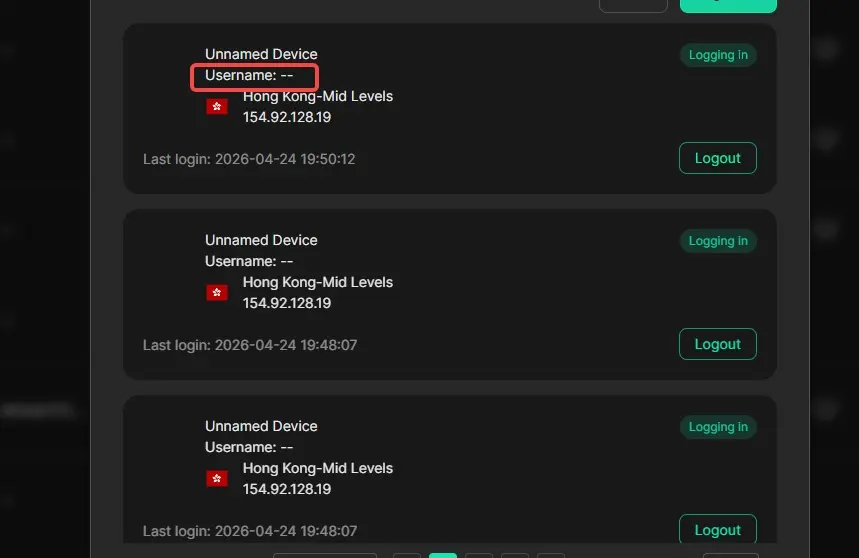
Login device records now include Username. This gives teams one more detail when checking login activity. For teams that share devices or work across multiple computers, it helps admins see the Username behind each login record. This is useful for basic security checks, device review, and troubleshooting.
Get Started with the New Version
Upgrade to the latest DICloak version to try these updates. With clearer Trash records, faster Set member manager actions, better Profile remarks, and more detailed login device records, teams can manage browser profiles in a cleaner and more organized way.
 Web Proxy Tools
 Free Tools
 Cookie Plugin
 UA Generator
 MAC Address Generator
 IP Generator
 IP Address List
 2FA Code Generator
 World Clock
 Anonymous Check
 WebRTC Leak Test
 UUID Generator
 Free Web Proxy Site
 Proxy Checker
 FB Ad Checker
 AI Web Scraping
 Free SMM Tools
 Twitter Shadowban Checker
 Instagram Name Checker
 UTM Generator
 Username Generator
 AI Hashtag Generator
 LinkedIn Headline Generator
 Social Media Image Resizer