This update improves two areas of everyday Profile management, with a smoother extension workflow and more flexible team access control.
Key Takeaways
- Faster Local Extension setup: Drag and drop local extension installation packages instead of browsing for the file each time.
- More focused Profile views: Set different Profile field visibility rules for different Member Groups, so each team can see the information that matches its work.
Drag and Drop Local Extension Installation Packages
If your workflow depends on custom extensions or internal browser tools, adding and updating local extensions may be a regular task. Instead of opening the file selector and locating the installation package every time, you can now drag the file directly into the upload area when adding a Local Extension.
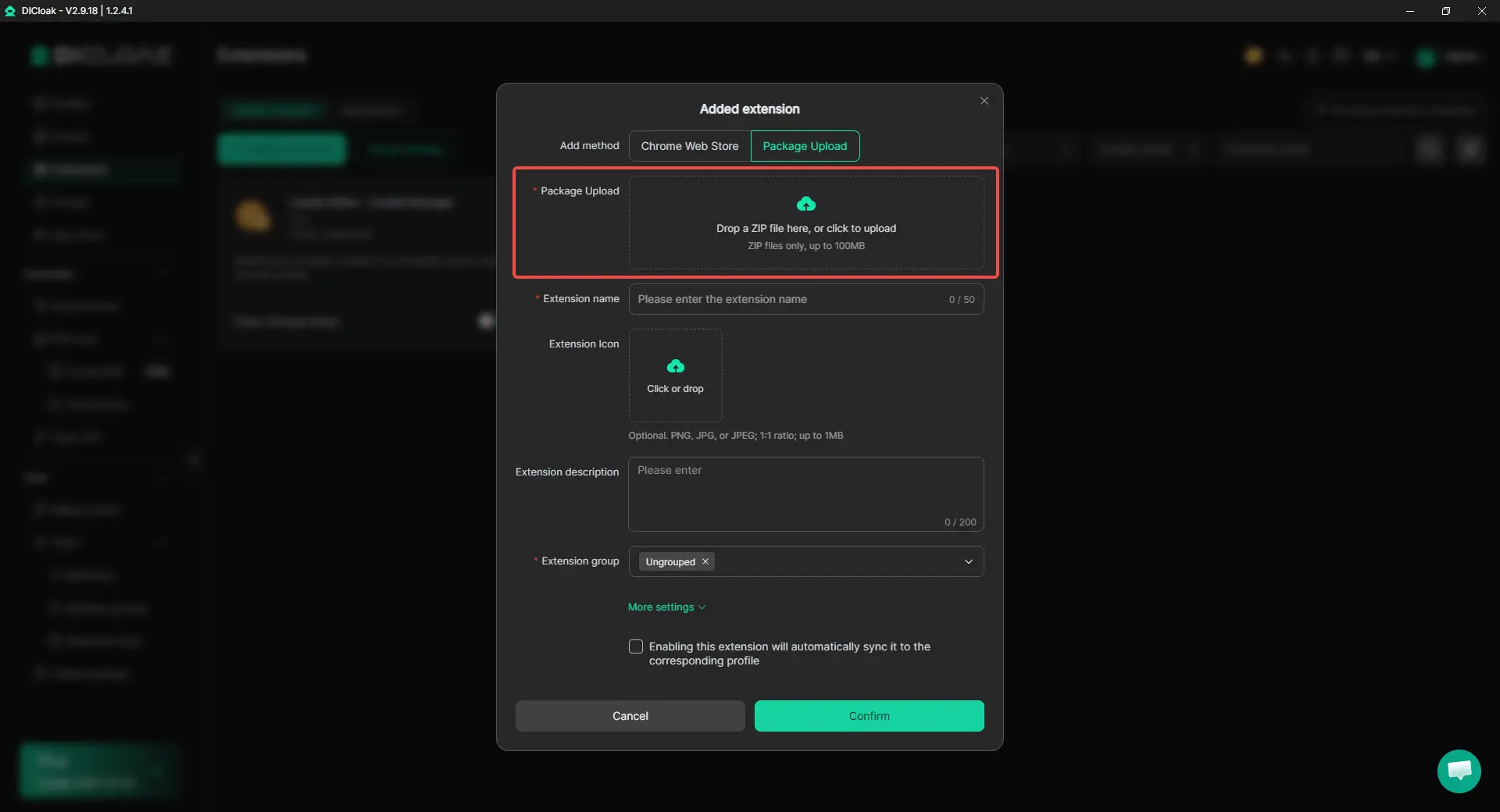
This is especially useful when you regularly test, replace, or maintain local extensions across your browser setup. Fewer clicks make routine extension management quicker without changing the existing workflow.
Set Profile Field Visibility by Member Group
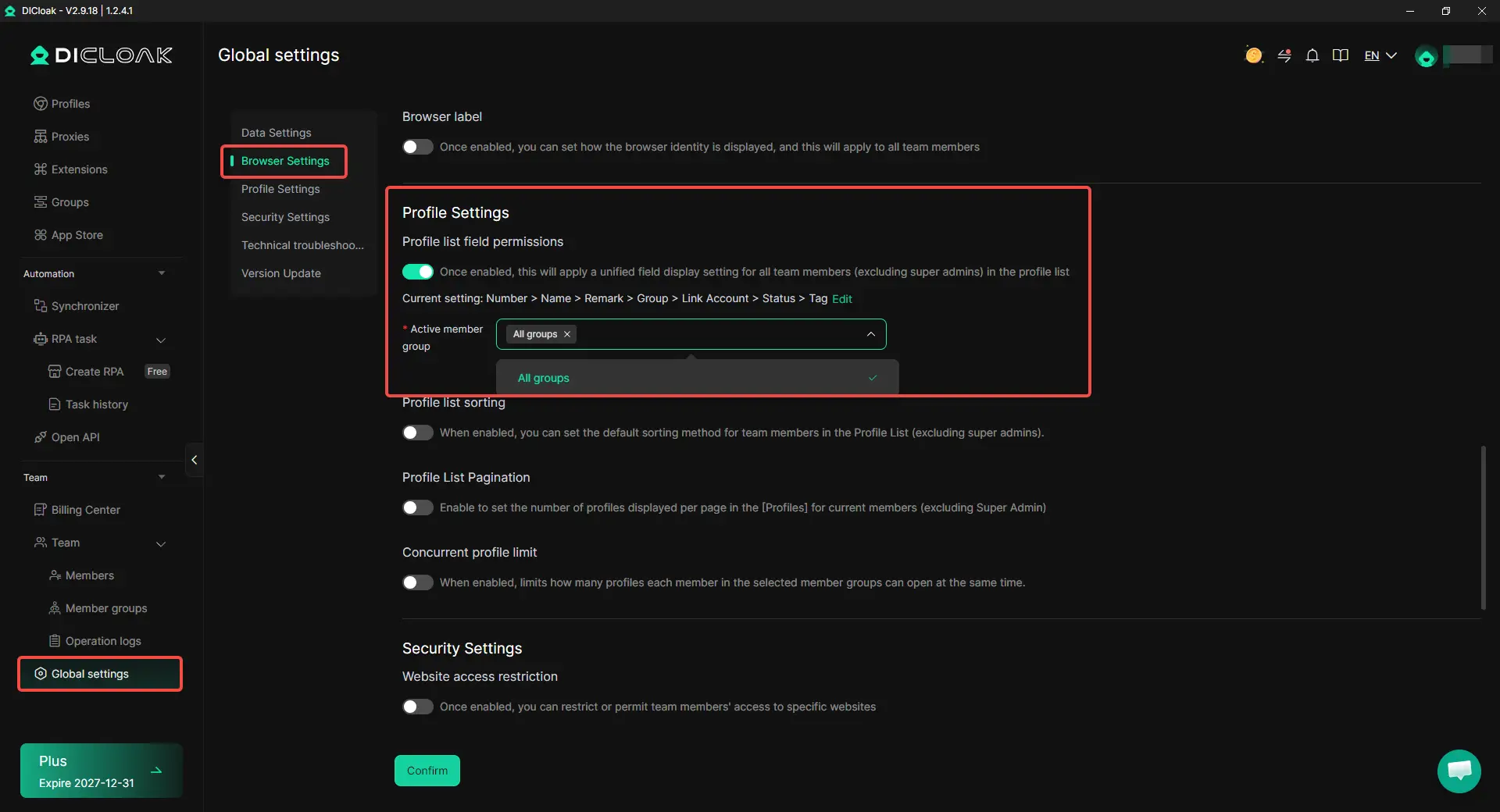
When different teams handle different tasks, they do not always need access to the same Profile information. Setting visibility member by member also takes more work as the team grows. Admins can now apply Profile Field Visibility Restriction by Member Group, so members with the same role can follow the same visibility rules. This is useful for separating operators, managers, client teams, or different business groups without configuring each member individually.
Get Started with the Latest Update
This update removes a few extra steps from daily extension setup and gives teams more control over how Profile information is displayed. Try the new features in the latest version of DICloak.
 Web Proxy Tools
 Free Tools
 Cookie Plugin
 UA Generator
 MAC Address Generator
 IP Generator
 IP Address List
 2FA Code Generator
 World Clock
 Anonymous Check
 WebRTC Leak Test
 UUID Generator
 Free Web Proxy Site
 Proxy Checker
 FB Ad Checker
 AI Web Scraping
 Free SMM Tools
 Twitter Shadowban Checker
 Instagram Name Checker
 UTM Generator
 Username Generator
 AI Hashtag Generator
 LinkedIn Headline Generator
 Social Media Image Resizer