Why Some Instagram Verification Requests Get Rejected
Getting a blue badge is not just about having a large following. Instagram looks at several signals before approving a request. For the traditional verification route, an account should be authentic, unique, complete, and notable. Instagram also expects the account to follow its Terms of Use and Community Guidelines. This review process is widely known as Instagram verification. It is different from Meta Verified, which is a paid subscription with its own identity and account requirements. So, if you are learning how to get verified on Instagram, it helps to understand why requests fail before you apply.
Common Mistakes in the Application Process
A common mistake is applying before the account is ready. For example, a freelance designer may have one local media mention but an unclear bio, little recent activity, and almost no independent coverage. The account may be real, but the verification case is still weak. Another mistake is sending several requests while one is under review. Meta says a decision may take up to 30 days, and rejected users can normally apply again after 30 days.
Accuracy also matters. False or misleading information can lead to more than a simple rejection, and Meta warns against trying to obtain verification through third parties. This is important because people searching how to get verified on Instagram may find agencies promising a guaranteed blue badge. No outside service can guarantee approval. Searches such as “how to get verified badge with Google” are also misleading because Google does not issue Instagram verification badges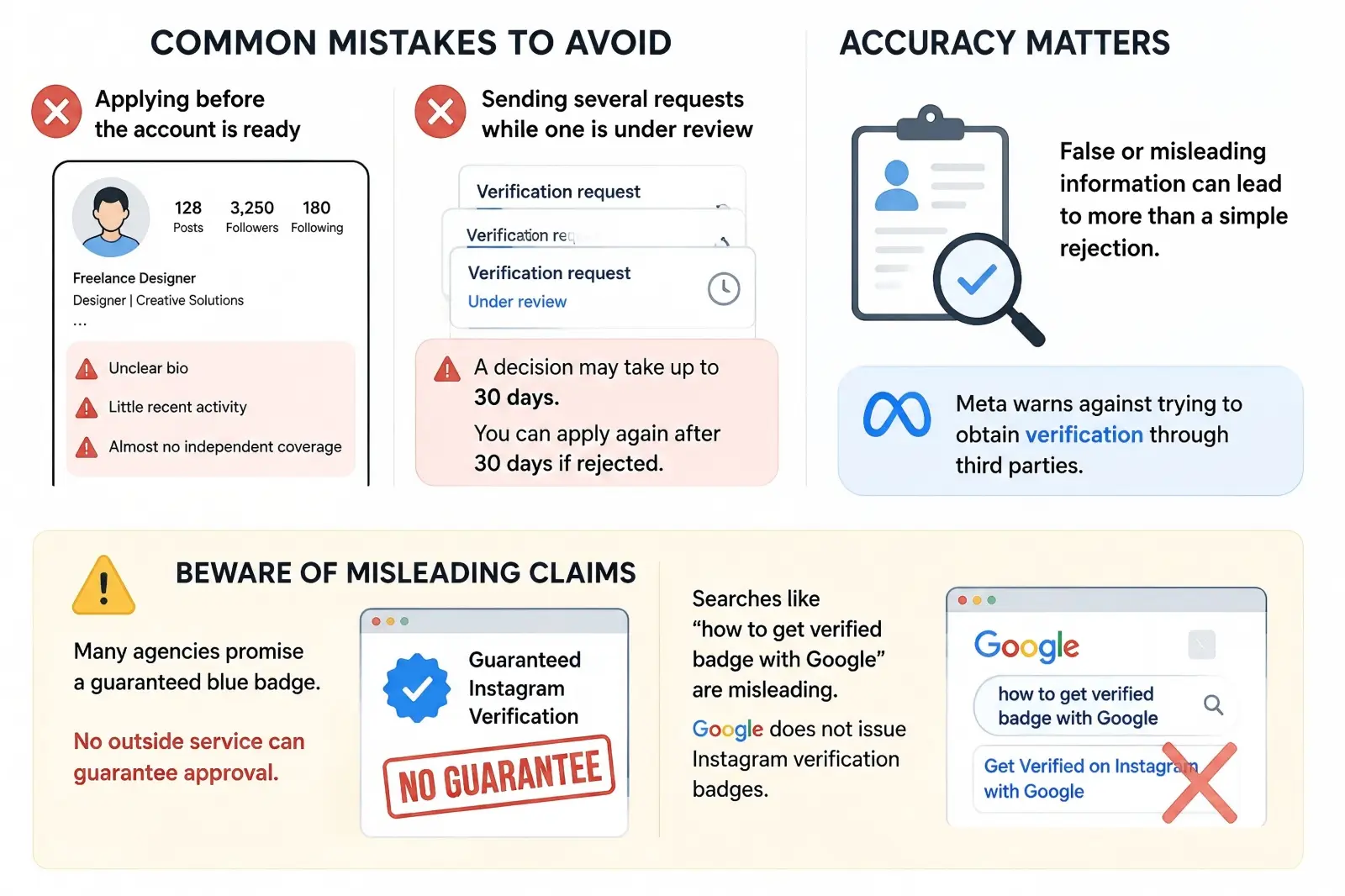
Misunderstanding Instagram's Eligibility Criteria
A high follower count does not guarantee traditional verification. Instagram looks at whether the account is authentic, unique, complete, and notable. For example, a creator with 120,000 followers but almost no independent press may have a weaker case than a creator with 18,000 followers who has been covered by several established publications. Traditional verification is designed to confirm notable people, brands, and entities, not simply reward large audiences.
Paid articles are not a reliable shortcut because independent coverage carries more weight when notability is reviewed. Meta Verified is different and does not use the same notability test. Eligible creators instead need to meet requirements related to age, location, account activity, identity, and security. So, when learning how to get verified on Instagram, first decide whether you are aiming for traditional verification or Meta Verified.
How Incomplete Profiles Affect Verification
Your Instagram profile should clearly show who you are before you apply. Traditional verification expects a public, active account with a profile photo and bio. For example, a business may already have strong media coverage, but a temporary logo, a vague “Coming soon” bio, and very little activity can still weaken the application. A stronger profile uses a clear name or logo, explains what the business does, and includes recent content that matches its public identity.
Consistency is also important for Meta Verified because Meta may review your profile name, photo, and identity information. Major changes to your username, profile image, or account details right before applying can make the process less straightforward. It is better to finish key profile updates first and make sure your account information matches the identity you want verified. A complete profile cannot guarantee approval, but it gives Meta a much clearer account to review.
Steps to Successfully Apply for Instagram Verification
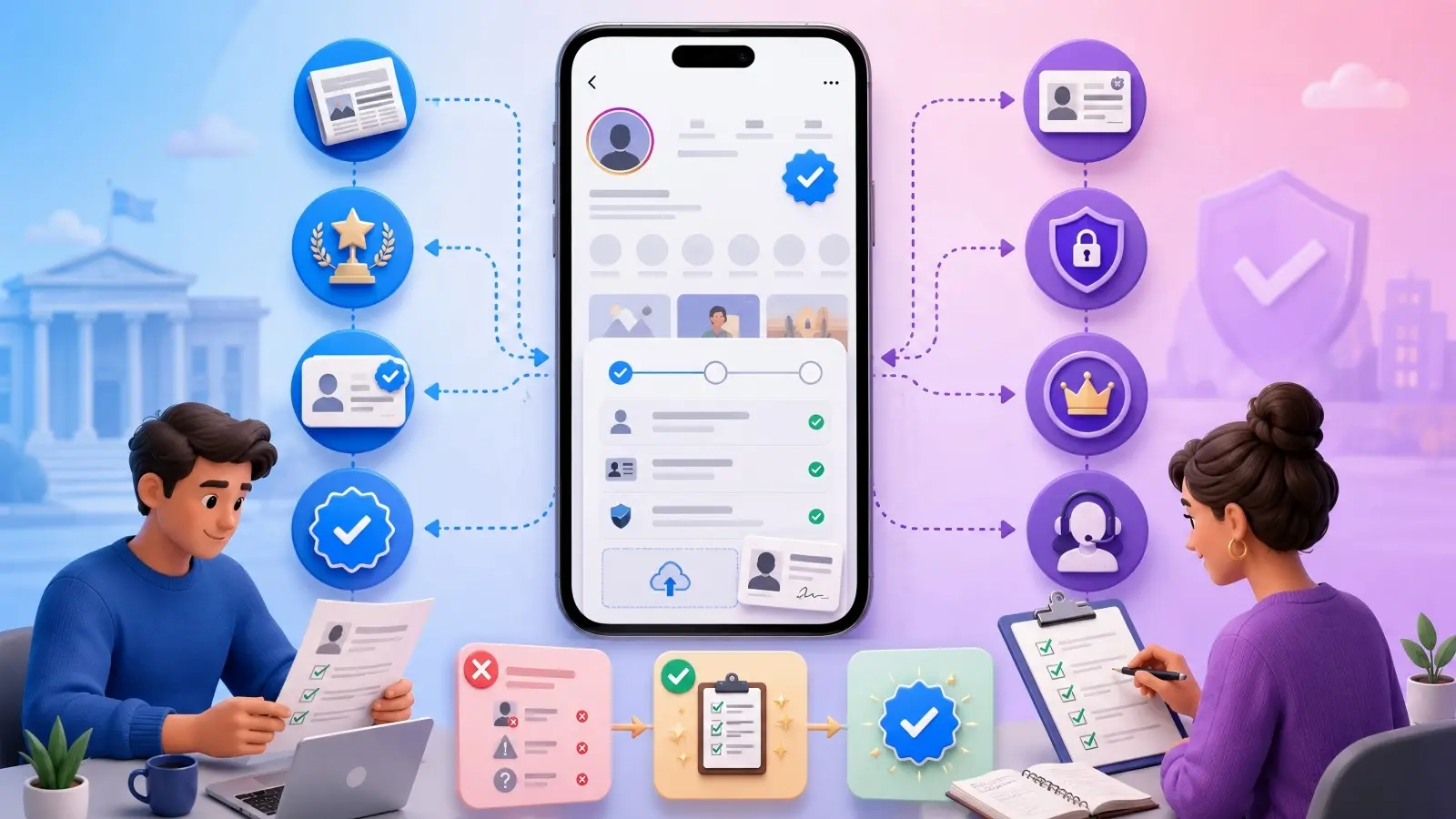
Once you understand why verification requests fail, the next step is building a stronger application. Instagram still has two different verification paths: traditional verification for notable people and brands, and Meta Verified for eligible subscribers. The requirements are not the same, so it helps to know which path you are applying for before you start. The steps below focus mainly on traditional verification, where Instagram looks at identity, authenticity, public interest, and notability.
How to Prepare Your Account for Verification
If you want to know how to get verified on Instagram, start with your profile before opening the application form. Your name, profile photo, bio, and recent posts should make it clear who you are and what you are known for. Someone reviewing the account should not have to guess whether the profile matches the person or business mentioned in outside sources. For example, imagine a chef who has been featured in several local newspapers, but his Instagram bio does not mention his restaurant and his profile photo is unrelated to his work. Even with real media coverage, that profile may make the connection harder to understand.
It is also worth checking how your name or brand appears outside Instagram. Search Google for your name, business name, and common variations, then look at the results from a reviewer's point of view. Can someone quickly connect those articles, interviews, or business pages back to your Instagram account? Google cannot issue an Instagram badge, even though people sometimes search “how to get verified badge with Google.” What it can do is help you see whether your public presence looks clear and consistent. A few strong editorial mentions from independent websites can usually tell a better story than a long list of sponsored posts or copied press releases.
What Information You Need to Submit
Once your profile looks ready, prepare the information you may need before starting the request. Instagram can ask for details such as your full name, category, country or region, audience information, other names you are known by, and links that show public interest in you or your brand. Individuals may need a government-issued ID, while businesses may be asked for official company documents. The details do not need to look impressive, but they should match each other. Your profile, documents, public name, and supporting coverage should all point to the same identity.
The same rule applies to supporting links. More links do not automatically make the application stronger. One independent interview or feature from a trusted publication may be more useful than many articles that simply repeat the same promotional text. For example, a founder with two detailed interviews may have clearer evidence of notability than someone submitting 20 nearly identical press releases. If you are applying through Meta Verified, the process is different because identity, account eligibility, activity, and security requirements play a larger role.
How to Use Instagram's In-App Verification Request
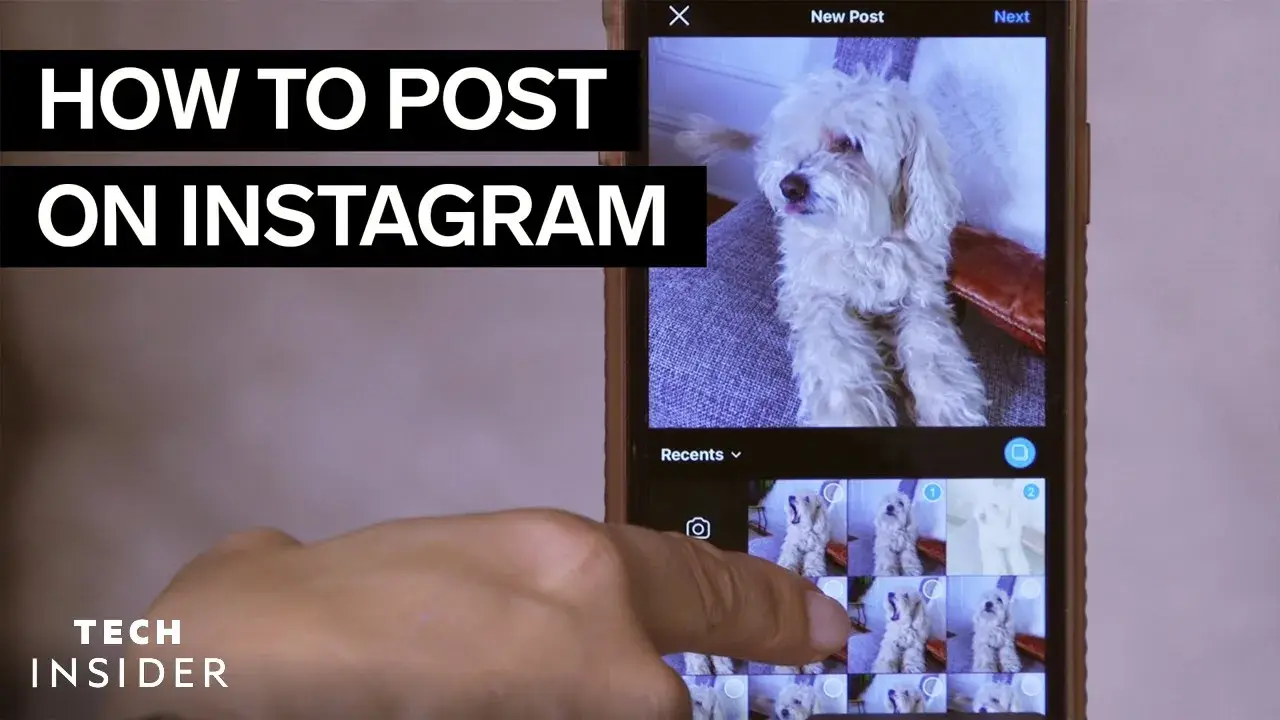
When your profile and evidence are ready, you can submit the request inside Instagram. For many professional accounts, the path is Profile → Menu → For professionals → Account type and tools → Request verification, although the wording can change slightly depending on the account type or app version. Fill in the requested details, upload the correct ID, and add your supporting links where relevant. Before submitting, read through the form once more and make sure your legal name, public name, category, and other details are in the right fields. Small inconsistencies can make an otherwise good application harder to review.
After you submit, the best thing to do is wait for Instagram's decision rather than sending another request right away. Reviews can take time, and another submission while one is still being reviewed may not help. If the request is rejected, use the waiting period before applying again to improve what was weak, such as your profile clarity or outside coverage. Sending the same form with the same evidence is unlikely to change much. In practice, learning how to get verified on Instagram is less about finding the perfect application trick and more about making it easy for Instagram to understand who you are, why the account is authentic, and why the public may be looking for you.
How to Improve Your Chances of Getting Verified
Submitting the form correctly is only part of the process. Traditional Instagram verification looks for a real and notable public presence, so follower count alone is not enough. If your first request is denied, focus on improving the evidence behind your account instead of repeatedly applying. A stronger online identity, independent media coverage, and genuine account activity can all make your next application clearer.
Why Building a Strong Online Presence Matters
Your Instagram account should be easy to connect with your wider public identity. Keep your name, branding, website, and other public profiles consistent so that someone searching for you can quickly understand who you are. For example, a fitness coach whose Instagram, website, YouTube channel, and media mentions all use the same name creates a much clearer identity than someone using different names on every platform. Linking your Instagram account from an official website or other public profiles can also help show that the account is authentic.
This is also where searches like “how to get verified badge with Google” can cause confusion. Google does not issue Instagram badges, but it can show how visible your public presence is. Search your name or brand and look at the results. If you see independent interviews, trusted profiles, and your official website, your identity is easier to confirm. If most results only lead back to your own social posts, your public footprint may still need work.
How Media Mentions Can Boost Your Profile
Independent media coverage can be useful because traditional verification, often known as Instagram verification, considers public notability. The strongest coverage usually comes from publications that chose to write about you for editorial reasons, rather than because you paid for an article. For example, three real interviews or industry features may provide stronger evidence than several sponsored articles that repeat the same company description. The publication does not always need to be a major national newspaper; respected industry or regional media can also support your public presence.
Instead of buying “verification articles,” focus on activities that may naturally earn coverage. A founder might release original research, speak at an industry event, or provide expert comments to journalists. A chef may be featured by food media, while a cybersecurity expert may appear in specialist publications. These mentions help show that other people recognize your work. Meta Verified is different because it does not use the same public notability standard.
The Role of Engagement in Verification Success
Instagram does not publish a required number of followers, likes, or comments for traditional verification. There is no formula that guarantees approval. Still, genuine activity can support the picture of an active and authentic account. For example, a creator who posts regularly, receives real questions, and responds naturally may present a stronger public presence than an account with the same follower count that has been inactive for months.
Do not try to improve your application by buying followers, likes, or comments. Instagram's rules prohibit artificial engagement, and fake activity does not create real notability. A better approach is to share useful content related to the work you are already known for and build genuine interaction with your audience. For Meta Verified, account activity has a more direct role because eligible accounts must meet Meta's activity and policy requirements. In both cases, staying active, authentic, and consistent is more useful than chasing large numbers.
How to Maintain Your Verified Status on Instagram
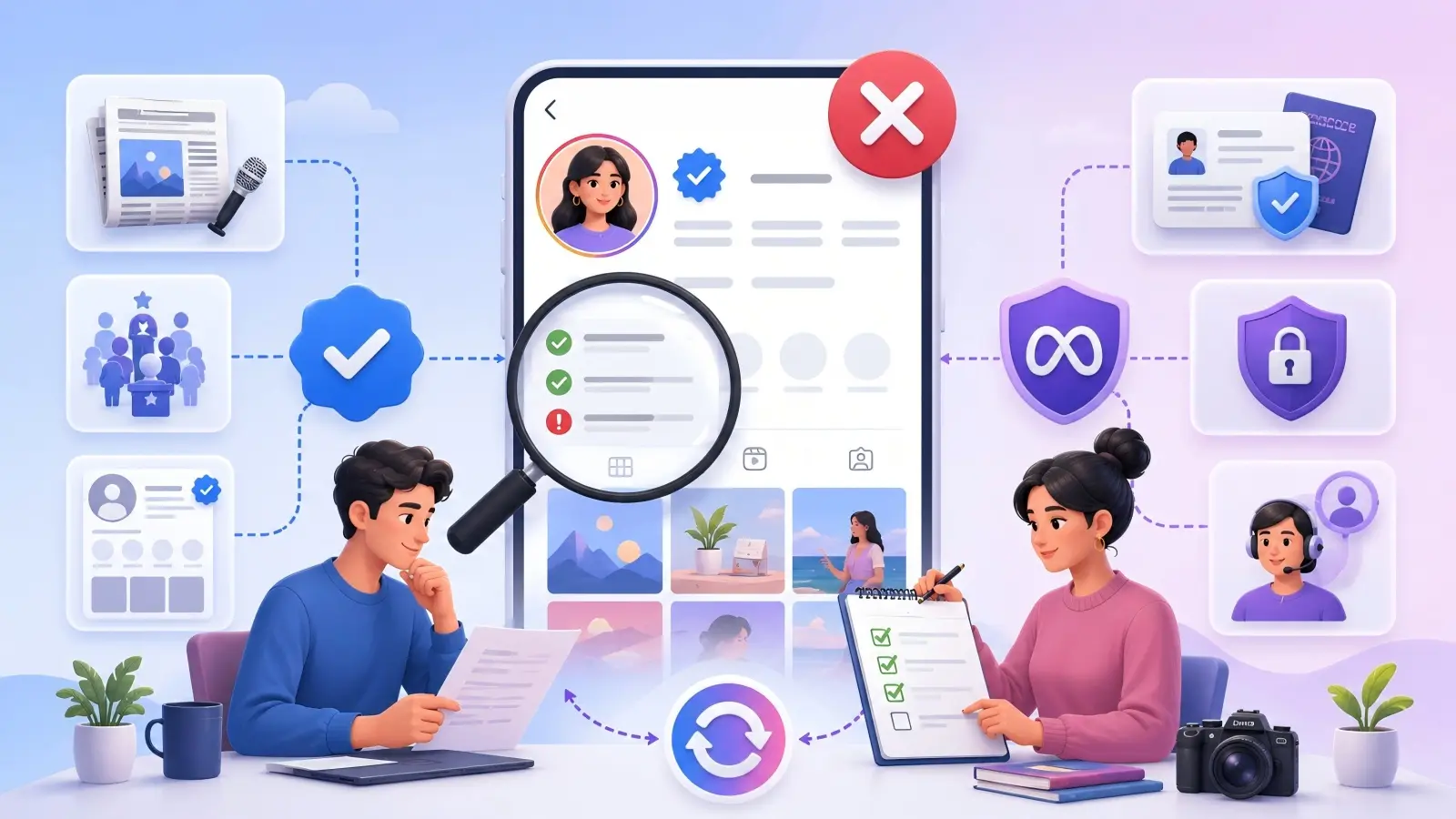
Getting the badge is not the end of the process. You still need to keep the account authentic, secure, and in good standing. This applies to both traditional verification and Meta Verified, although their requirements are different.
Why Following Instagram's Community Guidelines Is Crucial
A verified badge does not protect an account from Instagram's rules. Fake followers, artificial engagement, spam, impersonation, and misleading information can still lead to enforcement. For example, a verified creator who starts buying large amounts of fake engagement may put the account at risk. The safer approach is to keep content and audience growth genuine. This matters for both verification paths. Meta Verified subscribers must also continue following Instagram's Terms and Community Standards. A paid subscription does not remove normal account rules.
How Regular Activity Helps Keep Your Verification
Instagram does not require traditionally verified accounts to post every day or meet a fixed posting schedule. Still, regular activity helps keep the profile current and connected to the real person or business it represents. A verified restaurant, for example, might continue sharing new menus, events, and business updates instead of leaving the profile inactive for months. Activity matters more directly for Meta Verified, which includes minimum activity requirements for eligible accounts. The goal is not to chase likes or post constantly. Keep the account active, genuine, and consistent.
What to Avoid to Prevent Losing Verification
Meta warns against selling, transferring, or advertising a verified badge. False information, third-party verification schemes, or major identity changes can also create problems. For example, a new business owner cannot simply treat an existing badge as something that automatically transfers with the company account. Also avoid services that promise to “protect” or guarantee verification for a fee. Once you understand how to get verified on Instagram, maintaining the badge is fairly simple: follow the rules, keep the account authentic, and do not treat verification as a transferable asset.
Comparing Traditional and Subscription-Based Verification
Instagram offers two main verification paths. Traditional verification focuses on notable people, brands, and entities, while Meta Verified is a paid subscription for eligible accounts. The main difference is what you need to prove.
Key Differences Between the Two Methods
Traditional verification, often known as Instagram verification, focuses on public notability. It is better suited to people or brands that already have strong independent recognition. Meta Verified instead focuses on identity, account eligibility, security, and subscription requirements. It can also include benefits such as account support and impersonation protection. For example, a journalist with strong media coverage may have a good case for traditional verification. A smaller creator without much press coverage may still qualify for Meta Verified if the account meets its requirements.
How to Decide Which Verification Type Suits You
If you already have strong public recognition and independent media coverage, traditional verification may be the better fit. If not, Meta Verified may be more practical if it is available to you and you are comfortable paying for the subscription. A local TV host may prefer traditional verification, while a freelance creator may value Meta Verified for identity confirmation and support.
Neither option has anything to do with how to get verified badge with Google. Google does not issue Instagram badges. Meta controls both verification paths.
Why Some Users Prefer Subscription-Based Verification
Some users choose Meta Verified because the badge is only one part of the service. Eligible subscribers can also receive account support and impersonation protection. This may be useful for creators or businesses that depend on Instagram but do not have enough public notability for traditional verification. For example, a photographer dealing with fake copycat accounts may value the extra protection and support. Still, paying does not remove Instagram's rules. Subscribers must continue meeting Meta Verified requirements and follow platform policies.
How to Handle Verification Scams and Fake Offers
Because Meta Verified is a real paid service, fake verification offers can sometimes look convincing. The key difference is that legitimate verification always goes through Meta's official process. A third party cannot guarantee a blue badge.
How to Identify Common Verification Scams
Many scams use urgency. You may receive a DM or email claiming that you must “verify within 24 hours” and then be asked to click a link, pay a fee, or enter your password. Other warning signs include guaranteed approval, requests for login codes, unofficial payment pages, or claims that someone has a private contact inside Meta.
If you receive a suspicious message, check Instagram's official account notifications and recent emails instead of trusting the link. The same warning applies to websites found through searches like “how to get verified badge with Google.” Google cannot sell or issue an Instagram badge.
What to Do If You Encounter a Scam
Do not click suspicious links or send money. Open Instagram directly and check your account settings and official notifications. If you already entered your password on a suspicious page, change it, turn on two-factor authentication, and review your logged-in devices. Remove any device you do not recognize. For example, if a supposed verification agent asks for both payment and your login code, stop communicating with the account immediately. Learning how to get verified on Instagram should never require giving a stranger control of your account.
How to Report Scams to Instagram
Instagram lets you report suspicious profiles, posts, and messages directly in the app. Open the content, choose Report, select the reason that best matches the issue, and follow the on-screen steps. You can also block the account to stop further contact.
Whether you use traditional verification or Meta Verified, stay inside Meta's official tools. A service promising guaranteed approval outside that process should be treated with caution. The safest route is still to submit real information through Instagram and keep your login details private.
Enhance Your Instagram Verification Process with DICloak
Instagram verification still depends on Meta's own rules. No browser, agency, or automation tool can guarantee a blue badge. However, the process can become harder when a social media team manages several Instagram accounts at the same time. Different people may handle content, account activity, media research, and verification materials, so keeping each account organized becomes important.
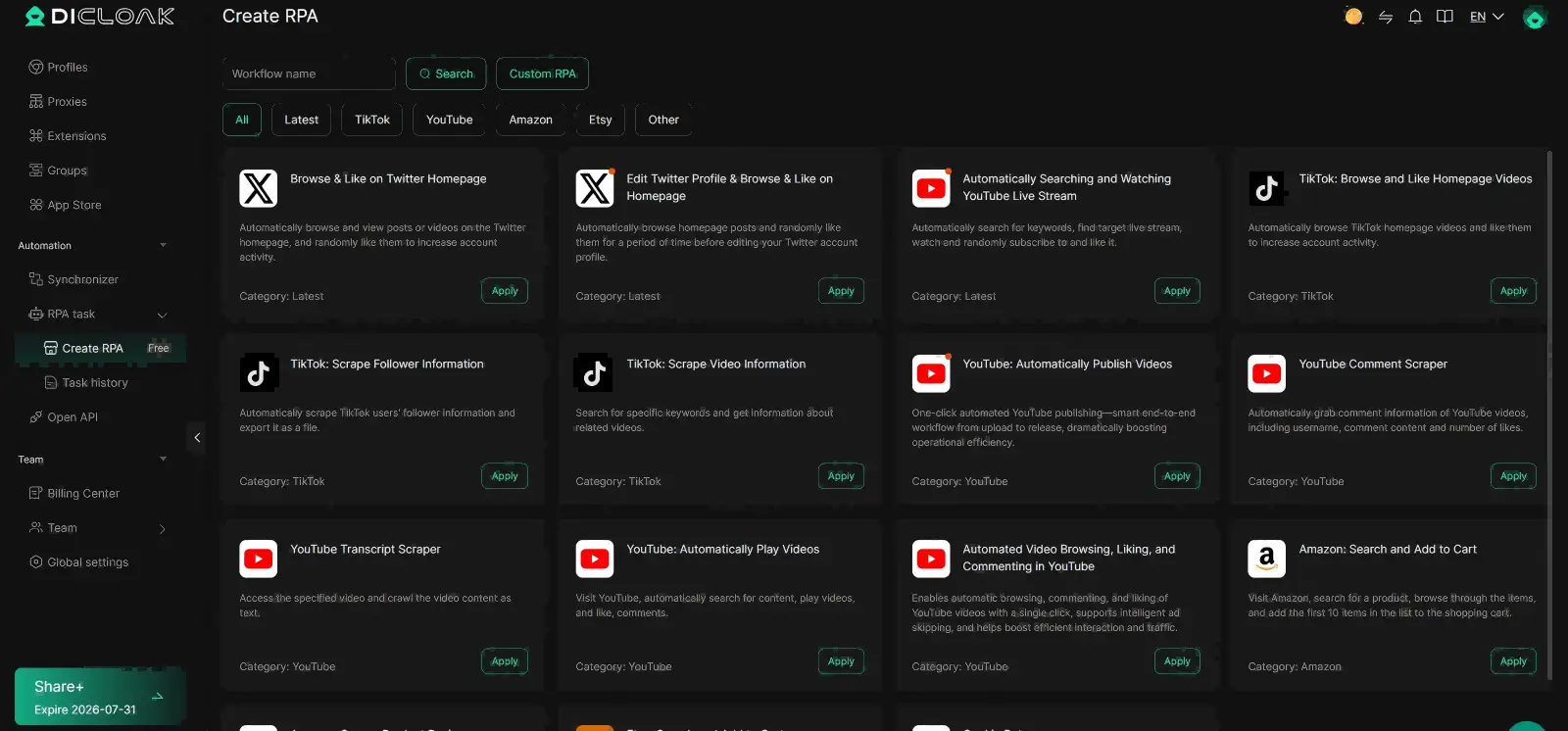
In this situation, teams can use DICloak to make the workflow easier to manage. Separate browser Profiles help keep account sessions and browser data apart, while team permissions make it easier to control who can access each Profile. Automation can also reduce repetitive work during content management and research. These tools do not change Instagram's verification standards, but they can make the work around the application more organized.
Manage Multiple Accounts Securely
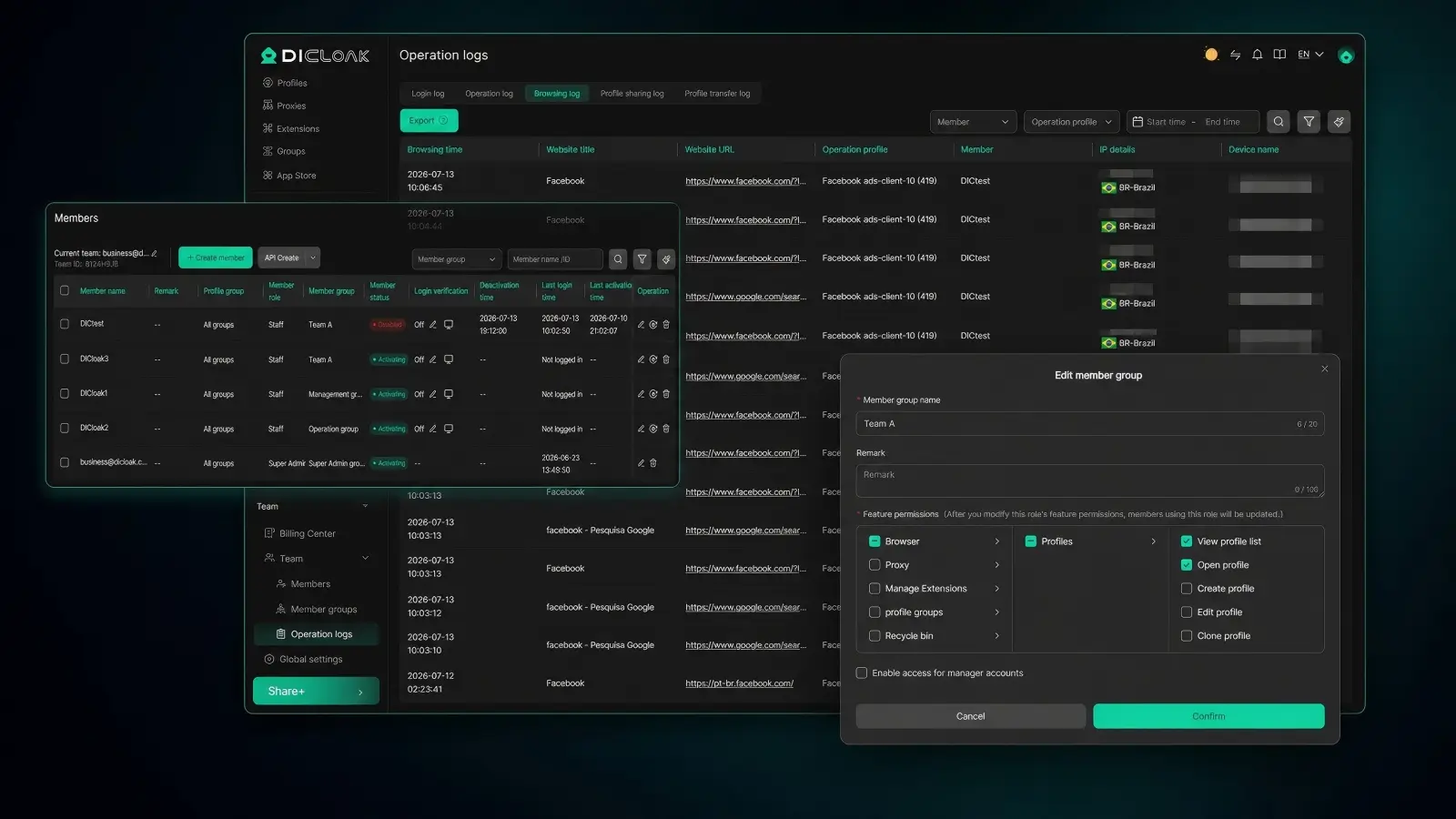
Managing one Instagram account is usually simple, but handling several client, brand, or creator accounts can become more complicated. For example, an agency may support several founders who are preparing for verification at the same time. Frequent logins and account switching in the same browser may increase the chance of mixing up sessions, opening the wrong account, or uploading information to the wrong profile. Teams can use DICloak to set up a separate Profile for each authorized Instagram account, so they can keep cookies, cache, and browser settings more clearly separated during daily account work.
When several people are involved, teams can also use permission settings to organize who can access different Profiles. A manager may need access to all client accounts, while a content specialist may only need access to a smaller group. Teams can assign access based on each person's role instead of giving everyone access to the same browser session. This setup does not make an account more notable or increase its chances of verification on its own. However, for teams learning how to get verified on Instagram across multiple accounts, a more structured login and account management process may help reduce avoidable account-handling mistakes.
Frequently Asked Questions About How to Get Verified on Instagram
1. How many followers do you need to get verified on Instagram?
There is no official follower requirement. If you want to know how to get verified on Instagram, focus more on authenticity, notability, and a complete profile than follower count.
2. Can you get verified on Instagram for free?
Yes. Traditional Instagram verification is free. Meta Verified is a separate paid subscription that includes verification, support, and other account benefits.
3. How long does Instagram verification take?
Instagram may take up to 30 days to review a traditional verification request. If you are rejected, you can usually apply again after 30 days.
4. Can Google help me get an Instagram verified badge?
No. Google does not issue Instagram badges, so searches like “how to get verified badge with Google” can be misleading. Google can only help you check your public presence and media coverage.
5. Is Meta Verified the easiest way to get verified on Instagram?
For some users, yes. Meta Verified does not use the same notability standard as traditional verification, but you still need to meet Meta's eligibility and identity requirements. Traditional verification may be better for people or brands with strong public recognition.
Conclusion
Learning how to get verified on Instagram is not about finding a shortcut. A strong application starts with a complete profile, clear identity, real public recognition, and accurate information. If traditional verification does not fit your situation, Meta Verified may be another option if you meet its requirements. If your request is rejected, use the time before reapplying to improve your profile and supporting evidence instead of submitting the same request again. Most importantly, use only Meta's official verification process and avoid anyone promising a guaranteed blue badge.
In 2026, the best approach is simple: build a real presence, follow Instagram's rules, choose the right verification path, and keep your account consistent after you get verified.
 Web Proxy Tools
 Free Tools
 Cookie Plugin
 UA Generator
 MAC Address Generator
 IP Generator
 IP Address List
 2FA Code Generator
 World Clock
 Anonymous Check
 WebRTC Leak Test
 UUID Generator
 Free Web Proxy Site
 Proxy Checker
 FB Ad Checker
 AI Web Scraping
 Free SMM Tools
 Twitter Shadowban Checker
 Instagram Name Checker
 UTM Generator
 Username Generator
 AI Hashtag Generator
 LinkedIn Headline Generator
 Social Media Image Resizer








-01-v14.png?x-oss-process=image/interlace,1/format,webp/quality,q_75)