When an X account is suspended, users often blame the IP address first. The idea sounds reasonable: if X can see your IP, maybe it simply blocks that IP and every account using it. But X's own public documentation shows that the reality is more complicated.
X does collect IP addresses and other connection data. It also associates accounts with browsers and devices and can use account activity, verification information, and other signals when operating the service. At the same time, X has publicly explained that IP blocking is a weak way to stop unwanted behavior because many unrelated users can share one IP address and because IP addresses can change.
Quick answer: X can see and use IP information, but a normal X suspension should not be treated as a simple permanent IP ban. X's documented enforcement focuses on accounts, account ownership, activity, automation, repeated violations, and ban evasion. If your account is restricted, the exact message shown by X is usually more useful than assuming the IP itself has been banned.
This guide explains what an X IP ban really means in 2026, what X can actually see, why several accounts can sometimes be affected together, how to tell an account suspension from a network problem, and how businesses can manage multiple legitimate X accounts more cleanly. The focus is on practical diagnosis and documented platform behavior rather than unsupported claims about hidden enforcement systems.

Does X Really IP Ban Users?
X can identify the IP address used to access its service, but that does not mean every suspension is an IP ban. X has publicly stated that IP blocking is generally ineffective for stopping unwanted behavior. The reason is practical. One public IP address can be shared by many people in a home, office, school, hotel, mobile carrier network, or public Wi-Fi environment. Blocking that address can therefore stop legitimate users who have no connection to the original problem. IP addresses can also change, making a simple IP block a poor way to identify one person over time.
This does not make IP information unimportant. X's privacy materials state that the service can collect IP addresses, browser information, device information, approximate location, identifiers, and log data. X also says that when someone signs in, the browser or device can be associated with the account. The important distinction is between using an IP address as one signal and treating the IP address as the entire enforcement decision.
| Situation |
What it more likely means |
| X shows "Account suspended" |
Account-level enforcement |
| X asks for email, phone, or challenge verification |
Ownership or security check |
| X limits posting, reposting, or liking |
Temporary account limitation |
| A third-party tool stops working |
API, authentication, cookie, or tool issue may be involved |
| Several accounts on one network have problems |
Shared activity, device, network, or account signals may be involved |
| One network fails while another works |
A network issue is possible, but this alone does not prove an IP ban |
For SEO searches such as "does X IP ban," "Twitter IP ban," "X IP banned," or "does Twitter ban IP addresses," the safest answer is therefore not a simple yes or no. X can use IP data, but its public enforcement system is broader than an IP-only block.
What X Can Actually See About Your Connection
A common mistake in IP-ban discussions is to mix confirmed platform data with assumptions about hidden detection systems. X publishes enough information to show that IP addresses are only one part of a much larger account and connection picture.
IP Address and Network Information
When you access X, the service can receive connection information such as your IP address. An IP address can reveal an approximate network location and can help a service understand where a request is coming from.
That can matter for security. A login from a familiar network may look different from a login that suddenly appears from another country or from a network the account has never used before. However, an IP address does not uniquely identify one person. Shared offices, mobile networks, university networks, and carrier-grade NAT can place many unrelated users behind the same public address. This is one reason why seeing two accounts use the same IP does not automatically mean those accounts belong to the same person or should receive the same enforcement.
Browser, Device, and Account Associations
X also says it can associate a browser or device with an account when the user signs in. Its public personalization information explains that IP addresses and timing information may be used to infer relationships between browsers or devices.
In practical terms, this means an account is not only represented by the network connection. The platform can also have information about the browser or device used, account email or phone details, login history, activity, cookies, and other identifiers.
This matters when users ask why changing an IP address did not fix a suspension. A new network connection does not erase the account itself, its history, its login data, or the other information already connected to it.
What You Should Not Assume
Many third-party articles claim that X definitely uses specific browser-fingerprint fields such as Canvas, WebGL, installed fonts, audio fingerprints, or typing patterns to decide whether an account should be banned. Those technologies exist on the web, but X's public materials do not clearly confirm that each of those exact attributes is used as a suspension signal. Treating speculation as confirmed platform behavior can make an article sound detailed while actually making it less reliable. For a practical 2026 explanation, it is better to stay with what can be supported: X can use IP, browser, device, account, activity, verification, and related identity information. The exact internal weighting of those signals is not public.
Why X Says IP Blocking Is a Weak Enforcement Tool
The idea of an IP ban is attractive because it seems simple. One bad account uses one address, so the platform blocks the address. Real networks do not work that cleanly.
Shared IP Addresses Create False Positives
A public IP address may represent one person, one household, a whole office, hundreds of mobile users, or many customers behind a shared gateway. If a platform permanently blocked every user behind the same address because of one account, unrelated users could lose access.
Consider a marketing agency with 30 employees using the same office connection. Several employees may operate different business accounts with permission from different clients. From the outside, those sessions may share one public IP even though they belong to separate people and separate businesses.
The same problem appears on hotel Wi-Fi, airports, universities, coworking spaces, and mobile carrier networks. This makes IP data useful as context, but unreliable as a standalone identity.
IP Addresses Change More Easily Than Accounts
Many internet connections use dynamic addressing. Home users may receive a different IP after reconnecting. Mobile users move between cellular towers and Wi-Fi. Remote workers switch between home, office, and mobile networks.
Because the address can change while the person and account remain the same, an account-based enforcement model is more durable than a simple IP block. This is also why changing networks should not be treated as an account-recovery method. If X has suspended the account, the enforcement remains attached to the account until X changes that status.
What X Enforcement Looks Like in Practice
When users say they were "IP banned," they may actually be describing several different account states. X documents temporary locks, feature limits, ownership verification, suspensions, and permanent enforcement. Identifying the actual state is more useful than guessing at the network level.
Temporary Locks and Ownership Verification
X may lock an account and ask the user to complete a challenge. Depending on the situation, this can include confirming an email address, adding or confirming a phone number, or completing another verification step.
A lock is not the same as a permanent suspension. It can be a security response or an anti-spam measure intended to verify that the person using the account is its owner.
If X shows a specific verification request, complete that request before changing unrelated browser or network settings. The platform is telling you what it needs from the account.
Limited Account Features
X can also place an account in a limited state. During that period, some actions such as posting, reposting, liking, or other engagement may be restricted.
The account may still be visible and may still allow some activity. This is different from a complete account suspension, and it is also different from a connection error.
Users sometimes interpret these limits as an IP ban because several actions suddenly stop working. The better approach is to read the notice shown inside the account and identify which functions are actually restricted.
Permanent Suspension and Appeals
Permanent suspension is X's strongest account-level enforcement action. X may permanently suspend accounts for serious or repeated violations, and it may also take action against accounts used to evade a previous suspension.
If you believe a suspension was made in error, the correct path is the appeal process. Creating replacement accounts to continue the same activity can make the situation worse because X's authenticity rules specifically prohibit ban evasion. The practical difference is simple: recovery means resolving the status of the original account through X's process; evasion means trying to continue after enforcement by replacing or repurposing accounts.
Can Multiple X Accounts on the Same IP Be Suspended?
Multiple X accounts can use the same network without automatically violating X's rules. In fact, X allows users to operate multiple accounts for distinct, non-duplicative purposes, subject to its rules and technical limits.
The important question is not only whether the accounts share an IP. It is what the accounts are for and how they behave.
Legitimate Multiple-Account Use
X's authenticity rules allow multiple accounts when they serve different legitimate purposes. Examples include business accounts, accounts for different locations or languages, personal and project accounts, and accounts managed by social media managers on behalf of third parties.
X currently states that users may create or operate up to ten accounts for different, non-duplicative purposes. That makes a simple rule such as "same IP equals automatic ban" unrealistic. A company, agency, or household may have several legitimate accounts behind one connection.
A business might reasonably manage a main brand account, regional accounts, language-specific accounts, a customer-support account, and separate project accounts. The fact that they use the same office network is not, by itself, proof of abuse.
Ban Evasion and Coordinated Activity
The situation changes when multiple accounts are used to evade enforcement or manipulate activity. X prohibits creating new accounts, repurposing existing accounts, or using another person to operate an account in order to get around a suspension. X also reserves the right to suspend other accounts it believes the same holder or entity is operating in violation of an earlier suspension.
Coordinated inauthentic behavior can create another problem. Multiple accounts that repeatedly interact with the same content, artificially boost engagement, post substantially similar content, or manipulate trends can violate X's rules even if the accounts are technically separate.
This is why two people can have very different experiences on the same IP address. One set of accounts may be legitimate and independent, while another set may trigger enforcement because of behavior rather than the network itself.
Automation and Repetitive Behavior
Automation can also explain why several accounts are restricted at the same time. X's current automation rules state that users should not use non-API-based automation such as scripting the X website. The rules also prohibit duplicative or substantially similar automated activity across multiple accounts.
If several accounts use the same aggressive automation workflow, they may encounter restrictions together. From the user's point of view, that can look like an IP ban because all accounts were using the same machine or network. The common factor may actually be the workflow. When diagnosing a multi-account problem, look at what the accounts were doing, not only where they were connecting from.
How to Tell Whether You Have an X IP Ban
X does not provide a public "IP ban checker." That means the goal should not be to prove a hidden internal label. The goal is to identify which part of the workflow is actually failing.
Start With the Exact Message X Shows
The first diagnostic signal is the message inside X. If you see Account suspended, treat it as account-level enforcement. If X asks for a phone number, email confirmation, or another challenge, treat it as a verification or ownership issue. If the account remains accessible but posting or engagement is limited, you are dealing with a temporary feature restriction.
Write down the exact wording before changing anything. Users often create extra confusion by switching browsers, networks, devices, and accounts all at once. Once several variables change together, it becomes difficult to know what actually fixed or caused the issue. A simple diagnosis table helps:
| What you see |
First thing to check |
| "Account suspended" |
Suspension notice and appeal options |
| Phone or email verification request |
Complete the ownership challenge |
| Posting or liking disabled |
Temporary account limitation |
| X website works, third-party tool fails |
Tool authentication or API access |
| One account fails, others work |
Account-specific issue |
| All sites fail on the same connection |
Local network or ISP issue |
| X fails only on one network |
Network issue may be involved |
| Several similar accounts fail together |
Shared behavior, automation, or account relationship may be involved |
Separate Account, Browser, App, and Network Problems
A useful test changes one variable at a time. First, check whether the same account shows the same status in the official X website or app. If it does, the problem is less likely to be caused only by a third-party tool. Next, compare the affected account with another legitimate account. If one works and the other shows a suspension notice, that points toward an account-level issue.
Only after that should you compare networks. If the account works on one network but not another, the connection may be contributing to the problem. Even then, the result does not automatically prove a permanent IP ban. DNS issues, routing problems, local firewall rules, browser state, security checks, or temporary connection limits can also change when the network changes.
Good troubleshooting isolates variables. It does not assume that every login problem is enforcement.
What to Do If Your X Account Is Suspended
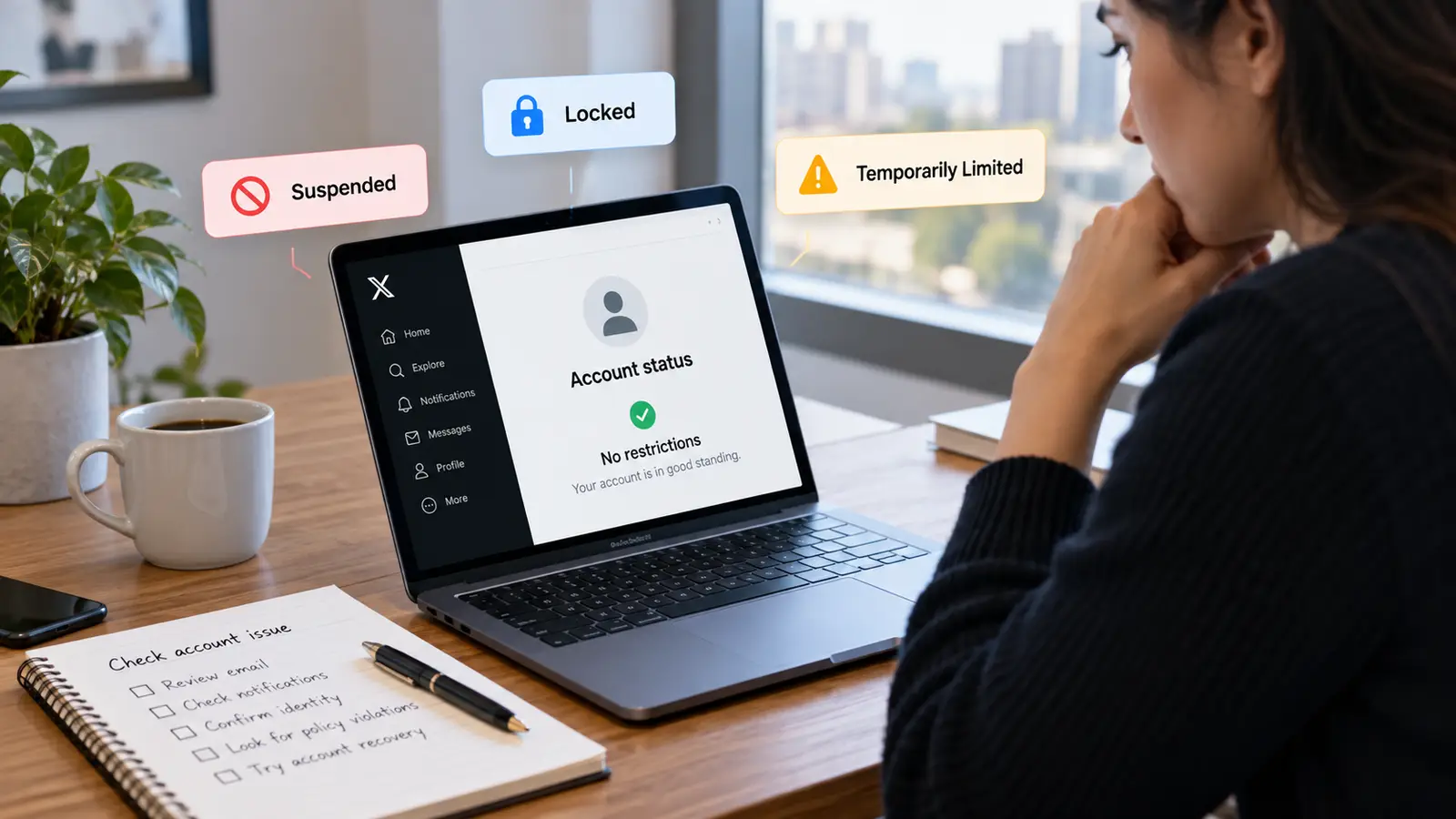
If X has clearly identified the issue as an account lock, limitation, or suspension, focus on the recovery path connected to that status. Changing unrelated browser or network settings first can make troubleshooting harder without addressing the actual enforcement notice.
Follow the Recovery Steps Shown in the Account
If X asks you to verify an email address, phone number, or other ownership information, complete the requested process. For temporary restrictions, X may display a countdown or require an action before normal access returns. Avoid repeatedly changing unrelated settings while the account is already telling you what must be completed.
If the account was limited because of specific content or behavior, review the notice carefully before continuing normal activity. Repeating the same activity immediately after a temporary restriction can lead to stronger enforcement.
Secure the Account if Compromise Is Possible
A suspended or locked account may also have a security problem. If you see logins you do not recognize, unexpected posts, changed account details, or unknown connected applications, secure the account before treating the issue as an IP problem. Change the password, secure the associated email account, enable two-factor authentication, and review connected apps.
X also provides account data that can show browsers and mobile devices associated with the account. The location attached to an IP is approximate, so do not assume that an unfamiliar city automatically proves another person accessed the account. The important question is whether the device, browser, application, or activity is actually unfamiliar.
Appeal Instead of Trying to Evade the Suspension
If you believe X suspended the account by mistake, submit an appeal. Keep the explanation focused. Describe what happened, what notice you received, and why you believe the account should be restored. If the problem began after compromise, mention the security issue and the steps taken to secure the account.
Do not create replacement accounts to continue the same activity while a permanent suspension is active. X explicitly treats this as ban evasion, and related accounts can also be affected.
Does Changing Your IP Fix an X Suspension?
Changing an IP address does not remove an X suspension. A different connection can be useful for diagnosing a local network problem, but it does not change the enforcement status of the account. If X has suspended an account, the platform still knows which account was suspended, and the new IP does not erase account history, login information, device associations, or previous activity.
This distinction matters because search results around "X IP ban" often jump too quickly to IP-changing advice. That can send users in the wrong direction. If X says the account is suspended, the issue is the account status first. Changing from office Wi-Fi to mobile data can answer one question: is the connection contributing to the problem? It cannot answer another question with certainty: has X permanently banned this IP? Treat network changes as troubleshooting, not as enforcement recovery.
How DICloak Helps Teams Manage Multiple X Accounts
For agencies, social media teams, ecommerce businesses, and global brands, the bigger challenge is often not managing one X account. It is keeping multiple X accounts organized when different accounts belong to different brands, clients, regions, languages, campaigns, or internal teams.
A social media agency may manage five client accounts at the same time. A global brand may operate a main corporate account, regional accounts, language-specific accounts, customer-support accounts, and campaign accounts. When all of these accounts are opened inside one normal browser, sessions can become mixed, team members may open the wrong workspace, and it becomes harder to control which employee is responsible for which account.
DICloak gives teams a structured way to handle multiple X account management. Each authorized X account can stay inside its own browser Profile with separate cookies, session data, browser settings, storage, and optional proxy configuration. Teams can then group Profiles by brand, client, region, or purpose and assign them to the people responsible for those accounts.
Important: DICloak is designed here for managing legitimate X accounts more efficiently. It does not remove X suspensions, change X's rules, or make ban evasion acceptable. If an account is suspended, the correct path is still X's verification or appeal process.
Keep Multiple X Accounts in Separate Browser Profiles
The foundation of multi-account management is keeping each account in its own workspace.
A normal browser can become difficult to manage once several X accounts are signed in at the same time. Cookies, saved sessions, bookmarks, Local Storage, IndexedDB, extensions, and other browser data can become mixed across different accounts. Employees may also need to log in and out repeatedly, which increases the chance of posting from the wrong brand or client account.
DICloak lets teams create a separate browser Profile for each authorized X account. Each Profile keeps its own browser data and login session, so the account can be opened as an independent workspace instead of becoming another tab inside the same browser.
For example, an agency might organize its Profiles like this:
| X account |
DICloak Profile |
| Brand A main account |
Brand A - Main |
| Brand A customer support |
Brand A - Support |
| Client B U.S. account |
Client B - US |
| Client B Spanish account |
Client B - ES |
| Client C campaign account |
Client C - Campaign |
This structure becomes more useful as the number of accounts grows. DICloak Profile Groups can further organize Profiles by client, region, language, campaign, or internal team, making it easier for employees to find the correct account before they begin work.
A clear naming rule such as Brand - Region - Purpose can also reduce everyday mistakes. Instead of seeing ten similar X logins in one browser, the team sees clearly separated workspaces with a defined purpose.

Keep Sessions, Browser Settings, and Network Configurations Organized
Managing multiple X accounts is not only about remembering different usernames and passwords. Each account develops its own working browser profile over time.
That environment may include authentication cookies, saved sessions, bookmarks, Local Storage, IndexedDB, extension data, language settings, time zone, user agent, WebRTC, Canvas, WebGL, and other browser settings. If every employee recreates these environments on their own device, account setups can quickly become inconsistent.
DICloak keeps those settings connected to the individual Profile. Its session management and Data Sync capabilities can help authorized team members return to the same account workspace without rebuilding the browser profile each time.
This is useful for teams that regularly switch between several X accounts during the day. A social media manager can open the Profile for a U.S. brand account, move to a Spanish-language Profile, and then open a customer-support Profile without repeatedly signing in and out of unrelated accounts.
For companies that already use a defined network setup, users can also configure their own proxies in DICloak on a per-Profile basis. This can help keep each account connected to its intended network configuration while the rest of the browser profile remains organized around that Profile.
The purpose is consistency and separation. A proxy should not be treated as a way to reactivate a suspended account or bypass X enforcement.

Manage Multiple X Accounts Across Teams, Clients, and Regions
Multi-account management becomes more complicated when several employees, agencies, or contractors are involved.
A social media lead may need access to every company account, while a regional manager only needs the accounts for one market. A customer-support team may need access to support Profiles but not marketing Profiles. An external agency may manage one brand while having no reason to access the company's other X accounts.
DICloak supports Members, Member Groups, Profile Groups, and account sharing, allowing administrators to connect account access with actual team responsibilities.
For example:
| Team role |
X account access |
| Social media lead |
All brand Profiles |
| U.S. manager |
U.S. X accounts |
| EU manager |
European X accounts |
| Customer support |
Support Profiles |
| External agency |
Assigned client Profiles |
| Temporary contractor |
Selected campaign Profiles |
This makes onboarding and offboarding easier. When a new employee joins, the administrator can give them access to the Profiles they need. When a contractor finishes a project, access to those Profiles can be removed without changing the setup for every other account.
DICloak can also reduce unnecessary password exposure. An administrator can keep an authorized X session inside a Profile and share the Profile with selected members instead of sending the raw password through chat or a spreadsheet.
Security controls can further restrict members from viewing saved website passwords, using developer tools, installing local extensions, or changing other sensitive browser settings. In this workflow, account sharing supports multiple account management rather than being the main purpose of the system.
Best use case: DICloak is most useful for agencies, ecommerce teams, global brands, and social media departments managing multiple legitimate X accounts across different clients, markets, campaigns, or teams. Its core value here is multi-account separation, session organization, browser-environment consistency, and controlled team access.

Final Takeaway
Does X IP ban users? X can see IP addresses and use network information, but its public documentation does not describe a normal user-facing “IP ban” as the main enforcement method. X itself says IP blocking is generally ineffective, while its published rules clearly document account suspension, temporary limits, verification, account security checks, and ban-evasion enforcement.
If an account is restricted, start with the exact notice X gives you. Complete verification when requested, secure the account if compromise is possible, and appeal a suspension if you believe it was made in error.
For legitimate multi-account business use, focus on clean account organization, distinct account purposes, secure team access, and compliant behavior. Do not rely on changing IP addresses as a way to fix account enforcement.
FAQs About X IP Bans
Does X IP ban accounts?
X collects IP addresses, but its public Help Center says IP blocking is generally ineffective. X's documented enforcement system focuses on account suspensions, temporary restrictions, verification, and ban-evasion enforcement rather than a standard consumer-facing IP-ban status.
Does Twitter IP ban multiple accounts on the same Wi-Fi?
Using the same Wi-Fi does not automatically violate X's rules. X allows multiple accounts for distinct legitimate purposes. However, accounts involved in coordinated manipulation, spam, or ban evasion can be suspended.
How do I know if my IP is banned on X?
There is no official X IP-ban checker. Read the exact account notice, check whether X asks for verification, review email from X, and distinguish an account suspension from a login, API, or network problem.
No browser can guarantee that an X account will not be restricted or suspended. An antidetect browser can help businesses keep legitimate account sessions and browser Profiles organized, but it does not change X's rules or make ban evasion acceptable.
 Web Proxy Tools
 Free Tools
 Cookie Plugin
 UA Generator
 MAC Address Generator
 IP Generator
 IP Address List
 2FA Code Generator
 World Clock
 Anonymous Check
 WebRTC Leak Test
 UUID Generator
 Free Web Proxy Site
 Proxy Checker
 FB Ad Checker
 AI Web Scraping
 Free SMM Tools
 Twitter Shadowban Checker
 Instagram Name Checker
 UTM Generator
 Username Generator
 AI Hashtag Generator
 LinkedIn Headline Generator
 Social Media Image Resizer