You type a prompt and get an answer from Claude, but it’s not what you expect, logic is off, facts are shaky, or the reply feels less sharp than just weeks ago. That’s the frustration behind the surge in searches for claude got dumber. When a tool you trust for research or business tasks suddenly drops in quality, it’s not just annoying, it can break workflows or force you to rethink tools. Users report symptoms like Claude’s reasoning getting weaker, longer chains of mistakes, or even a drop in basic writing quality.
Some people wonder if it’s just them, or if there’s a real claude ai performance drop. The truth is, large language models can change over time, sometimes after an update, sometimes from behind-the-scenes tweaks. These shifts may not get announced, so users are left guessing: is this a bug, a business decision, or just my use case?
Blaming the model or waiting for a fix rarely gets you far. The real question is what you can do when Claude’s output gets less reliable. Should you switch models, change your prompt style, or build extra checking steps into your workflow? For teams running automation or relying on Claude for research, a dip in quality can mean hours lost or even costly mistakes.
So what’s actually changed, and how are experienced users adjusting? Here’s what matters right now.
What Do Users Mean When They Say 'Claude Got Dumber'?
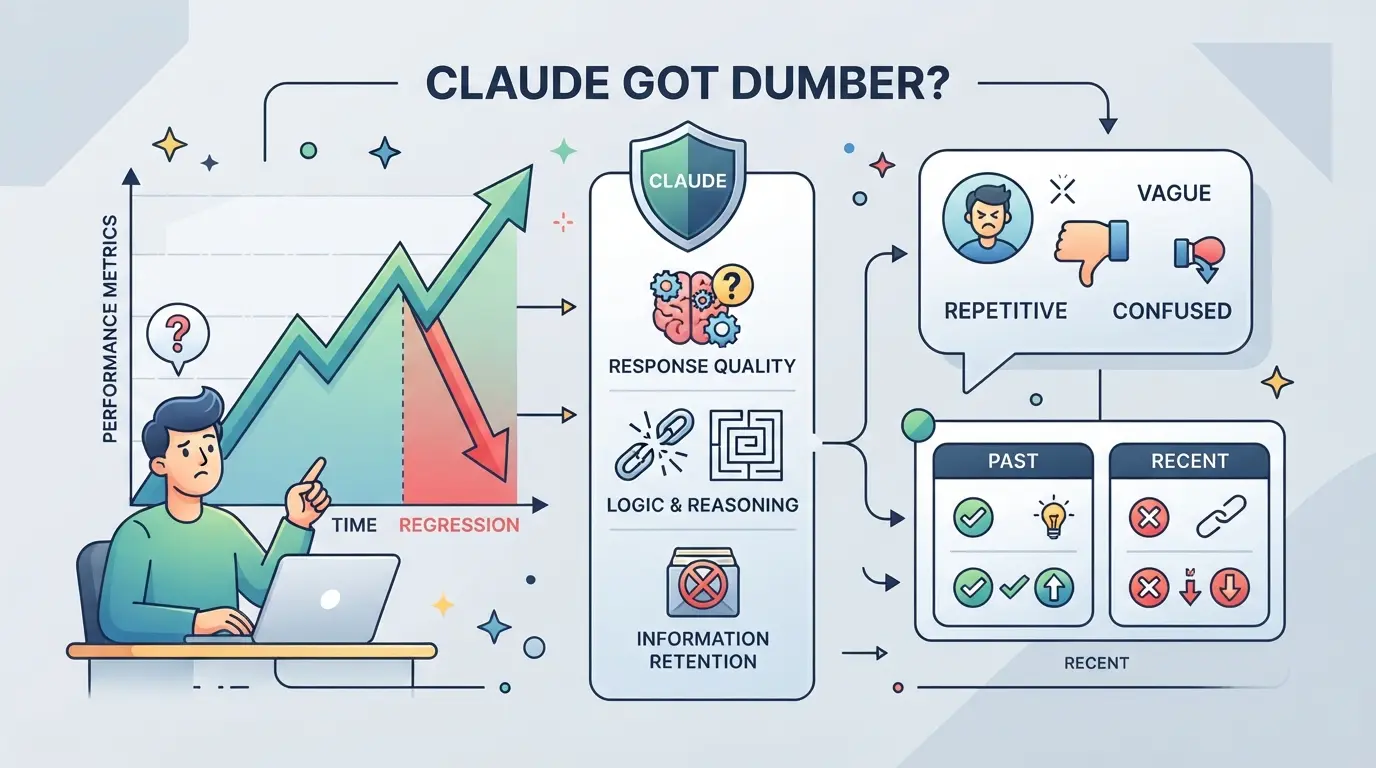
When people say “Claude got dumber,” they’re usually not talking about one glitch, they’re describing a clear drop in answer quality, reasoning, or usefulness that stands out compared to earlier use. This isn’t just minor nitpicking. For many, it’s a pattern: the AI gives wrong facts more often, misses the point, or just feels less sharp on real tasks they rely on.
Common Signs of Declining AI Performance
Users mention the same warning signs again and again:
- Unexpected mistakes, made-up details, or basic logic errors in answers
- Replies that are too short or skip details that used to get covered
- More frequent misses on step-by-step instructions or multi-part questions
These problems show up fast if you use Claude for anything repeatable, like coding, content review, or research summaries.
How User Expectations Shape Perceptions
The sense that “Claude isn’t as smart” is rarely just about the model itself. It’s shaped by what people remember from using it last month, last year, or even last week. When someone runs the same prompt that used to give a sharp answer and now gets something vague or wrong, trust drops hard. It’s not just the raw output, the real frustration comes when past reliability sets a bar the new model fails to meet. For example, if a team’s workflow depends on Claude reliably parsing PDFs and it suddenly starts missing obvious sections, the issue isn’t only technical, it’s the break from what “used to work.” Some users also raise the bar themselves. As they get better at prompt engineering and see what’s possible with other models, even small flaws in Claude’s latest answers stand out more sharply. On the flip side, if someone only uses Claude for simple questions, they might not notice any change at all, until a task needs real reasoning or in-depth context tracking. This gap explains why “claude ai performance drop” reports can sound dramatic in forums, while other users barely see a change.
Reports like these usually cluster after major updates or model swaps, especially when Anthropic makes silent changes that aren’t well documented. Power users spot subtle shifts fast, while light users may only realize the difference when an old workflow breaks. The next step is figuring out what’s actually behind the quality decline, and whether it’s model drift, new safety filters, or something else entirely.
Why Did Claude's Performance Drop? Main Causes in 2026
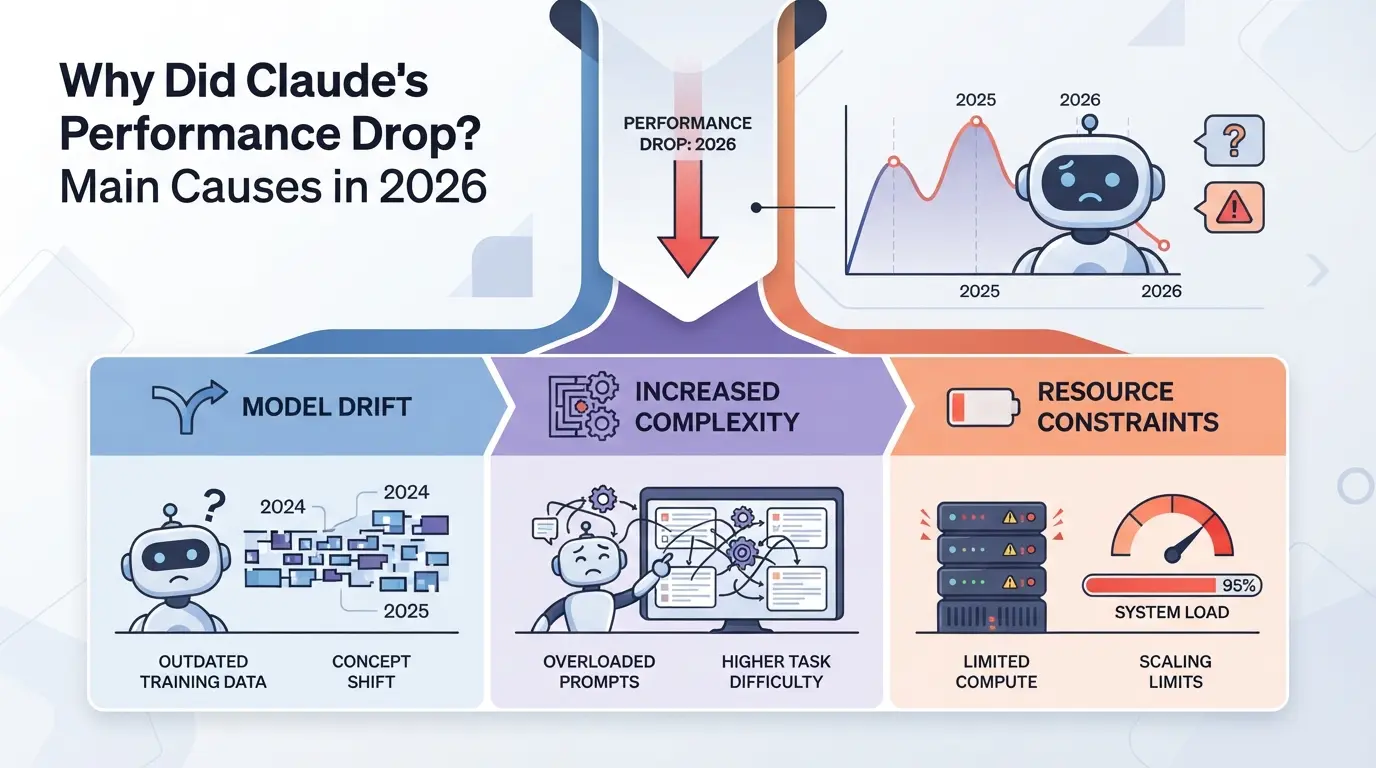
Model quality can drop for reasons that have nothing to do with your prompts or skills. Most users notice the change only after outputs start missing the mark, fewer correct answers, more refusals, or lost context. Here’s what’s driving these shifts in 2026.
Model Updates and Safety Tuning
Direct model updates often trade raw reasoning for safety filters. Each time Anthropic tweaks Claude, you might see smarter refusals, but at the cost of less creative or detailed answers. Most users feel the quality dip right after a major safety patch, especially on topics that were once easier to discuss.
Silent Backend Changes
Not every change is visible. Cloud providers sometimes adjust their infrastructure, swap out model checkpoints, or reroute traffic. These backend tweaks can shrink context windows or throttle certain features without warning. For example, in early 2026, teams noticed Claude started “forgetting” details midway through longer chats. Anthropic never posted a changelog, support just pointed to “routine maintenance.” That’s why waiting for an official announcement rarely helps. The real risk is silent degradation: you keep using the same prompts, but results slowly drift further from what worked last month. When a provider quietly rolls out a lower-capacity version during peak hours, you might get slower or shallower responses, even if the UI looks unchanged. This is hardest to spot if you’re only using Claude for routine tasks, the gradual slip in depth or accuracy often goes unnoticed until a critical workflow fails. Experienced users have learned to watch for these silent shifts and adapt fast, rather than blame their own prompt design.
Account, Session, or Region Differences
Some users see a drop before others. Here’s what to check:
- Account type: Free and paid users sometimes get routed to different model versions, especially right after a new release.
- Session: If you start a fresh chat, you might trigger a new backend configuration, so results can change even with the same prompt.
- Region: Claude’s quality can vary by country if certain features or safety patches roll out in stages.
If your team shares accounts, you may notice inconsistent results between users. That’s usually a sign of region or session-based deployment, not a mistake on your side.
Spotting these patterns early makes it easier to tell if you’re dealing with a real system-wide change or just caught in a rollout window. The next step: learn how to test and confirm whether Claude has truly changed for your use case.
How to Tell If Claude Really Got Dumber for You

If you’re wondering whether Claude actually got worse for you or if something else is going on, don’t just go by gut feeling. Small changes in prompt, account, or browser setup can trick you into thinking the model declined, even when nothing major changed behind the scenes. Use these checks to get an answer you can trust.
Testing with Consistent Prompts
The fastest way to spot a real drop in Claude’s quality is to re-run the exact same prompt you used before. Save a copy of both your prompt and the previous output, then compare them side by side after the suspected change. If the new response misses key details, gets facts wrong, or loses structure compared to your saved output, you have real evidence of a change. Always check with multiple prompts, sometimes just one prompt hits an edge case or a temporary bug. If several prompts that used to work now fall short in similar ways, it’s more likely a true Claude AI performance drop. A table can help you track side-by-side results over time:
| Date |
Prompt |
Old Output Quality |
New Output Quality |
| 2026-08-01 |
“Summarize article” |
Clear, on-topic, 2 min |
Off-topic, vague, 1 min |
| 2026-09-10 |
“List pros/cons” |
Complete, 6 points |
Partial, 3 points |
Comparing Across Accounts or Devices
Sometimes the problem is account-specific or tied to your device setup. To rule this out:
- Log into a different Claude account and run the same prompt.
- Use a separate browser or device with no extensions or tweaks.
- Compare outputs, if only one account or device shows a drop, your main setup may be the cause.
Checking for External Factors
Not every “Claude got dumber” moment comes from the model itself. Connection problems, browser extensions, or session issues can all break output.
- Test your prompt on a different network (switch WiFi or use mobile data).
- Disable all browser extensions, especially privacy, adblock, or script blockers, and retry.
- Log out and in again to refresh your session; expired sessions often cause incomplete or buggy replies.
If you check all these and still see Claude quality decline, you’re not imagining it. Next, focus on what you can, and can’t, change when performance drops.
What You Can (and Can't) Control When Claude Gets Worse
Most users want to know if they can actually fix a Claude quality drop or if they're stuck until the next update. Here’s what you can and can’t influence in practice.
User Actions That Sometimes Help
| Action |
What Changes |
When It Works |
| Change your prompt wording |
Sometimes triggers better answers, especially on edge cases |
Useful for minor declines |
| Switch accounts or browsers |
May dodge rate limits or session bugs |
Helps if issues are account-based |
| Clear cookies/start fresh |
Can resolve stuck sessions or memory artifacts |
Worth trying after repeated errors |
If Claude’s responses are only a little off, small tweaks like these can restore old output quality for some tasks.
Limits of User Control
But if the provider rolled out a major update or model shift, no prompt trick or browser reset will bring back the old Claude. Chasing endless workarounds wastes time, know when control stops and plan for next steps.
How Teams and Power Users Can Manage Multiple Claude Accounts More Safely
Handling several Claude accounts at once gets messy fast, one mix-up can lock you out or even trigger bans. Here’s how to reduce cross-account risk and keep each session clean.
Why Session Separation Matters
- Use a different browser profile for each Claude account. This stops cookies and local data from leaking between accounts.
- Sign out fully before switching accounts. If you skip this, you might see Claude not as smart or even get a security alert.
- Use a unique proxy per session if possible, shared IPs often cause lockouts or forced verifications.
- Never reuse recovery emails or phone numbers across accounts. Overlap here is a common reason for bans.
Best Practices for Multi-Account Use
- Document every account’s browser profile, proxy, and email in a shared sheet. If you forget which profile links to which account, recovery is much harder.
- Only log into one Claude account per browser profile at a time. Mixing breaks isolation and leads to session bugs.
- Rotate proxies if you see repeated access issues, sticking with a flagged IP can trigger account reviews.
Setting Up Isolated Browser Profiles and Proxies for Platform Accounts in DICloak
If you’re running multiple platform accounts, whether for AI access, team research, or backup during a claude ai performance drop, keeping sessions separate is the only way to avoid accidental cross-account problems. Relying on regular browser tabs or even private mode isn’t enough. For teams who handle several accounts at once, setting up isolated browser profiles and assigning proxies per account with DICloak is a practical way to keep workflows organized and reduce mistakes.
Creating Separate Profiles and Configuring Fingerprints
Operators can create a new browser profile in DICloak for each platform account. Each profile stores its own browser profile, so cookies, logins, and cached data never mix between accounts. You can adjust fingerprint signals per profile, like User Agent, time zone, system language, or WebRTC mode, to match the account’s normal usage pattern or team requirements. The scope is limited to browser-profile access; it does not change the connected platform or tool.

Assigning a User-Owned Proxy to Each Profile
Some accounts require a stable, separate network identity. Operators can configure their own HTTP, HTTPS, or SOCKS5 proxy connection for each DICloak profile, then test the proxy before starting a session. This setup keeps network paths distinct, which helps avoid confusion or leaks when managing many accounts at once. Proxy selection, quality, and region remain the user’s responsibility, DICloak only stores and applies your chosen settings.

When to Adapt Your Workflow or Switch Tools After a Claude Downgrade
If Claude keeps making the same mistakes, even after you’ve changed prompts, retried tasks, and checked your setup, it’s time to stop troubleshooting and make a bigger change. Waiting for the platform to fix a claude ai performance drop can cost you both time and money if it keeps messing up key outputs or causing delays in real work.
Signs It's Time to Adapt
When you see repeated errors (not just one-off failures), and those errors start to slow your team down or break core processes, that’s your signal. If you catch yourself building workarounds for the same bug week after week, or if business tasks get blocked because the model’s answers don’t add up, it usually means the model’s not coming back to its old level soon.
Options for Moving Forward
You have a few ways to respond when your main tool falls short. The real decision isn’t “should I try one more fix”, it’s whether to bet more time on patching or to cut losses and try something new.
- Test a competing AI model on your hardest current task; compare output quality directly.
- Automate error-checking for known weak spots, so you catch problems faster.
- Start a shared log of Claude’s worst new mistakes, track what changed and when, so your team avoids old traps.
If these steps show that Claude’s outputs keep falling short, that’s the sign to shift your workflow or switch tools instead of waiting for improvement. Missing this window often leads to wasted weeks and extra cleanup.
Next, check for classic mistakes teams make when adapting to AI changes, some errors repeat with every downgrade, no matter the model.
What to Watch Out for: Common Mistakes When Dealing with AI Downgrades
Chasing Every Rumor or Unverified Fix
Jumping at every new forum trick or “hidden setting” rarely helps. Most quick fixes for a sudden claude quality decline just waste time or break your workflow. The biggest mistake is stacking hacks on top of each other, this often causes more bugs and makes it harder to figure out what’s actually working.
Ignoring Security or Compliance Risks
Trying random browser plugins, token grabbers, or shared scripts can expose your accounts or violate platform rules. Skipping basic checks here leads to real damage, lost data or locked accounts are much harder to fix than a bad output.
- Only run tools from trusted, up-to-date sources
- Review automation scripts for risky permissions or data leaks
- Never share access credentials with anyone you don’t fully trust
Frequently Asked Questions About claude got dumber
Is Claude really getting dumber, or is it just me?
Some users notice "claude got dumber" after updates, but it’s not always the model. Claude AI performance drop can come from real changes to the model, user prompt style, or even how you access the tool. If you change how you use Claude, or if the provider updates the system, it may seem less smart.
Can I fix Claude’s performance by changing my prompts?
Changing your prompts can sometimes help Claude give better answers. Clear, specific questions often work best. However, if there’s a provider-side downgrade or update problem, prompt tweaks can’t fully restore old quality. If Claude not as smart as before, prompt changes only go so far.
Does using proxies or different browsers affect Claude’s output?
Yes, your session, browser, or even location can change what you see. Some users report different results when switching browsers or using proxies. Multi-account setups or accessing from different regions might trigger varied Claude AI performance. These technical factors can influence output, but don’t cause major reasoning declines alone.
Are there risks to managing multiple Claude accounts?
Managing several accounts carries risks. Providers may link accounts using browser fingerprints or IP addresses, which can lead to bans. Data leaks are possible if you reuse emails or passwords. If you try to bypass limits, Claude may disable your accounts or restrict access, especially after suspicious patterns.
What should I do if Claude’s quality never improves?
If you keep seeing Claude quality decline, try other AI models or tools. You can change your workflow to use more automation and fewer manual tasks. Some users switch to different platforms if Claude’s reasoning gets worse. Exploring alternatives helps you avoid getting stuck with low performance.
If recent changes have left you searching for smarter alternatives, it's worth exploring new tools that prioritize reliability and performance. Taking the step to test out different options can help ensure your workflow stays efficient and up-to-date. Try DICloak For Free
 Web Proxy Tools
 Free Tools
 Cookie Plugin
 UA Generator
 MAC Address Generator
 IP Generator
 IP Address List
 2FA Code Generator
 World Clock
 Anonymous Check
 WebRTC Leak Test
 UUID Generator
 Free Web Proxy Site
 Proxy Checker
 FB Ad Checker
 AI Web Scraping
 Free SMM Tools
 Twitter Shadowban Checker
 Instagram Name Checker
 UTM Generator
 Username Generator
 AI Hashtag Generator
 LinkedIn Headline Generator
 Social Media Image Resizer