You type a prompt, Codex spits out five lines of broken Python, and suddenly your daily workflow is slower than it was a year ago. If you’ve noticed that codex got dumber on tasks it used to ace, like writing basic scripts or fixing simple bugs, you’re not alone. Complaints about codex performance drop and codex coding quality decline are everywhere, but nobody’s giving a clear answer about what actually changed.
Some say it’s just your imagination, or that prompts have gotten sloppier, but that doesn’t match the pattern. Reproducible regressions are showing up even in well-documented codebases. The risk isn’t just minor annoyance, if you depend on Codex for production code, even a small drop in suggestion accuracy can mean hours of manual debugging or missed deadlines.
The real story is less about the model’s raw size and more about shifts in training data, alignment policies, and how Codex gets updated behind the scenes. Changes meant to make the AI “safer” or more general often cut out the edge cases that used to make Codex genuinely useful for power users. If you’re seeing more generic, less helpful answers, you’re not imagining it, model regression is a real, trackable issue for developers.
So what’s actually driving the quality loss, and what can you do about it? Here’s where the problems start to show up.
Why Are So Many Users Saying Codex Got Dumber in 2026?
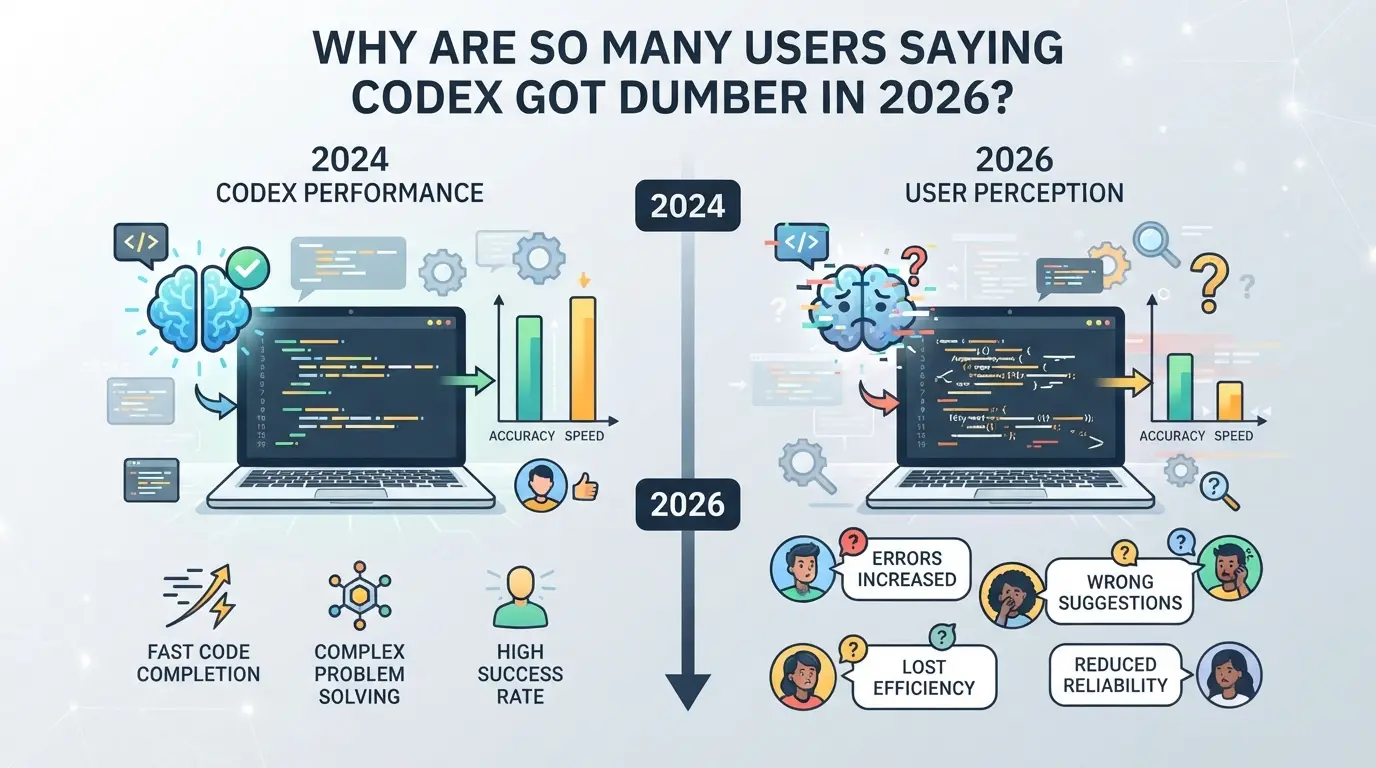
Complaints about Codex’s coding quality aren’t just louder, they’re coming from experienced developers who relied on sharp, context-aware suggestions. Users now report more generic completions, off-topic code, and even old bugs that were fixed in earlier versions.
Common Complaints: What Users Are Reporting
People point out that Codex is forgetting recent context in multi-file projects, misnaming variables, and repeating code blocks that don’t fit the prompt. Simple tasks like REST API stubs or data parsing now get boilerplate answers instead of functionally correct code.
Possible Triggers: Updates, Model Changes, or Usage Shifts?
The drop ties back to major Codex updates rolled out in late 2025 and early 2026. These updates focused on preventing risky suggestions and broadening the code base to support more languages, but they also pruned niche code patterns that power users depended on. When a model update drops support for edge-case logic, tasks that worked fine last year suddenly get vague or incomplete answers. Developers who use Codex daily for rapid prototyping are especially frustrated: after an update, a task that used to take two prompts now needs five or six, if it works at all. Add rising user volume and stricter alignment policies, and it’s no surprise people say Codex got dumber. The pain point isn’t just lost speed; it’s the erosion of trust in whether the tool “remembers” how you work from day to day.
Separating Perception from Reality
- If your use case changed (e.g., bigger projects or new languages), some decline is expected.
- Community venting, like threads on Reddit, can make regressions feel bigger than they are.
- When you expect smarter results, even small mistakes look worse; frustration compounds quickly.
What matters now is learning how to check if your workflow is actually affected, not just going by the noise online. That’s the next step.
How Can You Tell If Codex Is Actually Performing Worse for Your Tasks?
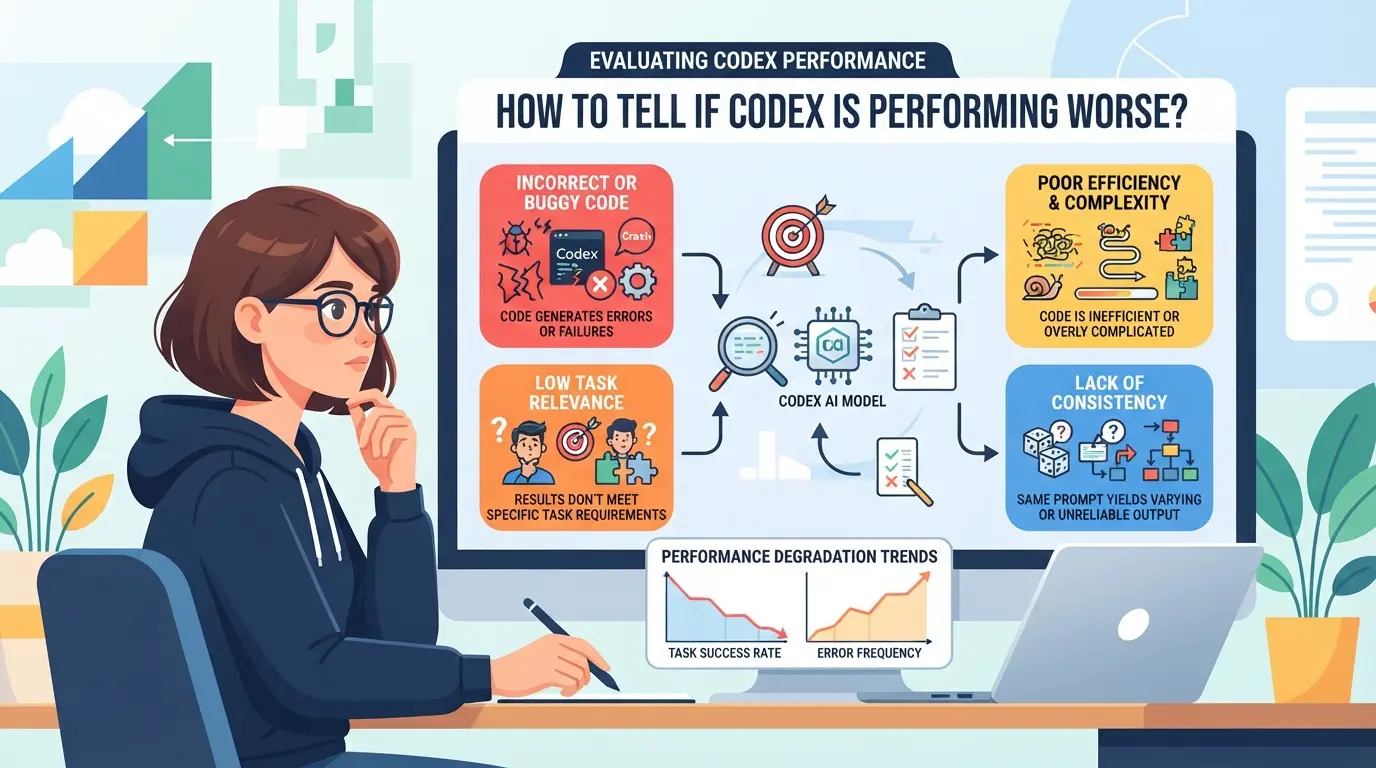
If you think Codex is getting worse, you need proof, not just a gut feeling. Many developers complain that "codex got dumber," but most never run the same prompt twice or track what changed. Here’s how to check if the tool’s really at fault for your coding workload.
Setting Up Controlled Code Tests
The only way to know if Codex quality dropped for your tasks is to run side-by-side tests. Pick a set of prompts that match your daily work, real bug fixes, refactors, or boilerplate generation. Feed these into Codex and, if possible, an older Codex release or a competing model. Always use the same code context and settings. If you don’t keep the prompt, seed, and environment identical, you can’t blame Codex for random differences.
Tracking Regression Patterns Over Time
If you keep seeing the same failures, it’s time to log them. Regression usually shows up as repeatable issues, not random mistakes. Use this mini-checklist to catch real declines:
- Save all failed completions with timestamp and Codex version.
- Tag each issue by language, framework, or task (e.g., API stub, test case).
- Compare new errors to your old logs, did this exact bug show up last month?
When to Blame Codex vs. Prompt Engineering
It’s easy to think Codex broke, when actually your prompt changed or context got messier. Before blaming the model, check these common traps:
- Did you add, remove, or rearrange comments or code blocks right before the prompt?
- Are you now using a new framework, library, or syntax Codex wasn’t trained on?
- Did you shorten your prompt or skip a key example Codex used to see?
If you fix prompt mistakes and tests still fail, you’re likely seeing real Codex regression. If not, the model’s probably just responding to a fuzzier request.
The next step is to dig into what causes these regressions, model updates, data changes, or something else. That’s where the real answers start to show up.
What Causes AI Coding Tools Like Codex to Get Dumber?
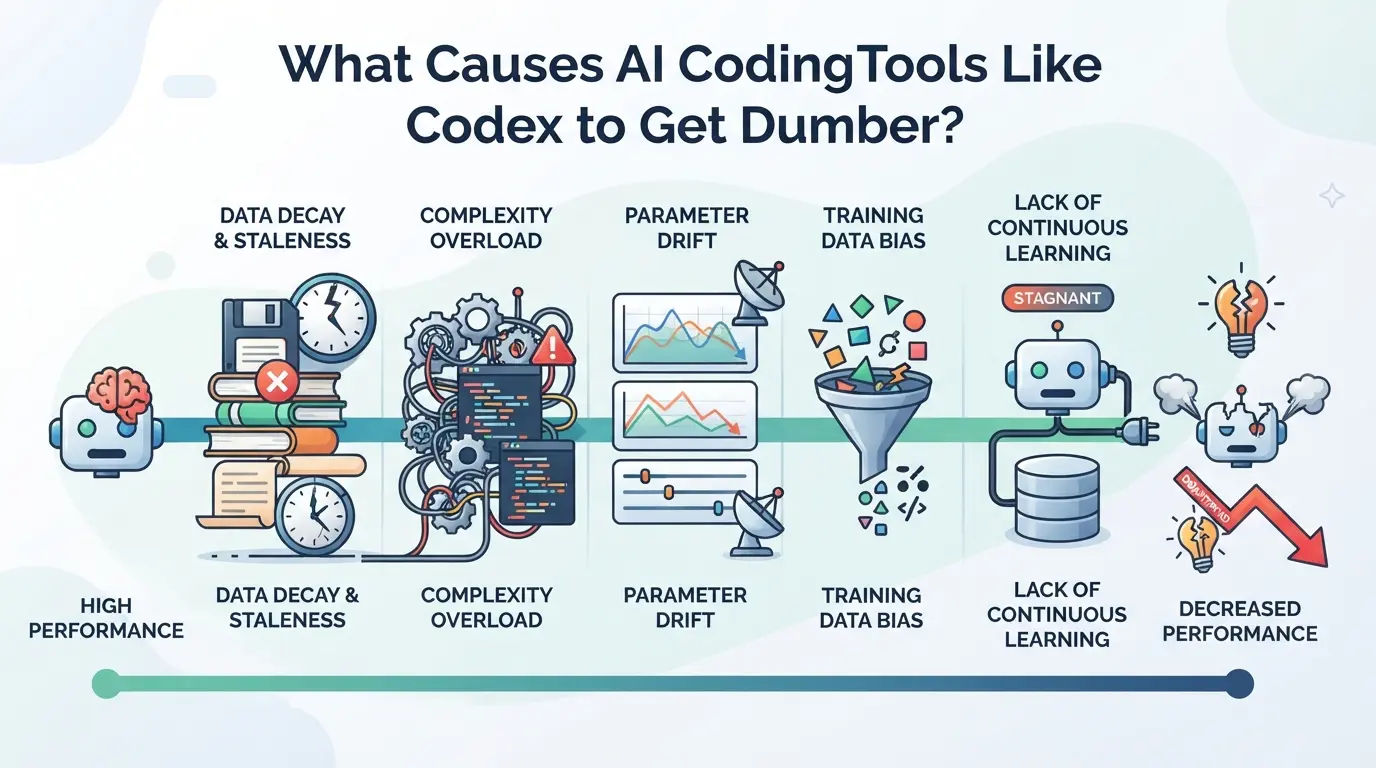
Most drops in Codex quality trace back to changes behind the scenes, new data, stricter rules, or technical shortcuts. It’s rarely a single bug. If you’ve noticed Codex got dumber, you’re seeing the side effects of these tradeoffs.
Model Updates and Training Data Shifts
When Codex gets retrained with fresh data, the model can lose older, niche patterns that used to make it sharp for edge cases. Efforts to “improve reliability” often mean the system now averages out diverse user code, so unique or clever solutions get filtered away. That’s why your old prompts might now get bland, generic answers.
Business and Policy Decisions
AI tools aren’t just shaped by engineers, they’re steered by business risk and compliance teams. Updates meant to keep Codex “safe” from copyright or offensive content complaints often cut out entire code examples. For example, if a company tightens filters to avoid legal trouble, you’ll suddenly get more refusals or vague advice instead of direct code completions. This is even more likely if a high-visibility incident pushes the company to clamp down across the board. Tradeoffs here can be harsh: protecting the brand sometimes means the model skips over advanced, but sensitive, coding techniques. Resource shifts can also hurt, if the company stops prioritizing Codex, you might see slower bug fixes or less investment in model quality. If your AI coding tool starts ducking questions it used to answer, it’s almost always a sign that safety or policy filters just got stricter.
Technical Debt and Scaling Challenges
- Infrastructure lags: If servers can’t keep up, latency rises and code completions get truncated or dropped.
- Scaling shortcuts: Fast user growth can force the team to downsize model size or run lighter versions.
- Testing gaps: Rushed releases under heavy scaling often skip deep regression checks, letting new errors slip in.
These factors combine to explain not just why Codex performance drops, but why fixes aren’t quick or predictable. If you’re seeing more errors or less useful code, it’s usually because something upstream changed, often for reasons outside pure engineering.
How to Adapt Your Coding Workflow When Codex Quality Drops
If Codex performance drops, deal with it head-on: adjust your workflow so you don’t lose time or ship buggy code. The right changes keep you productive, even when the suggestions get worse.
Diversifying Your AI Toolset
- Try at least one alternative coding assistant (like Copilot, StarCoder, or open-source models). If Codex isn’t cutting it, a direct comparison is the fastest way to see if something else works better for your stack.
- Combine AI tools with your standard IDE or linter. Don’t just swap tools, run both in parallel. This helps you catch style issues or missed logic that AI outputs often introduce.
- Document which tool or combo solves your real pain points. Keep a simple log: “Copilot better with refactoring, Codex better at docstrings.” This stops you from bouncing between tools without a plan.
- Watch for sudden drops in any tool. The same update cycle that made Codex worse could hit others next, so keep alternatives vetted and ready.
Improving Prompt Engineering and Review Processes
- When Codex starts missing the point, cut your prompts down. Use specific function signatures, give test cases, and state language versions, this narrows the AI’s focus.
- Always review generated code before running it, especially for edge cases. If Codex’s suggestions used to “just work” but now fail tests, assume every output needs a closer look.
- If you keep getting weak or off-target code, rewrite your prompt and rerun. A change as small as “use Python 3.10 syntax” can force a better answer.
- Pair manual code review with AI output. Even if review slows you down, it saves wasted hours on silent logical errors.
Managing Multi-Account or Multi-Environment Setups
- Set up separate browser profiles or sandboxes for each AI tool or Codex account. This keeps your work and tool history clean, so if one tool regresses, it won’t pollute the rest.
- Track which environment and login produced each major code change. If a bug pops up, you’ll know which tool created it, not just which line broke.
- If you notice odd behavior, like code that compiles but fails at runtime, check if it came from a tool under a different account. Cross-contamination is a real risk when switching tools.
- Rotate environments if one starts lagging or erroring out. Sometimes, simply moving to a fresh profile fixes “stuck” AI sessions that return stale or repeated suggestions.
How to Safely Separate Coding Environments and Accounts When Using Multiple AI Tools
Risks of Mixing Accounts and Sessions
Mixing coding sessions or AI tool accounts in the same browser profile can leak cookies, expose API keys, or trigger platform warnings. Cross-login history is a common reason users suddenly get flagged or rate-limited.
Best Practices for Environment Isolation
Use separate browser profiles, or better, standalone browsers, for each coding account or tool. Assign a unique proxy to each profile if you’re handling sensitive or region-specific tasks. This prevents session data and network fingerprints from bleeding across environments.
When to Consider Advanced Tools for Isolation
- You handle 3+ AI tools or multiple user logins daily
- You work in a team with shared devices or profiles
- Platform lockouts or repeated verification requests start appearing
How to Use DICloak for Isolated Coding Environments and Proxy Configuration
If you need to keep coding sessions or platform accounts truly separate, especially after noticing issues like codex got dumber or platform-specific AI quality drops, DICloak gives teams a structured way to isolate environments and network exits. This section shows how operators can use DICloak to set up distinct browser profiles and configure user-owned proxies for each tool or account, without risk of overlap or shared signals.
Setting Up Separate Browser Profiles and Fingerprint Configuration in DICloak
Operators can create a new browser profile in DICloak for each coding environment or account, then adjust the fingerprint settings, like User Agent, operating system, time zone, and screen resolution, to match the intended use case. This workflow keeps browser storage and identification signals completely separate between sessions, so switching between AI tools or platform accounts doesn’t blur the lines. The scope here is limited to browser-level isolation; it does not change the connected coding tool or manage accounts themselves. 
Configuring User-Owned Proxies for Each Profile
For workflows where different accounts or coding sessions need their own network exit, operators can set up a separate proxy connection on each DICloak profile. You can enter your own proxy details, test them directly in the profile setup, and confirm the network location before using that profile for coding work. DICloak stores these settings per profile, but never sells or provides proxies, selection and quality remain your responsibility. 
If you skip these setup steps, cross-account leaks can creep in unnoticed, next, we’ll cover common mistakes and how to avoid them.
Common Mistakes When Responding to Codex Regressions (and How to Avoid Them)
Many developers who notice Codex regressions react too fast or skip key checks, making things worse. Here’s where people trip up, and how to dodge the usual traps.
Jumping to Conclusions Without Testing
It’s easy to assume “codex got dumber” means permanent decline, but skipping basic troubleshooting wastes time. Most failures trace back to a prompt typo, missing context, or silent model update, testing with a known-good prompt can save hours.
Ignoring Security and Compliance When Switching Tools
- Never reuse passwords or API keys across new AI tools.
- Check each tool’s terms before connecting work accounts.
- Log which credentials and company data are used per environment.
Overcomplicating Your Workflow
Trying three new coding tools at once often leads to confusion and leaks. Before adding a new tool, check:
- Can you tell which session is which in your taskbar?
- Are your project folders clearly separated by tool?
- Did you document which tool was used for each git commit?
When to Stick With Codex, Switch Tools, or Combine Approaches
If you’re asking whether to ride out a codex coding quality decline or jump ship, start by matching the problem to your actual workflow needs, not just your frustration level. A tool downgrade feels personal, but the right move depends on the risk and how much the slip actually slows you down.
Signs It’s Worth Sticking With Codex
| Scenario |
Stick With Codex |
Why This Makes Sense |
| Regression is minor/temporary |
Yes |
Small drops often resolve after updates |
| Alternatives disrupt workflow |
Yes |
Switching can cost more time than it saves |
| Non-critical code, low risk |
Yes |
If mistakes are easy to fix, small drops hurt less |
If the drop is annoying but not blocking, it’s usually smarter to wait for a fix than to overhaul your whole stack.
When to Switch or Supplement With Other Tools
When Codex starts failing on core workflows, or you find another tool that’s tuned for your specific stack or language, switching is the less painful path. Persistent, project-blocking errors are the red line, don’t waste days hoping for a fix that isn’t coming.
Blending Multiple Tools for Maximum Productivity
Mixing tools works best when you track which assistant handles which kind of code, don’t just throw all tasks at every AI. Keep notes on what breaks where, so you can route requests to the tool that actually delivers. This avoids double-work and keeps production moving.
Frequently Asked Questions About codex got dumber
Is Codex really getting dumber, or is it just my experience?
To tell if "codex got dumber" is just you or a real issue, compare your recent results with older examples on the same tasks. If you notice more errors or fewer helpful suggestions, check online forums for similar complaints. Sometimes, workflow changes or updates in your environment can also affect results, not just the Codex model itself.
What should I do if Codex suddenly gets worse at my main coding tasks?
First, try using Codex with simple, clear prompts to see if the problem is specific to your current project. Test in a different browser or device. Check for recent updates in your coding tools or Codex itself. If the decline continues, consider sharing feedback with OpenAI and searching for workarounds others have found.
Can using proxies or separate browser profiles improve Codex performance?
Proxies and separate browser profiles help keep your work and personal projects apart. They do not improve core Codex coding quality or address codex AI regression. These tools can make troubleshooting easier by isolating variables, but they won’t fix a real codex performance drop.
Are there risks to switching between multiple AI coding tools?
Yes, using several AI coding tools can confuse your workflow and increase the chance of mixing up data. Security and compliance risks also rise if you share sensitive code or credentials between platforms. Always check privacy settings and terms of use for each tool before switching.
How do I keep my accounts and coding environments safe when using several AI tools?
Use separate accounts and browser profiles for each tool. Never share passwords or tokens between them. Store credentials in a password manager. Regularly log out and clear cookies. Avoid uploading sensitive code unless you trust the platform’s security. Always review permission settings in your coding environments.
Given these recent changes, it's a good moment to reassess your current tooling and seek out solutions that better align with your workflow needs. If you're ready to explore alternatives that keep your productivity on track, consider giving DICloak a try. Try DICloak For Free
 Web Proxy Tools
 Free Tools
 Cookie Plugin
 UA Generator
 MAC Address Generator
 IP Generator
 IP Address List
 2FA Code Generator
 World Clock
 Anonymous Check
 WebRTC Leak Test
 UUID Generator
 Free Web Proxy Site
 Proxy Checker
 FB Ad Checker
 AI Web Scraping
 Free SMM Tools
 Twitter Shadowban Checker
 Instagram Name Checker
 UTM Generator
 Username Generator
 AI Hashtag Generator
 LinkedIn Headline Generator
 Social Media Image Resizer