Users told us where everyday Profile work was getting in the way, from shortcut habits to crowded windows and unclear network issues. DICloak V3.0.3 turns that feedback into a few practical improvements.
Key Takeaways
- Custom Shortcuts: Set key combinations around the way you already work.
- Better window organization: Resize and arrange multiple Profile windows, with serial number sorting for easier tracking.
- Clearer network checks: View key connection and service status information before troubleshooting other settings.
Customize Shortcuts Around the Way You Already Work
Many users already have shortcut combinations they rely on every day. When default shortcuts do not match those habits or overlap with another application, a fixed setup can feel limiting. With the new Shortcuts settings, users can customize supported key combinations based on the way they prefer to work.
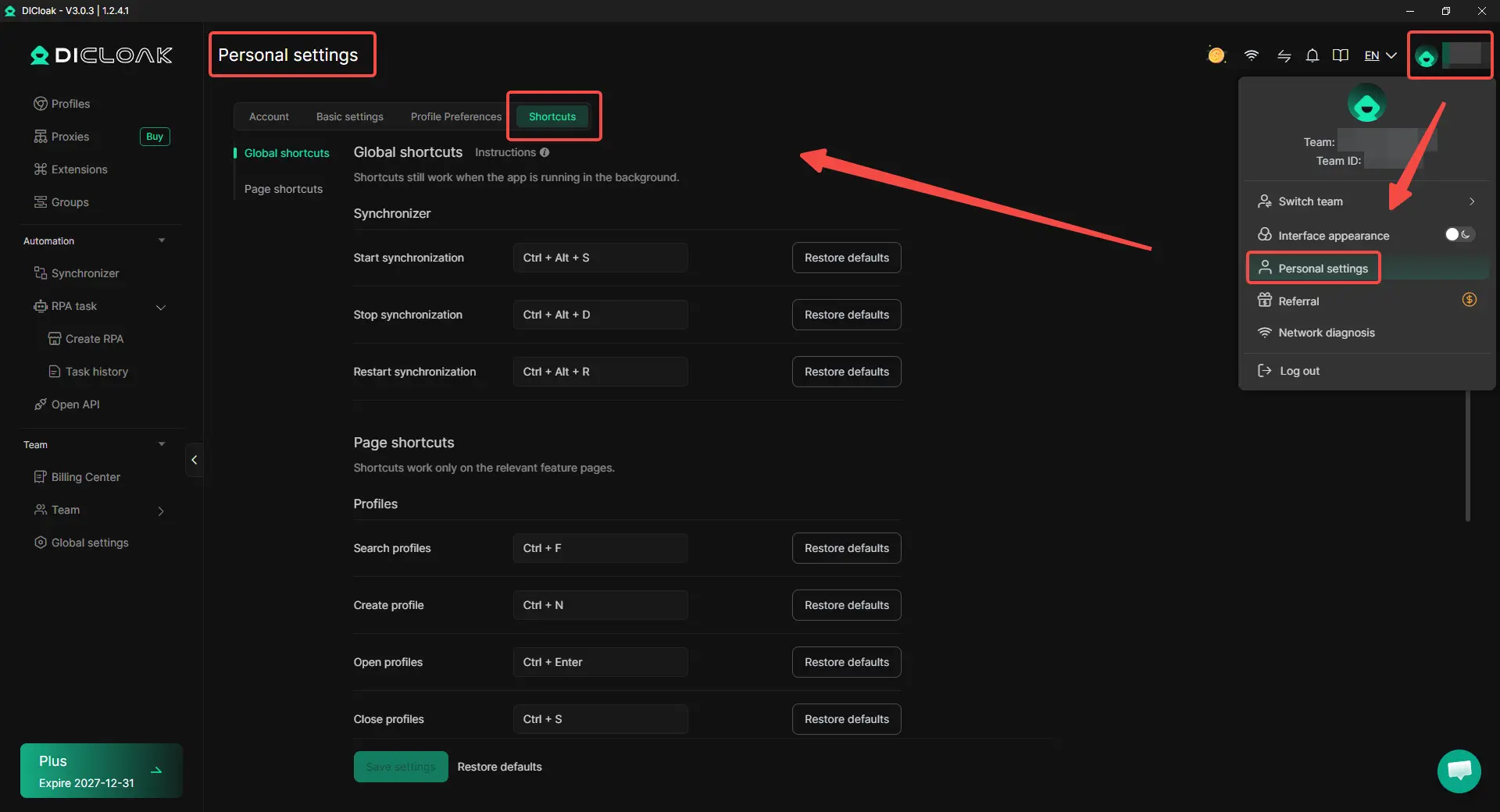
Go to Personal settings > Shortcuts to manage them:
- Global shortcuts cover Synchronizer actions such as starting, stopping, and restarting synchronization, and can still work while DICloak is running in the background.
- Page shortcuts cover common Profile actions such as searching, creating, opening, and closing Profiles on the relevant pages.
Users can press a new key combination to replace a shortcut, use Backspace / Delete to clear and disable it, or restore the default setting when needed. This makes repeated actions easier to fit into an existing workflow instead of relying on one fixed shortcut setup.
Keep Multiple Profile Windows in an Order You Can Follow
Opening a few Profiles is easy to manage, but many Profile windows can quickly stack on top of each other. Finding a specific window may then require extra clicking, moving, or resizing before the actual task can continue.
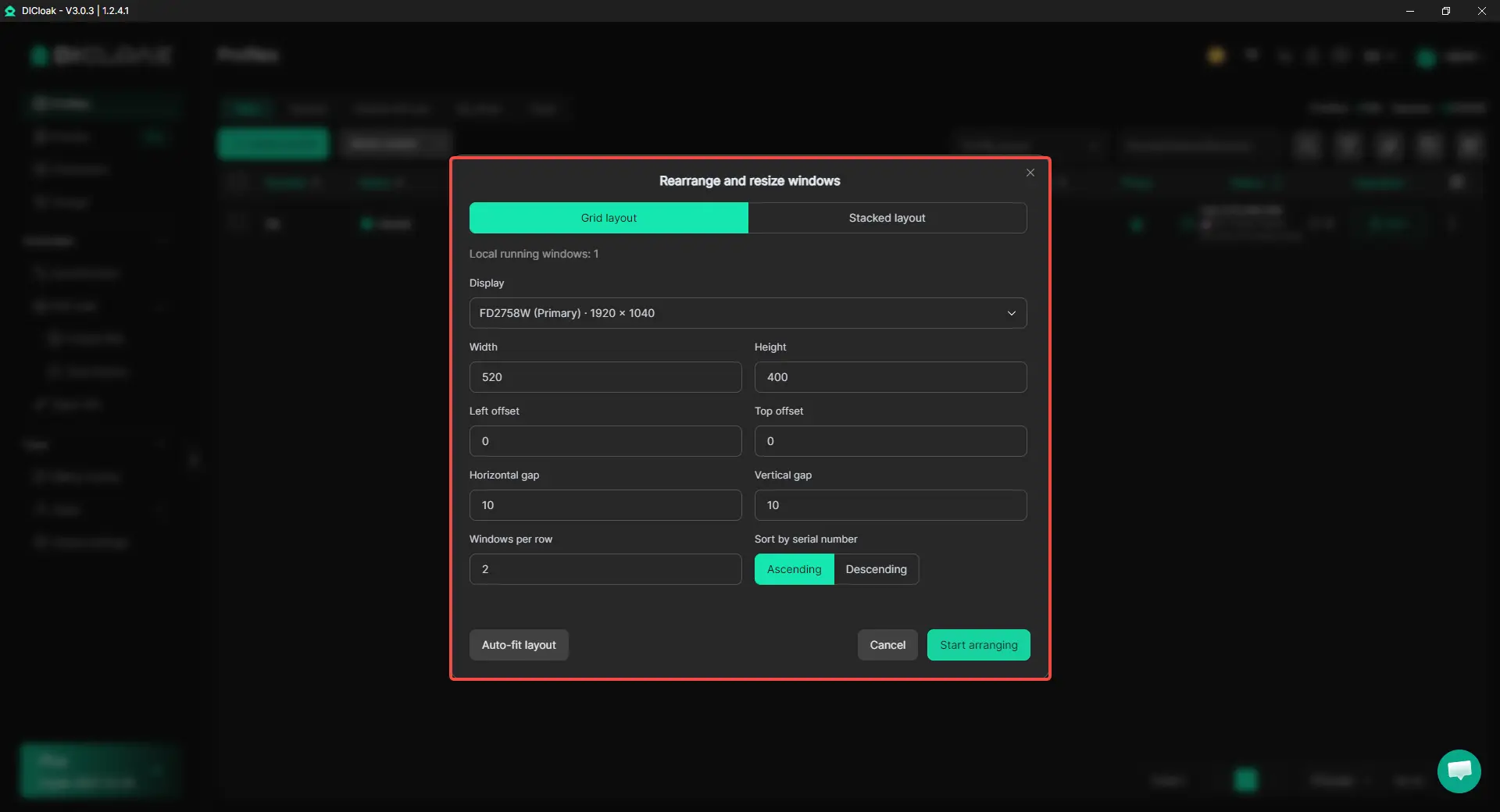
The new Rearrange and resize windows feature helps organize local running windows with two options:
- Grid layout arranges windows into rows for easier side-by-side viewing.
- Stacked layout offsets windows so each one remains easier to access.
Users can also adjust window width, height, offsets, gaps, and other layout settings. More importantly, windows can be sorted by Profile serial number in ascending or descending order, making it easier to match open windows with the Profiles being worked on. Auto-fit layout provides a faster option when users want the windows arranged around the available display space.
Check Network Problems from a Clearer Starting Point
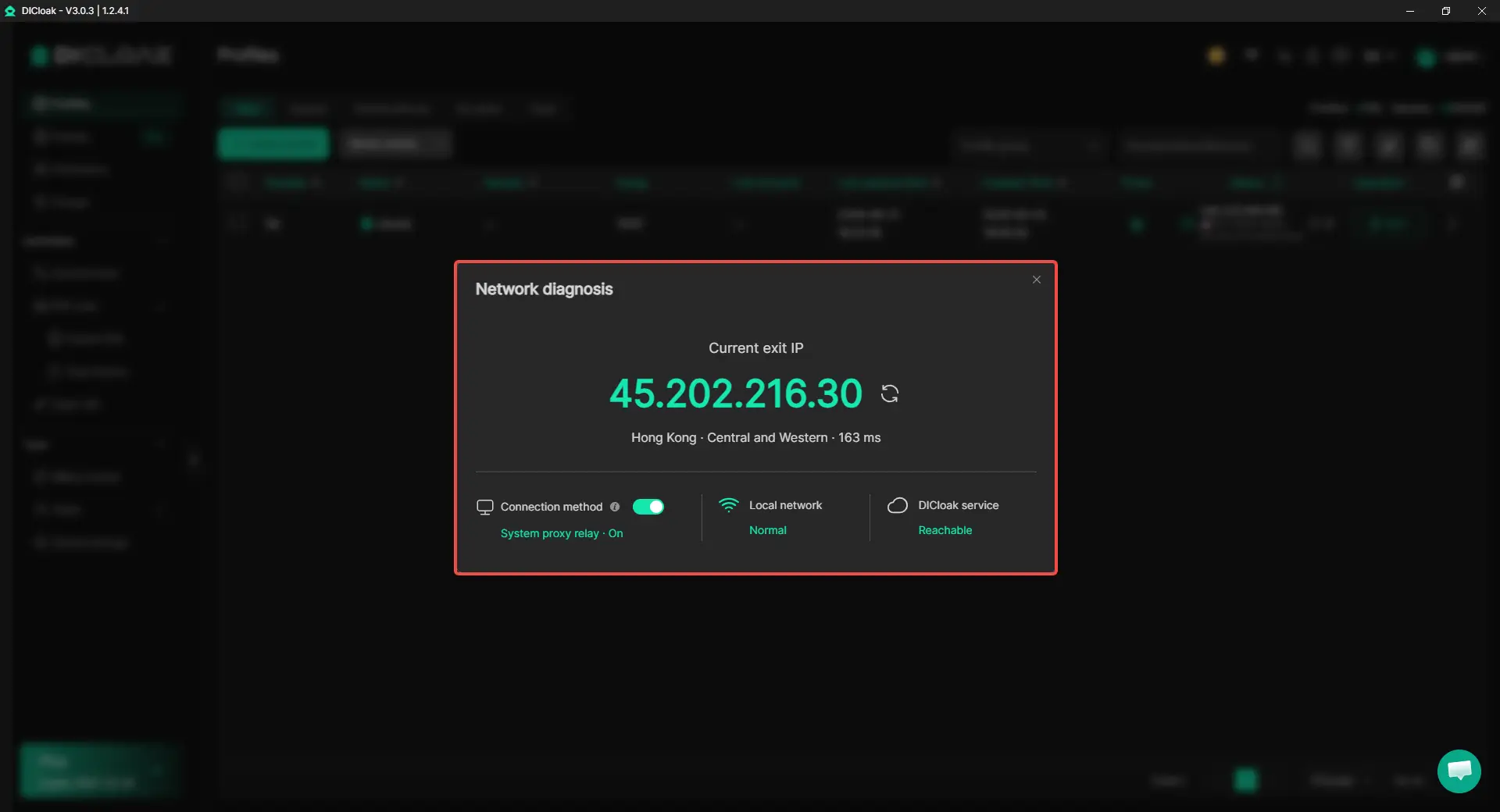
When something loads slowly or a connection does not respond as expected, users may start changing Profile or proxy settings without knowing where the issue actually comes from. Network diagnosis gives users a clearer first check before they start troubleshooting other settings.
The panel shows key connection information including:
- Current exit IP
- Region
- Connection latency
- Connection method
- Local network status
- DICloak service status
With these details in one place, users can quickly check whether the local network is working normally and whether DICloak services are reachable. This helps narrow down the issue and reduces unnecessary changes to unrelated Profile or proxy settings.
Get Started with the New Version
Built around real user feedback, DICloak V3.0.3 makes everyday Profile work easier to manage without adding more complexity. These improvements are now available in the latest version of DICloak.
 Web Proxy Tools
 Free Tools
 Cookie Plugin
 UA Generator
 MAC Address Generator
 IP Generator
 IP Address List
 2FA Code Generator
 World Clock
 Anonymous Check
 WebRTC Leak Test
 UUID Generator
 Free Web Proxy Site
 Proxy Checker
 FB Ad Checker
 AI Web Scraping
 Free SMM Tools
 Twitter Shadowban Checker
 Instagram Name Checker
 UTM Generator
 Username Generator
 AI Hashtag Generator
 LinkedIn Headline Generator
 Social Media Image Resizer