You send a Snap, your friend opens it, and the number next to your username ticks up, or maybe it doesn't, and you're left guessing what actually makes that Snap Score move. Every year, users try new tricks or chase viral claims, only to find their number stuck for days. The real problem is, most guides repeat the same answers, but those shortcuts rarely match how Snapchat actually tracks activity.
Plenty of users waste time on hacks that never work, like sending mass snaps to celebrities or joining “score-boost” groups. These methods sound good, but they ignore how the app measures active, two-way use. If your score isn’t going up, the issue usually isn’t about how many snaps you send, but what type of activity actually counts, something the app keeps deliberately vague.
The truth: how does snap score go up is less about raw volume and more about consistent, varied use, sending snaps, opening them, and keeping real conversations going. If you’re searching for how to increase snap score or what makes snap score go up, you need to separate real signals from recycled myths. Random boosting apps and shortcut promises? Those often get accounts flagged or just waste your time.
So what actually moves the number? Here’s the logic behind Snap Score, the common myths, and the practical steps that still work in 2026.
What Actually Makes Your Snap Score Go Up in 2026?
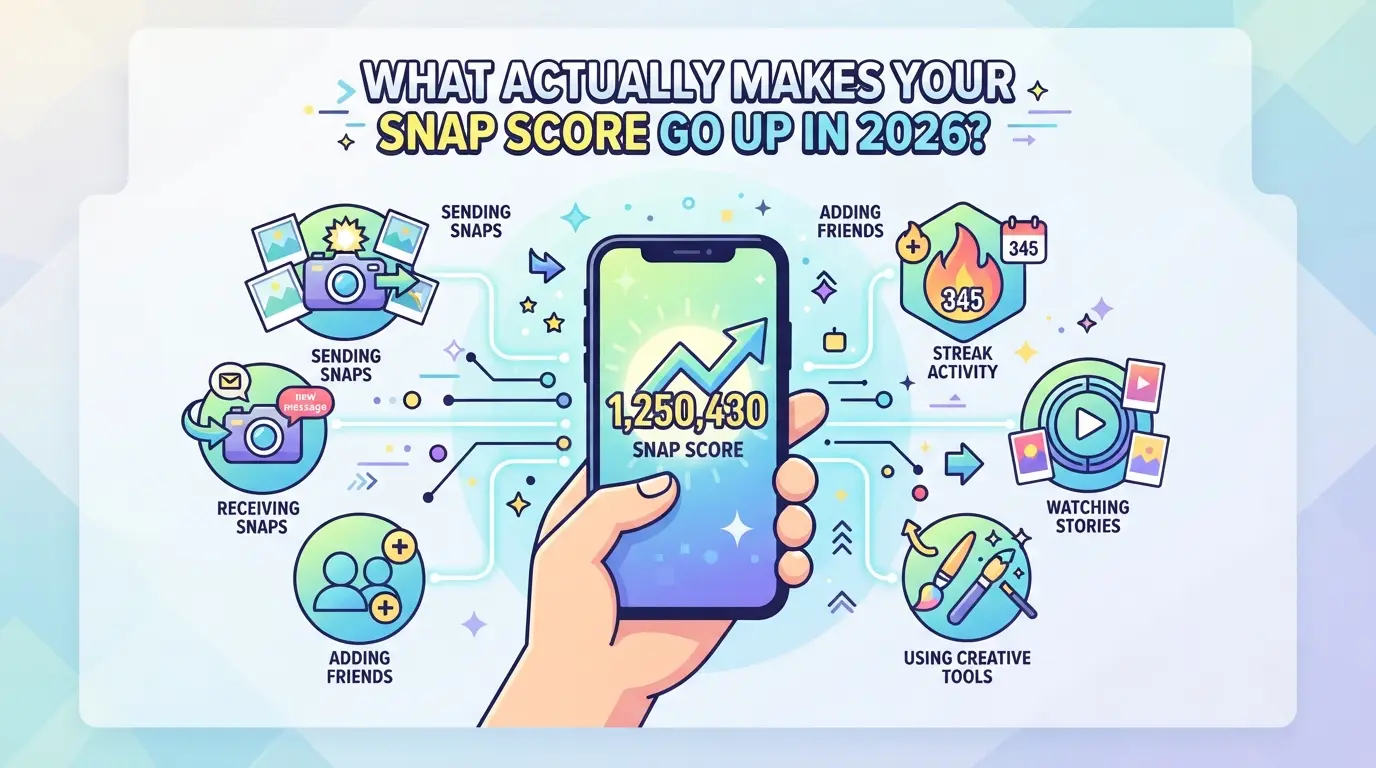
Snapchat doesn’t publish its full scoring formula, but the number rises for specific actions. Sending and receiving snaps, especially when you actually open them, remains the main way your score increases. Posting stories and adding friends have smaller or less predictable impact, while most background activity does nothing. Below is a breakdown of what really counts for your Snap Score this year.
Snaps Sent and Received: The Core Drivers
Sending a snap to someone, or opening a snap you get, both move your score up. If you only send text chats or group messages, those don’t count. The fastest way to see your score rise is to send unique snaps (photos or videos) to individual friends and open what they send you in return.
Stories Posted and Viewed: Do They Count?
Most people expect posting to their story to boost their score, and it does, just not as much as direct snaps. Each new story posted adds a small amount, but viewing stories from others usually doesn’t raise your score at all. Here’s where it gets tricky: reposting the same photo or video to your story doesn’t stack extra points, and watching your own story does nothing. For example, posting three unique stories across the day gives you more points than batch-posting them all at once, because Snapchat rewards steady, ongoing use. If you post 20 stories back-to-back, you’ll notice the score barely bumps after the third or fourth, Snapchat seems to dampen spammy behavior.
The main pitfall is assuming story views or watching Discover content will help, when in reality, those actions rarely move the number. If your goal is to show activity, stories help a bit, but for a real jump in score, focus on direct snaps.
Other Actions: Friend Additions, Streaks, and More
- Adding a new friend: Sometimes gives a single point, but the effect is inconsistent.
- Keeping long Snapstreaks: The daily snapping helps, but the streak itself doesn’t give bonus points, only the snaps do.
- Opening unopened snaps from old friends: This can move your score up, even weeks later, but only for unopened photos/videos, not old chats.
Trying to boost your score by adding dozens of friends or spamming group chats won’t work. Snapchat’s official help page warns that score increases are tied to actual snap activity, not passive use or shortcuts.
The next question is why your number might not rise right away, even when you’re doing everything right. That’s where most users get confused.
Why Your Snap Score Might Not Increase Instantly
Snapchat doesn’t update your Snap Score in real time. You might send a snap and check back a minute later, only to see no change. That delay isn’t a glitch, it’s how the platform handles score calculations. If you’re wondering why your number stays stuck, it often comes down to how and when Snapchat’s servers process these updates, not what you did wrong.
Update Delays: How Snapchat Processes Scores
Snap Score updates can lag for several reasons. Here’s what to watch for:
- Normal delays: Most scores update within a few minutes, but sometimes it takes up to a few hours. Overnight processing is common, so a score sent late at night may not show until the next morning.
- Batch processing: Snapchat doesn’t always update your score after every single snap; it often processes changes in batches, especially during high traffic.
- If stuck for 24+ hours: Log out and back in, or check on another device. If your score still hasn’t moved after a full day, it signals a possible sync issue.
Server Sync and App Issues
Most delays trace back to server sync, not your phone. Snapchat relies on its cloud to count and confirm Snap Score changes, which means your device just displays what the server says. If you’re seeing your score stuck for hours while friends report updates, you might be dealing with a local app glitch. For example, if you send snaps all day and your score sits frozen while your streaks update, try force-closing the app or deleting and reinstalling it, this refresh can pull the latest data. If you still see no change after reinstalling, there’s a chance your account is under review or facing a backend issue. At that point, wait 24 hours before reaching out to Snapchat Support, their status page sometimes lists ongoing outages.
The main thing to remember: Snap Score isn’t instant, and slow updates are normal unless the delay lasts more than a day. Next, it’s worth clearing up some common myths about Snap Score, plenty of “boost” tricks still floating around in 2026 don’t actually move your number at all.
Common Myths About Snap Score: What Doesn’t Work in 2026
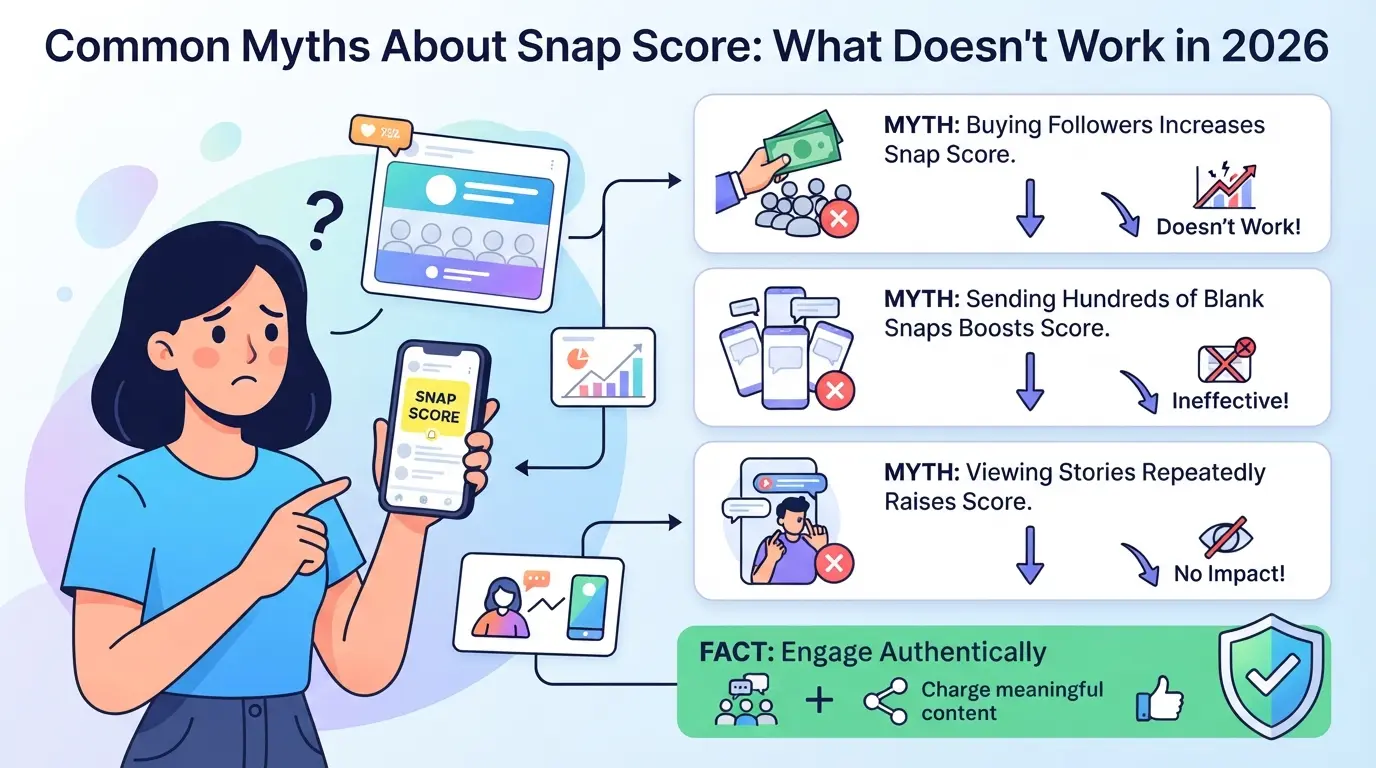
Some tactics for raising Snap Score just don’t move the number, others can backfire and put your account at risk. Here’s what not to waste time on if you want real results.
Does Messaging or Group Chats Raise Your Score?
Sending plain text messages in chat, even to groups, does not move your Snap Score. Only sending or receiving actual snaps (photos or videos) counts. Group activity often gets confused with “fast score boosts,” but mass group chats full of texts won’t help.
Can You Boost Snap Score with Third-Party Apps or Bots?
Using automation tools or score-boosting apps is a fast way to get flagged or banned.
- These services often ask for your login, handing over control to unknown parties.
- If Snapchat detects artificial activity, it may lock, limit, or permanently ban your account. The safer move: stick to sending real snaps with your friends.
Does Viewing Stories or Adding Celebrities Help?
Watching stories, adding celebrity accounts, or following random users does nothing for your Snap Score. The app only increases your score for direct snap exchanges, anything else is just rumor. Skip these “tricks” and focus on actual snap activity that Snapchat tracks.
Ready for practical steps that work? The next section covers a safe, step-by-step way to increase your Snap Score in 2026.
Step-by-Step: How to Increase Your Snap Score Safely in 2026
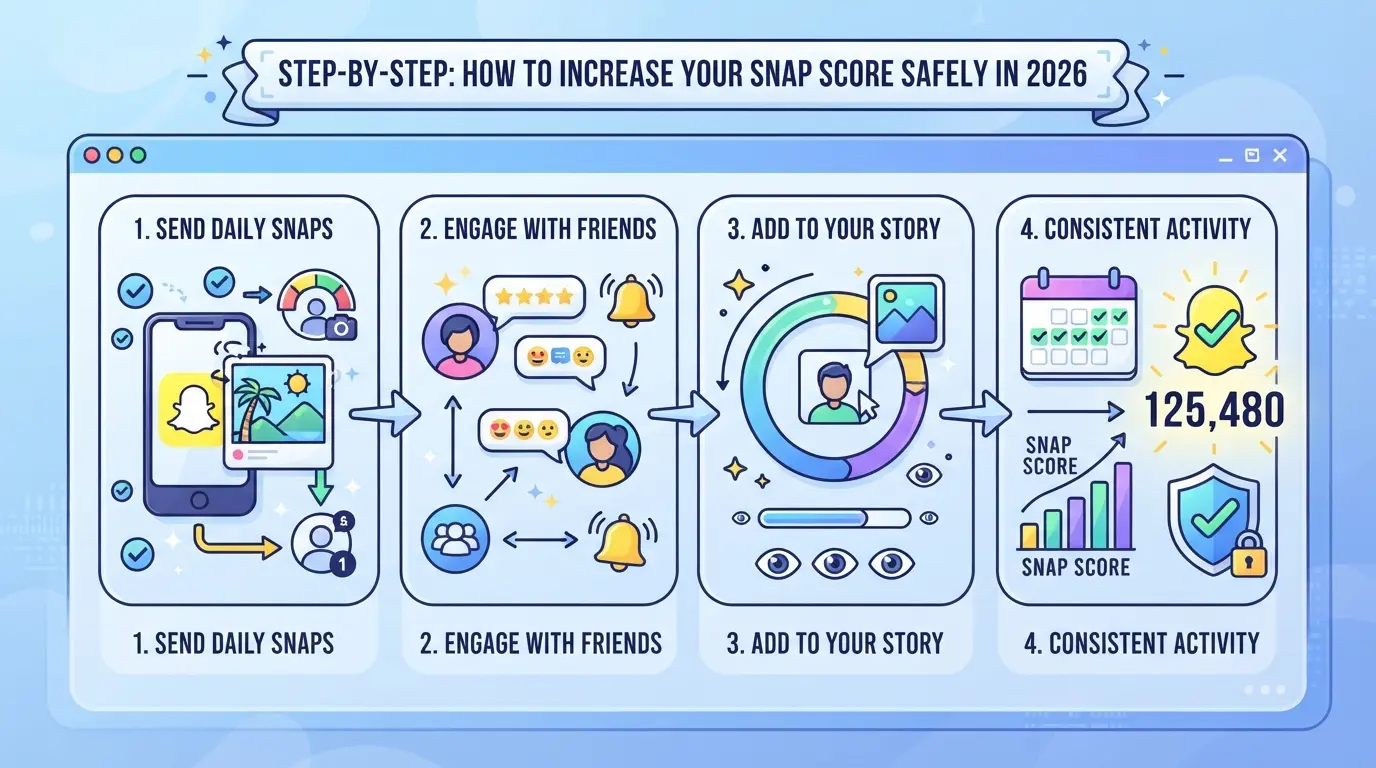
If you want your Snap Score to go up in 2026, focus on real, two-way activity, not fake hacks or shortcut apps. Here’s a checklist that actually works and keeps your account safe from sudden drops or bans.
Send More Snaps (Not Just Messages)
Photos and videos, not plain chat messages, are what move your Snap Score. Random spam or sending the same snap to dozens of people in seconds can get flagged. Here’s how to do it right:
- Send unique snaps (photos or videos) to friends, not just group blasts. Mass-sending identical snaps often gets ignored by the system.
- Open snaps you receive. Both sending and opening count, but unopened snaps don’t help your score.
- Mix up who you snap. Repeatedly sending to just one or two accounts looks unnatural and may get filtered.
- Keep your sending pace steady. Sending 30 snaps in 30 seconds triggers anti-spam checks. Spread your activity over the day.
Maintain Streaks and Regular Activity
Streaks are a built-in system for rewarding daily use. Missing even one day resets a streak to zero, costing you easy points.
- Snap back and forth with the same friend every day to build a streak.
- Check for the 🔥 emoji, if it disappears, the streak broke and you lose that momentum.
- Don’t let your activity drop off for days. Dormant accounts often see scores lag behind.
Avoid Suspicious Behavior and Automation
Trying to game the system with bots or “Snap Score booster” apps is risky, Snapchat’s filters catch most of these.
- Never give login info to third-party apps or services promising fast score boosts.
- If you spot sudden big jumps or drops in your score, stop and check your account for unauthorized activity.
- Avoid browser-based emulators or macro scripts. These mimic patterns Snapchat flags as fake.
Check Your Score and Celebrate Milestones
Checking your score helps you spot problems fast. Sharing milestones can even help keep motivation up.
- Tap your profile icon, then your Snap Score, to view details.
- If you see no change after real activity, wait 24 hours, server updates can lag, especially after heavy messaging days.
- Share new milestones with friends to keep real engagement going.
Done right, you’ll see your Snap Score rise without risking restrictions. Up next: what doesn’t affect your Snap Score, so you can stop wasting time on empty tricks.
What Doesn’t Affect Your Snap Score: Avoiding Wasted Effort
Most Snap Score advice online wastes your time because it ignores what Snapchat actually counts. If you want to know how does snap score go up, skip these common dead ends.
Text Chats, Viewing Stories, and Profile Edits
- Sending or receiving plain text messages (no snaps) doesn’t add to your score.
- Watching stories, even daily, has zero impact on the number.
- Changing your profile or Bitmoji does nothing for Snap Score.
Adding Friends Without Interaction
Just adding friends or accepting requests does not boost your score. Snapchat tracks real interaction, sending and opening snaps, not just building a contact list. For example, if you add 50 people but never exchange snaps, your score stays the same. The app wants to see active, two-way use, not just passive connections.
If you’ve been chasing Snap Score with these empty actions, redirect your effort to real snaps. That’s the only proven way to move the number.
How Social Media Managers Handle Multiple Snapchat Accounts Safely
Managing several Snapchat accounts for clients or campaigns means you’re always at risk of accounts being linked or flagged. The biggest mistake? Running them on the same phone or browser without changing device fingerprints , that’s where bans usually start.
Risks of Multi-Account Management on Snapchat
- Using the same IP address or device for all accounts often triggers automated reviews.
- Snapchat tracks browser and device fingerprints , even if you clear cookies, patterns can still link accounts.
- Sudden bans usually appear after login attempts from the same environment, especially if activity ramps up fast.
Best Practices for Keeping Accounts Separate
The safest way to handle multiple accounts is to run each one on a separate device, or use dedicated browser profiles with unique fingerprints. If you copy activity patterns between accounts, Snapchat’s system picks up on the overlap , real clients spread out posting times and avoid identical snap routines. Even small slip-ups, like logging into two accounts from the same WiFi, can set off detection. Keep your workflow consistent, but do not mirror actions across accounts.
Handling several Snapchat or social media accounts gets complicated fast, especially for marketing teams that need to keep sessions, browser fingerprints, and network connections separated. If you already know what makes Snap Score go up and need to manage more than one platform account, the real challenge isn’t just about activity, it’s keeping each workflow isolated and efficient. DICloak gives operators practical controls for this, but its scope is limited to browser-profile access and workflow setup; it does not change Snap Score or Snapchat account content.
Set Up Isolated Browser Profiles and Fingerprint Configuration
Operators can create a separate browser profile in DICloak for each platform account they manage, then adjust settings like system type, screen size, and time zone for each one. This keeps browser storage and device signals distinct, so logins don’t bleed together across accounts. Each profile’s fingerprint can be configured to match the expected device type for the assigned workflow, but this does not guarantee a specific result on the platform side.

Assign User-Owned Proxies to Each Profile
Teams often need every account session to use its own network connection. In DICloak, operators can assign a user-owned proxy to each browser profile, then test the connection before opening any platform session. This makes it possible to match each account workflow with a stable, separately configured IP and location for consistency, without DICloak supplying or selling the proxy itself.

Use the Window Synchronizer for Efficient Multi-Account Actions
When managing many accounts, repetitive tasks slow everyone down. Operators can use the DICloak window synchronizer to mirror supported clicks, text entry, and scrolling from a master window to multiple active profiles at once. Everything stays interactive and operator-controlled, this is not an unattended automation tool. The synchronizer is available on supported plans where enabled.
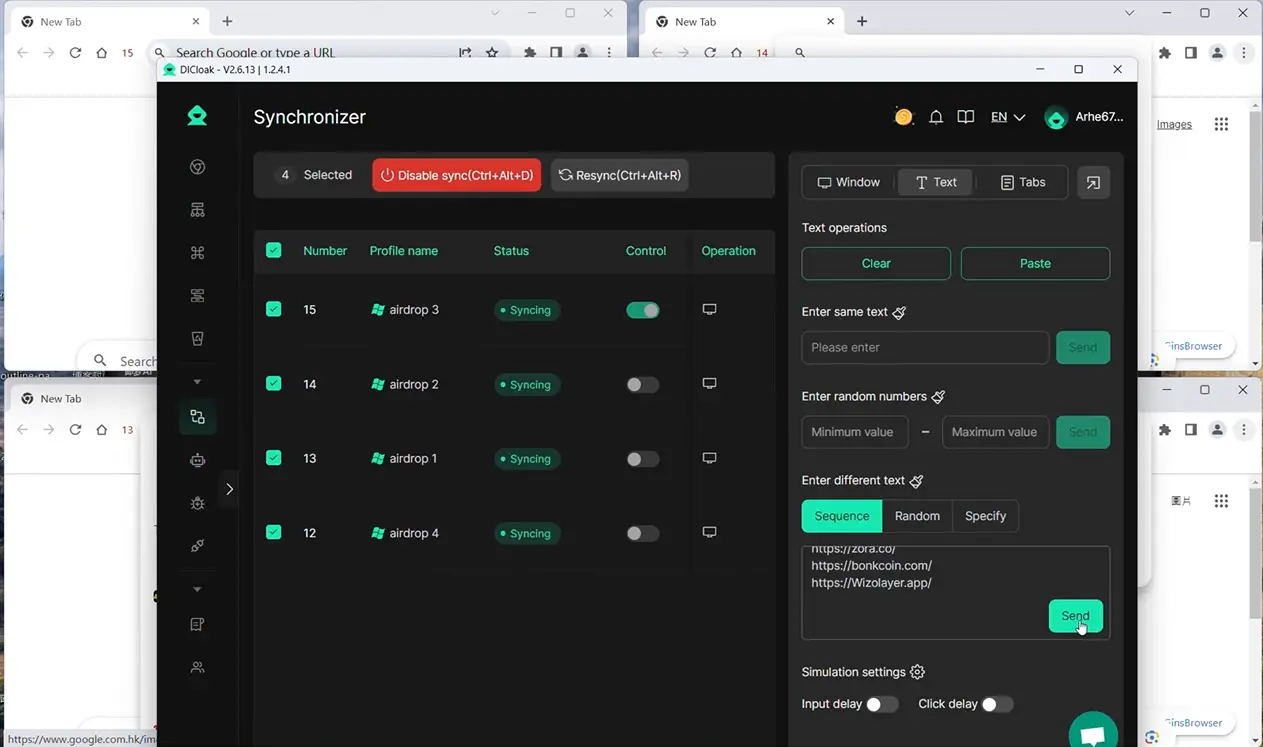
Used right, this workflow keeps team operations efficient and organized as engagement needs grow.
Snap Score and Social Media Engagement: Does It Really Matter?
Snap Score looks big on the app, but its impact is mostly social, few friends notice, and brands rarely care. For most users, it’s just a visible number, not a real measure of influence.
What Snap Score Signals to Friends and Followers
| Scenario |
Snap Score Meaning |
Actual Impact |
| High Score |
Active or long-time user |
May get curiosity |
| Low Score |
New or inactive account |
Usually ignored |
| Score Jump |
Sudden activity spike |
Might get questions |
Most people stop caring after the first glance, Snap Score rarely changes how others interact unless you’re in a tight friend group.
Snap Score in Business and Influencer Contexts
Brand deals don’t hinge on Snap Score. Marketers and agencies judge accounts by story views, engagement rates, and audience quality, not raw numbers. Even influencers with high Snap Scores won’t get deals if their posts don’t drive views or real interaction.
Focus on making content people watch and respond to, Snap Score doesn’t unlock new business or marketing results.
Frequently Asked Questions About how does snap score go up
How does Snap Score go up if I only use text messages?
Text messages alone won’t make your Snap Score go up. Snapchat increases your score when you send or receive photo and video snaps. If you want your Snap Score to rise, you need to send snaps, not just texts. Only active snap exchanges and using the app’s main features affect your score.
Can my Snap Score go down or decrease?
Snap Score almost never decreases. Normally, your score will only go up or stay the same. If your Snap Score drops, it might be caused by a technical glitch or your account being reset by Snapchat. Regular use, like sending snaps, will not make your score go down.
Is it safe to use apps or bots to boost my Snap Score?
Using apps or bots to boost Snap Score is not safe. Snapchat’s terms of service ban third-party tools. Using these can get your account locked, suspended, or permanently banned. The only safe way to increase your score is by using Snapchat’s official features and sending real snaps.
Why does my friend’s Snap Score update faster than mine?
Snap Score updates can happen at different times for each user. Factors like server syncing, app version, and device type may cause scores to refresh faster or slower. Your friend’s score might update right away, while yours could take a few hours or even a day to reflect changes.
Does watching stories or adding celebrities increase Snap Score?
Watching stories and adding celebrities will not increase your Snap Score. The score only goes up when you send or receive snaps and use Snapchat’s core functions. Viewing stories, following public accounts, or browsing content does not count toward boosting your Snap Score.
Boosting your activity by sending snaps, opening those sent to you, and engaging with friends will naturally increase your score over time. Staying consistent and making use of Snapchat’s features can help you see steady progress. Try DICloak For Free
 Web Proxy Tools
 Free Tools
 Cookie Plugin
 UA Generator
 MAC Address Generator
 IP Generator
 IP Address List
 2FA Code Generator
 World Clock
 Anonymous Check
 WebRTC Leak Test
 UUID Generator
 Free Web Proxy Site
 Proxy Checker
 FB Ad Checker
 AI Web Scraping
 Free SMM Tools
 Twitter Shadowban Checker
 Instagram Name Checker
 UTM Generator
 Username Generator
 AI Hashtag Generator
 LinkedIn Headline Generator
 Social Media Image Resizer