Trying to figure out how to create kleinanzeigen account isn’t just about clicking “register” and filling in your details. The real frustration comes when you hit KYC hurdles, phone verification issues, or find your account stuck in review before you can even post a listing. For users outside Germany, or anyone running multiple accounts for business, the process brings extra headaches, especially when Kleinanzeigen’s platform checks for duplicate phone numbers, mismatched IPs, or suspicious browser setup.
Ignoring these friction points can mean your registration fails, you get flagged for “unusual activity,” or your new account is locked out after the first login. Even if you manage to sign up for Kleinanzeigen once, the steps aren’t always repeatable, browser fingerprint mismatches, reused device data, or recycled email domains can trigger platform restrictions. Many guides skip over these details, but the main issues usually happen when Kleinanzeigen’s signup checks catch subtle patterns you didn’t realize were risky.
The practical angle is this: if you want to register Kleinanzeigen account safely and avoid common blocks, you need more than just the official sign-up steps. You’ll have to pay attention to device setup, IP history, phone number choice, and how your browser session looks to Kleinanzeigen. This guide covers each step with concrete examples, so you see what actually works, and what gets accounts stuck.
Start by checking what you need before opening the registration page.
What You Need Before Creating a Kleinanzeigen Account
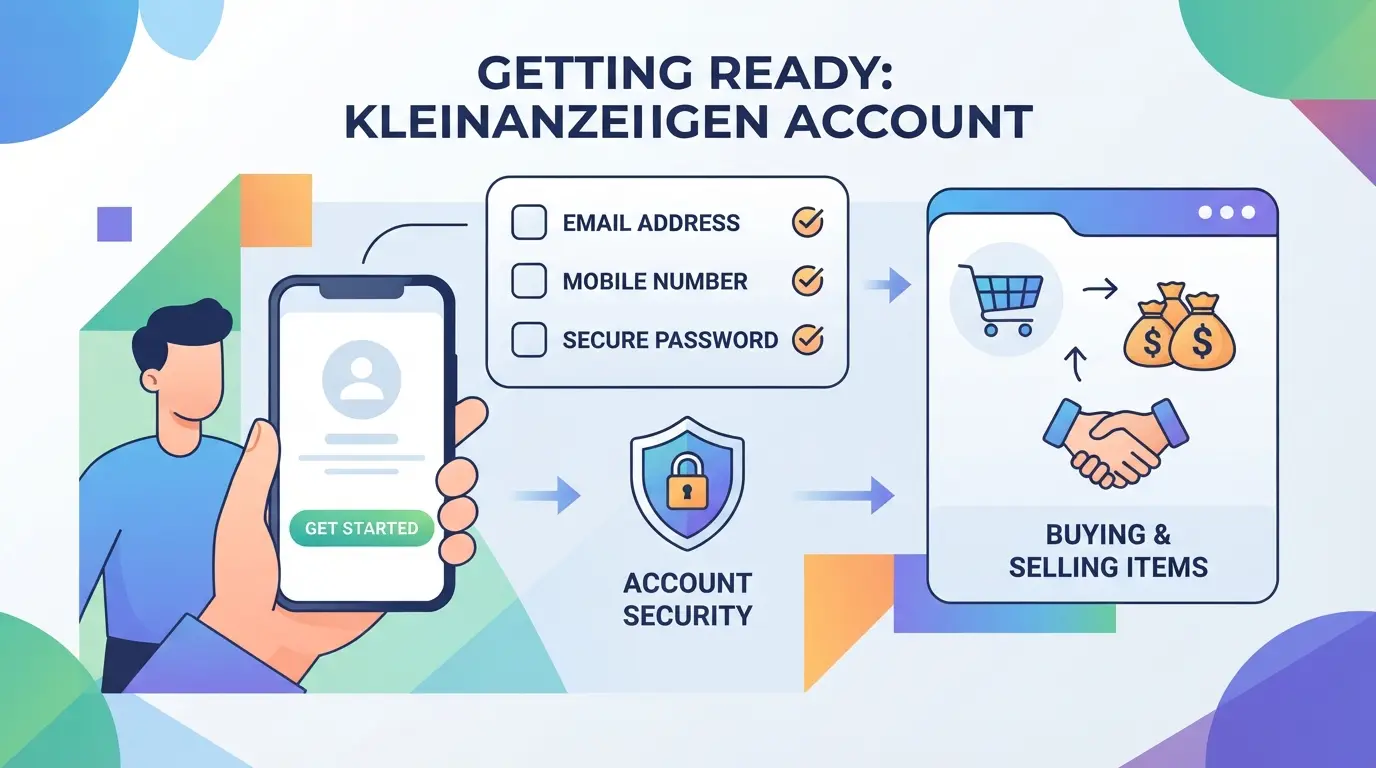
If you want to avoid failed registrations and extra verification, have your info and device ready before opening the signup page. The platform checks more than just your email, phone number format, browser setup, and network history all matter. Skipping any of these can leave you stuck at step one.
Personal Information and Valid Email
A real email address is required, not a temporary one, Kleinanzeigen sends a confirmation link you must click to finish registration. You’ll need to provide your full name and sometimes a street address. If your info looks suspicious or mismatched, the platform can block you from finishing the signup.
Phone Number and Verification Requirements
- Use a local, personal phone number (not VoIP or shared services).
- Make sure the number can receive SMS, Kleinanzeigen sends a code during signup.
- Avoid numbers already linked to other Kleinanzeigen accounts; duplicate numbers trigger instant rejections.
Device, Browser, and Network Considerations
The browser and device you use matter more than most guides say. If you switch devices mid-process or use a public network, Kleinanzeigen’s system often flags the account as risky. Even small mismatches, like using a browser with old cookies, can block registration.
- Register from a device you control, avoid public computers or shared devices.
- Clear browser cookies before starting; leftover session data from other accounts can trigger blocks.
- Use a stable home internet connection; public Wi-Fi and mobile hotspots are more likely to cause verification errors.
Realistically, the biggest issue isn’t missing a step, it’s using recycled info or a flagged device. Platform checks for reused phone numbers, email domains seen in past bans, and browser fingerprints tied to multiple accounts. If you get stuck, it usually means Kleinanzeigen saw something in your setup that matched with risk patterns.
Once you’ve got your info, device, and network sorted, you’re ready to start the actual registration. Next up, you'll see the exact Kleinanzeigen account creation steps for 2026.
Step-by-Step: How to Register a New Kleinanzeigen Account in 2026
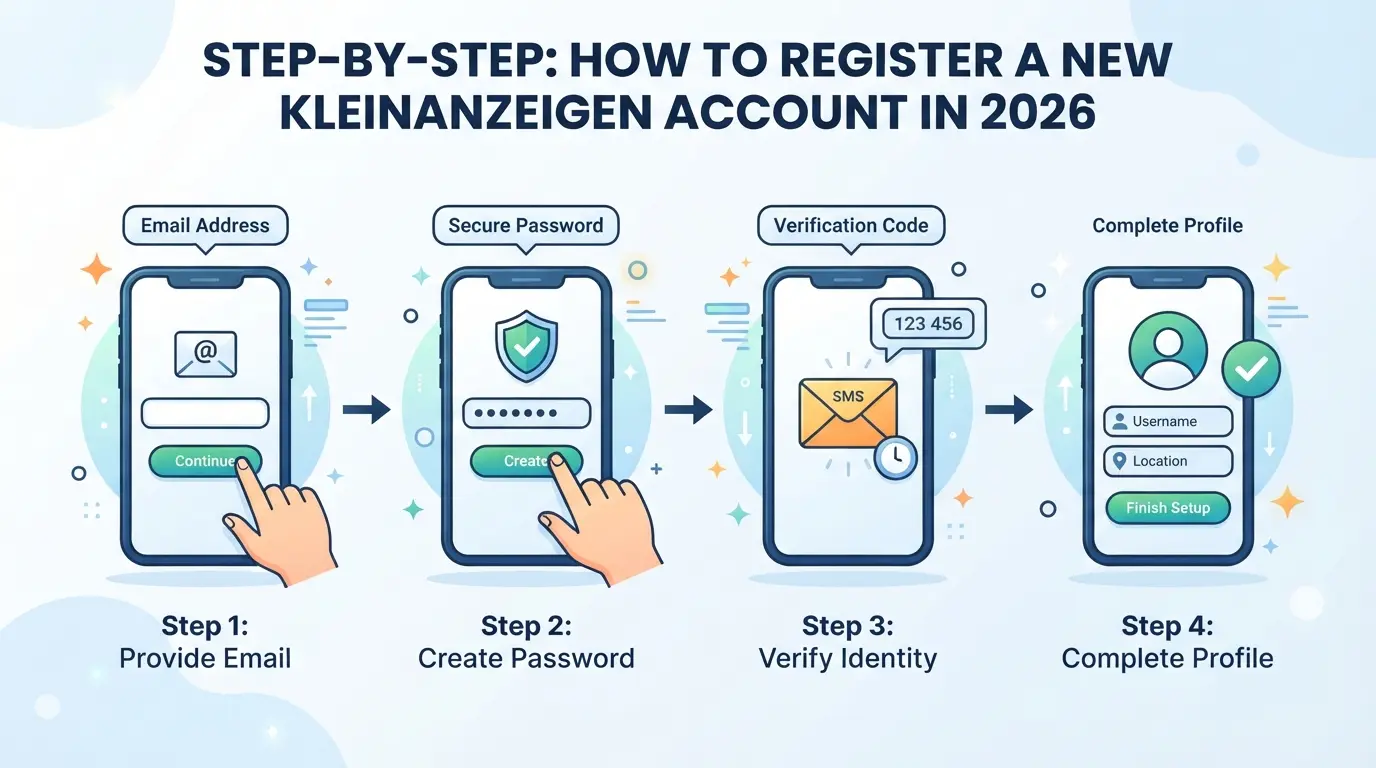
If you’ve got your device, a fresh email, and a valid phone number ready, you can jump straight into Kleinanzeigen’s registration flow. The steps below cover exactly what to click, what traps to watch for, and how to spot problems before a block hits.
Accessing the Official Kleinanzeigen Website or App
- Open your browser or the Kleinanzeigen app, only download the app from Google Play or the App Store. Unofficial links often lead to fake pages or phishing.
- Go to kleinanzeigen.de or launch the app. If you’re on desktop, stick to Chrome or Firefox; on mobile, use the app for smoother SMS verification.
- Tap "Register" in the top right (web) or on the app’s splash screen. If you see a login instead, double-check you’re on the official domain.
Filling Out Registration Details
- Enter your email address, avoid using domains flagged for bulk signups (like mail.com or temporary providers). If your email triggers a warning, switch to a mainstream provider.
- Set your password. Use a unique one; reused passwords can trigger account linking checks.
- Choose a profile name. Real names work, but you can use a nickname if you plan to sell. If the name is blocked, try spacing or a different format.
Completing Email and SMS Verification
- Check your inbox for Kleinanzeigen’s confirmation link. If it’s missing, look in the spam folder, Gmail and Outlook often delay these by up to 10 minutes.
- Click the verification link. If it fails, clear your browser cache and retry. Chrome stores redirects for up to 30 days; a stale entry can block activation.
- Enter your phone number for SMS verification. Only use numbers that haven’t been used with Kleinanzeigen before. If you don’t get a code within 5 minutes, restart your device, SIM providers sometimes throttle repeated requests.
- Input the SMS code. If the code doesn’t work, request a new one. Three failed attempts lock you out for 24 hours.
Finalizing Your Account and First Login
- After verification, return to the login page and enter your email and password.
- If you’re prompted for additional info (like address or profile picture), fill these out. Blank profiles may trigger extra review.
- Check for a welcome email or dashboard access. If your account is "pending review," don’t log in again from another device, this usually means Kleinanzeigen flagged your registration for manual screening.
- Confirm you can access settings and post listings. If you see a restriction banner, your account is not fully active; this points to a verification or device fingerprint problem.
Done right, the process takes under 10 minutes. If you hit a block, most issues trace back to email, phone, or browser session mismatches. The next section covers what causes these failures, and how to fix them for a clean start.
Why Some Kleinanzeigen Account Registrations Fail (And How to Fix Them)
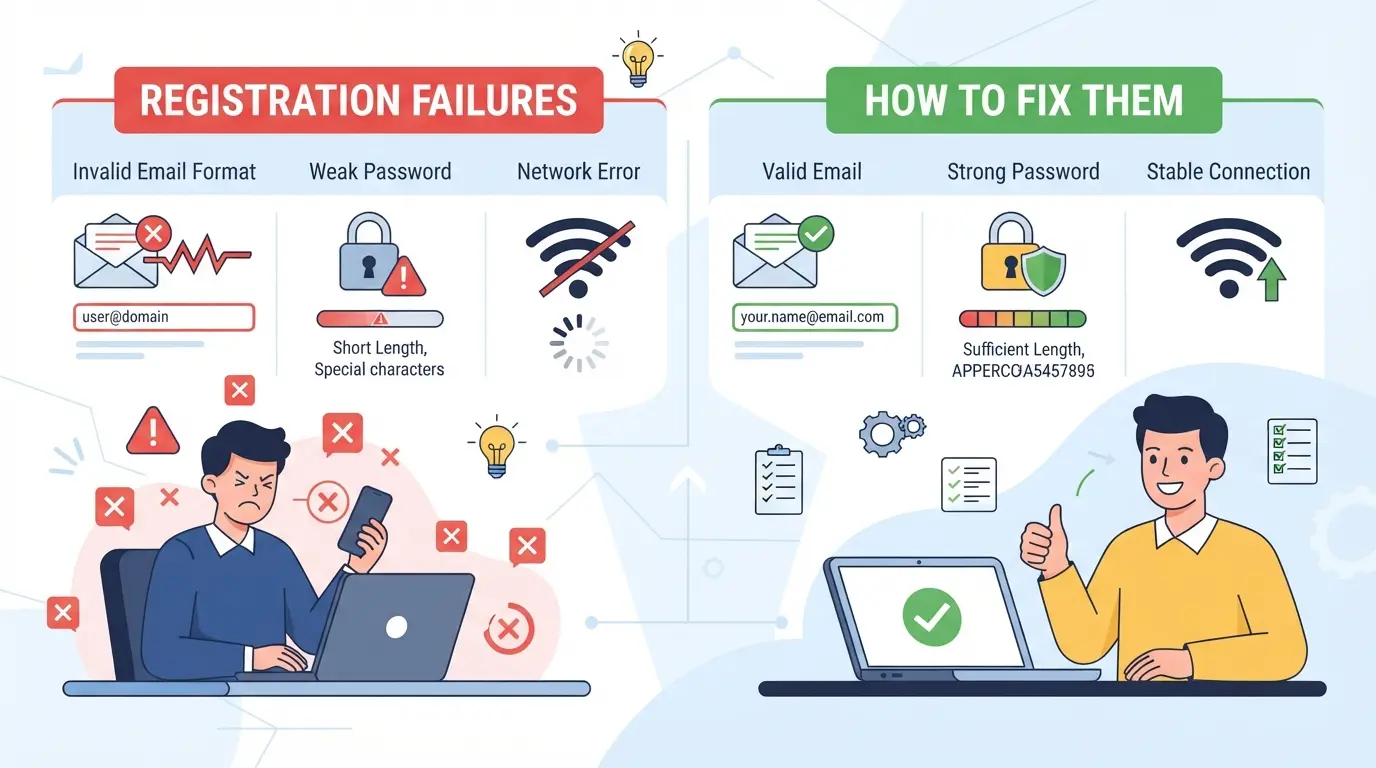
Most failed Kleinanzeigen signups come down to reused info, missing verification, or device details that trigger the system’s risk checks. If your registration stalls, it usually means something about your contact or setup matched a known blocklist.
Duplicate Email or Phone Number
Trying to sign up with an email or phone number already tied to a previous Kleinanzeigen account will halt your registration, no error details, just a stuck form or silent fail. If you’re unsure which addresses you used before, check your past inboxes for confirmation emails, or use a fresh email and SIM to avoid hidden blocks.
Verification Email or SMS Not Received
Missing the confirmation code is the fastest way for the process to break, sometimes for hours.
- Email or SMS might land in spam or be delayed, especially on recycled numbers.
- Request a new code only once every 10 minutes; too many tries in a row will freeze your session.
Browser, Device, or Network Issues
Kleinanzeigen tracks browser fingerprints and IP patterns. Using a device, browser, or network previously flagged for risky behavior can block new registrations on the spot. If you get stuck at the last step or see “something went wrong,” clear your cookies, switch to a new browser profile, and avoid public or shared Wi-Fi for the next attempt.
Move on once you see the welcome screen, the next steps after account creation are where most new users miss key setup details.
What to Do Right After Creating Your Kleinanzeigen Account
Once you’ve finished the registration, the next steps shape how safe and usable your new Kleinanzeigen account will be. Don’t just start listing, these checks help you avoid easy-to-miss problems.
Set a Strong Password and Enable Security Features
Change your initial password to something unique, at least 12 characters and not used elsewhere. Go into account settings and enable two-factor authentication (2FA) if available, this single step blocks over 90% of easy account takeovers on most platforms. If you see a message that 2FA isn’t offered, set a reminder to check weekly, as feature rollouts can lag by account type.
Complete Your Profile and Preferences
- Add a profile photo that matches your intended use (personal or business).
- Check your notification settings, turn off email alerts you don’t want.
- Set privacy options to limit who can view your listings.
Understand Platform Rules and Safe Practices
Kleinanzeigen flags new accounts that break posting or contact rules. Skipping this review is a common way to get restricted fast.
- Read the “Sicherheitshinweise” and “Nutzungsbedingungen” pages before your first listing.
- Avoid mass posting or copy-paste content in your first week.
- Check if your phone and email are fully verified, unverified accounts are often limited.
How E-Commerce Sellers Can Manage Multiple Kleinanzeigen Accounts More Safely with DICloak
Once your first Kleinanzeigen account is stable, most e-commerce sellers run into a bigger challenge, keeping dozens of accounts separate without mixing session data or repeating risky browser setups. Reusing the same browser, device, or network can link accounts in ways you don’t notice until restrictions appear. Sellers managing accounts for different product lines, brands, or regions need a workflow that keeps every login session, fingerprint, and network connection apart. DICloak supports this by letting teams create a separate browser profile for each platform account, assign their own proxy where needed, and automate routine steps, without crossing data between accounts. The scope stays at the browser-profile and session layer; DICloak does not control or affect Kleinanzeigen’s own account rules.
Isolated Browser Profiles and Fingerprint Configuration for Each Account
Operators can create a new browser profile in DICloak for each platform account they handle. Each profile stores its own browser settings, separate storage, and device-identifying signals, such as the user agent, system language, time zone, and screen size. For e-commerce sellers, this means one team member can manage German product listings and another can run French listings, each from a profile with the right location, language, and device configuration. The real value: browser profiles never share cookies, storage, or fingerprint details, so one account’s activity doesn’t leak into another’s session. Operators can adjust the fingerprint settings to match the intended user or region, but the platform’s review and acceptance process remains outside DICloak’s control.

Assigning User-Owned Proxies to Separate Accounts
Every browser profile in DICloak can use its own network connection, with proxy options set by the operator. Sellers managing multiple Kleinanzeigen accounts often assign a different HTTP, HTTPS, or SOCKS5 proxy to each profile. This keeps the network history and IP address distinct for each session. Operators enter their proxy details, host, port, username, password, test if the connection works, and see the exit IP and country before login. DICloak does not provide or sell proxies; operators bring their own. This setup fits workflows where accounts should appear from different regions or when working with remote team members. The proxy configuration only affects the browser session in DICloak, not the account or platform itself.

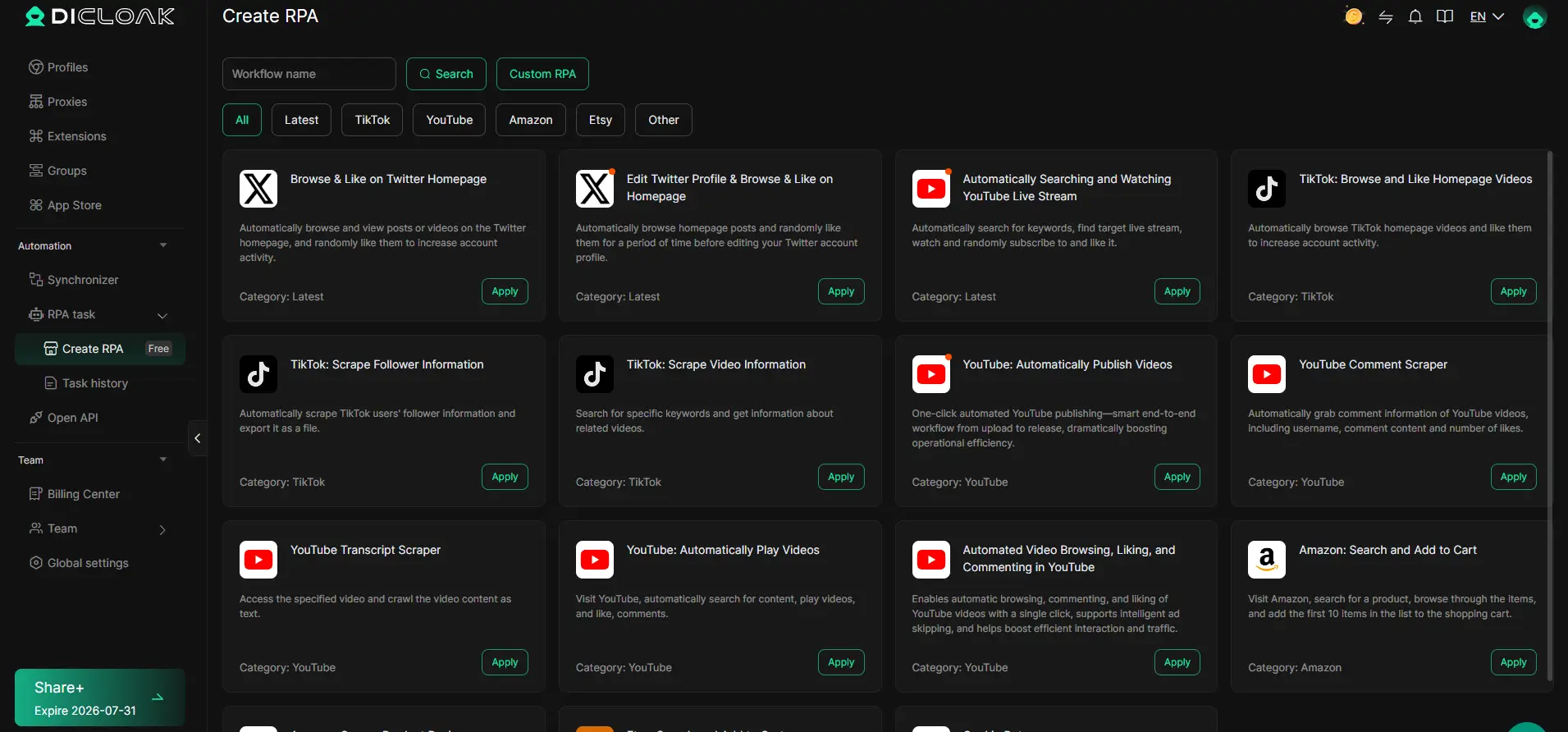
Automating Routine Tasks with DICloak RPA
Handling updates, navigation, or data entry across many accounts eats up time and increases mistakes. With DICloak RPA on supported plans, operators can set up repeatable browser workflows for routine steps, like navigating to the account dashboard or filling in profile details. An operator builds the workflow, chooses which browser profiles it should run in, and reviews the execution logs to catch any errors or unexpected results. This kind of automation keeps the process consistent, especially when handoffs happen between team members. Scheduling and task limits depend on your current plan, so check the official pricing page for details. RPA executes only browser actions; it does not manage accounts or guarantee platform outcomes.
Even with these controls, some risks remain hidden at the platform level. Next, you’ll see which Kleinanzeigen rules new users often miss and how to check for the warning signs early.
Risks and Rules: What New Kleinanzeigen Users Often Overlook
Account bans on Kleinanzeigen usually come down to small details new users skip. If you’re just looking up how to create kleinanzeigen account, it’s easy to miss that one wrong device, reused email, or suspicious listing can get you locked out before your first sale.
Account Restrictions for Suspicious Activity
Kleinanzeigen limits or bans accounts for patterns like using the same device or IP for multiple signups, mismatched location info, or obvious copy-paste content. If support asks for ID, it means their risk flags tripped, at that point, most appeals don’t work. Register with a fresh device, unique browser profile, and never recycle emails or phone numbers.
Prohibited Items and Listing Practices
Some items are strictly banned, and writing listings the wrong way causes instant removal.
- Forbidden: Firearms, prescription drugs, copyrighted goods, fake documents, and anything illegal in Germany.
- Safer move: Read the official prohibited items list before posting. Describe products clearly, avoid vague or misleading wording.
Safe Communication and Payment Tips
Direct messaging outside the platform, clicking unknown payment links, or accepting overpayment offers are top scam triggers. Always keep chats inside Kleinanzeigen and use only built-in payment methods. If someone rushes you to share personal info, that’s a red flag, many account takeovers start with a fake buyer or seller pressuring quick action.
Skipping these basics leads to fast restrictions. Next, see what pushes multiple Kleinanzeigen accounts into risky territory and what safer workflows look like.
When Managing Multiple Kleinanzeigen Accounts Becomes Risky (And What to Do Instead)
If you run several Kleinanzeigen accounts, the real risk starts when your setup looks automated, or linked, to Kleinanzeigen’s system, even if you follow the official rules. Crossed device fingerprints, reused IPs, or batch signups from the same pattern are some of the easiest ways to trigger a restriction. Most sellers notice problems only after listings get pulled or accounts are suddenly blocked, not while everything seems fine.
Platform Limits and Detection Methods
Kleinanzeigen’s backend checks for linked accounts in ways most users don’t expect. Here’s how different setups compare:
| Scenario |
Detection Risk |
What Happens If Flagged |
| One account per device/IP |
Low |
Usually stays active |
| Multiple accounts, same device |
High |
Fast restriction or block |
| Randomized setups, unique data |
Medium |
May pass until data overlaps |
Source: User reports and platform support records
One missed detail, a recycled phone number, or logging in through a previously used browser, can tie accounts together and trigger an instant lock, not just a warning. Once flagged, you usually lose all linked accounts at once.
Signs It's Time to Consolidate or Change Strategy
If you see daily verification requests, listing delays, or two accounts restricted in the same hour, you’re probably over the threshold. That’s the signal to stop opening new accounts and start focusing on keeping your main one stable.
Safer Alternatives for E-Commerce Growth
Building up a single, clean Kleinanzeigen account, then using official team features or workflow tools for scale, cuts most long-term risks. Switching before a mass block hits can save months of lost effort. If you keep adding accounts after warnings, you’re just stacking up more to lose when the next review rolls around.
Frequently Asked Questions About how to create kleinanzeigen account
Can I create a Kleinanzeigen account if I live outside Germany?
Kleinanzeigen is mainly for users in Germany. Registration often requires a German address and phone number for verification. International users may face issues with phone number validation and location restrictions. If you do not live in Germany, you might not get full access or be able to use all features.
Is it legal to have more than one Kleinanzeigen account?
Kleinanzeigen’s rules allow only one account per person. Creating multiple accounts can lead to blocking or deletion of all profiles. If you need an extra account for business reasons, contact their support first. Using false information to register more than one account is against their terms.
What should I do if my Kleinanzeigen account is blocked right after registration?
First, check your email for a message from Kleinanzeigen with details about the block. If you think it’s a mistake, reply to their support team and explain the situation. Make sure your personal details are correct and follow their guidelines for appeals. Avoid creating a new account before resolving the issue.
Can I use the same phone number for multiple Kleinanzeigen accounts?
No, Kleinanzeigen requires a unique phone number for each account. During account creation, your phone number is verified and linked to your profile. If you try to use the same number for a second account, you will not pass the verification step.
How do I delete or deactivate my Kleinanzeigen account?
To close your Kleinanzeigen account, log in and go to account settings. Choose “Delete Account” or “Deactivate Account.” Follow the steps to confirm your request. You may need to verify your identity before deletion. After this, your ads and data will be removed from the platform.
Once your registration is complete, you can start listing items or browsing available offers to make the most of the platform. If you want to add an extra layer of privacy while managing your classifieds, consider using a secure browsing tool as your next step. Try DICloak For Free
 Web Proxy Tools
 Free Tools
 Cookie Plugin
 UA Generator
 MAC Address Generator
 IP Generator
 IP Address List
 2FA Code Generator
 World Clock
 Anonymous Check
 WebRTC Leak Test
 UUID Generator
 Free Web Proxy Site
 Proxy Checker
 FB Ad Checker
 AI Web Scraping
 Free SMM Tools
 Twitter Shadowban Checker
 Instagram Name Checker
 UTM Generator
 Username Generator
 AI Hashtag Generator
 LinkedIn Headline Generator
 Social Media Image Resizer