An affiliate manager checks offers, a media buyer runs campaigns, a VA updates links, and a contractor may step in for a short project. They may all need access to the same business accounts, but giving everyone the same password creates a new problem: the team loses control over who can access what, who still has access later, and who made a change when something goes wrong.
In 2026, affiliate teams have better options than sending login details through chat or spreadsheets. Depending on the account, teams can use platform-native roles, controlled credential sharing, or a shared signed-in browser session. This guide explains when each method makes sense, what risks to watch for, and how to share account access without turning one password into a team-wide dependency.
Can Affiliate Teams Share Accounts Without Sharing Passwords?
Yes. Affiliate teams can give teammates access to shared business accounts without sending the actual password, but the right setup depends on what kind of access the person needs. In practice, teams usually choose between platform-based user access, controlled credential sharing, or access to an already signed-in browser session.
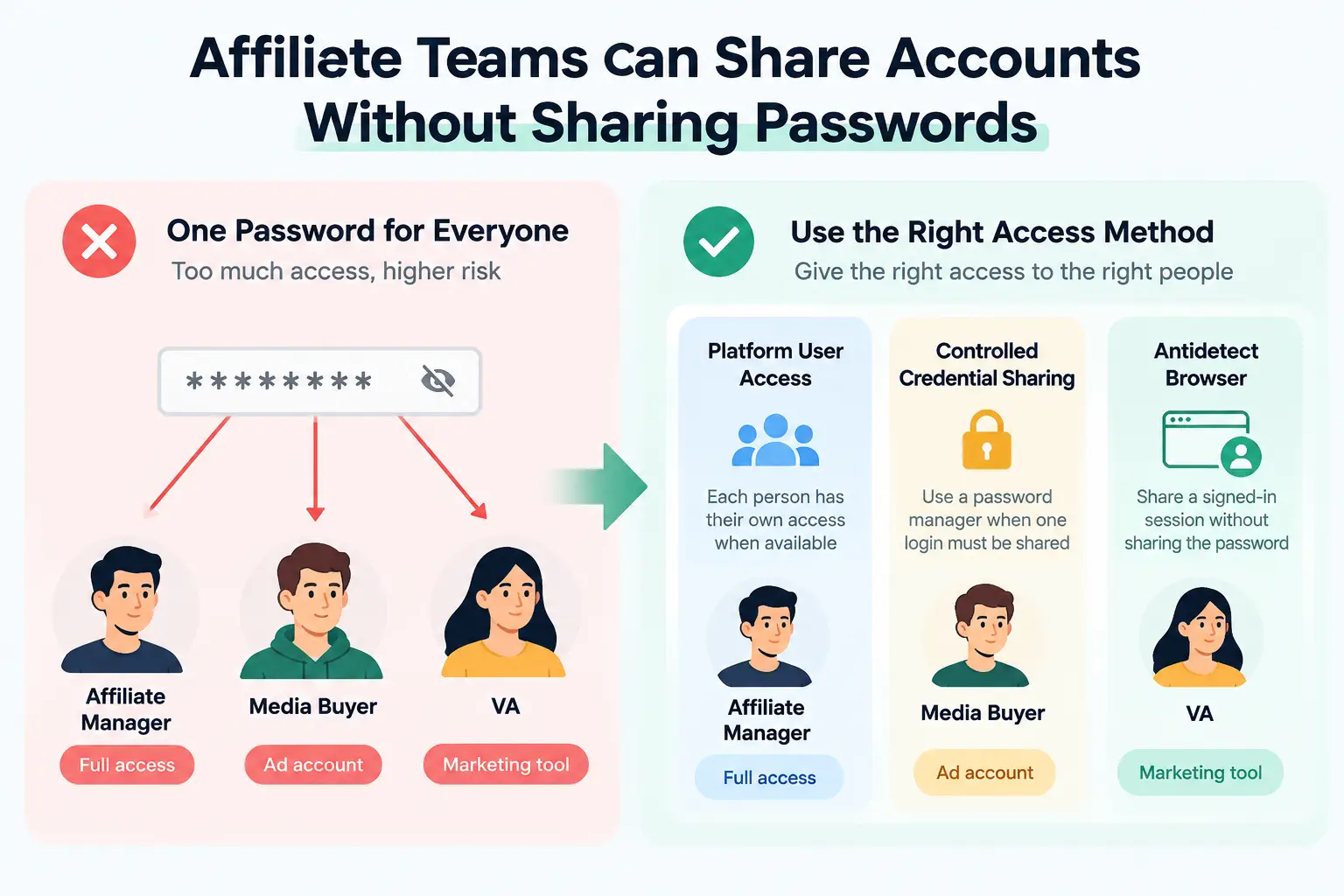
For example, an affiliate manager may need full access to an affiliate network, while a media buyer only needs an ad account and a VA may only need one marketing tool. Giving all three people the same master login is often more access than their jobs require. If a platform supports separate users or roles, that is usually the cleaner option because each person can have their own access. If one shared login still has to be used, the team needs another way to let authorized members work without passing the password through chat, email, or a shared document.
Why Do Affiliate Teams Need to Share Accounts?
Affiliate teams often share account access because one campaign can involve several people using the same business tools. An affiliate manager may handle partner relationships, a media buyer may run ads, a VA may update links or creatives, and another teammate may check reports or payouts.
Common situations include:
- Remote teams working on the same campaigns. Team members may work from different locations but still need access to the same affiliate dashboards, ad tools, analytics, or content systems.
- Different specialists handling different parts of the workflow. A media buyer may need campaign access, while an affiliate manager needs offer and performance data. Sharing access keeps the work connected without forcing one person to handle every task.
- Freelancers and VAs helping for a limited time. A contractor may need access for a launch, promotion, or reporting task, even if they do not need a permanent seat or full control of the account.
- Teams managing several brands or client projects. Agencies and larger affiliate teams may need to move people between accounts as workloads change, which makes manual password sharing hard to control.
The real need is not to give everyone the same login details. It is to let each person reach the accounts required for their work without giving them more access than they need.
What Risks Should Affiliate Teams Consider When Sharing Accounts?
The biggest risk is not simply that someone may see a password. Shared access can also give people more control than they need, make 2FA depend on one person, leave old access active after a project ends, and make it harder to trace who changed something inside an account.
- Too much access for the wrong role. A media buyer may only need campaign settings and reports, while a VA may only need to update links or upload creatives. If both use the same admin login, they may also reach billing, payout details, security settings, or other areas they do not need. The real problem is often over-permission, not just password exposure.
- 2FA and account ownership tied to one person. Login codes may go to one employee's phone, or an important account may be registered with one person's email. This setup becomes fragile when that person is unavailable, changes roles, or leaves the team. Core login and recovery access should stay under team control.
- Access that remains after the work ends. A former freelancer or contractor may still have a saved credential, active session, platform role, or recovery access. Offboarding should cover every way that person could still enter the account, not just changing the password.
- Less visibility into who changed what. When several people use the same login, it can be difficult to identify who edited a campaign, changed account settings, or updated payout details. As the team grows, shared access needs enough control and visibility to match how the account is actually used.
What Are the Best Ways for Affiliate Teams to Share Accounts Without Sharing Passwords?
Affiliate teams can share accounts without sharing passwords in several ways, but no single method fits every account. The right choice depends on whether the platform supports separate users, whether one shared credential still has to be used, or whether teammates need access to the same signed-in session.
Use Platform-Native Team Access When It Is Available
If a platform lets you invite team members and assign roles, that is usually the cleanest option. Each person signs in with their own account, while an admin controls what they can view or change.
This works well when different people handle different parts of the affiliate workflow. An affiliate manager may need broader access, while a media buyer, VA, or finance teammate may only need a specific part of the account. Separate user access also makes it easier to remove one person later without changing how the rest of the team works.
Use a Password Manager When One Credential Still Needs to Be Shared
Some tools still rely on one business login. In that case, a team password manager can store the credential and let approved members use it without sending the password through chat, email, or a shared document.
This method works best when the main problem is how to control access to the credential. It is less useful when the team needs to continue working from the same signed-in session rather than log in separately each time.
Share an Antidetect Browser When the Team Needs the Same Signed-In Session
An antidetect browser like DICloak can be useful when several team members need to work with the same signed-in account without passing the password between them. Instead of logging in again on each person's device, the team can share access through a browser profile that already keeps the account session and related browser data.
This solves a different problem from a password manager. A password manager helps authorized users access the same credential, while an antidetect browser is more useful when the team needs to continue working from the same authenticated session. For affiliate teams, this can fit cases where a media buyer, VA, or contractor needs to enter an existing work account without receiving the actual login details.
How Can Affiliate Teams Share Accounts With DICloak Without Sharing Passwords?
If an affiliate team needs to reuse the same signed-in account, they can keep it inside one browser Profile with DICloak and share that Profile with selected teammates. This keeps the login session, browser settings, proxy setup, and team access in one place without passing the password around.
Step 1: Install DICloak and Choose a Team Plan
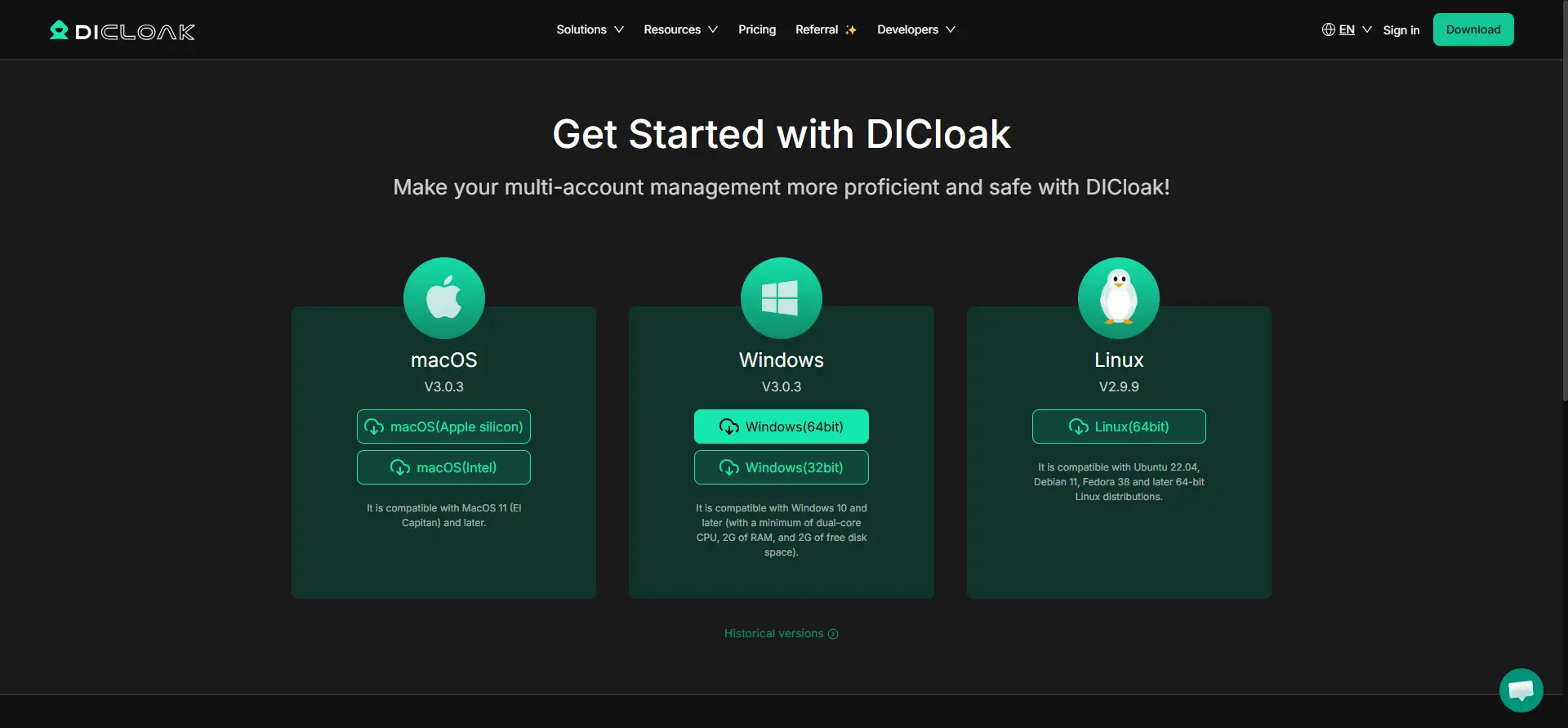
Download DICloak, create an account, and choose a plan based on your team size and the number of browser Profiles you need.
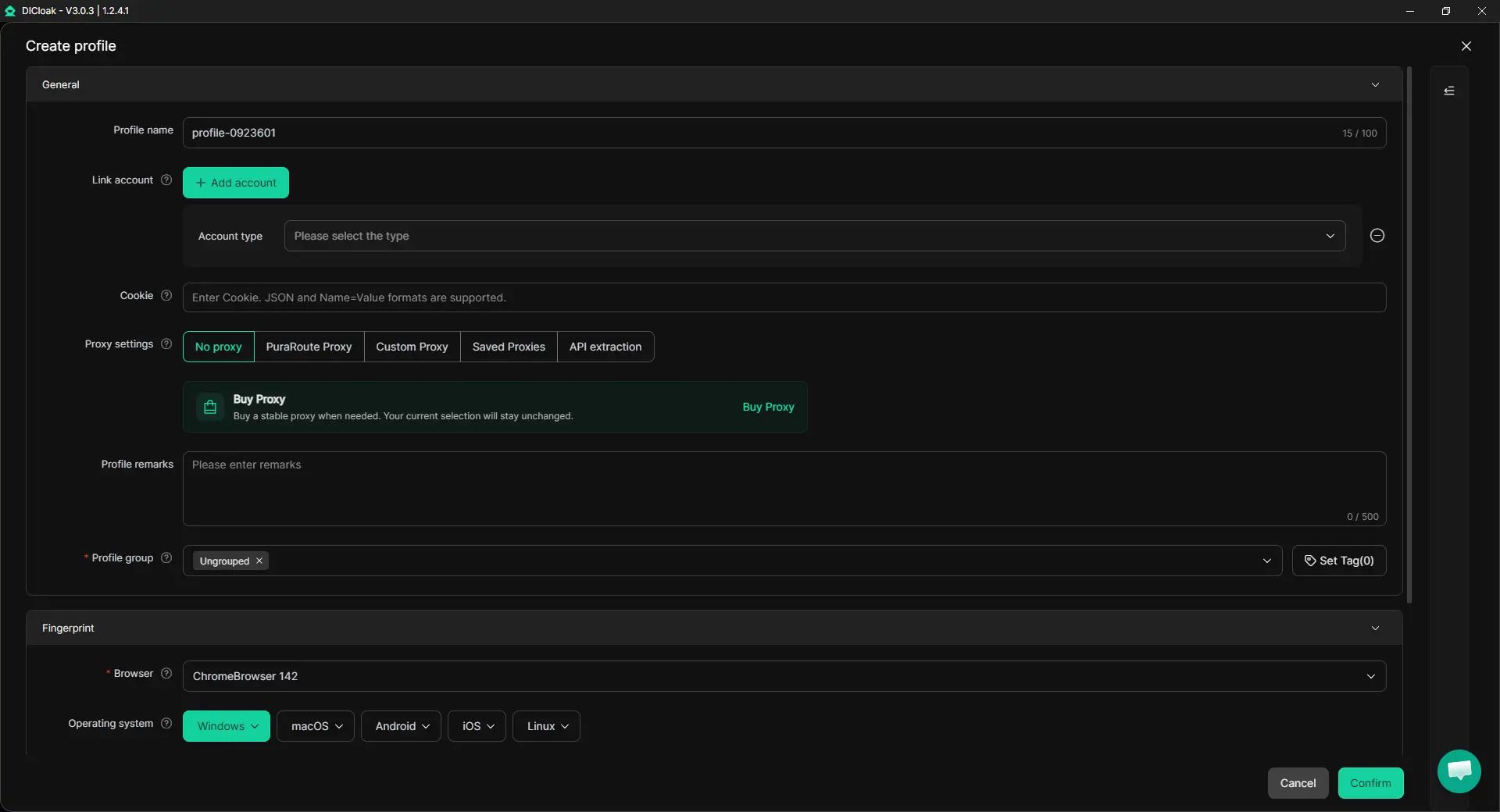
Step 2: Create a Dedicated Profile for the Shared Account
Create one browser Profile for the affiliate, advertising, or marketing account your team needs to use. The Profile keeps its cookies, login session, browser settings, and proxy configuration together.
If the account normally uses a specific proxy, configure that proxy for the Profile. Teams can use their own proxies in DICloak. You can also enable Multiple Sessions if several teammates need to use the Profile and turn on Hide Password so saved credentials are not visible to other members.
Step 3: Sign In as the Account Owner
Open the Profile and sign in to the account yourself. Complete the password, verification, or 2FA steps, then confirm that the account works normally. Once the session is saved, authorized teammates can reopen the same Profile without needing the password each time.
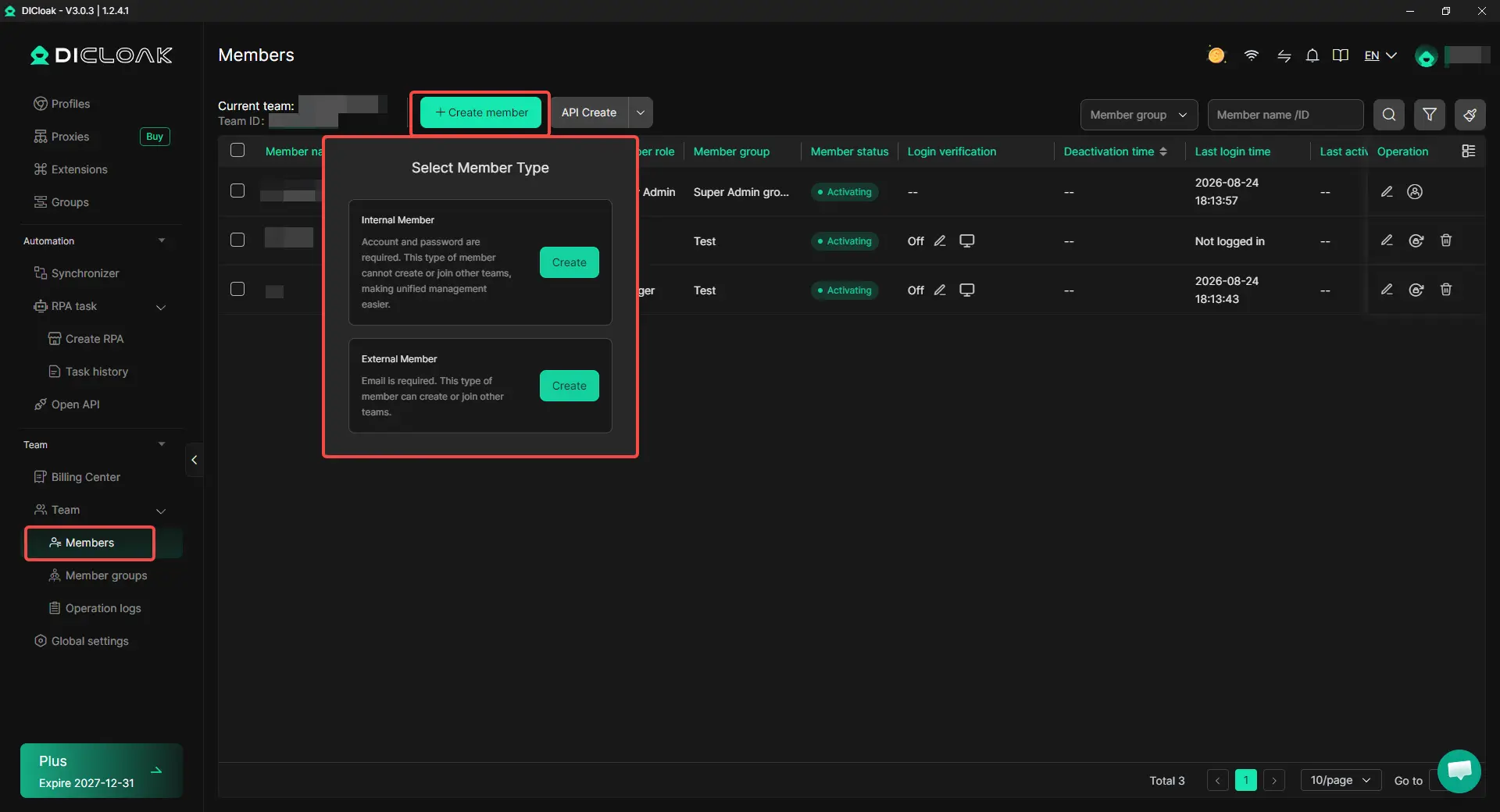
Step 4: Share the Profile With the Right Teammates
Invite the members who need access, then use Profile Sharing and team permissions to assign the Profile. For example, a media buyer may need the account for campaign work, while other team members do not. Access can be changed or removed when project roles change, so the team does not need to keep sharing the main login.
Step 5: Open the Shared Profile and Continue Working
Authorized teammates can open the shared Profile from their own DICloak account and continue from the existing session. A manager can prepare the account first, then a media buyer or VA can reopen the same Profile and continue the assigned work.
Frequently Asked Questions About How Affiliate Teams Share Accounts Without Sharing Passwords
Can affiliate teams share accounts without giving employees the actual password?
Yes. Affiliate teams can use platform-native roles, a password manager, or a shared browser session instead of sending the raw password to every employee. The best option depends on what the teammate actually needs: their own platform access, controlled use of one credential, or access to an already signed-in session. If the goal is to let a teammate use an existing session without seeing the password, an antidetect browser like DICloak can be used to share a managed browser profile with selected members.
Is a password manager enough for an affiliate team?
A password manager works well when several approved users need to use the same credential, but it does not solve every account-sharing problem. It may not help when the platform already supports separate user roles, or when the team needs to continue working from the same signed-in browser session. Affiliate teams should choose the access method based on the account workflow, not assume that every shared account should use the same tool.
How can affiliate teams handle 2FA when several people need the same account?
The main issue is making sure 2FA does not depend on one employee being available every time someone needs to log in. If the platform supports separate users, each person should use their own approved access where possible. If the team works from a shared signed-in session, the account owner can complete the login and verification first, then authorized teammates can continue working from that session without repeatedly asking for the password or verification code.
Can freelancers or VAs use shared affiliate accounts without keeping the login details?
Yes, if the team gives them controlled access instead of handing over the main credential. A freelancer may receive a limited platform role, temporary password-manager access, or access to a specific shared browser Profile. With DICloak, for example, a team can share only the Profile needed for the project and remove that access when the work ends, rather than giving the contractor the main account password.
What should an affiliate team do when someone no longer needs access to a shared account?
Removing access should cover more than changing the password. The team should check platform roles, shared credentials, active browser sessions, shared Profiles, 2FA methods, recovery details, and any billing or payout permissions the person could still use. Offboarding is complete only when every access path connected to that teammate has been reviewed and removed where necessary.
Conclusion
Affiliate teams can share accounts without sharing passwords, but the best method depends on what kind of access each person actually needs. Platform-native roles are usually the cleanest choice when available, password managers work when one credential still has to be reused, and an antidetect browser can help when teammates need to continue from the same signed-in session. The key is to avoid giving everyone the same level of access just because they work on the same account.
For teams using shared browser sessions, an antidetect browser like DICloak can keep the login session, browser settings, proxy setup, and team access inside one managed Profile. The strongest setup is not the one that hides a password in every case, but the one that keeps access limited, removable, and matched to each teammate’s actual role.
 Web Proxy Tools
 Free Tools
 Cookie Plugin
 UA Generator
 MAC Address Generator
 IP Generator
 IP Address List
 2FA Code Generator
 World Clock
 Anonymous Check
 WebRTC Leak Test
 UUID Generator
 Free Web Proxy Site
 Proxy Checker
 FB Ad Checker
 AI Web Scraping
 Free SMM Tools
 Twitter Shadowban Checker
 Instagram Name Checker
 UTM Generator
 Username Generator
 AI Hashtag Generator
 LinkedIn Headline Generator
 Social Media Image Resizer