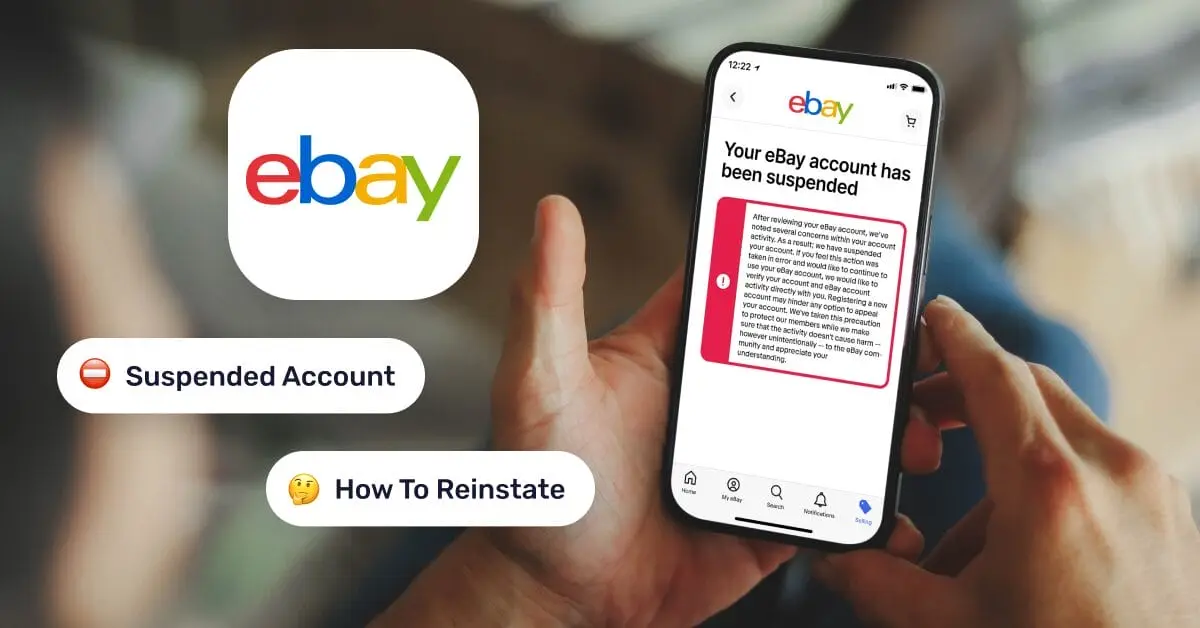
Receiving a message that your eBay Account Suspended is frustrating and stressful for any seller. Although eBay’s strict policies can make it feel like there’s no way forward, account reinstatement is often possible with the right approach. This guide will provide a clear roadmap, covering the common reasons why an eBay Account Suspended, step-by-step instructions for reinstatement, and practical tips to prevent future suspensions—helping you keep your business running safely and smoothly.

Common Reasons Your eBay Account Was Suspended
When an eBay Account Suspended notice appears, it usually stems from a few common issues. Understanding these pitfalls is the first step to reinstating your account and avoiding future suspensions:
- Unpaid Fees: Overdue seller fees or reimbursements that eBay has covered for a customer can trigger an eBay Account Suspended. If your outstanding balance isn’t cleared promptly, eBay will place a hold on your account.
- Poor Performance: Falling below eBay’s seller performance standards is a frequent cause of an eBay Account Suspended. This can occur due to late shipping, a high rate of order cancellations, or delays in resolving buyer complaints and disputes.
- Policy Violations: Listing prohibited or restricted items, infringing on intellectual property rights, or soliciting positive feedback are clear reasons an eBay Account Suspended. Using arbitrage from other retail marketplaces also violates eBay’s dropshipping policy and can lead to suspension.
- Account Verification Problems: If eBay cannot verify your identity or is unsatisfied with the documents you provide, it may place an eBay Account Suspended until the issue is resolved.
- Suspicious or Hacked Activity: eBay protects its users by suspending accounts showing suspicious behavior. This can include unusual login locations, payment disputes, or unauthorized changes suggesting a hacked account. Such sensitivity to IP and device changes is why simple proxies often fail for multi-account management—a key point we’ll address in the prevention section.
The Multi-Account Trap: A Major Reason for an eBay Account Suspended
While eBay allows users to maintain multiple accounts for legitimate purposes, it strictly forbids creating new accounts to bypass restrictions or limits on an existing account. From our experience, this is one of the fastest ways to get an eBay Account Suspended. It’s not just a rules violation—it’s a critical strategic mistake for your business. Many new sellers try to scale a dropshipping operation beyond initial listing limits, but opening additional accounts to do so builds a fragile foundation. eBay’s tracking systems can easily link new accounts to previously suspended ones, resulting in a quick eBay Account Suspended notice. This short-term workaround can jeopardize your entire business, as a single linked suspension may shut down all your accounts overnight.
Understanding eBay's Actions: Hold vs. Restriction vs. Suspension
eBay uses three different levels of action against an account, each with a different severity. Understanding the difference will help you know what you're dealing with.
- Account Hold: Think of this as a temporary freeze on your account, usually because of a payment issue. Your funds are locked and you can't operate until you settle the balance.
- Account Restriction: This is a partial lockdown. You might be blocked from listing new items or your existing listings may have reduced visibility, directly impacting your sales potential until you fix the performance issues.
- Account Suspension: This is a total lockout. You are barred from all activity—selling, buying, and even messaging other users. Your business is effectively shut down for the duration of the suspension.
How to Reinstate Your eBay Account: A 5-Step Guide
From our experience reinstating hundreds of seller accounts, the key to success is a methodical and professional approach. Rushing the appeal is the most common mistake. Breaking the process down into clear steps makes it far more manageable. Follow this guide carefully to improve your chances of getting back to selling quickly.
Step 1: Check the Suspension Email Thoroughly
Start by carefully reading the official message from eBay. Note the exact reason code, any required documents, and the deadline for your response. Before taking any action, confirm that the message is legitimate by checking for the same notification in your account messages on the eBay platform. This helps you avoid phishing scams designed to steal your personal information.
Step 2: Gather All Relevant Information
Before you write your appeal, collect all the evidence you need to support your case. Having everything organized in a single folder will make the process smoother. Potential evidence includes:
- Order histories
- Tracking numbers
- Proof of shipment and delivery
- Communications with buyers
- Invoices from suppliers
Step 3: Draft a Clear and Professional Appeal
In your appeal, absolute transparency is non-negotiable. Acknowledge any mistakes directly and present a clear, actionable Plan of Action detailing the systems you've implemented to prevent a recurrence. eBay's trust is easier to regain with accountability than with excuses. Keep your appeal concise, respectful, and structured.
Here is a sample draft you can adapt:
“Dear eBay Support,
Re: Case ID [Insert Your Case ID]
I am writing in response to the suspension notice regarding [State the reason given by eBay]. To clarify the situation, I have attached the relevant documentation, including order #12345 with its tracking details, delivery confirmation, and buyer communications.
I kindly request that you review this information and consider reinstating my selling privileges. Thank you for your time and support.
Sincerely, [Your Name/Store Name]”
Step 4: Submit Your Appeal
eBay usually provides a direct link to submit your appeal in the suspension email. Use this link to ensure your case goes to the correct department. When submitting, upload your evidence and follow all of eBay’s formatting instructions. If there are file size limits, consider combining documents into a single PDF. To appear professional and organized, name your file clearly, for example: [YourStoreID]_CaseID_[Date]_Appeal_Documents.pdf.
Step 5: Follow Up Consistently and Professionally
After submitting your appeal, check your email and eBay messages regularly for any responses or requests for more information. If you haven't heard back in a reasonable time, such as 7-10 business days, send a polite follow-up inquiry referencing your case ID. In all your communications, remain professional and focus on the facts and the corrective steps you’ve taken.
How to Prevent Your eBay Account from Being Suspended
The most reliable way to run a successful eBay business is to prevent suspensions from happening in the first place. This is especially true for sellers who manage multiple accounts.
Flawed Methods: Why Proxies and Multiple Devices Aren't Enough
Many sellers try to manage multiple accounts using common but flawed methods. First, using a proxy alone is not enough. While a proxy can give each account a different IP address, eBay also uses a unique "browser fingerprint"—a detailed profile created from your hardware and software specifications, including elements like WebGL, canvas, geo-location, and cookies—to link accounts.
Second, using a separate physical device for each account is impractical. Buying multiple phones or computers is expensive and inefficient, especially as your business scales and requires more accounts.
The Best Solution: Using an Antidetect Browser
The most elegant and cost-effective solution for managing multiple accounts is an antidetect browser. These tools allow you to run many accounts from a single device by isolating each one in its own secure environment. Each environment is given a unique browser fingerprint and a separate IP address, making each account appear completely independent to eBay's tracking systems.
Why DICloak is the Top Choice for eBay Sellers
⚡The DICloak Antidetect Browser has become a global favorite for its unparalleled ability to efficiently and securely manage multiple accounts. Designed for professionals in social media management, and more, DICloak offers powerful features like RPA automation, bulk operations, and a synchronizer. Additionally, it allows you to customize fingerprints and integrate proxies for each profile, ensuring top-level security and operational efficiency. It’s the ultimate tool for seamless, secure, and scalable operations.

What Makes DICloak Stand Out?
✅ Manage 1,000+ Accounts on One Device: Stop wasting money on extra hardware! DICloak allows you to manage multiple accounts on a single device, cutting costs and boosting efficiency.
✅ Guaranteed Account Safety, No Ban Risks: Every account gets its own isolated browser profile with custom fingerprints and IPs, drastically reducing the risk of bans. Your accounts, your control!
✅ Flexible Proxy Configuration for Maximum Performance: Seamlessly integrate with all major proxy protocols (HTTP/HTTPS, SOCKS5) and manage your proxy pool with bulk operations. No more struggling with IP management—DICloak has you covered.
✅ Streamlined Team Collaboration for Better Results: Easily manage your team with advanced tools like profile sharing, permission settings, data isolation, and operation logs. Your team works smarter, not harder.
✅ Automate the Grind with RPA: DICloak's built-in RPA saves you hours of manual work. Automate repetitive tasks, streamline workflows, and focus on what really matters—growing your business.
✅ Powerful Bulk Tools to Scale Your Operations: Create, import, and launch multiple browser profiles in one click. DICloak makes scaling your business as easy as it gets.
✅ Compatible with All Major Operating Systems: Based on the Chrome core, DICloak supports simulating Windows, Mac, iOS, Android, and Linux operating systems. No matter what platform you need, DICloak has you covered.
🔗 Ready to Get Started?
Visit the DICloak website to explore more details and choose the plan that’s right for you. Start for free today and experience the power of secure, efficient, and scalable multi-account management!
Conclusion
Facing an eBay Account Suspended notice is stressful, but in many cases, it can be reversed with a clear, professional, and well-documented appeal. By understanding the common triggers and following a structured reinstatement process, you can restore your account to good standing. However, the best long-term approach is always prevention. In today’s evolving e-commerce landscape, using professional tools like DICloak is no longer just a workaround—it has become essential for running a resilient, scalable, and compliant multi-account business while minimizing the risk of an eBay Account Suspended.
Frequently Asked Questions About an eBay Account Suspended
1.How do I unsuspend my eBay account?
To unsuspend your account, you must follow the instructions provided in the suspension email from eBay. This usually involves actions like clearing outstanding fees, verifying your identity, or resolving specific policy violations. Once you have completed the required steps, eBay will review your account for reinstatement.
2.If my eBay account is suspended, can I open a new one?
While you can technically create a new account, it's not recommended. eBay links new accounts to suspended ones using information like your email, payment details, IP address, and device fingerprint. If a link is found, the new account will almost certainly be suspended as well.
3.How long does an eBay suspension last?
The duration varies depending on the violation. Temporary suspensions can last for 7, 10, or 30 days. More severe issues can lead to an indefinite or permanent suspension. The time to reinstate an account after an appeal typically ranges from one to four weeks, depending on the complexity of the case.
4.What’s the difference between an eBay account hold, restriction, and suspension?
A hold is the least severe and is usually related to payment issues. A restriction is more serious and limits your ability to sell due to poor performance. A suspension is the most severe action, completely halting all account activity.
5.How can I safely manage multiple eBay accounts without getting suspended?
To prevent eBay from linking your accounts, you must isolate each one. The most effective way to do this is with an anti-detect browser like DICloak. It allows you to create separate browser profiles for each eBay account, each with its own unique digital fingerprint and IP address, making them appear as completely separate users.
 Web Proxy Tools
 Free Tools
 Cookie Plugin
 UA Generator
 MAC Address Generator
 IP Generator
 IP Address List
 2FA Code Generator
 World Clock
 Anonymous Check
 WebRTC Leak Test
 UUID Generator
 Free Web Proxy Site
 Proxy Checker
 FB Ad Checker
 AI Web Scraping
 Free SMM Tools
 Twitter Shadowban Checker
 Instagram Name Checker
 UTM Generator
 Username Generator
 AI Hashtag Generator
 LinkedIn Headline Generator
 Social Media Image Resizer