Finding a useful link online should be simple. You click, you open, you move on. But when a link sends you to Linkvertise, the experience often changes. Instead of the content you want, you see ads, timers, and extra steps that slow everything down. This is why so many users search for ways to bypass Linkvertise.
For some people, bypassing is about saving a few seconds. For others, especially marketers, researchers, and creators, it is about keeping work moving. When you deal with many links every day, repeated waiting becomes a real problem. Over time, these small delays add up, and workflows start to break.
This guide explains how to bypass Linkvertise in a clear and practical way. You will learn why Linkvertise works the way it does, why users try to bypass it, and what tools and methods are commonly used. More importantly, you will also see the limits of bypass tools and why managing multiple accounts safely requires more than quick fixes.
Whether you are a casual user or someone working at scale, this article helps you understand your options. The goal is not just to skip steps, but to choose methods that save time, reduce risk, and actually work in real-world situations.
Understanding Linkvertise
Before looking at tools or methods related to bypass Linkvertise, it helps to clearly understand what Linkvertise is, how it works, and why so many users feel frustrated when they meet it. Many problems start from confusion, not from the link itself. The sections below explain the basics in a simple and practical way.
What is Linkvertise?
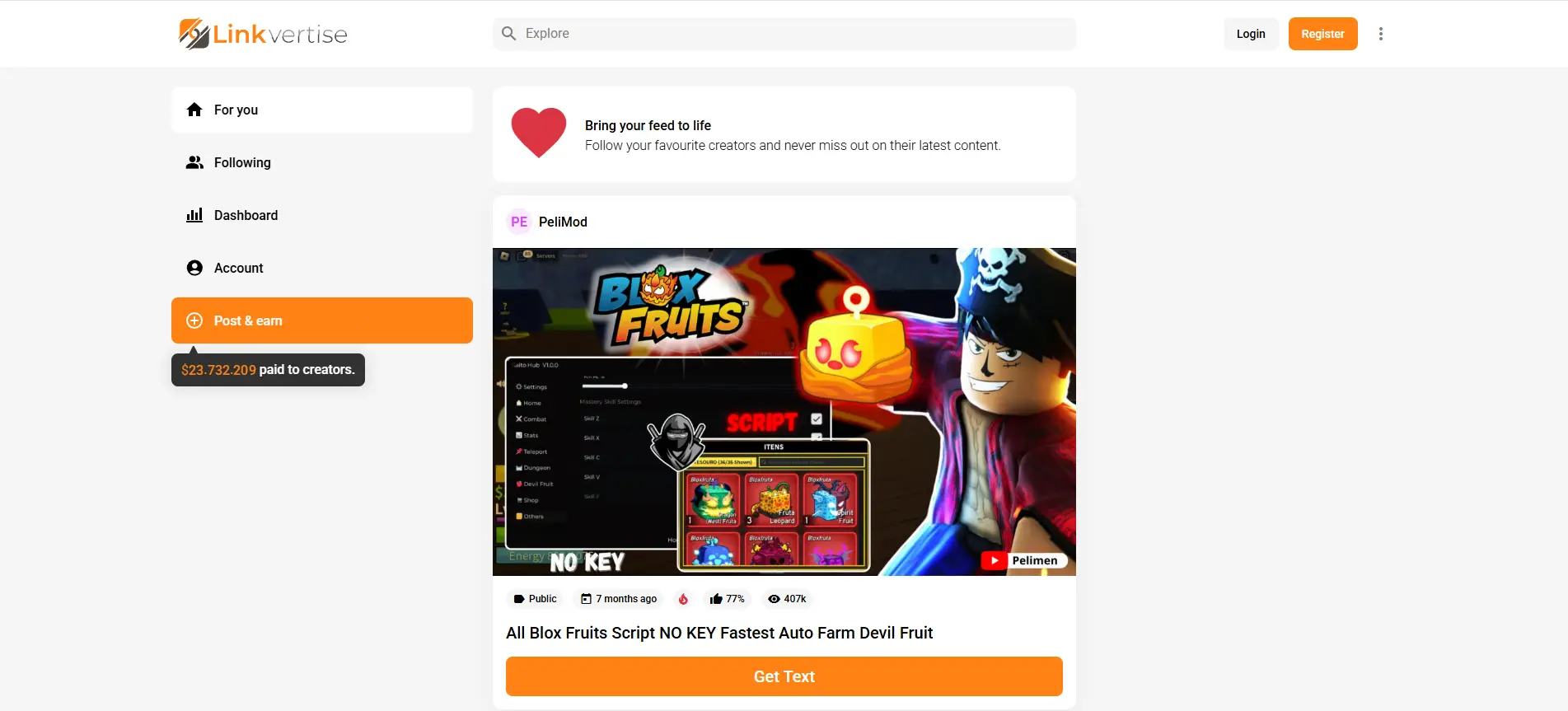
Linkvertise is a link-shortening platform that helps creators earn money from shared links. Instead of sending users straight to a file or website, the creator places a Linkvertise page in the middle. That page shows ads or short waiting steps before the final link opens. You often see Linkvertise links in YouTube descriptions, Discord servers, or forums. For example, a game mod creator may share a free download but use Linkvertise so each click helps cover their costs. This model is common for free tools, guides, or community content.
How Linkvertise Works
Think of Linkvertise as a “middle page” between you and the real link. Here is what usually happens:
- You click the Linkvertise URL.
- You arrive on a Linkvertise page. That page may show ads, a timer, or steps like “continue.”
- After you finish the page flow, you get redirected to the final destination link.
From the creator side, Linkvertise measures visits to those pages (often called “impressions”). That is one of the ways creators track performance and earnings inside their dashboard.
Imagine you are trying to download a free resource shared in a Discord group. The post says, “Download here.” You click. Instead of seeing Google Drive or MediaFire, you see a Linkvertise page first. You wait a few seconds, click “continue,” and only then you reach the real file link. That “extra step” is the product. It is how Linkvertise turns traffic into income for the sharer.
Why People Bypass Linkvertise
After understanding how Linkvertise works, it becomes clear why so many users want to bypass Linkvertise. This behavior does not come from one single reason. It starts with frustration, but it turns into action when access problems affect real tasks and real time.
Common User Frustrations with Linkvertise
For most users, the first reaction to Linkvertise is emotional. They click a link expecting content, but instead face extra steps. Timers, ads, and repeated “continue” buttons break the flow.
Many users report feeling stuck. Pages reload. Buttons are hard to find. On some devices, the process does not work at all. When this happens, users feel blocked from something that should be simple. This is often the moment they start searching for bypass Linkvertise solutions.
There is also a trust issue. Ad-heavy pages can look risky. Some users worry about fake download buttons or being pushed to install unknown software. Even if nothing bad happens, fear alone is enough to create resistance. Emotionally, users feel the system works against them, not for them.
This frustration explains why people complain. But frustration alone does not explain why people take action.
When Friction Becomes a Workflow Problem
The decision to bypass Linkvertise becomes stronger in specific use cases. This is especially true for advanced users and marketers.
For casual users, bypassing is about speed. For professional users, it is about efficiency at scale. Marketers, researchers, and content creators often deal with dozens or even hundreds of links. These links may be part of content research, competitor analysis, or tool testing.
For instance, a marketer reviewing shared resources across multiple communities may hit Linkvertise links again and again. Each timer and ad breaks focus. Each pause slows the workflow. In these cases, a Linkvertise bypasser is not seen as a way to avoid payments. It is seen as a way to keep work moving.
There are also technical reasons. Some teams rely on semi-automated processes. Link checks, monitoring tools, or research systems expect direct access. When every link requires manual clicks and waiting, automation fails. Time cost grows fast.
In practice, bypassing is about control and time management. Saving a few seconds on one link may not matter. Saving those seconds across hundreds of links can mean hours saved. This explains why interest in Linkvertise bypasser tools is highest among power users and digital professionals.
Tools and Methods to Bypass Linkvertise
Now that you know why many users search for ways to bypass Linkvertise, it helps to look at the tools and methods people talk about online. Some of these tools claim to take you straight to the final link, while others automate parts of the process. It’s important to understand how they work and what risks might be involved.
Overview of Bypass Tools
Most tools advertised as ways to bypass Linkvertise are third-party projects. They are not official services. Results vary, and reliability depends on how often the tool is updated.
In general, these tools work by analyzing the redirect chain behind a Linkvertise URL and attempting to extract the final destination link. Below are some commonly discussed options, with their strengths and limits explained clearly.
Bypass.vip
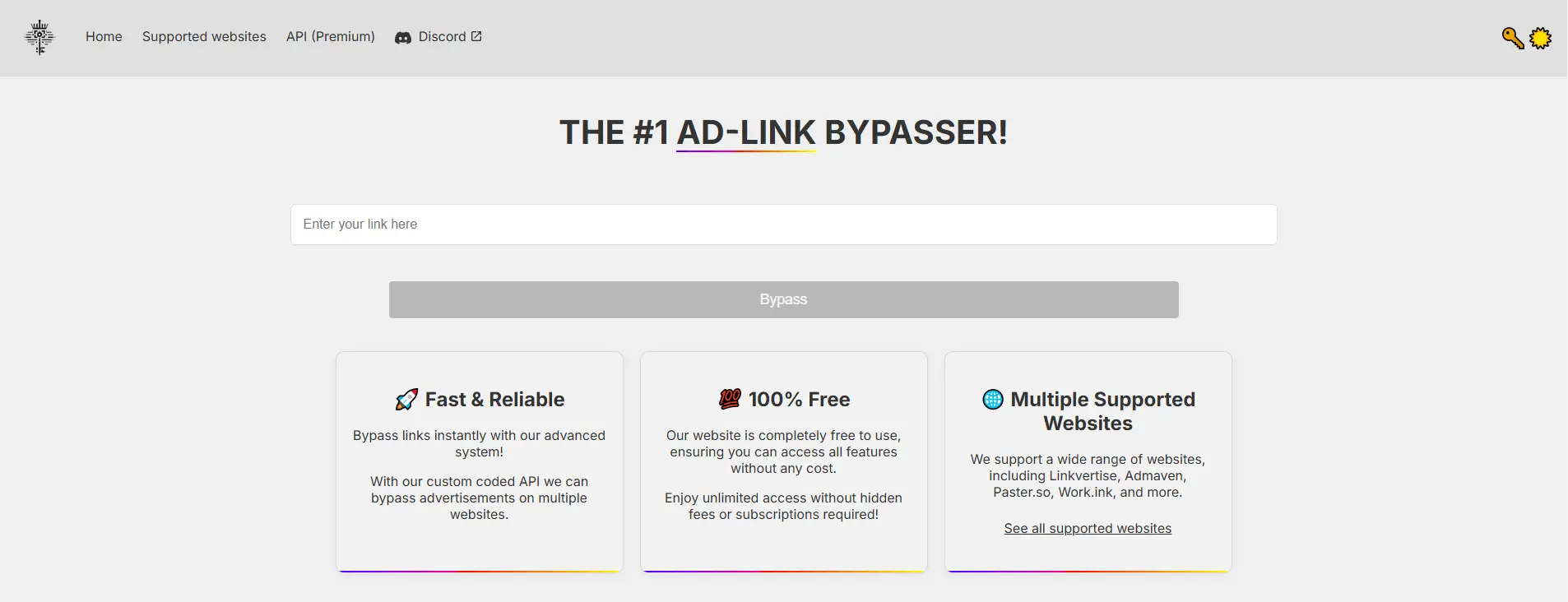
Bypass.vip is a web-based tool that many users try first when looking to bypass Linkvertise. It is designed for quick, one-time use and does not require accounts, browser extensions, or local installation.
In practice, users paste a Linkvertise URL into the site, and the tool attempts to resolve the redirect chain automatically. It claims to support a wide range of ad-link shorteners, not just Linkvertise, which makes it appealing for general use.
Pros
- Free to use and works directly in the browser
- No installation or setup required
- Supports many link shortener services, not only Linkvertise
Cons
- No official guarantee of uptime or long-term support
- Results can change when Linkvertise updates its systems
- No detailed documentation explaining how links are processed
User experience: Many users describe Bypass.vip as fast and simple for basic links. It is often used for occasional access. At the same time, users also report that some links fail without explanation, which suggests reliability depends on the specific link and timing.
BypassUnlock.com
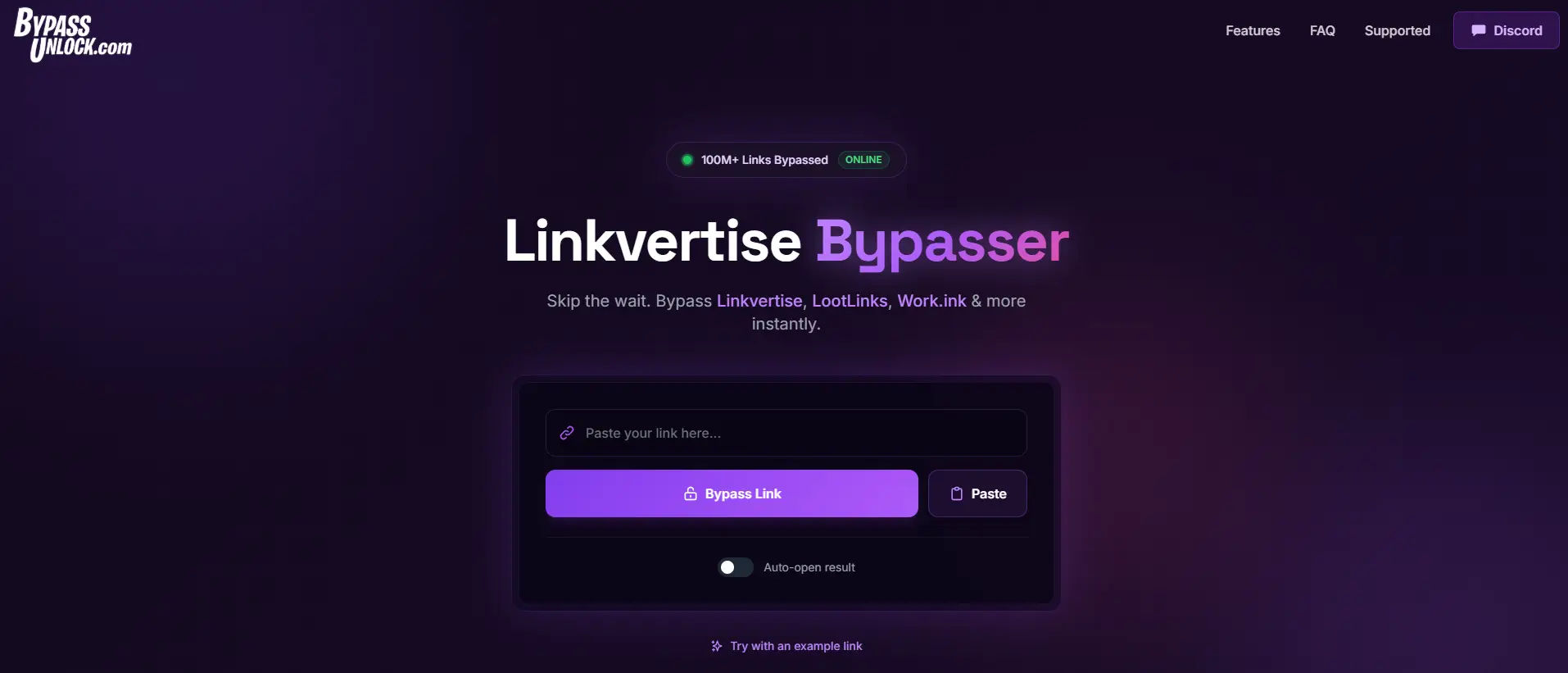
BypassUnlock.com is another browser-based service that focuses on bypassing Linkvertise and several related ad-link platforms. It positions itself as a tool for skipping waiting steps with minimal user interaction.
The process is similar to other online bypass tools. Users paste a link, click once, and wait for the system to attempt a redirect. The site also advertises auto-redirect behavior, which aims to reduce manual steps.
Pros
- Free and easy to use
- Supports several ad-link platforms
- Includes auto-redirect behavior for some links
Cons
- Success rate is inconsistent across different links
- No transparency on how often the tool is updated
- Not all Linkvertise variants are supported
User experience: Users often mention that BypassUnlock.com works better on complex ad-links than some simpler tools. However, reports also show mixed results. Some links open instantly, while others fail or redirect incorrectly. This makes it useful as a backup rather than a primary solution.
Bypass.city
Bypass.city is an online bypass tool that also offers a userscript option for faster access. It emphasizes speed and broad platform coverage.
The web version allows users to paste a Linkvertise URL and attempt an instant bypass. The userscript version integrates more directly with the browsing experience, reducing manual steps.

Pros
- Supports many ad-link services
- Can be used via web interface or userscript
- Often described as fast when it works
Cons
- Some users report browser security warnings
- Certain security tools block the site automatically
- Does not bypass every Linkvertise link
User experience: User feedback highlights speed as its main advantage. At the same time, privacy concerns are frequently mentioned in community discussions. Because of this, some users avoid it or only use it in limited cases.
Bypass.link
Bypass.link aims to provide a cleaner and more stable experience than many similar tools. It focuses on simplicity and frequent updates rather than advanced features.
Users interact with it in the same way as other web tools, by pasting a Linkvertise URL and waiting for resolution.

Pros
- Modern and easy-to-understand interface
- Regular updates are mentioned by users
- Works on many popular shorteners
Cons
- Still affected by Linkvertise system changes
- No official success guarantee
- Limited information about internal logic
User experience: Users generally describe Bypass.link as stable compared to some alternatives. It is often recommended for its clean design and ease of use, though it does not work on every link.
Using Browser Extensions
Some people choose browser extensions to help skip automatic steps on ad-supported links. Extensions run inside your browser and can recognize certain link patterns.
Auto LinkBypasser (Chrome Extension)
Auto LinkBypasser is a Chrome extension that attempts to redirect supported ad-links automatically, without requiring users to visit a separate website. Once installed, it runs in the background and activates when a supported link is detected.
Pros
- Works in the background
- Useful for users who click many links daily
- Supports more than just Linkvertise
Cons
- Does not work consistently on all Linkvertise versions
- Browser updates can break functionality
- Requires trust in a third-party extension
User experience: Some users like the hands-off experience once installed. Others report that it stops working without notice. Reviews suggest it is helpful for frequent use but unreliable as a single solution.
AutoBypasser (Firefox Add-on)
AutoBypasser is a Firefox-specific add-on designed to analyze shortened links and redirect users to final destinations while showing safety indicators. It emphasizes transparency by clearly displaying where a link will lead before redirecting.
Pros
- Automatic bypass for supported links
- Shows final destination clearly
- Includes basic safety warnings
Cons
- Limited to Firefox
- Not all dynamic links are supported
- Requires permissions that some users dislike
User experience: Firefox users often give positive feedback, especially about safety indicators. It is commonly seen as more stable within the Firefox ecosystem than cross-browser tools.
Tampermonkey and User Scripts
One common approach is to use user scripts with an extension like Tampermonkey. User scripts are small programs that run on certain web pages. They can detect when a Linkvertise page loads and try to automatically redirect you to the final URL.
For example, there is a public repository for a Linkvertise bypass userscript linked to a community project on GitHub. This script is designed to work with Tampermonkey by watching for Linkvertise pages and performing actions to skip intermediate steps.
Pros
- Open-source and customizable
- Can adapt faster than fixed extensions
- Preferred by technical users
Cons
- Requires manual setup
- Not beginner-friendly
- Scripts may stop working without updates
User experience: Tech-savvy users appreciate the control userscripts offer. Less technical users often find setup confusing. Success depends heavily on script maintenance and Linkvertise changes.
Automation Tools for Streamlining the Process
Some people build automation tools or browser extensions that try to make bypassing more seamless without manual steps.
For instance, developers in online communities have shared tools or simple extensions that automate clicking through intermediate screens on Linkvertise or similar services. In one example, a developer created a Chrome extension that automates the repetitive clicking and waiting on Linkvertise pages so users can reach the final link with fewer manual steps.
There are also larger automation frameworks that can integrate bypass actions into a workflow or testing setup. These tools are more common among technical users who have many links to process and want a smoother workflow.
💡 Important note: While the tools and methods above are often discussed online, many of them are created by third parties and not officially supported by Linkvertise. Some bypass tools may stop working when Linkvertise changes how its pages function, and others may pose security risks if you use them without caution. Always research and verify tools from trusted sources before using them.
Step-by-Step Guides for Bypassing Linkvertise
After reviewing common tools and methods, many users ask the same question: how do people actually try to bypass Linkvertise in practice? The guides below explain the usual process at a high level, based on how these tools are commonly used and discussed. They focus on understanding the workflow, not on guaranteeing results, because no Linkvertise bypasser works the same way every time.
How to Use Bypass Tools Effectively
Most online bypass tools follow a similar pattern. They are designed for quick checks, not long-term reliability.
Step 1: Copy the Linkvertise URL Start by copying the full Linkvertise link. Make sure it opens normally in your browser first. If the link itself is broken, no bypass tool will help.
Step 2: Use a trusted web-based bypass tool Paste the link into a known bypass service. These tools attempt to analyze the redirect chain and locate the final destination link. This is the basic method people use to bypass Linkvertise without installing software.
Step 3: Check the result carefully If a final link appears, review it before opening. Many experienced users hover over the link or check the domain name first. This helps reduce the risk of landing on an unexpected site.
Step 4: Expect mixed results Some links work instantly. Others fail or return no result. This is normal. Because Linkvertise changes often, bypass tools may stop working at any time. For this reason, users rarely rely on one Linkvertise bypasser alone.
A practical example: a marketer reviewing shared resources may test a few links with an online bypass tool first. If results are inconsistent, they move on instead of forcing the process.
Installing and Configuring Browser Extensions
Browser extensions are usually chosen by people who click many ad-links every day. They aim to reduce manual steps rather than guarantee full bypassing.
Step 1: Install the extension from the official browser store Always install extensions from trusted sources, such as the Chrome Web Store or Firefox Add-ons. Avoid downloading extension files from random websites.
Step 2: Review permissions before enabling Most extensions require permission to read page content. Check these permissions carefully. This step matters for privacy and security.
Step 3: Test on a small number of links After installation, open a few Linkvertise links to see how the extension behaves. Some extensions auto-redirect. Others show a notification or require a click.
Step 4: Monitor performance over time Extensions may stop working after browser updates or Linkvertise changes. Users who rely on them often keep expectations low and disable the extension if problems appear.
In real use, extensions are about convenience. They help reduce clicks, but they do not eliminate all waiting steps in every case.
Creating and Using User Scripts
User scripts are the most flexible option, but also the most technical. They are commonly used by advanced users who want more control.
Step 1: Install a script manager Tools like Tampermonkey allow user scripts to run on specific pages. This is required before any script can work.
Step 2: Choose a well-maintained script Many Linkvertise bypass scripts are shared on public repositories. Experienced users check update history and user comments before installing.
Step 3: Enable the script and test behavior Once active, the script reacts when a Linkvertise page loads. It may try to skip steps or redirect automatically. Results vary based on how the page is built.
Step 4: Update or disable when needed When Linkvertise changes its structure, scripts can fail. Users often update scripts manually or turn them off to avoid errors.
For example, a developer processing many links may use a user script during research sessions. When it stops working, they switch back to manual access instead of forcing a bypass.
Key reminder for users
Every method used to bypass Linkvertise comes with limits. A Linkvertise bypasser may save time in certain cases, but it can also fail without warning. The safest approach is to understand how each method works, use it carefully, and avoid relying on any single tool for critical access.
Linkvertise bypass tools can save time in specific cases, but they are not built for long-term workflows. When links are accessed repeatedly, patterns start to form. For users who manage many accounts or handle large volumes of content, bypassing alone does not solve the bigger problem.
At that stage, many teams move to a dedicated multi-profile browser setup. This is where DICloak can fit naturally into the workflow. It allows users to run many separate browser profiles on one device, with each profile isolated. That makes it easier to handle link access, account logins, and daily actions without everything blending into one “shared environment.”
Managing Multiple Accounts Without Pattern Risk
When many accounts are accessed from the same device or browser profile, platforms can detect similarities. Repeated bypass behavior, shared fingerprints, or reused IPs increase risk over time.
Using an antidetect browser profile allows each account to run in its own isolated browser profile. Each profile behaves like a separate device, with its own fingerprint, storage, and session data. This helps keep accounts independent and reduces unwanted linkage.
For users working with Linkvertise links across different platforms, like social media managers, affiliate marketers, or traffic teams, this separation is critical.
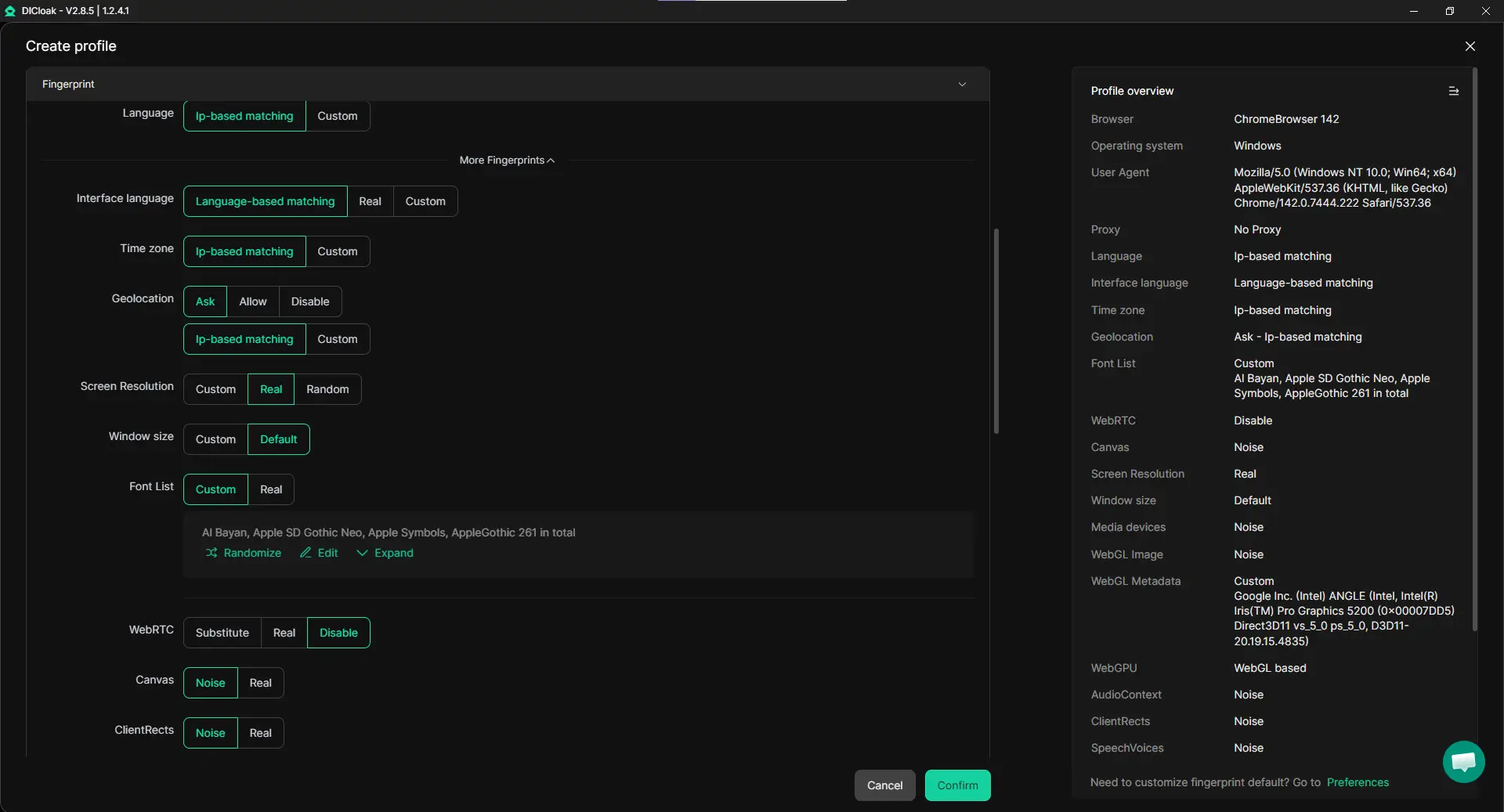
Custom Proxy Configuration for Each Workflow
Accessing links from the same IP again and again creates clear patterns. A more flexible approach is to assign a different proxy to each browser profile.
With custom proxy configuration, each account can connect through its own IP using common protocols like HTTP, HTTPS, or SOCKS5. Proxies can be assigned in bulk and matched to specific regions.
This setup is especially useful when links come from different sources or countries. It allows users to bypass Linkvertise-related friction while keeping network behavior consistent and realistic.
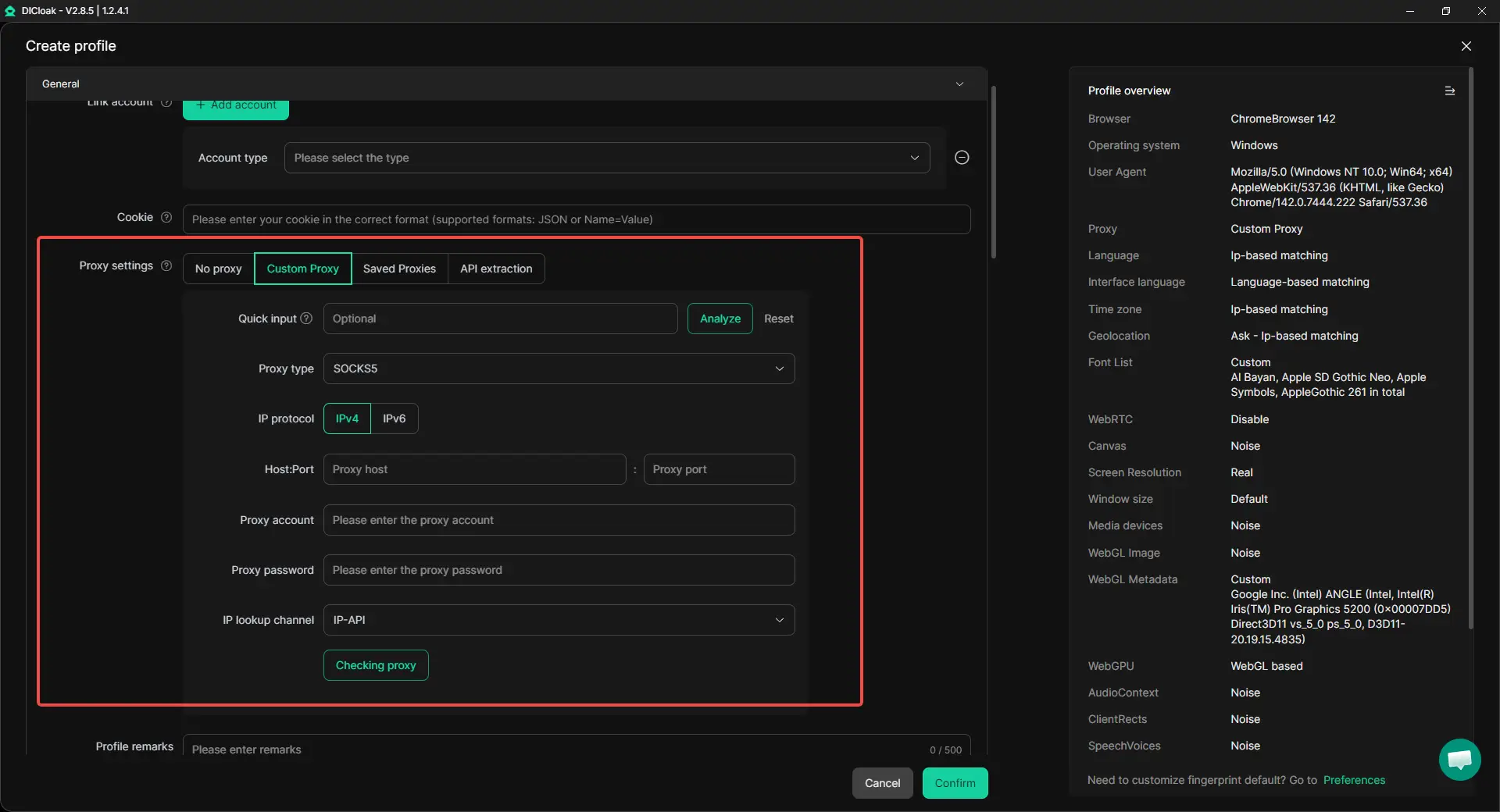
Synchronizer for Bulk Operations
When the same action needs to be performed across many accounts, Synchronizer becomes valuable. This feature allows one action to be mirrored across multiple browser windows at the same time.
For example, if several profiles need to access similar links or perform the same steps, synchronized windows let users do it once and apply it everywhere. This keeps actions consistent while reducing effort.
Combined with isolated profiles, Synchronizer supports scale without sacrificing control.
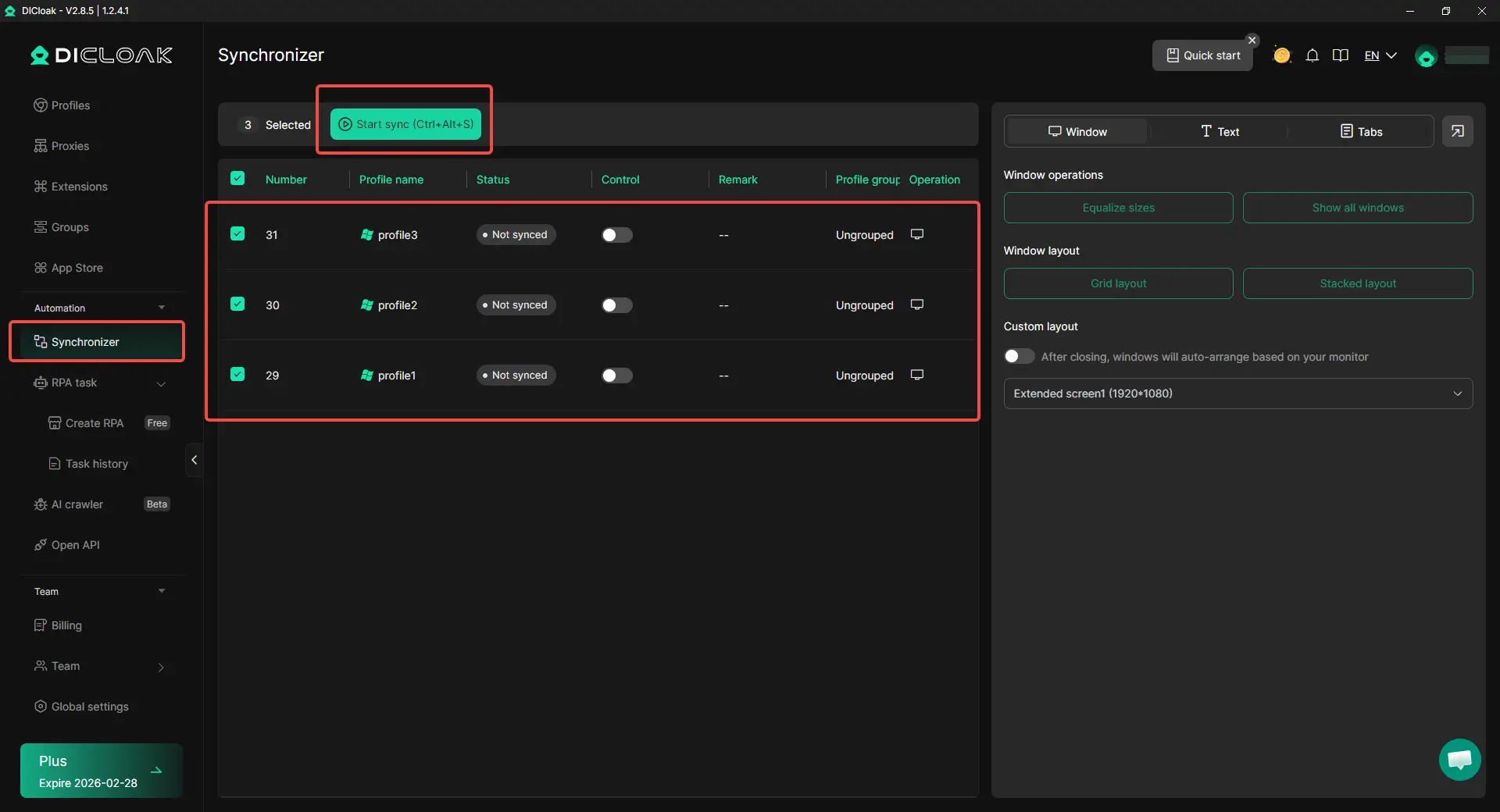
A Practical Way to Scale Safely
Buying and maintaining multiple physical devices is expensive and inefficient. Running many accounts on a single machine, with isolated environments and automation, is a more practical option for most teams.
By combining profile isolation, custom proxies and Synchronizer, users can move beyond basic Linkvertise bypasser tools. Instead of reacting to friction link by link, they gain a stable system for managing access, accounts, and workflows safely.
This approach does not replace bypass tools. It complements them. And for users operating at scale, it often becomes the foundation that keeps everything running smoothly.
Conclusion
Linkvertise exists to help creators earn money, but for many users it feels like friction. Ads, timers, and extra steps can slow access and create confusion, which is why so many people search for ways to bypass Linkvertise.
This guide showed that no single Linkvertise bypasser works perfectly every time. Web tools, extensions, user scripts, and automation can reduce clicks in some cases, but results change as Linkvertise updates its flow. That makes bypassing a short-term workaround, not a guaranteed solution.
For users handling many links or managing multiple accounts, the bigger need is stability. Instead of relying only on bypass methods, many teams build safer workflows with isolated browser profiles, custom proxies, and automation to reduce patterns and keep work moving. The best outcome comes from choosing the method that matches your risk level, link volume, and daily workflow.
Frequently Asked Questions (FAQs)
Is it legal to bypass Linkvertise?
Many users ask whether it is legal to bypass Linkvertise. In most cases, bypassing does not break the law, but it can violate Linkvertise’s terms of service. This means the risk is usually account-related, not legal. For casual users, the main concern is safety. For marketers and creators, repeated bypassing may increase pattern risk when managing multiple accounts.
Why does bypass Linkvertise sometimes stop working?
Tools used to bypass Linkvertise often stop working because Linkvertise updates how its pages and redirects function. Bypass tools rely on detecting redirect chains, and even small changes can break them. This is why one Linkvertise bypasser may work today but fail tomorrow. It is normal behavior, not user error.
What is the safest way to bypass Linkvertise?
There is no single “safest” way to bypass Linkvertise, but lower-risk approaches usually involve trusted tools, limited use, and careful checking of final links. Many experienced users avoid unknown extensions and focus on isolating browser profiles, using different profiles, and reducing repeated patterns rather than forcing bypasses on every link.
Can bypass Linkvertise tools affect my other accounts?
Yes, they can. Repeatedly using the same browser, IP, or device to bypass Linkvertise across many accounts can create detectable patterns. This is especially risky for marketers and teams managing multiple accounts. That’s why advanced users often focus on environment isolation and workflow control instead of relying only on bypass tools.
Should I rely on bypass Linkvertise tools for long-term workflows?
Bypass tools are best seen as short-term helpers. They can save time in specific cases, but they are not stable enough for long-term use. For users who handle many links or accounts daily, relying only on tools to bypass Linkvertise often leads to broken workflows. A structured setup with isolated profiles, automation, and controlled access is usually more sustainable.
 Web Proxy Tools
 Free Tools
 Cookie Plugin
 UA Generator
 MAC Address Generator
 IP Generator
 IP Address List
 2FA Code Generator
 World Clock
 Anonymous Check
 WebRTC Leak Test
 UUID Generator
 Free Web Proxy Site
 Proxy Checker
 FB Ad Checker
 AI Web Scraping
 Free SMM Tools
 Twitter Shadowban Checker
 Instagram Name Checker
 UTM Generator
 Username Generator
 AI Hashtag Generator
 LinkedIn Headline Generator
 Social Media Image Resizer