A locked account after a failed login, a “session expired” warning on your phone, or a hacked-profile scare usually means one thing: you need to update your password fast. If you searched how to change facebook password, you likely want clear steps that work on both mobile and desktop without getting stuck in menu loops.
Facebook’s own password change settings, Security Checkup, and recover account flow all cover parts of the process, but users still hit common blockers like not receiving a reset code, being logged out on all devices, or not knowing whether to change the password in the app or browser. You also need to know what to do right after the change, like reviewing active sessions and turning on two-factor authentication.
This guide gives you the exact click path for iPhone, Android, and desktop, plus quick fixes for the most common reset problems so you can secure your account and get back in with less friction. Start with the app steps if you still have account access.
What to do before you change your Facebook password
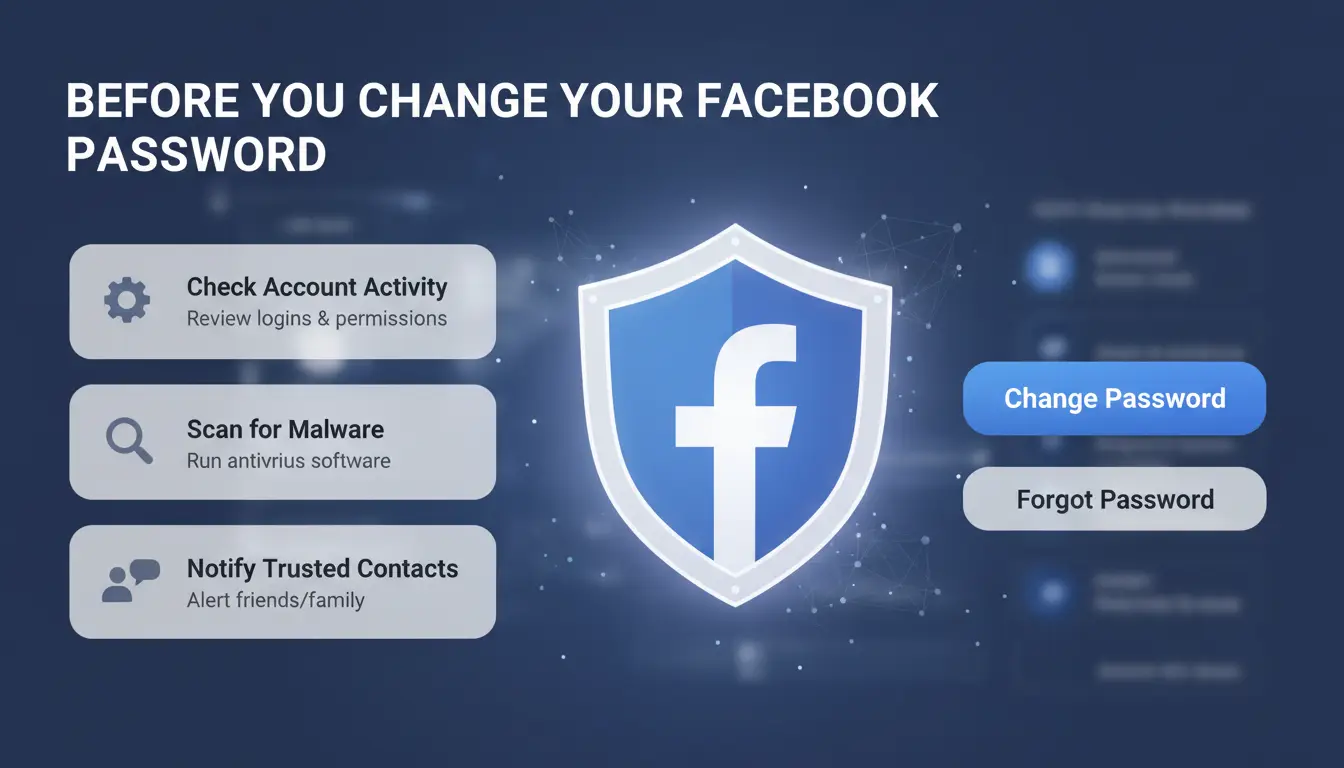
Before you start how to change facebook password, do three quick checks. They cut the chance of lockout and make the update faster on app or desktop. If any check fails, fix it now, then change the password.
Confirm you can access your recovery email and phone number
Password changes can trigger a login check. If your old email inbox is gone, or your phone number is inactive, you may not get the code. Open Accounts Center, confirm your email and phone, and remove outdated contacts. If you already lost access, use the recover account flow before changing credentials.
Check whether your account shows suspicious logins
Go to Password and security settings and review “Where you’re logged in.” Look for unknown devices, cities, or login times you do not recognize. If you see an unknown session, log it out before you change the password. Then run Security Checkup.
Prepare a stronger replacement password in advance
Create a password with at least 12 characters, mixing upper and lower case letters, numbers, and symbols. Do not reuse any old password from Facebook or other sites. Reused passwords are common in account takeovers after leaks. This prep step makes how to change facebook password smoother and safer.
How to change Facebook password on the mobile app (Android and iPhone)
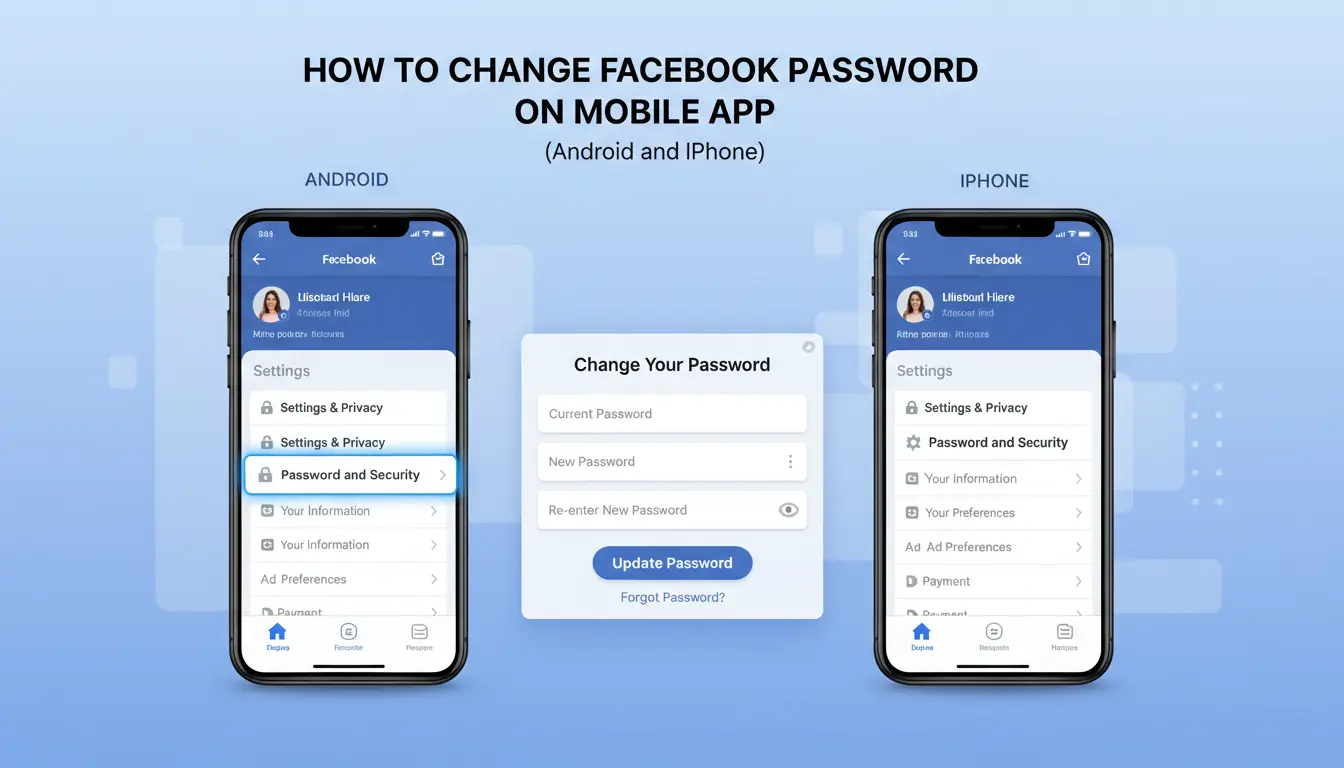
If you still have account access, this is the fastest way for how to change facebook password without using desktop reset pages. Keep your old password ready before you start.
Open the right menu path in the Facebook app
Tap Menu (bottom-right on iPhone, top-right on Android), then go to Settings & privacy > Settings > Password and security. On some Android builds, you may see “Security and login” inside Account Center, but it leads to the same place. If labels look different, check Facebook Security Checkup and match the security path there.
Enter current password and set a new one correctly
Tap Change password. Enter your current password, then your new password, then re-type the new password to confirm. Use a passphrase you have not used on Facebook before. Type the new password in Notes once, then paste it into both new-password fields to avoid keyboard typo lockouts. Tap Update password, then wait for the save confirmation screen.
Choose whether to log out of other devices right away
After saving, Facebook asks whether to stay signed in or review other devices. Log out of all sessions at once if you saw unknown login alerts, lost a phone, or clicked a phishing link. Keep trusted sessions for a short time if you are in active work chats and can verify every device in Password and security settings. This is where how to change facebook password links to real account cleanup.
How to change Facebook password on desktop
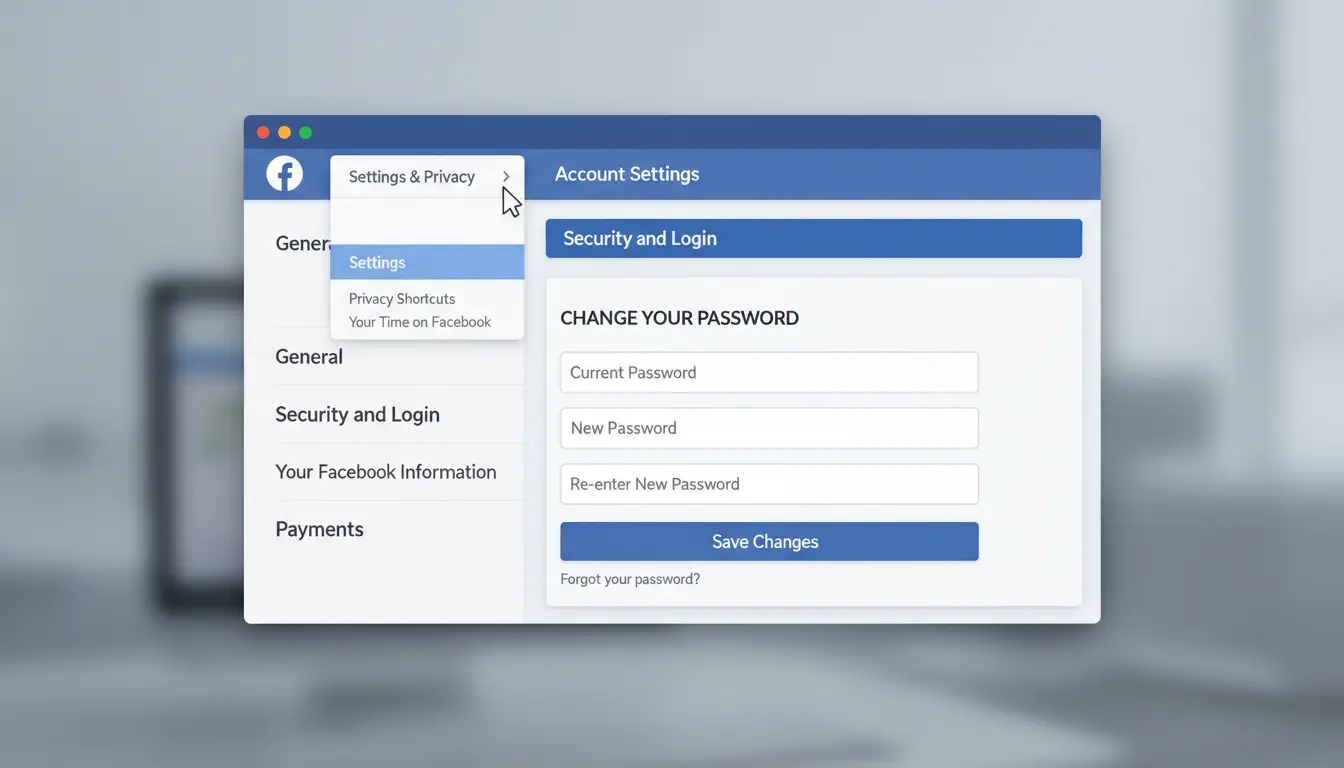
If you’re searching for how to change facebook password on a computer, use this exact path and run a quick access check right after.
Navigate to Security and login settings on web
On facebook.com, click your profile icon (top right) → Settings & privacy → Settings → Password and security. You can also open Password and security in Accounts Center and go to Change password directly.
Update password and save changes
In Change password, enter:
- Current password
- New password
- Re-type new password
Click Save changes. Facebook may ask for an extra check if your sign-in looks unusual. After saving, you should see a confirmation screen and an account email about the password update. If you do not remember the current password, use the recover account flow.
Verify your account is still accessible after the change
Stay in the same browser, log out, then log back in with the new password. Then test one login on a second trusted device, like your own phone or laptop. If login works in both places, your how to change facebook password update is active. After that, review active sessions in Security Checkup and turn on two-factor authentication.
How to reset your Facebook password if you forgot it
If you’re searching how to change facebook password but can’t remember the old one, use Facebook’s reset flow instead of account settings. It works on app and desktop, and you can recover access without the current password.
Start from the 'Forgot password?' option
On desktop, open the Facebook login page and click Forgot password? under the password field. In the app, go to login, tap Forgot password?. Enter your email, phone number, or username to find your account. If one option fails, try another linked contact method.
Use verification code and create a new password
Choose where to receive the code (email or SMS). Facebook codes can expire, so enter the newest code right away. If you requested multiple codes, older ones often fail. Use only the latest message. After verification, create a new password you have not used before. Then review active sessions in Password and Security and remove devices you don’t recognize.
What to do if you cannot access email or phone anymore
In the recover account flow, try any backup email or number still linked to your profile. If none work, use Facebook’s identity confirmation steps in the same recovery path. After access is restored, update contact info and turn on two-factor authentication so the next how to change facebook password request is faster and safer.
Why Facebook password change may fail and how to fix it
If how to change facebook password keeps failing, stop repeating the same request. That usually adds more checks. Match the fix to the error you see.
Incorrect current password or too many attempts
- Check Caps Lock, keyboard language, and saved autofill.
- If the same error appears after a few tries, switch to recover account flow instead of retrying.
Reset code not arriving by email or SMS
- Check spam, promotions, and blocked numbers. SMS can lag for a few minutes.
- If one channel stalls, try the other path in Security Checkup.
Security checkpoint loops and temporary locks
- New device use, proxy changes, or rapid retries can trigger extra checks.
- Wait, keep one device and one browser, clear old sessions, then try again. After access returns, turn on two-factor authentication.
What to secure immediately after changing your Facebook password
After you finish how to change facebook password, treat the next 10 minutes as account recovery prevention time. A new password helps, but stolen sessions and old app access can still let someone back in. Use Password and Security settings and Security Checkup right away.
Log out of unknown sessions and review connected devices
Open Where you’re logged in and remove sessions you do not recognize. If activity looks bad, choose log out of all sessions, then sign in again only on your own devices. Check city, device type, and login time. A mismatch like “Windows in another country” or a late-night login you did not make should be treated as hostile access.
Turn on two-factor authentication and login alerts
Enable 2FA in Facebook’s 2FA settings. Authenticator apps are safer than SMS if your phone number gets swapped.
| Method |
Setup speed |
Risk point |
Better for |
| Authenticator app |
Medium |
Phone loss without backup codes |
Daily account protection |
| SMS code |
Fast |
SIM swap and carrier attacks |
Backup only |
Turn on login alerts so Facebook notifies you about new-device sign-ins.
Audit third-party apps and saved browsers
In Apps and Websites, remove old tools you no longer use. Old permissions can expose data or post access. On shared computers, clear remembered logins and saved passwords in the browser. If needed, run account recovery after cleanup.
How teams can handle Facebook password updates more safely with DICloak
If your team is searching for how to change facebook password, the reset steps are only half the job. The bigger risk starts right after the new password is set and shared across staff.
Why Facebook account workflows create password and security risks
Shared Facebook accounts often move between devices, locations, and networks in a short time. That pattern can trigger extra checks in Facebook Security Checkup or force re-verification. Teams also leak access through chat messages, docs, or old spreadsheets. One copied password can stay in private notes for months. The real failure point is not the reset click path, but unmanaged access after the reset.
How DICloak reduces risk during multi-account operations
You can use DICloak to place each Facebook account in its own browser profile with a separate fingerprint and dedicated proxy. This keeps account behavior more consistent per profile. You can also set role-based permissions, share only the required profile, and review operation logs to see who changed settings, logged in, or exported data.
Example SOP for marketers after a Facebook password reset
After you complete how to change facebook password, bind that account to one fixed DICloak profile and one proxy before any new login. Then assign access by role, not by sharing raw credentials. Keep logs on, and run RPA checks for routine items like session review and 2FA status in Facebook security settings.
Common mistakes to avoid when changing a Facebook password
When following how to change facebook password, users often get locked out by small mistakes, not hard steps.
Reusing old or similar passwords across platforms
Changing “Summer2024” to “Summer2025” is easy to guess if one site leaks. Use a passphrase pattern you control, like 3 random words plus a site tag, then store it in a password manager.
Skipping recovery and security settings after password updates
A new password will not help if your recovery email or phone is old. Update both in Security Checkup, then enable two-factor authentication. Most repeat resets happen after people skip this cleanup.
Changing password on untrusted networks or shared devices
Public or shared devices can keep sessions active after you leave. For teams managing multiple accounts, tools like DICloak let you relogin with the same isolated browser fingerprint and per-profile proxy after a reset, which lowers suspicious environment changes. You can use team permissions, profile sharing, and operation logs to avoid unsafe password sharing and track who changed what.
Frequently Asked Questions
How often should I change Facebook password for better security, and does how to change facebook password matter?
Change it right away after any warning signs: strange logins, phishing messages, data breach alerts, or using Facebook on a shared computer. If your password is long, unique, and 2FA is on, a fixed monthly reset is optional. Still, knowing how to change facebook password helps you react fast.
When using how to change facebook password, can I keep other devices logged in?
Yes. Facebook usually gives you a choice to stay logged in on current devices or log out everywhere. Keeping sessions is fine on trusted personal phones and laptops. Choose full logout if you saw unknown activity, lost a device, or used public/shared Wi-Fi. This is a key step in how to change facebook password safely.
How long does Facebook take to update a new password after I follow how to change facebook password steps?
Most password changes apply immediately. In many cases, you can sign in with the new password right away. Sometimes apps or browsers take a short sync delay. If login fails, wait a few minutes, refresh the app, then try again. Also check for typing mistakes, saved old passwords, or keyboard auto-fill errors.
Will changing my Facebook password affect my Messenger login?
Yes. Facebook and Messenger use the same account credentials, so a new Facebook password also becomes your Messenger password. Some devices will ask you to sign in again after the change. On trusted devices, you may stay signed in for a short time, then get prompted later for re-authentication.
If someone changed my password first, can I recover my account and then learn how to change facebook password again?
Yes. Use Facebook’s account recovery page, identify your profile, and verify with your email or phone. Secure those channels first by updating their passwords too. After recovery, set a new strong Facebook password, enable 2FA, and review active sessions to log out unauthorized devices. This completes how to change facebook password after takeover.
Changing your Facebook password regularly and choosing a strong, unique combination are simple steps that go a long way toward protecting your account. Whether you update it from the settings menu or reset it after a login issue, the most important thing is to act quickly and keep your recovery information up to date. Try DICloak For Free
 Web Proxy Tools
 Free Tools
 Cookie Plugin
 UA Generator
 MAC Address Generator
 IP Generator
 IP Address List
 2FA Code Generator
 World Clock
 Anonymous Check
 WebRTC Leak Test
 UUID Generator
 Free Web Proxy Site
 Proxy Checker
 FB Ad Checker
 AI Web Scraping
 Free SMM Tools
 Twitter Shadowban Checker
 Instagram Name Checker
 UTM Generator
 Username Generator
 AI Hashtag Generator
 LinkedIn Headline Generator
 Social Media Image Resizer