Instagram Stories are easy to watch, but not always easy to research privately. When every view may leave a visible trace, marketers, creators, and privacy-focused users need a safer way to monitor public content. This guide explains what an IG watcher can and cannot do, the risks behind free tools, and how a more stable browser setup can help with professional Instagram research.
Why does everyone want a reliable IG watcher?
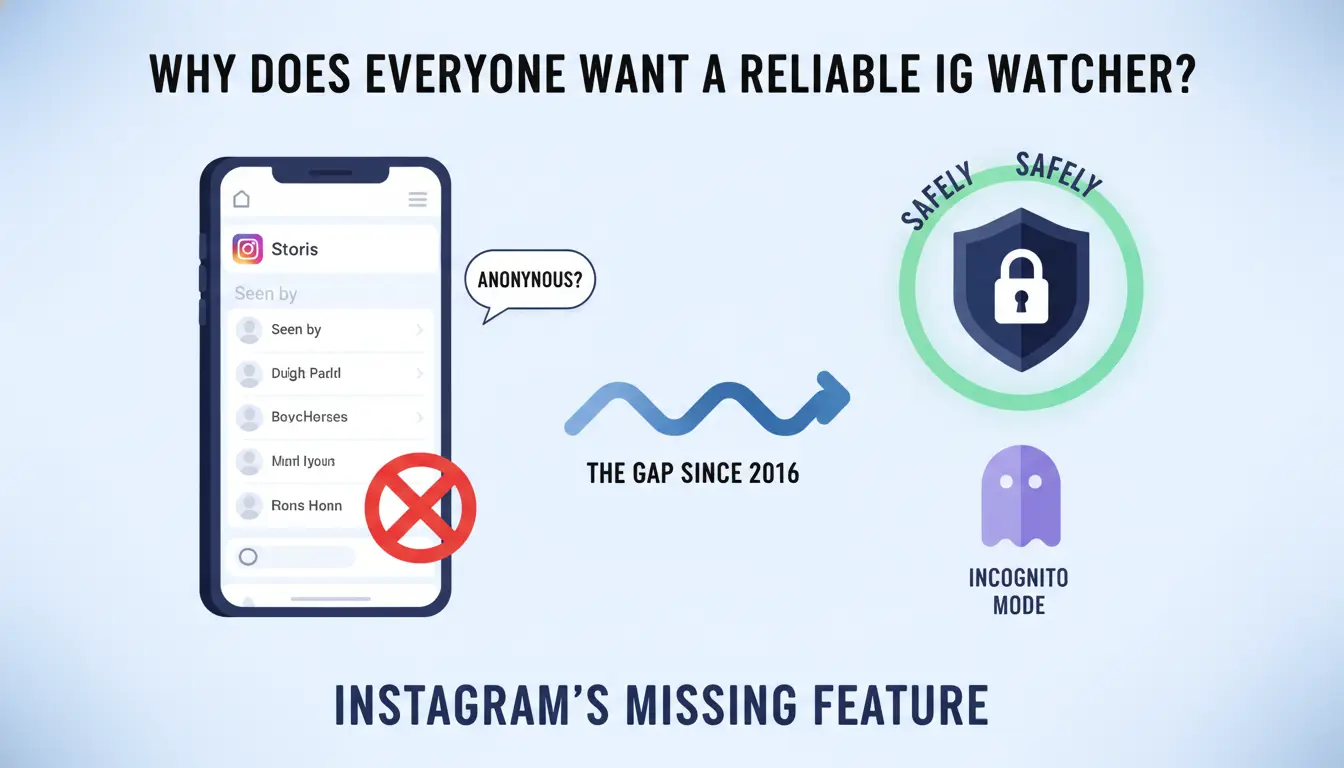
The search for a reliable "IG watcher" is driven by a fundamental gap in Instagram’s architecture that has existed since Stories launched in 2016. Despite a decade of user demand, Meta has never implemented a native "incognito" mode for content consumption.
The core frustration lies in the "Seen by" list. When you view a story, your handle is logged on the account owner’s dashboard. This tracking persists for the entire 48-hour window that story viewer details remain available—though it is important to note that, unlike active stories, viewer details do not remain indefinitely on Highlights. For digital marketers tracking competitor campaigns, SMM specialists monitoring influencer activity, or privacy-conscious users, this lack of anonymity creates a significant barrier to objective research.
Can you actually watch IG stories without a third-party tool?
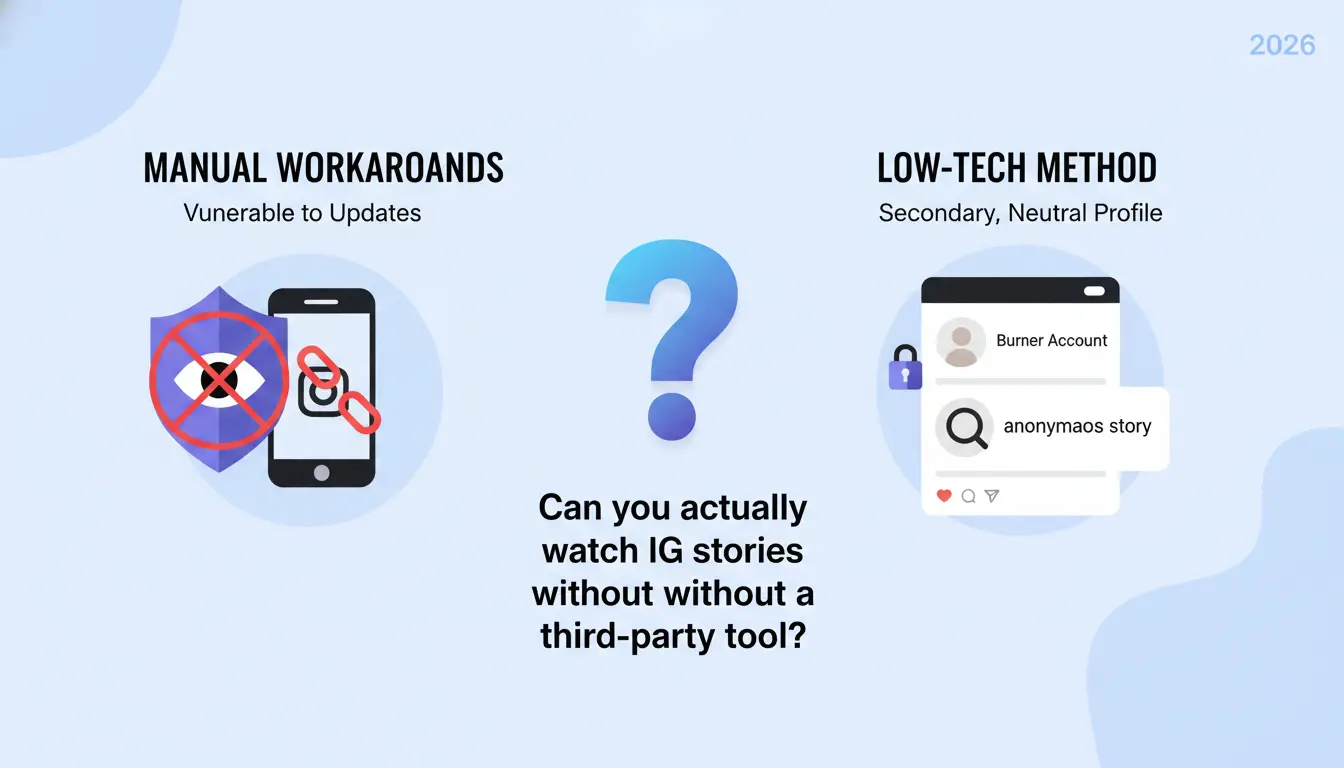
Manual workarounds are the first line of defense for those avoiding external software, but they are increasingly vulnerable to technical patches and platform updates.
The reality of using a "Burner" Instagram account
The most common "low-tech" method involves creating a secondary, neutral profile with no identifiable connection to your primary identity. To be effective, this requires a total "air-gap" in your digital footprint: do not link the phone number or email used for your main account. As an expert, I recommend using a protected network environment or mobile data during the registration of these burner accounts to help prevent Instagram from linking the profiles via your IP address. Even so, the limitation is clear: you are still technically visible; you have merely swapped one identity for another.
Does the Airplane Mode caching trick still work in 2026?
The Airplane Mode trick relies on pre-loading stories into the device cache, disconnecting from the internet, and viewing them offline. The process requires you to force-close the app completely before reconnecting. However, in 2026, this method is highly inconsistent. Many 2025-2026 app builds are designed to store "view" data locally and sync it immediately upon reconnection. Instagram has systematically patched the glitches that once made this a foolproof method, making it unsuitable for professional workflows.
Mastering the "Peek" technique from adjacent stories
The "Peek" involves opening an adjacent story and slowly sliding your finger to preview the target story without releasing the swipe. While this prevents your name from appearing on the "Seen by" list, it is technically limited. It only displays the first frame of the content; videos will not play, and interactive elements—such as stickers, polls, or captions—will often fail to render or function. It is a tool for curiosity, not for detailed analysis.
Are free web-based IG watchers safe to use right now?
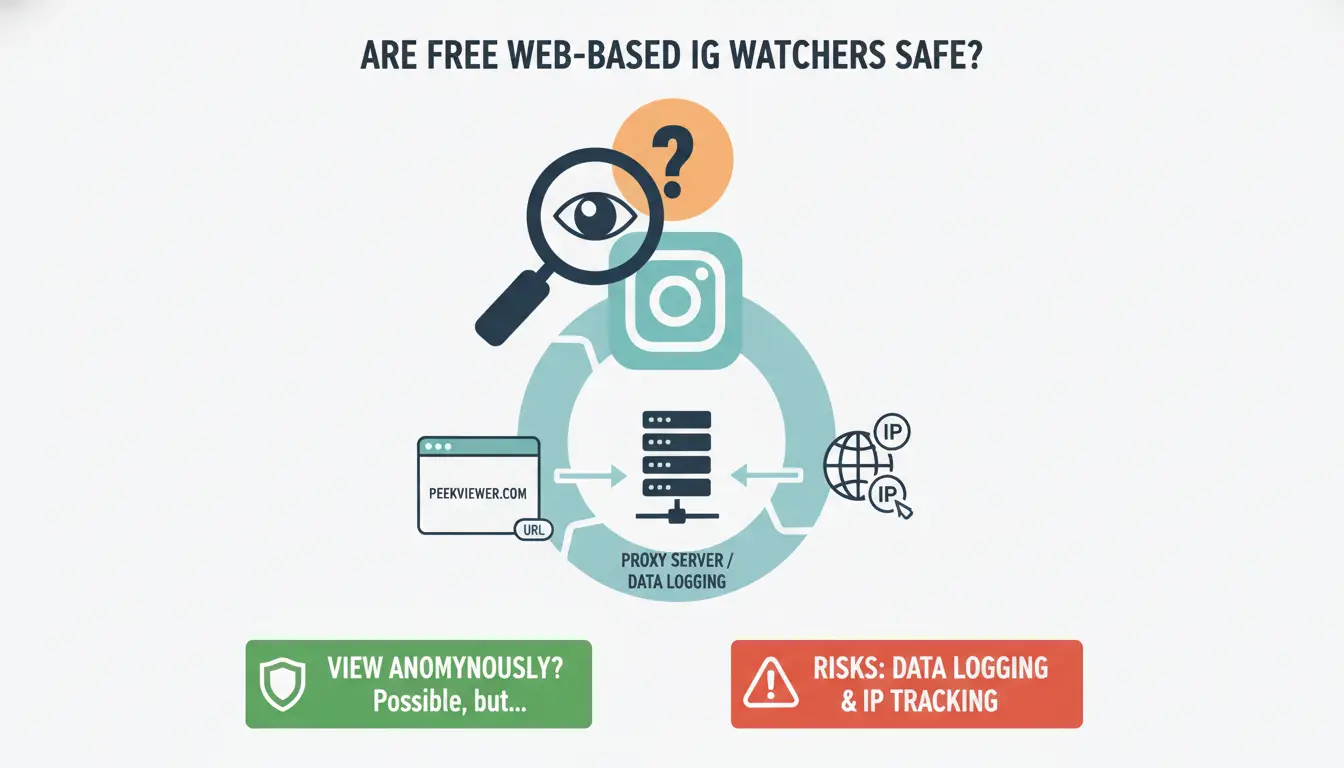
Web-based viewers like PeekViewer, StoriesIG, or InstaStoriesViewer operate by fetching public data server-side through unofficial scraping or private requests. This allows you to view content without an active login.
The risks of data logging and IP tracking
These tools act as intermediaries between your device and Instagram's servers. You must consider how these platforms handle your IP address and browsing logs. The most critical risk is phishing. I cannot state this clearly enough: if any "watcher" service requests your Instagram password, two-factor authentication codes, or email credentials, leave the site immediately. Legitimate scrapers do not require your login data to access public content.
Why web viewers cannot bypass private account security
There is a persistent myth that IG watchers can "unlock" private profiles. This is technically impossible without an approved follow request because Instagram’s authentication is server-side. No third-party tool can bypass "Close Friends" lists or private account settings. Any service claiming to do so is a scam designed to harvest user data.
Why do professional marketers need more than a basic IG watcher?
For professional social media managers and ad arbitrage specialists, "Identity Anonymity" (hiding a username) is only half the battle. They require "Technical Anonymity"—the masking of the digital fingerprints that Meta uses to link accounts and track behavior patterns.
Failing to maintain technical anonymity during research leads to several professional risks:
- IP Bans and Rate Limiting: High-frequency viewing from a single IP address can lead to a "shadowban" or a total block of your research infrastructure.
- Platform Flags: Instagram monitors for "suspicious patterns," such as multiple accounts being accessed from the same device ID.
- Cross-Contamination: Without isolation, a ban on a research account can "leak" and compromise your primary brand or client accounts.
- Data Distortion: If Meta identifies you as a researcher, the content served to you may be different from what a genuine consumer in a target region sees.
How to achieve professional-grade anonymity for IG research
To mitigate these risks, professionals use anti-detect browsers to create secure, isolated environments. DICloak is a powerful tool for this workflow, allowing researchers to treat every browser session as a completely unique device.
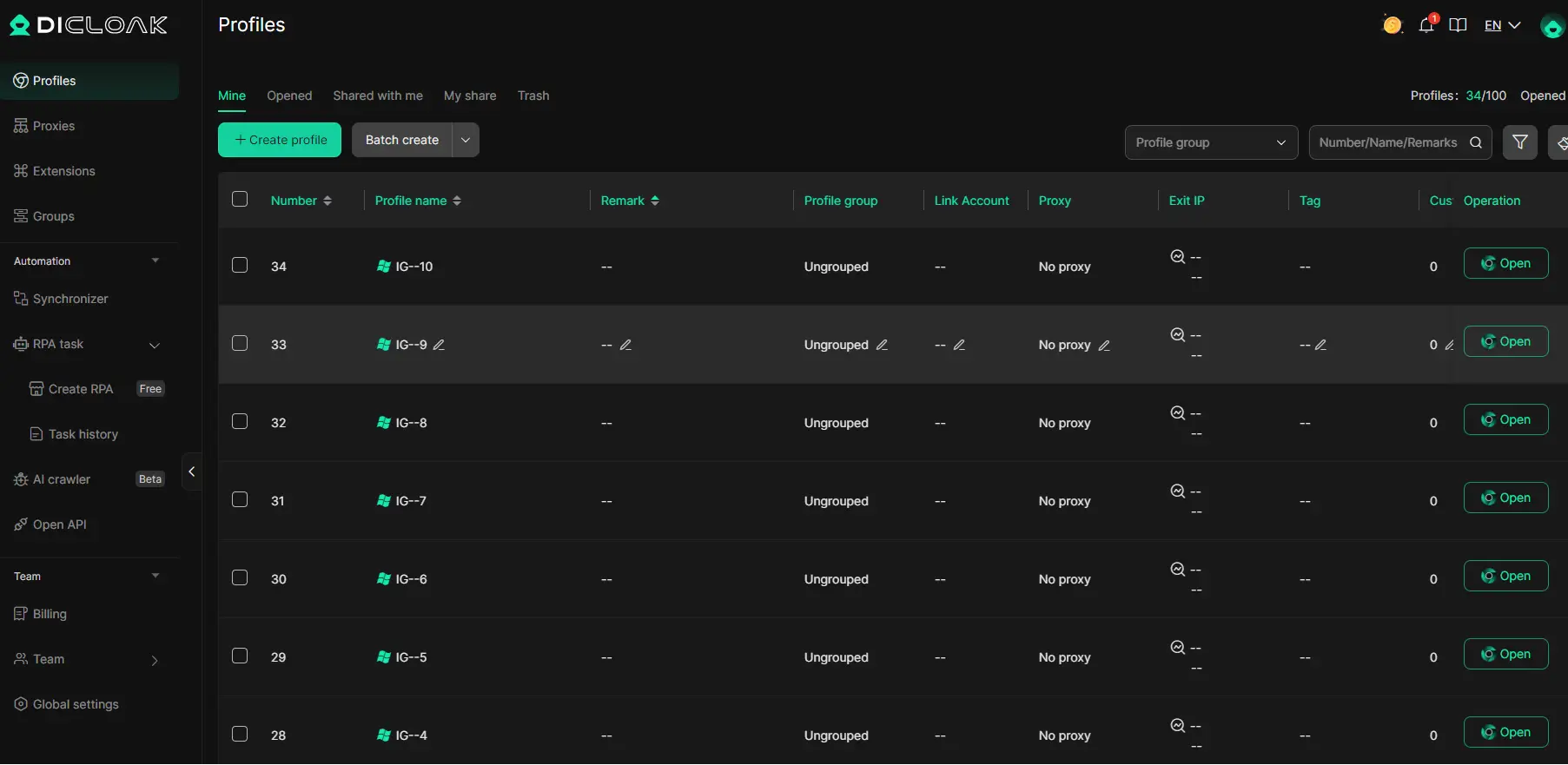
Managing multiple research profiles without detection
DICloak manages "browser fingerprinting" by spoofing parameters like User-Agent strings, WebGL configurations, and Canvas fingerprints. Instead of trying to hide these details, it generates a unique, legitimate-looking digital fingerprint for every profile. This is designed to make your research activity appear similar to that of a real user on a fresh device.
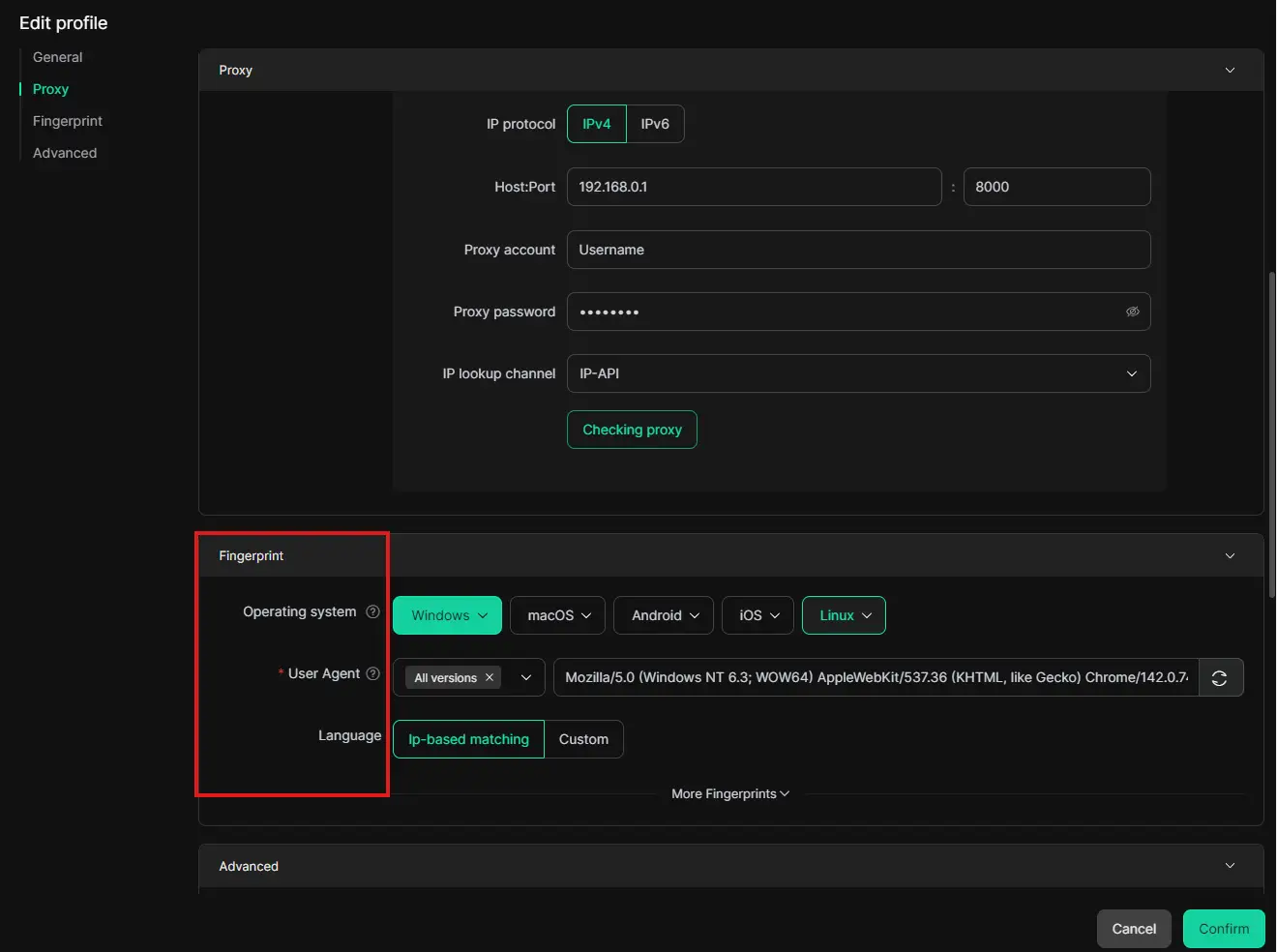
Integrating proxies for localized content monitoring
By integrating residential or mobile proxies, you can view stories as they appear in specific geographic regions. This is essential for verifying localized ad campaigns or regional influencer trends without triggering "suspicious login" alerts from Meta's security systems.
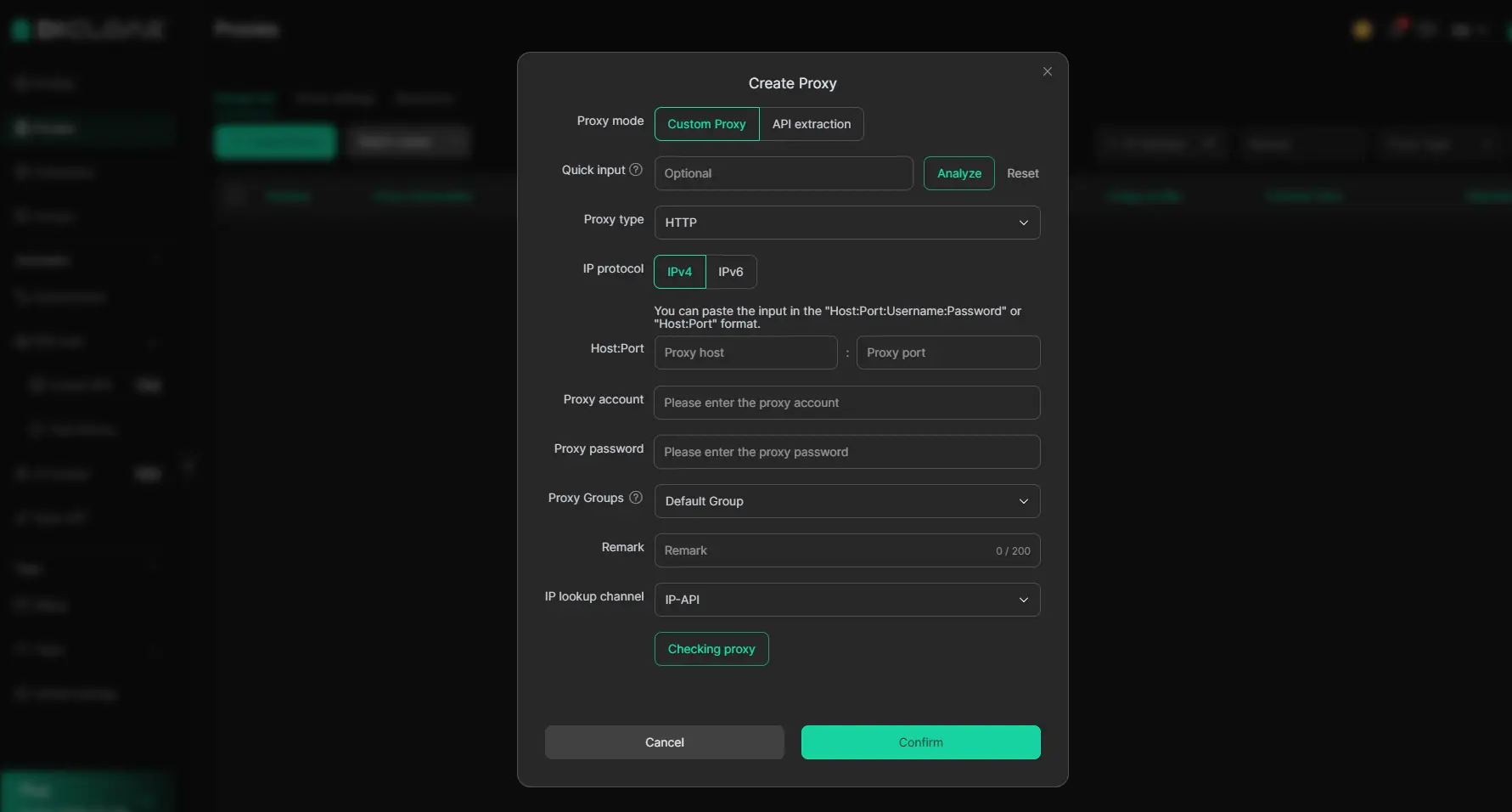
Key Features of DICloak for IG Research:
- Isolated Browser Profiles: DICloak provides isolated browser profiles with unique fingerprints to help prevent cross-contamination and support multi-account management.
- Secure Profile Data: DICloak offers data and security protection, including encrypted storage of passwords and cookies, designed to protect account credentials.
- Configurable Proxy Integration: DICloak supports integration with user-configured proxies, allowing users to switch between regional IPs for varied content monitoring.
- Automation Workflows: DICloak's RPA automation and automated actions can help streamline repetitive tasks and simulate browser activity.
What are the common pitfalls when using an IG watcher?
The world of IG watchers is a perpetual "cat-and-mouse" game between Meta’s security engineers and third-party developers.
Understanding Instagram's stance on scraping and automation
Meta’s terms of service strictly prohibit unauthorized scraping and automation. Users who rely on high-frequency automated viewing risk permanent IP bans. Professional tools like DICloak support automation workflows designed to help mimic human-like browsing behavior, but users must still avoid aggressive, non-human patterns that trigger rate-limiting safeguards.
Avoiding the "scam" tools that promise private access
I reiterate: avoid any tool promising "private profile" access. Because Instagram's authentication happens on their own servers, these tools are technically incapable of delivering on their promise. They are almost exclusively phishing shells.
Does an IG watcher work the same on mobile and desktop?
The experience varies by the level of depth required. Web-based viewers are convenient for mobile browsers and "on-the-go" checks but offer limited functionality and no data management.
For professional-grade analysis, desktop software is highly recommended. DICloak supports Windows (64-bit and 32-bit, including Windows 10 and 11), macOS (11.7.10 Big Sur or later, compatible with Intel processors), and various 64-bit Linux distributions (Ubuntu 22.04, Debian 11, Fedora 38 and later). Desktop environments provide the stability needed for managing multiple profiles and the automation required for large-scale data archiving that mobile browsers typically cannot support.
How to download and archive stories for competitive analysis
Archiving content is a core function of an IG watcher, allowing you to build a library of competitor strategies in MP4 (video) or JPEG (photo) formats.
How-To: Archiving Stories for Research
1. Launch the Environment: Open your dedicated research profile in DICloak.
2. Access the Content: Use the search bar to find the target public account.
3. Initiate the Download: Most professional-grade viewers or browser extensions within your anti-detect environment will provide a "Download" toggle in the top corner of the UI.
4. Categorize the Data: Save files using a consistent naming convention (Date_Brand_CampaignType) to facilitate historical benchmarking.
Staying compliant with GDPR and local privacy laws
While viewing public content is generally legal for research, storing and processing that data brings responsibility. Under GDPR (EU) and CCPA (California), any personal data—including faces and locations in stories—must be handled with care. Unauthorized commercial redistribution of this content is a violation of copyright and platform terms.
FAQ: Everything you need to know about IG watchers in 2026
Can an IG watcher see stories from a private account?
No. Access to private content requires server-side authentication (an approved follow). No tool can bypass this.
Does Instagram notify the user if I use an IG watcher?
No. As of 2026, Instagram does not notify users of screenshots or views performed via third-party web tools or anti-detect browsers.
Is using an IG watcher legal for business research?
It exists in a gray area. While viewing public content for market analysis is a standard industry practice, using it for harassment or unauthorized commercial use violates platform terms and potential privacy laws.
Why did my favorite IG watcher stop working?
Instagram frequently patches the scraping "holes" used by third-party sites. When this happens, services go offline until they can find a new technical workaround.
What is the difference between an IG watcher and an anti-detect browser like DICloak?
A watcher is a single-purpose website for viewing one story at a time. DICloak is a secure, professional environment that allows you to manage multiple research accounts with unique digital fingerprints.
Can I see who watched my stories using these tools?
No. The anonymity works both ways. If a tool successfully masks a viewer's identity, that data is never recorded in the "Seen by" list for you to find.
If your needs are casual, a simple web-based viewer or a burner account may suffice for an occasional peek. However, if you are a professional researcher or digital marketer who requires consistent, high-stakes data without the risk of platform bans, the transition to a professional anti-detect workflow is the only way to ensure your research remains private and uninterrupted in 2026.
Conclusion
An IG watcher can be useful for quick checks, but it is not a magic tool. Free viewers may stop working, private accounts cannot be bypassed, and unsafe sites can put your data at risk. For casual viewing, simple methods may be enough. For marketers and research teams, a cleaner setup with isolated profiles, stable fingerprints, and custom proxy configuration is a safer long-term choice.
 Web Proxy Tools
 Free Tools
 Cookie Plugin
 UA Generator
 MAC Address Generator
 IP Generator
 IP Address List
 2FA Code Generator
 World Clock
 Anonymous Check
 WebRTC Leak Test
 UUID Generator
 Free Web Proxy Site
 Proxy Checker
 FB Ad Checker
 AI Web Scraping
 Free SMM Tools
 Twitter Shadowban Checker
 Instagram Name Checker
 UTM Generator
 Username Generator
 AI Hashtag Generator
 LinkedIn Headline Generator
 Social Media Image Resizer