Stack Overflow’s 2024 Developer Survey reports that 76% of developers are using or plan to use AI tools, yet teams still spend real time rewriting drafts and patching bad code suggestions. That gap is why the claude vs chatgpt question keeps coming up in product, engineering, and ops meetings.
The hard part is not getting output. The hard part is getting output you can ship with low rework. This guide compares Anthropic Claude and OpenAI ChatGPT on three daily jobs: writing, coding, and routine team work like email, summaries, and task notes. I’ll use behavior you can verify from official docs, including Anthropic’s documentation and OpenAI API docs, plus hands-on workflow checks that expose failure points fast.
You’ll leave with a clear decision path: which tool fits long-context writing, which one handles coding loops better, and when a mixed setup saves more time than picking one model for every task. Start with writing quality under realistic prompts, because that is where differences show up quickly.
Claude vs ChatGPT: what are the real differences that matter day to day?
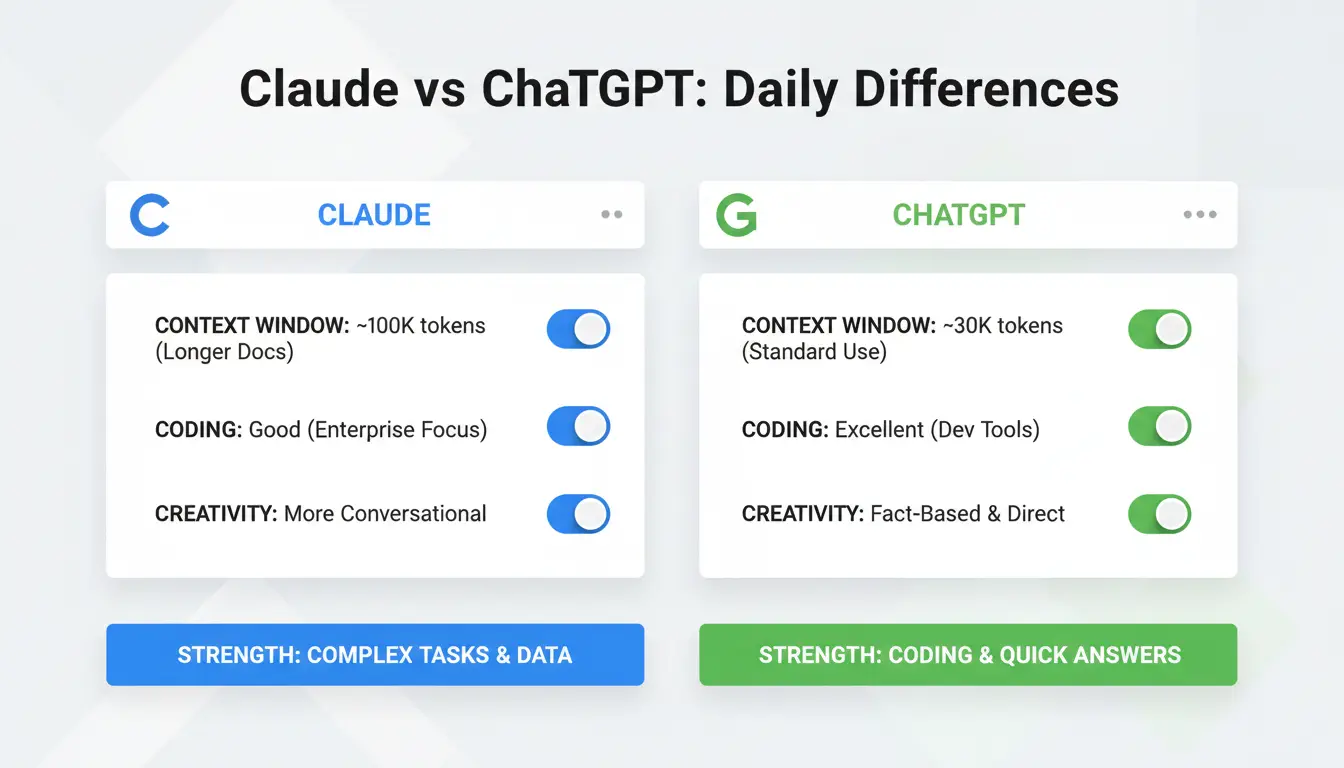
If you search claude vs chatgpt, skip brand claims and test one real prompt across both tools: a draft, a code fix, and a follow-up edit.
How their response style feels different in normal prompts
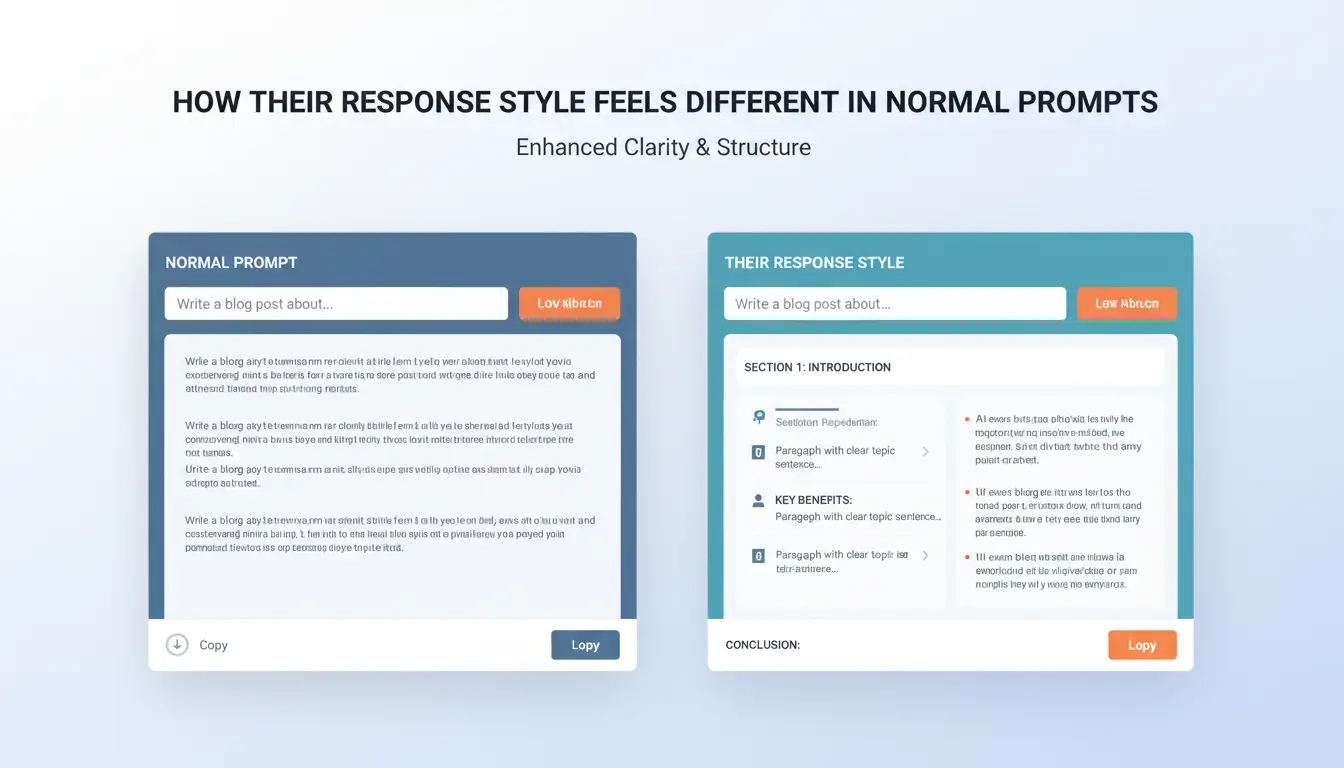
Claude usually gives calmer structure in long writing. It keeps sections aligned and drifts less in tone during multi-step edits. ChatGPT is often more direct in short tasks and faster to adapt when you change tone mid-thread. In practice, Claude tends to hold long-form coherence better, while ChatGPT tends to feel more conversational in quick back-and-forth work. You can validate prompt behavior in Anthropic’s docs and OpenAI’s docs.
How context handling and memory can change your results
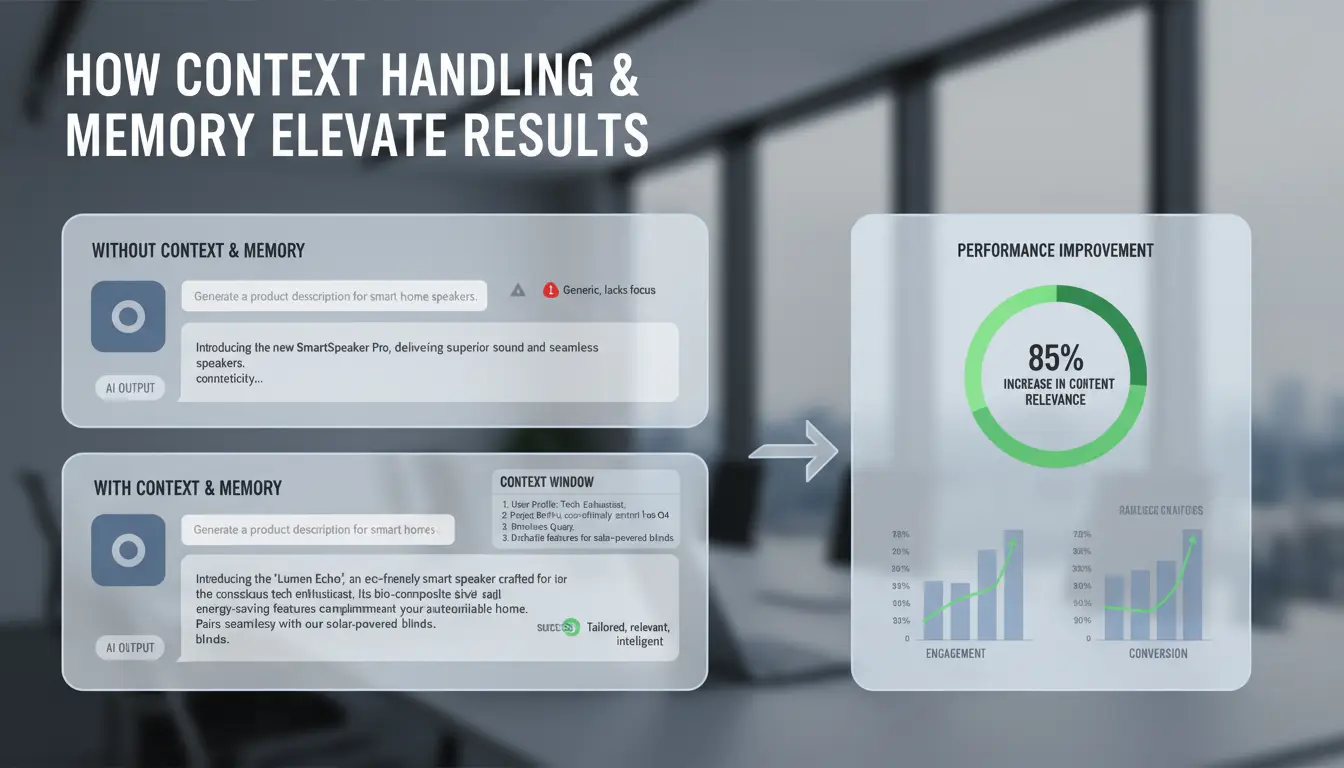
Long threads fail when the model forgets constraints you gave 20 messages earlier. Claude is often steady in long-context writing sessions. ChatGPT can be very strong in iterative chat loops, and saved memory settings can speed up repeat tasks if your defaults are stable. The catch: saved preferences can also lock in stale habits. For clean tests, reset or restate constraints before final output. Check ChatGPT memory controls.
What each platform can do beyond plain text chat
Tool access shapes daily output quality more than model tone.
| Area |
Claude |
ChatGPT |
Day-to-day impact |
| API + docs |
Claude API |
OpenAI API |
Affects automation depth |
| Model access path |
Anthropic app + API |
ChatGPT app + API |
Changes handoff speed |
| Ecosystem |
Smaller native app layer |
Broader built-in product layer |
Changes how fast teams ship drafts |
For claude vs chatgpt decisions, run your own 30-minute workflow test before standardizing.
Which model gives better results for writing, analysis, and coding tasks?
For most teams comparing claude vs chatgpt, results change with task type and prompt complexity, not brand preference. Short prompts can look close. Longer prompts with strict rules expose bigger gaps.
For long-form writing, editing, and tone control
Claude usually stays steadier on voice across long drafts, especially when you paste a style guide and ask for section rewrites. ChatGPT is often faster at variant generation, so it helps when you need three angles for a headline or intro in one pass. The split shows up when constraints stack up: tone + audience + banned words + format rules. Claude tends to drift less under heavy writing constraints, while ChatGPT can need one extra correction pass.For a common reader, both the Claude and ChatGPT content might sound robotic. To avoid that, you have to turn Claude and ChatGPT text into human writing.
| Task check |
Claude |
ChatGPT |
| Long draft consistency |
Strong |
Strong, with occasional tone drift |
| Rewrite under strict tone rules |
Strong |
Good, may need tighter follow-up prompt |
| Fast idea variants |
Good |
Strong |
For reasoning-heavy analysis and structured outputs
Both can follow multi-step instructions, but failure patterns differ. Claude often gives cleaner structured reasoning when prompts include long policy text from Anthropic docs. ChatGPT is strong at concise summaries and extraction when you define output schema clearly in OpenAI API docs. As prompt complexity grows, verify edge cases: missing constraints, swapped fields, and overconfident wording. For decision support, require evidence lines and a “cannot determine” state.
For coding help, debugging, and code explanation
ChatGPT is often quicker in coding loops: generate, run, patch, repeat. Claude is strong at code explanation and refactor clarity, especially with larger pasted files from Claude and ChatGPT style workflows. For either model, trust output more for boilerplate and tests, less for auth, payments, and data migrations. If a bug touches state, security, or money, run manual checks before merge.
How do pricing, usage limits, and plan features compare in 2026?
For most teams, the real claude vs chatgpt choice is not model quality alone. It is cost per useful hour, after limits, wait time, and tool access.
What you really get on free plans
Both free tiers let you test real work, not just toy prompts. You can draft emails, summarize docs, and run short coding checks. Limits usually tighten at busy times, and advanced models may be gated. Check current details on Claude plans and ChatGPT plans. If you send light daily prompts and do not need file tools or steady peak-hour speed, free can hold up.
What changes when you upgrade to paid plans
Paid plans usually unlock stronger models, longer sessions, and better tool access. Team tiers add seat billing and admin controls.
| Plan level |
Claude |
ChatGPT |
| Free |
Core chat access, tighter usage caps |
Core chat access, tighter usage caps |
| Paid individual |
More usage and higher model access (see pricing page) |
More usage and higher model/tool access (see pricing page) |
| Team |
Shared billing and team controls (plan-dependent) |
Shared billing, workspace controls, team features (plan-dependent) |
Use official docs for limit mechanics: Anthropic docs and OpenAI rate limits.
Where hidden costs usually appear
Hidden cost shows up when you hit caps mid-task, then switch tools and redo context. That rework is the silent bill. Track one week of real prompts, retries, and blocked sessions before upgrading.
If your team shares prompts, add seat cost plus review time for inconsistent outputs. That gives a cleaner monthly value estimate than sticker price alone.
What quality gaps do users usually notice after a week of real use?
In real claude vs chatgpt testing, users usually spot gaps after 5–7 days, not on day one. The pattern is simple: drafts look good fast, then weak spots show up during edits, retries, and fact checks.
Accuracy and hallucination patterns in practical tasks
| Task |
Claude: common miss |
ChatGPT: common miss |
What to check |
| Long summaries |
Drops small constraints from earlier context |
Adds plausible but unverified details |
Re-read against source notes line by line |
| Coding help |
Correct logic, wrong package version or API shape |
Correct syntax, wrong edge-case handling |
Run tests and check official API refs |
| Business writing |
Strong tone, soft factual precision |
Faster structure, occasional confident guess |
Verify dates, names, and policy claims |
Neither vendor posts one fixed hallucination rate for all workloads in Anthropic docs or OpenAI docs. Check claims at sentence level, not draft level.
Speed, latency, and reliability under normal workload
You will feel speed gaps in rewrite loops. A 5-second delay repeated 30 times breaks focus. Keep both tools open for peak-hour fallback. If one stalls, move the same prompt to the other and keep working.
Prompt sensitivity and output consistency over time
Small prompt changes can swing quality. Use a fixed template: role, task, constraints, output format, and one example. Keep that template in version control. In claude vs chatgpt workflows, this alone cuts random output drift. For prompt structure habits, you can use Anthropic prompt guides and OpenAI prompt guides.
How should you evaluate privacy, data handling, and compliance before choosing?
For claude vs chatgpt decisions, run a short risk check before any rollout. Treat policy text like a feature spec, not legal filler. Small settings can change where data goes and who can see it.
What each platform says about data use and model training
Check consumer and business terms side by side. OpenAI enterprise privacy terms and OpenAI privacy policy separate business and consumer behavior. Anthropic publishes details in its privacy policy and commercial terms.
| Checkpoint |
Claude |
ChatGPT |
What to verify |
| Consumer vs business split |
Documented in legal terms |
Documented in legal and enterprise terms |
Your exact plan tier |
| API training default |
Check current contract language |
Business/API data handling is documented |
Written no-training terms |
| Retention controls |
Plan-dependent |
Plan-dependent |
Retention window and deletion path |
Which admin controls matter for teams
Ask for admin controls before sensitive use: SSO, role-based access, member offboarding, audit logs, and workspace separation. If your team shares prompts with client data, require test evidence that one workspace cannot read another.
When legal or compliance review is necessary
Bring legal review in if prompts may include health records, payment data, regulated filings, or client-confidential deal terms. Use this pre-deployment checklist: data classes, allowed users, retention period, export/deletion method, incident contact, and contract owner. If any item is unclear, pause rollout and test in a sandbox with fake data. This keeps claude vs chatgpt evaluation practical, not theoretical.
How can teams share Claude or ChatGPT access with less security and account-risk friction?
For teams testing claude vs chatgpt, shared logins often break before model quality becomes the real issue. The pain is usually account friction: lockouts, surprise verification checks, and unclear ownership after mistakes.
Why shared AI accounts get flagged or misused in team environments
Risk spikes when one account is opened from different devices, browser fingerprints, and IP locations in short windows. That pattern can look like takeover behavior, even when your team is legit. Misuse risk is just as real. If everyone shares one password, no one can prove who changed billing, removed history, or triggered a policy warning. You also get plan-change mistakes and credential leaks in chat tools.
How DICloak solves account-sharing risks in practice
You can use DICloak to give each member an isolated browser profile while keeping a consistent login environment per account. Each profile can keep fixed fingerprint settings and its own proxy route, so sessions look stable over time. You can set role permissions, share only the needed profile, and keep operation logs for traceability. That gives clear accountability without passing raw credentials around.
A simple setup workflow for stable team access
Create one profile for each shared Claude or ChatGPT account, then map access by role: operator, reviewer, admin. Keep one owner for billing actions. Use bulk actions or RPA for repeat steps like opening tools, loading prompts, and exporting outputs. Fewer manual clicks means fewer lockouts and fewer accidental changes. For policy alignment, check Anthropic usage docs and OpenAI account guidance. This setup keeps claude vs chatgpt testing focused on output quality, not account chaos.
What is the fastest way to test Claude and ChatGPT side by side before you decide?
Use a short trial with fixed rules. For claude vs chatgpt, compare real tasks, not demo prompts.
Build a 15-prompt test set from your real work
Pick 5 writing prompts, 5 analysis prompts, and 5 domain prompts from your backlog. Keep the same goal, context, tone, output format, and time limit for both tools. Keep prompts and settings identical or your results are noise.
Include at least 3 prompts that need long context, based on limits described in Anthropic docs and OpenAI docs.
Score outputs with a simple rubric
Use a 1-5 score for each run, then repeat key prompts twice to check stability.
| Metric |
What to measure |
Pass signal |
| Accuracy |
Factual and instruction match |
No major correction needed |
| Usefulness |
Ready for real task |
Can ship with light edits |
| Speed |
Time to acceptable draft |
Faster to usable output |
| Edit effort |
Minutes of human rewrite |
Low rewrite time |
| Consistency |
Score spread across repeats |
Small variance |
Run a 7-day pilot and calculate actual cost per useful output
Raw output quality is only half the story. Team handling can skew results through fingerprint mismatch, IP inconsistency, or uncontrolled shared logins. Tools like DICloak let you reduce that noise with isolated browser fingerprints, per-profile proxy binding, and role-based permissions.
You can use one profile per shared AI account, bind stable proxies, and share profiles only with approved roles. Keep operation logs for audit trails, then use bulk actions or RPA for repeat setup steps. At day 7, compare cost per accepted output and retry rate; that gives a clear claude vs chatgpt decision.
Claude or ChatGPT: which one fits your specific use case right now?
Best fit for students, creators, and solo professionals
- When writing quality is the top priority If you write long drafts, Claude often keeps tone and structure stable across big inputs. You can verify model behavior in the Anthropic docs and test with your own 2,000-word brief before you commit.
- When all-in-one tools and flexibility matter more If your day mixes writing, quick research, voice, and image tasks, ChatGPT can feel easier inside one app at OpenAI ChatGPT. For claude vs chatgpt in solo work, pick the one that reduces app switching in your real routine.
Best fit for developers, product teams, and analysts
- How to choose based on coding depth and workflow integration Use a small trial: same bug fix, same test file, same time box. Track pass rate, edit count, and retry loops.
- When API strategy should outweigh chat UX preferences If your team ships through APIs, compare limits, model options, and billing controls in OpenAI API docs and Anthropic’s platform docs.
| Team need |
Better starting point |
What to check this week |
| Long-form writing |
Claude |
Fewer rewrites per draft |
| Fast tool mix in one UI |
ChatGPT |
Fewer context switches |
| API-heavy product flow |
Tie; test both |
Error rate and latency consistency |
When using both tools is smarter than picking one
- Split-by-task workflow to increase quality and speed Use Claude for long drafting, ChatGPT for quick coding loops. Task-splitting usually beats one-model-for-all workflows.
- Cost-control rules for hybrid usage Set weekly token caps and route only hard prompts to premium models. Recheck live rates at OpenAI pricing and Anthropic pricing.
Frequently Asked Questions
In Claude vs ChatGPT, which one is better for non-English writing quality?
In claude vs chatgpt, non-English quality is strongest when the model has seen that language often and your prompt is native-style. Test both with 10–20 real tasks: emails, product copy, and legal text. Check grammar, tone, and cultural fit. Also test direction, like English→Spanish vs Spanish→English, since quality can change.
Can Claude vs ChatGPT be used together in one workflow?
Yes. Many teams pair them in one pipeline. Example: use Claude to draft a long policy or report, then send that draft to ChatGPT for tighter structure, table formatting, and QA questions. Reverse it for coding: ChatGPT drafts snippets, Claude reviews edge cases and clarity before final human approval.
For Claude vs ChatGPT, which API is usually more cost-effective for startups?
For startups comparing claude vs chatgpt APIs, run a small load test on your own traffic. Measure total cost per successful task, not just per-million-token price. Include prompt size, completion length, latency, timeout retries, and moderation failures. A cheaper list price can cost more if responses are longer or retries are frequent.
In Claude vs ChatGPT, which is easier for beginners with weak prompting skills?
In claude vs chatgpt for beginners, pick the one that gives useful first drafts with minimal prompt tuning in your use case. Test five simple prompts and five messy prompts. Score outputs for accuracy, format match, and follow-up helpfulness. The easier tool is the one that recovers after unclear instructions.
Does Claude vs ChatGPT output trigger plagiarism detectors differently?
No model has a detector-proof signature. In claude vs chatgpt, plagiarism tools may flag either output, both, or neither on the same topic. Reduce risk by rewriting key sections in your voice, citing sources for facts, and validating claims. Keep notes of references and edits to show original work process.
Choosing between Claude and ChatGPT comes down to your priorities: Claude often feels stronger for long-context reasoning and cautious, structured responses, while ChatGPT typically offers broader tool integrations, faster iteration, and a more flexible general-purpose workflow. The best takeaway is to match the model to your real use case, budget, and preferred interaction style rather than looking for a single universal winner.
Try DICloak For Free
 Web Proxy Tools
 Free Tools
 Cookie Plugin
 UA Generator
 MAC Address Generator
 IP Generator
 IP Address List
 2FA Code Generator
 World Clock
 Anonymous Check
 WebRTC Leak Test
 UUID Generator
 Free Web Proxy Site
 Proxy Checker
 FB Ad Checker
 AI Web Scraping
 Free SMM Tools
 Twitter Shadowban Checker
 Instagram Name Checker
 UTM Generator
 Username Generator
 AI Hashtag Generator
 LinkedIn Headline Generator
 Social Media Image Resizer