Individuals utilize several Twitter "X" profiles for various reasons, such as overseeing client accounts, experimenting with promotion tactics, generating content for diverse subjects, or taking part in cryptocurrency airdrop initiatives.
However, maintaining multiple X accounts is not as straightforward as it initially appears. You are generally limited to 10 accounts, provided their content and interactions are not duplicated. Furthermore, if one of your profiles breaches platform guidelines, Twitter has the authority to permanently suspend your other linked accounts.
By 2025, X is set to enable users to add and switch between as many as five accounts directly within its mobile and desktop applications, offering smooth application integration. This built-in capability removes the necessity for external third-party tools, simplifying management.
But what if your needs exceed the 10-profile limit? Is that feasible? And is there a secure and user-friendly method to administer multiple X accounts without becoming overwhelmed? Continue reading to discover how to bypass current restrictions and handle multiple X accounts with ease.
Who Benefits from Multiple X Accounts?
Here are common scenarios where individuals find advantage in maintaining several Twitter presences.
- Enterprises establishing distinct profiles based on product, target audience, geographic area, or language.
- Social media strategists employed by agencies who manage accounts for different clients. The platform permits management of multiple X accounts on behalf of another party. For example, you might serve 10 clients, each requiring 3-5 distinct profiles.
- Cryptocurrency enthusiasts participate in airdrop campaigns.
- Entrepreneurs are looking to trial new concepts.
- Content producers building followings across separate fields of interest.
Is Having Multiple X Accounts Allowed?
Yes. On X (formerly Twitter), each user is permitted to establish up to 10 profiles for non-identical activities. This means the accounts must not share nearly the same content, messages, or engagement patterns.
While each profile necessitates a distinct email address, you can reuse the same phone number for verification across your multiple X accounts.
Using multiple X accounts to interact with the same individuals or publish identical tweets is prohibited. This action is considered a violation of the platform’s terms. Examine the image below for other common reasons why your Twitter profiles might face suspension.
Should one or more of your accounts contravene the social network's regulations and Twitter identifies related accounts, they will mandate that you select a single profile to retain. The subsequently identified accounts will face permanent deactivation.
Understanding Digital Fingerprints
X may also prevent you from creating new accounts in the future. This is possible because social media providers (and X is no exception) track users based on their digital fingerprints. If you have been banned from the service and attempt to register a new profile, the platform will recognize your activity via your digital ID and suspend the new account as well.
A digital fingerprint represents your unique online identifier, encompassing details like your IP address, geographic position, installed browser extensions, time zone, operating system, and numerous other device-related metrics.
Improved Detection Measures
X has implemented stricter controls to combat automated bots and spam. New participants in the system will encounter an initial fee for posting or replying, intended to discourage the creation of fake accounts. Additionally, X employs advanced algorithms to detect and block profiles exhibiting identical behavioral patterns or sharing the same Internet Protocol (IP) addresses. These issues can be mitigated by employing DICloak's isolated browser profiles and distinct online identity markers.
Managing multiple X accounts Directly Within the App
If your requirement is limited to 10 social media profiles for non-repetitive use, utilizing the X application itself may suffice. Let's begin by reviewing the account switcher functionality within X.

Switching Between Accounts on Desktop and Web Interface
Here is a brief guide on how to log into more than one Twitter account using the desktop website, mobile website, and the Windows application.
- Click on your profile picture located in the upper left corner of the display.
- Select the More option (indicated by three circles) or the plus sign icon.
- Choose the option to add an existing account.
- To move between your multiple X accounts, click your main profile icon, then tap the smaller profile icon situated next to the 'More' icon.
Toggling Accounts in the iOS Twitter Mobile App
- Tap the navigation menu icon (resembling a stack of lines).
- Select the More option (the three circles).
- Either create a new account or sign in to an established Twitter presence.
- Once all your secondary profiles are added, you can toggle between them. Tap your profile icon, then tap the icon of the desired profile next to the icon showing three circles. Tapping the navigation menu icon will return you to the main view.
Switching Twitter Accounts on the Android App
- In the top navigation bar, tap your profile picture or the navigation menu icon.
- Navigate to the header area and tap the downward-pointing arrow icon.
- Either create a new profile or sign into an existing Twitter account.
- After adding all your various Twitter profiles, you can switch between them by tapping the downward-facing arrow located in the header.
Easier Ways to Handle Multiple X Accounts
Flipping between numerous accounts using the official application and website can be fine until you surpass needing more than ten profiles. In theory, you could establish fifty, a hundred, or even five thousand accounts utilizing different email addresses and phone numbers.
However, Twitter employs spam detection, meaning they will recognize that all these presences belong to a single individual and flag them as suspect or initiate an immediate suspension.
Now, let's examine safer and more practical approaches for overseeing numerous Twitter accounts. I've ordered these from the least to the most secure and user-friendly.
Use Separate Web Browsers for Multiple X Accounts
This method adds an extra layer of separation between your accounts, helping reduce the risk of linking or bans, though it is less convenient than using the official X app or dedicated multi-accounting tools.
To implement this approach, install two or more different web browsers on your device, such as Chrome, Edge, Firefox, Opera, or Safari. Then, open each browser and sign into a different X account. Each browser will maintain its own cookies, cache, and session data, allowing you to manage multiple X accounts independently.
However, there are limitations. You can only install a finite number of browsers on your device, and keeping track of which account is signed into which browser can become cumbersome. This method works well if you need to manage a few additional multiple X accounts manually and are willing to handle each account separately.
Utilize Social Media Management Platforms
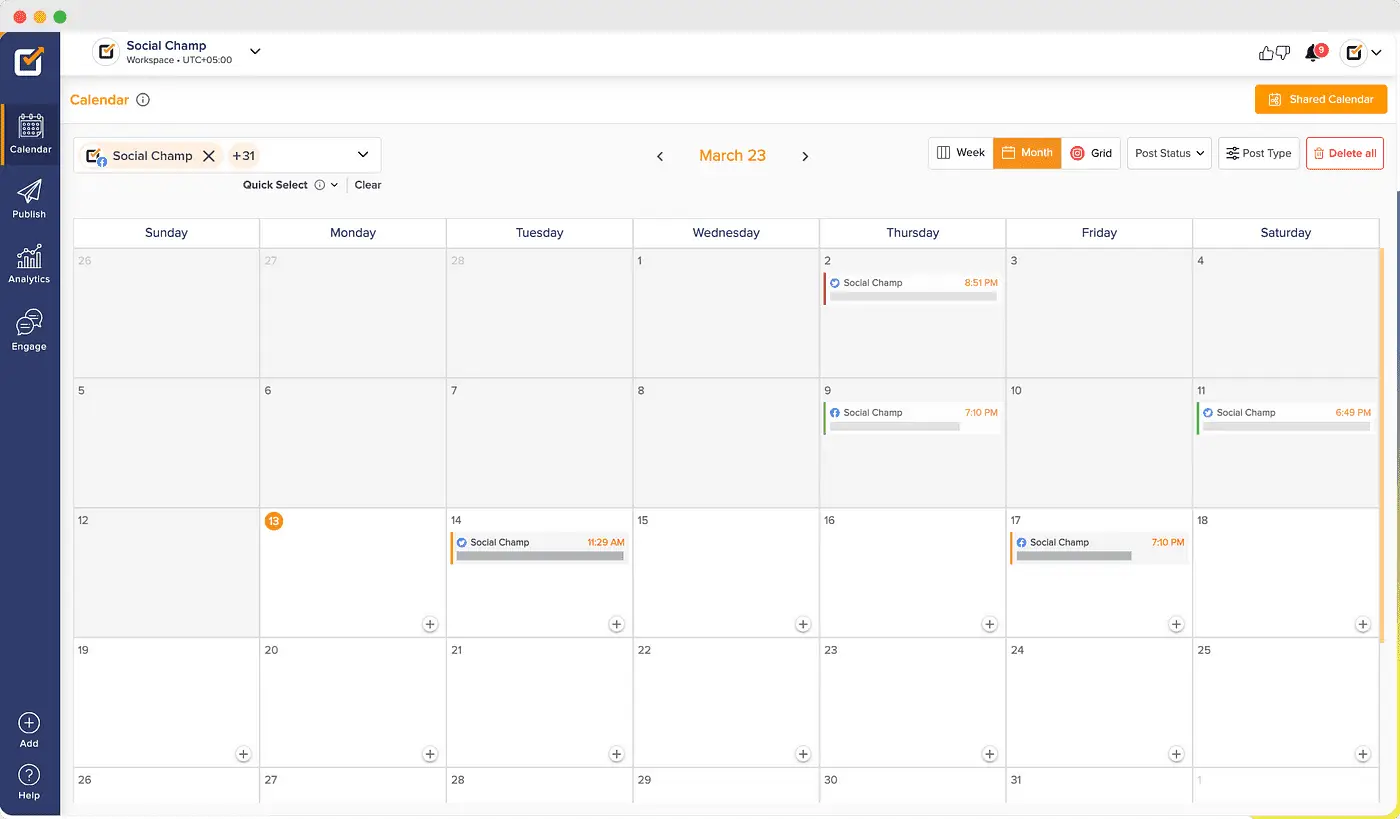
If you require superior organization and more streamlined handling of your X profiles, you might consider specialized external utilities, like SocialChamp.
This software enables you to plan your posts, discover relevant hashtags, engage with all target audiences, and monitor performance metrics for multiple X accounts all from one central dashboard. Note that SocialChamp does not provide inherent protection features for your online identity.
You can still face suspension on Twitter for inadvertently breaching platform regulations or exhibiting behavior perceived as spammy. If the algorithm flags one of your tweets as spam, it puts your other accounts at risk.
Acquire Individual Devices for Every X Account
Since every physical device possesses a unique identifier, this method is by far the most secure. You could also install the official app and various browsers on these devices, but how convenient is that? Regrettably, it's not very.
We also cannot describe this method as budget-friendly. Suppose you need to oversee six Twitter accounts with maximum defense against potential suspensions or bans. You would need to purchase six separate devices, each costing a minimum of $50 (this is the baseline for a functional smartphone; a laptop will cost considerably more).
Six devices x $50 = $300, which exceeds the cost of the multi-accounting browser's least expensive annual package of $294 for a hundred accounts.
Adopt a Multi-Accounting Browser
A multi-accounting browser generates a distinct digital footprint for every single account (all digitized characteristics will differ), thereby safeguarding you from penalties. Put simply, X will perceive all your profiles as entirely separate users. Should one get banned for rule violations, all your other accounts remain operational.
Furthermore, if you use multiple profiles for repetitive tasks, X will be unable to link them back to you.
These specialized browsers function much like standard ones. The key distinction is the ability to consolidate all your protected accounts within one central control panel. You establish a proxy configuration just once and eliminate the need to manually change IPs for every task.
This solution also facilitates a smooth operational flow across your various Twitter accounts. For example, you can:
- Assign names to each profile
- Organize them into directories
- Apply relevant labels and notes
- Sort profiles based on selected attributes
- Share profile access with remote colleagues. This eliminates the hassle of remembering endless passwords, 2FA codes, and login tokens for you and your team since you never log out of the accounts.
Why Choose DICloak Antidetect Browsers for Your Management?
⚡The DICloak Antidetect Browser has become a global favorite for its unparalleled ability to efficiently and securely manage multiple accounts. Designed for professionals in social media management, and more, DICloak offers powerful features like RPA automation, bulk operations, and a synchronizer. Additionally, it allows you to customize fingerprints and integrate proxies for each profile, ensuring top-level security and operational efficiency. It’s the ultimate tool for seamless, secure, and scalable operations.

What Makes DICloak Stand Out?
✅ Manage 1,000+ Accounts on One Device: Stop wasting money on extra hardware! DICloak allows you to manage multiple accounts on a single device, cutting costs and boosting efficiency.
✅ Guaranteed Account Safety, No Ban Risks: Every account gets its own isolated browser profile with custom fingerprints and IPs, drastically reducing the risk of bans. Your accounts, your control!
✅ Flexible Proxy Configuration for Maximum Performance: Seamlessly integrate with all major proxy protocols (HTTP/HTTPS, SOCKS5) and manage your proxy pool with bulk operations. No more struggling with IP management—DICloak has you covered.
✅ Streamlined Team Collaboration for Better Results: Easily manage your team with advanced tools like profile sharing, permission settings, data isolation, and operation logs. Your team works smarter, not harder.
✅ Automate the Grind with RPA: DICloak's built-in RPA saves you hours of manual work. Automate repetitive tasks, streamline workflows, and focus on what really matters—growing your business.
✅ Powerful Bulk Tools to Scale Your Operations: Create, import, and launch multiple browser profiles in one click. DICloak makes scaling your business as easy as it gets.
✅ Compatible with All Major Operating Systems: Based on the Chrome core, DICloak supports simulating Windows, Mac, iOS, Android, and Linux operating systems. No matter what platform you need, DICloak has you covered.
🔗 Ready to Get Started?
Visit the DICloak website to explore more details and choose the plan that’s right for you. Start for free today and experience the power of secure, efficient, and scalable multi-account management!
Summary
The official X (Twitter) app is sufficient for managing up to 10 accounts, as long as content and activity are not duplicated. Keep in mind that if even one account seriously violates platform rules, you risk losing all associated accounts to permanent suspension.
For users who need to maintain multiple profiles safely, alternative solutions are recommended. If you want a simple, professional way to organize and protect multiple X accounts, consider using the DICloak multi-accounting browser. It provides isolated browsing environments, unique device fingerprints, and IP separation, ensuring each account operates independently and securely.
FAQs About Managing Multiple X Accounts
1.Can I use one email address for two X (Twitter) accounts?
No, X does not allow the same email address to be used for multiple accounts. However, Gmail users can apply a simple workaround. You can add a plus sign (+) followed by numbers (such as 1–10) before the @ symbol, or insert periods (.) anywhere before the @.
For example, if your email is example@gmail.com, you can create:
Gmail ignores plus signs and periods, so all emails will still be delivered to your main inbox. This method is commonly used when creating multiple X accounts.
2.How do I create a second X (Twitter) account?
To create or add another account:
- Open your X app and tap your profile avatar in the top‑left corner.
- Open the menu and select “Add an existing account.”
- Log in to your second account.
This allows you to switch between multiple X accounts seamlessly within the app.
3.Is owning multiple X accounts a reason for suspension?
No. Simply having multiple accounts does not violate X’s policies. X generally allows up to 10 accounts per user, provided that each account follows platform rules and avoids duplicate content or coordinated abuse. Suspensions only occur when policy violations are detected.
4.What should I do if my X account gets suspended?
First, try logging into the suspended account. Follow any on‑screen instructions, such as:
- Verifying your email
- Updating or confirming a phone number
If the account is not restored, submit an official appeal through X’s support system.
5.How long do X (Twitter) suspensions usually last?
Suspension length depends on the severity of the violation:
- Minor violations: as short as 12 hours
- Typical suspensions: up to 7 days
- Serious or repeated violations: permanent suspension
6.What is the safest way to manage multiple X accounts without being flagged?
If you want your multiple X accounts to appear completely unrelated, using the same browser, cookies, or IP address can trigger detection systems.
The safest solution is to use an antidetect browser like DICloak. DICloak creates isolated browser profiles, each with its own:
- Unique browser fingerprint
- Separate cookies and storage
- Independent IP environment
This makes every X account appear as if it belongs to a different real user, greatly reducing the risk of account linking or mass suspension.
 Web Proxy Tools
 Free Tools
 Cookie Plugin
 UA Generator
 MAC Address Generator
 IP Generator
 IP Address List
 2FA Code Generator
 World Clock
 Anonymous Check
 WebRTC Leak Test
 UUID Generator
 Free Web Proxy Site
 Proxy Checker
 FB Ad Checker
 AI Web Scraping
 Free SMM Tools
 Twitter Shadowban Checker
 Instagram Name Checker
 UTM Generator
 Username Generator
 AI Hashtag Generator
 LinkedIn Headline Generator
 Social Media Image Resizer