If your Coinbase account has been restricted, it can feel stressful and confusing. You may not be able to send crypto, access certain features, or complete normal transactions. This guide is written for crypto users who want to understand why Coinbase places restrictions on accounts and what steps can help fix the problem.
In this article, we will explain the most common reasons behind Coinbase account restrictions, show you how to work through the issue step by step, and share practical tips to help prevent similar problems in the future. By the end, you will have a clearer understanding of what caused the restriction and how to respond in a smart and calm way.
Why Coinbase Restricts Accounts?
Coinbase does not restrict accounts for no reason. In most cases, it does this to follow financial rules, reduce fraud, and protect user funds. Understanding these reasons is the first step toward resolving any issues you might face.
Incomplete Identity Verification (KYC)
A very common reason is incomplete identity verification. Coinbase needs users to verify their identity to meet compliance rules. If your ID is unclear, your name does not match, or extra information is still missing, your account may stay limited. For example, a new user may open an account and try to buy crypto right away, but Coinbase may block that action until KYC is complete.
Suspicious or Unusual Activity
Coinbase may also restrict an account when it sees unusual activity. This can include a new login pattern, a strange device, or behavior that looks risky. For example, if you always log in from one place but suddenly access the account from a very different setup, Coinbase may pause some features for safety. This is common because crypto transfers usually cannot be reversed.
Violation of Terms of Service
Some restrictions happen because of a Terms of Service or compliance review. This does not always mean the user did something serious. Sometimes Coinbase just needs time to check account details or unusual actions. In this case, a user may still log in, but may not be able to trade or send funds for a period of time.
Payment Issues and Disputes
Payment problems can also trigger restrictions. If a bank payment fails, gets reversed, or causes a negative balance, Coinbase may limit account functions. For example, a user may buy crypto, but if the payment does not go through later, the account may be restricted until the issue is fixed. This is one of the most common financial risk checks.
IP and Device Mismatches
Frequent IP or device changes may also raise a risk flag. If Coinbase sees logins from different networks or devices in a short time, it may treat that as unusual behavior. For example, switching between several internet connections and computers may lead to a temporary review. This can affect withdrawals or sending permissions.
Changes in browser settings can create similar problems. If your browser profile changes too often, the platform may see the session as less trustworthy. For example, repeated changes in browser profiles, extensions, or device settings may trigger extra checks. In some cases, this can be one reason users see messages like coinbase you don't have accounts from which sending is allowed, because Coinbase has not cleared the current environment for sending yet.

How Long Will My Coinbase Restriction Last?
The answer depends on why Coinbase restricted the account. Some limits are cleared fast. Others take longer. Coinbase says restriction resolution and review processing usually takes up to 10 business days, but some cases can take more time. That means there is no one fixed timeline for every user.
If the problem is simple, the wait may be short. For example, if Coinbase only needs you to confirm personal information, the restriction can be removed after you finish that step. Coinbase says that once you confirm the required information, account functions can be restored. A similar case happens when a locked account goes through a security check. Coinbase says that identity verification for unlocking a compromised account can take up to 24 hours in some cases.
How to Resolve Coinbase Account Restrictions?
Getting restricted on Coinbase can feel stressful, especially when you want to move money fast. The good news is that many restrictions can be fixed. By following these steps, you can significantly improve your chances of regaining full access to your account.
Check Your Email and Coinbase Notifications
Start with your email and your Coinbase notifications. Coinbase says users with restricted accounts will usually see messages in the app or on the website that explain what must be completed. This may include identity checks, failed send issues, or other review steps. For example, if you see a warning before trying to transfer crypto, that notice often tells you exactly what Coinbase wants you to fix first.
Complete Identity Verification (KYC) Requirements
Next, make sure your identity verification is fully finished. Coinbase says accounts have limited functionality until verification is complete, and users may also need to confirm personal information again later. A common case is a user who uploaded an ID but skipped a later request for more details. In that situation, the account may stay limited until the missing step is done.
Review Recent Account Activity and Secure Your Account
If the restriction appeared suddenly, review recent activity and secure the account. Coinbase says restrictions may happen after suspected malicious activity or account recovery problems. Look for logins you do not recognize, reset your password if needed, and strengthen security with updated verification settings. For example, if you logged in on a new device and then tried to send crypto right away, Coinbase may pause sending until the account looks safe again.
Resolve Pending Transactions or Payment Issues
You should also check for payment problems. Coinbase says buys and deposits can be disabled when a payment method is unverified, when bank details do not match the account name, or when the account has a negative balance. A real example is a user whose bank transfer was later reversed. Even if the account still opens normally, trading or transfers may stay limited until that balance issue is resolved.
Contact Coinbase Support
If you complete all steps and the restriction is still there, contact Coinbase Support through official channels. Coinbase says some restrictions can be auto-removed, but others need account recovery or manual review. This is especially important if you keep seeing a transfer error like coinbase you don't have accounts from which sending is allowed. In many cases, that message means Coinbase still has not cleared your account for sending, so support may need to confirm what review is still open.
Comparison of Account Restriction Types
Understanding the different types of restrictions and their common characteristics can help you anticipate the resolution process.
| Restriction Type |
Common Causes |
Impact on Account |
Typical Resolution Time |
Key Resolution Steps |
| Identity Verification Restriction |
Incomplete KYC, unclear ID photo, name mismatch, missing personal information |
Cannot fully buy, sell, withdraw, or send crypto |
A few hours to several business days |
Upload valid ID, confirm personal details, complete all verification prompts |
| Security Review Restriction |
Suspicious login, new device, unusual activity, possible account compromise |
Sending, trading, or withdrawals may be paused |
Up to 24 hours for some security checks, longer if manual review is needed |
Review recent activity, reset password, secure the account, complete requested security checks |
| Compliance Review Restriction |
Terms of Service review, legal review, account flagged for extra checks |
Some or all account features may be limited |
Up to 10 business days in many cases |
Follow Coinbase notices, submit requested documents, wait for review completion |
| Payment Method Restriction |
Unverified payment method, bank name mismatch, failed payment, reversed transaction |
Buys and deposits may be disabled |
1–3 business days for some payment reviews, longer if balance issues remain |
Verify payment method, fix name mismatch, resolve failed payment, clear negative balance |
| Negative Balance Restriction |
Reversed bank payment, chargeback, incomplete deposit settlement |
Trading or transfers may stay limited until balance is fixed |
Depends on how fast the balance is repaid |
Repay negative balance, confirm payment status, check account notifications |
| Sending Restriction |
Account not cleared for crypto transfers, incomplete verification, security risk, account review |
User may see errors like coinbase you don't have accounts from which sending is allowed |
A few days to up to 10 business days, depending on review type |
Complete KYC, check notifications, review security alerts, contact support if the issue remains |
| Location-Based Restriction |
Unsupported country, temporary location risk flag, access from restricted region |
Buying, depositing, or sending may be unavailable |
Until location eligibility is confirmed |
Check regional support, avoid risky login changes, follow location-related prompts |
| Device or IP Restriction |
Frequent IP changes, many device switches, unusual login environment |
Sensitive actions like sending or withdrawals may be blocked |
Usually a few days, longer if linked to a security review |
Use a stable device and network, verify identity, complete any extra review steps |
Using DICloak to Secure Your Crypto Accounts
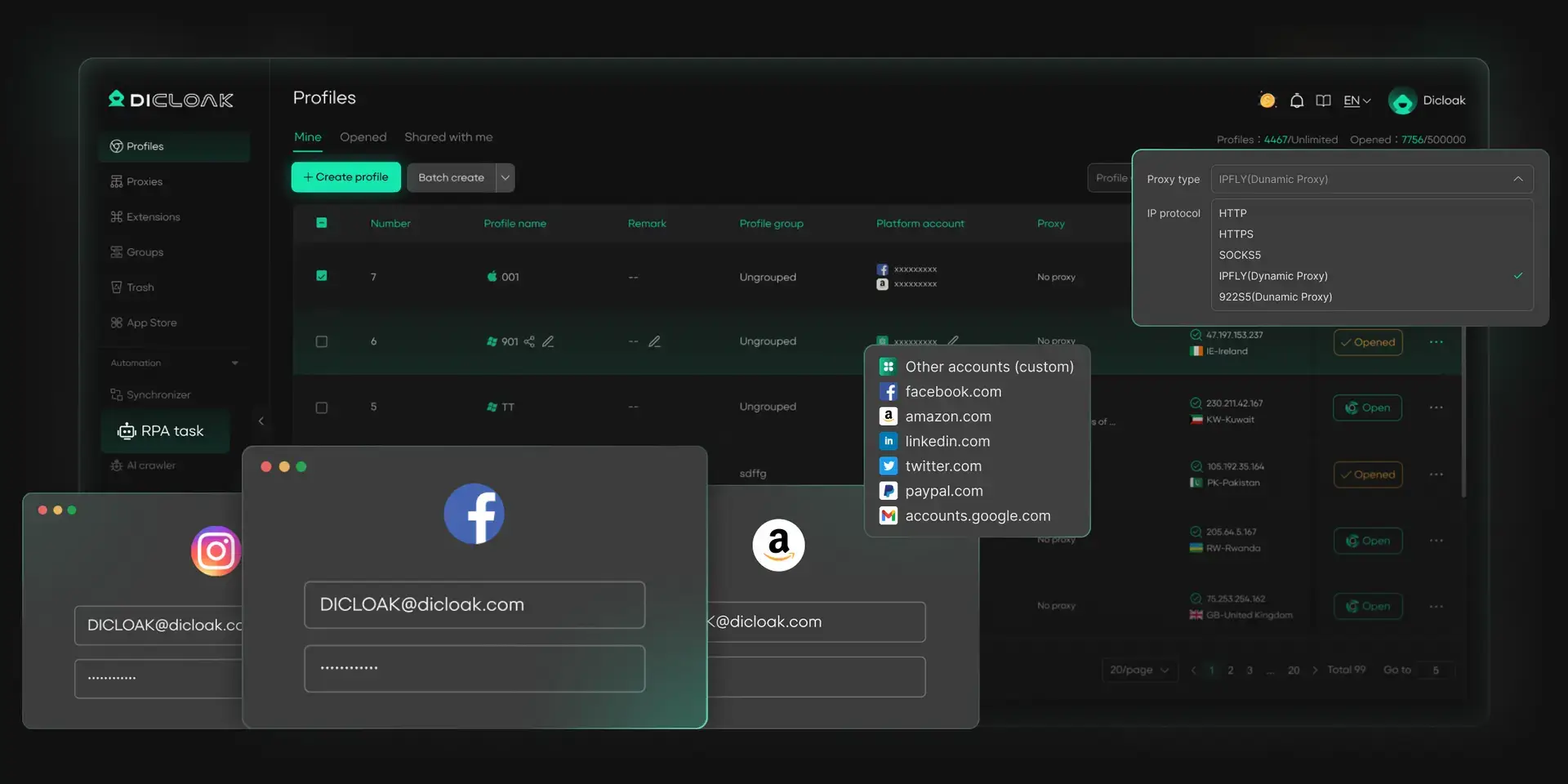
For users who manage multiple Coinbase accounts, or often run into restrictions caused by IP or device mismatches and browser fingerprint changes, DICloak can help create a more stable setup. Coinbase and other crypto platforms use advanced risk systems to watch for unusual login patterns, device changes, and inconsistent digital identities. When these signals change too often, the platform may limit account actions or trigger extra reviews.
With DICloak, users can create separate browser profiles for each account. Each profile can keep its own fingerprint, cookies, and proxy settings. This helps users keep a more consistent digital identity for every Coinbase account and lowers the chance of triggering risk checks caused by frequent profile changes.
How Users Can Benefit from DICloak:
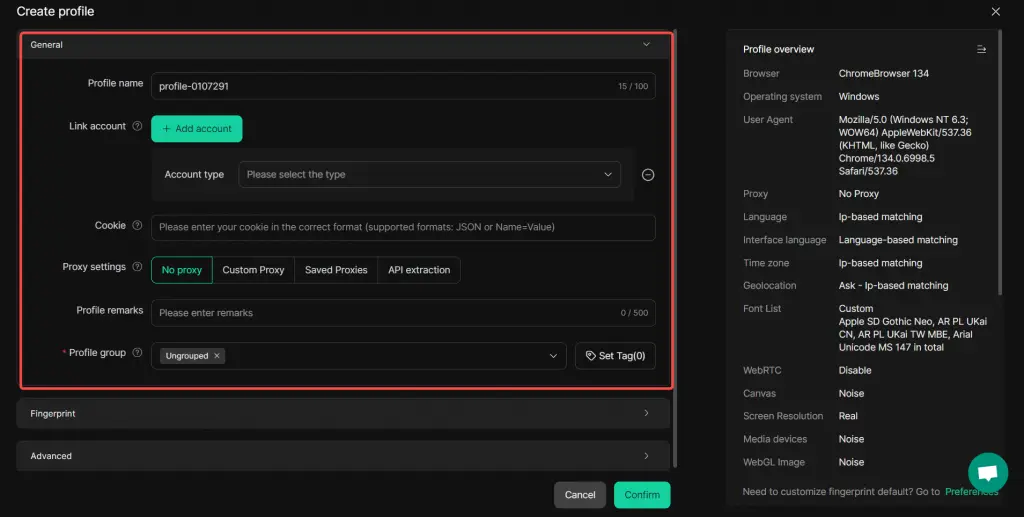
- Use unique browser fingerprints A user can create profiles for each Coinbase account. This helps reduce the chance that multiple accounts will be linked together through the same browser characteristics.
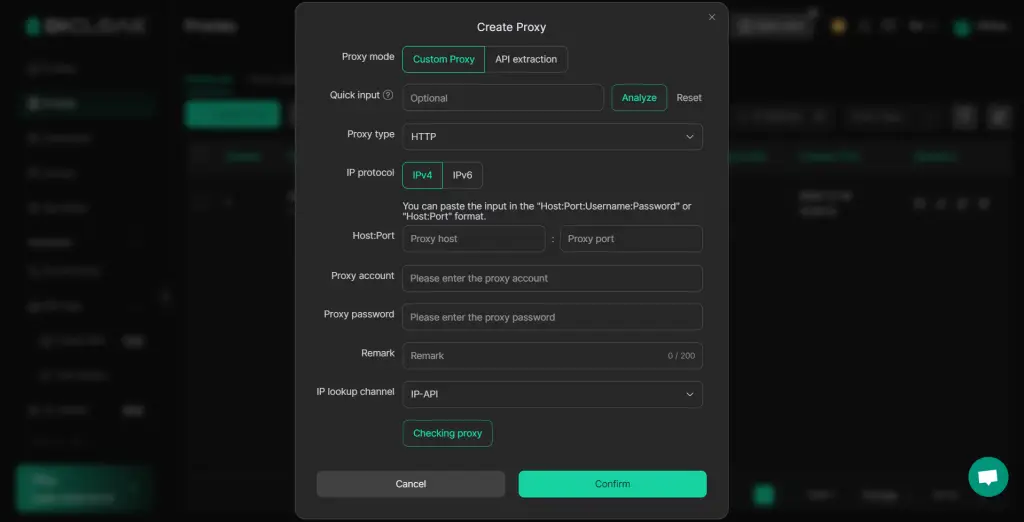
- Keep IPs more consistent A user can configure purchased proxy to each profile. This makes it easier to keep a stable IP for each account and avoid risk flags caused by frequent IP switching.
- Separate cookies and local data A user can run each account in its own profile, with separate cookies, cache, and local storage. This helps prevent one account’s activity from affecting another.
- Reduce the risk of restrictions By keeping each account in a separate profile with more consistent settings, a user can lower the chance of triggering Coinbase security checks related to device or fingerprint changes.
Think about a crypto analyst who manages Coinbase accounts for several clients. Without a clear separation strategy, signing into many accounts from the same device or network may quickly lead to warnings or restrictions. By using DICloak, that analyst can manage each client account in its own profile. This makes daily work more organized and can reduce account problems caused by profile overlap.
Conclusion
Dealing with a restricted Coinbase account can feel stressful, especially when you see errors like coinbase you don't have accounts from which sending is allowed and do not know what went wrong. In most cases, though, the restriction happens for a clear reason. The most important step is to stay calm and work through the problem in order. For users who manage more than one account or need a more stable login setup, keeping each account in a separate profile can also help reduce risk caused by IP, device, and fingerprint changes. Tools like DICloak can support this by helping users keep account activity more organized and consistent.
FAQs
Why can’t I send crypto from my Coinbase account?
This usually means Coinbase has placed a limit on your sending feature. Common reasons include incomplete identity verification, a security review, unusual login activity, or unresolved payment issues.
How do I fix a Coinbase account that is restricted from sending?
Start by checking your Coinbase notifications and email. Then complete any KYC steps, review recent account activity, and make sure there are no failed payments or negative balances. If the issue remains, contact Coinbase Support.
How long does a Coinbase sending restriction last?
It depends on the cause. Some restrictions are removed within hours or a few days after you complete the required steps. More complex reviews can take up to 10 business days or longer.
Can I still use Coinbase if my account is restricted?
Yes, sometimes you can still log in and view your account. But certain features, such as sending crypto, buying, or withdrawing, may stay limited until Coinbase finishes its review.
Can IP changes or browser profile changes trigger Coinbase restrictions?
Yes. If Coinbase sees unusual changes in your IP, device, or browser setup, it may treat the activity as risky. This can lead to extra checks or temporary limits on sensitive actions like sending crypto.
 Web Proxy Tools
 Free Tools
 Cookie Plugin
 UA Generator
 MAC Address Generator
 IP Generator
 IP Address List
 2FA Code Generator
 World Clock
 Anonymous Check
 WebRTC Leak Test
 UUID Generator
 Free Web Proxy Site
 Proxy Checker
 FB Ad Checker
 AI Web Scraping
 Free SMM Tools
 Twitter Shadowban Checker
 Instagram Name Checker
 UTM Generator
 Username Generator
 AI Hashtag Generator
 LinkedIn Headline Generator
 Social Media Image Resizer