Managing Profiles at scale is often about improving the small details in everyday workflows. This update brings more control to team access and batch operations, helping users manage daily tasks more efficiently.
Key Takeaways
- Set profile group access time: Control when members can access each assigned Profile group.
- Stop batch Profile opening: Stop an ongoing batch opening when it is no longer needed.
Set Profile Group Access Time Around Your Team Schedule
Not every member needs the same Profile group access at all times. Teams may want different members to use the same or different Profile groups during specific shifts or working hours. Super admins can now set Time restriction, Daily access time, and Time zone for the Profile groups assigned to a specific member. This makes it easier to control when that member can access each assigned Profile group, instead of relying on manual reminders or separate work schedules.
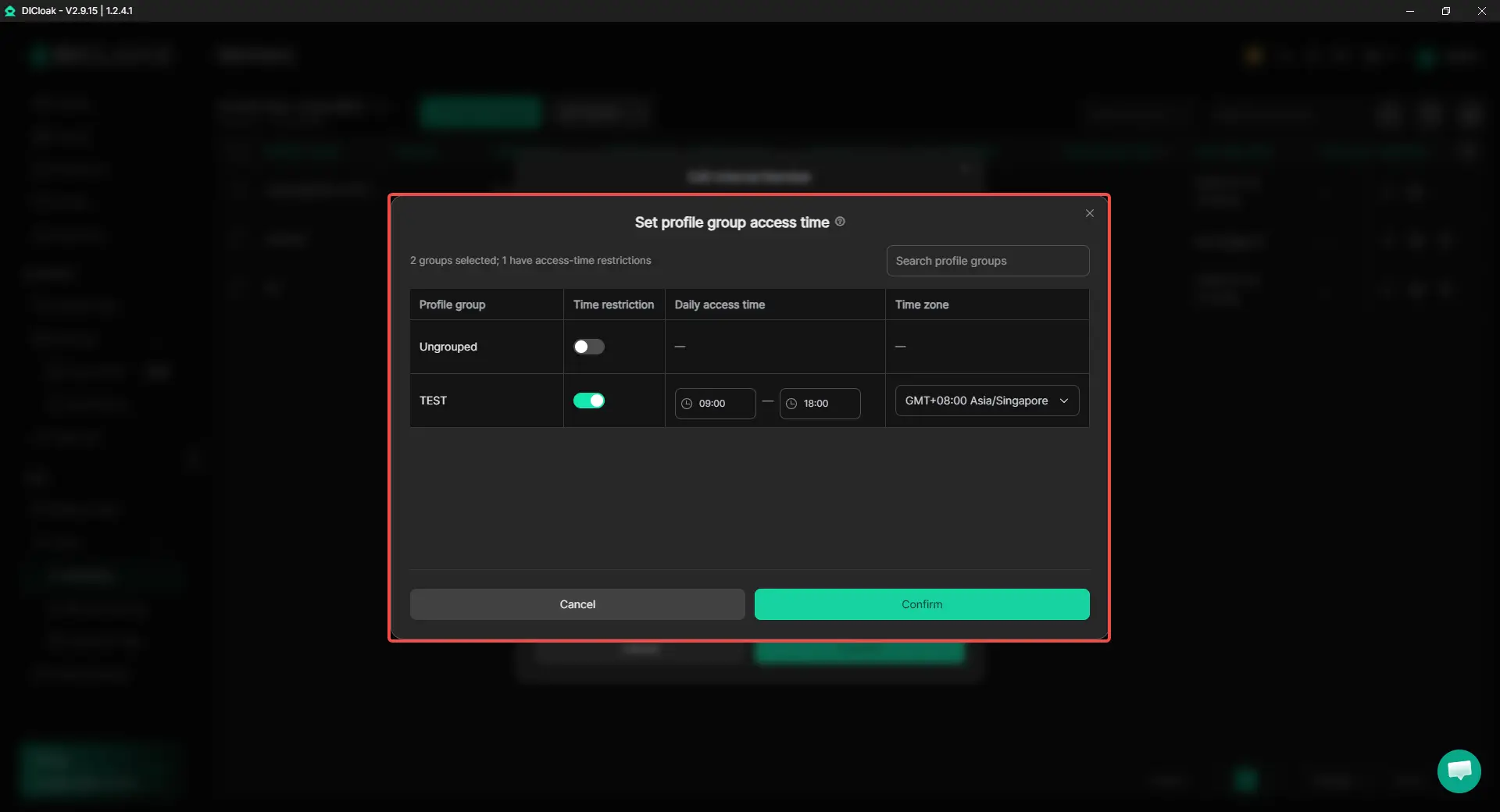
To set it up:
- Go to Team > Members and edit the target member.
- Select the relevant Profile group, then click Set group access time.
- Turn on Time restriction for the group and set the Daily access time and Time zone.
- Click Confirm to save the settings.
Stop a Batch Profile Opening When Needed
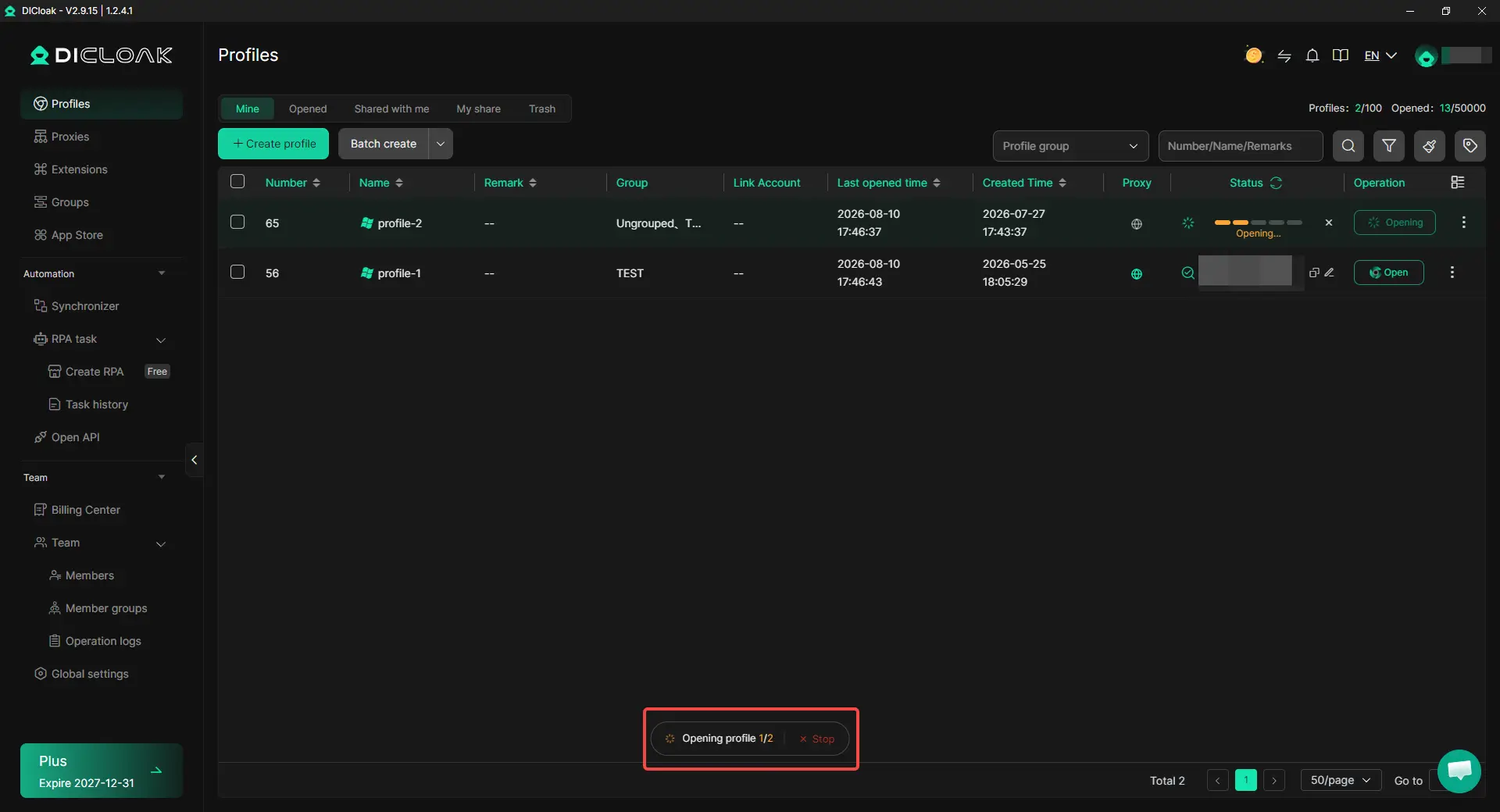
Batch opening saves time, but users may occasionally select the wrong Profiles or realize they no longer need the full batch after opening has started. Users can now click Stop while a batch Profile opening is in progress. This avoids waiting for an unwanted batch to continue and makes accidental bulk operations quicker to correct.
Get Started with the New Update
This update brings clearer control to team access and more flexibility to everyday batch operations. Try the latest version of DICloak and put these new controls to work in your daily Profile workflow.
 Web Proxy Tools
 Free Tools
 Cookie Plugin
 UA Generator
 MAC Address Generator
 IP Generator
 IP Address List
 2FA Code Generator
 World Clock
 Anonymous Check
 WebRTC Leak Test
 UUID Generator
 Free Web Proxy Site
 Proxy Checker
 FB Ad Checker
 AI Web Scraping
 Free SMM Tools
 Twitter Shadowban Checker
 Instagram Name Checker
 UTM Generator
 Username Generator
 AI Hashtag Generator
 LinkedIn Headline Generator
 Social Media Image Resizer