Trying to catch a released Instagram username means racing against thousands of others who want the same handle, often within a window of seconds or minutes. You might be waiting for a dropped username to become available, hoping your claim goes through before someone else or before bots snap it up. The frustration is real, sometimes your script says “success,” but the name is already taken, or worse, you get stuck in a loop of failed attempts and cooldowns.
But the trickiest part isn’t just speed. Instagram rarely gives clear signals when a username is freed up, and their platform has strict limits on retries, device fingerprints, and account activity. If you only rely on manual checking or a basic bot, you risk getting flagged for suspicious activity or losing your shot because of a hidden cooldown. Even if you manage to get the username, there’s a chance it was released for a reason, like a restriction, shadowban, or prior abuse history that could haunt your new account.
Smart workflows for how to catch released instagram usernames go beyond just hitting “refresh” or running scripts. The real difference comes from combining timing, device setups, and safe automation, plus knowing the warning signs when Instagram locks you out or stealthily blocks your claim. If you skip these steps, you’re likely to waste hours chasing ghost handles, or even risk your main account.
Here’s what you need to check before you try to claim an available Instagram username.
Why Catching Released Instagram Usernames Is So Competitive in 2026
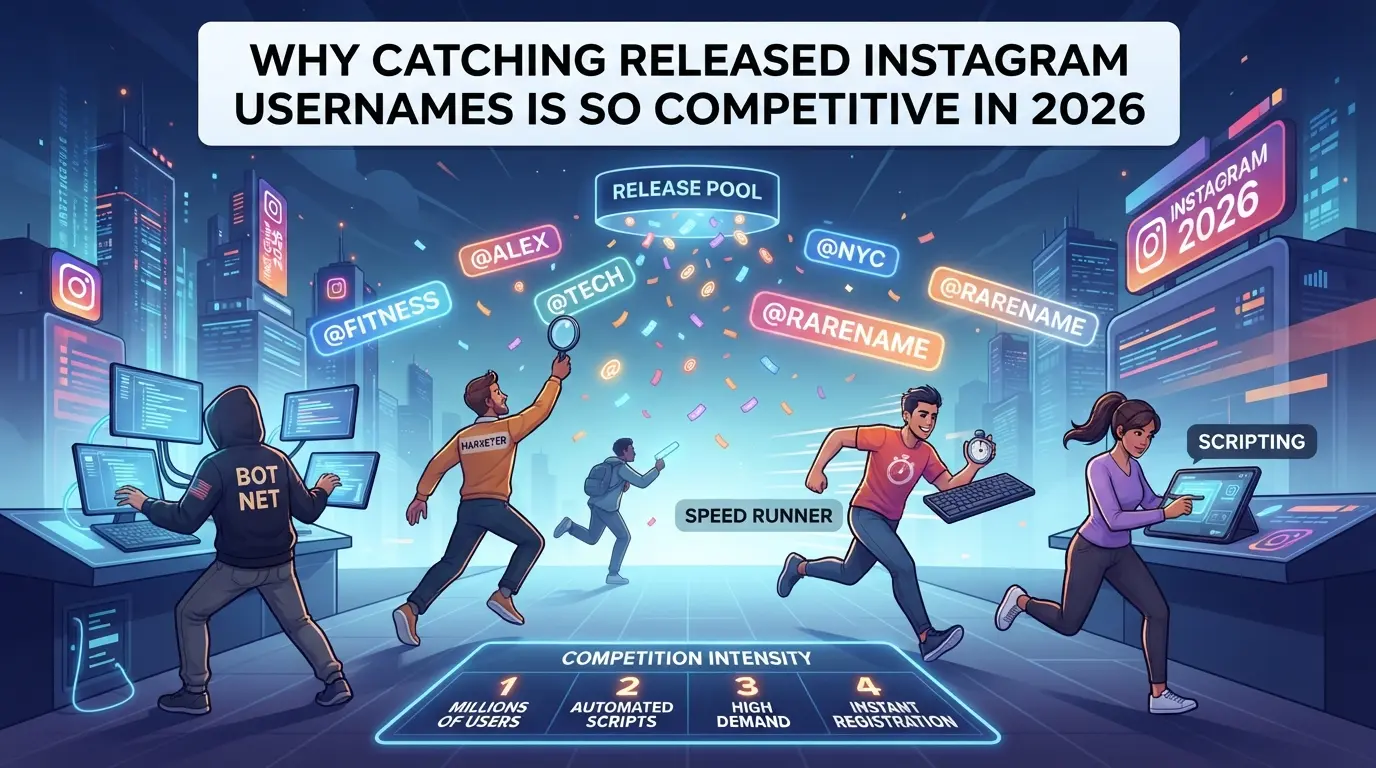
Catching a released Instagram username now feels like a race, thousands of people and scripts are trying to grab the same handle at the same second. You’re not just competing against casual users, but against automated bots, resellers, and even brand teams with custom tools.
Why Competition Has Increased in 2026
The surge comes from two sides: automation and profit. Scripts and bots flood Instagram’s claim system, making manual attempts nearly pointless unless your timing is perfect. At the same time, username resellers and businesses chase high-value names for branding and protection, driving prices up and pushing more people to join the rush. Missing a claim isn’t just about losing a cool handle, sometimes, it means losing a five-figure asset.
How Instagram Handles Username Releases
Instagram doesn’t announce when a username will be released. Handles can sit in limbo for weeks, months, or even years, depending on account deletion, inactivity, or platform policy. Sometimes a name drops after a ban, but other times, it’s recycled with no clear warning. Platform-side delays and random cooldowns mean you can watch for hours without seeing the handle freed, or see it released and claimed in under ten seconds. If you only rely on manual checking, you’ll usually be too slow. Even with a script, failure modes include stealth bans, rate limits, or username glitches where the handle appears available but rejects your claim. For example, some users have reported getting “username not available” errors even when the name looked open, because Instagram’s backend hadn’t updated. The real risk is spending days chasing a handle only to find out it’s locked by a hidden restriction or released at 3am when you’re offline.
What Makes a Username Worth Catching
- The name matches a brand or personal identity, backed by history or audience demand.
- Scarcity: short, original handles are rare; once gone, they’re nearly impossible to reclaim.
- Resale market: some usernames fetch thousands if they’re linked to trending topics, products, or common words.
The hardest part isn’t just speed, it’s knowing if the name is worth the fight, or if chasing it sets you up for account risk. Before trying, you need to weigh value against time, risk, and the chance you’ll never see the handle released.
What to Know Before Trying to Catch a Released Instagram Username
Instagram’s username release window is unpredictable, and catching a dropped handle isn’t just about speed, it’s about avoiding mistakes that get you blocked or locked out. If you want a shot at claiming an available username, you need to know the rules, the risks, and what Instagram will flag as suspicious before you even start.
Instagram Username Policies and Restrictions in 2026
Instagram only lets you claim a released username if your account meets their current eligibility rules. This usually means you need a verified email, phone, and no history of restrictions or bans. Since 2026, username recycling now triggers a hidden cooldown, accounts with prior violations or new profiles are often blocked from claiming newly dropped handles.
Risks of Automation and Multiple Attempts
Running bots or making too many attempts, even from different devices, is risky, Instagram’s systems are tuned to flag this behavior fast.
- Check if your account has any past restriction or warning, these flag you for cooldowns.
- Avoid using scripts or automation tools that repeat the same request, these trigger lockouts.
- Limit how many times you try to claim the handle in a single hour, the more you push, the higher your ban risk.
What You Need: Devices, Accounts, and Timing
Trying to snag a released username with a new account or reused device almost always fails. Instagram’s backend tracks device IDs and IP patterns, so aged accounts and clean device setups matter more than speed.
- Use an account at least 90 days old with real activity, new accounts rarely succeed.
- Make sure your device has never been flagged or linked to failed attempts, wipe cookies and change IPs if needed.
- Time your claim for low-activity windows, midnight UTC sees fewer competing attempts and less aggressive detection.
If these checks aren’t handled up front, you’ll waste effort and risk losing your main account. Next, you’ll need to monitor the exact release window, timing and prediction often matter more than pure speed.
How to Monitor and Predict When an Instagram Username Will Be Released
You don’t have to guess blindly, there are clear ways to track Instagram usernames and estimate when they’ll drop. If you want to catch a released Instagram handle, the main challenge is knowing exactly when to act, since timing gaps and hidden delays are usually what trip up most claim attempts.
Tracking Username Status Manually
- Open Instagram and search for the username. If you see “User not found” or a blank profile, it could mean the username is deleted, banned, or still locked in cooldown.
- Log out and try to create a new account using the handle. If Instagram blocks the claim, the username is either not released yet or restricted by policy.
- Use browser incognito mode to avoid cached results and session artifacts, regular tabs can show old data for up to 30 minutes.
- Repeat these checks every few hours but avoid rapid refreshes. Too many requests from the same device or IP can trigger rate limits, locking you out for hours.
Using Notification Bots and Monitoring Tools
- Set up a notification bot that pings you when the username is available. Most public bots rely on web scraping or API checks, so they can miss releases or get delayed by anti-bot blocks.
- Choose a tool that lets you customize check intervals, shorter intervals mean faster alerts, but also higher risk of getting flagged.
- Watch for false positives. If your bot says the username is free but Instagram still rejects your claim, you’re likely seeing cached data or a temporary glitch.
- Trust manual confirmation over bot alerts. Bots can help, but Instagram often changes its backend logic, making automation unreliable for last-minute grabs.
Estimating Release Windows Based on Account Activity
- Track when the original account was deleted or the username changed. Instagram typically holds usernames for 14-30 days, but can extend this for flagged or high-profile handles.
- Check for signs of cooldown such as “username not available” messages even after deletion, this usually points to an internal waiting period.
- Time your claim attempts in off-peak hours. Instagram sometimes batches releases overnight or on weekends, so a handle might drop unexpectedly after midnight.
- If you notice irregular delays, assume Instagram has flagged the name, wait at least 24 hours before retrying, or you risk temporary blocks on your account.
The next step is lining up your claim attempts with these timing windows, using safe device and account setups to avoid getting locked out mid-process.
Step-by-Step: How to Attempt to Claim a Released Instagram Username
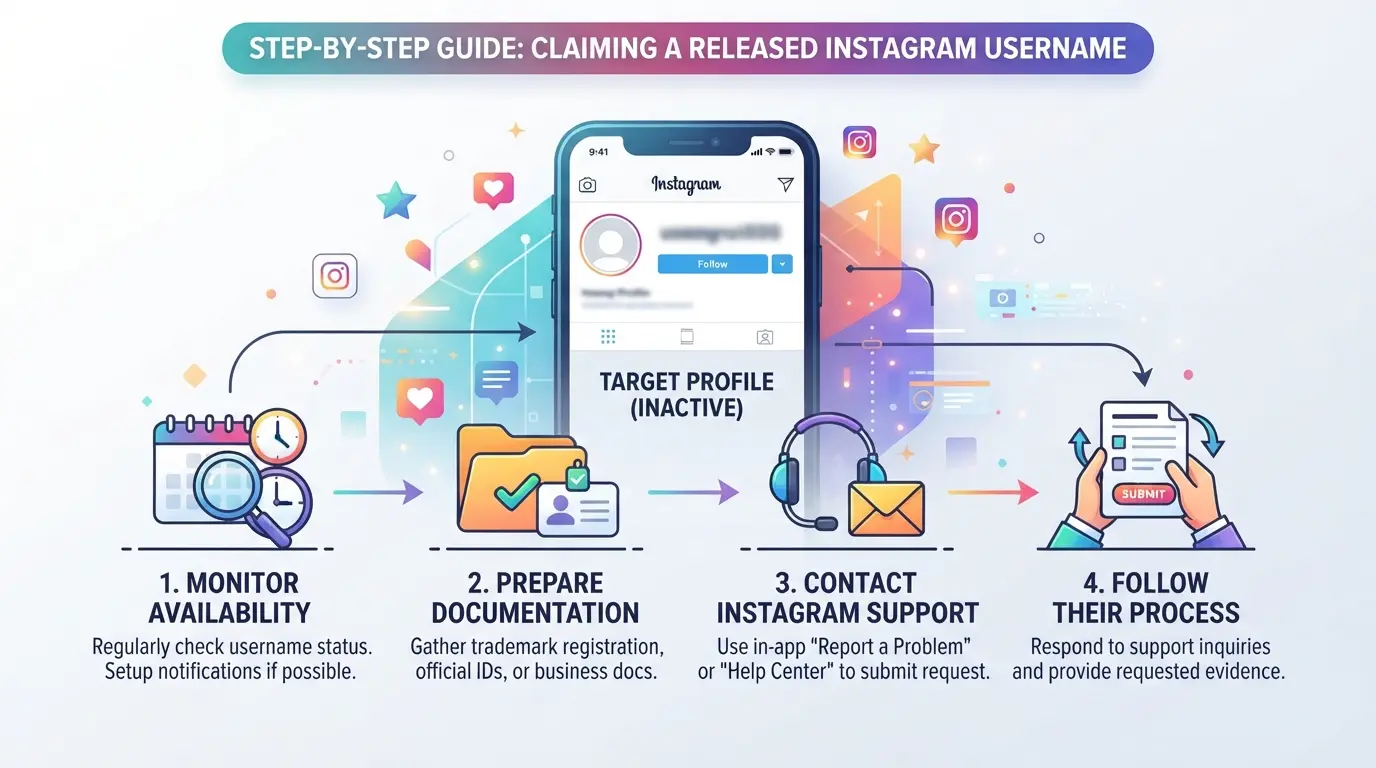
Catching a released Instagram username is mostly about speed and avoiding detection. If you miss even one detail, like session conflicts or timing, you’ll likely lose the handle or trigger a restriction. Here’s the exact workflow that experienced operators use, broken down into actionable steps.
Preparing Your Account and Device
- Use an aged, clean Instagram account, not your main. Older accounts with steady activity get flagged less often.
- Log out on all devices. Persistent sessions can cause errors or blocks during the claim.
- Clear browser cookies and app cache before each attempt. Leftover data links your session to past failed requests, sometimes triggering lockouts.
- Avoid using the same IP for multiple claims. Instagram tracks patterns, repeat attempts from one address often lead to restrictions.
Timing Your Attempt for Best Results
- Coordinate your claim window based on your predicted release time. Don’t rely on random guesses, most usernames drop in the early morning UTC or after scheduled bans.
- Prepare for rapid manual attempts. Automation can help, but Instagram’s detection is aggressive, manual clicks every 10 seconds for 2-3 minutes beats spamming the request button.
- If you miss the predicted window, pause and re-sync. Chasing before or after the drop usually means you’ll hit a cooldown.
Making the Username Change Request
- In the Instagram app, go to your profile, tap "Edit Profile", and enter the target username.
- Submit the change, if you see “username not available,” wait five seconds and retry once. Repeated errors signal a cooldown or shadow restriction.
- If the change goes through, confirm by logging out and back in. Sometimes the handle appears claimed but isn’t active due to backend lag.
- If you get a suspicious activity warning, stop, forced retries only make the ban stick longer.
What to Do If You Fail or Get Rate Limited
- If you’re rate limited, log out immediately and switch devices. Waiting 30-60 minutes helps reset the session, but repeat failures lead to longer lockouts.
- If your account is temporarily restricted, avoid login for at least 12 hours. Trying too soon often extends the ban.
- If you fail repeatedly, change your proxy and device fingerprint. Instagram flags similar patterns across sessions.
- Don’t chase the handle with your main account, restrictions here can block your entire operation.
Common mistakes, like ignoring session hygiene or rushing retries, are where most failed claims turn into locked accounts. This is where careful timing and controlled attempts make all the difference.
Common Mistakes That Cause You to Miss Out or Get Restricted
Missing out on a released Instagram username usually comes down to repeating mistakes most people don’t notice until their account gets restricted or their claim fails. If you’re not watching for these traps, the platform’s automated checks will catch you faster than any manual refresh.
Overusing Automation or Bots
Instagram’s system flags repeated attempts from bots or scripts. If you run too many automated username checks, your account can get hit with a temporary restriction or even a permanent ban, especially if you cycle through handles every few seconds. The biggest mistake is assuming automation always helps; in reality, too much automation gets you blocked and ruins your shot at the handle.
Using Linked or Previously Flagged Accounts
- Check if your account has previous restrictions or warnings.
- Make sure you’re not logging in from a device tied to other failed claims.
- Avoid using the same proxy or IP address as flagged accounts.
Ignoring Platform Rate Limits and Cooldowns
Exceeding Instagram’s request limits triggers hidden cooldowns. If you ignore these, you’ll get locked out or delayed, making you miss the window for catching released instagram handles.
- Pause attempts as soon as you see unusual delays or errors.
- Wait at least 10 minutes after any block before retrying.
- Rotate accounts and devices to avoid repeated rate-limit flags.
How Social Media Teams Can Manage Multiple Instagram Accounts More Safely When Attempting Username Claims
Separating Accounts with Isolated Browser Environments
Teams reduce the risk of account linkage by running each Instagram profile in a separate browser profile. Keeping cookies, fingerprints, and sessions apart means actions from one account don’t leak to others.
Using Proxies for Account and Device Diversity
Assign a unique proxy (IP address) to every account and device. If two accounts share an IP or proxy subnet, Instagram can spot the pattern and block both. Rotating proxies randomly is not enough, use fixed, dedicated proxies and track assignments to avoid overlap.
Coordinating Team Actions and Logging Attempts
- Use a shared log to track every username claim attempt and result.
- Standardize timing so accounts do not flood requests at once.
- Review logs together after failed attempts to adjust your approach quickly.
How to Set Up Safer Multi-Account Workflows for Instagram Username Operations with DICloak

If you’re managing several Instagram accounts and need to coordinate username operations, the real bottleneck is organizing sessions without leaking browser data or running into network overlap. Manual switching and browser tabs don’t cut it, especially when the risk of account linkage or missed timing can ruin your shot at catching released Instagram usernames. DICloak supports a more organized workflow for teams handling multiple accounts, keeping each session separated and mapped to its own browser profile.
Creating Isolated Browser Profiles and Configuring Fingerprints for Each Instagram Account
Operators can create a new browser profile for each Instagram account in DICloak, configuring device signals like User Agent, screen resolution, time zone, and language. This separation means each account runs in its own environment, helping prevent session crossover. You can tune fingerprint settings per profile to match your device or proxy needs. This setup is all about environment control, the biggest mistake is letting browser storage or fingerprint signals overlap across accounts, which often triggers platform review or linkage. The scope stays at browser-profile management; it doesn’t touch Instagram’s actual username systems.

Assigning User-Provided Proxies to Each Profile for Network Diversity
For account workflows that need consistent, separate network connections, admins can assign a user-provided HTTP, HTTPS, or SOCKS5 proxy to each DICloak profile. Enter the proxy details, test connectivity, and confirm the exit IP, country, and time zone. Operators are responsible for proxy selection and rotation, if you reuse a proxy across profiles, you risk network overlap and possible account linkage. DICloak does not sell proxies or enforce unique IPs; it simply stores and applies your chosen settings.

Automating Routine Username Checks and Attempts with RPA
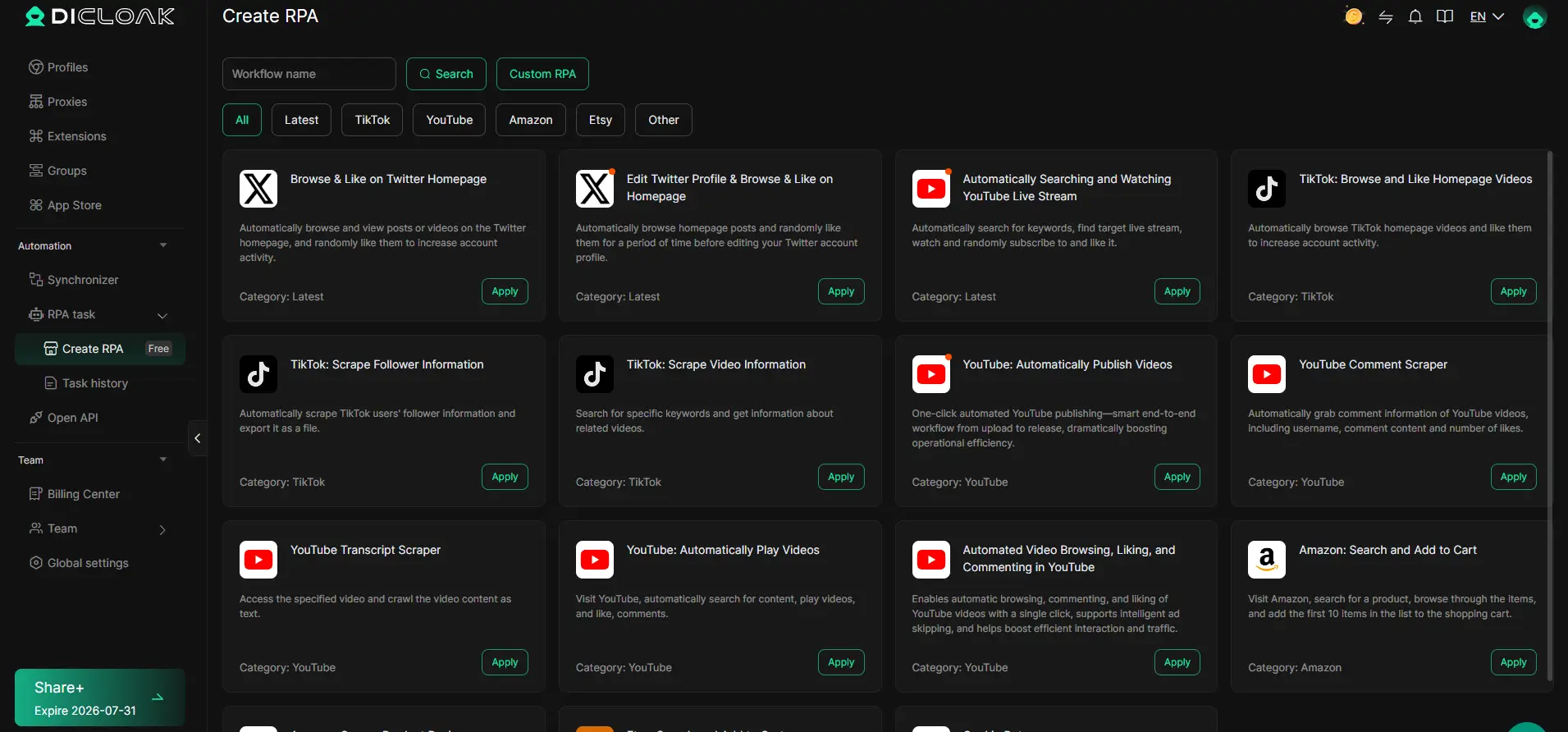
Manual username checks across multiple accounts are slow and error-prone. Operators can configure an RPA task in DICloak to automate browser workflows, such as checking username availability and logging attempts, on supported profiles. Review execution logs and adjust task rules as needed. RPA doesn’t guarantee platform acceptance, but it cuts down repetitive mistakes and helps teams coordinate attempts without missing critical windows.
Using Window Synchronizer for Coordinated Manual Attempts Across Accounts
When timing matters, coordinated manual action is often better than pure automation. The window synchronizer lets an operator mirror live clicks, text input, or scrolling from a master window to several open profiles. For example, you can submit username claim requests simultaneously, reducing lag and chance of error. The operator supervises every action; this isn’t unattended automation and won’t mimic independent users.
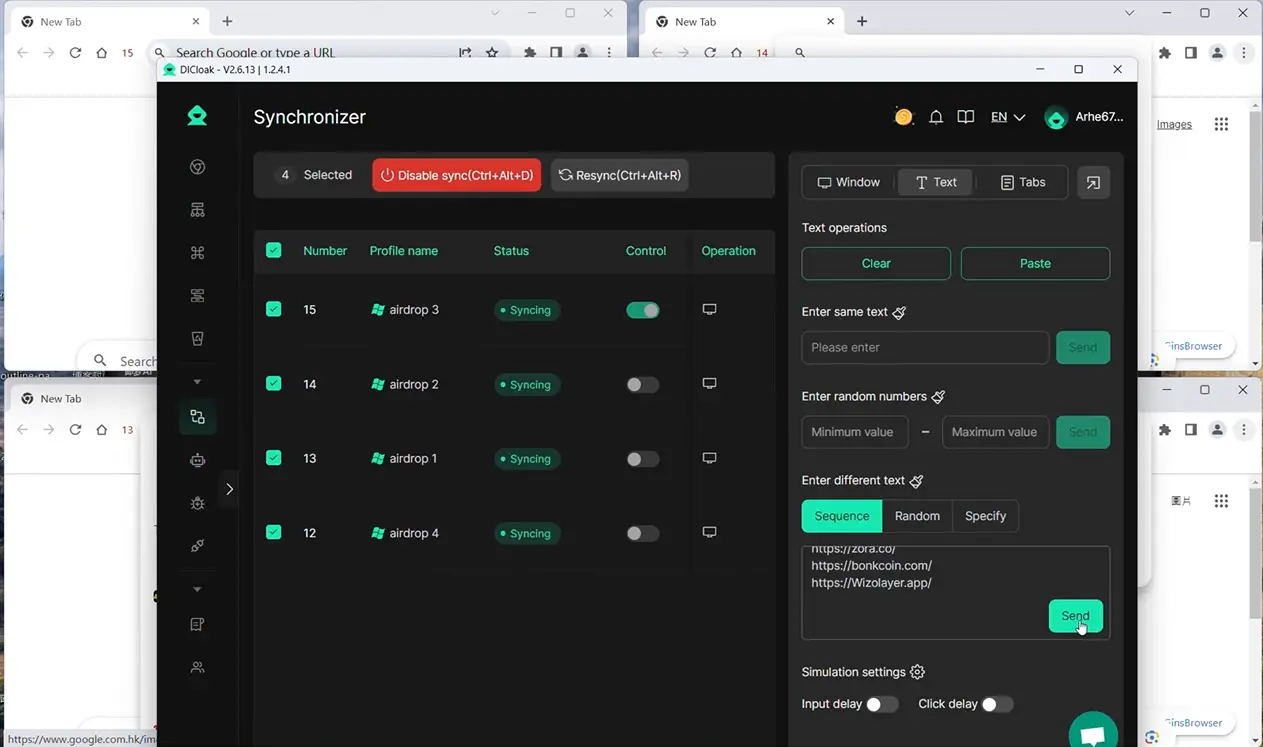
Teams using DICloak for this multi-account workflow can keep their operational risks lower and their process more predictable, especially when deciding if chasing dropped usernames is worth the effort.
When Catching a Released Username Is Not Worth the Risk: Alternatives and Smarter Branding Moves
Sometimes, chasing a released Instagram username costs more than it’s worth, missed claims, account restrictions, or wasted hours. Here’s how to know when to walk away and what to try next.
When to Give Up on a Specific Username
- Username was deactivated for policy issues or abuse.
- Attempts trigger temporary locks or frequent “try again later” errors.
- Handle shows no signs of release after multiple drops.
Alternative Branding Strategies on Instagram
Tweaking your handle, by adding “_official”, a city, or a relevant word, often works better than waiting months for a perfect name. Focus on building a memorable bio, consistent visuals, and real engagement; these shape your brand more than the handle itself.
Frequently Asked Questions About how to catch released instagram usernames
Is it legal to use automation or bots to catch released Instagram usernames?
Using bots or automation is against Instagram’s terms of service. If Instagram detects these tools, your accounts may be banned or blocked. Automation also carries risks like losing access to all your Instagram profiles. It’s safest to try claiming usernames manually to avoid breaking rules and facing penalties.
How long does it usually take for a deleted Instagram username to become available?
There’s no set time when a deleted username becomes available. Sometimes, Instagram may release usernames within minutes, hours, or even months. Factors like account activity or username popularity can affect timing. Many people try to claim dropped Instagram usernames, so it’s hard to predict when one will be released.
Can I improve my chances by using multiple Instagram accounts or devices?
Trying to claim a username with several accounts can slightly increase your odds, but it’s risky. Instagram may flag or block accounts making repeated requests. Using many devices or accounts can lead to bans, especially if you break community guidelines. It’s best to avoid suspicious activity and follow Instagram’s rules.
What happens if someone else claims the username before me?
If another user claims the username first, it’s theirs. Instagram gives usernames on a first-come, first-served basis. You can try a different name, add numbers, or change spelling. If you’re set on a specific handle, keep checking if it ever becomes available again.
Are there any safe third-party services for catching Instagram usernames?
Most third-party services that promise to help with catching released Instagram handles are risky. Many are scams or cannot guarantee results. They may ask for your login details, which can lead to account theft. It’s safest to avoid these services and try to get an available Instagram username yourself.
If you're eager to secure a coveted Instagram handle, the smartest move is to use reliable tools that monitor username availability and alert you the moment your desired name is released. Acting promptly and using the right resources can significantly increase your chances of success. Try DICloak For Free
 Web Proxy Tools
 Free Tools
 Cookie Plugin
 UA Generator
 MAC Address Generator
 IP Generator
 IP Address List
 2FA Code Generator
 World Clock
 Anonymous Check
 WebRTC Leak Test
 UUID Generator
 Free Web Proxy Site
 Proxy Checker
 FB Ad Checker
 AI Web Scraping
 Free SMM Tools
 Twitter Shadowban Checker
 Instagram Name Checker
 UTM Generator
 Username Generator
 AI Hashtag Generator
 LinkedIn Headline Generator
 Social Media Image Resizer