Searching “Vinted blocked me for no reason” usually means something unexpected has happened. You may have listed a few clothes, made a sale, changed devices, or simply opened Vinted as usual. Then suddenly, you see a warning, temporary restriction, or permanent account ban.
The frustrating part is that the reason may not feel obvious. A seller can believe they are using Vinted normally while the platform sees a pattern that matches commercial selling, duplicate accounts, suspicious account activity, counterfeit risks, or another policy issue. Vinted also uses automated checks in parts of its moderation process, so mistakes and false positives can happen.
That does not mean every Vinted block is random. In many cases, there is a trigger, but the user does not know which action caused the review. This guide explains the most common causes, what different types of Vinted blocks mean, how to appeal, and how to build a more stable browser setup for legitimate Vinted use.
What Triggers Vinted Block Even If You Think It Was for No Reason
Vinted does not publish a formula showing exactly how its risk systems score an account. There is no official rule saying that one device change, five listings, or a particular type of browser automatically causes a ban. Enforcement depends on the account and the activity involved.
However, Vinted does publish enough information to identify common risk areas. These include prohibited products, repeated commercial activity, counterfeit listings, multiple accounts, off-platform transactions, security concerns, and incomplete verification.
Automated moderation vs human manual review
It is tempting to call every unexpected restriction an “AI ban,” but that is not completely accurate. Vinted confirms that automatic screening can be used for listings, while its authenticity process combines automated tools with human review.
Human review also matters during an appeal. Vinted tells users to explain why they believe the moderation decision was incorrect and to provide supporting evidence. A good appeal therefore gives the reviewer clear facts they can check instead of simply saying, “I did nothing wrong.”
For example, if the restriction mentions commercial selling, explain where the products came from and why several similar items were listed. If the problem concerns authenticity, provide original receipts, product labels, serial information where relevant, and clear photos. Evidence turns a complaint into something a reviewer can evaluate.
Temporary block vs permanent ban: key differences
A temporary Vinted ban is not the same as losing the account forever. Vinted currently states that temporary bans are normally removed automatically after 7 to 30 days, depending on the reason. Users should see the expected end date when logging in.
Permanent bans are more serious. Vinted lists reasons such as fraud, multiple accounts, repeated counterfeit selling, repeated commercial activity, and repeated violations of Catalog Rules. Some functions may remain available after a permanent ban, including contacting support and, in certain cases, withdrawing eligible Vinted Wallet earnings.
| Situation |
What you may see |
Recommended first action |
| Temporary ban |
A clear end date |
Wait or appeal with evidence |
| Listing restriction |
Items removed or hidden |
Review Catalog Rules |
| Security review |
Account locked or verification requested |
Complete verification |
| Permanent ban |
Account access heavily restricted |
Use the official appeal route |
| Network-related access issue |
Connection or IP-related warning |
Check your network setup |
| Wallet restriction |
Payout unavailable |
Complete requested verification and contact support |
The important point is not to treat every message as the same problem. If the account is temporarily restricted until a specific date, creating more accounts does not solve the cause. If the issue is identity verification, waiting alone may not fix it either.
Hidden policy violations you might overlook
Some Vinted rules are easy to miss because the user may not see their activity as problematic. Commercial selling is a good example. A private seller may own all the products they list, but many new items, similar products, stock-like quantities, or professional images can still create the appearance of business activity.
Vinted also restricts other behavior that may lead to enforcement. Its Help Center mentions counterfeit products, repeated prohibited listings, promoting transactions outside Vinted's payment system, and commercial selling as possible reasons for temporary or permanent restrictions.
The Catalog Rules also state that sellers should use photos that accurately show the real item. Generic commercial images or pictures taken from elsewhere can create problems because Vinted expects buyers to see the actual product and its real condition.
How Vinted tracks device, IP and browser fingerprints
An IP address is only one part of the technical information a website can receive. Vinted's current Cookie Policy says cookies and related technologies may collect or generate information about IP address, approximate location, browser type, operating system, device model, language, time zone, screen settings, network information, and other identifiers.
The same policy also explains that technical characteristics can sometimes be combined into a unique browser or device identifier, commonly called a fingerprint. This helps explain why clearing cookies or simply opening another browser does not necessarily make a session technically unrelated.
At the same time, Vinted does not publish its complete fraud-detection model. It would therefore be misleading to claim that one specific fingerprint setting automatically causes or prevents a ban. The more useful goal is to maintain a stable and truthful browser profile while following the platform's account rules.
6 Common Workarounds When Vinted Blocked Me for No Reason
When an account becomes restricted, users often start changing several things at once. They may switch browsers, change networks, reinstall apps, or register another account. That approach can make the situation harder to understand because you no longer know which problem you are actually trying to solve.
A better process starts with the restriction message itself. Find out whether you are dealing with a temporary ban, permanent ban, security lock, connection issue, or verification request. Then use the solution that matches that problem.
Wait for temporary block expiry
If Vinted gives you a clear temporary-ban end date, waiting may be the simplest solution. Vinted says temporary bans generally expire automatically within 7 to 30 days. The platform also states that it normally cannot remove the restriction early unless you provide evidence showing that the ban was a mistake.
Use the waiting period to review recent account activity. Check which products were uploaded before the restriction, whether several listings looked very similar, and whether Vinted sent earlier warnings. This can help you avoid repeating the same problem when access returns.
Waiting is not enough when Vinted asks for identity, payment, or account-security information. In those cases, complete the requested verification instead of waiting for the issue to disappear.
Submit the official Vinted appeal
If you believe the decision is wrong, the official appeal should be your main response. Vinted says the appeal link should appear in the moderation notice sent to your Vinted inbox or email.
The appeal should directly address the reason Vinted gave you. If the issue is commercial selling, explain where your products came from. If authenticity is questioned, attach invoices, labels, order confirmations, or detailed product photos. If an old account may be causing confusion, explain that situation clearly.
Vinted currently states that a moderation decision can generally be appealed once, within six months of receiving the decision notice. This makes it worth preparing the appeal carefully instead of sending a rushed emotional message.
Check whether the problem is your network environment
Sometimes the account itself is not the only issue. A user may receive a connection-related warning after moving to another network, connecting through a shared business network, or changing the way their device accesses the internet.
In that situation, start with basic troubleshooting. Return to a trusted network that you normally use, restart the connection, confirm that the device time and location settings are correct, and test whether other Vinted pages work normally. Avoid changing several network settings repeatedly in a short period because that can make the account's login history less consistent.
If your organization uses an authorized proxy connection or managed enterprise network, keep its location and account purpose consistent. The goal should be a stable connection for legitimate use, not constant changes designed to appear as different users.
Use a dedicated browser Profile for permitted sessions
A dedicated browser Profile can help prevent accidental mixing of cookies, session data, and account information. This is especially useful when the same computer is used for several unrelated work tasks.
However, browser isolation does not change Vinted's account policy. Vinted currently lists multiple ordinary accounts as a possible reason for permanent banning. A second browser Profile should therefore not be treated as permission to create another personal Vinted account.
Its value is organization. If you have an account structure that Vinted allows, such as an eligible standard account and Pro account in a supported market, separate browser Profiles can help keep their sessions from being accidentally mixed.
Try another normal browser or device for troubleshooting
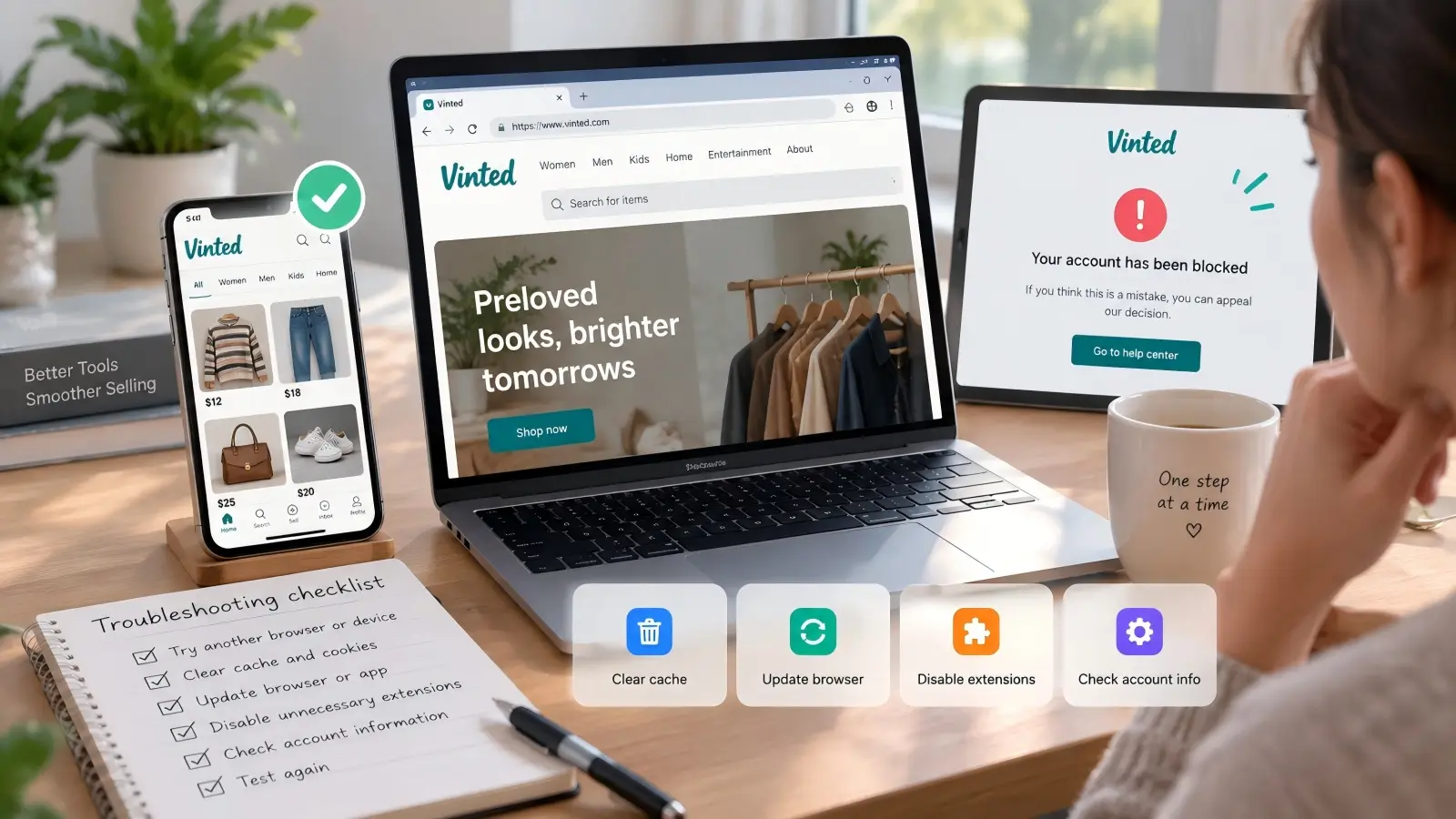
If Vinted does not load correctly, testing another normal browser or trusted device can help identify whether the problem is technical. For example, if the account opens on your phone but not on your desktop browser, the issue may involve browser cache, extensions, stored data, or local settings.
This is a troubleshooting step, not an account-replacement strategy. Keep using the same legitimate account and complete any verification requests that appear. If both devices show the same ban message, changing devices is unlikely to solve the underlying moderation decision.
Before switching devices permanently, make sure your account recovery email and phone information are still available. That reduces the chance of turning a simple browser issue into an account-access problem.
Refresh the browser profile and account data
Old browser data can sometimes cause login or page-loading problems. Clearing outdated cache, updating the browser, disabling a conflicting extension, or reinstalling the Vinted app can help when the problem is technical rather than policy-related.
You should also check whether your account information is complete and accurate. Verify the email address, phone number, payment information, and any identity details Vinted has requested. A security check cannot usually be solved by changing browsers if the platform is waiting for information from you.
This approach is intentionally simple. When troubleshooting, change one thing at a time and test again. That makes it much easier to identify the real cause.
Manage Permitted Vinted Sessions More Consistently With DICloak
For users who need a more organized browser setup, DICloak provides more control than a normal browser. It lets users create separate browser Profiles, configure fingerprint settings, manage network connections per Profile, and perform bulk Profile operations from one workspace.
There is an important limitation. DICloak does not change Vinted's rules and should not be treated as a way to restore a banned account or create prohibited duplicate accounts. Vinted currently lists multiple accounts as a possible reason for permanent banning, while Vinted Pro provides a specific professional account route in supported markets.
Create Separate Browser Profiles With Independent Fingerprints
A normal browser can store large amounts of shared technical data. Cookies, local storage, browser settings, language, screen details, and other information can easily become mixed when users repeatedly switch between work sessions.
DICloak solves the organizational side of this problem by giving each Profile its own browser configuration and fingerprint settings. Users can configure elements such as operating system, User Agent, language, time zone, geolocation, fonts, WebRTC, screen settings, WebGL, WebGPU, AudioContext, and other browser parameters. DICloak's current API documentation also exposes these fingerprint fields for Profile management.
The practical benefit is session consistency. Instead of clearing the browser every time or trying to remember which cookies belong to which workflow, users can reopen the same dedicated Profile later. This can be useful for an approved personal or professional Vinted workflow where stable browser sessions matter.

Keep Network Settings Consistent for Each Profile
You can assign a separate proxy connection to each browser Profile in DICloak. In the Profile settings, you can enter the proxy host, port, username, and password, then check the connection before opening the Profile.
You can also use IP-based matching for settings such as language, time zone, and geolocation. This helps keep the browser profile aligned with the Profile’s network location without changing each setting manually.
For Vinted workflows, you should keep the browser profile as stable and consistent as possible. Choose network connections that fit your legitimate use case and follow local laws, company policies, and Vinted’s rules.

Manage Multiple Profiles With Bulk Operations
When a team has many authorized browser workflows, opening and configuring each Profile manually becomes time-consuming. DICloak provides bulk Profile operations, which can be seen directly in the Profile list.
Users can select several Profiles and perform actions such as checking IP information, assigning Profile Groups, editing Profile settings, adding remarks, clearing cache, exporting Profiles, or closing Profiles across devices. DICloak's official documentation confirms support for these bulk operations and batch Profile creation.
This is especially useful when Vinted is only one part of a larger e-commerce operation. A business may also manage approved accounts on other marketplaces, social platforms, or advertising systems. Instead of maintaining many unrelated browser installations, the team can organize permitted browser sessions from one Profile management system.

Vinted Blocked Me for No Reason FAQ: Common Questions Answered
If you searched “Vinted blocked me for no reason,” you are not alone. Here are quick answers to the most common questions about Vinted blocks, appeals, multiple accounts, network changes, and frozen funds.
Why did Vinted block me for no reason?
If Vinted blocked me for no reason describes your situation, the trigger may not be obvious. Common causes include commercial-looking selling, multiple accounts, prohibited items, authenticity concerns, unusual login activity, or failed verification. Automated moderation may also flag an account for further review.
What should I do if Vinted blocked me for no reason permanently?
Use the official Vinted appeal option shown in your moderation notice. Explain why you think the decision was wrong and include useful evidence such as receipts, original photos, or order records. Vinted normally allows one appeal within six months of the decision.
How long does an appeal take if Vinted blocked me for no reason?
Vinted does not publish a fixed appeal response time. Some 2026 users reported waiting around 12 to 14 days, but this can vary by case. A clear appeal with relevant evidence may make the review easier.
Can I create another account if Vinted blocked me for no reason?
Usually, creating another ordinary Vinted account is not a safe solution. Vinted lists multiple accounts as a possible reason for permanent restrictions. If you sell professionally, check whether Vinted Pro is available and permitted for your situation.
Can changing my network help if Vinted blocked me for no reason?
Changing your network alone will not fix a policy restriction or failed verification. Vinted can also use browser, device, network, and fingerprint-related information when assessing activity. For a legitimate account, keeping your login environment stable is generally more useful than making frequent changes.
What happens to my money if Vinted blocked me for no reason?
A blocked account does not always mean your eligible balance is lost. In some cases, Vinted may still allow you to access your Wallet and withdraw funds. If withdrawals are restricted, complete any requested identity checks and contact Vinted Support for help.
Conclusion
If Vinted blocked you for no reason, do not immediately assume that creating a new account or changing every technical setting will solve the problem. Start with Vinted's moderation message. Identify whether you have a temporary ban, permanent ban, security lock, listing restriction, verification problem, or simple technical issue.
Vinted's current guidance says temporary bans usually last 7 to 30 days, while permanent bans can be connected with issues such as multiple accounts, repeated commercial activity, counterfeit products, fraud, or repeated Catalog Rule violations. Users who believe the decision is wrong can normally appeal once within six months.
Appeals can succeed. One June 2026 user reported that Vinted restored their account after they provided detailed evidence explaining why their high listing volume was personal rather than commercial. The reported process took 14 days, although this is an individual case and should not be treated as an official response-time guarantee.
For longer-term browser management, a antidetect browser such as DICloak can help users keep legitimate sessions separated and consistent. Separate Profiles, fingerprint settings, per-Profile network configuration, and bulk Profile management can make complex workflows easier to organize. The key is to use these tools alongside Vinted's rules, not instead of them.
 Web Proxy Tools
 Free Tools
 Cookie Plugin
 UA Generator
 MAC Address Generator
 IP Generator
 IP Address List
 2FA Code Generator
 World Clock
 Anonymous Check
 WebRTC Leak Test
 UUID Generator
 Free Web Proxy Site
 Proxy Checker
 FB Ad Checker
 AI Web Scraping
 Free SMM Tools
 Twitter Shadowban Checker
 Instagram Name Checker
 UTM Generator
 Username Generator
 AI Hashtag Generator
 LinkedIn Headline Generator
 Social Media Image Resizer