You have one OpusClip account, but now someone else on your team needs access. Maybe it is an editor, a social media manager, or a freelancer working on a short project. Do you add another Team Workspace seat, send a project link, or just give them the login? The answer depends on what that person needs to do, how often they need access, and whether you want them using the same account credentials. This guide breaks down OpusClip's pricing and sharing options, then compares Team Workspace, project links, password managers, and shared browser Profiles. You'll see which option fits regular teammates, clients, and temporary collaborators. And how to share an existing OpusClip session without passing the main password around.
Can You Share an OpusClip Account with Your Team?
Yes. OpusClip supports team collaboration, so you do not need to give every editor, marketer, or freelancer the password to the main account. The better option depends on what each person actually needs to do. For example, a regular editor may need ongoing access to shared projects, while a client may only need to review one video. Giving everyone the same login can be convenient at first, but it also gives people the same account access even when their roles are different.
OpusClip Team Workspace is better suited to ongoing collaboration because members can use their own accounts. For more limited needs, such as reviewing one project, a shared project link may be enough. Before choosing a method, it helps to understand OpusClip's pricing, seats, credits, and sharing rules.
What Do OpusClip Pricing and Account-Sharing Rules Allow?
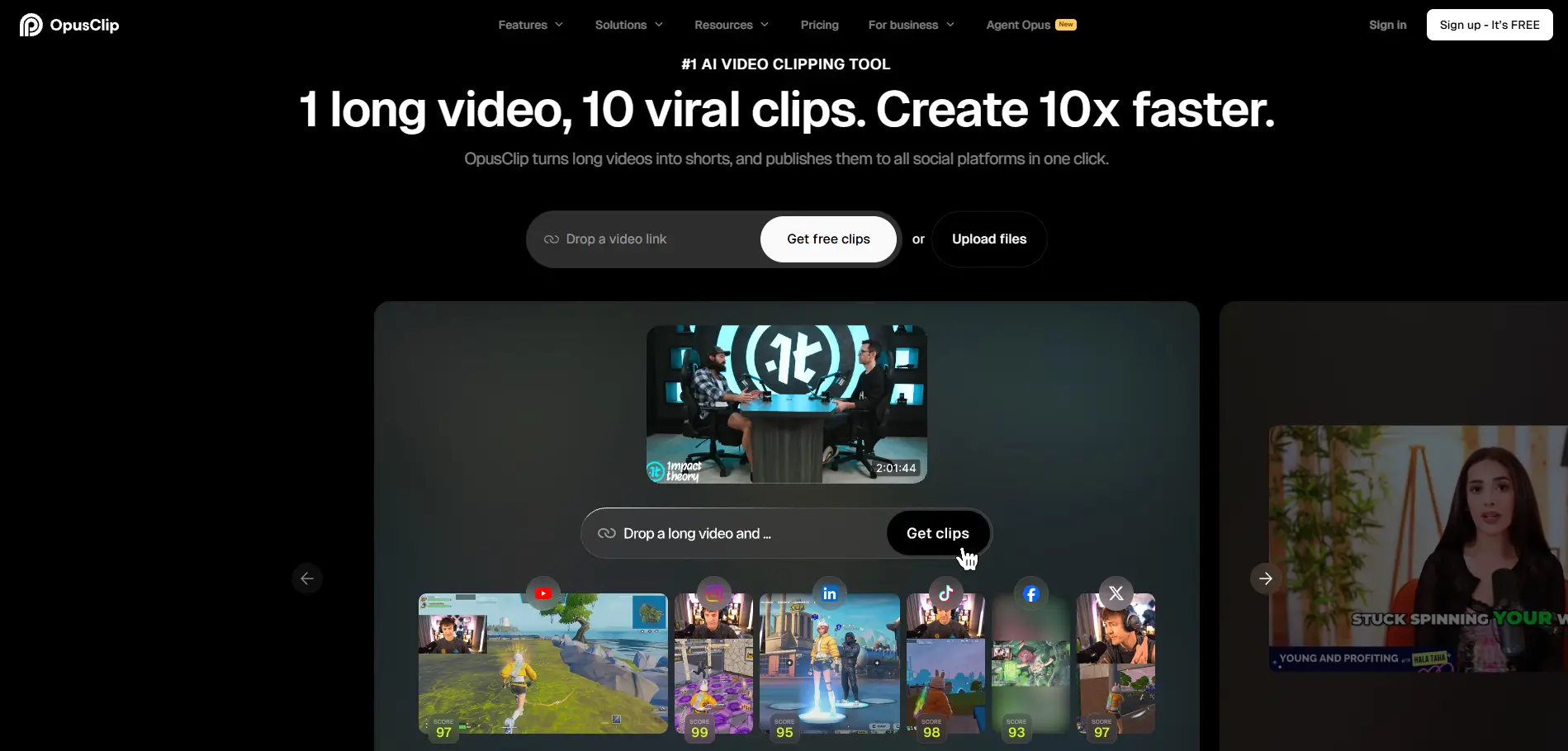
OpusClip supports team access mainly through its Pro and Business plans. The Pro plan costs $29/month and includes 300 credits and a Team Workspace with 2 seats, while Business offers custom credits and team seats for larger teams.
| Plan |
Price |
Team access |
| Starter |
$15/month |
Built for individual use |
| Pro |
$29/month |
Team Workspace with 2 seats |
| Business |
Custom |
Customized team seats and credits |
Inside a Team Workspace, members use their own accounts instead of sharing the owner's login. They can work with shared projects, videos, brand templates, credits, and social posting features, while the owner keeps control of members, billing, and the subscription. Credits used in the workspace come from the owner's balance.
For a regular editor or social media manager, a Team Workspace usually makes sense. A client who only needs to review one project may not need a seat at all, since OpusClip also allows individual projects to be shared by link. However, shared projects must be set to Public, so anyone with the link can access them.
The real choice is not simply which plan is cheaper. It is whether each person needs ongoing workspace access, one-project access, or another way to use the account without receiving the main password.
What Are the Best Ways to Share OpusClip Without Sharing Passwords?
There are four practical ways to share OpusClip without simply sending the main password to everyone: Team Workspace, project links, a password manager, or a shared browser Profile. The right choice depends on whether someone needs regular workspace access, one project, or temporary access to an existing account session.
1. Use OpusClip Team Workspace
For regular editors, social media managers, and other long-term team members, Team Workspace should usually be the first choice. Each member joins with their own account and can work with shared projects, credits, videos, brand templates, and social posting features, while the owner keeps control of the team and subscription.
The main trade-off is that every regular collaborator needs a seat, and workspace members may have more access than a short-term contractor actually needs. This makes Team Workspace a good fit for people who work in OpusClip often, rather than someone who only needs access for one small task.
2. Share a Project Link for One-Off Review
A project link is simpler when a client or reviewer only needs access to one OpusClip project. You can change the project from Default to Public, copy the link, and send it without adding that person to your Team Workspace.
However, a public project link is not the same as a private team invitation. A Public project can be accessed through the shared link, so this method makes more sense for content you are comfortable sharing that way. For ongoing editing across several projects, Team Workspace is usually easier to manage.
3. Use a Password Manager for Credential Sharing
A password manager can be better than sending the OpusClip password through email, Slack, or a group chat. It keeps credential sharing more organized and can reduce the need to copy and paste the password between team members.
But the team is still using one OpusClip account with the same underlying access. A password manager does not create separate OpusClip roles, separate sessions, or project-level access for each person. It is most useful when the main problem is how the password is distributed, not how team access is divided.
4. Use an Antidetect Browser for a Shared Account Session
Some teams already have an OpusClip account set up and only need a temporary editor or contractor to work inside that existing session. In this case, a shared browser profile can be more practical than sending the raw login credentials to another person. With an antidetect browser like DICloak, the logged-in OpusClip session can stay inside a separate browser Profile that is shared with authorized team members. Profile sharing and team permissions can control who gets access to that Profile, while the account owner keeps the original login information.
This approach is more relevant when the team specifically needs to share an existing logged-in account, rather than normal OpusClip workspace collaboration. If Team Workspace already fits the team's roles and seat needs, the built-in option is usually simpler.
Why Use DICloak to Share an OpusClip Account?
An antidetect browser like DICloak makes more sense when your team needs to use an existing OpusClip login without giving every member the raw password. Instead of sharing credentials, the team works through a browser Profile that already contains the logged-in session.
- Share the Profile, not the password. The OpusClip session can stay inside a separate browser Profile, while authorized teammates receive access to that Profile. This is useful when a temporary editor or contractor needs to work in the account but does not need the original login details.
- Give access only to the right members. With DICloak, profile sharing and team permissions can limit the OpusClip Profile to the people who actually need it. A video editor can get access for their work without putting the account credentials in a shared chat or team document.
- Keep OpusClip work separate from other accounts. Separate browser Profiles help teams keep different client, company, or SaaS sessions apart. This is especially useful for agencies that already manage several shared accounts and do not want one browser session mixed with another.
For regular long-term collaboration, OpusClip Team Workspace is still the simpler choice. A shared Profile is more useful when the real need is controlled access to an existing logged-in account, which is where using DICloak becomes practical.
How to Share an OpusClip Account with Your Team Using DICloak
With DICloak, the OpusClip owner can keep the logged-in session inside a dedicated browser Profile and share that Profile with selected teammates instead of sending them the account password. For most teams, the cleanest setup is one OpusClip Profile shared only with the people who actually need it.
1. Install DICloak and Set Up Team Access
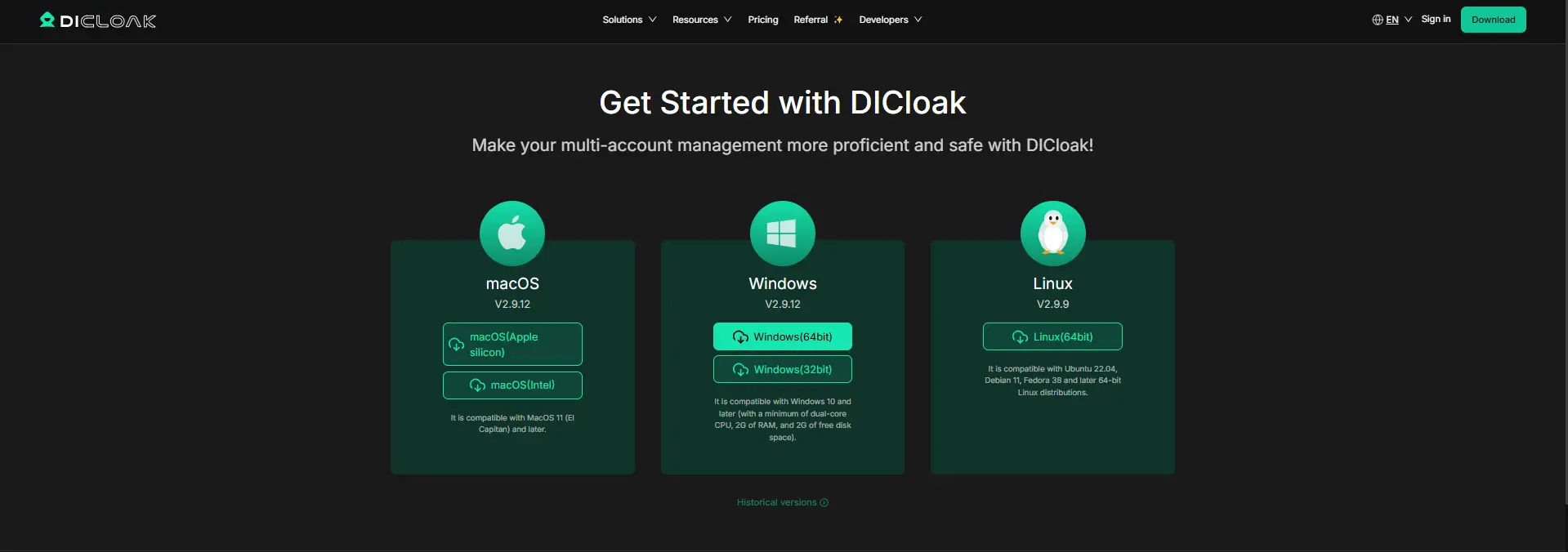
Download DICloak, create your account, and choose a plan based on your team size and the number of Profiles you need. Each teammate should use their own DICloak account rather than sharing the administrator login.
2. Create a Dedicated OpusClip Profile
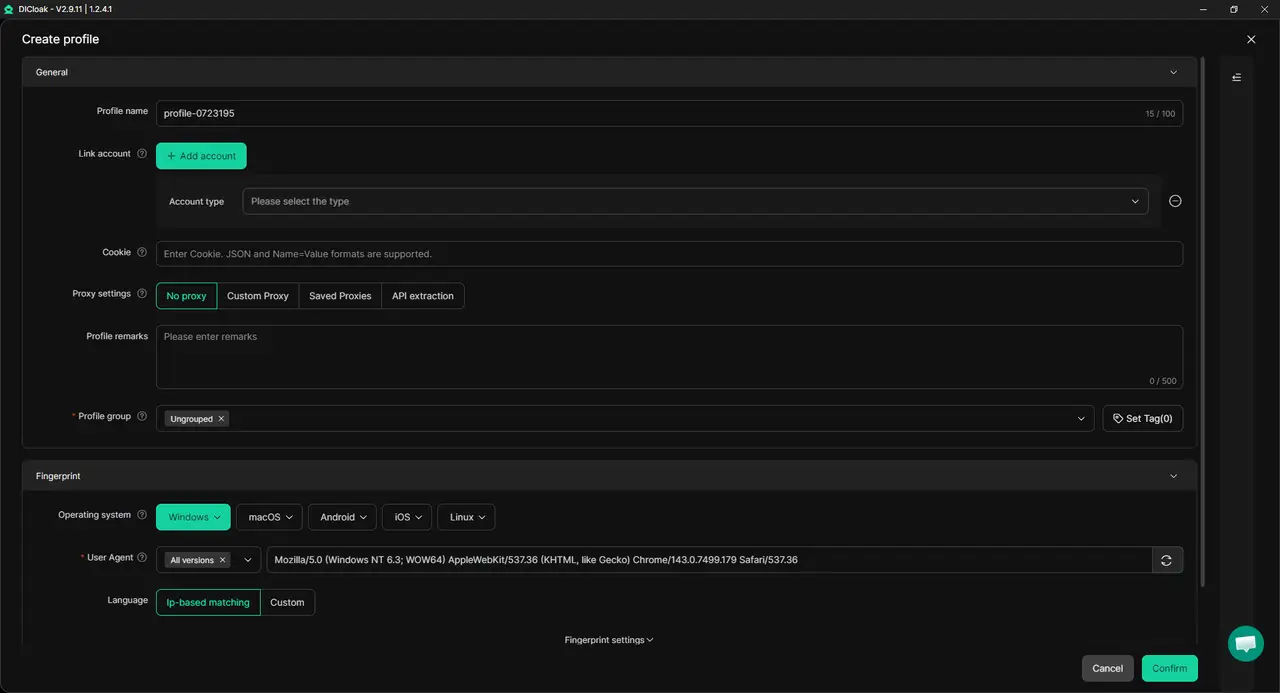
Create one browser Profile only for OpusClip and give it a clear name, such as OpusClip – Video Team. Keep its browser settings consistent so the OpusClip session stays separate from personal email, payment tools, and other client accounts. If your workflow needs a specific network or region, you can also add your own proxy to the Profile.
3. Set the Session Rules and Protect the Credentials
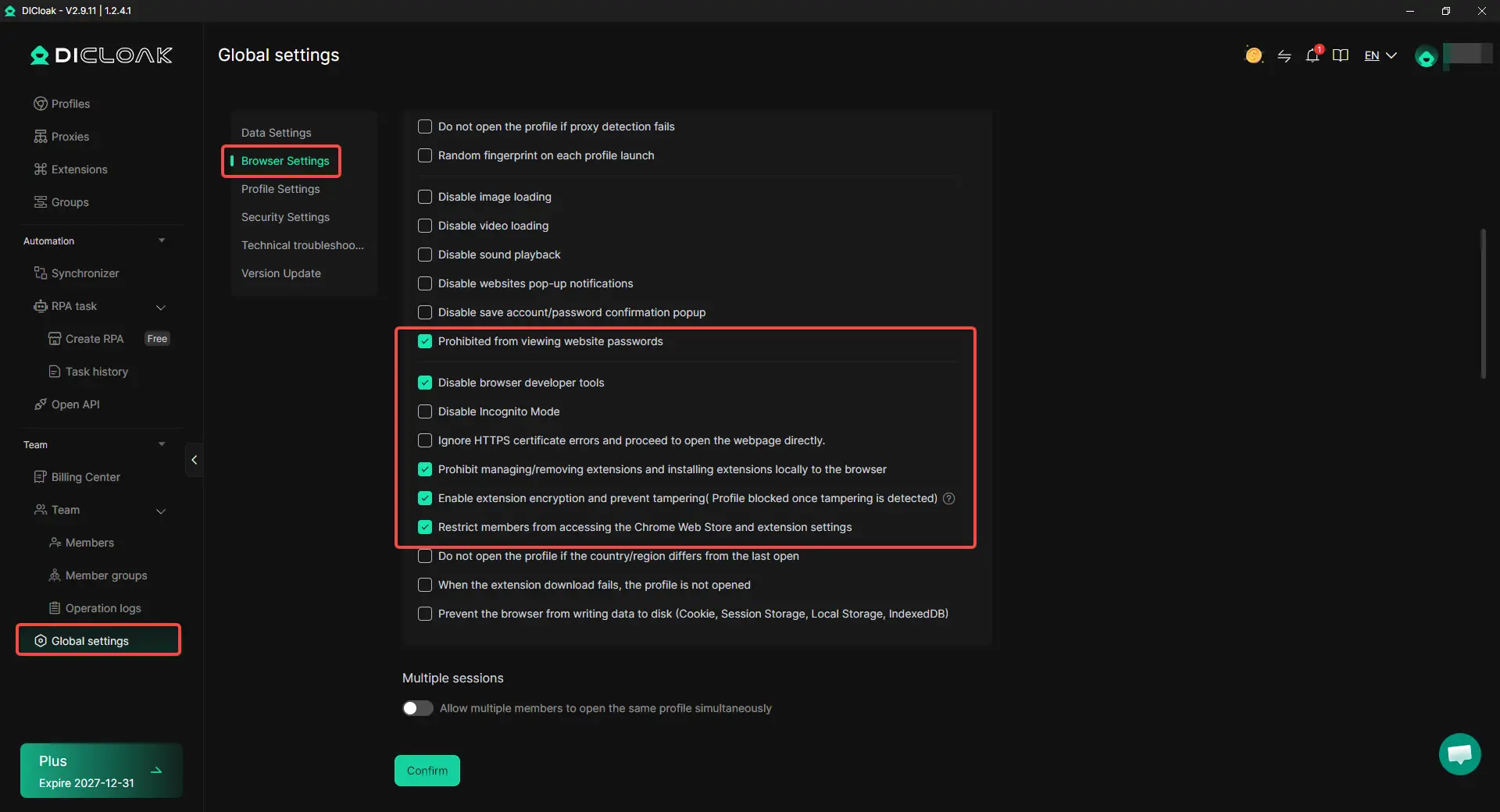
Keep Multiple sessions disabled when team members use the OpusClip Profile one after another. Enable concurrent access only when the workflow really requires it. For tighter access, use Hide Password so members cannot view saved credentials. URL restrictions can keep the Profile focused on approved pages, while the Web Element Hider can hide areas such as billing or account settings when team members do not need them.
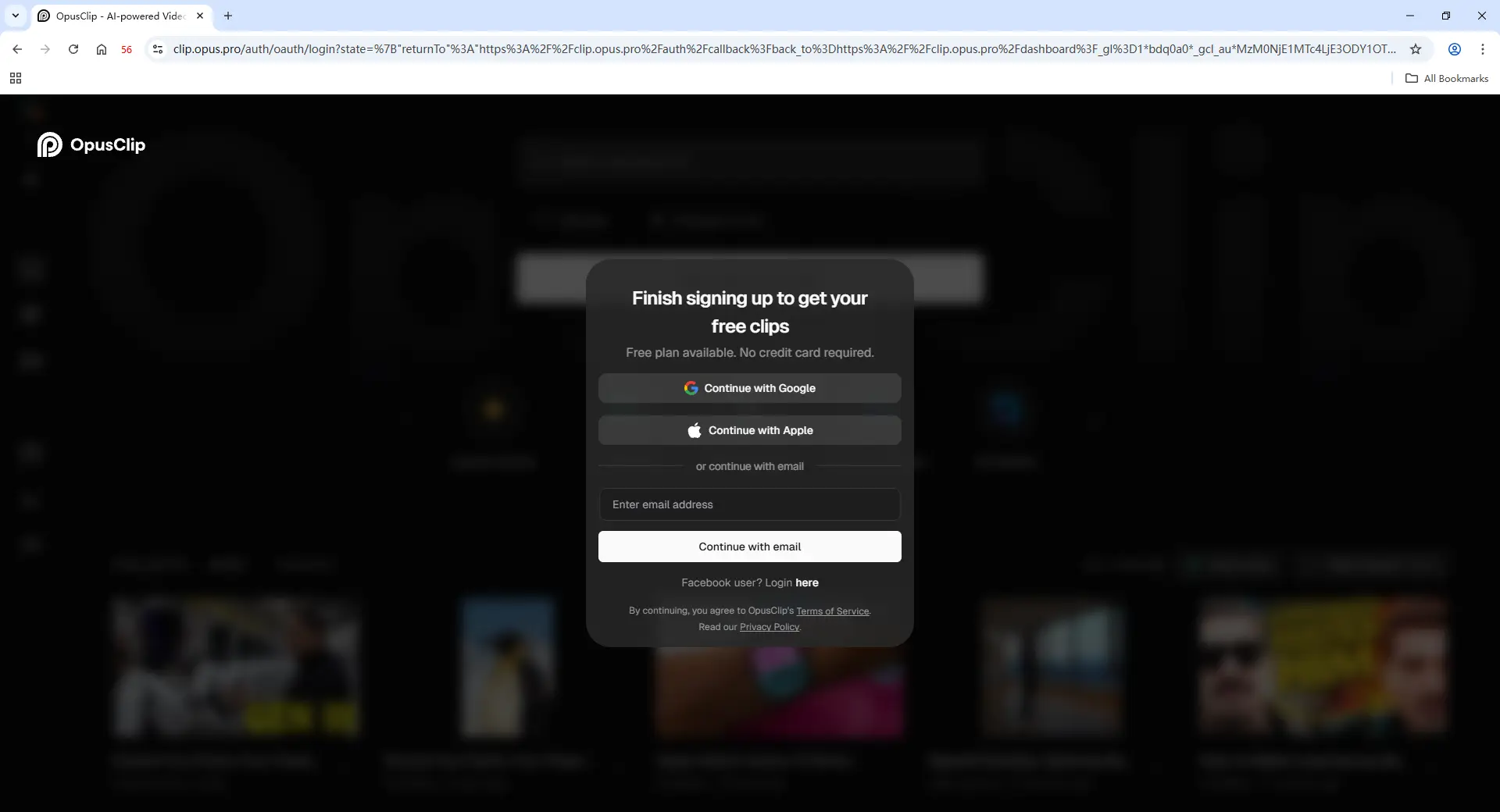
4. Log In to OpusClip
The account owner should open the Profile, sign in to OpusClip, and complete any required verification. Once the session is saved, selected members can work through that Profile without receiving the raw password.
5. Share the Profile with the Right Members
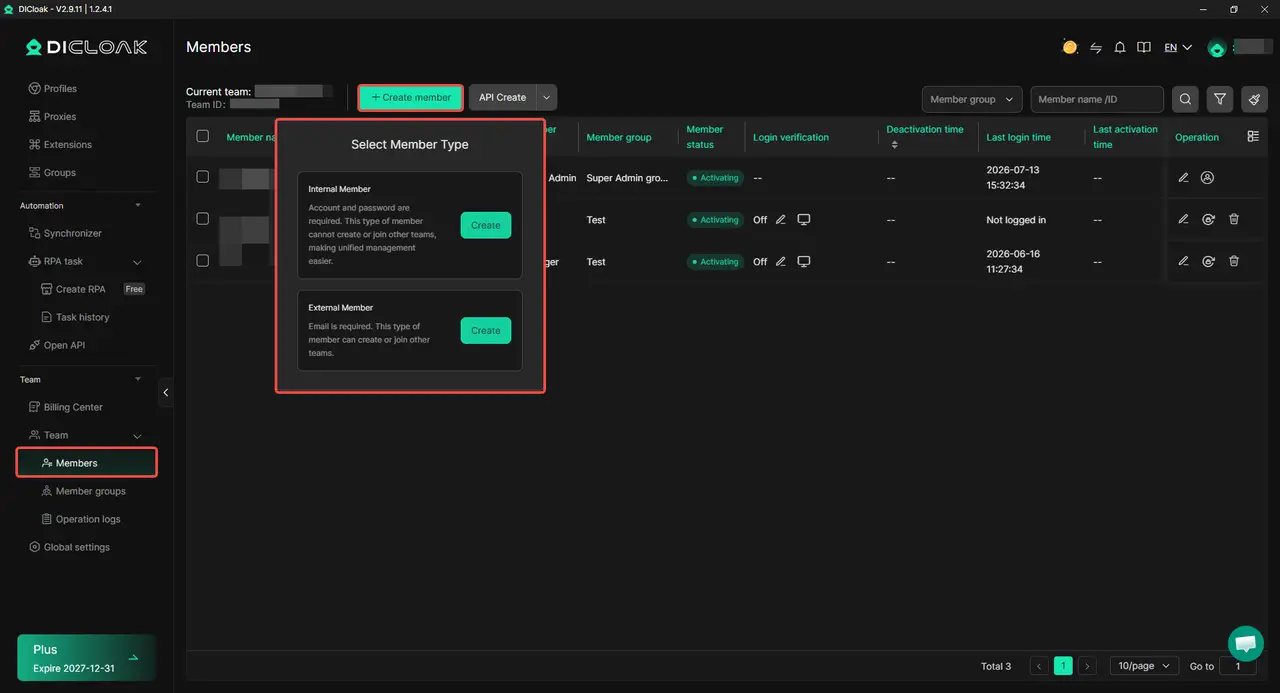
Assign the OpusClip Profile only to the members or Profile Groups that need it. A temporary editor should not automatically receive access to unrelated client Profiles or other team resources just because they need OpusClip for one project.
6. Remove Access When Work Ends
When a freelancer leaves or a project finishes, remove their Profile assignment or disable their team access. Operation Logs can help review Profile activity.
Frequently Asked Questions About Sharing an OpusClip Account
Can multiple people use OpusClip without sharing one password?
Yes. For regular team collaboration, OpusClip Team Workspace lets members use their own accounts instead of signing in with the owner's password. If a team specifically needs to work through an existing logged-in account, an antidetect browser like DICloak can also share the browser Profile containing that session with selected members rather than distributing the raw credentials.
Does every OpusClip team member need their own paid plan?
Not necessarily. Members invited to an OpusClip Team Workspace can work with the workspace resources provided by the owner, while the number of people you can add depends on the seats available under the team's plan. This makes it worth checking who really needs ongoing workspace access before adding editors, contractors, or other collaborators.
Can I share only one OpusClip project with a client without adding them to my team?
Yes. OpusClip lets you change an individual project to Public and share its link, which can work well for a client or reviewer who only needs to see one project. However, anyone with that link may be able to access the public project, so it should not be treated like a private Team Workspace invitation.
What should I do when a freelancer no longer needs access to OpusClip?
Remove the freelancer from the OpusClip Team Workspace or revoke the access method your team used for the project. If the account was shared through a browser Profile using DICloak, you can remove that member's Profile permission without giving them the password or changing access for the rest of the team. Before removing access, make sure any unfinished clips, exports, or publishing tasks have been handed over.
Can a temporary editor use OpusClip without getting the account password?
Yes. If the editor only needs short-term access, you do not have to give them the main OpusClip password. You can use OpusClip Team Workspace if a seat is available, or use an antidetect browser like DICloak to share a dedicated browser Profile that already contains the logged-in OpusClip session. This makes it easier to give access to the project and remove it when the work is finished.
Conclusion
Sharing an OpusClip account with a team does not have to mean passing one password around. For regular collaboration, OpusClip Team Workspace is usually the simplest option because members can use their own accounts, share projects and credits, and work inside the same workspace. Project links can work for one-off reviews, while password managers or a shared browser Profile may fit teams that need access to an existing logged-in account. The best way to share OpusClip depends on what each person actually needs to do. Use Team Workspace for ongoing collaboration, and consider an antidetect browser like DICloak when selected team members need controlled access to an existing OpusClip session without receiving the raw password.
 Web Proxy Tools
 Free Tools
 Cookie Plugin
 UA Generator
 MAC Address Generator
 IP Generator
 IP Address List
 2FA Code Generator
 World Clock
 Anonymous Check
 WebRTC Leak Test
 UUID Generator
 Free Web Proxy Site
 Proxy Checker
 FB Ad Checker
 AI Web Scraping
 Free SMM Tools
 Twitter Shadowban Checker
 Instagram Name Checker
 UTM Generator
 Username Generator
 AI Hashtag Generator
 LinkedIn Headline Generator
 Social Media Image Resizer