Managing your digital life can sometimes feel completely overwhelming. We create so many accounts over the years. You might have started a video channel a decade ago that you no longer want anyone to see. Or perhaps you want to protect your privacy and reduce your digital footprint in 2026. Whatever your specific reason might be, removing your online presence is a major decision that requires careful thought.
Deleting a digital profile is a permanent action. When you decide to erase your presence on the world's largest video platform, you are making a choice that you usually cannot undo. Because this platform is deeply connected to your broader Google ecosystem, the process can sometimes feel confusing. You do not want to accidentally delete your important emails or your saved photos while trying to remove your video channel.
In this highly detailed and comprehensive guide, we will explore exactly how to delete your YouTube account safely in 2026. We will walk through the exact steps you need to take on your desktop computer and your mobile devices. We will deeply discuss what you must do before you click the final button, how to save your precious memories, and what alternative options you might want to consider. By the time you finish reading this entire guide, you will have all the knowledge you need to take complete control of your digital identity.
Why Delete Your YouTube Account? Common Reasons and Risks
People choose to walk away from their video channels for various reasons, whether personal or business-related. Understanding these common motivations helps build confidence in your decision, but you must also weigh the heavy risks before taking action.
What motivates users to delete their YouTube accounts?
One of the most common reasons users delete their accounts is a desire for extreme privacy. In 2026, people are increasingly aware of how their personal data is collected online. You might feel uncomfortable knowing a massive corporation tracks every video watched, comment left, and search made. Deleting your account stops this tracking entirely.
Another huge motivation is changing your personal or professional brand. Imagine you uploaded silly gaming videos or embarrassing daily vlogs as a young teenager. As an adult applying for serious professional jobs, you do not want potential employers finding those old videos when searching your name. Wiping the slate clean by deleting the account is often the safest way to protect your image.
Finally, business owners often delete accounts when a company closes or changes direction. Keeping an old, dead channel online after a rebrand can confuse potential customers. Deleting it makes room for fresh, updated marketing campaigns that fit new goals.
Risks to consider before deleting your account permanently
The absolute biggest risk is the permanent loss of your digital history. Pressing the delete button erases not just videos, but every comment you ever left, carefully built playlists, and your history of liked videos. For many, this represents years of entertainment and learning.
You also risk losing your built-in community. If you have subscribers—even just friends or family—you instantly sever that digital connection. They can no longer find your channel or watch your old content. If you change your mind later and want to make videos again, you must start completely from scratch.
Another serious risk involves third-party services. If you used your video account to sign up for other websites, deleting it might suddenly lock you out of applications that relied on that login connection. Think carefully about how your accounts are connected before making a permanent move.
How deleting your YouTube account affects your Google account
This is a common area of confusion for users in 2026. Your video account is a specific service attached to your main Google account. Many panic, thinking deleting their video channel also deletes their Gmail inbox or Google Drive documents.
You can relax knowing this is not true. Google allows you to delete individual services without destroying your main account. Following the proper steps ensures your Google account remains safe and untouched, so you can still send emails, save documents, and use Google Maps.
However, you must be extremely careful. Navigating to the wrong settings page and accidentally deleting your overarching account means losing everything—including emails, photos, and purchased mobile applications. This is why following a detailed step-by-step guide is incredibly important for digital safety.
What to Do Before Deleting Your YouTube Account
Never rush into deleting a digital account. Taking a few precautionary steps beforehand ensures you will not regret your decision later.
Backing up your videos and data
The most critical step is securing a safe backup of your personal data. You can use the free official tool, Google Takeout, to download a complete copy of your history. Navigate to the Google Takeout website, deselect everything, and specifically check the option for the video platform. Choose to receive a download link via email. The system will gather your uploaded videos, comments, and playlists. This process can take hours or days, so wait patiently to download the files to your hard drive before proceeding with deletion.
Reviewing linked accounts and subscriptions
Before erasing your presence, review connected services like Premium memberships, channel support, or movie rentals. While these are usually canceled automatically upon account deletion, manually canceling them in your purchase settings is the safest practice to avoid unexpected billing errors. Additionally, prepare to set up your television or gaming console applications again, as deleting your account will instantly log you out of those devices.
Understanding the difference between hiding and deleting your account
The platform gives you two options: hiding your channel or permanently deleting it. Hiding your channel makes your videos, playlists, and subscriber count completely private, but your data sits safely on company servers. You can easily unhide it later, and everything returns exactly as you left it. Deleting your channel is the permanent destruction of your data. Videos, comments, and your channel name are erased forever. If you have any doubts about your decision, strongly consider hiding your channel first.
Step-by-Step Guide to Deleting Your YouTube Account on Desktop
Using a traditional desktop or laptop computer is widely considered the absolute best and safest way to delete your account. A large computer screen allows you to read all the warning messages clearly. It also makes it much easier to navigate through complex settings menus without accidentally tapping the wrong option with your finger.
How to access your account settings
First, you need to sit down at your computer and open your favorite internet web browser. Navigate directly to the official homepage of the video platform. Look very closely at the top right corner of your computer screen. You must make absolutely sure you are logged into the correct account. If you manage a business account and a personal account, double-check your profile picture to ensure you are about to delete the right one.
Once you are completely sure you are in the right place, click directly on your small circular profile picture. A large drop-down menu will appear on your screen. Look down this list of options and find the button labeled "Settings." Click on this button. This action will take you away from the main video feed and place you into the core control panel for your entire account.
Navigating to the account deletion page
Now that you are in the main settings area, you need to find the advanced options. Look at the left side of your computer screen. You will see a vertical menu with several different categories. Click on the very last option at the bottom of this list, which is usually labeled "Advanced settings."
This advanced settings page contains some of the most powerful tools for your account, including your custom channel URL and your specific user identification numbers. Look down this page carefully. Near the bottom, you will see a text link that says "Delete channel."
Clicking this link will instantly redirect you to a secure Google verification page. Because deleting a channel is a major security event, Google needs to prove that you are the real owner of the account. You will be asked to enter your personal password again. You might also be required to approve a security prompt on your mobile phone or enter a special two-factor authentication code. You must complete this security check to proceed.
Confirming your decision and completing the process
After passing the security check, you will finally arrive at the ultimate decision page. The screen will present you with two clear options. One option will offer to hide your channel, and the other option will offer to permanently delete your content. Click on the option to permanently delete your content to expand the section.
The system will now show you a very detailed checklist. This checklist explains exactly what is about to be destroyed. It will tell you how many videos will be erased, how many comments will vanish, and how many playlists will be lost. You must manually click the small checkbox next to each of these warnings to prove that you have read them and that you understand the heavy consequences.
Once you have checked the warning boxes, a final button labeled "Delete my content" will become active. Click this button. A small pop-up box will appear asking you to type your exact email address or your channel name to confirm your identity one last time. Type the requested information carefully and click the final confirm button. The system will then begin the process of erasing your channel from the internet.
How to Delete Your YouTube Account on Mobile Devices
We rely on our mobile smartphones for almost everything in 2026. Naturally, many people want to manage their digital lives without ever turning on a heavy desktop computer. You can certainly delete your account using a mobile phone, but the process feels a bit different and requires a little more patience.
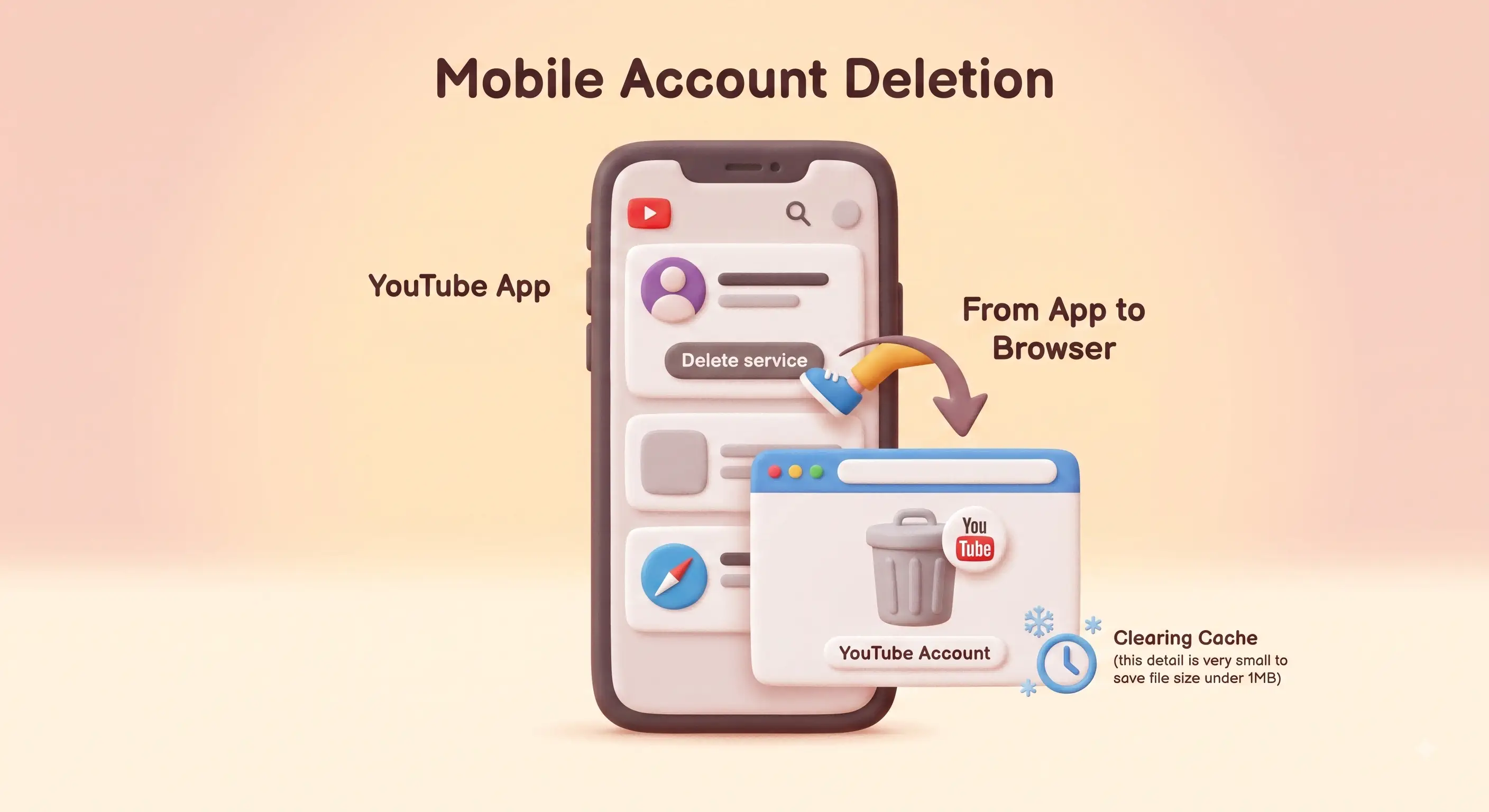
Differences between the desktop and mobile processes
The biggest difference between using a computer and using a phone is the screen size and the application behavior. The main mobile video application is strictly designed for watching videos and basic profile management. It is not designed for deep, destructive account settings.
Because of this limitation, the mobile application will almost always kick you out into a mobile web browser to complete the deletion process. When you tap the settings in the app, it will suddenly open Safari on your iPhone or Chrome on your Android device. This transition can sometimes confuse users who expect everything to happen inside the app. You must be prepared to log into your account again inside the mobile web browser.
Steps to delete your account using the YouTube app
To begin the process on your mobile device, unlock your phone and open the main video application. Tap on your small profile picture located in the top right corner of the home feed. A menu will appear on your screen. Tap on the option that says "Manage your Google Account."
This action will open a new control panel specifically for your broader Google ecosystem. Look for the horizontal menu near the top of the screen and tap on the tab labeled "Data & privacy." You will need to scroll quite far down this long page until you find a section titled "Data from apps and services you use."
Under this section, look for an option that says "Delete a Google service." Tap on it. The system will immediately ask you to verify your identity by entering your password or using your phone's fingerprint scanner. Once verified, you will see a list of your active Google services. Find the video platform on this list and tap the small trash can icon next to it.
Just like on the desktop computer, the screen will now ask you if you want to hide your content or permanently delete it. Tap the permanent deletion option, carefully check all the necessary warning boxes, and tap the final button to delete your content.
Troubleshooting common issues on mobile
Mobile internet browsers can sometimes be frustrating. A very common issue is the web page freezing or turning completely blank when you try to load the final deletion screen. If this happens, your mobile browser might be struggling with a bad internet connection or corrupted cache data.
If the page freezes, do not panic. Simply close the browser application completely and try the process again. Make sure you are connected to a strong, stable Wi-Fi network rather than a weak cellular signal. If it still fails, you should try clearing your mobile browser history and cache in your phone settings. As a last resort, you might need to borrow a desktop computer to finish the job reliably.
Can You Recover a Deleted YouTube Account?
Human beings make mistakes all the time. Sometimes, we make emotional decisions in the heat of the moment that we deeply regret the very next morning. It is completely natural to wonder if you can undo your actions after you press the final delete button on your account.
Is account recovery possible after deletion?
The brutal truth in 2026 is that recovering a specifically deleted video channel is almost entirely impossible. The system is designed to take your request seriously and act on it immediately. When you tell the servers to destroy your content, the automated systems begin scrubbing your data across global data centers right away.
Google explicitly warns you multiple times during the deletion process that the action is permanent. They do not keep a secret backup of your videos waiting for you to change your mind. Once the deletion process completes, the channel URL becomes dead, the videos are gone, and the data is wiped clean.
However, there is a very small, highly specific exception. If you accidentally deleted your entire overarching Google account instead of just the video channel, you might have a tiny chance at recovery.
How long do you have to change your mind?
If you made the massive mistake of deleting your entire main Google account, you only have a very short window of time to act. Google usually gives users a small grace period, often just a few days or sometimes a week, to recover a deleted overarching account before it is wiped forever.
If you realize your mistake immediately, you must act with extreme speed. Every single hour that passes reduces your chances of getting your data back successfully. If you wait a month to try and recover a deleted account, you will absolutely fail. The data will already be gone forever.
Steps to recover your account if eligible
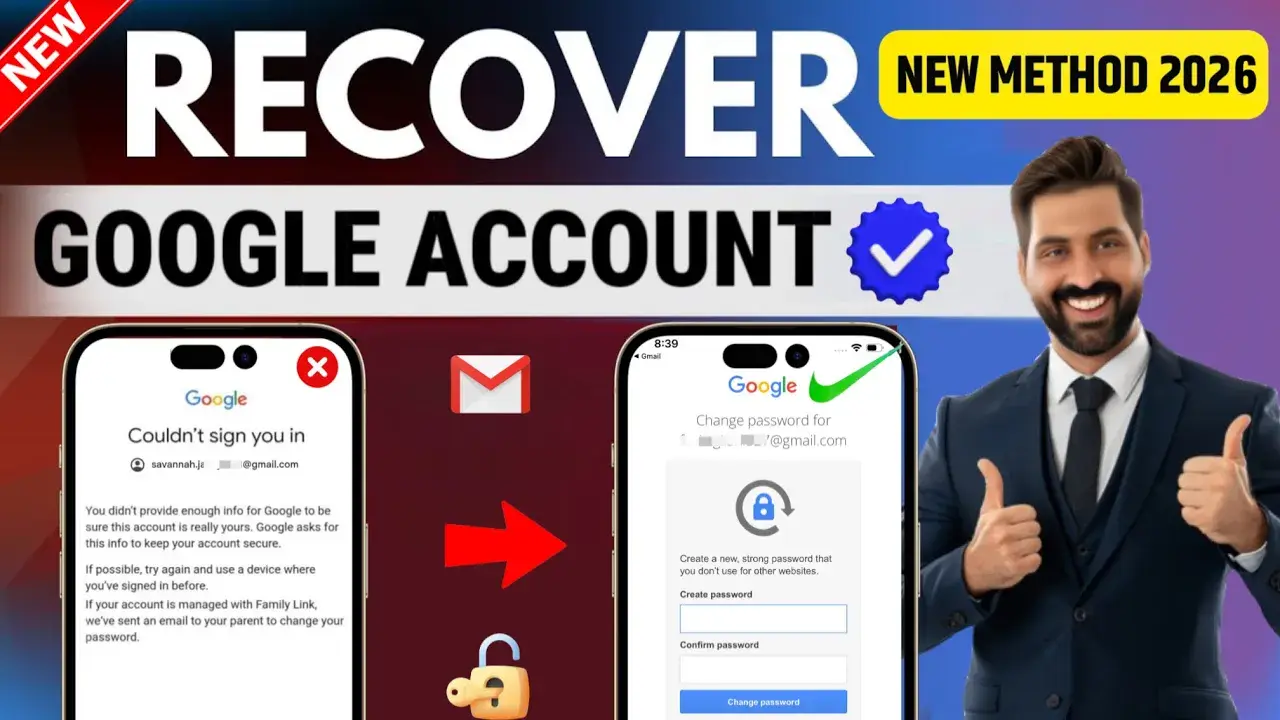
If you are within that tiny window of time and you deleted your entire Google account by mistake, you must go to the official Google Account Recovery website immediately. You will need to enter the email address of the deleted account.
The system will recognize that the account was recently deleted and will ask you a series of very strict security questions to prove your identity. You might need to provide a past password, access a backup recovery email address, or receive a text message on your old phone number. If you can pass these intense security checks, Google might restore the main account.
However, you must heavily manage your expectations. Even if Google successfully restores your main email account, there is a very high chance that your specific video channel and its uploaded videos will still be permanently lost. The video data is often scrubbed much faster than the email data. You should always assume that deletion is permanent and act accordingly.
What Happens to Your Content After Deleting Your YouTube Account?
Understanding the true technical consequences of deletion can help you appreciate why backing up your data is so important. Deletion is not just about making your channel name disappear. It is a massive digital cleanup operation that affects many different parts of the platform's ecosystem.
Will your videos and comments be permanently removed?
Yes, every single video you ever uploaded will be permanently removed from the public internet. If someone bookmarked your video or embedded it on their personal blog, that video will now show a grey error screen stating that the content is no longer available because the user closed their account.
Furthermore, your voice across the entire platform will be completely silenced. Every comment you ever typed on another creator's video over the past decade will be automatically erased. Your digital footprints are swept away entirely.
How deletion impacts your YouTube channel and playlists
Your channel page itself will cease to exist. If a friend tries to visit your specific channel URL, they will simply see a blank page telling them the channel does not exist. All of your channel art, your profile biography, and your custom layouts will be destroyed.
Your playlists will also vanish. If you spent years creating the perfect playlist of workout music or funny animal clips, those lists will be gone. If you ever made those playlists public and other people saved them to their own accounts, those people will suddenly find that your playlist has disappeared from their library without warning. Your actions impact anyone who relied on your curated content.
What happens to your data across other Google services?
As we discussed earlier, your main Google account survives the channel deletion process. Your emails in Gmail are safe. Your vacation photos in Google Photos are safe. Your spreadsheets in Google Drive are completely safe.
However, you might notice some small changes in your broader Google experience. For example, if you use the Google Discover feed on your mobile phone, the algorithm relies heavily on your video watch history to suggest news articles to you. Because you deleted your video history, your news suggestions might suddenly feel less personalized and less relevant to your actual interests for a few weeks until the algorithm learns your habits again.
Alternatives to Deleting Your YouTube Account
Permanent destruction is a very extreme solution. In many cases, you do not actually need to burn your digital house down just to get some peace and quiet. The platform offers several excellent alternative tools that allow you to step away or manage your privacy without losing your valuable data forever.
How to hide your account instead of deleting it
Hiding your channel is the absolute best alternative to permanent deletion. When you hide your channel, you instantly achieve the same exact privacy benefits as deleting it, but you keep a safety net.
To hide your channel, you follow the exact same steps we outlined in the desktop guide above. You go to your advanced settings and click the link to delete the channel. However, when you reach the final decision page, you simply click the option to "Hide my channel" instead of the permanent deletion option.
When you do this, all of your public videos, your playlists, and your subscribers are hidden from the world. Your channel becomes a ghost. Nobody can see it, but the data remains perfectly safe and intact on the company servers. You can take a year-long break from the internet, and when you are ready to return, you simply log back in and make your channel public again.
Managing privacy settings to limit visibility
Perhaps you do not want to hide your entire channel. Maybe you just have a few old videos that you find embarrassing, but you still want to use the platform to watch new content. Instead of deleting the whole account, you can simply change the privacy settings on specific individual videos.
You can log into your creator studio and set any video to "Private." A private video can only be seen by you when you are logged into your account. Nobody else on the internet can find it or watch it. You can also set videos to "Unlisted." An unlisted video does not show up in search results or on your main channel page, but anyone who has the exact direct link can still watch it. This is a great way to share home movies with family without showing them to the whole world.
Temporary deactivation vs. permanent deletion
It is important to note that the video platform does not have a simple "temporary deactivation" button like some other social media websites do. Hiding your channel is the closest thing you can get to a temporary pause. You should use the hiding feature whenever you feel overwhelmed by the digital world. You should strictly reserve the permanent deletion option for situations where you are absolutely one hundred percent certain that you never want to see your content or your digital history ever again.
Common Mistakes to Avoid When Deleting Your YouTube Account
Even with a detailed guide, people still make frustrating mistakes when trying to manage their digital lives. Knowing what errors to look out for can save you from a major headache.
Forgetting to back up important data
The most heartbreaking mistake people make is failing to use the Google Takeout tool before deleting their account. People often act on impulse. They get angry at a negative comment or frustrated with the internet, and they immediately delete their channel in a rush.
A week later, they realize that their only copy of a video showing their child's first steps was uploaded to that channel, and the original file on their old phone was lost years ago. Because they did not back up the data, that precious memory is gone forever. You must force yourself to slow down and download your data, no matter how much of a hurry you are in.
Overlooking linked accounts and services
Another major mistake is forgetting how deeply connected your accounts truly are in 2026. Many people use their Google credentials to quickly log into other websites, forums, or shopping applications.
While deleting your video channel usually does not break these logins, deleting your entire Google account by mistake absolutely will. If you accidentally delete your main account, you will suddenly be locked out of dozens of other websites. You will not be able to reset your passwords on those other sites because the password reset emails will be sent to a deleted Gmail address. You must map out your digital connections carefully.
Misunderstanding the consequences of deletion
Finally, people often misunderstand what deletion actually accomplishes. Some users think that deleting their channel will remove videos that other people have uploaded about them. This is entirely false.
Deleting your account only removes the content that you personally uploaded to your own specific channel. If someone else downloaded your video and re-uploaded it to their own channel, your account deletion will not affect their channel at all. If you are trying to scrub your image from the internet completely, deleting your account is only the first step. You might still have to file copyright claims or privacy complaints against other users who are hosting your old content.
For everyday casual viewers, managing a single video account is fairly simple. However, the digital landscape in 2026 is vastly different for business professionals. If you work in cross-border e-commerce, digital marketing, or search engine optimization, you likely do not have just one account. You might manage dozens of different brand channels targeting different global markets.
Managing multiple accounts on a single traditional web browser is highly dangerous for your business. The platform's security algorithms constantly track your browser fingerprint, which includes your screen resolution, operating system, and hardware details. If the platform sees ten different business accounts logging in from the exact same fingerprint, it might flag all of those accounts as suspicious spam and suspend them all at once. This is where you can use DICloak to protect your highly valuable digital assets.
Preventing accidental deletion across multiple YouTube accounts
When you manage multiple brand channels, the risk of human error increases massively. If you are tired at the end of a long workday and you decide to delete an old, unused marketing channel, you might accidentally delete the wrong one. If you are logged into multiple accounts in standard browser tabs, it is incredibly easy to get confused.
You can use DICloak to completely solve this dangerous problem. You can utilize the software to create strictly isolated, safe browser profiles for every single brand you manage. Because each profile operates independently with its own distinct digital fingerprint, there is absolutely zero crossover. When you open a profile to delete an old account, you can be one hundred percent certain that you are only affecting that specific isolated environment, keeping your major successful brand channels perfectly safe from accidental destruction.

Managing shared YouTube accounts safely on team devices
In a modern e-commerce or foreign trade company, you rarely work alone. You likely have an entire marketing team. Several different employees might need to log into the exact same brand account throughout the week to upload videos or reply to customer comments.
Sharing a single raw password across a large team is a massive security risk. It often triggers annoying security alerts because the platform sees logins from different office computers. Furthermore, if a disgruntled employee leaves the company, they still know the main password and could maliciously delete the company channel.
You can use DICloak to assign flexible, highly specific member permissions to your entire marketing team. You can safely share access to the important brand accounts without ever giving away the actual text passwords to anyone. Your team members simply open their assigned DICloak profiles and get to work securely. The account owner maintains complete control and can revoke access instantly, ensuring that nobody can delete the channel without absolute authorization.

Enhancing privacy while accessing YouTube on public networks
Business professionals travel constantly. You might need to check on your cross-border e-commerce channels while sitting in an airport lounge, a hotel lobby, or a local coffee shop. Accessing highly sensitive business accounts on public Wi-Fi networks exposes you to massive privacy risks and potential data theft.
You can seamlessly configure specific network proxies, such as HTTP, HTTPS, or SOCKS5 connections, directly into your individual DICloak profiles to route your internet connection safely and securely. You can use DICloak to ensure that your business data remains private, even when you are working on an unsecured network far away from your main office. You can manage your accounts confidently, knowing your digital identity is completely masked and protected from prying eyes.

Frequently Asked Question about Delete YouTube Account
Even after reading a comprehensive guide, people always have specific questions about their unique technical situations. Here are detailed answers to the most frequently asked questions regarding the account deletion process in 2026.
Can I delete my YouTube account without deleting my Google account?
Yes, absolutely. This is the most important distinction you need to understand. The video platform is just one single service attached to your larger Google umbrella. When you follow the specific steps inside the advanced settings menu to delete your channel, you are only instructing the servers to erase your video data. Your main Google account, including your Gmail inbox, your Google Drive files, and your Google Photos, will remain completely intact and entirely unaffected by this action.
How long does it take for YouTube to delete my account?
When you complete the final security check and press the button to delete your content, the process begins immediately. From the perspective of the public internet, your channel will vanish almost instantly. If a friend tries to search for your name five minutes later, they will not find you.
However, the actual physical deletion of your data from all of Google's global servers can take some time. The company states that it can take a few days for every single piece of data, including old comments and search history, to be completely scrubbed from every database around the world.
What happens to my YouTube Premium subscription after deletion?
If you are paying for a monthly Premium subscription to watch videos without advertisements, that billing cycle will be affected immediately. When you permanently delete the account tied to that subscription, the subscription is generally canceled automatically by the system because the user profile no longer exists.
However, relying on automated systems is never a good idea when your hard-earned money is involved. To be completely safe and avoid any confusing credit card charges next month, you should always manually go into your billing settings and cancel your Premium subscription first, before you actually delete the channel itself.
Can I delete my account if I forgot my login credentials?
This is a very difficult situation. Google takes digital security extremely seriously in 2026. They will never allow anyone to delete an account without absolute proof of ownership. If you cannot remember your password, you cannot simply ask customer service to delete the account for you.
You must go through the official Google account recovery process first. You will need to use your backup email address, your registered phone number, or answer security questions to regain access to the account. Only after you successfully prove your identity and reset your password will you be allowed to enter the advanced settings and initiate the deletion process.
Is there a way to delete a YouTube account without logging in?
No, there is absolutely no way to do this. Permitting someone to delete a channel without logging in would be a massive security disaster. Anyone could delete anyone else's channel maliciously.
If you have an old channel from ten years ago that you want to delete, but you no longer have access to the old email address or the old phone number associated with it, you are in a tough spot. If you cannot pass the automated security recovery steps to log in, the channel will likely remain on the internet indefinitely.
 Web Proxy Tools
 Free Tools
 Cookie Plugin
 UA Generator
 MAC Address Generator
 IP Generator
 IP Address List
 2FA Code Generator
 World Clock
 Anonymous Check
 WebRTC Leak Test
 UUID Generator
 Free Web Proxy Site
 Proxy Checker
 FB Ad Checker
 AI Web Scraping
 Free SMM Tools
 Twitter Shadowban Checker
 Instagram Name Checker
 UTM Generator
 Username Generator
 AI Hashtag Generator
 LinkedIn Headline Generator
 Social Media Image Resizer