Choosing between two SEO tools sounds simple, but the real frustration comes when you think you know what you want, then realize the feature lists barely tell you how either fits your workflow. Teams looking for a clear ahrefs vs spyfu answer are usually stuck comparing dozens of metrics, but most reviews gloss over how those numbers actually impact day-to-day decisions. The usual "Ahrefs vs SpyFu comparison" posts list keyword counts and backlink filters, but rarely explain which tool’s data holds up when you’re actually running audits, tracking competitors, or reporting to clients.
The problem isn’t just price or raw features. It’s knowing if Ahrefs or SpyFu for SEO will make your process faster, or leave you double-checking results every week. Some teams care about SpyFu vs Ahrefs features for deep historical keyword tracking, while others need a tool that syncs with their reporting stack without extra manual steps. It’s easy to get distracted by surface-level specs, but the real difference shows up when your team needs to trust the data, pivot quickly, or handle bulk research without losing hours.
What catches most buyers off guard is how each platform handles real-world edge cases, like missing keyword history, inconsistent backlink data, or clunky exports. If you skip these details, you’ll end up with a tool that looks good in demos but slows you down in practice. The deeper comparison starts with how these platforms actually fit into live SEO workflows.
Let’s break down what matters most when your team is making the call.
What Should You Check Before Choosing Ahrefs or SpyFu?
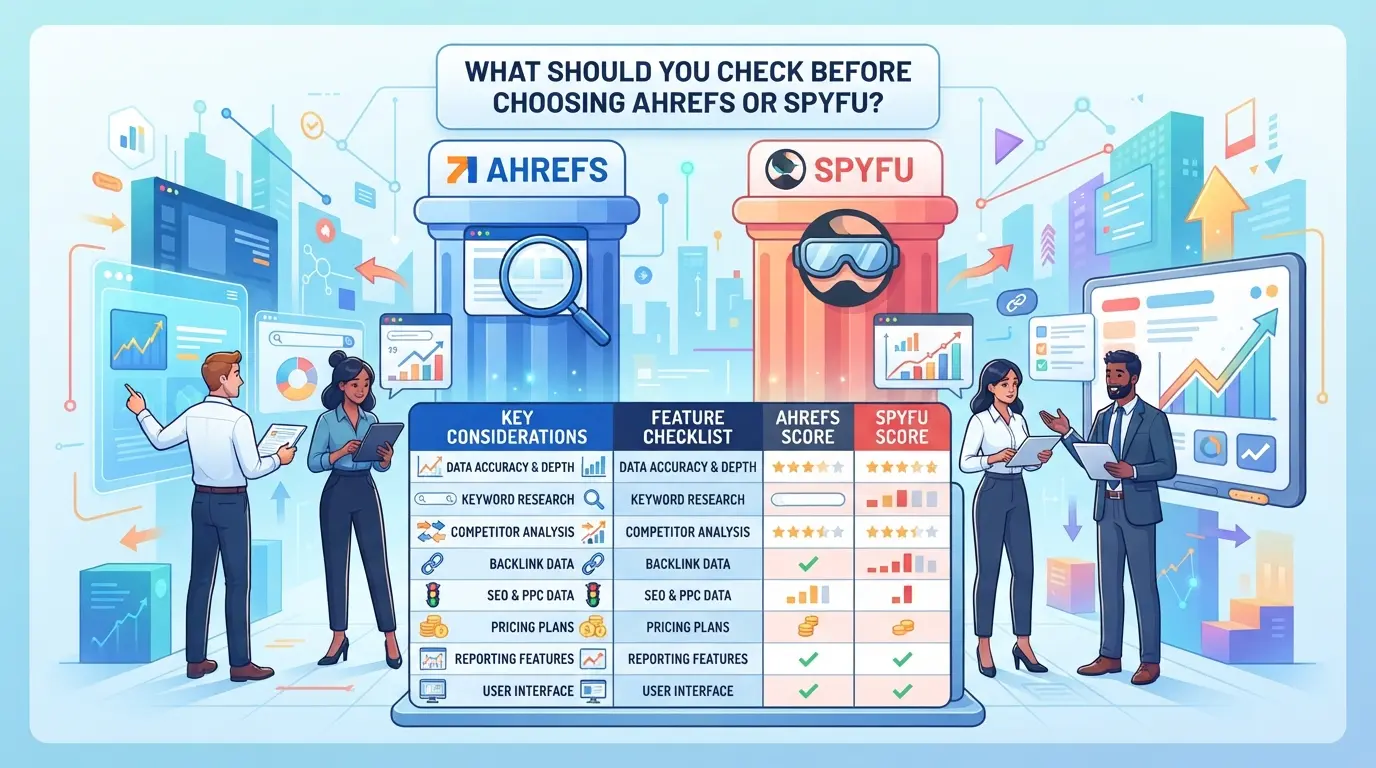
If you skip the practical checks below, you’ll likely end up with buyer’s regret, either paying for features your team never touches or hitting a wall when you try to scale research. The right call comes down to how each platform lines up with your real-world SEO process, not just which one claims more data.
What Are Your Actual SEO Goals?
Decide up front whether your team’s main need is organic keyword tracking, paid search intelligence, or competitor deep-dives. If you’re chasing after full backlink history and site audits, Ahrefs usually covers more ground. But if you care most about monitoring PPC competitors or seeing ad copy history, SpyFu’s focus runs deeper. Don’t just match features, map each tool to your core workflow.
Short answer: If your team does mostly technical SEO and link building, Ahrefs is often a better fit. For paid search and ongoing competitor ad tracking, SpyFu’s data has the edge.
How Many Accounts or Projects Will You Manage?
Managing a single brand is very different from juggling dozens of client sites. Tools that look similar at first can fall short fast if you need to swap between multiple logins or hand off reports to a team.
- Check if the pricing tier you’re considering includes enough seats for your team size.
- Make sure project or domain limits match your current and expected workload.
- Confirm export and reporting options cover all the sites or clients you need, some plans cap these quietly.
What Risks or Mistakes Do Teams Usually Make?
The biggest mistakes show up after onboarding, when you realize a missing export, unexpected feature lock, or slow refresh cycle breaks your process. Teams often pay for “premium” tiers only to discover half the tools are locked behind extra fees or don’t work with bulk workflows.
Watch for these common pitfalls:
- Buy a plan, then find you can’t export all rankings or backlinks due to silent caps on file size or frequency.
- Choose a tool for one standout feature, but miss that it doesn’t support multi-user collaboration or integrates poorly with your other systems.
- Ignore the refresh schedule, weekly or monthly data updates can leave you with stale reports if you rely on daily tracking.
The core difference between these platforms isn’t just the number of keywords or backlinks, they diverge in how they handle data gaps, edge cases, and scaling under pressure. That’s why the real decision is less about the feature list and more about where each tool quietly breaks down once your use case gets messy.
Next, it’s time to look at why these differences exist and how they actually play out in live SEO teams.
Why Do Ahrefs and SpyFu Actually Diverge for SEO Teams?
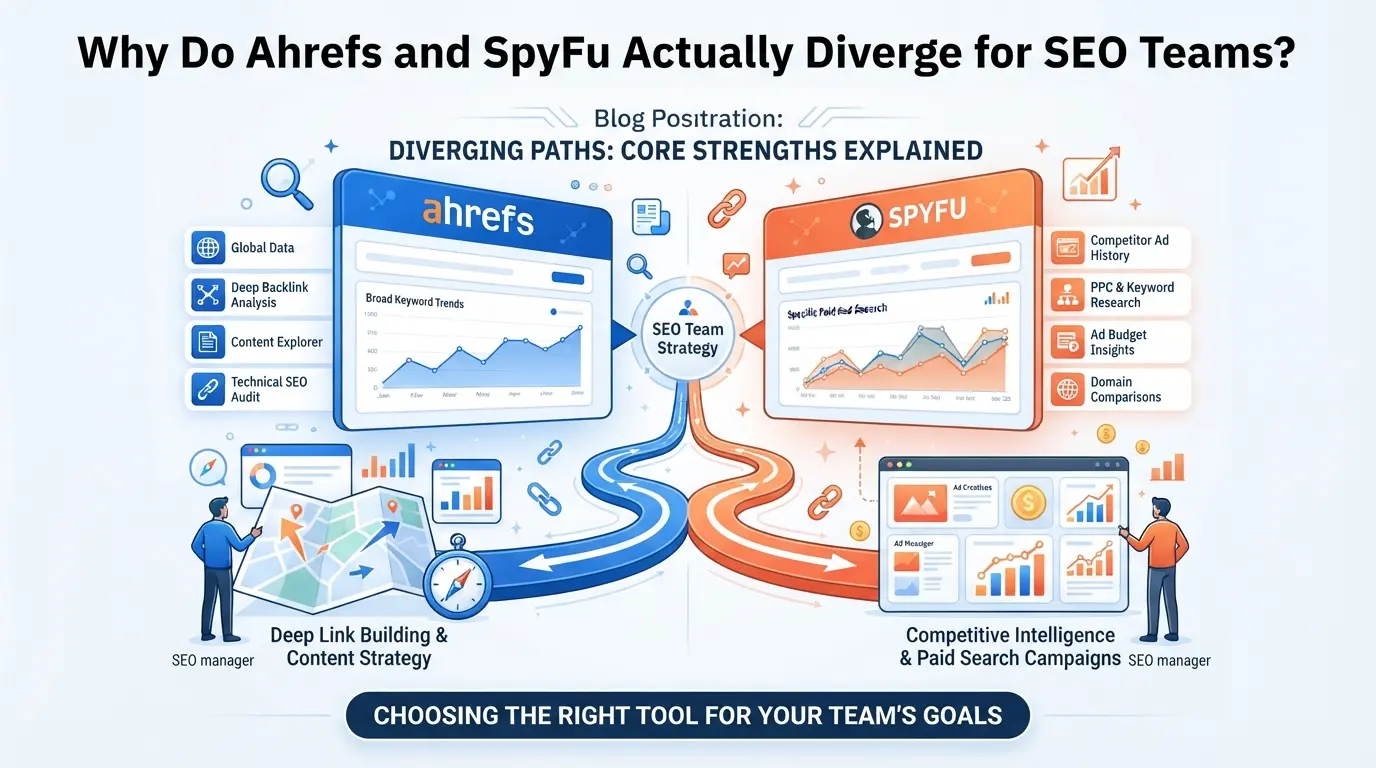
The real gap between Ahrefs and SpyFu shows up when your team needs reliable data for decisions, not just surface-level feature lists. Both platforms claim wide coverage, but their approach to backlink depth, keyword history, and integration shapes how quickly your team moves from research to action. If you skip these differences, you end up wasting time on patchy exports or chasing false positives.
Ahrefs: The Backlink-Led SEO Suite
| Feature |
Ahrefs |
SpyFu |
| Backlink Index Depth |
Largest index (30T+ links) |
Moderate, less frequent crawl |
| Organic Keyword Tracking |
Real-time, high volume |
Historical, less granular |
| Export Quality |
Bulk exports, solid CSV/XLSX |
Limited fields, slower batch |
| Team Integration |
API, custom reports, Slack |
Basic exports, API slower |
If your team needs to track thousands of domains, catch new backlinks daily, or plug data straight into custom dashboards, Ahrefs dominates. The biggest practical difference is Ahrefs gives you deeper, fresher backlink data and faster workflow integration when scale matters. SpyFu’s backlink data often lags behind by days or weeks, a deal-breaker for fast-moving campaigns.
SpyFu: Competitive PPC and Historical Ad Intelligence
SpyFu stands out on historical PPC competitor tracking. You get multi-year ad history, landing page snapshots, and keyword spend estimates that Ahrefs doesn’t offer. For agencies running paid campaigns or mapping competitor ad moves, SpyFu fills a gap, but its organic data is less current and its exports miss key fields.
Where Workflow and Data Quality Matter Most
Accuracy and workflow fit make or break these tools. Ahrefs delivers breadth and speed, letting teams catch new links and build bulk reports without waiting. SpyFu’s strength is in deep historical PPC intelligence, but its core SEO data and exports slow down larger teams. If workflow efficiency is your priority, Ahrefs usually pulls ahead; if you need historical ad data, SpyFu is the specialist.
The next thing to watch is where these differences become risk, like missing keyword updates or incomplete backlink snapshots. That’s what teams need to catch before a real-world campaign stalls.
What Risks Should Teams Watch Out for When Using Ahrefs or SpyFu?

Teams working with Ahrefs or SpyFu usually run into trouble when workflow mistakes expose sensitive data or cause platform restrictions. The biggest risk is not technical, it’s operational: careless account access, bad proxy setups, and loose permissions can derail even the best SEO plan.
Account Overlap and Data Leakage
Sharing credentials between team members sounds simple, but it’s a fast way to leak campaign details and client assets. When two people use the same login, it’s impossible to prove who changed what, so audit trails vanish, and you lose track of accountability.
Misconfiguring Proxy and Access Settings
If your proxy setup is inconsistent, both Ahrefs and SpyFu may flag the account for suspicious activity.
- Platform bans can hit without warning: mismatched IPs trigger security checks, sometimes locking out all users.
- The safer move is to set a dedicated proxy per account and keep a clear record of which IP addresses are active, otherwise, debugging a lockout gets messy.
Losing Track of Team Actions and Permissions
When nobody logs team actions, you can’t see who made key changes or when risky exports happened. Giving everyone broad access leads to accidental data downloads, missed alerts, and lost visibility into platform usage. Limit permissions to only what each user needs, and review access monthly.
How Do Ahrefs and SpyFu Compare on Key Features for 2026?
Teams making the call between Ahrefs and SpyFu need a clear view of how the tools handle real SEO and PPC tasks, not just surface specs. The biggest differences show up when you move past demo features and start running live projects.
Keyword Research and Rank Tracking
| Feature |
Ahrefs |
SpyFu |
| Keyword Data Depth |
Broad global database; deep coverage for major markets |
Strong US focus; less depth outside US |
| Rank Tracking Granularity |
Daily updates; flexible tracking, easy export |
Weekly updates; fewer export options |
| Accuracy |
Consistent, reliable for most mid-large sites |
Sometimes patchy for newer keywords |
Ahrefs gives you wider keyword reach and more frequent rank updates, but SpyFu’s US keyword history is easier to browse. If you need to track multiple markets or update rankings daily, Ahrefs usually saves more time.
Backlink Analysis and Site Audit
Ahrefs holds a larger, fresher backlink index, site audits run fast and catch most technical issues right away. SpyFu covers basic audits but misses deeper crawl errors and lags on new links, so teams working with fast-changing sites tend to hit limits. For competitive link research or frequent audits, Ahrefs is the safer bet.
PPC Intelligence and Historical Data
SpyFu shines here: you get detailed ad campaign tracking with long historical records, especially for US keyword and ad data. Ahrefs covers basics but doesn’t match SpyFu’s depth for paid search. If your workflow needs deep PPC intelligence, SpyFu is more likely to fit.
In practice, the choice comes down to your team’s priority: broad SEO and link analysis (Ahrefs), or US-focused PPC and historical keyword tracking (SpyFu). The next step is figuring out how to manage platform accounts safely, especially when switching between tools or sharing access.
How Can Teams Manage Platform Accounts More Safely with DICloak?
For teams that handle multiple platform accounts, whether for e-commerce or SEO, the real workflow problem isn’t just picking between Ahrefs and SpyFu. It’s keeping account sharing safe, preventing credential leaks, and making sure only the right team members get access. DICloak comes into play when your team needs to share platform accounts across several members, without creating new risks from inconsistent browser profiles or uncontrolled access. The scope is limited to browser-profile setup and access control; it does not change what happens inside Ahrefs or SpyFu themselves.
How to Share Platform Accounts with Unified IP and Fingerprint
When several people log into the same platform account, mismatched browser fingerprints and scattered IP addresses can flag the account for review or cause login hassles. Administrators can solve this by preparing a shared DICloak browser profile with a fixed fingerprint and user-provided proxy connection. Authorized team members then open this exact shared profile to access the account, so every session uses the same browser profile and IP route. This keeps the technical signals consistent, no need for each member to rebuild settings or worry about clashing device fingerprints. The single most practical insight is that using the same shared profile and proxy keeps session signals stable across the team. Just remember: this setup only applies to the shared profile. If someone uses a separate profile, their fingerprint and IP will differ, and the platform may see them as a different user. 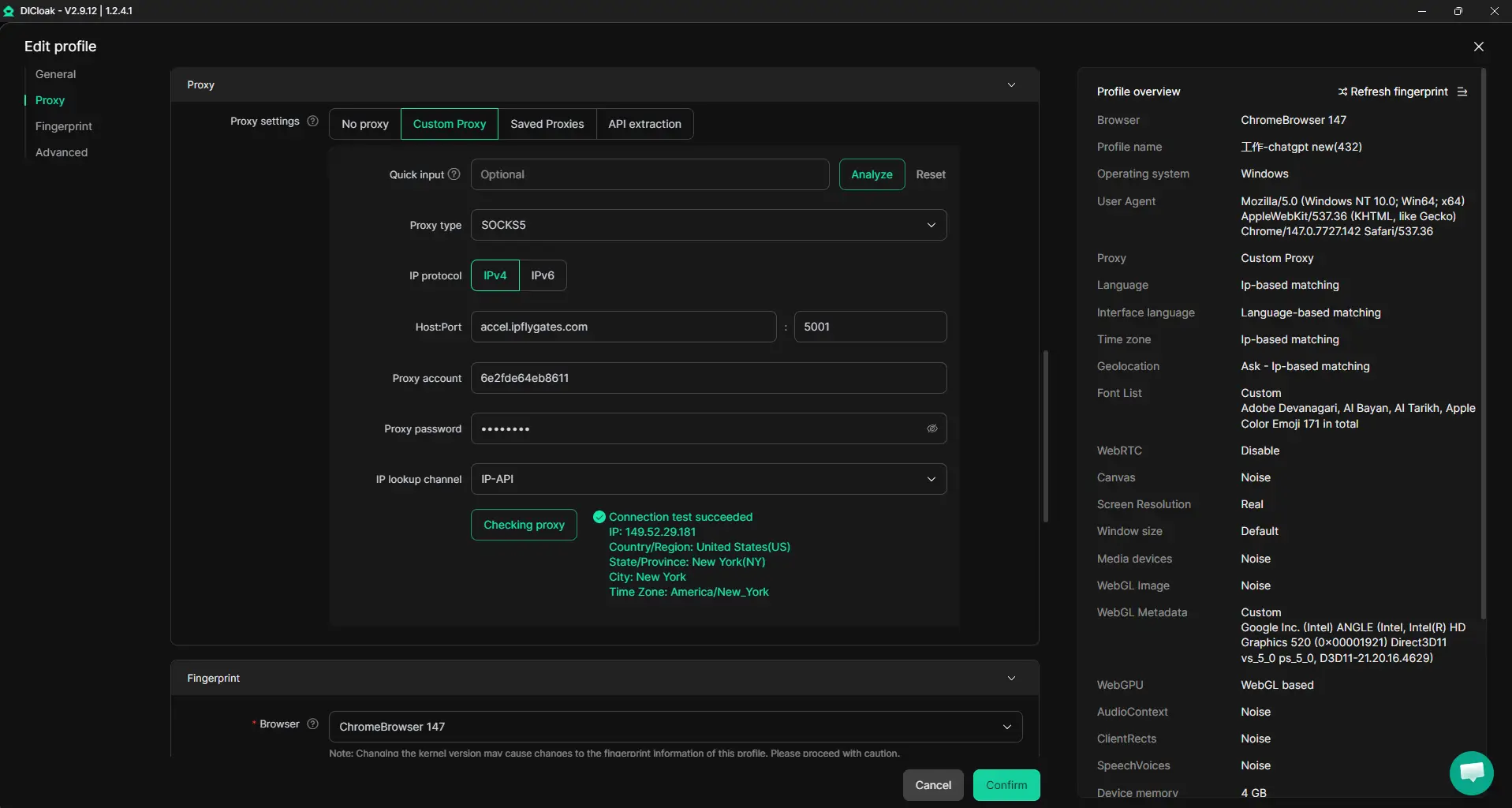
Browser-Profile Access Controls for Shared Account Workflows
Even with a unified profile, sharing passwords and cookies between team members can leak credentials or expose sensitive data. Admins can use DICloak security settings to reduce this risk by disabling password save prompts, blocking developer tools, and restricting access to saved passwords or cookies where plan supports it. For example, an admin may enable cookie encryption (available on Share+), hide account-management URLs, and block extension changes, so members only get access to what’s needed for the workflow, not every credential or sensitive page. This approach cuts down on accidental leaks and tampering, but the protection stays at the browser-profile layer; it doesn’t cover what happens inside the connected SaaS tool. 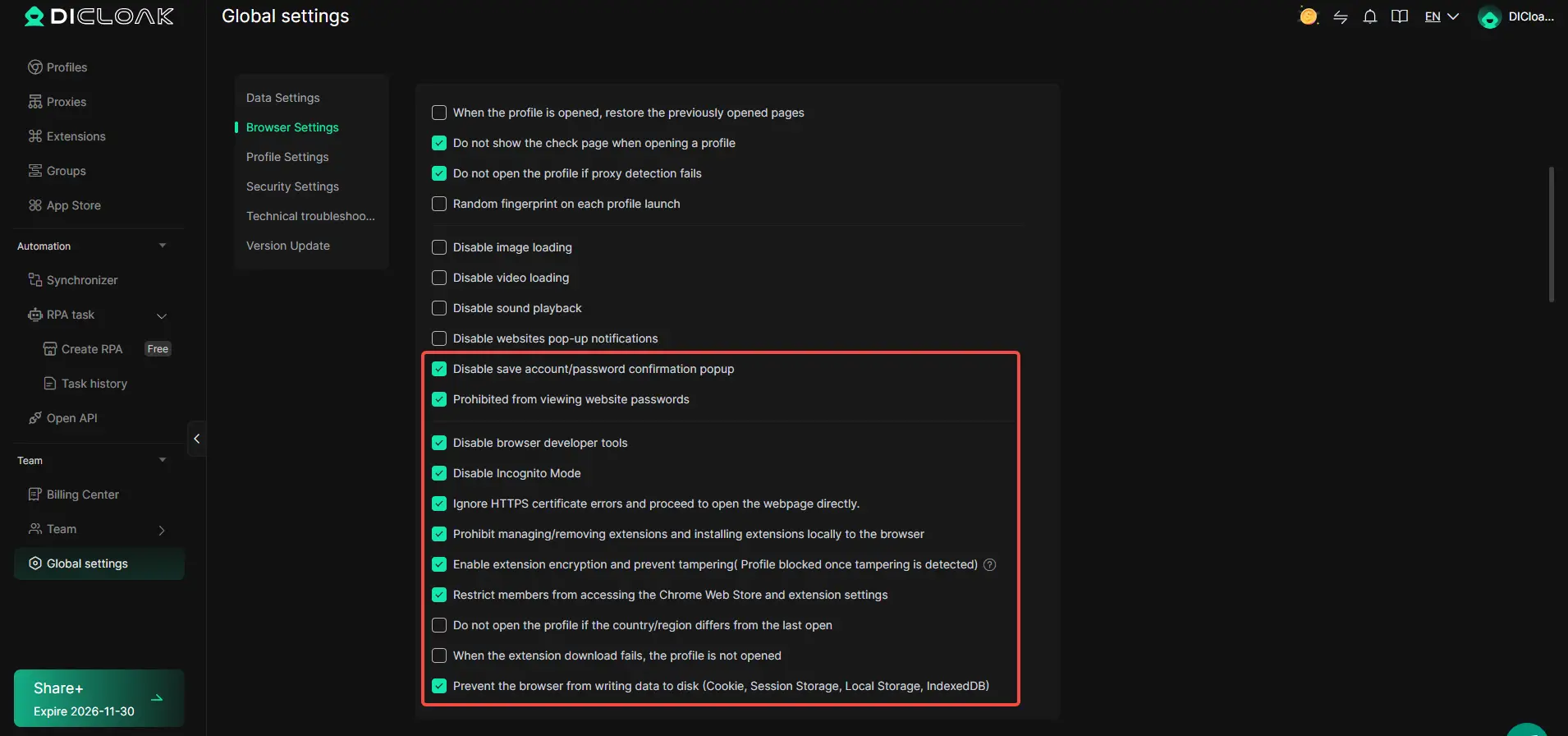
How to Set Team Permissions for Least-Privilege Access
A common problem is members having broader access than needed, leading to accidental profile edits or exposure of sensitive fields. Administrators can set up member groups in DICloak, assign each group only the functions and profile groups required for their role, and restrict field visibility in the Profiles list. For instance, a junior member might only see the assigned profile and can open it, while a senior member can manage settings or add new profiles. This least-privilege setup means every team member sees and uses only what their job demands, reducing both mistakes and unnecessary exposure. Permissions in DICloak handle browser-profile actions, not platform account permissions. 
If your workflow needs tighter control over account access or platform profiles, these DICloak settings let teams share accounts more safely, without adding new risks or complexity. Next up, the real impact shows up when you factor in pricing and plan limits, so the 2026 cost picture needs a closer look.
What Does Pricing Really Mean for Ahrefs and SpyFu in 2026?
Pricing looks simple on paper, but teams often misread what they’re actually getting. The sticker price only matters if the platform fits your workflow, otherwise, hidden limits and extra fees take over.
Plan Limits and Feature Access
- Check the number of projects and keywords you can track per plan.
- Look at API access, SpyFu’s API is limited on entry tiers, while Ahrefs’ API costs extra even for mid-level accounts.
- Export options matter: Ahrefs caps CSV exports per plan, SpyFu offers unlimited exports but restricts custom fields.
| Platform |
Entry Price |
Project Cap |
API Access |
Export Limit |
| Ahrefs |
$99/mo |
5 |
Paid add-on |
Limited CSV |
| SpyFu |
$39/mo |
10 |
Limited |
Unlimited CSV |
Workflow Value vs Cost
Teams should focus on features they use weekly, not just the headline specs. For example, paying $99/month for Ahrefs makes sense if you need deep site audits and custom API pulls, but SpyFu’s cheaper plan covers bulk keyword exports for smaller campaigns. Hidden costs show up when you need to upgrade for basics like more tracked keywords or API calls. If you skip these checks, your actual spend can double mid-quarter.
The next decision is whether combining both tools actually saves time or just piles up costs.
When Should Teams Use Both Ahrefs and SpyFu, or Neither?
If your workflow needs deep backlink analysis plus paid keyword tracking, using both tools makes sense, but most teams don’t need that level of overlap. For smaller setups, picking one or skipping both is often faster.
Combining Tools for Full Coverage
Teams running large sites often split research: Ahrefs handles backlink audits, while SpyFu covers PPC trends. Combining both fills data gaps when tracking competitors across organic and paid channels. If you rely only on one, you’ll miss either historical backlink detail or PPC keyword shifts.
When a Simpler Workflow Is Better
Solo operators running a five-page site rarely need both platforms. For basic keyword tracking and simple link checks, Google Search Console plus a free keyword planner can cover essentials. A freelance SEO juggling three local business sites saves time by skipping complex exports and dashboard toggles, choosing just Ahrefs for backlinks or SpyFu for PPC, but not both. The real risk is tool overload: paying for two dashboards when you barely use one. If your workflow fits within Google’s built-in reports, spending extra rarely adds value.
Frequently Asked Questions About ahrefs vs spyfu
Is Ahrefs or SpyFu better for keyword research in 2026?
Ahrefs gives deeper keyword data, covering more search engines and languages. It’s strong for long-tail keywords and up-to-date volume trends. SpyFu focuses on competitor keywords and historical data, showing which keywords drive traffic for rivals. For most in-depth research, Ahrefs leads, but SpyFu’s workflow may fit those needing quick competitor insights.
Can teams share Ahrefs or SpyFu accounts safely?
Sharing logins breaks both Ahrefs and SpyFu’s terms and risks account bans. Instead, set up official team seats or user roles where available. Avoid using browser extensions that store passwords. For collaboration, use shared project dashboards or export reports securely, so everyone stays compliant and your data stays safe.
Does SpyFu offer backlink analysis as strong as Ahrefs?
Ahrefs has a larger, fresher backlink index and finds links faster. Its filtering and reporting tools are more advanced, making it better for deep link audits and tracking new backlinks. SpyFu’s backlink features help spot some linking domains, but it can miss recent changes and smaller links that Ahrefs usually catches.
How do pricing and plan limits affect workflow for SEO teams?
Ahrefs puts limits on user seats, tracked projects, and monthly reports. Upgrading unlocks more, but adds cost. SpyFu allows unlimited searches but limits certain exports and tracking. Teams should check each plan’s caps on users, keywords, and features to avoid workflow slowdowns or surprise overage fees.
Can DICloak help manage multiple platform accounts for SEO or e-commerce?
Yes, DICloak supports safer multi-account workflows by letting users manage several platform logins without sharing passwords. It helps SEO and e-commerce teams switch between accounts securely, reducing the risk of account lockouts or security breaches when handling many tools and platforms.
Assess your budget, business goals, and the specific features that matter most to your SEO strategy before making a commitment. Many platforms offer free trials, so hands-on experience can help you pinpoint the tool that aligns best with your workflow. Try DICloak For Free
 Web Proxy Tools
 Free Tools
 Cookie Plugin
 UA Generator
 MAC Address Generator
 IP Generator
 IP Address List
 2FA Code Generator
 World Clock
 Anonymous Check
 WebRTC Leak Test
 UUID Generator
 Free Web Proxy Site
 Proxy Checker
 FB Ad Checker
 AI Web Scraping
 Free SMM Tools
 Twitter Shadowban Checker
 Instagram Name Checker
 UTM Generator
 Username Generator
 AI Hashtag Generator
 LinkedIn Headline Generator
 Social Media Image Resizer