In 2026, Gmail remains one of the world’s most widely used email services, but it is only one part of a much larger system. Behind every Gmail inbox is a Google Account, which acts as the main hub for Google services, security settings, account access, and more. Knowing the difference between the two is very important. If users treat Gmail and a Google Account as the same thing, they may run into account access problems, security risks, or data loss.
In this guide, we explain the key difference between Gmail and a Google Account, show how they work together, and share practical ways to manage multiple Google accounts safely and more efficiently.
What is Gmail Accounts?
Many people ask, is Google account same as Gmail account. The simple answer is no. A Gmail account is an email service from Google. A Google Account is the main account that gives you access to Google products like YouTube, Drive, Calendar, and Play. Google’s own help pages explain that Gmail is just one service inside a Google Account, and that you can even create a Google Account without a Gmail address.
So, what is a Gmail account in real use? It is the account you use to send and receive email with an address like [yourname]@gmail.com. When you sign up for Gmail, Google also creates a Google Account for you at the same time. That is why people often mix them up. In daily life, the same login may open Gmail, YouTube, and Google Drive, so the difference is easy to miss. But the structure still matters: Gmail is the mailbox service, while the Google Account is the larger identity behind it.
What is Google Accounts?
A Google Account is your main identity for Google services. Google says a Google Account lets you use one email address and password or passkey to access most Google products, such as Drive, YouTube, Calendar, and more. It also helps manage your data, settings, and security across devices.
This is where many people get confused. When you create Gmail, Google also creates a Google Account for you. That is why the two terms often look the same in daily use. But they are not equal. Gmail is the email product. A Google Account is the full login system behind many Google services. Google’s support pages clearly explain that signing up for Gmail creates a Google Account, but a Google Account can also exist without Gmail.
Is a Google account the same as a Gmail account?
After looking at both definitions, the answer becomes much easier to understand. A Gmail account and a Google Account are closely connected, but they are not the same thing.
A Gmail account is mainly for email. It gives you a mailbox with an address that ends in @gmail.com. A Google Account is broader. It is your main login for Google services like YouTube, Drive, Calendar, Docs, and more. When you create a Gmail account, Google also gives you a Google Account. But the opposite is not always true. You can create a Google Account with another email address, such as Outlook or a work email, without opening a Gmail inbox.
Key Distinctions Between Gmail Accounts and Google Accounts
To make the difference easier to understand, here is a simple table that compares a Gmail account and a Google Account side by side.
| Aspect |
Gmail Account |
Google Account |
| Main purpose |
Used mainly for sending and receiving email |
Used to access Google services |
| Email address |
Usually ends with @gmail.com |
Can use @gmail.com or another email address |
| Gmail inbox |
Yes |
Not always |
| Access to Google services |
Yes |
Yes |
| Account scope |
One Google service |
Main identity across many Google products |
| How it is created |
Created when you sign up for Gmail |
Can be created with Gmail or a non-Gmail email |
| Best use case |
Email communication |
Sign-in, storage, video, docs, and account management |
| Bulk management value |
Useful when teams need mailbox access |
Useful when teams need service access without Gmail |
Is Google Account Password Same as Gmail Password?
Yes, in most normal cases, the password is the same. If you use Gmail, you already have a Google Account, and that same password is used to sign in to Gmail and other Google services linked to that account. Google’s help pages explain that Gmail is part of your Google Account, and when you change your Google Account password, that change affects Gmail too.
This is very important in real use, especially for bulk management. For example, if a team member changes the password for a Google Account, that change can also affect Gmail and other connected Google services. At the same time, not every Google Account includes a Gmail inbox. Some accounts are created with a work email or another non-Gmail address. In that case, the account still has one Google password, but it may not have Gmail as a mailbox service. So the safest way to understand it is this: the passwords are usually shared, but the account type and available services may still be different.
Can I Have Multiple Gmail Accounts?
Yes, you can have multiple Gmail accounts. Google allows users to create more than one account, and Google also lets you stay signed in to multiple accounts at the same time on the web. In Gmail, you can also add another account and switch between them more easily. One person can manage several Gmail accounts, but each Gmail account is still tied to its own Google Account.
How to Create Multiple Gmail Accounts?
- Go to Google’s account sign-up page and click Create account.
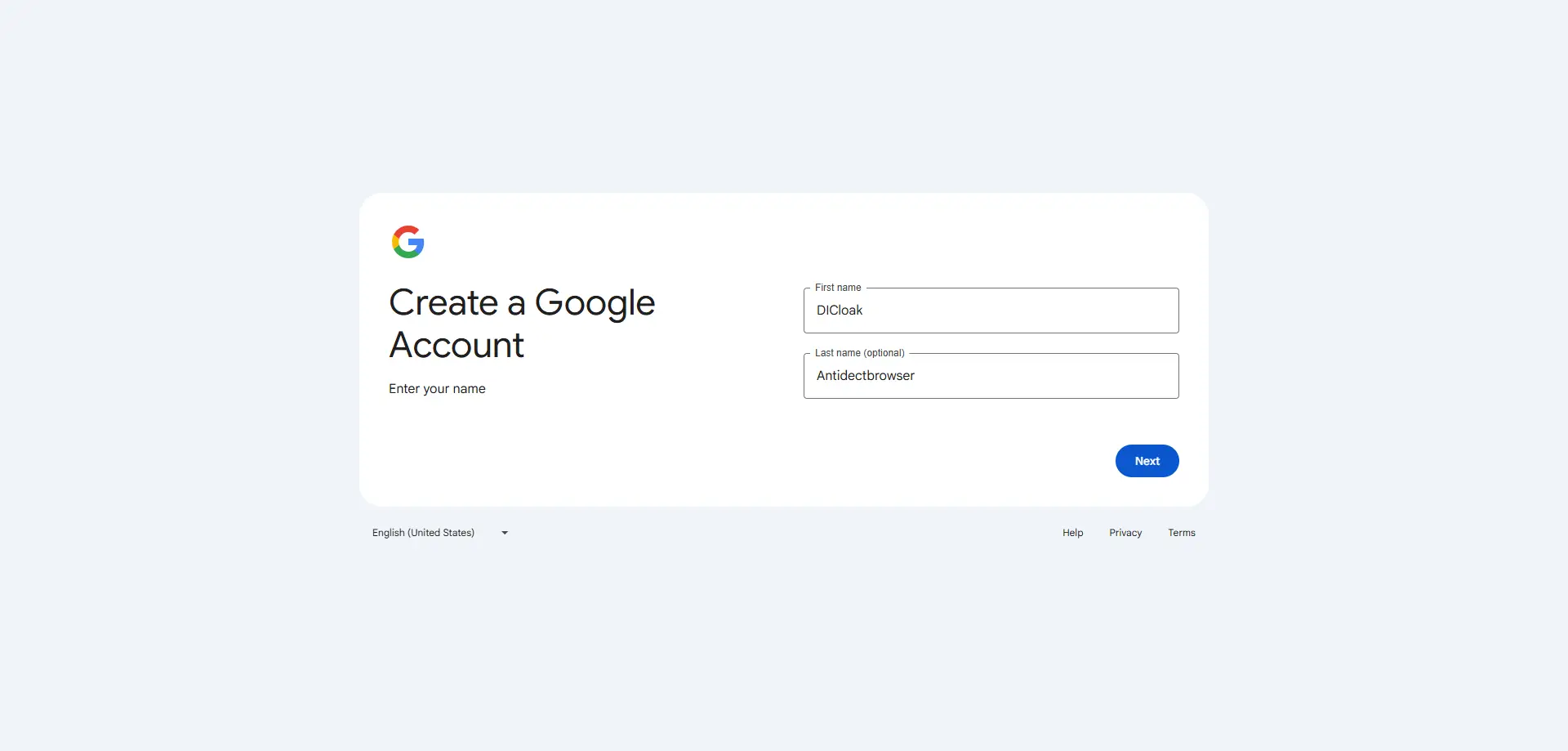
- Choose the account type, such as For my personal use or For work.
- Enter your name, birthday, and other basic details. Then choose a new @gmail.com address.
- Create a strong password and finish phone or email verification if Google asks for it.
- Repeat the same process for each new Gmail account you want to create. Each Gmail account will have its own Google Account.
- To use multiple accounts more easily, click your profile picture in Google and choose Add account. Google also supports signing in to more than one account at the same time.
Can I Have Multiple Google Accounts?
Yes, you can have multiple Google Accounts. Google’s help pages explain that you can add another account and stay signed in to more than one account at the same time on the web. You can then switch between them more easily in many Google services. This is very useful for people who separate personal use, work tasks, testing, storage, or team operations. And creating multiple Google accounts is just like creating Gmail acounts. You can switch between accounts easily on most Google services.
Manage Multiple Accounts with DICloak
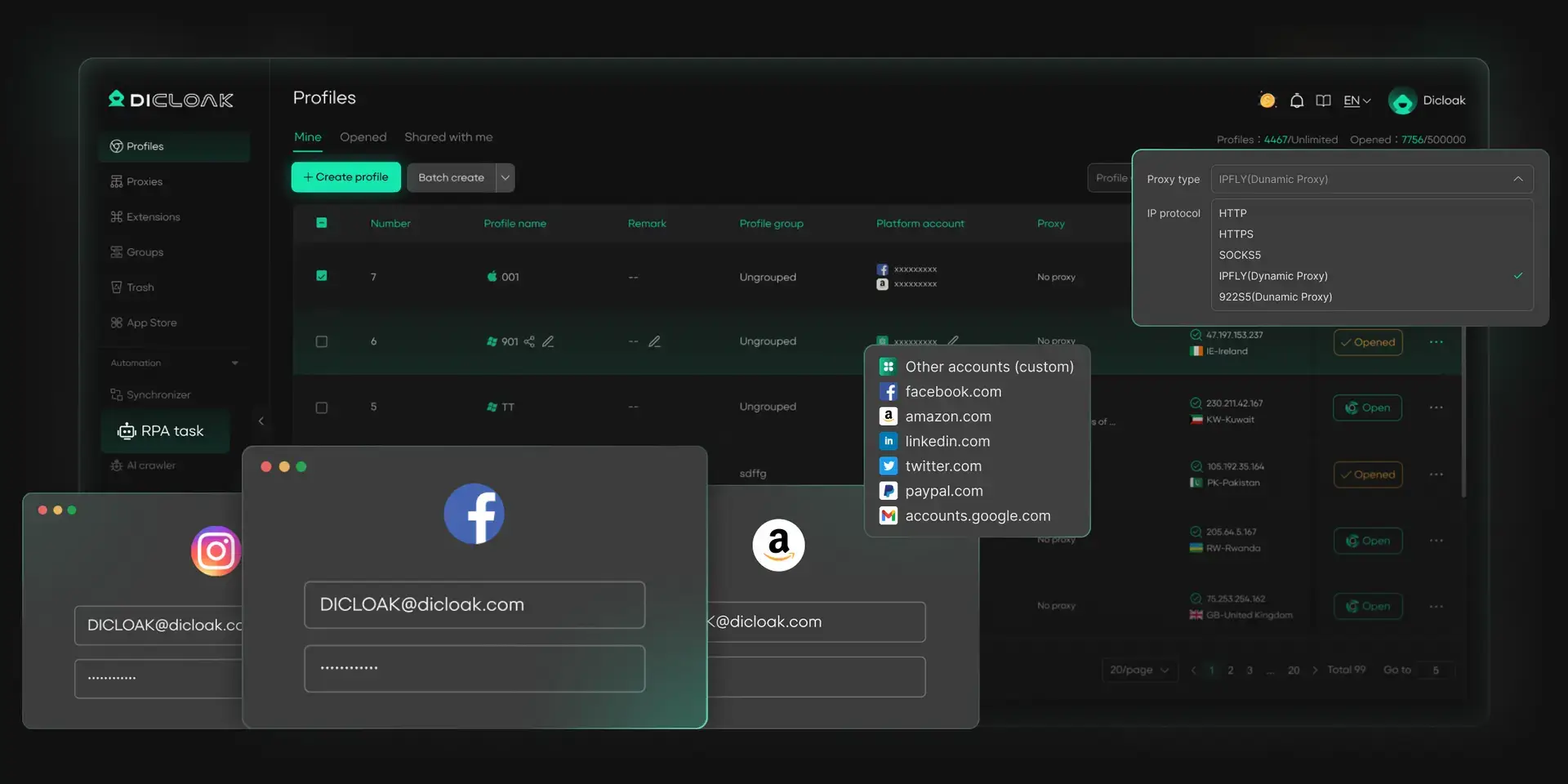
When you have multiple accounts, managing them efficiently and safely becomes crucial. DICloak is a powerful tool for multi-account management, like Gmail, Google, Outlook, iCloud, etc.. Here's how you can use DICloak to operate multiple Gmail accounts:
- Head to DICloak's website, download the app, and sign up using your Google account or email.
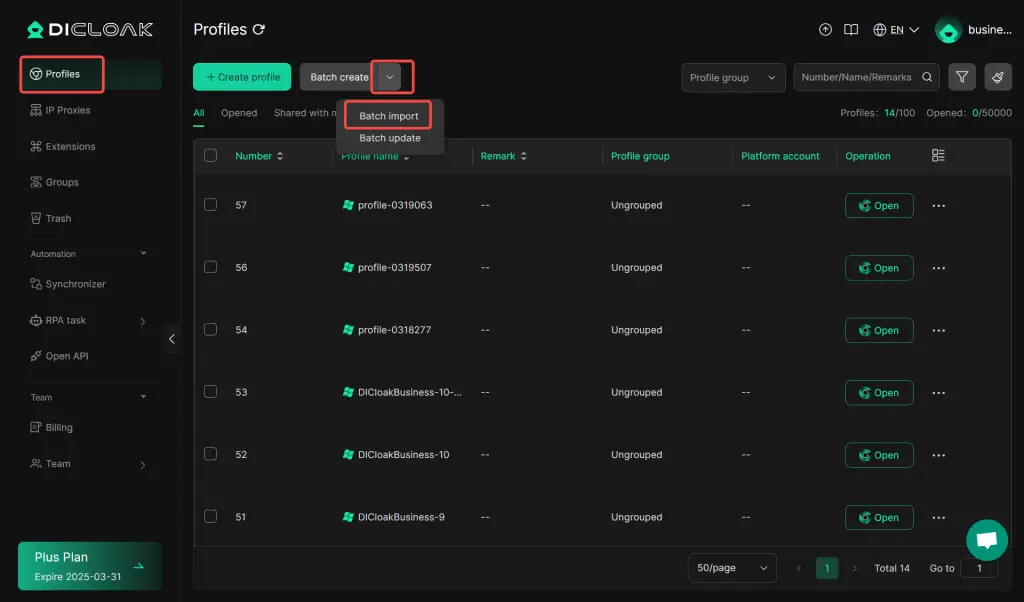
- Create Browser Profiles: Choose "Batch import" to establish separate browser profiles for your Gmail accounts. (Also supports single "Create Profile". Because it requires manual operation for each account, it is suitable for use when the number of accounts is relatively small.)
- Manage Accounts: Once the accounts are set up in their respective profiles, you can easily change Gmail's user interfaces with a single "Open".
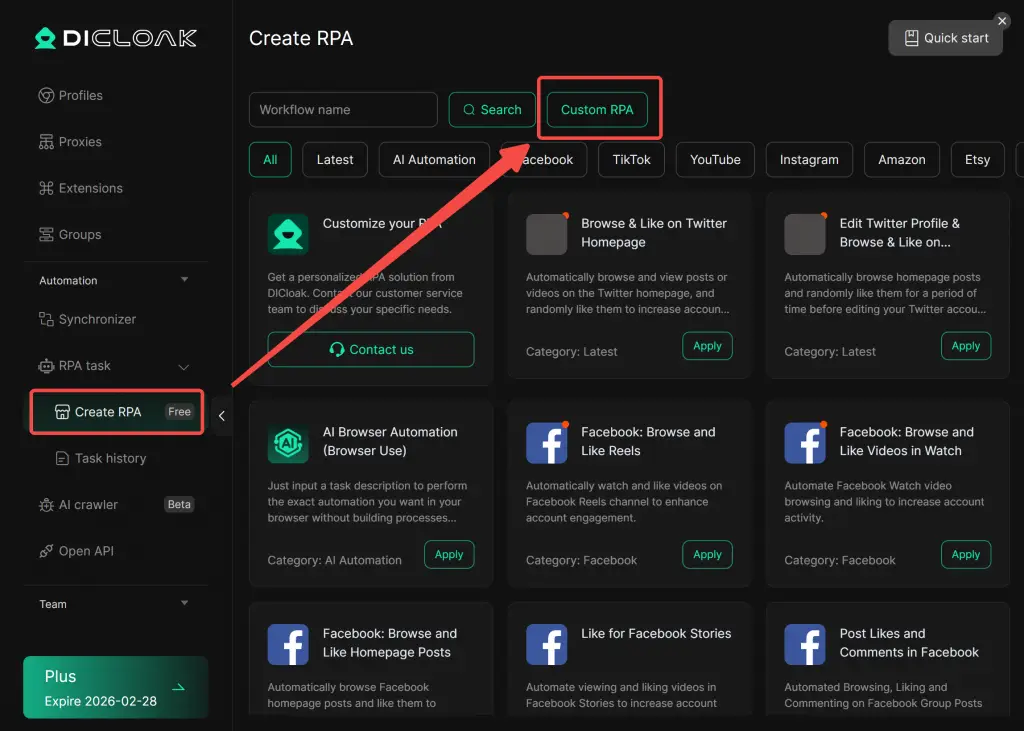
- Meanwhile, DICloak also provides RPA features like batch operations, allowing you to perform automated process (such as signing in/out, refreshing, or checking emails) on multiple Gmail accounts simultaneously. If you want to get more information on how DICloak automatically runs Gmail accounts, you may enter the custom RPA tutorial.
Best practices for securing Gmail and Google accounts
Here are some best practices for keeping Gmail and Google Accounts safe:
- Use a strong and unique password Do not reuse the same password across different accounts. If one password is leaked, other accounts may also be at risk.
- Turn on 2-Step Verification This adds a second layer of protection. Even if someone gets your password, they may still not be able to sign in.
- Keep recovery information updated Add a trusted recovery email and phone number. This makes it much easier to recover the account if you lose access.
- Check account activity often Review recent logins, devices, and security alerts. If something looks unusual, change the password right away.
- Avoid unsafe links and fake login pages Phishing attacks often look real. Always check that you are signing in through an official Google page.
- Use different accounts for different tasks For example, keep one account for personal use, one for work, and one for testing. This reduces risk and makes bulk management easier.
- Do not share one account with too many people Shared logins increase confusion and security risks. It is safer to assign accounts by role and keep access records clear.
Conclusion
After reading this guide, the answer to is Google account same as Gmail account should be much clearer. They are closely connected, but they are not the same. A Gmail account is mainly for email, while a Google Account is the larger login system that gives access to Gmail, Drive, YouTube, Calendar, and other Google services. If you plan to use multiple Gmail or Google Accounts, the best approach is to stay organized and stay secure. It is recommend to use DICloak to help you manage multiple Google accounts cause it creates separate browser profiles and reduce account mix-ups.
FAQs
Is Google account same as Gmail account?
No, a Google Account is not exactly the same as a Gmail account. Gmail is one email service from Google, while a Google Account is the main login system used for many Google services like Drive, YouTube, Calendar, and Docs. Every Gmail account is linked to a Google Account, but not every Google Account includes Gmail.
If is Google account same as Gmail account is false, what is the real difference?
The main difference is scope. A Gmail account gives you an email inbox with a @gmail.com address. A Google Account is broader and can be created with either a Gmail address or a non-Gmail email address. This is why understanding is google account same as gmail account is important when managing accounts in bulk.
Is Google account same as Gmail account when it comes to password and login?
In most cases, they share the same login password if the Gmail account is part of the same Google Account. That means changing the Google Account password usually changes the Gmail password too. Still, the services inside the account may differ, so the answer to is google account same as gmail account remains no.
Why is Google account same as Gmail account matter in bulk account management?
This matters because teams often manage many accounts for email, storage, sign-ins, or client work. If you think every Google Account is a Gmail account, you may expect inbox access where there is none. Understanding is google account same as gmail account helps prevent mistakes in labeling, recovery, permissions, and account use.
Can I manage multiple accounts if is Google account same as Gmail account is a common question?
Yes, you can manage multiple Gmail accounts and multiple Google Accounts at the same time. Google allows users to add and switch between accounts. But before doing that, it is important to understand is google account same as gmail account, so you know which accounts include Gmail and which are only used for Google services.
 Web Proxy Tools
 Free Tools
 Cookie Plugin
 UA Generator
 MAC Address Generator
 IP Generator
 IP Address List
 2FA Code Generator
 World Clock
 Anonymous Check
 WebRTC Leak Test
 UUID Generator
 Free Web Proxy Site
 Proxy Checker
 FB Ad Checker
 AI Web Scraping
 Free SMM Tools
 Twitter Shadowban Checker
 Instagram Name Checker
 UTM Generator
 Username Generator
 AI Hashtag Generator
 LinkedIn Headline Generator
 Social Media Image Resizer