Nearly 60% of small business owners who rushed to add AI tools last year reported losing time or money because the product did not fit their workflow, according to a Gartner survey. The rush to adopt is not the main problem, it's picking ai tools for small business without a clear plan or understanding of what actually works for daily tasks. Many owners expect instant results, only to find the tool either breaks a key process or adds confusion their team cannot untangle.
Real stories show the same pattern. An online shop tried an AI-powered chatbot, hoping for faster customer replies. Instead, the bot misunderstood order requests and customers left for a competitor. Another team set up an automatic AI email filter, but it hid important client messages for days. The real headache is not just wasted money, it's lost trust and churned clients.
So, what separates the owners who see real gains from those who get stuck in AI hype? The answer is knowing which tools line up with actual business needs, how to roll them out step by step, and where most small businesses make avoidable mistakes. Here’s how to pick, use, and avoid the common traps with AI tools that claim to help small business.
What Should Small Businesses Check Before Using AI Tools?
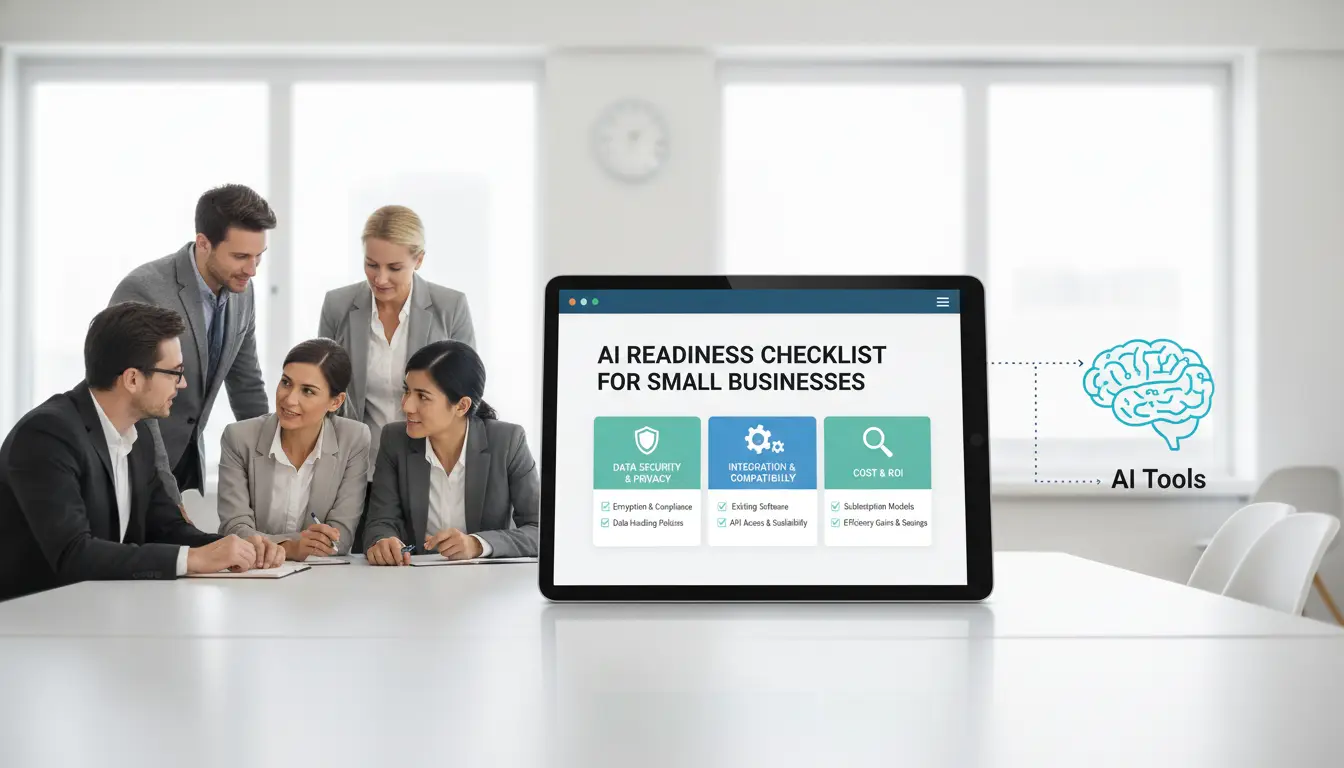
Small businesses are under pressure to keep up, but rushing into new tech can backfire. Before signing up for any ai tools for small business, it pays to slow down and check the risks, must-have features, and what actually fits your daily work.
Common Risks When Adopting AI Tools
Most small business owners worry about data leaks, but the risks run deeper. Many AI tools need access to customer info, payment data, or staff messages, which means a weak privacy policy could expose you to fines or angry clients. Always read the tool’s privacy terms. For example, OpenAI’s API keeps user data for 30 days. If you handle sensitive info, that’s a problem.
Hidden costs are another trap. Free trials may lock key features behind paywalls or bump up the price once you pass a usage limit. Many tools use monthly subscriptions that renew automatically. Check if you can cancel anytime and if your data is portable. Some tools charge extra for integrations or support. Forgetting these details can turn a “cheap” tool into a budget headache.
What Features Matter Most for Small Businesses
No one wants to waste time training staff on a tool that slows them down. The best ai tools for small business feel easy from day one. Look for clear dashboards, step-by-step onboarding, and responsive support. If a tool needs hours of setup or comes with a thick manual, skip it.
Integration is just as important. Your AI tool should fit with the software you already use, like Slack for team chat, or Shopify for sales. Some browsers, like DICloak, let you manage multiple profiles and keep account data separated, which helps avoid cross-account issues. Ease of use and safe integration matter more than fancy features. Otherwise, you risk trading one headache for another.
Why Some AI Tools Fail to Deliver Real Value for Small Businesses
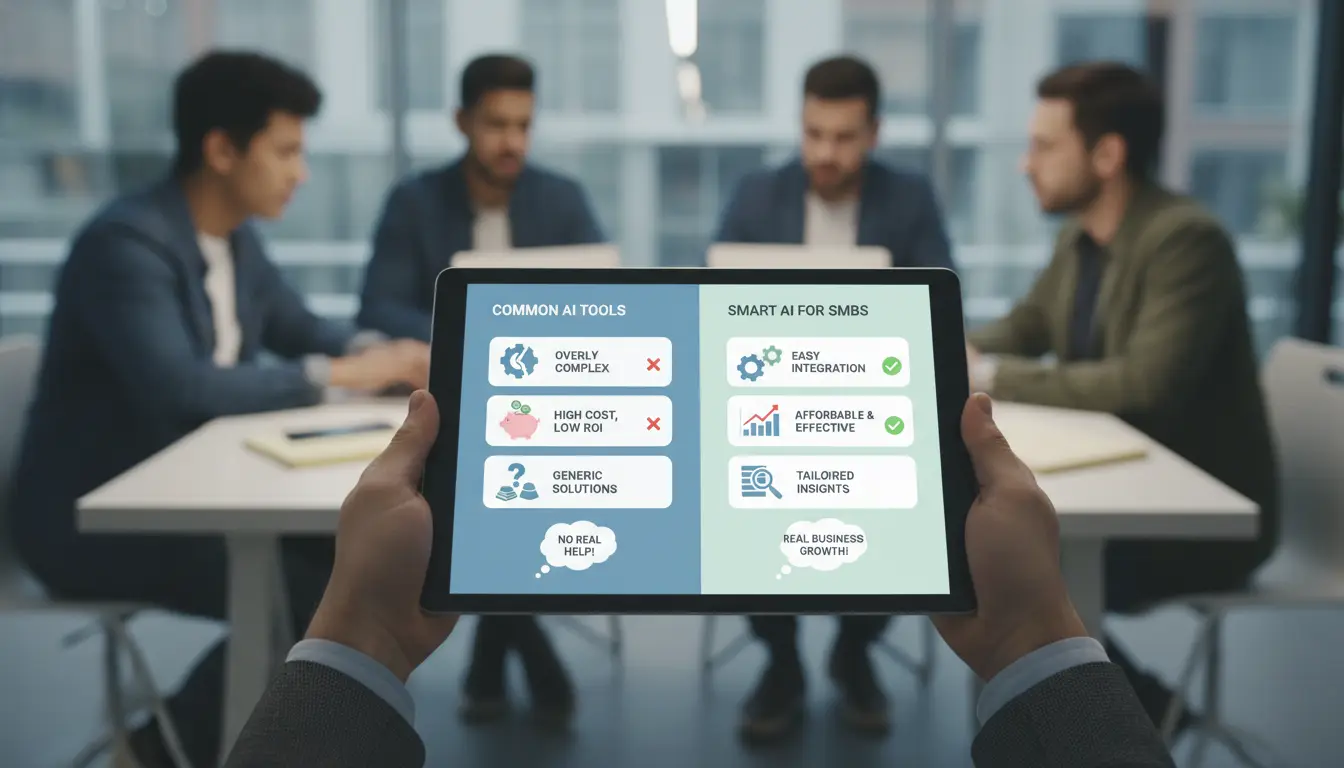
AI tools for small business often promise faster work or easier customer service, but real results vary. The problem is not always with the technology itself. More often, small companies pick the wrong tools or skip key steps, then end up with extra costs, frustrated staff, or lost sales. Understanding where these tools fall short is the first step to avoiding disappointment.
Misaligned Tool Selection
Many owners get pulled in by buzzwords or "top 10" lists. They choose AI tools that sound impressive but don't match daily needs. For example, a scheduling tool designed for big teams may overload a shop with features no one uses. Or a chatbot built for e-commerce might not fit a local service business. Compatibility is another blind spot, if a tool won't connect with your current software or workflow, it becomes a headache instead of a help.
The real test: Does the tool solve the problem you actually have? Too often, decision makers skip that question and end up with tools that collect dust. Gartner reports that small businesses see much lower AI adoption success rates when they skip this step.
Common Mistakes That Waste Time and Money
Training and support are easy to overlook, but skipping them nearly always causes trouble. Teams that don't understand how to use an AI tool make mistakes or avoid it entirely. For instance, automating email sorting without proper setup can cause important messages to vanish. And when questions come up, weak support leaves the team stuck.
Another common failure is not tracking whether the tool is working. Many skip measuring ROI or impact after rollout. Without clear tracking, it’s hard to spot if a tool actually saves time or just adds work. The biggest trap is assuming AI will fix problems on its own, real gains come only when you match the tool to your business, teach your team, and keep checking results.
How to Choose the Right AI Tool for Your Business Needs
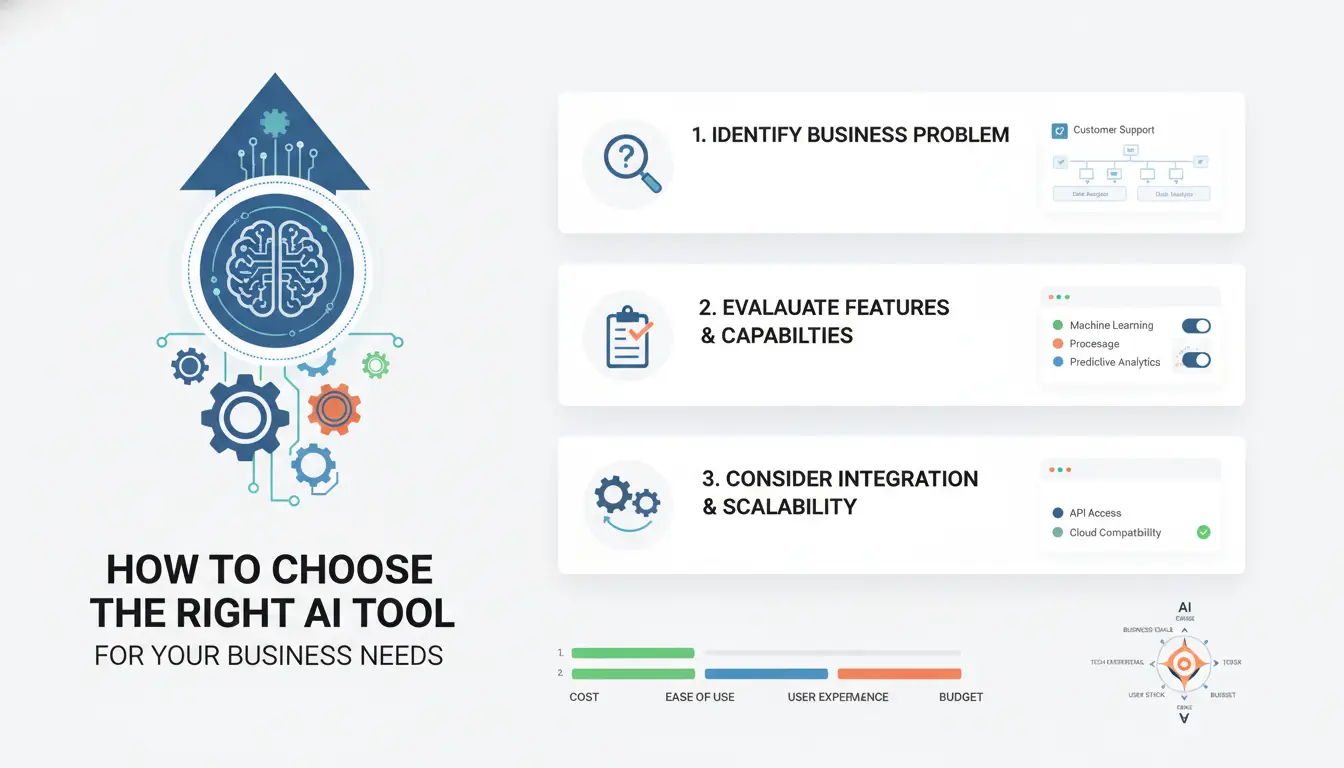
Most small businesses get stuck when they pick tools based on hype, not fit. The smarter way is to start with your own pain points, not a product’s feature list. If your team spends hours on manual data entry, or misses leads because you cannot reply fast enough, those are clear problems worth solving. Write down the top two or three bottlenecks that cost you time or money every week.
Step-by-Step Evaluation Process
Jumping straight to “the best” AI tool rarely works. Instead, match your daily tasks to what each tool actually does. For example, if you struggle with scheduling, look at Calendly’s AI scheduling or if you need better document search, check Notion AI. Make a simple list: What must the tool do? Which parts of your workflow does it touch? If a tool adds confusing steps, it will slow your team down.
Roll out one tool at a time. Start with a free tier or trial, test with a small group, and see if it really solves the problem. If it works, expand. If not, drop it and try another option, don’t sink time into endless tweaking. A tool that fits cleanly into your workflow will save more time than any “all-in-one” system that adds extra work.
Comparing Free vs Paid AI Tools
Free AI tools can cover basics: simple chatbots, entry-level copywriting, or basic automation. They work for solo founders or very small teams. Paid tools usually add key features, team accounts, support, audit logs, higher limits, or better privacy. Here’s a quick look:
| Feature |
Free Tools |
Paid Tools |
| User seats |
1 |
Multiple |
| Data limits |
Low |
High |
| Support |
Community only |
Email/phone |
| Privacy controls |
Basic |
Advanced |
| Integration options |
Few |
Many |
Table: Typical differences. Check each product’s site for details.
Paid plans from tools like Zapier or Airtable start around $20-$25/month. For most, start free, upgrade only if you hit real limits. Using the right AI tools for small business means matching the tool’s strength to your exact need, not just buying the biggest plan.
Which AI Tools Are Most Useful for Small Business Workflows?
Picking the right ai tools for small business means looking at what actually saves time and fits your team’s habits. The best tools help with daily work, like finding new customers, replying to client questions, or posting on social media, without creating new headaches.
AI Tools for Marketing and Lead Generation
For content and social media, Jasper helps small teams write blog posts or ad copy fast. You can use Buffer to schedule posts across platforms and track which channels bring the most clicks. Some shops use Canva’s AI tools for quick image creation. These tools cut hours off routine marketing but still need a human to check quality.
| Tool |
Main Use |
Price (USD/mo) |
| Jasper |
Content writing |
$39+ |
| Buffer |
Scheduling, analytics |
$6+ |
| Canva AI |
Image generation |
$12.99+ |
AI Tools for Customer Support and Communication
You can set up Intercom for chatbot and automated replies so customers get answers even after hours. For email replies, Gmail’s Smart Reply suggests quick responses based on message content. A bakery cut its email backlog in half by letting Smart Reply handle simple questions, but still reviews anything unusual. With ai tools for small business, the best wins come from matching tools to clear, repeatable tasks.
How to Share AI Tool Accounts Safely Across Your Team
Sharing accounts for ai tools for small business seems simple. Yet, most teams run into trouble when too many people log in from different devices or locations. The risk is not just about losing access, it’s about getting flagged, banned, or exposing private business data.
Most small businesses start by giving out a shared password. This shortcut usually leads to headaches. If several team members log in at once, especially from different places or browsers, the tool’s security system catches the mismatch. That’s how accounts get banned or restricted. Shopify and Slack, for example, block accounts after suspicious logins from new locations, as explained on their official help pages and Slack documentation.
Credential theft is another problem. When passwords are passed in chat or email, anyone can grab them. If someone leaves the company but keeps the login, your business data stays exposed. Sometimes, accidental misuse is worse. A staff member can change settings or delete files without meaning to. For ai tools, this can mean lost chat histories, deleted automations, or broken workflows.
How DICloak Makes Account Sharing Safer and More Cost-Efficient
Instead of risking bans, you can use DICloak to set up shared accounts the right way. The key is unified fingerprint and proxy settings. Whenever your team logs in, DICloak keeps the browser profile consistent, so the AI tool sees only one “user”, not random devices. This cuts down on account bans and keeps access stable.
Isolated profiles are the next step. Each team member gets a separate browser profile, which means permissions can be controlled. You decide who can access which tool, and who can change settings. If someone leaves, their access is removed without affecting the rest. For small businesses, this means you only pay for one account, but share it securely across the team.
How to Automate Repetitive Tasks with AI Tools and Boost Productivity
AI tools for small business are changing how tedious work gets done. The right tool can cut hours from your week and help avoid costly mistakes that slip through manual processes. But not every task is a good target for automation, and some carry hidden risks if you rush in.
Common Tasks Small Businesses Can Automate
Most small teams start with data entry, reporting, and appointment scheduling. For example, AI-driven spreadsheets can pull sales data from order systems and update dashboards with no typing. Automated scheduling tools send reminders and follow-ups to clients without staff needing to check calendars all day. By automating these steps, you reduce manual errors and free up time for real work.
Integrating AI Automation into Daily Workflows
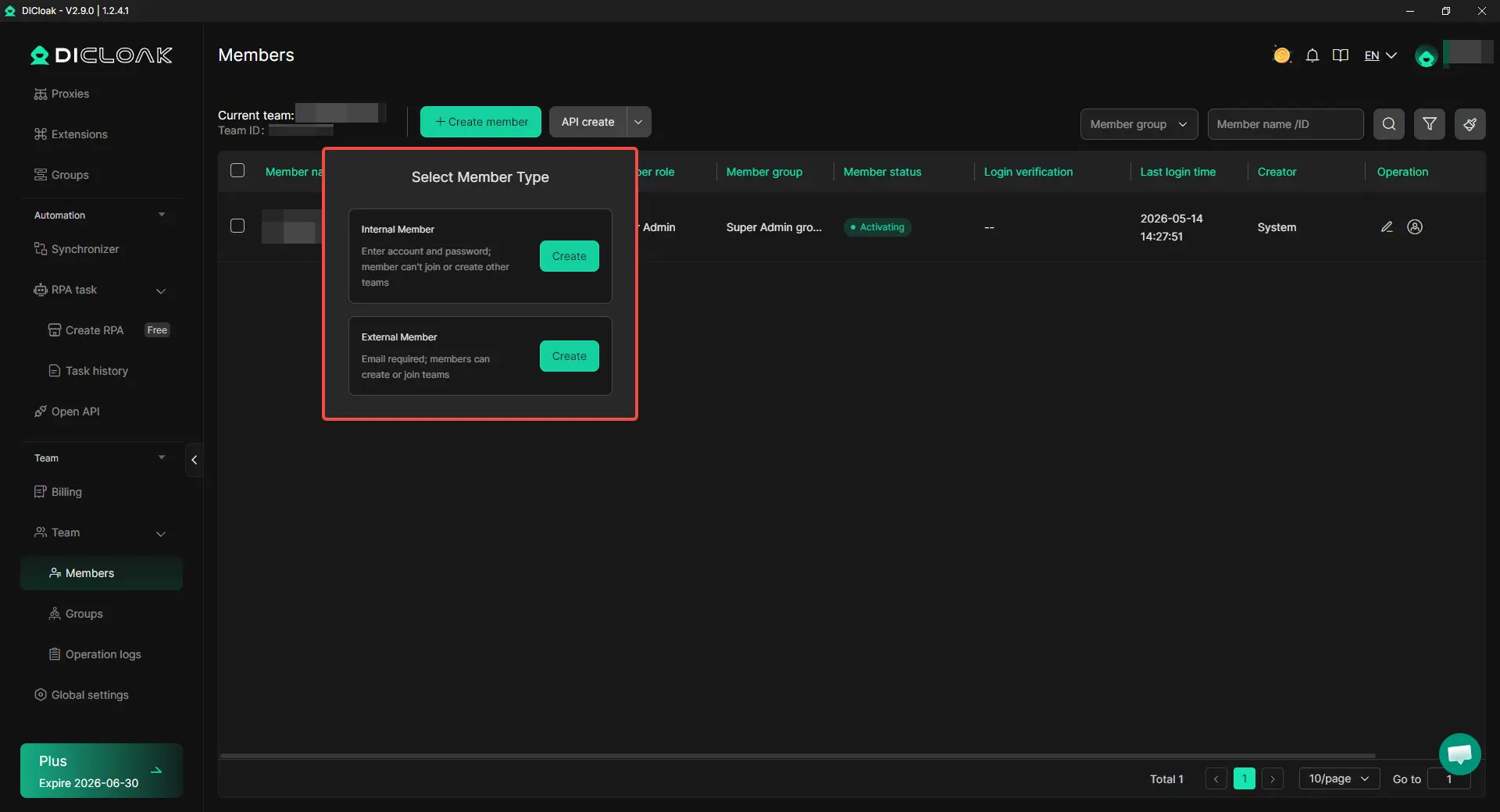
Rolling out automation takes more than just switching on a tool. RPA (robotic process automation) bots can batch-process invoices or emails, but you need a way to monitor what they do and catch mistakes early. Tools like DICloak let you share access to AI tools across your team without risking account bans or triggering security checks. You can use DICloak to create isolated browser profiles for each user, unify proxy settings, and control who can access what. This stops accidental logins from the wrong device and keeps your accounts safe from leaks or lockouts. A solid automation setup only works if account access is both secure and simple for everyone.
When AI Tools Aren’t Enough: What to Do Next
Sometimes, AI tools for small business hit a wall. Owners notice that basic chatbots, scheduling apps, or auto-email filters solve easy tasks, but start to break when the business grows or needs get more complex. If you’re seeing issues, it’s time to rethink your setup before frustrated clients or wasted hours stack up.
Signs Your Current AI Tools Are Limiting Growth
When simple AI tools stop helping, you’ll spot clear warning signs. The most common is workflow bottlenecks. For example, a small shop uses an AI chatbot for customer service. The bot answers basic questions, but when shoppers ask about custom orders, the bot fails, making staff jump in and clean up missed messages. This slows everyone down.
Another problem is lack of customization or scalability. Many free or low-cost AI tools offer fixed features. As your team grows, you want to add new functions or connect with other systems. If your AI tool can’t handle extra users or doesn’t let you tweak responses, you’ll hit a ceiling fast. Owners often find that software built for “everyone” doesn’t fit their business needs.
How to Transition to More Advanced Solutions
When basic tools can’t keep up, upgrading is usually the next step. Paid or enterprise AI tools often bring better options: more reliable support, custom workflows, and the ability to connect with other apps. For example, HubSpot’s small business AI suite lets you automate marketing and sales tasks and scale as your team grows.
But even advanced tools aren’t magic. Combining AI with human expertise gives the best results. Use AI to handle routine jobs, but let real people step in for complex questions or special cases. For team-based tasks, like managing social accounts or multiple customer channels, products like DICloak help staff work together securely while tracking actions.
The most important move is to treat AI as a tool, not a replacement. Plan for manual checks and build clear workflows that combine both human and AI strengths.
FAQ: Answers to Common Questions About AI Tools for Small Business
Are AI tools safe for small business data?
Most AI tools for small business use encrypted storage to protect your data. They also have access controls to limit who can view or change information. Always check if the tool meets privacy standards, like GDPR or SOC 2. Use strong passwords and enable two-factor authentication to keep your business data even safer.
How many team members can use one AI tool account?
AI tools for small business often limit accounts to a set number of users, usually 1-5 per license. Sharing logins may break terms and create security risks. Some tools, like DICloak, let multiple team members access securely using role-based permissions, so everyone gets what they need without sharing passwords.
Do I need technical skills to use AI tools?
Many ai tools for small business are designed for non-technical users. They offer simple dashboards, drag-and-drop features, and built-in guides. Most tools also provide tutorials, customer support, or onboarding sessions to help everyone on your team start using the tool fast, even without tech experience.
Can AI tools replace human employees in small businesses?
AI tools for small business can automate tasks like scheduling, emails, or data entry. This saves time and reduces errors. However, AI cannot replace human creativity, judgment, or customer relationships. People are still essential for problem-solving, decision-making, and providing personal service to customers.
What should I do if an AI tool gets my account banned?
First, contact the tool’s support team to ask why your account was banned and how to fix it. Avoid sharing accounts or breaking usage rules. Use unique logins for each staff member. Review the tool’s guidelines, and train your team on safe practices to prevent future bans or disruptions.
AI tools are transforming the way small businesses operate, making advanced technology accessible for streamlining tasks, improving customer service, and boosting efficiency. By thoughtfully integrating AI solutions, small business owners can stay competitive and respond quickly to changing market demands. Try DICloak For Free
 Web Proxy Tools
 Free Tools
 Cookie Plugin
 UA Generator
 MAC Address Generator
 IP Generator
 IP Address List
 2FA Code Generator
 World Clock
 Anonymous Check
 WebRTC Leak Test
 UUID Generator
 Free Web Proxy Site
 Proxy Checker
 FB Ad Checker
 AI Web Scraping
 Free SMM Tools
 Twitter Shadowban Checker
 Instagram Name Checker
 UTM Generator
 Username Generator
 AI Hashtag Generator
 LinkedIn Headline Generator
 Social Media Image Resizer