Key Features to Look for in Amazon Seller Tools
The best Amazon seller tools should solve a clear problem. They should save time, improve decisions, or reduce manual work.
Before paying for a tool, check three things: Amazon integration, useful features, and total cost.

How Integration With Amazon Seller Central Impacts Usability
Direct integration with Amazon Seller Central can remove many manual steps.
Approved third-party tools can use Amazon's Selling Partner API to work with data such as listings, inventory, orders, and sales.
For example, an FBA seller with 80 SKUs may otherwise export inventory reports every day. A connected tool can pull the latest data into one dashboard.
Before choosing a tool, check:
- Supported Amazon marketplaces
- Data refresh speed
- Seller Central permissions
- Number of connected accounts
- User access
- Ease of removing authorization
A good integration should make the workflow simpler, not create another place where staff must enter the same data.
Features That Improve Listing Optimization and SEO
Good Amazon listing optimization tools should help sellers understand both keywords and shoppers.
Useful features include:
- Keyword research
- Search volume data
- Competitor keyword tracking
- Organic rank tracking
- Listing optimization
- A/B testing
For example, “lunch box” may have high demand but strong competition. A more specific term such as “leakproof lunch container for work” may fit the product and user intent better.
The keyword still needs to appear naturally. Adding more keywords does not automatically make a better listing.
Amazon's Manage Your Experiments also lets eligible sellers test titles, images, bullet points, descriptions, and A+ Content.
This is important because SEO helps shoppers find the listing, while clear content helps them buy.
Comparing Free Tools Versus Paid Solutions
New sellers do not need a large paid software stack.
Amazon already provides tools such as:
- Seller Central
- Amazon Seller app
- Product Opportunity Explorer
- Growth Opportunities
- Automate Pricing
These tools can cover many basic research, inventory, pricing, and operations needs.
Paid tools become more useful when you need deeper research or more automation.
For example, Helium 10 combines product research, keywords, listings, analytics, and AI features. SellerAmp focuses more on wholesale and arbitrage sourcing.
The best question is not:
“Which tool is cheapest?”
It is: “What problem can this paid tool solve that my current tools cannot?”

Types of Amazon Seller Tools and Their Use Cases
Different Amazon business models need different tools.
A private-label seller may need product and keyword research. A wholesaler may care more about supplier lists, margins, and inventory.
Product Research Tools for Identifying Profitable Niches
Product research tools help sellers test an idea before buying inventory.
Useful data may include:
- Search demand
- Competition
- Price
- Reviews
- Returns
- Seasonality
- Estimated sales
Amazon's Product Opportunity Explorer uses Amazon customer and purchase data to help sellers find unmet demand.
Third-party options such as Helium 10 and Jungle Scout add competitor, keyword, and product research.
For example, a kitchen organizer may already sell well. But negative reviews may show that customers dislike the material or size.
That insight is often more useful than the sales number itself.
Good product research helps you find a problem worth solving, not just a popular product.
Inventory Management Tools for Streamlining Operations
Inventory tools help prevent two costly problems:
- Running out of products that sell well
- Holding too much slow-moving stock
Useful tools should track stock levels, sales velocity, lead time, inbound inventory, and reorder timing.
For example, a seller may have 50 SKUs, but only 10 create most of the revenue.
Those 10 products need closer restock attention than items that sell only a few units each month.
Amazon provides inventory tools inside Seller Central. Jungle Scout and Helium 10 also offer inventory planning features.
The goal is not to hold more stock. It is to hold the right amount of stock.
Analytics Tools for Tracking and Improving Performance
Revenue tells you what happened. Analytics should help explain why.
Amazon Brand Analytics can show search behavior, repeat purchases, and other customer data for eligible brands.
Useful questions include:
- Are shoppers seeing the product?
- Are they clicking?
- Are they buying?
- Are they returning?
- Which search terms perform best?
Suppose a listing has many impressions but few clicks.
The title, main image, price, or offer may be the problem.
If it gets clicks but few orders, the problem may be on the product page.
Good analytics helps sellers choose the right problem to fix first.

What Are the Best Amazon Seller Tools for 2026?
There is no single best tool for every Amazon seller.
The right choice depends on the business model, catalog size, budget, and workflow.
Top-Rated Tools for New Sellers and Private-Label Businesses
Private-label sellers usually need:
- Product research
- Keyword research
- Listing optimization
- Performance tracking
Amazon Product Opportunity Explorer is a useful free starting point because it uses Amazon's own customer data.
Helium 10 is a broader third-party option. It covers research, keywords, listings, analytics, advertising, and operations.
Jungle Scout Catalyst also combines product research, Keyword Scout, listing tools, analytics, and inventory features.
A new seller does not need all of them.
A simpler workflow is:
- Validate demand with Amazon data.
- Choose one third-party research tool if needed.
- Launch the product.
- Add more software only when a clear gap appears.
Tools Tailored for Wholesale and Arbitrage Sellers
Wholesale and arbitrage sellers usually analyze existing products rather than create new listings.
The Amazon Seller app can help with barcode scanning and basic sourcing research.
SellerAmp SAS goes deeper into:
- Profit
- ROI
- Amazon fees
- Eligibility
- Sales history
- Competing offers
For example, a product may cost $18 and sell for $39.99.
That does not mean the seller earns $21.99.
Amazon fees, fulfillment costs, taxes, and other expenses still need to be deducted.
SmartScout can also help wholesale sellers analyze brands, products, and large supplier lists.
AI-Powered Tools Transforming the Amazon Selling Landscape
AI is becoming part of normal Amazon seller workflows.
The important question is not whether a tool uses AI. It is whether the AI saves useful work.
Amazon has added AI features such as Seller Assistant and Enhance My Listing.
Third-party tools also use AI for areas such as:
- Listing drafts
- Keyword use
- Advertising
- Customer sentiment
- Market analysis
AI can create a first draft faster.
But sellers should still check:
- Product facts
- Claims
- Keywords
- Compliance
- Brand voice
AI should speed up work, not remove human review.
Budget-Friendly Options for Small Businesses
Small businesses should start with Amazon's own tools.
Seller Central, the Seller app, Product Opportunity Explorer, and Automate Pricing can already cover many basic tasks.
If you need deeper sourcing data, lower-cost third-party tools such as SellerAmp may be enough.
Do not choose a tool only because it is free.
If a free workflow takes several hours every week, a paid tool may still cost less in the long run.

How to Choose the Right Amazon Seller Tools for Your Needs
Start with the problem, not the software brand.
A useful tool should match your business model and remove a clear bottleneck.
Matching Tools to Your Business Model and Goals
Different sellers need different tools.
For example:
- Private label: research, keywords, listings
- Wholesale: supplier analysis, profit, inventory
- Arbitrage: barcode scanning, ROI, eligibility
- Large brands: analytics, advertising, team workflows
Start by writing down the goal.
If you want to find your first private-label product, research tools matter most.
If you need to analyze 5,000 wholesale SKUs, bulk sourcing tools matter more.
If a team manages several authorized store workspaces, browser Profile organization may also become important.
DICloak can support that type of workflow with separate browser Profiles, proxy configuration, team permissions, batch operations, and RPA.
It does not replace product research tools. It solves the browser and account-operation side of the workflow.
Evaluating Pricing and Subscription Plans
Do not compare tools by monthly price alone.
Check:
- Features
- Usage limits
- Connected Amazon accounts
- User seats
- Marketplaces
- Data history
- Add-ons
- Annual billing terms
A $30 tool may be expensive if nobody uses it.
A $100 tool may be good value if it replaces several subscriptions or saves many hours each month.
Choose the plan based on the work you actually do.
Ensuring Compatibility With Your Existing Workflows
A powerful tool can still be difficult to use.
Before subscribing, check whether it fits your current process.
Ask:
- Does it connect to Seller Central?
- Can the team use it?
- Can reports be exported?
- Does it support your marketplaces?
- Does it work with your current systems?
Test one real workflow before buying.
For example:
- Connect one account.
- Import a few products.
- Complete a weekly task.
- Compare it with your old process.
- Ask the person doing the work which is easier.
A demo shows features. A real task shows usability.
Avoiding Common Mistakes When Selecting Tools
One common mistake is buying too many tools.
Another is paying for several platforms that solve the same problem.
Avoid:
- Three tools for the same keyword research
- Annual plans before testing
- Features your team does not need
- Tools that do not support your marketplace
- Influencer recommendations without your own test
- Old subscriptions that nobody uses
Review your software stack every few months.
If you cannot explain why a tool is still useful, consider removing it.

Risks of Not Using Amazon Seller Tools
Amazon seller software is not required for every business.
Manual work can be fine when the store is small.
Problems appear when the business grows faster than the workflow.
How Manual Processes Can Lead to Inefficiencies and Errors
Manual work becomes risky when the same task repeats at scale.
A spreadsheet with 10 products is easy to manage.
A spreadsheet with 600 changing SKUs is much harder.
Common problems include:
- Old data
- Copy errors
- Missed alerts
- Duplicate work
- Slow decisions
Automation is most useful when the task is repetitive and predictable.
Human attention should stay focused on decisions and unusual cases.
Missed Opportunities Due to Lack of Data-Driven Insights
A drop in sales does not explain what went wrong.
It may be caused by:
- Lower traffic
- Weak conversion
- Stockouts
- Higher prices
- Lower rankings
- Poor ad performance
Without analytics, a seller may solve the wrong problem.
For example, a seller may lower the price after sales drop.
But if the best-selling variation is out of stock, the price change does not solve the real issue.
Data helps sellers diagnose before they react.
The Impact of Poor Listing Optimization on Sales
A weak listing can lose sales before or after the click.
The title may not match the search.
The main image may not explain the product.
The page may also miss an important customer question.
For example, shoppers may want to know whether a backpack fits a 16-inch laptop.
If that detail is difficult to find, some shoppers may leave.
Listing tools help identify keywords. Customer questions explain what information matters most.
The strongest listing uses both.
Why Relying Solely on Amazon’s Native Tools May Limit Growth
Amazon's native tools are a strong foundation.
New sellers should usually start there.
Seller Central already supports listings, inventory, pricing, advertising, reporting, and many other tasks.
Third-party tools become useful when sellers need deeper or more specialized workflows, such as:
- Competitor keyword research
- Wholesale sourcing
- Price-list analysis
- Cross-market reporting
- Advanced PPC automation
- Team workspace management
The best approach is not to replace Seller Central.
Use Amazon's tools first. Add third-party tools where a clear gap remains.
How to Maximize the Benefits of Amazon Seller Tools
Buying software does not improve a business by itself.
The value comes from using the tool in a clear and repeatable process.
Tips for Effective Tool Integration and Setup
Start small.
If you buy inventory software, begin with your top 20 SKUs.
Check that stock levels match Seller Central. Confirm costs, lead times, and forecasts.
Then expand to the rest of the catalog.
Use the same approach with analytics, research, and advertising tools.
Also review third-party permissions regularly.
A slow setup is easier to fix than a rushed one.
Leveraging Advanced Features for Better Results
Many sellers pay for features they never use.
Start with the basics. Add advanced features only when they solve a known problem.
Examples include:
- Rank tracking
- A/B testing
- Automated pricing
- Inventory forecasting
- PPC rules
- Profit reporting
- Competitor tracking
- Browser automation
For example, Automate Pricing can handle approved pricing rules.
Manage Your Experiments can test two listing versions instead of asking the team to guess which is better.
Use advanced features to improve a repeated decision, not just because they are available.
Regularly Updating Tools to Stay Ahead of Competition
Amazon seller software changes often.
Features move. Prices change. AI functions are added.
Amazon continues to improve Seller Central with tools such as Seller Assistant and Enhance My Listing.
Third-party platforms also update their plans and products.
Before renewing a subscription, check:
- Is the feature still available?
- Is it still in your plan?
- Has Amazon added a free alternative?
- Does your business still need it?
Staying current is not about using every new feature.
It is about avoiding an outdated workflow.
Training Your Team to Use Tools Efficiently
A tool only works well when the team uses it in the same way.
Create a short internal guide.
Define:
- Who owns the tool
- Who can change settings
- Which reports matter
- When reports are reviewed
- Which actions need approval
- How access is removed
Access should also match each person's role.
For example, a listing specialist may not need the same permissions as an account administrator.
For browser-based team workflows, DICloak can also assign specific Profile groups and permissions to different members.
Good software saves time. Clear team rules make sure that time is actually saved.
Most Amazon seller tools focus on products, keywords, inventory, or analytics. DICloak solves a different problem.
It helps sellers organize authorized store, advertising, and team browser sessions. This becomes more useful when one business manages several Amazon stores, regional operations, or ad accounts.
Manage Multiple Amazon Stores With Isolated Profiles
Managing several Amazon stores in one normal browser can become messy.
Cookies, saved sessions, and account data may overlap. Team members may also open the wrong store or keep logging in and out.
DICloak lets each authorized Amazon store run inside its own browser Profile.
For example:
- Amazon US Store → Profile A
- Amazon UK Store → Profile B
- Client Store → Profile C
Each Profile keeps separate cookies, sessions, browser data, and fingerprint settings. A user-configured proxy can also stay attached to the correct Profile when the workflow requires one.
This does not guarantee that an Amazon account will never be restricted. Sellers still need to follow Amazon's rules for multiple and related accounts.
The practical benefit is better separation and a more consistent browser profile.
For teams, DICloak also supports Profile sharing, member permissions, data isolation, and operation logs. This helps administrators decide which store each employee can access.

Use AI Insights Without Mixing Research Workspaces
AI-assisted product research is now common in Amazon selling. Tools such as Amazon Seller Assistant, Helium 10, or Jungle Scout can help sellers review demand, keywords, competitors, and listing opportunities.
DICloak is not the tool that creates those market insights.
Instead, it can help keep the browser work behind that research organized.
Imagine an agency researching three client brands. One employee may use Amazon, analytics platforms, ad dashboards, and other research tools for each client.
Separate DICloak Profiles can keep those sessions apart:
Client A research → Profile A
Client B research → Profile B
Client C research → Profile C
This reduces the need to repeatedly clear cookies or rebuild login sessions when moving between projects.
DICloak previously offered AI Crawler features, but those should no longer be presented as a current product capability.
Optimize Ad Campaigns Across Multiple Platforms
Amazon growth often happens outside the Amazon marketplace too.
A seller may run campaigns on Google, Facebook, TikTok, or other advertising platforms to reach new shoppers.
DICloak can keep different authorized ad accounts in separate Profiles. This helps reduce cookie and session conflicts when a team manages several brands or clients.
For example:
- Brand A Facebook Ads → Profile A
- Brand A Google Ads → Profile B
- Brand B TikTok Ads → Profile C
Each workspace stays separate, so the team can switch between campaigns without mixing browser sessions. DICloak's e-commerce workflow specifically supports separate Profiles for advertising accounts across platforms such as Facebook, Google, and TikTok.
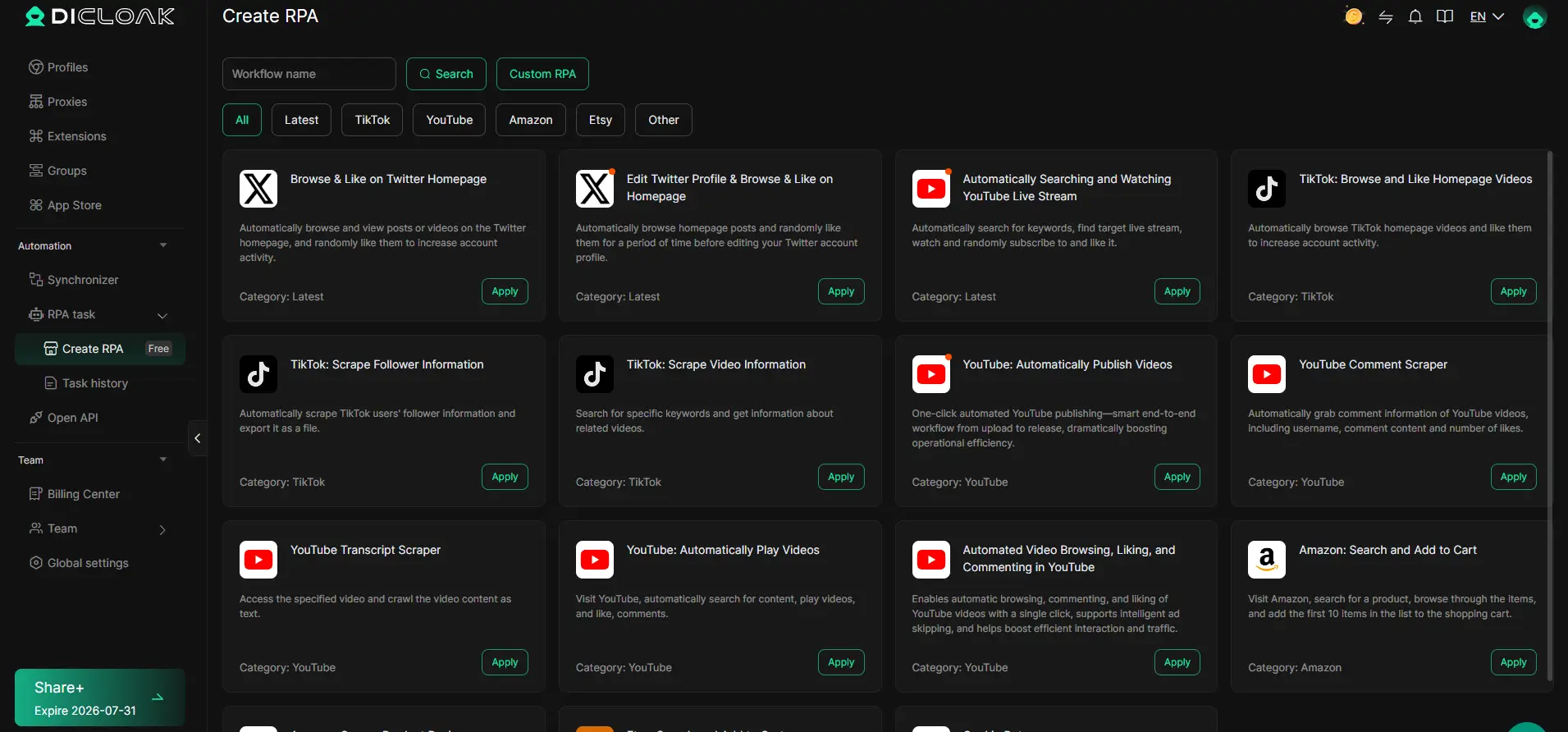
Teams can also use member permissions to control who works with each Profile. For permitted repetitive browser tasks, DICloak provides RPA automation and batch operations to reduce manual work.
DICloak does not replace Amazon analytics, PPC software, or product research tools.
Its value is different: it gives growing Amazon teams a cleaner way to organize multiple store and advertising browser workspaces from one device.
Amazon Seller Tools FAQ
Are There Free Amazon Seller Tools Worth Using?
Yes. Amazon Seller Central, the Amazon Seller app, Product Opportunity Explorer, and built-in pricing and inventory tools are useful starting points.
Paid tools are more useful when you need deeper research, automation, or data that Amazon's free tools do not provide.
Which Amazon Seller Tools Are Best for Beginners in 2026?
Beginners can start with Amazon Seller Central, the Seller app, and Product Opportunity Explorer.
If you need deeper product and keyword research, Helium 10 or Jungle Scout can be added later. Start simple and add tools only when you have a clear need.
How Do I Know if an Amazon Seller Tool Fits My Business Model?
Match the tool to the work you do.
Private-label sellers may need product and keyword research. Wholesale sellers often need sourcing and margin tools. Arbitrage sellers may need barcode scanning and profit checks.
Also check marketplace support, Seller Central integration, pricing, and team access before subscribing.
Can Amazon Seller Tools Help With Suppressed ASINs?
Yes. Seller Central should be the first place to check the reason for a suppressed or inactive listing.
Third-party listing tools may help spot missing attributes, image problems, or catalog changes. However, they cannot override Amazon's final listing decision.
What Is the ROI of Paid Amazon Seller Tools?
ROI comes from more than higher sales.
A paid tool can create value by saving time, reducing manual errors, improving inventory decisions, or speeding up product research.
For example, if a $100 monthly tool saves several hours of work or helps prevent one costly stockout, the subscription may already pay for itself.
Conclusion
The best Amazon seller tools in 2026 are not simply the tools with the most features.
The right tools help you solve a specific problem. That may be finding products, improving listings, managing inventory, understanding performance, or reducing repetitive work.
Start with Amazon's native tools. Seller Central already provides a strong base for listings, inventory, pricing, analytics, and growth. Amazon also supports a wider software ecosystem through its Selling Partner Appstore.
Add third-party software only when your current workflow has a clear gap.
A private-label seller may choose Helium 10 or Jungle Scout for deeper research. A wholesale or arbitrage seller may get more value from SellerAmp or SmartScout.
Growing teams may have another problem: keeping several authorized store and advertising workspaces organized.
In that case, DICloak can support the browser side of the workflow with separate Profiles, team access controls, proxy configuration, batch operations, and automation. It should complement Amazon seller software rather than replace it.
There is no perfect software stack for every seller.
Choose fewer tools, give each one a clear job, and keep the tools that help you make faster and better decisions.
 Web Proxy Tools
 Free Tools
 Cookie Plugin
 UA Generator
 MAC Address Generator
 IP Generator
 IP Address List
 2FA Code Generator
 World Clock
 Anonymous Check
 WebRTC Leak Test
 UUID Generator
 Free Web Proxy Site
 Proxy Checker
 FB Ad Checker
 AI Web Scraping
 Free SMM Tools
 Twitter Shadowban Checker
 Instagram Name Checker
 UTM Generator
 Username Generator
 AI Hashtag Generator
 LinkedIn Headline Generator
 Social Media Image Resizer