Starting an online store used to mean buying products in bulk, renting storage space, and hoping everything would sell.
In 2026, that is no longer the only option. Dropshipping, print on demand, digital products, affiliate commerce, and third-party fulfillment make it possible to build an e-commerce business without keeping stock at home or in a warehouse.
This can lower your upfront costs, but it does not make the business automatic. You still need a clear niche, reliable suppliers, workable margins, good customer service, and a consistent operating process.
If you plan to manage several storefronts, advertising accounts, or team workflows, you also need a way to keep daily operations organized.
This guide explains how to start an online store without inventory, choose the right model, find suppliers, launch your store, attract buyers, and use DICloak to organize legitimate multi-account e-commerce workflows.
Can You Really Start an Online Store Without Inventory?
Yes. A zero-inventory store does not require you to buy and store finished products before customers place an order.
Instead, a supplier, production partner, or fulfillment provider holds or creates the product and ships it to the customer. If you sell digital products, there may be no physical inventory at all.
However, no inventory does not mean no costs.
You may still need to pay for:
- An e-commerce platform and domain
- Product samples and photography
- Design or print-on-demand tools
- Advertising and content creation
- Transaction and marketplace fees
- Returns, refunds, and customer support
- Business registration, taxes, or insurance where required
The main advantage is that less capital is tied up in products that have not sold yet. You can test demand with a smaller commitment and expand only when a product proves itself.
Five Zero-Inventory E-Commerce Models to Consider
1. Dropshipping
With dropshipping, the customer orders from your store and the supplier ships the product directly to them.
You set the retail price and keep what remains after product costs, shipping, platform fees, payment fees, marketing, refunds, and support costs.
Dropshipping is quick to launch and offers a wide product selection. The tradeoffs include thinner margins, inconsistent supplier quality, less control over packaging, and potentially longer delivery times.
2. Print on Demand
Print-on-demand products are created only after a customer places an order.
Common examples include:
- T-shirts
- Hoodies
- Mugs
- Posters
- Phone cases
- Notebooks
- Tote bags
This model works well for creators and niche brands because original designs can make standard products more distinctive.
The downside is that production and fulfillment costs per item are often higher than ordering products in bulk.
3. Digital Products
Digital products require no physical fulfillment.
Examples include:
- Templates
- Ebooks
- Presets
- Printable planners
- Educational resources
- Design assets
- Licensed software
Margins can be attractive once the product is created, but the product still needs to solve a real problem.
You also need clear licensing terms and responsible handling of customer information.
4. Affiliate Storefronts
An affiliate storefront recommends products sold by another company.
When someone follows your tracked link and completes an eligible purchase, you may receive a commission.
You do not manage shipping, checkout, or returns, which reduces operational work. However, you also have less control over pricing, stock availability, commission rates, and the customer relationship.
Always disclose affiliate relationships clearly.
5. Third-Party or Marketplace Fulfillment
In this model, a manufacturer or fulfillment provider stores and ships products for you.
You may still own inventory, so this is not a pure zero-inventory model. However, you do not need to store or handle the products yourself.
This can be a useful next step when a successful dropshipping or print-on-demand product grows beyond the testing stage.

How to Start an Online Store Without Inventory: 9 Steps
Step 1: Choose a Focused Niche
Avoid launching with a random collection of unrelated products.
A clear niche makes it easier to understand buyers, create useful content, and build a recognizable brand.
Start with questions such as:
- Who is the buyer?
- What problem are they trying to solve?
- What alternatives do they already use?
- Why would they trust a new store?
- Where can you reach them?
Validate your idea using marketplace reviews, competitor pricing, search trends, social discussions, and small landing-page tests.
Look for repeated complaints or unmet needs that your products, content, bundles, or service could address.
Step 2: Select the Right Business Model
Choose a model based on your skills, audience, and risk tolerance.
Dropshipping can work well for fast product testing. Print on demand suits designers and community-led brands. Digital products reward expertise and strong content. Affiliate commerce fits publishers that can generate search or social traffic.
You can combine models later, but keep the first launch simple.
Step 3: Research Suppliers and Order Samples
Your supplier becomes part of the customer experience.
Compare:
- Product quality
- Processing time
- Shipping coverage
- Tracking
- Packaging
- Return handling
- Communication
- Inventory synchronization
Always order samples before launch.
Check whether the product matches its description, survives shipping, and arrives within the expected time.
Keep a backup supplier for important products when possible. A zero-inventory business can still face stockouts if a supplier changes a listing or stops shipping to a market.
Step 4: Calculate Your Unit Economics
Revenue is not profit.
Before choosing a selling price, calculate the full cost of each sale:
Selling price − product cost − shipping − transaction fees − platform fees − advertising cost − refunds and support allowance = estimated contribution margin
Test conservative scenarios too.
What happens if advertising costs rise? What if the refund rate increases? What if currency conversion changes?
If the numbers only work when everything goes perfectly, the product or acquisition strategy may not be strong enough.
Step 5: Build Your Brand and Store
Choose a clear brand name, secure a suitable domain, and create a consistent visual identity.
Your store should work well on mobile and answer the questions that may stop someone from buying.
At minimum, include:
- Clear product descriptions
- Realistic images
- Pricing
- Delivery estimates
- Shipping and return policies
- Refund and privacy policies
- Contact information
- Secure payment options
- An About page
Shopify, WooCommerce, Etsy, eBay, Amazon, and other platforms serve different types of sellers.
Compare fees, integrations, traffic sources, customization, and platform rules before choosing.
Step 6: Create Product Pages That Convert
A strong product page explains what the product helps the customer do.
Do not stop at a list of features.
Include useful details such as:
- Materials
- Dimensions
- Compatibility
- Care instructions
- Delivery estimates
- Limitations
- Real use cases
Use natural search language in page titles, URLs, headings, image alt text, and descriptions.
Avoid repeating the same keyword in every paragraph. Helpful and original information matters more than keyword stuffing.
Step 7: Set Up Operations Before Launch
Place a complete test order before opening the store to customers.
Check:
- Checkout
- Tax settings
- Confirmation emails
- Supplier routing
- Tracking
- Refunds
- Customer support
Prepare reusable support replies for common questions about delays, damaged products, cancellations, and address changes.
Also decide what happens when a supplier runs out of stock or a shipment is delayed.
Step 8: Launch With a Focused Marketing Plan
Start with one main customer acquisition channel.
Search-focused stores can publish buying guides, comparisons, and useful articles.
Visual products may perform well through creators, short-form video, and social content.
Paid advertising can speed up testing, but only when tracking and margins are clear.
Measure business metrics such as:
- Conversion rate
- Customer acquisition cost
- Average order value
- Refund rate
- Delivery performance
- Contribution margin
Impressions and followers alone do not tell you whether the store is profitable.
Step 9: Improve What Customers Actually Value
Use real customer behavior to improve the store.
Review:
- Support tickets
- Search queries
- Product reviews
- Returns
- Post-purchase feedback
Use these insights to rewrite confusing pages, remove weak products, improve delivery expectations, create bundles, and answer recurring customer questions.
Scale after you understand why customers buy and why the numbers work.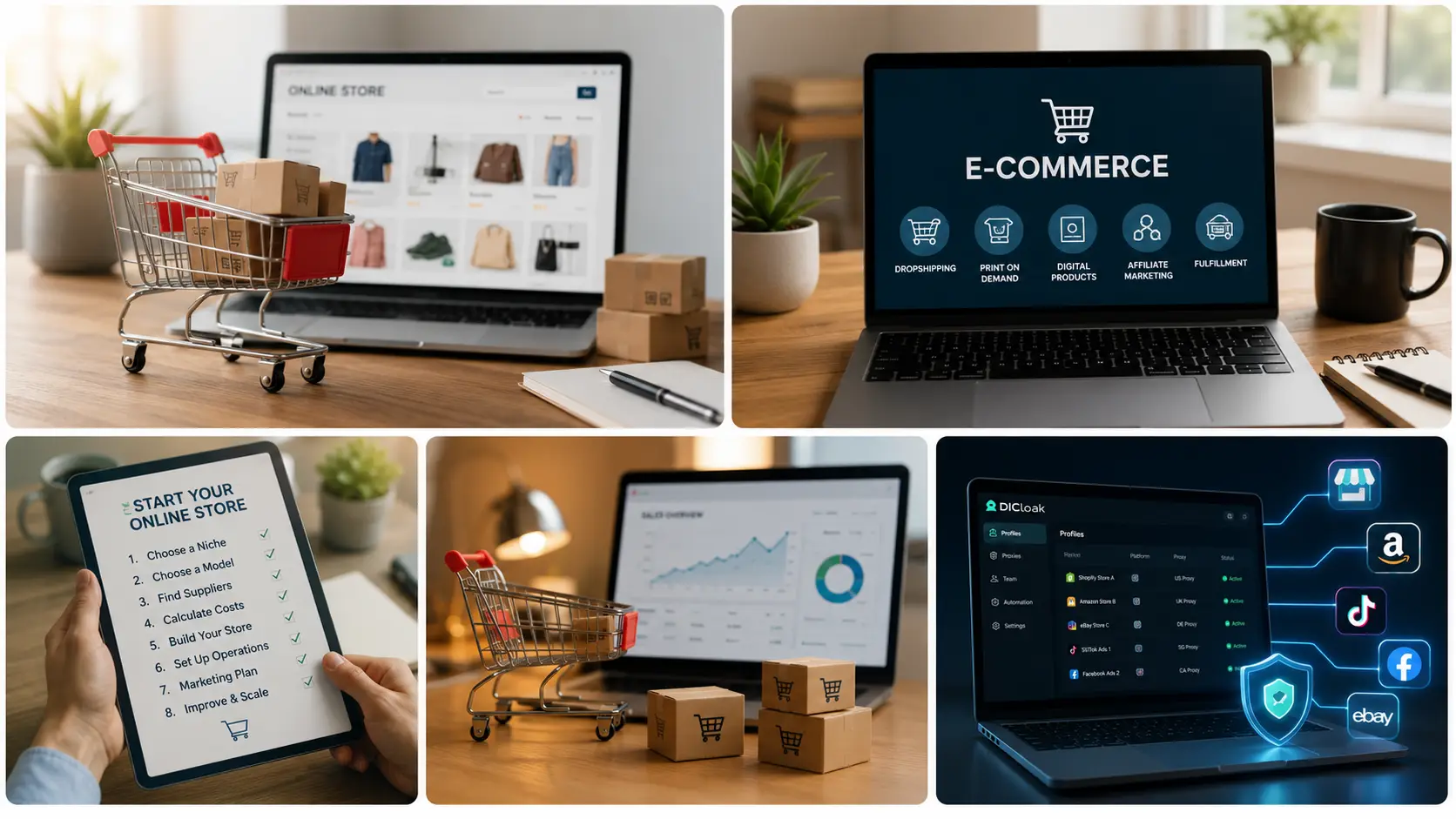
Why Multi-Account E-Commerce Operations Become Difficult
Managing one storefront in one browser is simple.
The workflow becomes more complicated when a business adds regional stores, client-owned shops, advertising accounts, or several team members.
Cookies and sessions can overlap. Employees may share login information informally. It can become difficult to remember which browser belongs to which store.
This is an operational problem, not a product research problem.
Platforms also have their own rules for related accounts and account ownership. Browser separation should only be used for authorized operations, privacy, testing, and account organization.
It does not replace platform permission.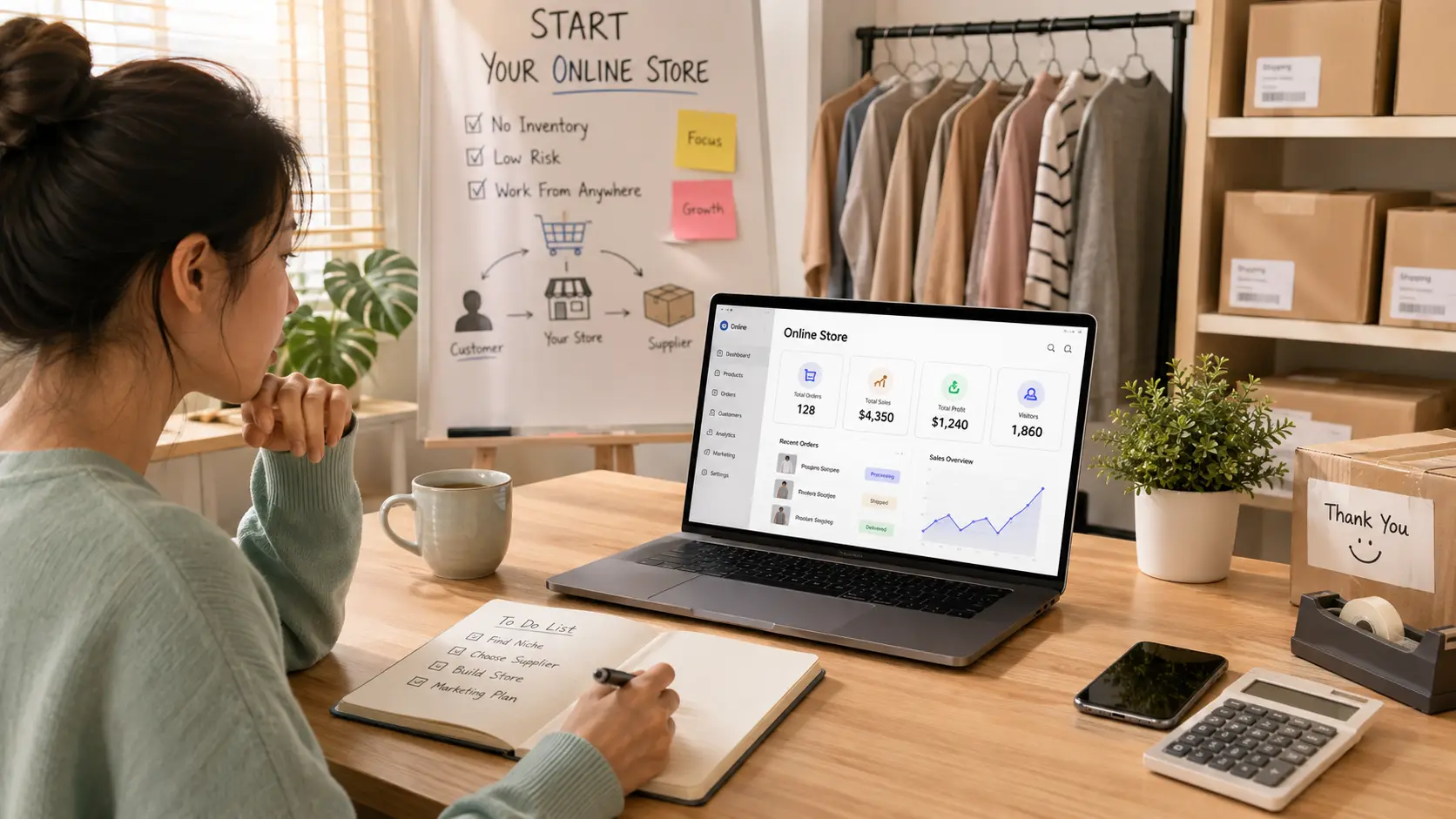
How DICloak Supports E-Commerce Teams
DICloak’s e-commerce solution focuses on the browser and account-operation layer of e-commerce work.
Its current capabilities include:
- Isolated browser Profiles
- User-configured proxy support
- Team permissions
- Profile sharing
- Batch Profile operations
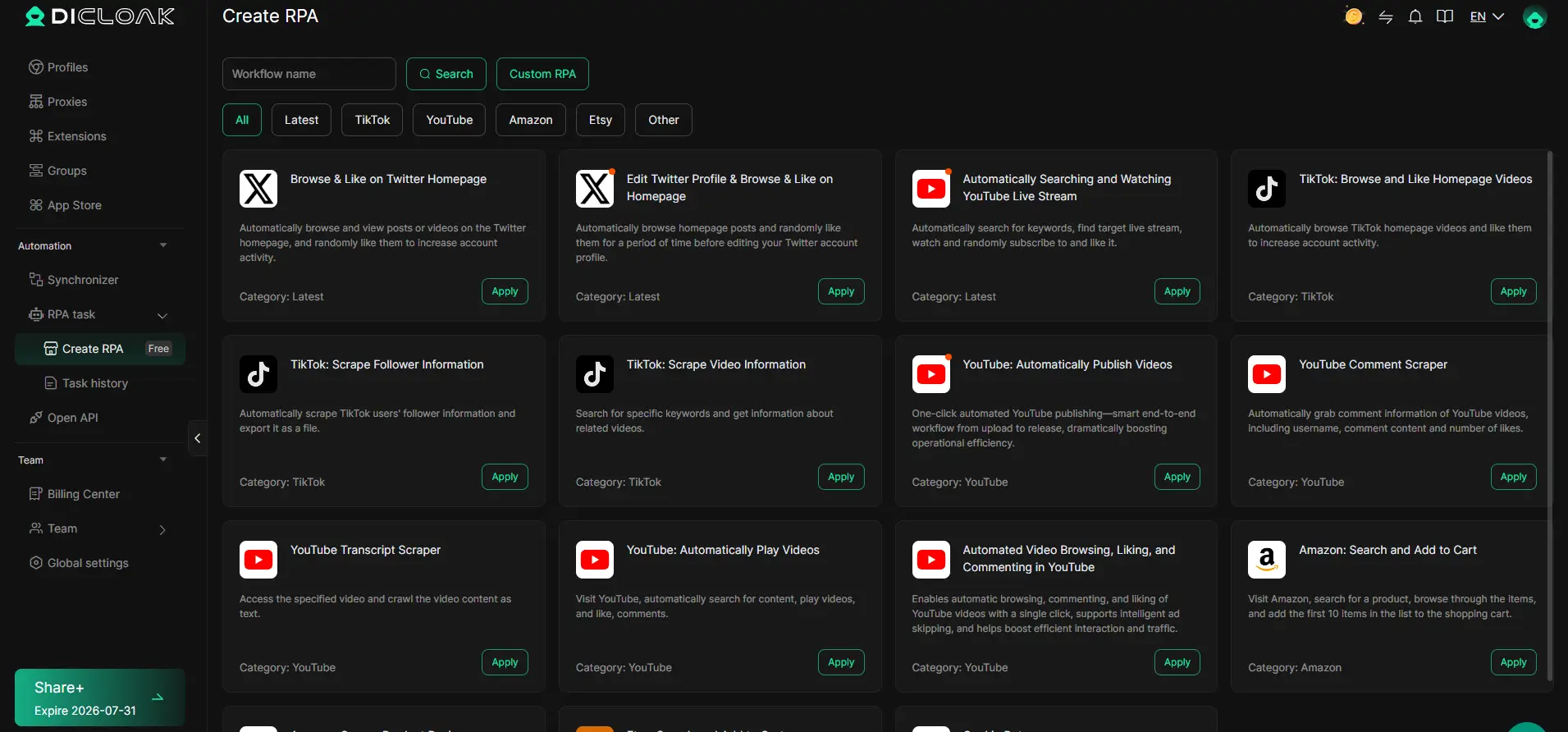
- RPA automation
- Multi-account organizatio
Isolated Profiles for Store Account Management
Each authorized store can use its own browser Profile.
For example:
Amazon Store A → Profile A
Shopify Store B → Profile B
eBay Store C → Profile C
Each Profile maintains separate browser data such as cookies, sessions, local storage, and fingerprint settings.
This helps prevent one store's browser session from becoming mixed with another store's workspace.
Give each Profile a clear name based on the store, region, brand, or client.
User-Configured Proxy Support
A proxy can be configured separately for each Profile when the workflow requires one.
DICloak supports common protocols such as HTTP, HTTPS, and SOCKS5.
For example:
US Store → Profile A → US proxy
UK Store → Profile B → UK proxy
The important point is consistency.
Avoid changing the network configuration without a clear reason once a Profile has an established working setup.

Safer Team Collaboration
Growing e-commerce businesses often involve:
- Store managers
- Advertising operators
- Customer support
- Listing specialists
- Virtual assistants
- Agency employees
Sending the same password to everyone creates unnecessary account-management problems.
DICloak supports Profile sharing and member permissions, allowing administrators to assign the Profiles a team member actually needs.
The account session can stay inside the working Profile while access remains under team control.
Combine this with platform-level user accounts and multifactor authentication whenever those options are available.

Organized Advertising Workflows
E-commerce teams may also manage authorized advertising accounts across Facebook, Google, TikTok, and other platforms.
Separate browser Profiles can keep different brand or client sessions apart.
This helps prevent accidental cookie and login conflicts between approved advertising workspaces.
Profile isolation should not be used to bypass account suspensions, identity checks, payment reviews, or platform account limits.
Automation for Repetitive Tasks
DICloak supports RPA automation for repetitive browser workflows.
Automation is most useful when a process follows predictable steps and keeps consuming manual time.
Depending on the workflow, this may help with:
- Repetitive internal checks
- Standardized navigation
- Routine browser operations
- Approved workflows across multiple Profiles
Start small.
Test the workflow first, monitor for errors, and expand automation only when the task is stable enough to justify it.
The goal is not to automate everything.
Automate the repetitive steps that consume time while keeping important decisions under human control.
A Practical DICloak Setup for a Zero-Inventory Store
A simple workflow is usually enough.
Step 1: Create One Profile for Each Authorized Account
Create separate Profiles for storefronts, advertising workspaces, or other approved accounts.
Step 2: Use Clear Profile Names
Include information such as:
- Brand
- Region
- Platform
- Client
- Account owner
This becomes increasingly important as the number of Profiles grows.
Step 3: Configure the Proxy if Needed
Add a user-configured proxy when the workflow requires one.
Once the setup is working, avoid unnecessary network changes.
Step 4: Assign Team Permissions
Give each member access only to the Profiles required for their role.
Do not automatically give every employee access to every store.
Step 5: Protect the Underlying Accounts
Use multifactor authentication when supported.
Document account ownership, recovery contacts, and official platform approvals.
Step 6: Keep Profiles Organized
Use groups, labels, names, and notes to keep larger Profile lists understandable.
For example:
US Stores
UK Stores
Client Stores
Step 7: Add Automation When the Workflow Repeats
If the same permitted browser process is repeated across many Profiles, consider RPA or other supported workflow tools.
Start with the workflow first.
Add automation second.
Step 8: Review Access Regularly
Check:
- Member access
- Profile ownership
- Proxy configurations
- Account status
- Former employee access
This helps prevent old permissions and unused Profiles from becoming part of daily operations.
Common Mistakes to Avoid
Launching Too Many Products
A large catalog creates more supplier, content, pricing, and support work.
Start with a focused selection and let real customer data guide expansion.
Trusting a Supplier Without Testing
Supplier photos and product descriptions are not enough.
Order samples. Check quality. Measure shipping time. Contact support before customers depend on the supplier.
Ignoring Shipping Expectations
Unexpected delays create refunds, chargebacks, and unhappy customers.
Use realistic delivery estimates and communicate early when something changes.
Copying Supplier Descriptions
Generic supplier copy gives customers little reason to trust your store.
Write original descriptions based on real buyer questions and product details.
An antidetect browser can organize browser Profiles and sessions.
It does not give permission to create prohibited accounts or ignore seller policies.
Follow the rules of each marketplace, advertising platform, payment provider, and service you use.
Scaling Before Profitability
More sales do not automatically mean more profit.
Track contribution margin before increasing ad spend, adding products, or expanding into new markets.
Frequently Asked Questions
What is the easiest way to start an online store without inventory?
Dropshipping and print on demand are common ways to sell physical products without storing them yourself. Digital products remove physical fulfillment completely, but you still need a product people value and an effective way to reach buyers.
How much does it cost to start a zero-inventory store?
Costs depend on the business model and platform. Common expenses include a domain, store subscription, samples, creative assets, transaction fees, marketing, and a reserve for refunds.
A zero-inventory store can require less upfront capital than traditional retail, but it is not free to operate.
Is dropshipping legal?
Dropshipping is a legitimate fulfillment model in many markets.
However, sellers remain responsible for consumer protection, taxes, product safety, advertising claims, intellectual property, and marketplace rules.
Requirements vary by market and product type.
Can I manage multiple e-commerce stores from one computer?
Yes, when those accounts are authorized and permitted by the platforms involved.
DICloak can keep different store sessions in separate browser Profiles and provide team access controls for multi-account workflows.
Can DICloak help with e-commerce advertising?
DICloak can separate authorized advertising sessions into different browser Profiles.
This can be useful for agencies, regional teams, or brands that manage approved advertising accounts across several platforms.
Final Thoughts
Learning how to start an online store without inventory is less about finding a shortcut and more about building a reliable system.
Choose a focused audience. Validate demand. Test suppliers. Calculate your costs. Set realistic delivery expectations. Listen to customer feedback.
As the operation grows, account organization becomes more important.
DICloak can support authorized e-commerce workflows with isolated browser Profiles, user-configured proxies, team permissions, Profile sharing, batch operations, and RPA automation.
Used responsibly and within platform rules, these tools can reduce operational friction while your team focuses on products, customers, and sustainable growth.
Explore DICloak for e-commerce to see whether its Profile isolation, collaboration, and automation features fit your workflow.
 Web Proxy Tools
 Free Tools
 Cookie Plugin
 UA Generator
 MAC Address Generator
 IP Generator
 IP Address List
 2FA Code Generator
 World Clock
 Anonymous Check
 WebRTC Leak Test
 UUID Generator
 Free Web Proxy Site
 Proxy Checker
 FB Ad Checker
 AI Web Scraping
 Free SMM Tools
 Twitter Shadowban Checker
 Instagram Name Checker
 UTM Generator
 Username Generator
 AI Hashtag Generator
 LinkedIn Headline Generator
 Social Media Image Resizer