Reddit is a big home for viral clips, memes, looping GIFs, and high-quality images. But downloading them is not always simple. You may click Save and get the wrong file. You may download aGIF and end up with an MP4 loop instead. That is normal on Reddit. Some Reddit GIFs are actually MP4 videos, and Reddit says this can reduce file size by up to 90%. You may also download a video and find it has no audio, because Reddit can split video and audio into separate streams.
This guide walks you through how to download GIFs from Reddit securely whether you want a GIF or MP4. Also, this guide explores how a reddit gif downloader shortcut can save time on mobile when you are downloading many links. If your goal is to collect multiple Reddit videos, GIFs, and images without wasting hours or taking risks, you are in the right place.
Can you download Reddit GIFs and videos?
Yes. In most cases, you can download Reddit GIFs and videos. But the “how” depends on what you are looking at. Some posts are true image GIFs. Many GIFs on Reddit are really short MP4 videos. That is why one person says, “I saved a GIF,” but their phone shows a video file.
A simple reddit gif downloader usually works by taking the post link you copy from Reddit and then pulling the media file behind it. Many tools also let you download several files back-to-back, which helps when you want a whole thread or subreddit collection.
Are Reddit GIFs actually GIF files or MP4 videos?
A lot of the time, Reddit GIFs are MP4 videos that behave like GIFs (they loop, and they often start without sound). This helps Reddit reduce file size by up to 90%. People notice this because the same content can show different quality options depending on whether Reddit treats it as video or gif. So when people search reddit gif download, they are really downloading short MP4 loops.
Can you download Reddit GIFs on mobile and desktop?
Of course, you can do both! The steps just feel different.
If you use the mobile web version of Reddit, you can often press and hold media to save it. Some users also report that the Reddit app itself may not save GIFs the way they expect, so they switch to the mobile website when saving is blocked.
Desktop is usually easier for bulk work because you can open a list of posts, copy links quickly, and keep downloads organized in folders. If a post is a Reddit-hosted video and you need audio, you will want a tool that can merge audio and video, not just right click → save.
H3: Is it possible to download multiple Reddit GIFs at once?
Is It Legal and Safe to Use Reddit GIF Downloader?
The short answer is: yes, in most situations, downloading Reddit videos is legal and safe — but only when done under the right conditions. Reddit is a platform built on user-generated content, meaning that every video, GIF, or image belongs to the creator who posted it. Because of this, legality depends primarily on how and why you’re downloading the media.
When Downloading Reddit Videos Is Legal
If you download for personal use, you are usually in a safer zone. For example, when:
- You download content for personal offline use, like saving a funny clip to watch later or keeping memes you like. In many countries, this is often allowed under personal-use exceptions.
- You are downloading your own content, such as backing up videos you previously uploaded to Reddit.
- The creator clearly allows reuse, either in the post text, in the comments, or with a Creative Commons–style note. Some subreddits even welcome sharing as long as you give proper credit.
In these situations, downloading media does not violate any copyright laws because you’re not redistributing or commercializing the content.
When Downloading Becomes a Copyright Risk
There are also situations where downloading Reddit videos can cross a legal line:
- Re-uploading copyrighted clips without permission on YouTube, TikTok, Instagram, or anywhere else. Even if a video is easy to view on Reddit, it can still be protected by copyright.
- Saving paywalled, exclusive, or leaked private content, like OnlyFans leaks, Patreon-only posts, or content from private subreddits that was not meant for public sharing.
- Using Reddit media for commercial purposes without rights, such as putting clips in ads, monetized videos, or brand promotions.
In cases like these, downloading or sharing the content can raise the risk of copyright infringement claims, since many platforms have been enforcing these rules more strictly in 2026.
What to check before you share a downloaded Reddit GIF?
Before you share anything you saved with a reddit gif downloader, do a quick safety and rights check:
- Check the source first. If the downloader site has pop-ups, forced redirects, or asks you to install unknown software, do not use it.
- Avoid risky extensions. Do not grant browser extensions access to “all site data,” passwords, cookies, or your full browsing history.
- Never enter your Reddit login. A legit downloader should not ask for your Reddit username or password.
- Confirm you have the right to share. If it is not your content, look for creator permission, subreddit rules, or stick to sharing the original Reddit link.
This small checklist helps you avoid malware and also lowers the chance of reposting something you should not share.
What are the native ways to save Reddit GIFs and images?
Using the Built-In “Save” Feature
Most desktop browsers let you save media from many sites.
Steps
1.Open the post with the video you want.
2.Right-click the video.
3.Choose “Save video as…”
4.Pick a folder and save the MP4 file.
This same idea can also work for images and some GIFs.
Using Online Reddit Video Downloaders
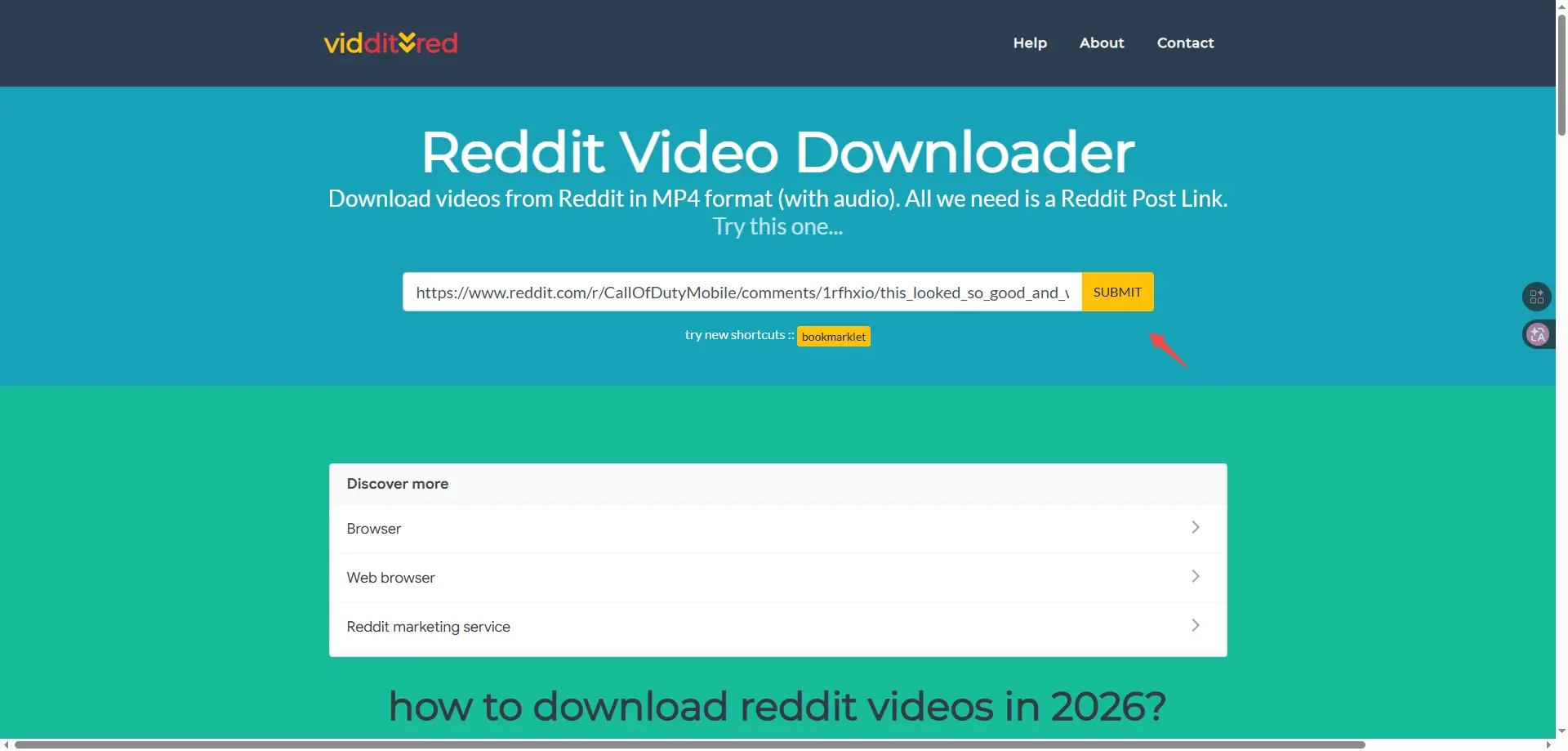
This is the most popular method because it is simple. You can just paste it into a reddit gif downloader and download the file, which is usually as MP4. This kind of tools can be helpful if you need a reddit gif downloader with sound.
Reddit gif downloader sites you can try:
- redditsave.com
- viddit.red
- redvid.co
Pros
- No install needed
- Works on desktop and mobile
- Combine audio and video together automatically
Cons
- Many sites have aggressive ads or pop-ups
- Some compress video quality
- Tools can break when Reddit changes how media links work
Also you can choose downloaders that support both HD MP4 and audio merging, especially for long videos.
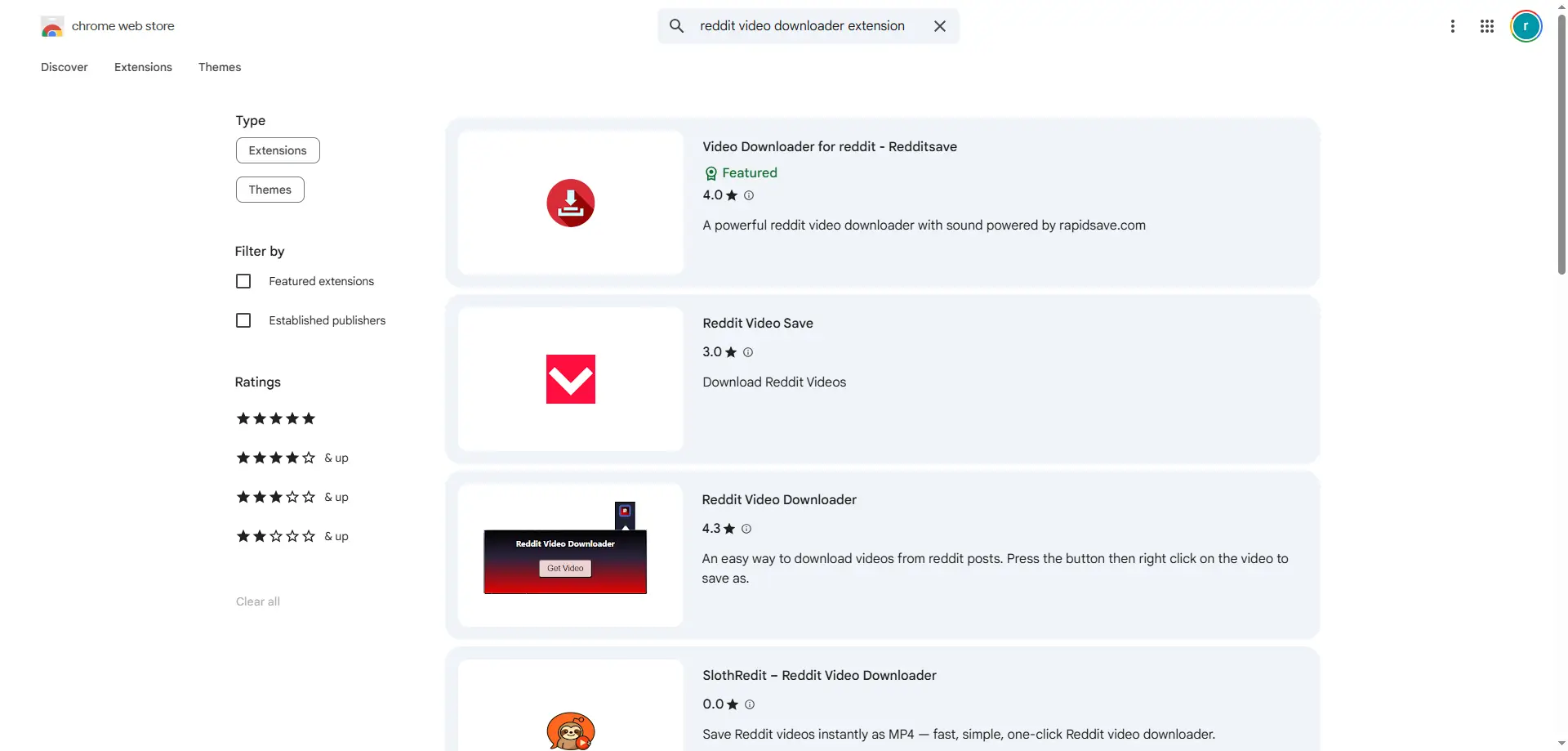
Using Browser Extensions
Browser extensions can make downloading Reddit videos much faster.
Popular options:
- Reddit video downloader extensions (e.g., Chrome/Firefox)
- Universal media grabber extensions that detect video files on many sites
Pros
- One-click downloads
- Can work on most Reddit posts without extra steps
- Great if you download often
Cons
- You need to watch extension permissions closely
- Some extensions stop working after Reddit updates
- Not the best choice for bulk downloads
Extensions are handy, but always read reviews and privacy notes before you install anything.
Recording Reddit MP4 with Video Recorders
When normal downloads don’t work, screen recording is a solid backup. It lets you capture a Reddit video with both the picture and the sound. Tools like OBS Studio, Windows Game Bar, or macOS Screen Recording can record the video as it plays in real time. This can also help with embedded videos, as long as you can view them on your screen.
Pros
- Works when download tools fail
- Records audio and video together
- No need to rely on third-party downloader sites
Cons
- You have to record in real time
- You may need to trim the clip afterward
- Not practical for bulk downloads
Downloading Multiple Reddit GIF With DICloak
If you need to download Reddit videos, GIFs, or images in large volumes, manual methods can get slow fast. DICloak is built for scalable workflows. It helps you download Reddit media more efficiently while reducing account and browser-related risks.
Use Synchronizer for Parallel Downloads
You can use DICloak helps you open multiple browser profiles and control them in sync. You can load different Reddit posts at the same time and trigger downloads simultaneously, which is ideal for collecting large batches of Reddit videos or images without repeating the same actions over and over.
- Create new profiles for reddit platform and set up the browser fingerprint & proxy (DICloak does not provide proxy purchase services) based on your case.
- Save the profiles and open them at one time.
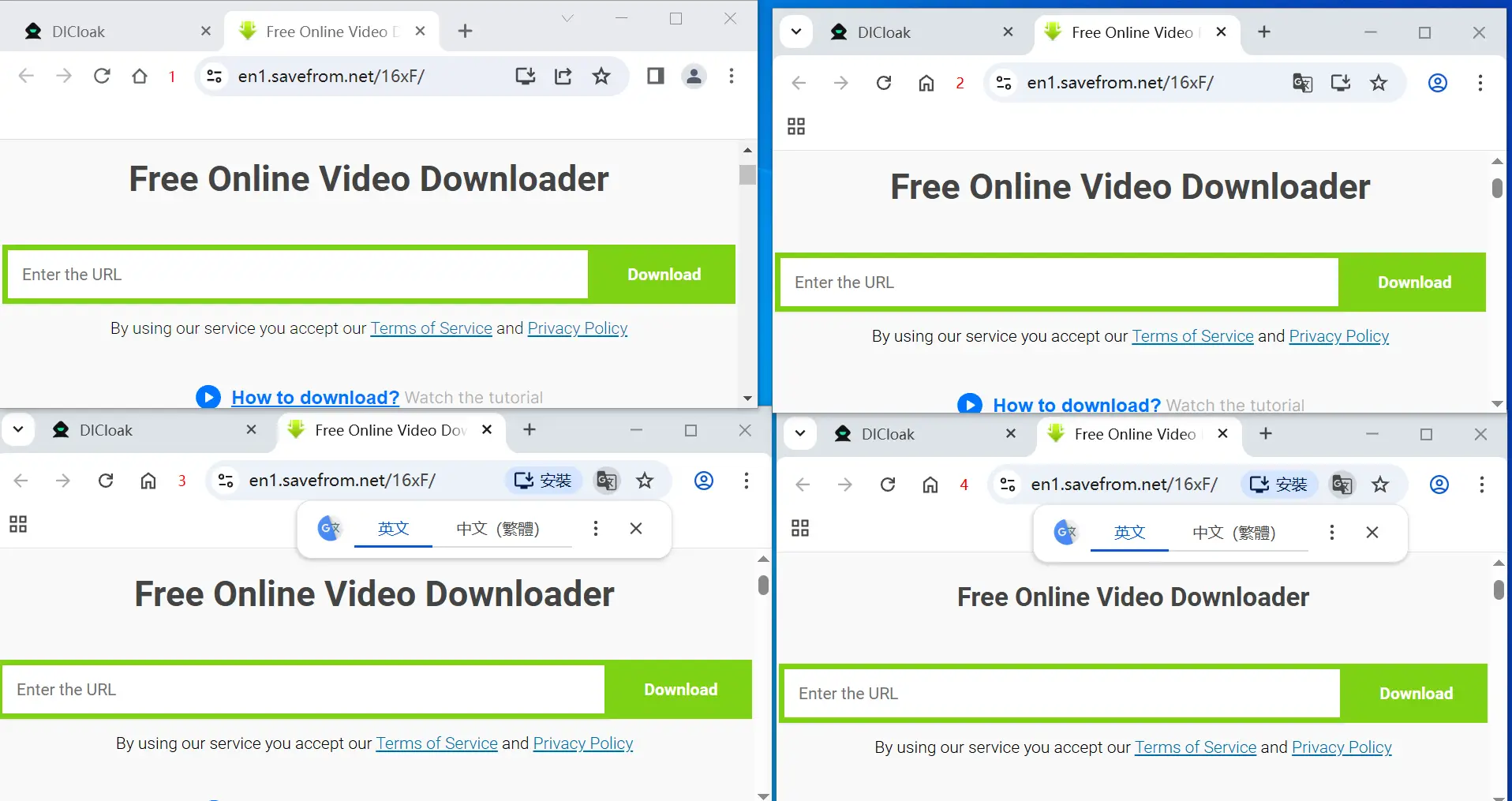
- Move to Synchronizer on the left sidebar. Choose "control" to set the profile as the main window and the others would be the controlled windows. Click Start sync to get started.
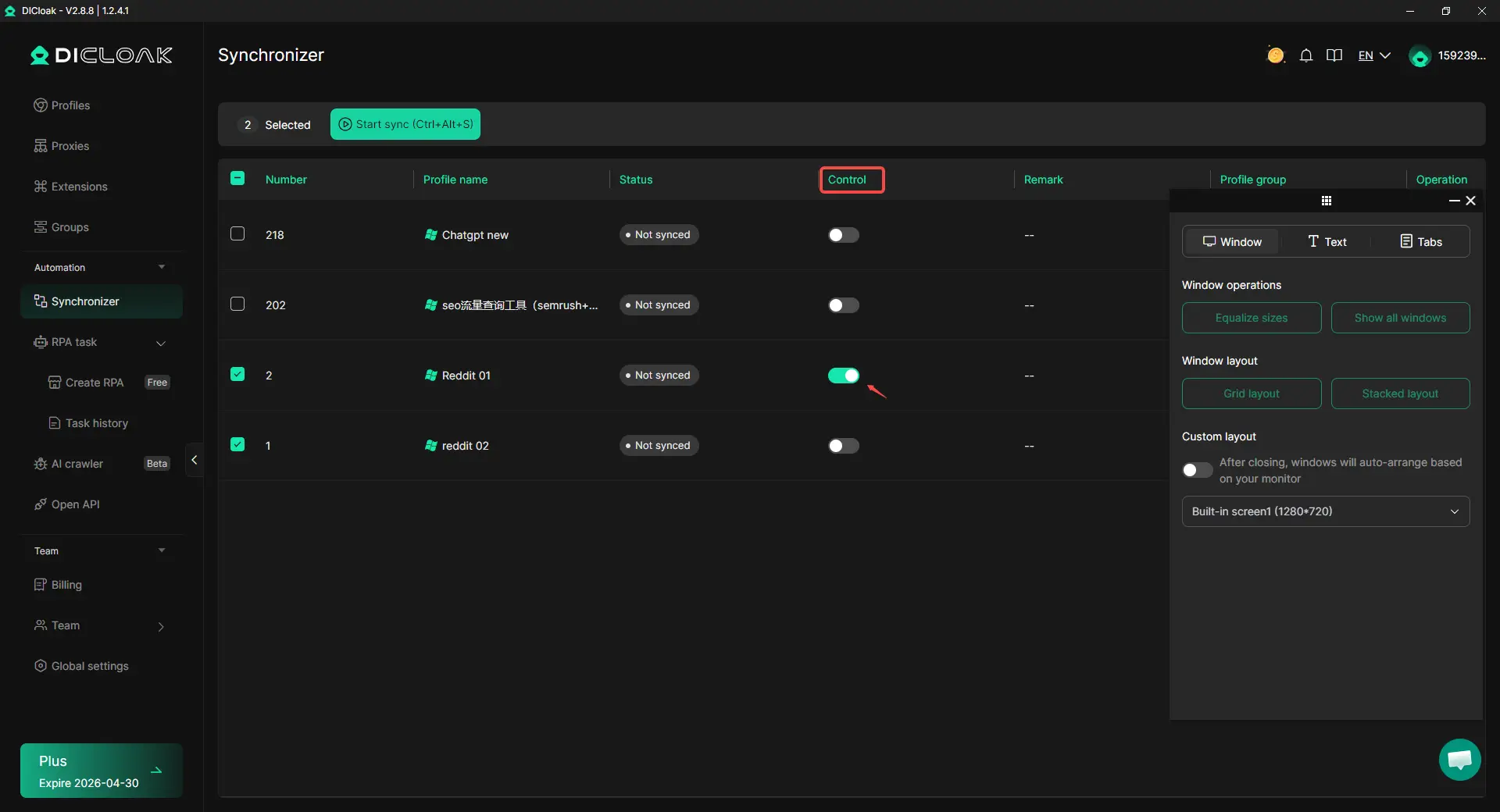
Then the profiles would be listed as the screenshot shows below.
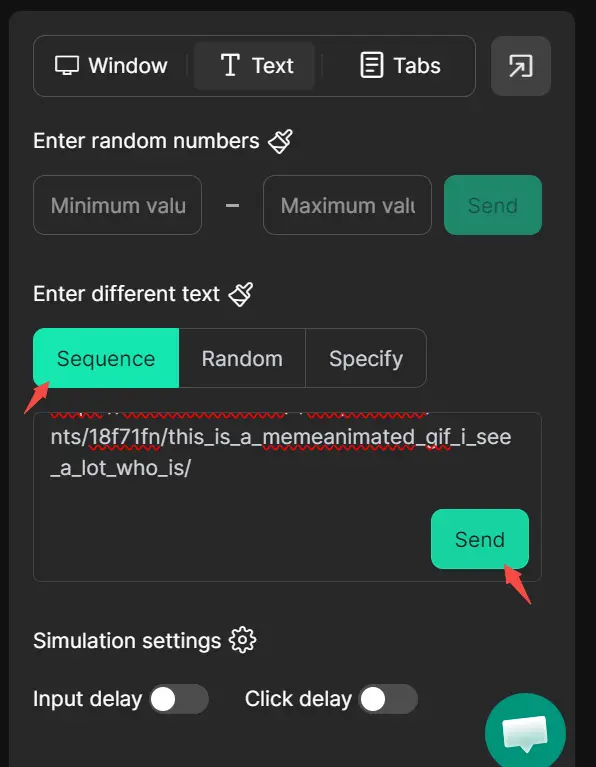
- In the Text > Enter different text section, select Sequence (which means entering in order), then paste the video links into the blank field. Then click Send to let the windows download the videos from Reddit automatically.
Automate Downloads with RPA
With DICloak RPA, you can build automated workflows to open Reddit links, detect media, and download videos or images automatically. This is especially useful for content teams, researchers, and marketers who need consistent, repeatable Reddit media downloads at scale.
Why Reddit GIF downloads fail?
Downloading Reddit videos, GIFs, and images is usually easy. But the same problems show up again and again, especially with free online tools or unstable downloader sites. Here are the most common issues and practical fixes.
1.Why downloaded Reddit GIFs have no sound?
Cause:
Reddit often delivers video and audio as separate streams. Some basic tools grab only the video stream, so you get a silent MP4.
Fix:
- Use a downloader that can merge audio + video automatically.
- Avoid tools that only pull the video track.
- Look for options like “Download with Sound” or “Combine Audio + Video.”
2.Why are your downloads low quality?
Cause:
Some sites compress files to save bandwidth. Others only support lower streams like 360p or 480p, even if the post is HD.
Fix:
- Choose tools that support 720p or 1080p output.
- Pick “Best Quality” or “HD MP4” when you see it.
- If quality matters (editing, archiving), check the resolution before saving.
3.Why do you get download errors?
Cause:
- The post is in a private subreddit
- The video was deleted, removed, or locked
- NSFW restrictions block media access on some mobile settings
- The downloader site is overloaded or hitting limits
Fix:
- Try a different downloader (many failures are tool-specific).
- Use a browser extension that grabs media directly, not through a busy external site.
- Make sure you can actually view the post (especially for private communities).
- Try again later or during off-peak hours.
4.Why are your downloads so slow?
Cause:
Free downloader sites can be slow because of overloaded servers or limited bandwidth, especially when you save many files.
Fix:
- Check your network connection first.
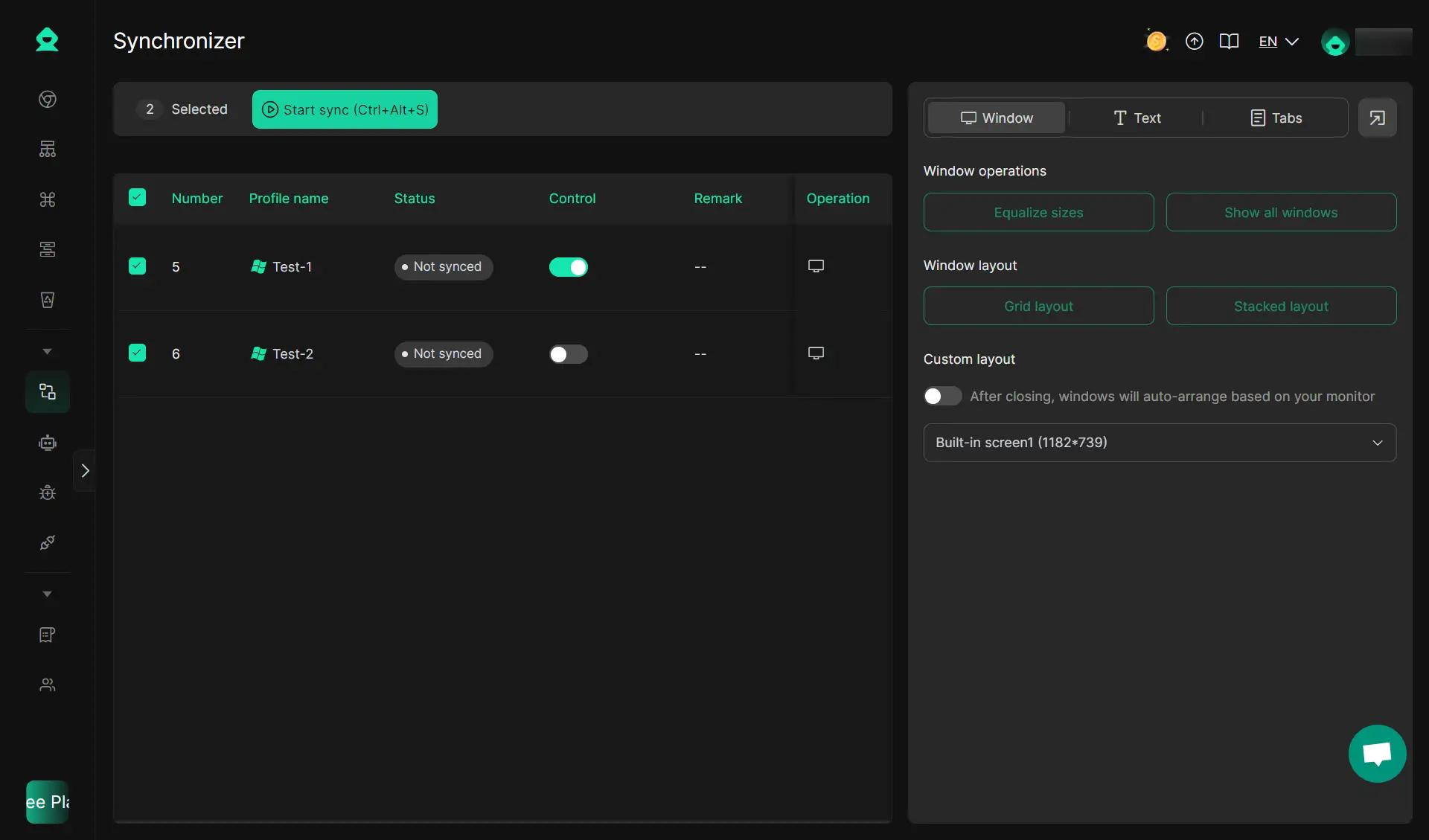
- For bulk work, you can use DICloak Synchronizer to speed up the process by repeating the same actions across multiple browser profiles while you operate in just one window.
Best practices for fast, clean Reddit GIF downloads
Use trusted downloaders only
Stick to downloaders with a clean reputation. Avoid sites that show:
- Malware-style pop-ups
- Forced redirects to other pages
- “Download managers” you never asked for
Protect your Reddit account
If you download big batches or work across multiple profiles:
- Do not log into sketchy downloader sites
- Use DICloak profile isolation to keep sessions separate and reduce browser risk
Keep your files organized
A simple folder system saves a lot of time. For example:
- Reddit Videos (MP4)
- Reddit GIFs
- Reddit Images (HD)
Respect copyright
If you repost, check you have the right to share. When sharing is allowed, give proper credit to the creator.
Use automation for large tasks
If you manage lots of links (agencies, researchers, meme pages, content teams), automation helps:
- DICloak Synchronizer
- DICloak RPA
These tools can save time and help you keep workflows cleaner when handling many downloads.
Final Thoughts
Downloading Reddit media in 2026 is pretty simple once you use the right workflow. For a few posts, a trusted reddit gif downloader (or a reddit gif downloader shortcut on mobile) can help you save GIFs, MP4 loops, and images fast—and a reddit gif downloader with sound is useful when you need audio included. If you handle large batches, you can use DICloak helps you keep things cleaner with profile isolation, synchronized windows, and RPA-style automation. With the right tools and a few smart habits, saving and organizing Reddit content can be smooth, safe, and efficient.
FAQ about Reddit GIF downloader
How to download GIFs from Reddit with a reddit gif downloader?
To download GIFs from Reddit, open the post, copy the link from the Share button, and paste it into a reddit gif downloader. Then click download and save the file to your device. One small surprise is normal here. Many Reddit GIFs save as MP4, because they are actually short looping videos.
Why does a reddit gif downloader with sound still save a silent video?
This happens for a simple reason. Some Reddit GIF-style posts never had sound in the first place. In other cases, the downloader only grabs the video part and misses the audio part. If you know the post has sound, try a reddit gif downloader with sound that clearly says it can merge audio and video, and test it on another video to confirm.
Is there a reddit gif downloader shortcut to save faster on mobile?
Yes, a reddit gif downloader shortcut can make saving faster because you do not need to copy and paste every time. You open the Reddit post, tap Share, and send the link to the shortcut, and it returns a file you can save. Keep it safe, though. A good shortcut should not ask for your Reddit password, and it should not push you to install unknown apps.
How do I download a post from Reddit on desktop?
If you want to download a post from Reddit, most of the time you are really trying to download the media inside the post. On desktop, open the post, copy the link from the address bar, paste it into a reddit gif downloader, and then download the video, GIF, or image file. If the post is just an image, you can sometimes right-click and save it directly, which is even simpler.
Can a reddit gif downloader download multiple files at once?
A reddit gif downloader can help you download multiple Reddit GIFs and videos, but the safest way is usually a simple bulk routine. You collect a list of Reddit links first, then you download them one by one and save them into clear folders like Reddit Videos (MP4), Reddit GIFs, and Reddit Images (HD). This feels slower at first, but it prevents errors, keeps your files tidy, and avoids the risky batch sites that are full of ads or break easily.
 Web Proxy Tools
 Free Tools
 Cookie Plugin
 UA Generator
 MAC Address Generator
 IP Generator
 IP Address List
 2FA Code Generator
 World Clock
 Anonymous Check
 WebRTC Leak Test
 UUID Generator
 Free Web Proxy Site
 Proxy Checker
 FB Ad Checker
 AI Web Scraping
 Free SMM Tools
 Twitter Shadowban Checker
 Instagram Name Checker
 UTM Generator
 Username Generator
 AI Hashtag Generator
 LinkedIn Headline Generator
 Social Media Image Resizer