Reddit is still one of the best places to find viral clips, useful demos, and fast-moving internet content. But saving those videos is often harder than people expect. A simple right-click usually does not work well, and many downloads end up with no sound, low quality, or broken playback. That is why Reddit video downloaders are still popular in 2026. This guide looks at which tools actually work, how to fix common problems like missing audio, and when a simple browser tool is enough versus when you need a stronger setup.
Why does Reddit still make video downloading so difficult?
As of 2026, Reddit remains a massive repository for viral media, yet the platform continues to resist offering a native, high-quality download button. This isn't just an oversight; it’s a result of the technical architecture behind the "v.redd.it" hosting service.
Reddit uses a streaming method that separates the high-definition video track from the audio track. When you attempt a basic "Right-Click -> Save As," you are typically only capturing the video stream, resulting in a silent clip. Furthermore, Reddit frequently serves embedded content from external platforms like YouTube or Gfycat. Because these are hosted externally, standard browser commands fail to recognize the underlying media. For users, the result is a constant loop of frustration: silent videos, low-resolution mirrors, or unplayable files.
Which online Reddit video downloaders actually work in 2026?
Browser-based tools are the front line for most users because they require no installation. However, as a professional, you must understand that the trade-off for this "no-install" convenience is often heavy exposure to banner ads and a lack of batch capability.
RapidSave: The standard for quick, no-frills downloads
Formerly Redditsave, this tool is the primary choice for one-off captures. It requires no registration and delivers MP4 files without watermarks.
- The Workflow: Copy the Reddit URL -> Paste into RapidSave -> Select Quality -> Save.
- Pro Tip: If you use their Chrome or Firefox extensions, look for the Red Download Icon in your toolbar. It allows you to jump to the download page directly from a thread, bypassing several manual steps.
Viddit.red: The best solution for audio-video synchronization
Viddit.red specifically addresses the "silent video" problem. It features an automated engine that fetches both streams from the v.redd.it architecture and merges them into a single file before delivering it to you. It supports both MP4 and GIF formats, depending on what the original poster uploaded.
Toolzin and VideoDownloader.so: Lightweight alternatives for mobile and shared devices
I categorize these as "distraction-free" fallbacks. VideoDownloader.so is particularly valuable because it avoids the shady, deceptive UI elements found on many "free" sites. These tools are ideal when you are on a shared computer or a mobile device where you cannot install extensions. They support over 1,000 sites, making them reliable when a Reddit video is mirrored elsewhere.
Note: Use caution with tools like Bigbangram. While they offer multi-platform support, they are known for pricing opacity and inconsistent support for their "premium" features.
How do you fix the "Reddit video has no sound" problem?
The "no sound" issue is the most common technical failure reported by users. Resolving it requires moving beyond basic scrapers and using tools that understand Reddit’s delivery method.
Understanding the v.redd.it separation architecture
Reddit utilizes DASH (Dynamic Adaptive Streaming over HTTP). To optimize playback for users on different connection speeds, Reddit stores high-definition audio and video as separate files. The Reddit player merges these on the fly as you watch. Standard browser "Save As" commands only grab the video stream currently being rendered, leaving the audio behind on the server.
Selecting tools with automatic muxing capabilities
"Muxing" is the technical process of merging these separate tracks into a single container (like an MP4). To save time, you should only use tools that handle muxing automatically. Viddit.red does this in the cloud, while desktop applications like SnapDownloader and JDownloader 2 perform the muxing locally on your machine. This ensures that even 4K or 8K clips retain their high-fidelity audio without requiring you to open a video editor.
Should you choose a browser-based tool or a desktop application?
A professional decision framework depends on your volume and your operating system.
The case for online tools: Speed and portability
Online tools (RapidSave, Toolzin) are for the casual user. They are OS-agnostic and require zero local storage. Use these for occasional memes or reference clips on devices where you lack administrative privileges.
The case for desktop apps: Batch processing and 8K quality
Power users and content archivists should opt for dedicated software. * SnapDownloader (Windows & macOS): Offers multi-connection acceleration to maximize your bandwidth. It supports quality presets up to 8K. Technical Reality Check: While the tool supports 8K, it cannot "upgrade" a 720p source upload. It simply ensures you get the maximum quality available on the server. * JDownloader 2 (Windows, macOS, & Linux): The open-source gold standard for deep link detection.
The "Installation Tax": Weighing local storage and updates
Desktop apps require local space and frequent updates to keep pace with Reddit’s code changes. However, the "tax" is worth it for a clean, ad-free experience and the ability to convert files into over 10 different formats automatically.
Are these third-party downloaders actually safe for your device?
A professional never clicks a "Download" button without verifying the UI. The "free" downloader market is notorious for malware traps.
Spotting deceptive "Download" buttons and malware traps
Many ad-heavy sites use "dark patterns"—fake UI elements that look like the tool’s interface but actually trigger an unwanted .exe download or a phishing redirect. If a site has three "Download" buttons and only one is plain text, the other two are likely malicious advertisements.
Avoiding tools with hidden installation bundles
Many "free" desktop downloaders come with bundled adware or browser hijackers. During installation, if you see a prompt for a "recommended" search bar or "system optimizer," decline immediately. These are the primary ways that "free" software monetizes your data.
Understanding the catch with "free" vs "premium" pricing models
Be wary of "premium" tools that hide basic HD quality or audio extraction behind a paywall after you’ve installed them. Stick to transparent models like SnapDownloader or open-source solutions like JDownloader 2 to avoid these bait-and-switch tactics.
How can you download hundreds of Reddit videos at once?
If you are a researcher or archivist, downloading one-by-one is a waste of resources.
Using JDownloader 2 for deep link detection
JDownloader 2 can scan an entire subreddit or a massive comment thread. It "crawls" the page, finds every piece of embedded media (even those buried in sub-comments), and queues them. This is the only way to handle high-volume archival without manual intervention.
Scheduling batch downloads for off-peak hours
Batch downloading can choke your local bandwidth. SnapDownloader allows you to queue hundreds of videos and schedule the execution for off-peak hours (e.g., 3:00 AM). This ensures your primary connection remains fast during your working hours.
What are the legal risks of downloading Reddit content in 2026?
The technical ability to download a video does not grant ownership.
Personal vs. Commercial use cases
Downloading for personal entertainment or educational research is generally protected under fair use. However, the landscape changes for commercial use. Re-uploading content to TikTok or YouTube to claim "Creator Fund" monetization is a high-risk activity that can lead to copyright strikes or legal action from the original creator.
Respecting creator rights and platform terms
"Available to download" is not "Public Domain." Always credit the original poster (OP) and the subreddit when sharing. If you are using a clip for a commercial project, the standard 2026 professional practice is to secure explicit permission from the creator.
When a separate browser setup helps more than another downloader
If you only download Reddit videos once in a while, a normal tool is enough. But if you do this often for research, content sourcing, or archive work, the bigger problem is usually not the download itself. It is keeping the workflow clean, repeatable, and easy to manage.
DICloak can help in a few practical ways:
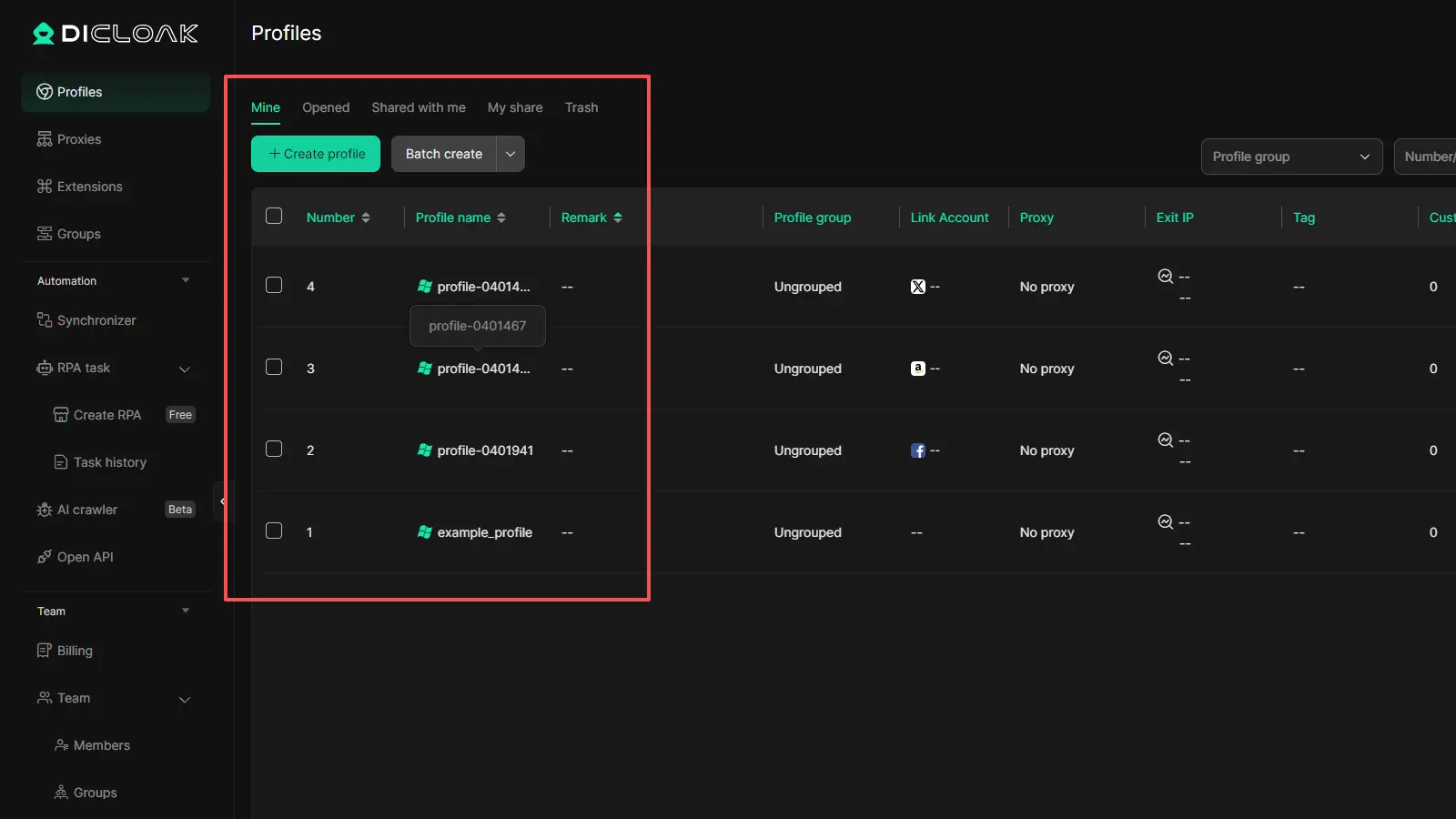
- Separate different Reddit workflows DICloak uses isolated browser profiles, so different accounts and tasks do not get mixed together in one browser.
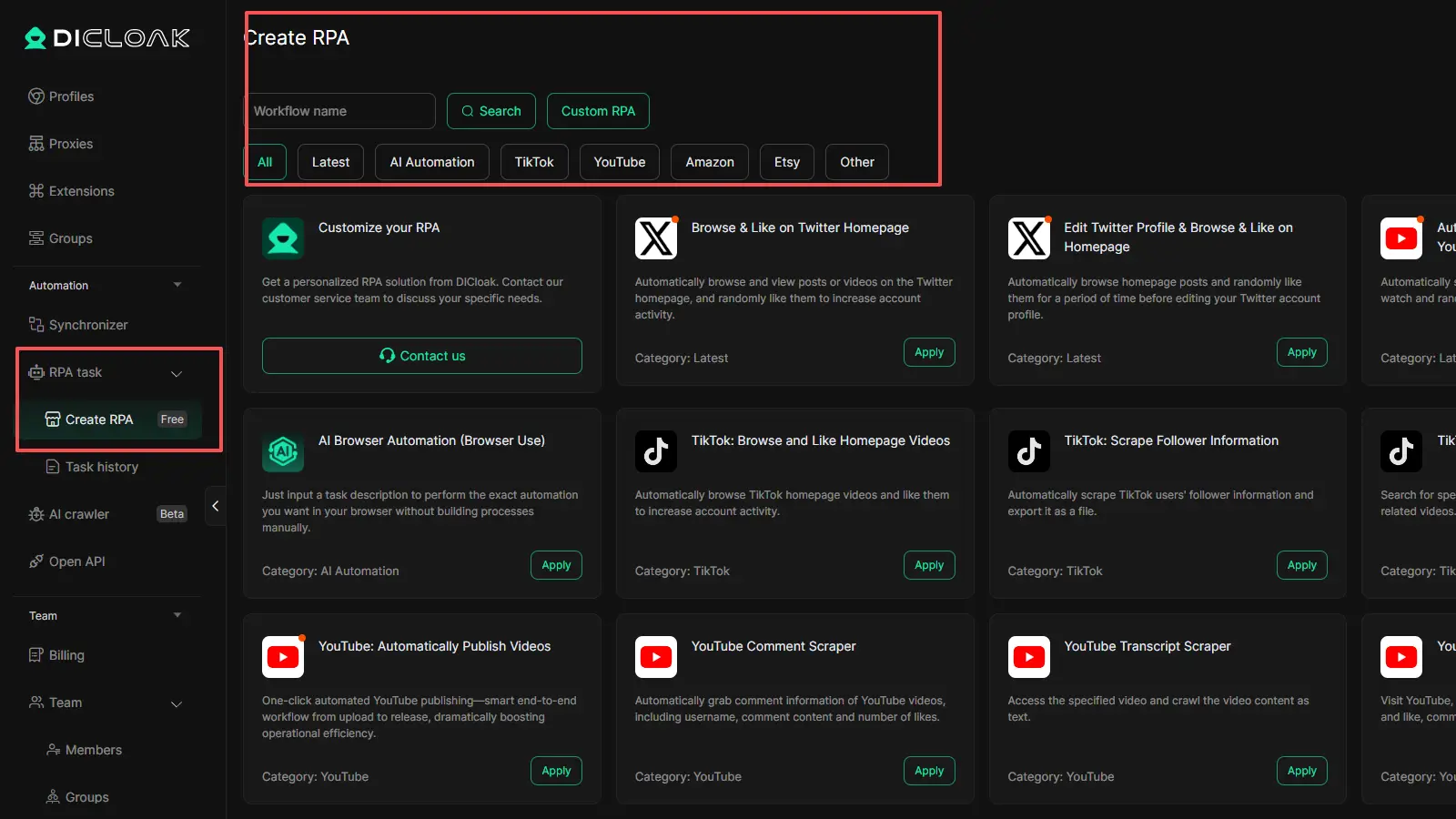
- Support repeated sourcing work It includes tools like RPA automation and bulk profile actions, which can make high-frequency workflow management easier.
- Work better for team use Features like profile sharing and permission settings make it more useful when more than one person is involved.
So, a downloader helps you save the file. DICloak helps you manage the browsing setup around that work. If your Reddit use is frequent or team-based, that can be the more useful upgrade.
FAQs about Reddit Video Downloader
Q1:Why is the video quality lower when I download from Reddit?
Most online tools default to 720p to save on server costs. Additionally, many users upload compressed clips. For the best result, use a desktop app like SnapDownloader to ensure you are pulling the highest available source bitrate.
Q2:Can I download Reddit videos on iPhone or Android?
Yes. Browser-based tools like RapidSave or VideoDownloader.so are the best mobile solutions. They don't require App Store installs and work directly in Safari or Chrome.
Q3:Is there a way to download a video from a private subreddit?
Third-party sites cannot "see" private content. Technical Pro-Tip: Advanced tools like JDownloader 2 can sometimes handle this if they allow for "Cookie Import" from your logged-in browser, but be extremely cautious when sharing session cookies with any third-party application.
Q4:How do I download a Reddit video with a link only?
Every tool mentioned here is a "link-only" downloader. Copy the URL from the Reddit "Share" menu, paste it into the tool's input field, and click download.
Q5:Are there any Reddit video downloaders that don't have ads?
Desktop applications (SnapDownloader) and open-source tools (JDownloader 2) are typically ad-free. If you must use a browser tool, VideoDownloader.so is the cleanest current option.
Conclusion
Downloading Reddit videos in 2026 is still not simple. The main issue is Reddit’s video setup, which often separates audio and video, so basic save methods fail. That is why some tools work better for quick downloads, while others are better for batch jobs or higher-quality files.
For most users, the best tool depends on how often they download and what quality they need. A browser tool is enough for occasional use. A desktop app is better for larger or cleaner workflows. And no matter which tool you use, it is still important to respect creator rights and platform rules.
 Web Proxy Tools
 Free Tools
 Cookie Plugin
 UA Generator
 MAC Address Generator
 IP Generator
 IP Address List
 2FA Code Generator
 World Clock
 Anonymous Check
 WebRTC Leak Test
 UUID Generator
 Free Web Proxy Site
 Proxy Checker
 FB Ad Checker
 AI Web Scraping
 Free SMM Tools
 Twitter Shadowban Checker
 Instagram Name Checker
 UTM Generator
 Username Generator
 AI Hashtag Generator
 LinkedIn Headline Generator
 Social Media Image Resizer