A single AI tool rarely solves every creative problem. A survey by Product Hunt found creators now use 3–5 different AI sites daily, yet most spend hours testing options that look similar but deliver wildly different results. One designer shared how an “AI image generator” that ranked high on Google gave him blurry, copyright-risk outputs, while a less-known site produced ready-to-use assets in minutes. Another writer complained that switching between chatbots and generative platforms meant losing track of drafts, or worse, facing hidden paywalls after investing time.
The core challenge isn’t just finding the best ai websites for creators, it’s knowing which sites actually fit your workflow, which ones protect your data, and which choices don’t waste time or money. Too many “best lists” just echo each other, ignoring real user risks like privacy leaks, unreliable exports, or tools that lock you out after a week. Platforms like OpenAI and Adobe Firefly are trusted, but dozens of smaller tools claim to match them, rarely with clear pricing or security.
This guide cuts through the noise. You’ll see practical ways to pick the right AI websites, spot warning signs, and get real examples of what works for creators building content, images, or code. Here’s what to check before making your next choice.
What Should Creators Check Before Using an AI Website?
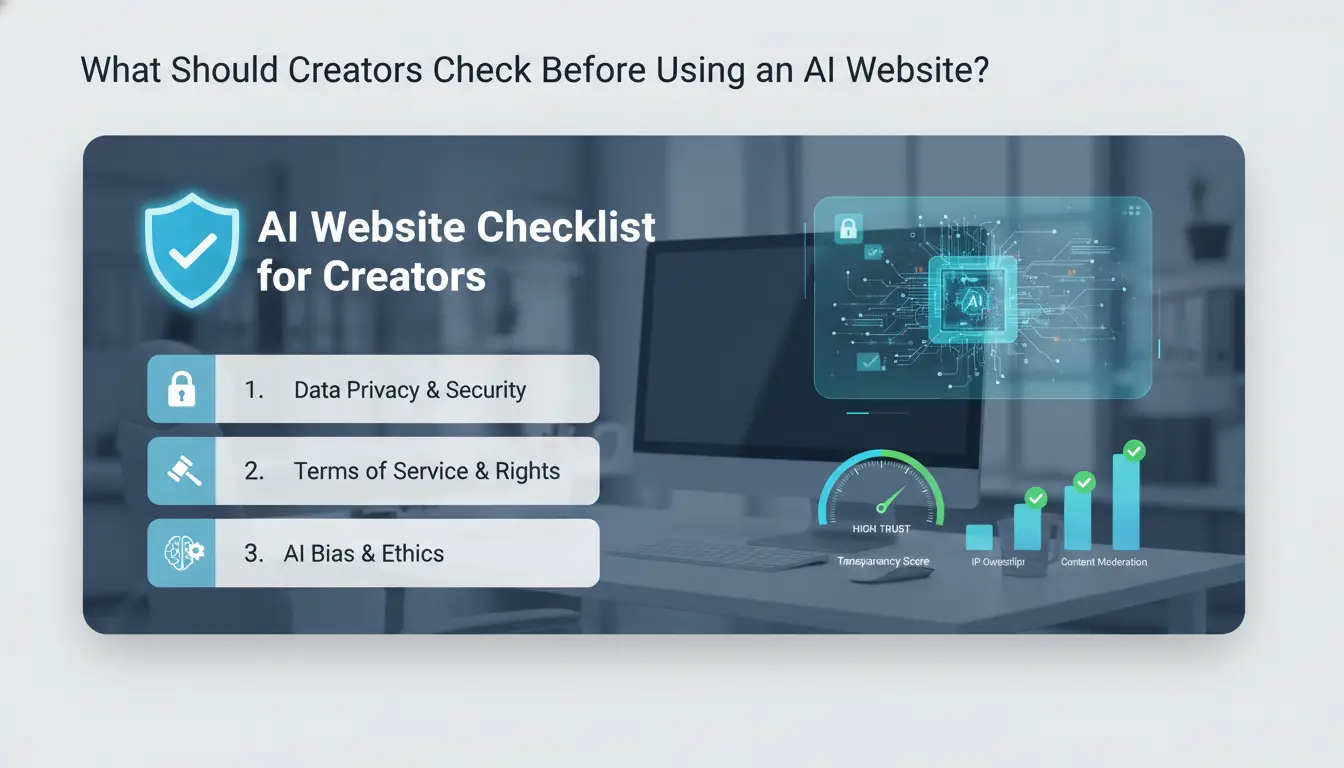
Choosing the best ai websites for creators isn’t just about features, it’s about trust, safety, and knowing what you’re getting into. Most problems don’t show up until after you sign up, so checking the basics before you commit saves time and trouble.
How to Tell If an AI Website Is Legitimate
Start by searching for real user reviews on sites like Trustpilot or Reddit. If most mentions online are just ads or vague “top 10” posts, be wary. Next, see if the company lists real contact information and a registered address on its site, missing details are a red flag.
A legitimate AI platform will have clear privacy and data policies, usually linked in the footer. Companies like OpenAI and Adobe Firefly post their privacy rules and update logs publicly. If you can’t find these, think twice before uploading your work.
What Data Does the AI Platform Collect and Store?
Check what happens to your content after it’s uploaded. Some sites collect not only your email but also every prompt, image, or text you create. These details often sit on company servers, sometimes used to train their models or shared with third parties.
Before trusting a new tool, look for a line in the policy that says whether your data is stored, deleted, or reused. If you’re handling client work or sensitive projects, this matters even more. Assume that anything you send to a platform without clear rules could be used or leaked.
Want more control? Stick with the best ai websites for creators that let you easily export or delete your data, this is common on reputable platforms but missing from most free tools.
Why Do Some Creators Get Banned or Restricted on AI Platforms?
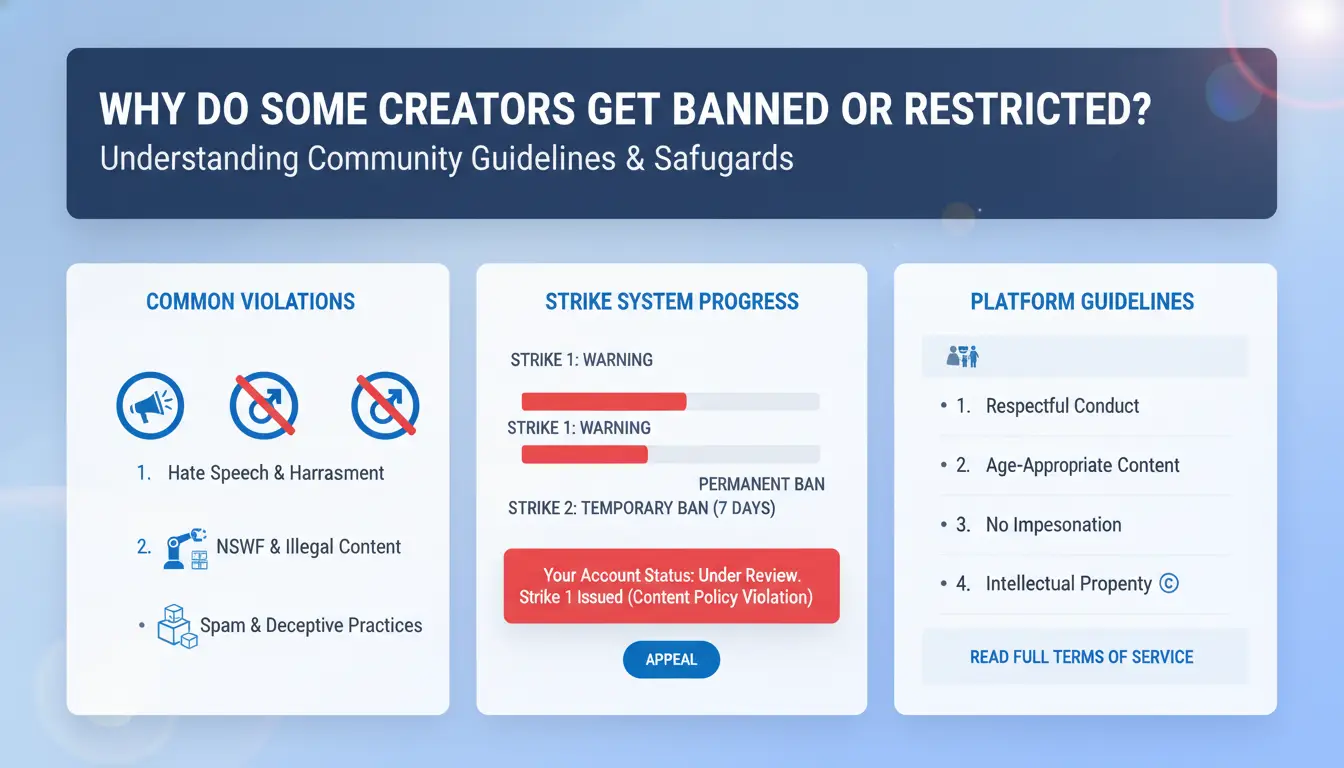
Creators searching for the best ai websites for creators often run into sudden bans or restrictions that can wipe out hours of work. Most platforms, whether OpenAI or smaller image generators, use strict rules and automated systems that catch mistakes fast. Sometimes, even careful users get flagged for actions that seem minor. Knowing what triggers these bans, and how detection works, can help you avoid the most common pitfalls.
Common Triggers for Account Bans
Sharing logins with friends or using multiple accounts to skirt platform limits is a fast way to lose access. Many creators think swapping accounts or “just using a second email” is harmless, but platforms see this as a violation. Even popular sites like Adobe Firefly have clear usage limits, and breaking them, on purpose or by accident, can trigger restrictions within hours.
Another overlooked risk is content policy violations. Trying to generate copyrighted material, pushing out bulk AI images, or using scripts for automation can fall into gray areas. Platforms often update rules, so what was allowed yesterday may get flagged today. The most common result is either a temporary lock or a full ban, sometimes without warning.
How AI Websites Detect Suspicious Activity
AI websites rely on more than just reviewing content. They track IP addresses and use device fingerprinting to spot users logging in from different places or browsers. If you suddenly switch devices or locations, even the best ai websites for creators may flag your account. Some platforms monitor for patterns, rapid uploads, repeated prompts, or unusual logins.
Automated systems analyze these signals and react quickly. For creators working in teams, using tools like DICloak helps set up independent browser profiles and proxy connections, lowering the chance of mistaken bans. The most critical insight: small mistakes, like unsafe login sharing, can trigger lasting account restrictions.
How to Choose the Best AI Website for Your Creative Workflow
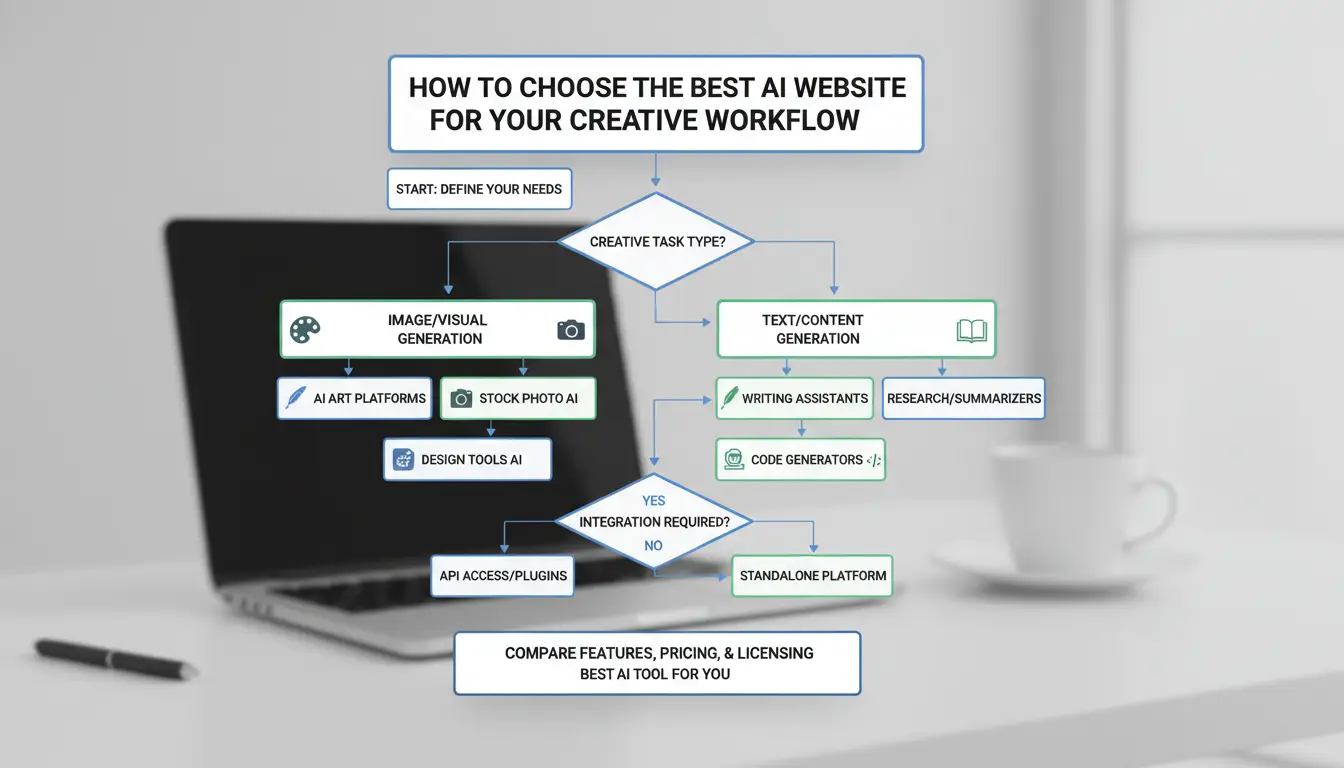
Choosing the best ai websites for creators starts with matching your workflow to the right set of features. Too many creators get stuck paying for tools that don’t actually help them finish projects or keep their work safe. Instead of chasing the latest trend, focus on what actually works for how you create.
What Features Matter Most for Different Creator Types
For writers, the basics are strong content generation, editing that catches real mistakes, and research tools that can help you check facts or rewrite text. Sites like OpenAI offer text models that handle everything from long-form drafts to quick summaries. But you’ll want to check if the platform lets you export in your preferred file formats and supports your native language.
Designers need more than just fast image generation. Look for platforms with AI image and video tools, asset libraries, and editing that lets you tweak results, not just download one option. Adobe Firefly stands out for its integration with other design tools and its clear rights over generated images.
How to Compare Pricing, Limits, and Support
Free plans often sound better than they are. Some sites cut you off after a few uses, watermark your content, or lock exports behind a paywall. Always check if “unlimited” really means unlimited for your type of project.
| Platform |
Free Plan? |
Key Limit |
Paid Plan Starts |
Support Type |
| OpenAI |
Yes |
Usage cap |
$20/month |
Email, Docs |
| Adobe Firefly |
Yes |
Credits |
$4.99/month |
Chat, Tutorials |
Support can make or break your experience. Direct help, active forums, and clear tutorials save hours. The safest bet is picking a site that’s clear about limits and support before you commit.
The best ai websites for creators will show you, upfront, how their features, pricing, and support actually fit your workflow.
What Are the Top AI Websites Creators Actually Use (and Why)?
The best ai websites for creators stand out because people actually finish real projects with them, not just try a feature and quit. Most lists miss the details that matter: which sites keep your drafts, which have clear export options, and which won’t suddenly lock you out or lose your work. Creators consistently rely on a handful of proven platforms, each with clear strengths and limits.
Best AI Sites for Writing and Content Creation
Writers and content teams lean on Jasper, Copy.ai, and ChatGPT for different reasons. Jasper is strong for templates and team collaboration, but it requires a paid plan after a short trial. Copy.ai offers fast, idea-focused outputs, but its exports can be clunky if your workflow needs clean formatting. ChatGPT is flexible for drafts, outlines, and rewrites, but storing and organizing past chats can be a struggle unless you use workarounds.
| Tool |
Trial/Free? |
Best For |
Weak Spot |
| Jasper |
Yes (short) |
Structured writing |
Paywall after trial |
| Copy.ai |
Yes |
Fast ideas |
Export is manual |
| ChatGPT |
Yes (basic) |
Flexible drafts |
Chat history messy |
(*Pricing details: see each site’s official page. Table based on official sites, Copy.ai, OpenAI.)
Best AI Sites for Visual Creators (Design, Video, Audio)
Visual creators often turn to Canva, Midjourney, Descript, and Synthesia. Canva’s AI tools speed up design but sometimes flatten advanced layouts. Midjourney is popular for image generation, but you need a Discord account and credits. Descript’s audio/video editing with AI saves time on podcasts and clips, though the learning curve can slow teams at first. Synthesia creates AI video avatars, great for training or marketing, but costs add up fast.
The single biggest tip: use free trials to test export quality and check for hidden usage limits before paying. That’s where the best ai websites for creators prove themselves in real workflows.
How to Share AI Website Accounts Safely Without Losing Access or Control
Why Creators Need to Share AI Accounts (and the Risks)
Sharing accounts on the best ai websites for creators can cut costs and speed up collaboration. Writers, designers, and teams often need to use one paid OpenAI or Adobe Firefly account together. But platforms watch for multiple logins, sudden IP shifts, or strange browser fingerprints. This is how accounts get banned, credentials leak, or data gets lost, especially when people log in from different locations or devices.
How DICloak Makes Account Sharing Safer for Creators
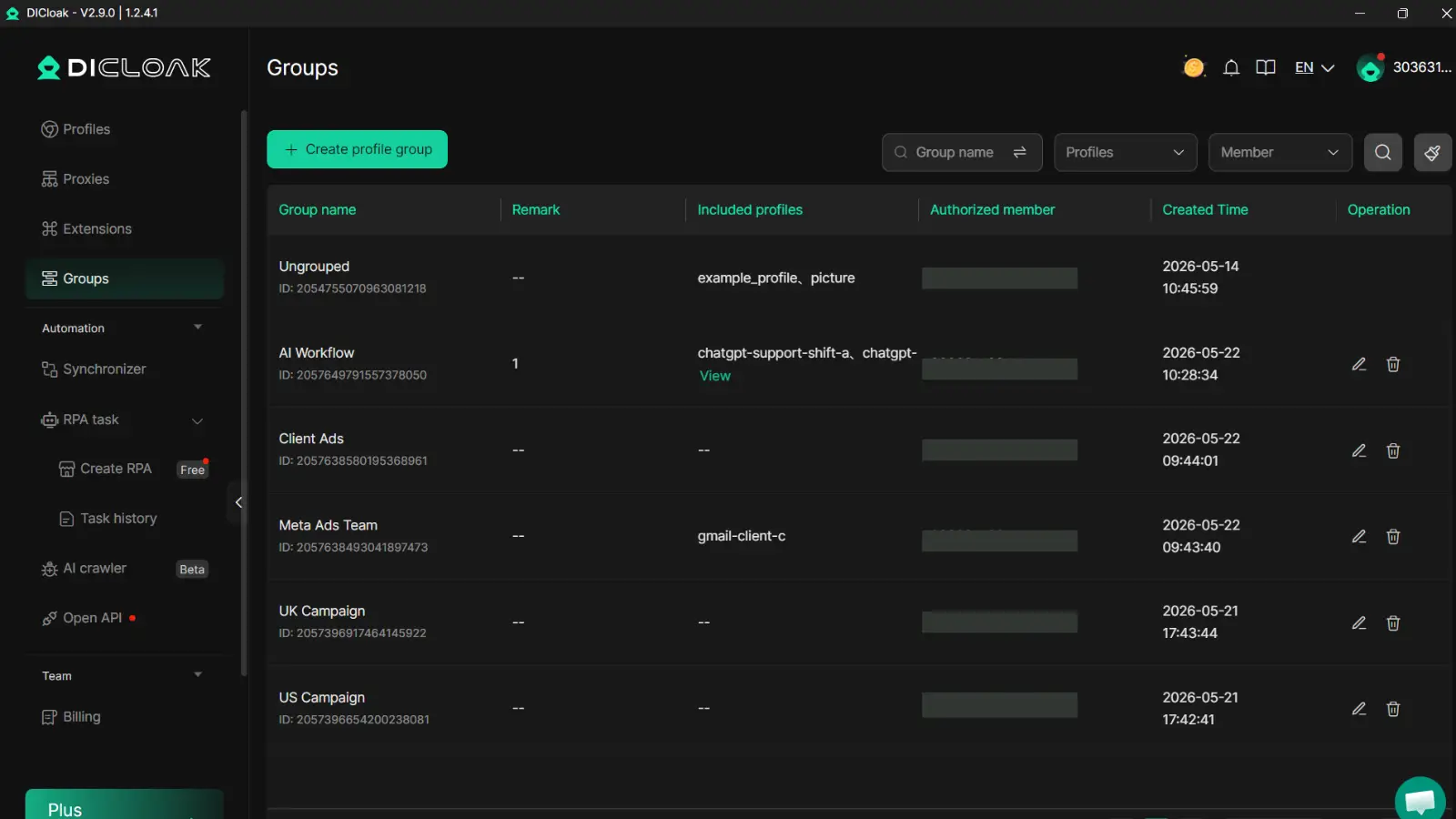
You can use tools like DICloak to keep shared AI website accounts safe. DICloak lets everyone on your team log in through a unified browser fingerprint and proxy, so platforms see one consistent environment instead of scattered logins. This reduces the chance of bans or sudden lockouts. Team features let you control who can access which accounts and keep real passwords hidden from every member. With DICloak, creators keep control and avoid exposing sensitive data, even when multiple people work on the same best ai websites for creators.
What Workflow Mistakes Cause Creators to Lose Work or Get Flagged?
Relying on the wrong steps or skipping simple checks can wipe out hours of work, trigger surprise policy flags, or get your account frozen, especially if you jump between multiple AI sites. The truth is, even the best ai websites for creators can’t fix problems caused by weak workflow habits. Here’s where most people slip up and how to avoid the pain.
Saving, Exporting, and Backing Up AI-Generated Content
Many creators trust the platform’s “save” button or think drafts auto-save forever. But services like Midjourney or Canva’s AI tools sometimes delete files after a limit, or restrict downloads if you’re not on a paid plan. If you only keep your work inside these tools, a policy update or failed payment can lock you out with zero warning.
Always export final versions and back them up to your device or cloud before closing out a session. Download files in the highest quality offered. For bigger projects, keep copies in at least two places, your computer and a cloud folder. This simple habit prevents sudden data loss if a tool changes terms or glitches.
Avoiding Automation and Collaboration Pitfalls
Too much automation, like running bulk tasks or scraping with bots, can trip detection systems on platforms such as OpenAI or Adobe Firefly. When that happens, accounts might get flagged or locked for “unusual activity.” Even using browser extensions to speed up actions can cause problems if the website blocks them.
If you’re sharing access with others, don’t skip basic communication. Multiple people editing the same project or triggering exports at the same time often causes save conflicts or version overwrites. Set clear roles and stagger edits when possible. The best ai websites for creators usually log changes or offer version history, but you can’t rely on that as your only safety net.
How to Build a Long-Term, Scalable Creative Workflow with AI Tools
Building a workflow that actually scales means thinking beyond today’s project. With so many choices, creators need more than just a “best ai websites for creators” list, they need a way to swap tools, connect them, and avoid dead ends that waste time or put files at risk.
When to Upgrade or Switch AI Platforms
Sticking to one AI tool can slow you down fast. If you hit limits, like export blocks, slow updates, or support that disappears, don’t wait for things to break. Look for warning signs: rising costs with no new features, locked file formats, or privacy policies that change without notice. Sites like OpenAI and Adobe Firefly are stable, but smaller tools can vanish or shift their model overnight.
When you move, export your projects in open formats (like .png or .txt) so you don’t get stuck. Back up your files before migration, and keep login recovery info updated. For teams, make a shared checklist so nothing gets lost.
How to Integrate Multiple AI Tools for Maximum Efficiency
No single platform covers every need. Writers often pair OpenAI for drafts with Grammarly for editing, then move to Adobe Firefly for images. Connect these tools using simple cloud folders (like Google Drive) and use shared documents to keep track of versions. For automation, Zapier links can send outputs from one tool into another, cutting out copy-paste work.
Keep each tool on its own login and use strong passwords. If your team grows, set up folders and permission levels early, messy access is a common reason for leaks or lost files. The most reliable workflows are built on open formats and regular backups, not just a single “best” site.
Using this approach, you future-proof your process and stay flexible, ready to scale or swap sites as the creative world shifts.
When Is It Better Not to Use an AI Website (and What Are the Alternatives)?
AI tools look tempting, but some creative jobs still work better with old-school methods. Even the best ai websites for creators can fall short in certain situations. Knowing when to skip AI can save you headaches, especially if you handle private data, need a custom look, or work in industries where copying carries legal risk.
Scenarios Where AI May Hurt More Than Help
If you’re working on sensitive client projects, say, pitch decks, branded videos, or legal documents, AI tools may be a problem. Many sites, even trusted ones, store prompts or uploads on their servers. That opens you to leaks or later misuse. For anything with strict privacy needs, stick to offline editing tools or direct collaboration.
Another red flag: if your style or voice is what clients pay for, raw AI output often feels generic. Writers, illustrators, and musicians usually find that AI-generated drafts miss the mark for unique tone or detail. Copyright law remains a gray area. Commercial use of AI-made content can trigger legal trouble, especially with stock image or music platforms, Getty Images is clear about rejecting pure AI works.
Some platforms and marketplaces now scan for AI-generated content. Submitting unedited output can get you banned or lower your rankings. That risk is real, and it’s not worth it for anyone building a long-term creative brand.
How to Blend AI and Manual Creation for Best Results
Many creators now use AI for fast drafts or idea generation, then switch back to manual work for editing and polish. For example, you might use Adobe Firefly to get a base image, then fine-tune in Photoshop for details that AI misses.
The smartest workflow uses AI for speed, but always finishes by hand to guarantee originality and safety. This balance protects your creative voice, reduces risk, and still lets you benefit from the best ai websites for creators, without giving up control.
Frequently Asked Questions
What are the best free AI websites for creators?
Some of the best AI websites for creators that offer free plans include Canva for design, ChatGPT for writing, and Photopea for image editing. Free versions often have limits like watermarks, fewer templates, or daily usage caps. Upgrade to paid versions if you need higher resolution outputs, advanced features, or more frequent use.
Can I use multiple AI websites for the same project?
Yes, you can combine the best AI websites for creators for better results. For example, use ChatGPT to write scripts, Canva to design visuals, and Descript to edit audio. Be careful with file formats and copyrights. Keep backups, and review terms of each tool to avoid workflow issues and data loss.
How do I protect my creative work when using AI platforms?
Always check copyright terms on AI websites. Download and back up your work regularly. Avoid uploading confidential or unpublished content to public AI tools. Use platforms that let you control privacy settings, and review their data policies to prevent leaks.
Are there risks of plagiarism with AI-generated content?
Yes, AI-generated content can sometimes mirror existing work. Use plagiarism checkers like Grammarly or Turnitin to scan your text. Edit and fact-check results from the best AI websites for creators before publishing. This helps you avoid copyright problems and keeps your work original.
What should I do if my account gets restricted or banned on an AI website?
If your account is restricted, first review the site's terms and check your email for details. Contact customer support to appeal or ask for clarification. To prevent future issues, follow usage rules, avoid suspicious activity, and use secure passwords on all your best AI websites for creators.
Exploring the best AI websites empowers creators to simplify their workflow, unlock new possibilities, and elevate their projects with innovative tools. By leveraging these platforms, you can stay ahead in the rapidly evolving digital landscape and bring your creative visions to life more efficiently. Try DICloak For Free
 Web Proxy Tools
 Free Tools
 Cookie Plugin
 UA Generator
 MAC Address Generator
 IP Generator
 IP Address List
 2FA Code Generator
 World Clock
 Anonymous Check
 WebRTC Leak Test
 UUID Generator
 Free Web Proxy Site
 Proxy Checker
 FB Ad Checker
 AI Web Scraping
 Free SMM Tools
 Twitter Shadowban Checker
 Instagram Name Checker
 UTM Generator
 Username Generator
 AI Hashtag Generator
 LinkedIn Headline Generator
 Social Media Image Resizer