A single affiliate marketer running five ad accounts can see earnings swing from $0 to $2,500 per month, sometimes with the same traffic, based on how their payout is structured and how fast their commissions get paid out. That kind of gap usually isn’t about luck or extra effort. The real driver is the affiliate revenue model you choose and how well it matches the way your traffic behaves. Most guides gloss over this, but picking the wrong model (CPC, CPA, CPL, rev share, or hybrid) means wasted ad spend or months chasing delayed payments. For example, some networks pay fast but offer low per-action rates, while others lock you into long hold times that can squeeze your cash flow.
Even big names like Amazon Associates use strict cookie windows and payout tiers that catch new affiliates off guard. Meanwhile, networks like CJ Affiliate and Rakuten Advertising each structure fees, contract terms, and payment timelines differently. If you’re running multiple campaigns or managing several traffic sources, the wrong choice can quietly drain your profits. This guide breaks down each affiliate revenue model, shows the real-world math behind each one, and lays out the key risks most beginners miss. That makes it easier to pick the approach that fits your traffic, payout needs, and growth plans. Here’s what to check before you lock in your next campaign.
What Does the Affiliate Revenue Model Actually Mean?
The affiliate revenue model is a way for marketers and businesses to earn or pay commissions based on specific actions, like sales or leads, that come from third-party partners. Instead of building a sales team or paying upfront for ads, companies pay only when a tracked result happens. For marketers, this means you can build income streams by promoting products or services you don’t own. For businesses, you only spend money when you get real results.
How Affiliate Revenue Differs from Other Models
Affiliate revenue models work differently than direct sales or subscription-based models. In direct sales, the seller owns the product and keeps the whole payment. In affiliate setups, the marketer is a middleman and only earns a slice, usually a set percentage or a flat fee, when the buyer takes a tracked action.
Here’s a quick comparison:
| Model |
Who gets paid |
When does payment happen? |
Example Program |
| Affiliate |
Marketer |
After tracked sale/lead/event |
Amazon Associates |
| Direct Sales |
Seller |
On every sale |
Online store checkout |
| Subscription |
Company |
Recurring (monthly/yearly) |
Spotify Premium |
Source: Amazon Associates, Spotify
With affiliate programs, you don’t need to create inventory or handle customer service. But you only get paid if your links convert.
The Basic Flow: Tracking, Attribution, and Payout
Affiliate revenue depends on accurate tracking. When you join a program, you get a unique link or code. This link drops a cookie or uses a tracking pixel, tying visits and sales back to you.
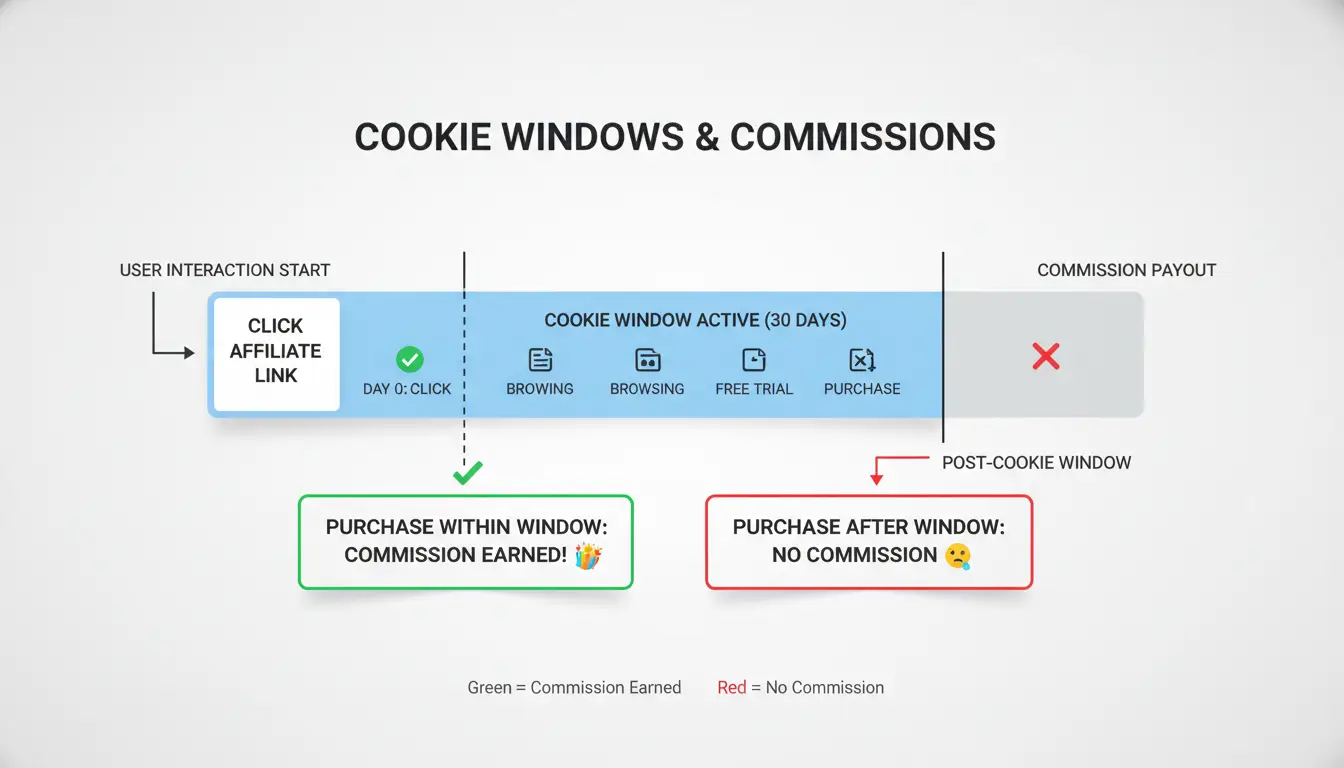
Most programs use cookies that last 24 hours to 30 days. If someone clicks your link and buys during that window, you get credit. The commission payout only triggers when the action matches the program rules, like a purchase, a filled form, or a free trial signup.
Missing one cookie or using the wrong link means you could lose your payout. That’s why affiliates check their tracking setup before launching campaigns. You can read more details on how tracking and attribution work at CJ Affiliate.
Which Affiliate Revenue Models Are Most Common, and How Do They Work?
Choosing the right affiliate revenue model changes how, and when, you get paid. Each model fits a different type of campaign, so knowing how they work helps you avoid hidden fees and mismatched payouts. Below you’ll find the main ways affiliates earn, plus what to expect in real-world use.
Pay-Per-Sale (PPS): The Classic Commission Model
Most affiliate programs use pay-per-sale. You earn a cut when a visitor buys something through your link. For physical products, Amazon Associates pays 1-10% commissions, but digital products on CJ Affiliate or ClickBank can reach 50-75%. Payout cycles range from 30 to 90 days, longer if returns or chargebacks are common.
| Network |
Avg. Commission |
Typical Payout Cycle |
Cookie Duration |
| Amazon Associates |
1-10% |
60 days |
24 hours |
| ClickBank |
50-75% |
30-60 days |
60 days |
| CJ Affiliate |
5-20% |
30-90 days |
7-30 days |
Table: PPS model comparison. Source: Official affiliate program sites.
Pay-Per-Lead (PPL): Earning for Qualified Actions
Pay-per-lead pays when users fill out forms, sign up, or take a qualifying action. “Lead” means email signups, quote requests, or demo bookings, actions that show real interest but don’t guarantee a sale. Insurance, finance, and SaaS companies often use PPL, since high-value leads can cost $10-$50 each. The catch: networks like Rakuten Advertising review leads for quality, and you only get paid for those that pass.
Pay-Per-Click (PPC) and Pay-Per-Install (PPI): Traffic and App Models
PPC rewards you for every click sent to an advertiser, while PPI pays when users install an app. These models fit campaigns with lots of traffic but low conversion rates. Risks are real, fake clicks and installs trigger clawbacks and bans. Networks use fraud checks, and advertisers may cut rates if your traffic quality drops. For app installs, payouts can range from $0.50 to $3 per install, but only if your traffic is clean.
The real risk is picking a model that doesn’t match your traffic or payout timeline, most affiliate losses start here.
What Should You Check Before Choosing an Affiliate Revenue Model?
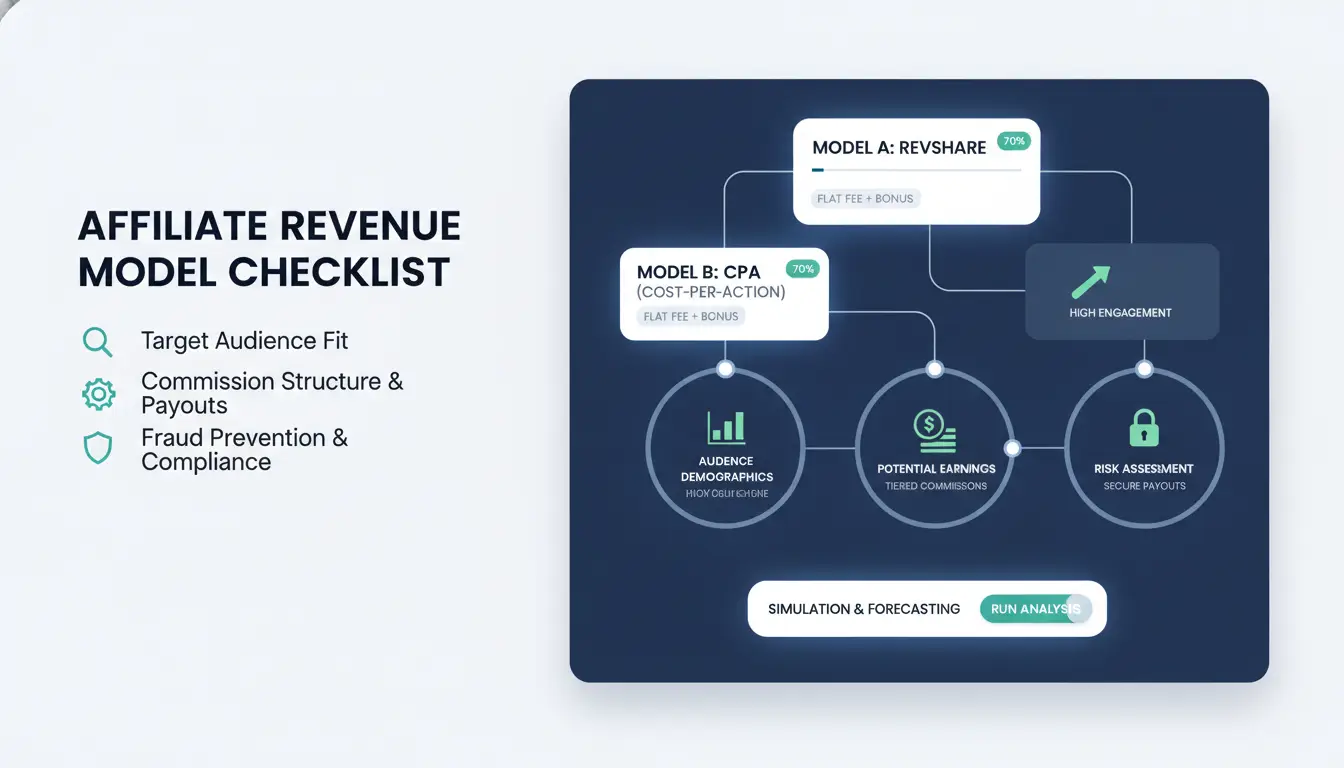
Choosing the right affiliate revenue model means looking past headline commission rates. What really matters is how each model matches your audience, product lineup, and payout needs. Missing these checks can turn a “high-paying” program into a cash flow headache.
Key Factors: Audience, Product Type, and Conversion Path
Most affiliates trip up by chasing big percentage rates without considering their audience’s habits. If your visitors are impulse buyers, a flat-fee model for low-priced goods can bring faster returns. For high-ticket items, percentage commissions may work better, especially if you’re targeting shoppers who research before buying. Product margins matter too. Digital products often allow higher payouts, while physical items have tighter margins. Conversion steps also play a role: programs with long, multi-step signups (like insurance or SaaS) usually pay more but convert less often.
Commission Structure: Flat Fee vs. Percentage vs. Tiered
Comparing commission structures isn’t just about the numbers, it’s about how those numbers fit your campaign style. Here’s a quick breakdown:
| Model |
Typical Use |
Pros |
Cons |
| Flat Fee |
Low-price goods |
Predictable payouts |
Lower upside for expensive items |
| Percentage |
Retail & SaaS |
Scales with order value |
Variable, risky for low-ticket sales |
| Tiered |
High-volume sales |
Rewards scaling performance |
Can miss thresholds, delayed payout |
Tiered commissions often suit affiliates with consistent volume. If you can reliably hit thresholds, they boost earnings, but miss a tier and you lose out. Amazon Associates is famous for strict tiers and cookie windows, so check requirements before committing.
Payout Terms and Tracking Reliability
Long payout delays can squeeze your cash flow, especially if you run paid ads. Some networks pay out in 30–60 days, while others drag to 90 days. Reliable tracking matters just as much. You should check whether the network uses first-click, last-click, or multi-touch tracking, each changes how your commission is credited. Look for networks like CJ Affiliate that publish clear tracking details and payout schedules. Always review contract terms and tracking settings before launching your campaign.
Why Many Affiliates Lose Earnings: Common Mistakes and Risks
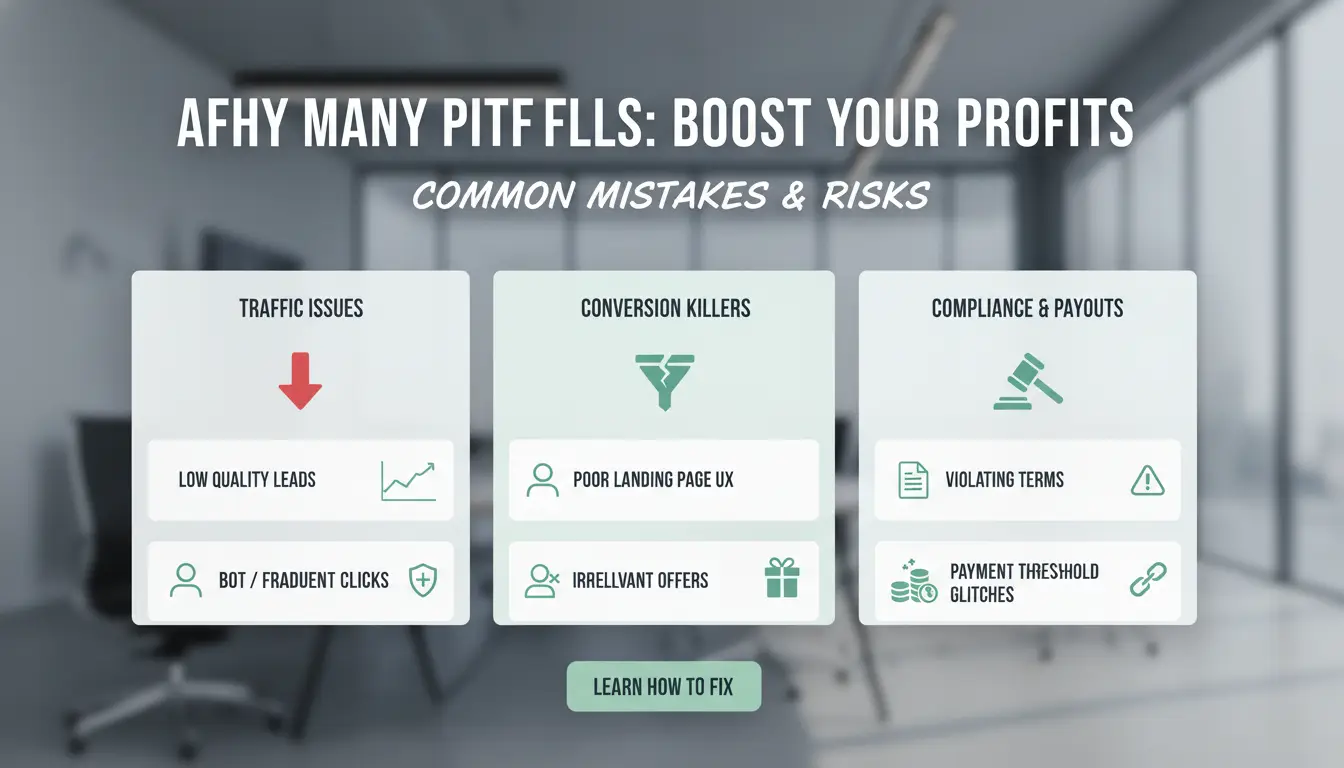
Mistakes in the affiliate revenue model can cost you real money, not just missed chances. Most affiliates lose earnings because they miss simple rules or underestimate how strict networks are with tracking, payouts, and traffic quality. Understanding the fine print and common traps sets you up for steady income, not just short-term wins.
Misunderstanding Attribution Windows and Cookie Policies
Every affiliate network has its own rules for how long a visitor’s action links back to you. If your traffic clicks but buys after the cookie window expires, you earn nothing. For example, Amazon Associates uses a 24-hour cookie window, while Rakuten Advertising can go up to 30 days for some programs. The wrong timing can wipe out commissions you thought were locked in. When comparing affiliate revenue models, check cookie duration and attribution rules before picking a network.
Low-Quality Traffic and Fraud Detection
Sending poor traffic, like fake clicks, bots, or low-engagement visitors, triggers network alarms fast. Major programs use tools to spot unusual patterns, such as repeat IP addresses or sudden spikes in sign-ups. CJ Affiliate and Rakuten Advertising both use fraud detection systems. If flagged, you risk losing all earnings or even getting banned. Some networks hold payouts for up to 90 days to review for fraud, which can freeze cash flow when you need it most.
Overlooking Terms: Hidden Fees, Minimum Payouts, and Restrictions
Not all money you earn is what you actually receive. Programs may charge hidden fees for things like currency conversion, payment processing, or inactivity. Minimum payout thresholds matter too, if your account earns less than the set amount, you might wait months to get paid. For example, some networks set the minimum as high as $100. Always read the terms and compare fee structures in each affiliate revenue model. Missing these details can quietly drain your earnings before you notice.
How to Manage Multiple Affiliate Accounts Safely and Efficiently
Running more than one affiliate account can boost your reach and test different traffic sources. But platforms like Amazon Associates and CJ Affiliate use strict anti-fraud filters. Mixing up your browser profiles or repeating device fingerprints is one of the fastest ways to get every account banned at once. If you want to keep your affiliate revenue model healthy and grow without guesswork, you need both isolation and automation.
Why Account Isolation Matters: Preventing Linkage and Detection
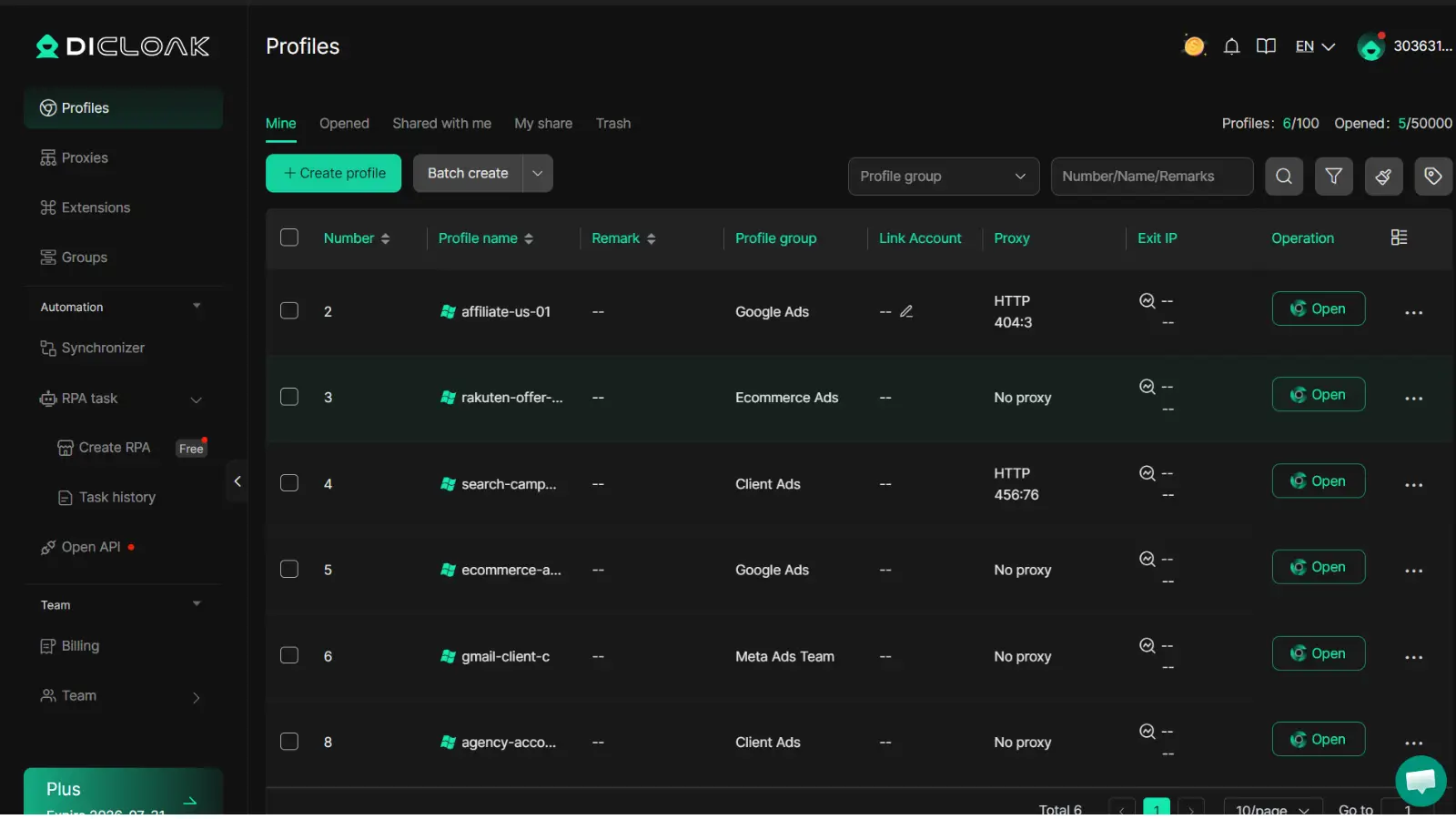
Platforms spot related accounts by tracking browser fingerprints, cookies, IP addresses, and even device details. If you log in to two affiliate accounts from the same browser, or forget to clear cookies, your accounts can get linked. When that happens, bans often hit all accounts, not just one. Using separate browser profiles for each affiliate account means each one looks like a different real user. The most common mistake is reusing the same browser setup, one slip can burn your whole operation.
Proxy Setup and Fingerprint Management for Each Account
Each affiliate account should connect through its own proxy. This stops traffic from looking like it comes from the same place. You can use residential proxies for higher trust, but always keep track of which proxy is tied to which account. Besides proxies, you should change browser fingerprints, details like system fonts, device type, and language. Tools like DICloak let you set up unique fingerprints and tie each one to a separate profile. This keeps accounts apart even when you manage them from one device.
Automating Routine Tasks and Scaling with Bulk Operations
Handling dozens of accounts by hand is slow and risky. Repeating the same login steps can trigger platform alarms. With RPA (robotic process automation), you can script logins, posts, and basic checks. DICloak supports bulk profile creation and import. This means you can launch campaigns, update settings, or check stats for all accounts at once, saving hours and lowering error risk. When your affiliate revenue model depends on speed and scale, smart automation can be the line between growth and getting cut off.
When a Tool Like DICloak Makes Affiliate Revenue Models More Profitable
Affiliate revenue models break when accounts get flagged or traffic sources overlap. Most networks, like CJ Affiliate or Rakuten Advertising, ban linked or duplicate accounts fast. Even a single mistake, like reusing a browser profile or forgetting to switch proxies, can wipe out months of work. This risk grows as you scale, and manual fixes just don’t keep up.
DICloak for Account Isolation and Proxy Management
You can use DICloak to set up a unique browser profile for each affiliate account, with its own fingerprint and proxy. This prevents networks from linking your accounts, even if you run dozens at once. Flexible proxy settings mean you can rotate IP addresses per profile, making detection much harder. For affiliate revenue model safety, account isolation is the single best way to avoid bans.
Automating Affiliate Workflows with RPA and Bulk Tools
Tools like DICloak let you automate daily affiliate tasks, posting links, checking stats, or switching campaigns, using built-in RPA. Bulk management means you can launch or pause hundreds of profiles in minutes, not hours. This saves time and keeps your workflow smooth, even during peak traffic.
Team Collaboration: Sharing Profiles and Managing Permissions
DICloak allows teams to share browser profiles securely, set permissions for each user, and track all actions with operation logs. This keeps group campaigns safe and organized, without exposing master account details.
How to Decide Which Affiliate Revenue Model Is Right for You
Choosing the right affiliate revenue model isn’t just about picking the highest commission, what works for one campaign may quietly drain profits in another. You need a process that checks real numbers, fits your traffic profile, and adapts as networks change. Here’s a practical way to test, scale, and keep your affiliate business stable.
Testing Models: Start Small, Measure Results, Iterate
Running pilot campaigns lets you compare each affiliate revenue model without risking your main income stream. Start with small budgets on networks like CJ Affiliate or Rakuten Advertising. Set up two or three models, say, pay-per-sale vs pay-per-lead, on similar traffic sources. Track metrics that matter: conversion rate, average payout, refund rate, and cookie window duration.
| Model |
Avg. Payout |
Conversion Rate |
Refund Risk |
Cookie Window |
| Pay-per-sale |
$6–$20 |
1–3% |
High |
24hr–30d |
| Pay-per-lead |
$1–$10 |
5–15% |
Low |
Immediate |
Table data from Amazon Associates and CJ Affiliate
The most critical insight: Small tests reveal hidden costs that only show up after tracking actual payouts and cancellations.
Scaling Up: When to Expand to New Models or Networks
If your pilot campaigns show stable conversions, payouts, and refund rates over three months, it’s time to consider expanding. Signs you’re ready include consistent profit growth, low chargeback ratios, and reliable reporting from your network. Avoid overextension by adding only one new model or network at a time. If you start seeing payout delays or tracking errors, pause and check for issues before scaling further.
Long-Term Optimization: Monitoring, Adjusting, and Staying Compliant
Successful affiliates keep checking compliance rules and adapting as networks change terms or payout structures. Monitor contract updates from networks like Rakuten Advertising and Amazon Associates. Use tools to log campaign changes and automate compliance checks. When regulations shift, adjust your model or traffic strategy fast, waiting can cost you months of earnings.
Frequently Asked Questions
Is the affiliate revenue model suitable for beginners?
Yes, the affiliate revenue model works well for beginners. Start with simple programs, like Amazon Associates or ShareASale, and focus on learning how to track links and commissions. Beginners should understand basic tracking tools and follow each program’s rules. This helps avoid mistakes and builds a strong foundation for future growth.
Can I use multiple affiliate programs at the same time?
You can use several affiliate programs together with the affiliate revenue model. Managing different accounts carefully is important to prevent conflicts or detection. Keep separate logins, track each program’s rules, and use spreadsheets or tracking tools for organization. This lets you increase earnings without risking account closures.
How do I avoid getting banned or losing commissions in the affiliate revenue model?
To protect your earnings in the affiliate revenue model, use account isolation by keeping separate browsers or devices. Always follow the program’s rules, such as avoiding spam or fake clicks. Send high-quality traffic from real users, not bots. This reduces the risk of bans and keeps your commissions safe.
What are the best tools for tracking affiliate earnings?
For the affiliate revenue model, use affiliate dashboards provided by the program to monitor commissions. Google Analytics helps track user behavior and conversions. Antidetect browsers, like Multilogin, keep accounts secure by preventing fingerprinting. Combining these tools gives you accurate tracking and keeps your operation safe.
How often do affiliate programs change their commission structures?
Affiliate programs often update their commission structures every few months, but changes can happen anytime. Some programs announce updates by email or dashboard notifications. To stay informed, check your program’s terms and commission pages regularly. Monitoring changes helps you adjust your affiliate revenue model and avoid surprises.
The affiliate revenue model offers businesses a scalable way to drive sales while providing partners with a clear incentive to promote products or services. By leveraging performance-based payouts, companies can efficiently expand their reach and only pay for measurable results. Try DICloak For Free
 Web Proxy Tools
 Free Tools
 Cookie Plugin
 UA Generator
 MAC Address Generator
 IP Generator
 IP Address List
 2FA Code Generator
 World Clock
 Anonymous Check
 WebRTC Leak Test
 UUID Generator
 Free Web Proxy Site
 Proxy Checker
 FB Ad Checker
 AI Web Scraping
 Free SMM Tools
 Twitter Shadowban Checker
 Instagram Name Checker
 UTM Generator
 Username Generator
 AI Hashtag Generator
 LinkedIn Headline Generator
 Social Media Image Resizer