A Finnish delivery worker lost access to all earnings and accounts overnight, no warning, no second chance. The reason? Wolt’s automated system flagged the account for sharing between multiple people, a violation that now triggers instant bans across Europe. Search trends for wolt account sharing ban have spiked as more users find themselves locked out after letting a friend log in or using the app on two phones. Wolt’s backend tracks not just logins but device fingerprints, IP addresses, and even behavioral patterns, making it much harder to “fly under the radar” than most expect. Even if your account survives a few swaps, one mismatched location or browser profile can end everything.
The harsh reality: sharing Wolt accounts, even for harmless reasons, breaks the platform’s rules and puts your balance, customer record, and even future access at risk. Most online guides miss the real triggers behind these bans, focusing on old tactics that no longer work as detection tools get smarter. This guide breaks down why Wolt cracks down so aggressively, what the actual technical signals are, and what safer alternatives real users now rely on to avoid getting locked out. Here’s where most people get it wrong and what you need to check before risking your account.
What Actually Triggers a Wolt Account Sharing Ban?
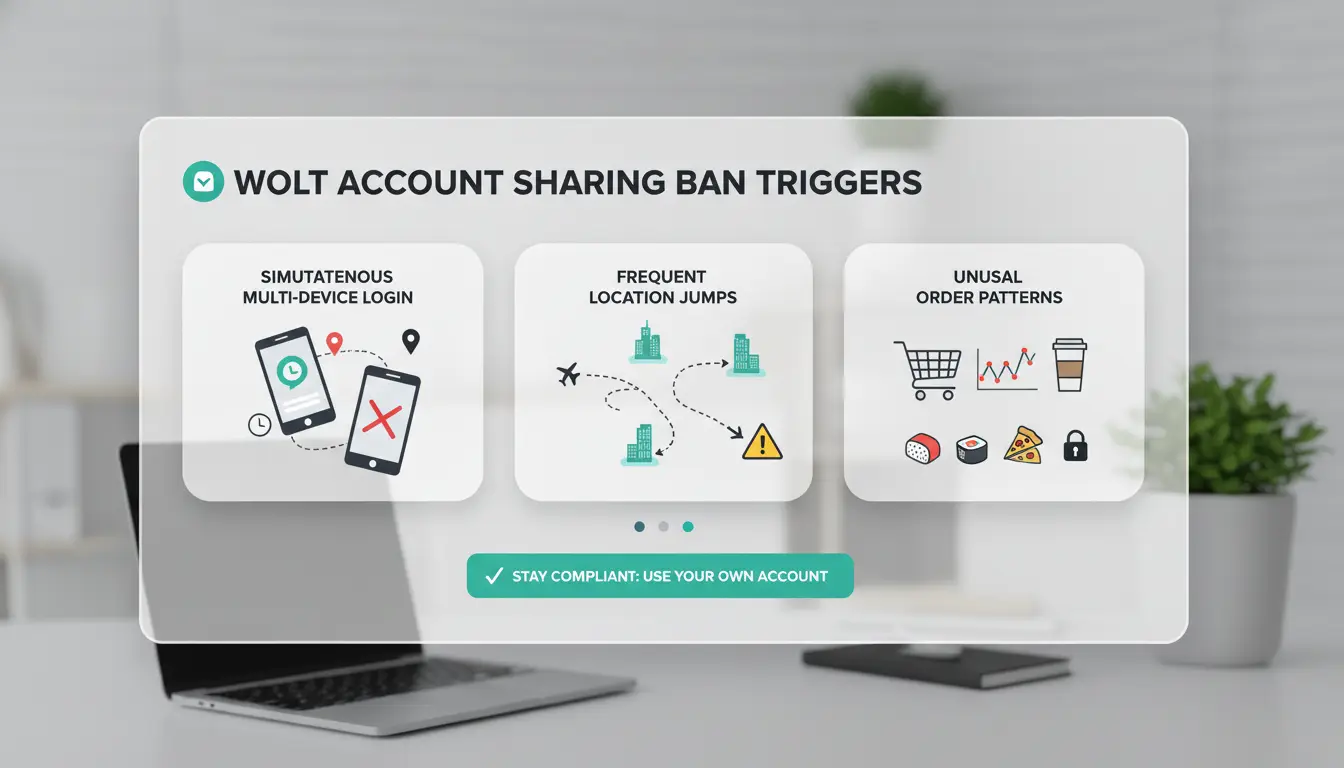
Wolt’s system is built to spot when users break the “one person, one account” rule. Most people think a simple password swap or changing the login location once won’t matter, but Wolt’s detection is much stricter. If you’re not clear on what gets flagged, you can lose access without warning, sometimes before you even realize you’re under review.
How Wolt Detects Account Sharing
Wolt watches for more than just password leaks. The main triggers are sudden changes in IP address or device fingerprints. If you log in from a phone in Helsinki at noon and then from a laptop in Warsaw an hour later, the risk jumps. Even if you use the same device, switching between different internet connections, like home Wi-Fi to mobile data, can alert the system.
Wolt’s backend tracks details like browser type, operating system, and hardware profile. A mismatch suggests the account is moving between people or places. The fastest way to get banned is rapid switching between devices and networks that don’t match your normal pattern.
Common Scenarios That Lead to Bans
Most bans happen when couriers or customers try to save time or money by sharing accounts. For example, two couriers logging into the same account from different cities, or a single login used on multiple devices at once. Wolt’s system marks these as risky.
Sharing your password with a friend in another country, even for one order, can get your account locked. Relying on basic tricks, like clearing cookies or using a simple proxy, is rarely enough. Once flagged, Wolt bans are hard to reverse, and you often lose your balance or future access.
Why Wolt Enforces Strict Account Sharing Policies
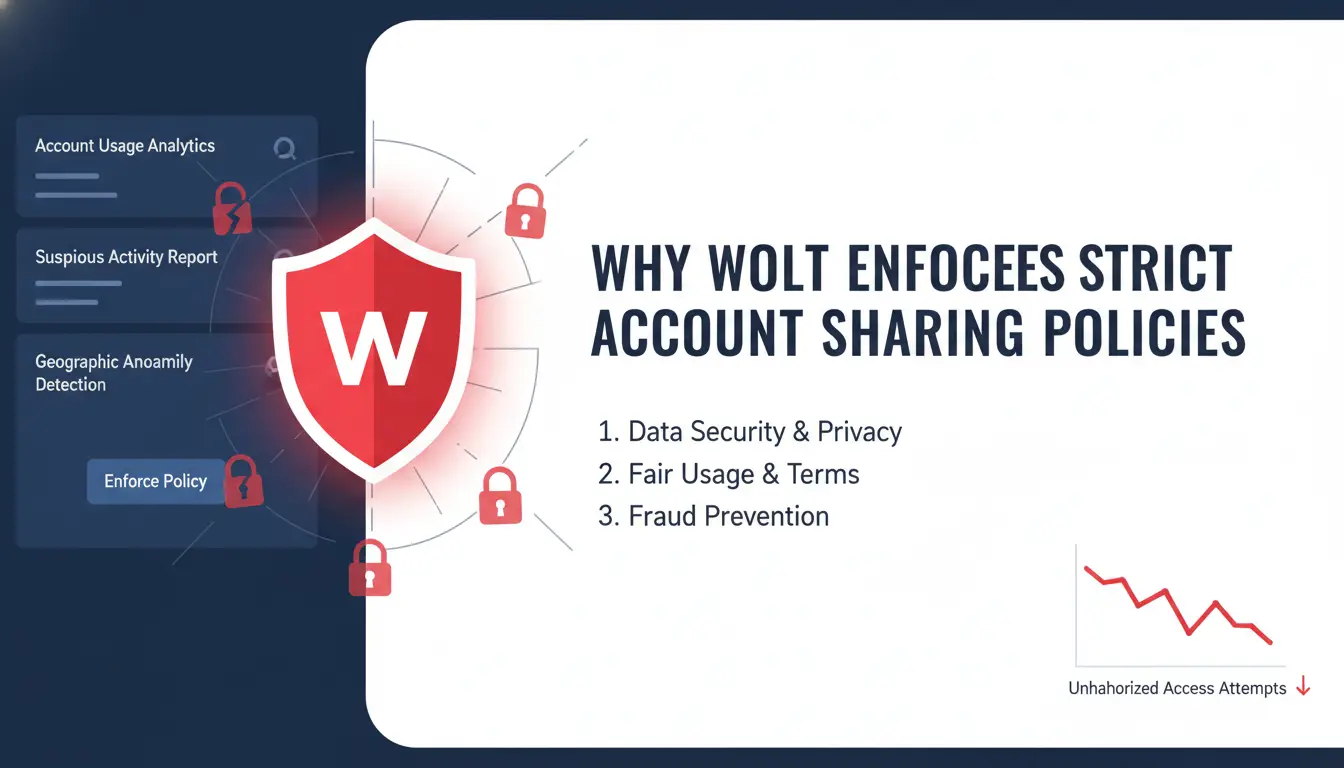
Wolt bans account sharing for reasons that go much deeper than simple rule-following. If you swap logins or lend your account, even to a trusted friend, you risk losing your balance, getting locked out, or facing a permanent wolt account sharing ban. These strict policies are driven by a mix of fraud risks, legal requirements, and the need to keep customer trust high. Here’s what actually triggers their enforcement, and why ignoring these rules leads to fast bans.
Operational Risks for Wolt
Wolt faces constant fraud attempts, from fake delivery drivers to staged refunds and bonus abuse. If one account gets passed between users, tracking who actually completed a delivery becomes nearly impossible. That opens the door to false claims, chargebacks, and stolen payouts. For real customers, shared accounts risk wrong deliveries, delayed orders, and inconsistent service. Wolt’s reputation hinges on every order being handled by a verified person. Any mismatch in fingerprints, IP addresses, or device patterns signals risk, so even one suspicious login change can prompt a restriction or ban. The main reason for Wolt’s crackdown is that account sharing breaks the chain of accountability, making it hard to trust any order or payment.
Legal and Regulatory Pressures
Wolt operates in dozens of countries, each with strict labor laws and insurance rules. A delivery driver must have the right permit, local insurance, and meet safety checks. If an account is shared, Wolt can’t confirm who’s actually on the road, risking fines and legal trouble. In some places, letting an undocumented worker use a verified account exposes Wolt to lawsuits and regulatory bans. Insurance companies also require precise records, one mistake could void coverage after an accident. These legal and regulatory pressures make wolt account sharing ban policies non-negotiable, with detection systems designed to catch even small violations.
What Happens After Your Wolt Account Gets Banned for Sharing?
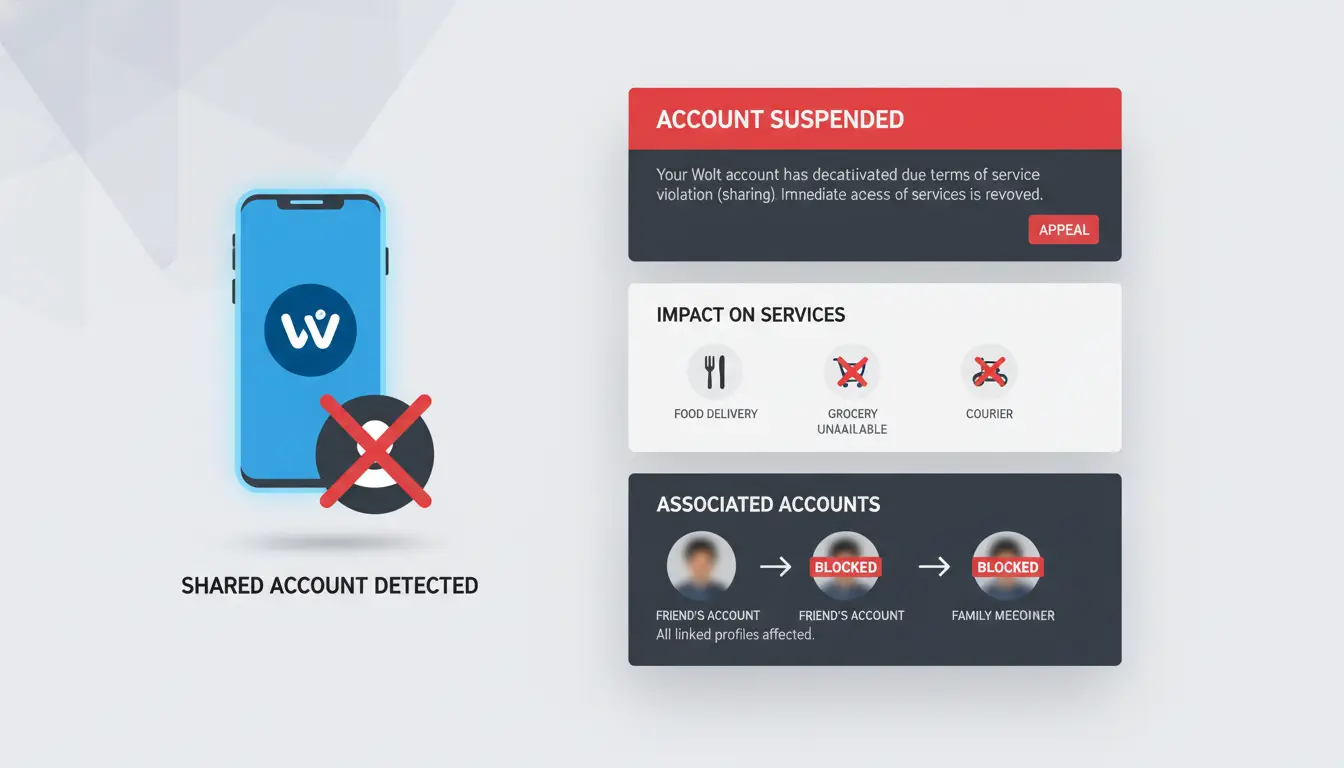
Getting hit with a wolt account sharing ban isn’t just a warning, it’s a hard stop. The platform’s detection systems flag shared logins fast, especially if devices, IP addresses, or locations don’t match their expected patterns. Once banned, you can’t simply “wait it out” or swap to a new device. Here’s what you’ll face and what options are left.
Immediate Effects of a Ban
The most obvious outcome: you lose access to the Wolt courier app. That means no new orders, no ability to check past deliveries, and, most importantly, no way to cash out any balance still sitting in your account. For couriers who rely on daily payouts, that loss can hit hard. Reputation also takes a direct hit. If you had a high rating or a clean record, it’s gone. Wolt keeps internal logs of banned accounts, so even trying to register again with similar details can trigger instant blocks.
Can You Appeal or Recover a Banned Account?
Wolt’s support team does allow appeals, but success rates are low. You’ll need to contact them through the official help center, usually via the app’s support chat or Wolt’s website. The most useful evidence: proof that the account wasn’t actually shared or that device/location mismatches happened for legitimate reasons (like travel, device upgrade, or network issues). If you can show consistent usage patterns or explain sudden changes, you might get a second chance, but only if the platform believes your story.
Most bans for wolt account sharing are permanent unless you can prove there was no real sharing. Even then, payouts are rarely restored, and future access stays risky. This is why many users now look for safer ways to handle team access or device swaps, instead of risking a ban that wipes out their earnings and record.
Common Mistakes That Get Couriers Banned for Account Sharing
Getting hit with a wolt account sharing ban usually comes from missed details, not just breaking obvious rules. Most couriers lose access because they underestimate how strict the platform tracks logins and behavior. Here’s where things go wrong most often.
Sharing Credentials Without Precautions
Handing out your password might seem simple, but it’s the fastest way to flag your account. Wolt tracks every login’s device fingerprint, IP address, and even browser setup. If you or a friend log in from a different phone or computer without matching the original device profile, their system sees it as a suspicious swap. Even changing locations without a proper proxy can trigger risk signals, sometimes after just one login. The biggest mistake is thinking you can swap devices without being noticed. Most bans start when two people use the same account from different cities or countries, and Wolt’s detection tools catch the mismatch.
Ignoring Wolt's Terms and Local Laws
Many couriers forget that Wolt’s requirements go beyond tech checks. If you share your account with someone who doesn’t have the right work permit, you risk both an instant ban and legal trouble. Some users let friends run deliveries under their name, not realizing this violates local employment rules and can get them permanently blocked. Another common error: failing to update account info after moving or changing phone numbers. Wolt expects accurate records, if your details don’t match your activity, their system marks your account for review. Always check the latest platform rules at Wolt’s official site and local labor laws before sharing anything.
Staying safe means never assuming basic shortcuts will work. Most bans come from a mix of tech slip-ups and ignored legal rules. If you already faced a wolt account sharing ban, review these mistakes and avoid repeating them.
How Teams Can Share Wolt Accounts More Safely (Without Getting Banned)
Wolt’s detection systems are strict. Even a single mismatch, like someone logging in from a new city or browser, can trigger a wolt account sharing ban. Teams that need to collaborate without getting locked out must treat account access like a security problem, not just a convenience. Two areas make the biggest difference: keeping devices and IPs unified, and controlling who can do what inside the account.
Unified Device and IP Management
Wolt tracks both device fingerprints and login IPs. If team members access the same account from different browsers or locations, Wolt’s system will flag it, sometimes instantly. The safest approach is to standardize the login environment:
- Use the same proxy for every login, so all activity appears from the same city or region.
- Stick with one browser profile, or use tools that let you share a browser profile without leaking new fingerprints.
The goal: make every action look like it’s coming from a single person, not a group. If you need to share access, you can use browser profile management tools like DICloak to assign a locked-down environment to each team member.
Role-Based Access and Permission Controls
Giving out full account credentials is risky, anyone can change settings or trigger extra verification. A better way is to assign only the tasks people need, using shared browser profiles with limited access. For example, one person handles orders, another checks messages, but neither can change passwords. Tracking who did what helps spot risky actions before they cause trouble. Some tools, such as DICloak, offer operation logs and permission controls to protect your account from mistakes or misuse.
The real win: combining unified access with clear roles cuts down on mistakes that usually lead to a wolt account sharing ban.
How DICloak Helps Teams Avoid Wolt Account Sharing Bans
Wolt flags shared accounts when device, browser, or IP details don’t line up, one small mismatch can trigger a block. Most bans happen because team members log in using different setups, making account activity look suspicious. Tools like DICloak let teams avoid these mistakes by keeping every login environment consistent, even when people work from different places.
Isolated Browser Profiles and Unified Fingerprints
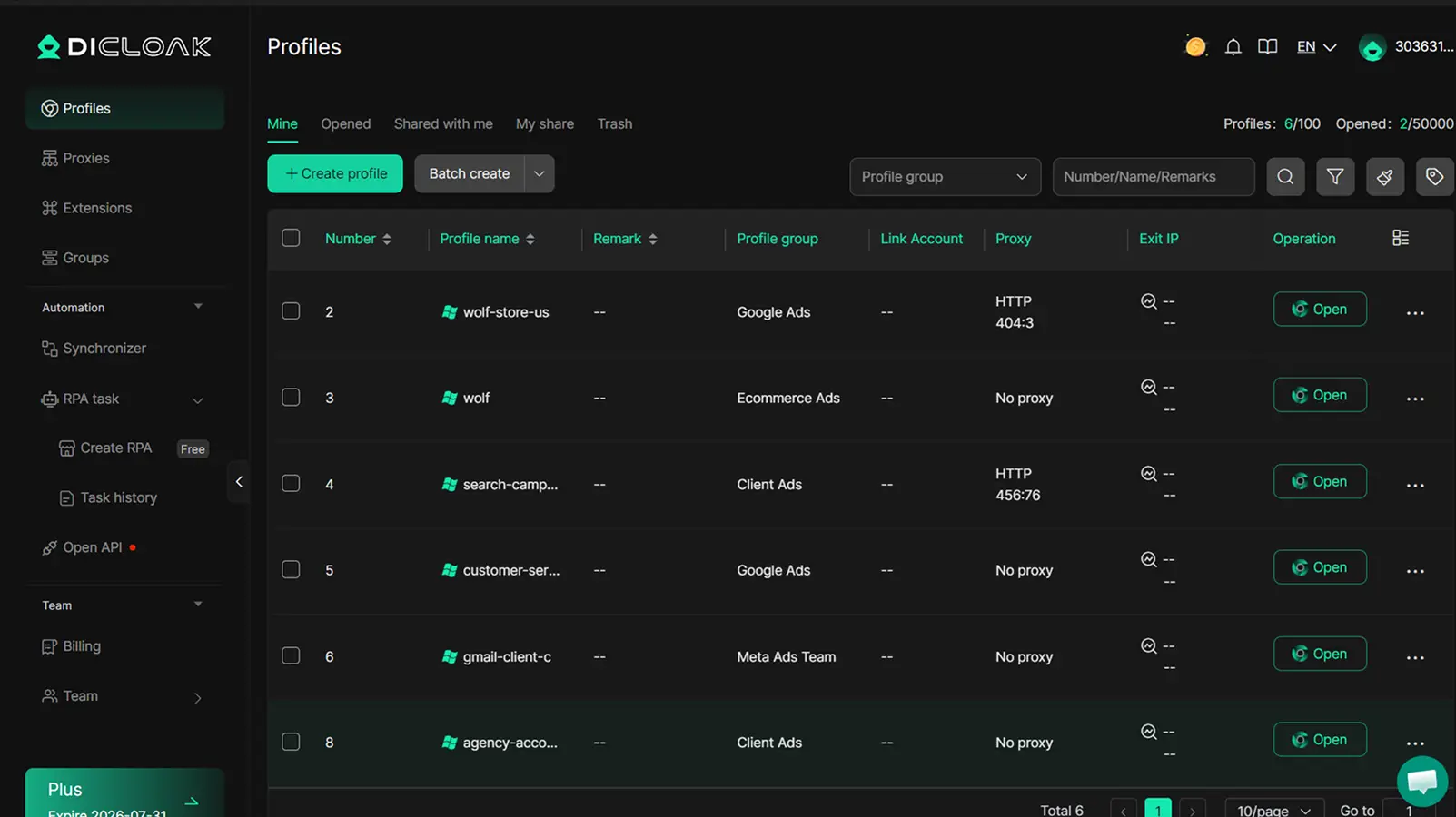
You can use DICloak to set up isolated browser profiles so each team member always uses the same digital fingerprint and proxy. This means Wolt sees every login as coming from the same device and location, stopping the main signals that cause a wolt account sharing ban. Even if people switch devices, DICloak keeps their environment stable enough to avoid red flags.
Team Collaboration Tools and Permission Management
DICloak’s team features let you share account access without giving up security. You can control who gets into each profile, set limits on what they can do, and track every action with an operation log. This makes it much harder for mistakes or misuse to lead to a ban, everyone’s access is both traceable and contained. Learn more about DICloak’s features.
When Sharing a Wolt Account Is Not Worth the Risk
Sharing a Wolt account might look quick and easy, but most users overlook how fast the platform can spot suspicious activity. Getting hit with a wolt account sharing ban often comes down to a few clear mistakes: too many devices, sudden location jumps, or letting multiple people log in from different places. Once flagged, you lose access to your balance, order history, and may not get a second chance. The risk ramps up in certain scenarios, so knowing when not to share is just as important as knowing how.
High-Risk Situations to Avoid
Large teams trying to use one Wolt account are a red flag. Every new device or browser profile creates a fingerprint trail that Wolt's systems track. When five or more people rotate through an account, it almost always triggers review. International sharing is even riskier. If someone logs in from another country, even for a single order, Wolt's detection tools treat it as a sign of possible fraud. Mixing IP addresses and device types makes you stand out, not blend in. Even if you use proxies, the platform spots abnormal patterns fast.
The single biggest mistake is thinking you can outsmart Wolt's detection by swapping devices or locations, those mismatches are exactly what gets accounts banned.
Safer Alternatives to Account Sharing
Instead of risking a wolt account sharing ban, apply for separate accounts for each team member. Wolt's terms allow one account per person, and this keeps order history clean. Some regions offer official team features that let you manage group orders without breaking rules, check the Wolt website for your country. When team control matters, use tools like DICloak to keep browser profiles and login environments separate. This reduces fingerprint overlap and stops accidental cross-login errors, which are often the real trigger for bans.
If your team needs to coordinate, build a workflow around official features and dedicated accounts, not risky shortcuts.
Practical Tips to Prevent Wolt Account Sharing Bans
Even one careless login can trigger a wolt account sharing ban, especially if the device, location, or browser fingerprint suddenly changes. Many users only realize the risk when their main account is locked and support stops responding. Staying ahead means acting before you get flagged.
Routine Checks and Best Practices
Check your login history in Wolt for any unknown devices or access from odd locations. If you spot a login from a city you’ve never visited, change your password and log out of all sessions right away. Regularly update your account details, like your phone number and email, to match your real, active contact info. This makes it easier to prove ownership if you ever need to appeal a ban. Avoid using public devices or shared browsers, since these can leave traces that link your account to others. If multiple people need to access one account, set clear ground rules: always use the same device and network, and never share passwords over chat apps. For teams, consider tools that isolate browser fingerprints and allow controlled access, like DICloak browser profiles, so every login looks consistent and safe.
How to Communicate with Wolt Support
If your account gets restricted or you see warning signs (like repeated verification requests), contact Wolt support right away. Explain your situation clearly and provide proof, screenshots of your login history, a list of devices you use, and any team sharing policies. If you need multiple people to access one account for a real business reason, document this workflow and share it with support before there’s a problem. Acting early and showing clear, honest records is your best chance to avoid a long ban.
Word count: 293
Frequently Asked Questions
Can I share my Wolt account with family or friends without getting banned?
No, sharing your Wolt account, even with family or friends, can trigger a wolt account sharing ban. Wolt’s policy says each account is for one person only. Sharing causes security risks and fraud concerns. Their system flags unusual logins, so even casual use by others may result in a permanent ban.
What signs does Wolt look for to detect account sharing?
Wolt uses technical signals to spot account sharing. They check for logins from different devices, changing IP addresses, and sudden shifts in location. If your account logs in from far-away places or many devices, it may trigger a wolt account sharing ban. Rapid switches between iOS and Android can also raise red flags.
Is it possible to recover a Wolt account after a sharing ban?
Sometimes, you can appeal a wolt account sharing ban. Contact Wolt support and explain what happened. Provide evidence, like proof that you were traveling, or screenshots showing you own your device. Wolt may review your case, but bans for repeated or clear sharing are rarely lifted.
Are there legal risks to sharing Wolt courier accounts?
Yes, sharing courier accounts can break labor laws. Only registered couriers with work permits can deliver. If you let someone else use your account, you risk fines, lost earnings, and legal trouble. Wolt may also report serious violations to authorities.
How can teams work together on Wolt without violating sharing rules?
To avoid a wolt account sharing ban, teams should not share accounts. Instead, each person should sign up for their own account. Use Wolt’s team features or supervisor tools for managing orders or shifts. For couriers, only registered drivers with approved profiles can deliver.
Wolt's new ban on account sharing highlights the company's commitment to maintaining security and fair use on its platform. Users should be aware of these updated policies to avoid potential suspensions or loss of access. Try DICloak For Free
 Web Proxy Tools
 Free Tools
 Cookie Plugin
 UA Generator
 MAC Address Generator
 IP Generator
 IP Address List
 2FA Code Generator
 World Clock
 Anonymous Check
 WebRTC Leak Test
 UUID Generator
 Free Web Proxy Site
 Proxy Checker
 FB Ad Checker
 AI Web Scraping
 Free SMM Tools
 Twitter Shadowban Checker
 Instagram Name Checker
 UTM Generator
 Username Generator
 AI Hashtag Generator
 LinkedIn Headline Generator
 Social Media Image Resizer