When a contact's profile suddenly vanishes or you encounter the "Content not available" error, the ambiguity can be more frustrating than the loss of connection itself. From a security and privacy perspective, this disappearance is rarely a random glitch. In the 2026 ecosystem, this usually points to one of three technical realities: a user-initiated block, an an account deactivation, or a platform-side restriction triggered by Meta’s evolving AI moderation and the "Community Notes" system introduced in early 2025.
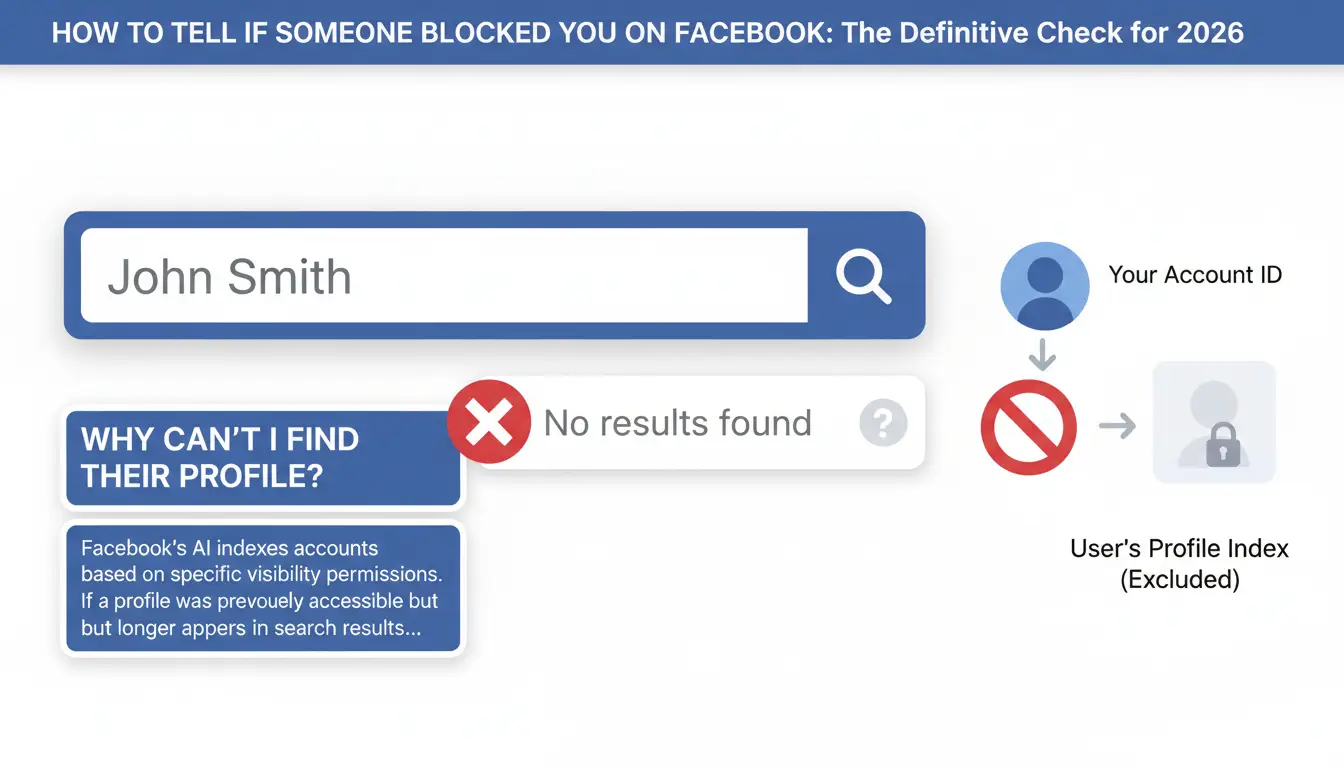
Why Can’t I Find Their Profile in the Search Bar?
Facebook’s AI indexes accounts based on specific visibility permissions. If a profile was previously accessible but no longer appears in your search results, it indicates that your specific account ID has been excluded from that user's index.
The Search Result Disappearance
If you search for a specific name and the profile does not appear, the most effective diagnostic is to perform a cross-account check. Attempt the search from a secondary account or ask a mutual friend to verify the profile’s existence. If the account is visible to everyone except you, your account has been placed on the user's block list.
Checking via Mutual Friends’ Lists
Navigate to the "Friends" list of a mutual contact. In 2026, if a block is active, the suspected blocker’s name will either be missing entirely from that list or appear as a non-clickable, plain-text name. If the name is clickable but leads to a "Broken Link" or "Content Not Available" page, the account may still exist, but your access is strictly revoked.
The Tagging and Mention Test
The tagging algorithm is a real-time indicator of your interaction status. Attempt to tag the individual in a post or comment by typing "@" followed by their name. If the name fails to populate in the automated suggestions—especially if you were recently connected—the platform is signaling that the two accounts have been partitioned, a hallmark of a block.
What Does Messenger Say When You’re Blocked?
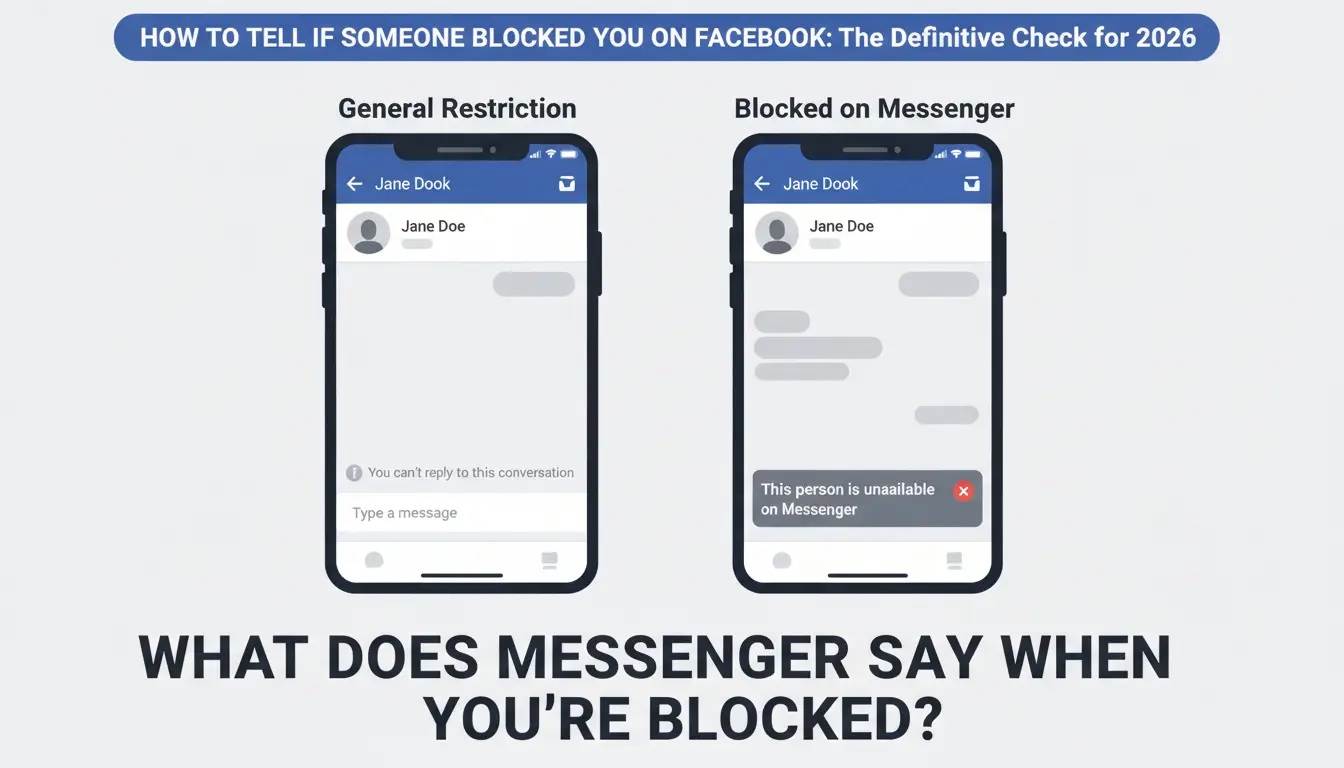
The Messenger interface offers unique UI signals that distinguish a block from a general Facebook restriction.
The "This Person is Unavailable" Message
In an existing conversation thread, look at the text input field. If it is replaced by the message "This person is unavailable on Messenger," it is a high-probability indicator of a block. While this occasionally occurs during full account deactivations, a block typically allows you to see the "Unavailable" status while the user remains active for others.
Profile Picture and Active Status Vanishing
Upon being blocked, the user’s profile icon will often revert to a default gray silhouette. Furthermore, the "Active Now" status and the "Last Active" timestamp will disappear. This is a technical safeguard by Meta to prevent "shadow-stalking" once a user has requested a digital separation.
The "Message Sent" vs. "Delivered" Indicator
The delivery icons provide the final technical confirmation. When you send a message to a blocker, the icon will stay as a "Sent" indicator (a hollow blue circle with a checkmark). It will never transition to "Delivered" (a filled blue circle) because the message is held at the server level and never pushed to the recipient’s device.
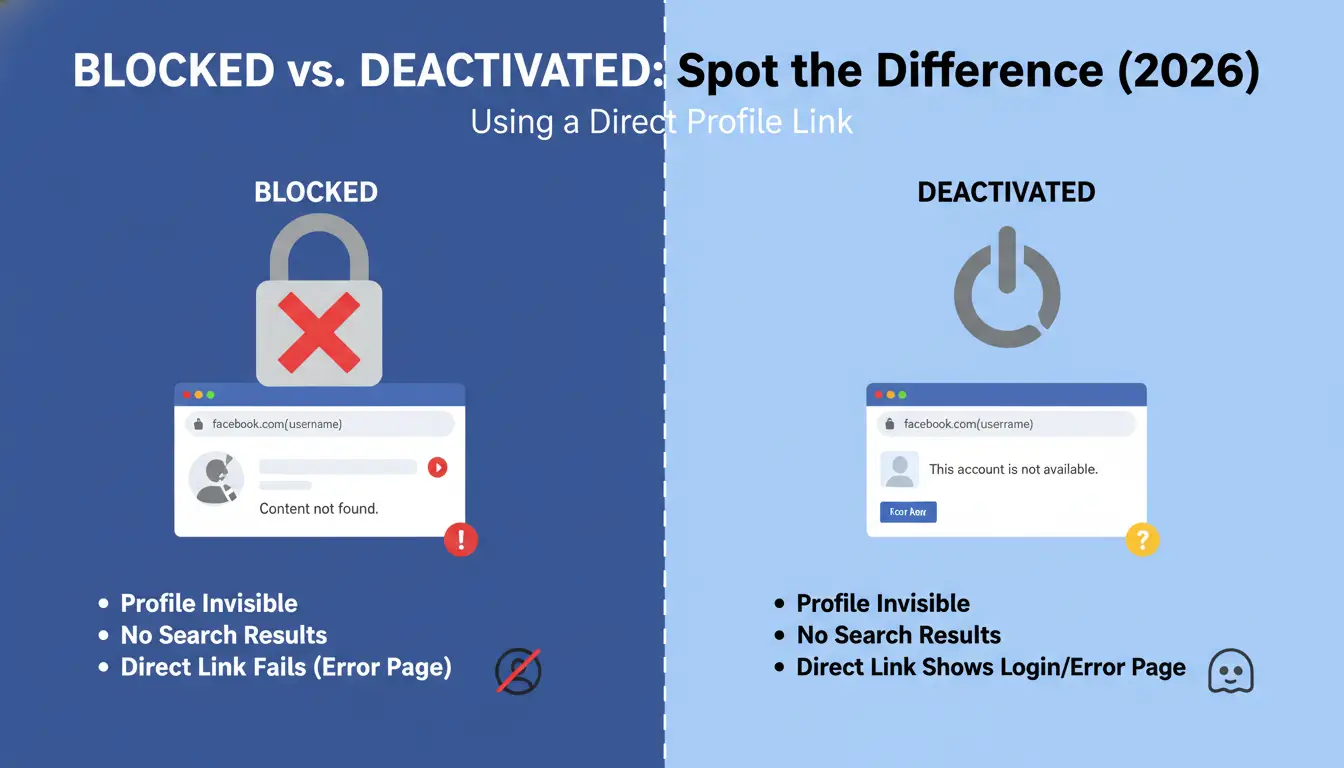
Blocked vs. Deactivated: How to Spot the Difference in 2026
The primary difference between being blocked and the other person deactivating is the account's public presence.
Using a Direct Profile Link
Locate the user's direct URL (facebook.com/username) in your browser history. Open a private or "Incognito" window and paste the link. If the profile is visible publicly but shows an error when you are logged into your account, you are blocked. If the page returns an error even in Incognito mode, the account is deactivated or deleted.
Indicators of a Deactivated Account
In a deactivated state, the user's name may remain in your friends list as a non-clickable placeholder. Previous messages in your inbox will persist, but the profile picture will be replaced with a default icon. Crucially, a deactivated account is hidden from everyone on the platform, not just you.
Could Your Own Account Restrictions Be the Real Issue?
In 2026, many users mistake a "shadowban" or platform restriction for a personal block. Since Meta’s January 2025 shift to a user-driven "Community Notes" moderation system, your visibility can be limited if your account is flagged by others or the AI.
Identifying Unusual Activity Flags
Meta’s AI monitors for behavior history and authenticity. Your account visibility may be "silently" restricted if you trigger these flags:
- Aggressive Networking: Sending more than 50 friend requests or group joins per day.
- Verification Mismatches: Discrepancies between your account name and billing information for business assets.
- Excessive Sharing: Posting the same content across multiple groups, even with permission, can trigger "oversharing" protocols.
- Connection Quality: Having "shady" friends or being in groups with high bot populations can lower your account's authenticity score.
The Impact of Shared IP Addresses and Fingerprinting
Logging into multiple accounts from one IP address or device often leads to a "cascading restriction." Facebook uses advanced browser fingerprinting—tracking hundreds of parameters including device specs, fonts, and hardware configurations—to link accounts. If one account on your network is flagged, the platform may restrict the visibility of all linked accounts, making it seem like you have been blocked by the community.
How to Verify Your Account Quality and Status
If you suspect the platform itself is the culprit, you must audit your account's standing.
Navigating the Account Quality Section
Access the Account Quality dashboard and look for the "What you can do" section. This is the official ledger of your standing with Meta.
The Role of AI Moderation Mistakes and the Strike System
Meta uses a progressive "strike" system to manage violations:
- 1st Violation: A warning with no feature loss.
- 2-6 Strikes: Temporary feature restrictions (blocking you from posting, liking, or searching).
- 8+ Strikes: Full account suspension.
In 2026, AI-driven mistakes are common. If your account shows as restricted, it may be a false positive triggered by your login frequency or the "Community Notes" flags from other users.
Initiating a Support Appeal
If you are restricted, use the Request Review button. Decisions typically take around 48 hours. You will likely need to upload a government ID to prove account authenticity. If standard appeals fail, you can navigate to the Privacy Policy question form, select "I still have a question about the Privacy Policy," and use that channel to reach a human support representative.
Professional Workflows for Managing Multiple Social Identities Safely
For marketers and business owners, the risk of "accidental" blocks and bans is high. To scale presence in 2026 without triggering Meta’s fingerprinting alarms, security specialists utilize antidetect technology.
DICloak is a valuable tool for maintaining separate digital identities:
- Isolated Browser Fingerprints: DICloak creates unique environments for each profile, masking hardware specs, fonts, and browser versions to help reduce the risk of Meta linking your accounts.
- User-configured Proxy Integration: DICloak supports integration with user-configured high-quality residential proxies. These can provide home-based IP addresses that appear authentic to Meta’s security AI.
- Data Protection: By isolating cookies and local storage, DICloak helps prevent "fingerprint leakage" that can lead to mass account suspensions.
- Safe Asset Management: It supports the management of multiple business pages while helping to protect the visibility of personal profiles attached to them.
How to Avoid Future Restrictions While Scaling Your Presence
Longevity on the platform requires simulating genuine human behavior to appease the AI’s authenticity audits.
Maintaining Genuine Social Activity
Accounts used strictly for business or ads are high-priority targets for restrictions. To maintain your visibility, engage with non-commercial content, join diverse groups, and ensure your account shows a history of "human" interaction rather than just promotional output.
The Importance of Separate Identifiers
To prevent the platform from linking and banning your entire network, every account should have a unique email address, phone number, and a distinct browser fingerprint. Never reuse payment methods or profile photos across multiple accounts, as these are primary linkage points for Meta’s detection bots.
Avoiding Shady Connections
In the "Community Notes" era, you are judged by the company you keep. Regularly audit your friends list and groups. Being connected to accounts with high "fake" probability or those that frequently violate Community Standards can lead to your account being restricted by association.
Frequently Asked Questions About Facebook Blocks
If I'm blocked, can I still see the person's comments in mutual groups?
No. A total block removes their presence from your view across the entire platform, including comments and posts in mutual groups.
How long does a temporary Facebook restriction usually last?
Minor restrictions last 24–48 hours. Serious violations can lead to bans of 3 to 30 days. Note that if an account is permanently banned, Meta will delete all account data after 180 days unless a successful appeal is filed.
Can a trusted connection help me see a profile that has blocked me?
No. While some tools might change your IP address, Facebook uses browser fingerprinting (tracking hundreds of parameters like hardware specs and fonts) and can still identify your device. Additionally, using untrusted networks can sometimes trigger security flags that can lead to your own account being restricted.
What is the difference between a block on Facebook and a block on Messenger?
A Facebook block is comprehensive; you cannot see their profile or interact. A Messenger-specific block only prevents messages and calls, allowing you to still view their timeline and posts.
Why did all my business accounts get restricted at the same time?
This is caused by "account linking." Meta’s AI identifies that the accounts share the same browser fingerprint—specifically matching hardware specs, installed fonts, and IP addresses. Using a tool like DICloak with user-configured residential proxies can help reduce this risk.
Will I get a notification if someone unblocks me?
No. There are no notifications for blocking or unblocking. The only way to know is if the profile suddenly reappears in search or their name becomes clickable again in mutual friends' lists.
 Web Proxy Tools
 Free Tools
 Cookie Plugin
 UA Generator
 MAC Address Generator
 IP Generator
 IP Address List
 2FA Code Generator
 World Clock
 Anonymous Check
 WebRTC Leak Test
 UUID Generator
 Free Web Proxy Site
 Proxy Checker
 FB Ad Checker
 AI Web Scraping
 Free SMM Tools
 Twitter Shadowban Checker
 Instagram Name Checker
 UTM Generator
 Username Generator
 AI Hashtag Generator
 LinkedIn Headline Generator
 Social Media Image Resizer