Managing multiple Facebook accounts without getting them linked in 2026 is possible, but it takes more than using different email addresses. Facebook is still one of the largest social platforms in the world. Meta reported 3.54 billion daily active people across its family of apps in September 2025, and DataReportal reported that Facebook ads reached 2.28 billion users in January 2025. For agencies, advertisers, ecommerce sellers, and social media teams, account management is still serious daily work.
Facebook can connect accounts through browser data, device signals, network patterns, and account activity. That is why keeping accounts separate starts with building the right setup from the beginning. Not everyone needs multiple personal accounts. In many cases, Facebook Pages, Meta Business Suite, or additional profiles are enough.
However, agencies, advertisers, ecommerce sellers, and social media teams often need a more structured approach when managing multiple brands, clients, or projects. This guide explains how Facebook accounts usually get linked, which account management methods work best, what mistakes to avoid, and how tools like DICloak can help create a cleaner multi-account workflow.
Can You Have More Than One Facebook Account in 2026?
Understanding how to manage multiple Facebook accounts without getting them linked in 2026 starts with knowing what kind of accounts you actually need. Some people want a second personal account. Others manage multiple Pages, ads, or client assets. These situations need different approaches.
Many users wonder, “Can Facebook detect multiple accounts?” The answer is yes. Facebook can connect accounts through browser data, device signals, IP patterns, and repeated behaviors. Knowing this helps you choose the right setup from the start.
For personal use, additional profiles under one account may be enough to separate interests or social circles. For managing Pages, ad accounts, or client projects, Meta Business Suite is often a better choice than creating extra personal accounts. Separate account environments are only needed when business work requires stronger separation, such as different brands, teams, or workflows. In that case, each account should have its own browser session, login data, and stable setup.
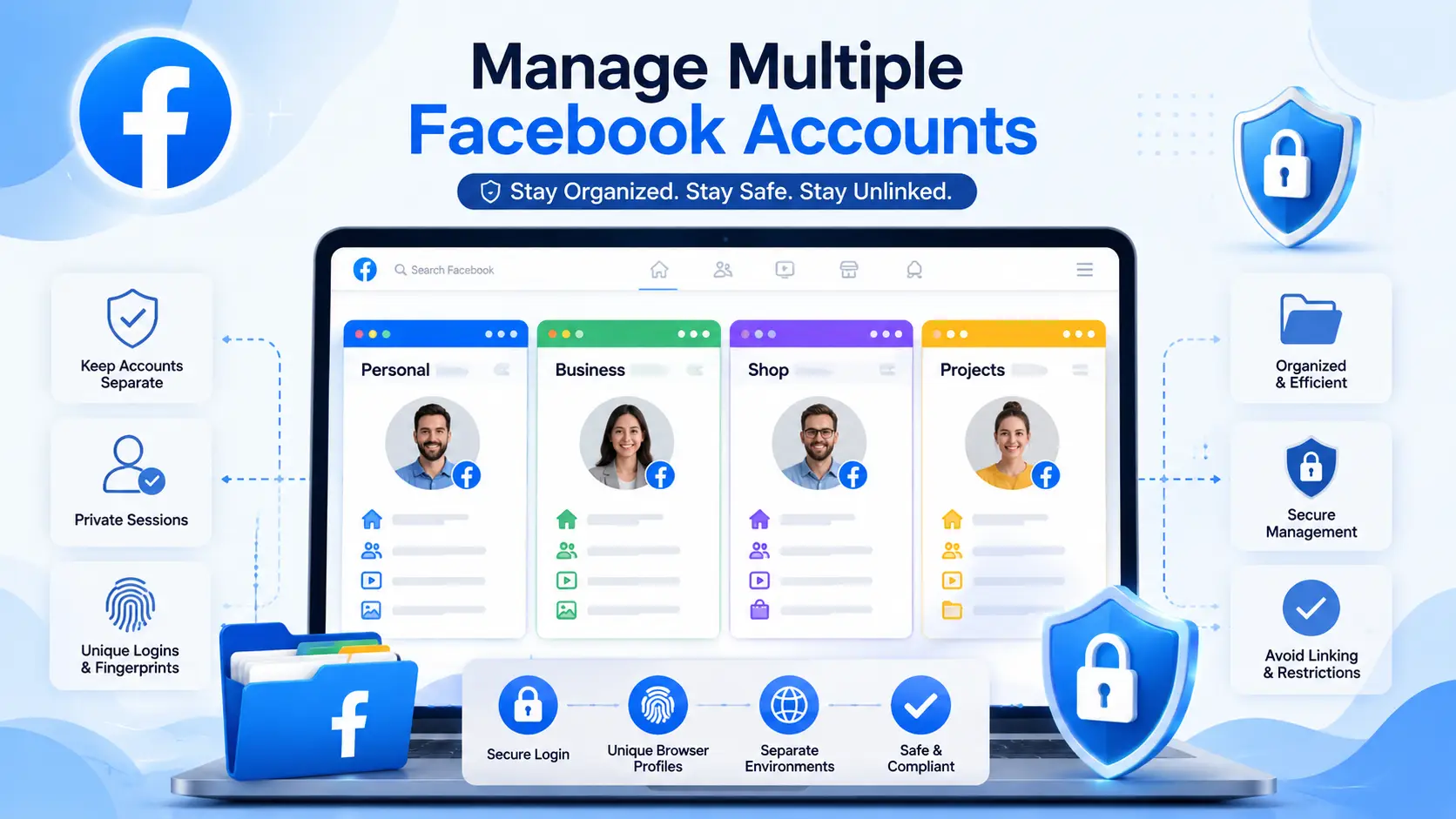
How Facebook Accounts Usually Get Linked
Before looking at different management methods, it helps to understand why accounts get linked in the first place. Facebook does not only look at your email address. It can also see patterns from your browser, device, network, and account activity. Common linking signals include:
- Using the same browser for multiple accounts: Switching between accounts in one browser can create shared login and browsing data.
- Sharing cookies, cache, and login sessions: Browser data may overlap and make accounts appear connected.
- Using similar device and browser settings: Browser version, operating system, language, and other signals can contribute to account similarity.
- Logging in from similar IPs and locations: Consistent network and location patterns across accounts can create connections.
- Repeating the same actions across accounts: Posting, liking, commenting, or joining groups in the same way can make accounts look related.
This is why managing multiple Facebook accounts is not just about creating more accounts. It is about keeping each account's environment and activity separate and consistent.
Ways to Manage Multiple Facebook Accounts
After you understand how accounts can get linked, the next question is what method you should use. The right choice depends on your goal. Managing multiple Facebook accounts for personal use is very different from managing client Pages, ads, or a full social media team.
1. Use Meta Business Suite for Pages, Ads, and Client Assets
If your main goal is to manage Pages, ads, Instagram accounts, or client assets, Meta Business Suite should come first. You do not need to create a new personal account for every brand. A real personal account can manage business assets, while team members get access based on their roles.
For example, an agency may manage five Facebook Pages for five clients. The content manager can handle posts. The media buyer can manage ads. The business owner can keep full control. This is usually a cleaner answer to how to manage multiple Facebook pages than sharing passwords or opening extra personal accounts.
2. Use Facebook Additional Profiles for Personal Separation
If you only want to separate personal interests, additional Facebook profiles may be enough. One profile can be used for friends and family. Another can be used for hobby groups or local communities. This can make your Facebook use feel more organized.
But this is not the same as full account separation. These profiles still belong to the same main account. So, if you are asking how to create multiple Facebook accounts for independent business work, additional profiles may not solve the real problem.
3. Use Separate Browser Profiles for Light Personal Use
Separate browser profiles can help if you only switch between a small number of accounts. Chrome profiles, for example, can keep bookmarks, history, passwords, and some browser settings separate. This works better than logging in and out of several accounts in the same browser window.
Still, this method has limits. It is useful for light use, such as one personal account and one small work account. But it does not give you strong control over fingerprints, network settings, team permissions, or account logs. Once the work grows, manual browser profiles can become hard to manage.
4. Use Different Devices When You Only Manage a Few Accounts
Some users keep one Facebook account on a laptop and another on a phone or tablet. This gives basic physical separation. It can work if you only manage two or three accounts and do not need a team workflow.
The problem is scale. More devices mean more cost, more charging, more updates, and more confusion. It is also hard to track who used which account if several team members are involved. This method is simple, but it is not ideal for larger business use.
5. Use Isolated Browser Profiles for Larger Multi-Account Work
For larger workflows, an antidetect browser like DICloak is often more practical than normal browser profiles. Each Facebook account can have its own cookies, cache, local storage, browser settings, and stable network setup.
This works well for agencies, ecommerce teams, ad teams, and social media managers who manage several accounts every day. The goal is not just to create more accounts. It is to keep each account in a separate, stable, and easier-to-control environment.
Common Mistakes That Get Facebook Accounts Linked
Even when you know how to manage multiple Facebook accounts without getting them linked in 2026, mistakes can still cause problems. Small habits often lead to accounts being connected in ways you do not expect.
Switching Between Accounts Too Often
Logging in and out of multiple accounts in the same browser several times a day can create shared signals. For instance, a social media manager switching between three client accounts quickly may accidentally mix cookies and cache. This can make Facebook detect multiple accounts and link them.
Using the Same Setup for Every Account
If all accounts use the same browser settings, device, or environment, they look more related. For example, running two or more accounts with the same Chrome version, operating system, and screen resolution can create overlapping signals. Even separate emails cannot prevent linking if the environment is identical.
Sharing Logins Across Team Members
Giving multiple people the same password increases risk. If a designer, advertiser, or manager logs into one account from different devices, it can appear as multiple users in the same workflow. Teams managing multiple Facebook pages should assign roles rather than sharing passwords to keep accounts separate.
Growing New Accounts Too Fast
New accounts need time to look legitimate. Adding hundreds of friends, posting repeatedly, or liking the same content as other accounts right away can trigger Facebook’s detection. People asking how to create multiple Facebook accounts using one email should understand that fast activity can increase linking risk. It is better to grow each account slowly and naturally.
How to Use DICloak for Multiple Facebook Account Management
After avoiding common mistakes, the next step is to build a cleaner workflow. For teams managing multiple Facebook accounts, normal browser profiles and extra devices can become hard to control. With an antidetect browser like DICloak, users can keep each Facebook account in a separate profile and manage daily work more clearly.
Separate Browser Profiles for Each Facebook Account
With DICloak, users can create one browser profile for each Facebook account. Each profile keeps its own cookies, cache, local storage, and browser settings. This helps reduce mixed login sessions when managing different brands, clients, or projects.

Custom Proxy Configuration for Stable Account Environments
Users can configure their own HTTP, HTTPS, or SOCKS5 proxy for each profile. This helps each account keep a more stable network setup. For Facebook account management, consistency across IP, time zone, language, and browser settings is usually better than frequent changes.

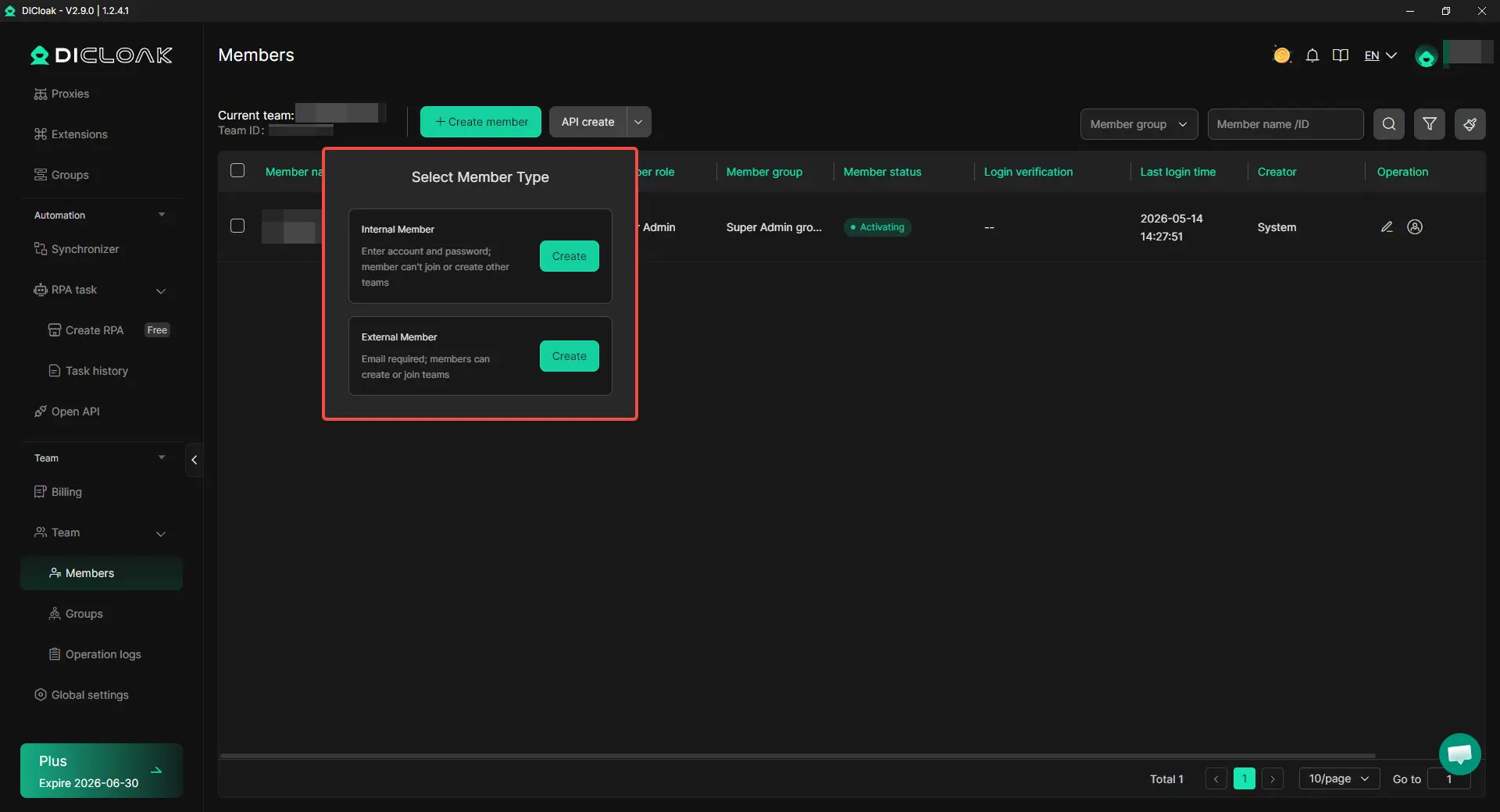
Profile Sharing and Team Permissions
Instead of sharing Facebook passwords, users can share browser profiles with team members. Admins can set permissions, assign profiles, and check operation logs. This is useful for agencies, ad teams, and social media teams that need clearer access control.
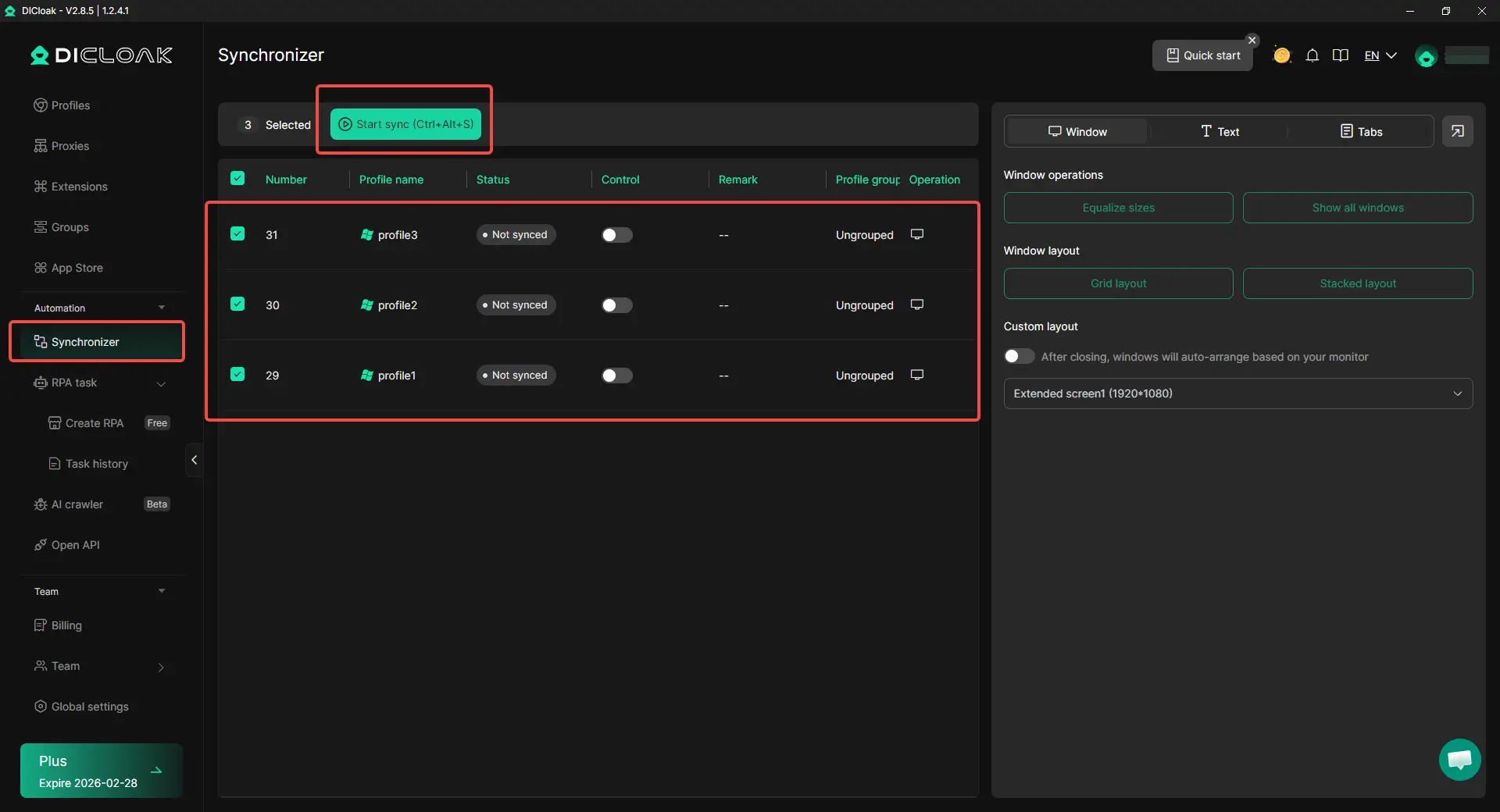
Synchronizer for Repetitive Work
For repeated tasks, users can use DICloak’s Synchronizer to operate across multiple profiles more efficiently. It works best for checks, setup steps, and routine account work. Each Facebook account should still keep natural activity and a clear purpose.
Warning Signs Your Multi-Account Setup Needs Attention
Even with a good setup, it is important to watch for signs that something is not working as expected. When managing multiple Facebook accounts, small warnings often appear before larger account issues.
Frequent Verification Requests and Security Checks
An occasional verification request is normal. However, if several accounts start asking for identity checks, login confirmations, or security reviews more often than usual, it may be a sign that your account environments are not consistent. This can happen when accounts are frequently accessed from different devices, browsers, or network setups.
Several Accounts Showing Problems at the Same Time
If one account has an issue, it may be unrelated. If multiple accounts suddenly face restrictions, login challenges, or unusual warnings at the same time, it is worth reviewing your setup. Shared browser data, similar account activity, or overlapping account environments can sometimes create unnecessary connections between accounts.
Team Activity Is Hard to Track
As teams grow, it becomes harder to know who logged in, what changes were made, and which account was used. For example, when several people manage multiple Facebook Pages or ad accounts, shared logins can quickly create confusion. If you cannot easily track account activity, it may be time to improve permissions, account organization, and workflow management.
Paying attention to these warning signs can help you adjust your setup early and continue managing multiple Facebook accounts more safely and efficiently.
Best Practices for Managing Multiple Facebook Accounts in 2026
Once you notice warning signs, do not rush to create more accounts or change everything at once. A better setup starts with stable habits. This is the core of how to manage multiple Facebook accounts without getting them linked in 2026.
Give Each Account a Clear Purpose
Each account should have a clear role. One account may handle a brand Page. Another may be used for a specific client project or ad workflow. When every account has a different purpose, the activity looks more natural and easier to manage.
This is also useful for teams learning how to manage multiple Facebook pages. For example, an agency can keep client accounts, Page access, ad work, and content tasks separated by project. This reduces confusion and helps the team avoid repeated actions across accounts.
Keep Account Environments Stable
A stable environment is better than constant changes. Keep each account’s browser profile, network setup, language, time zone, and login routine consistent. Frequent changes can make an account look less familiar and may lead to extra checks.
People often search how to create multiple Facebook accounts using one email, but the email is not the only issue. The real focus should be account quality, clean setup, and long-term consistency. This matters more than opening accounts quickly.
Enable Two-Factor Authentication
Two-factor authentication adds an extra login step when Facebook does not recognize a browser or device. This can help protect accounts from unwanted access and makes team workflows safer. Facebook also offers security checkup tools and login alerts for account protection.
For business use, make sure the recovery email, phone number, and authentication method are controlled by the right person. A team should never rely on one employee’s private phone for all account security. If that person leaves, recovery can become difficult.
Scale Slowly and Review Account Health
When managing multiple Facebook accounts, slow growth is safer than sudden expansion. New accounts should not start with heavy posting, mass friend requests, or repeated group activity. Give each account time to build normal behavior.
Review your setup often. Check whether accounts are getting verification requests, whether team access is clear, and whether Page roles are still correct. Meta allows Page access to be added, edited, or removed, which is useful for keeping business work organized as teams change.
Frequently Asked Questions about Managing Multiple Facebook Accounts
Can Facebook detect multiple accounts?
Yes. Facebook can connect accounts through browser data, device signals, IP patterns, and account activity. Keeping each account separate helps reduce linking risks.
Is it okay to have more than one Facebook account?
Facebook generally expects one personal account per person. For business needs, it is often better to manage Pages, ad accounts, and assets through Meta Business Suite.
What is the safest way to manage multiple Facebook accounts?
Use separate browser profiles, stable account settings, and clear account purposes. For larger workflows, isolated browser profiles can help keep account data separated.
Can I manage multiple Facebook Pages without creating multiple accounts?
Yes. Meta Business Suite allows one account to manage multiple Pages, ad accounts, and team members without creating extra personal accounts.
Why do Facebook accounts get linked even with different emails?
Different emails do not guarantee separation. Accounts can still appear connected if they share the same browser, device, network environment, or activity patterns.
Conclusion
Learning how to manage multiple Facebook accounts without getting them linked in 2026 is not about creating as many accounts as possible. It is about choosing the right structure for your needs and keeping each account organized. In many cases, Facebook Pages, Meta Business Suite, or additional profiles can solve the problem without requiring separate personal accounts.
When multiple account environments are needed, consistency becomes important. Separate browser sessions, stable settings, clear account purposes, and natural activity patterns all help reduce unnecessary linking risks. For larger workflows, tools such as an antidetect browser like DICloak can help keep account environments separated while making team collaboration and account management easier.
The most successful approach is usually the simplest one: give every account a clear role, avoid sharing environments, and grow accounts at a steady pace. By following these practices, managing multiple Facebook accounts can become more organized, scalable, and easier to control over the long term.
 Web Proxy Tools
 Free Tools
 Cookie Plugin
 UA Generator
 MAC Address Generator
 IP Generator
 IP Address List
 2FA Code Generator
 World Clock
 Anonymous Check
 WebRTC Leak Test
 UUID Generator
 Free Web Proxy Site
 Proxy Checker
 FB Ad Checker
 AI Web Scraping
 Free SMM Tools
 Twitter Shadowban Checker
 Instagram Name Checker
 UTM Generator
 Username Generator
 AI Hashtag Generator
 LinkedIn Headline Generator
 Social Media Image Resizer