In 2026, YouTube remains one of the most popular platforms to make money online. Millions of creators upload videos every single day hoping to build a sustainable income. However, predicting your exact monthly earnings is tricky. You cannot simply guess your revenue because advertisers pay vastly different rates depending on your content, audience, and video length. A YouTube earning calculator solves this problem by turning your raw channel stats into a clear revenue forecast. This guide will help you understand how these tools work, what features matter most, and which top ten calculators offer the best experience in 2026.
What Factors Should You Consider Before Choosing a YouTube Earning Calculator?
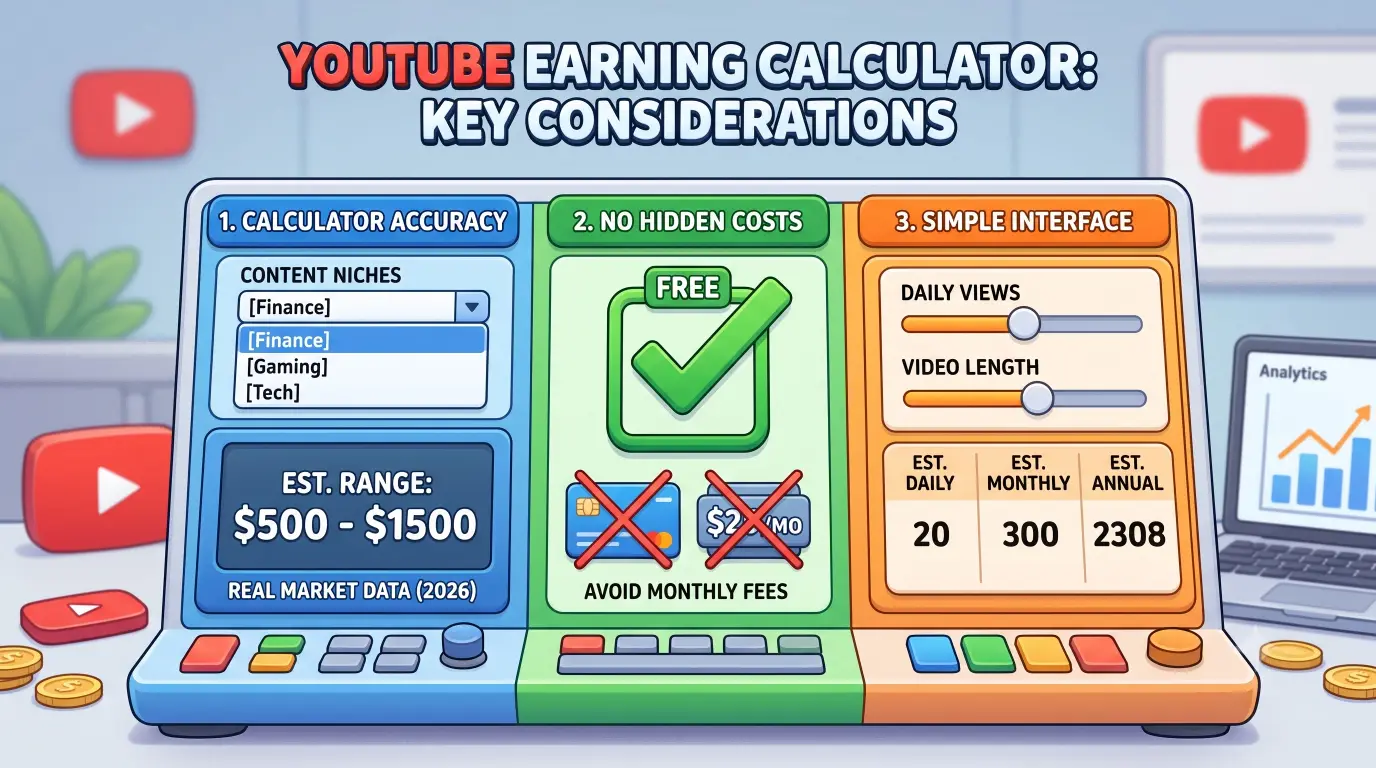
Finding the right revenue calculator takes a little bit of care. You want a tool that relies on real market data rather than wild guesses.
- Calculation Accuracy: The primary feature of any tool is accuracy. Basic calculators just multiply your total view count by a single fixed number, which is often misleading. A reliable calculator accounts for your specific content niche. For example, a personal finance channel teaching people how to invest money can easily earn $10 to $15 for every 1,000 views. In contrast, a gaming channel might only make $2 for the exact same number of views. The best tools update their estimates for 2026 ad rates and provide a realistic high and low range.
- Hidden Costs or Fees: You should never have to pay money just to get a basic earnings estimate. Many excellent calculators are available completely free online. While some premium platforms charge a monthly subscription fee for extra services like channel audits or competitor tracking, you can easily find a free tool that gives you accurate estimates without asking for a credit card.
- User Interface Simplicity: A great calculator must be easy to navigate. You should not need advanced technical skills to operate it. Look for tools with clean layouts where you can simply adjust sliders or type in your daily view counts. The tool should display your daily, monthly, and yearly projections on a single screen without unnecessary page reloads.
Why Do Some Calculators Provide Different Earnings Estimates?
If you enter the exact same view count into three different calculators, you will likely get three different estimates. This situation happens frequently because each platform relies on different underlying assumptions.
- Algorithm Differences: Every tool uses its own mathematical formula. Some calculators display Gross Revenue, which represents the total amount advertisers pay to YouTube. Other tools display your RPM (Revenue Per Mille), which is the actual cash you keep after YouTube deducts its 45% creator fee. Always verify whether a tool shows gross or net earnings so you know what money will actually land in your bank account.
- Regional Viewership Differences: Where your viewers live plays a massive role in your total earnings. Advertisers pay much higher rates to reach audiences in countries like the United States, Canada, Australia, and the United Kingdom. If 100,000 people in the US watch your video, you might earn $800. If 100,000 people in a lower-income market watch the exact same video, you might only make $100. Advanced calculators ask for viewer geography, while simple tools rely on a global average.
- Key Engagement Metrics: Views alone do not tell the whole story. Watch time and video length are far more important. If a viewer leaves your video after ten seconds, no ads play and you earn nothing. If they stay for ten minutes on a long video, YouTube can display multiple mid-roll ads. Calculators that account for average watch time and video duration provide far more reliable figures.
How to Use a YouTube Earning Calculator Effectively
To get useful answers from an earning calculator, you must feed it clean, accurate information from your own account.
- Required Data Inputs: Open your YouTube Analytics dashboard and gather your real performance numbers. You need your average daily or monthly views, your primary video niche, your top viewer locations, and your average video length. Entering real data prevents the tool from generating unrealistic projections.
- Update Frequency: Your channel stats change constantly throughout the year. You should input fresh numbers into your preferred calculator every 30 days. Advertising budgets spike in November and December for the holiday shopping season, causing creator earnings to rise. In January, advertising budgets drop sharply. Regular updates help you track these natural seasonal trends so you can manage your personal budget safely.
- Mistakes to Avoid: The most common mistake new creators make is using a single viral video as their daily average view count. Always use a balanced 28-day average to keep your figures realistic. Additionally, remember to account for ad-blockers, as a percentage of your audience will never see ads or generate revenue.
Comparing Popular YouTube Earning Calculators
To help you make an informed choice, we tested and analyzed the top ten YouTube earning calculators available in 2026. Below is a detailed breakdown of each platform, exploring their primary features, pros, and cons so you can select the tool that best fits your workflow.
1. SocialBlade YouTube Money Calculator
SocialBlade is one of the most recognized analytics and tracking platforms on the web. It allows users to search for virtually any public YouTube channel and view historical growth charts alongside basic financial estimates.
- Pros: SocialBlade automatically imports actual view counts directly from YouTube, eliminating the need to type in numbers manually. It lets you monitor subscriber growth trends and analyze competitor performance for free. It is ideal for conducting quick high-level market research across different channels.
- Cons: The platform uses a very wide default CPM range, typically spanning from $0.25 up to $4.00. As a result, its monthly earning estimates often show huge gaps, such as predicting a channel will make anywhere between $300 and $4,800. This wide margin makes precise financial planning difficult. Furthermore, it does not allow you to filter by specific video niches or audience locations.
2. Influencer Marketing Hub YouTube Calculator
Influencer Marketing Hub offers a visual, web-based tool designed specifically for content creators and digital marketers seeking fast, intuitive calculations.
- Pros: The interface is exceptionally clean and user-friendly. Users can simply move interactive sliders to adjust daily view counts and estimated click-through rates. The tool calculates daily, monthly, and yearly income instantly on screen without requiring an account or software download.
- Cons: The tool relies heavily on broad global average CPM figures. It does not let creators specify their primary target countries, which can result in overly optimistic numbers if your main audience resides in lower-paying regions. It also fails to account for video length or mid-roll ad placements.
3. NoxInfluencer Channel Calculator
NoxInfluencer is a data-driven platform built for creators, agencies, and brands looking to evaluate channel value and influencer partnerships across international markets.
- Pros: NoxInfluencer excels at regional data analysis, allowing users to adjust revenue expectations based on specific target countries. In addition to calculating standard YouTube ad earnings, it provides estimated price quotes for brand sponsorships. This dual feature helps business-minded creators understand their true total earning potential.
- Cons: The dashboard contains a massive volume of charts, scores, and metrics, which can feel cluttered and intimidating for beginners. Navigating the layout on mobile devices can be cumbersome, and some advanced global reports require a paid subscription.
4. TubeBuddy Valuation Tool
TubeBuddy is a popular browser extension that integrates directly into your YouTube Studio dashboard, offering tools for video optimization, keyword research, and channel evaluation.
- Pros: Because TubeBuddy connects directly to your channel analytics, its financial estimates are grounded in your actual historical data. It understands your exact video length, audience retention, and geographic viewer breakdown, making its 2026 predictions highly accurate. It also provides actionable recommendations to improve your titles and tags for higher RPM keywords.
- Cons: Accessing the feature requires installing a browser extension and granting account permissions. While a basic free plan is available, many of the advanced financial insights and high-level optimization features are locked behind monthly subscription tiers.
5. vidIQ Revenue Insights
vidIQ is a major channel management platform focused on audience growth, search engine optimization, and tag optimization for digital creators.
- Pros: vidIQ is outstanding for researching keyword profitability before you film a video. It helps creators discover high-CPM topics with high search volume and low competition. Its intuitive layout displays video performance scores right alongside the YouTube player, helping you understand what drives revenue growth.
- Cons: The standalone earning calculator is treated as a secondary feature rather than a core focus. The platform puts most of its emphasis on views, search rankings, and engagement rather than detailed accounting. Unlocking deep keyword financial data requires a paid monthly membership.
6. HypeAuditor YouTube Calculator
HypeAuditor is an enterprise-grade analytics suite used primarily by advertising agencies, talent managers, and major consumer brands to analyze influencer accounts.
- Pros: HypeAuditor offers audience demographic data, breaking down viewer age, gender, and precise geographic distribution. This high-level detail allows the calculator to generate professional financial reports that carry strong credibility when pitching to corporate sponsors.
- Cons: The platform is designed for corporate budgets and is very expensive for individual creators. The free web tier offers limited functionality, hiding detailed revenue breakdowns behind a paywall. Additionally, small or newly established channels may not yet exist in its database.
7. Youtubers.me Earning Tracker
Youtubers.me is a public database that archives long-term growth and historical revenue statistics for millions of YouTube channels worldwide.
- Pros: It is a helpful resource for examining historical earning trends over several years. Creators can look up established channels in their niche to observe how seasonal changes impact annual paychecks. It also provides broken-down estimations on an individual video level.
- Cons: The website interface features frequent banner ads and feels outdated compared to modern web tools. Its underlying valuation formulas can lag behind recent platform shifts, such as the rapid growth of YouTube Shorts monetization.
8. Omni Calculator (YouTube Money Calculator)
Omni Calculator is a custom calculation website that hosts thousands of specialized mathematical tools, including a flexible YouTube revenue calculator.
- Pros: This tool offers complete control over your inputs. Rather than relying on rigid presets, you can manually input your expected CPM, click-through rates, and estimated ad-blocker usage percentages. It is ideal for creators who enjoy tweaking exact variables to model different financial scenarios.
- Cons: The manual setup requires you to already know your channel's specific performance stats. Beginners who do not know their baseline CPM or viewer skip rates may end up entering inaccurate numbers, leading to unreliable outputs.
9. Promo.com YouTube Calculator
Promo.com is a web platform specializing in video creation software, offering a lightweight earnings calculator as a free resource for creators.
- Pros: The tool is fast, free, and opens instantly in any web browser. Its responsive design allows users to test different view counts in seconds, making it handy for quick back-of-the-napkin calculations.
- Cons: The calculation logic is basic. It applies a uniform formula across all inputs without taking into account video duration, mid-roll ad density, content niche, or geographic audience split.
10. MediaCube Calculator
MediaCube is a global creator network and financial service provider that helps digital talent manage earnings, cross-border payments, and channel scaling.
- Pros: Built on real payment data gathered across thousands of partnered channels, MediaCube offers highly accurate 2026 RPM projections. It accounts for emerging formats, including dedicated revenue breakdowns for long-form content versus YouTube Shorts.
- Cons: The tool is tailored primarily toward monetized creators with consistent traffic. Brand-new channels with minimal view counts may find the estimates less applicable. The website also frequently prompts users to sign up for MediaCube's partner network services.
What Risks Are Involved in Relying on Earning Calculators?
While calculators serve as excellent planning tools, you must keep their inherent limitations in mind before making major financial decisions.
- Overconfidence Risks: High income estimates can create a false sense of financial security. If a tool projects an upcoming monthly payout of $6,000, a creator might be tempted to make large purchases on credit. If view counts drop unexpectedly, you could be left with debt. Always wait until ad revenue reaches your bank account before spending it.
- Financial Protection: Smart creators always plan their finances around conservative estimates. If a calculator gives a projection range between $1,500 and $3,000, build your monthly budget around the $1,500 baseline. Treat any money earned above that minimum as a bonus. It is also wise to diversify your income streams by building merchandise sales, sponsorships, and digital products so you are not solely reliant on ad rates.
- Tool Limitations: Calculators cannot predict sudden algorithm shifts or policy updates. If YouTube changes how it recommends content in your niche, your traffic can fluctuate quickly. Calculators also cannot account for manual copyright claims or demonetization flags, which eliminate ad earnings on affected videos regardless of view counts.
How Can You Maximize Your YouTube Earnings in 2026?
Increasing your channel's financial return requires a clear content strategy aimed at optimizing your overall RPM.
- Content Strategies: Focus on producing videos longer than eight minutes. Reaching this duration threshold unlocks the ability to place manual mid-roll ads throughout your content, which can double your total ad impressions. Furthermore, consider creating content around high-paying topics such as software tutorials, business management, or personal finance, as these topics attract premium advertiser bids.
- Audience Engagement: Audience interaction directly feeds YouTube's recommendation engine. When viewers like, comment, share, and watch a video to completion, the platform pushes the content to broader audiences. Higher watch time signals to advertisers that your viewers are highly attentive, encouraging premium ad placements.
- Upload Consistency: Maintaining a regular publishing schedule keeps your audience coming back. A loyal subscriber base provides reliable baseline views every time you upload. Over time, a consistent publishing schedule builds a deep library of evergreen videos that continue earning passive ad revenue years after publication.
Are There Better Alternatives to YouTube Earning Calculators?
Calculators provide quick estimates, but other solutions offer deeper value for long-term channel management.
- Financial Advisors: A qualified accountant or financial advisor evaluates your entire financial picture. They help you structure your creator business, manage taxes, and set up retirement accounts. An online calculator can never replace professional accounting guidance if your channel generates full-time income.
- Analytics Platforms: Dedicated channel growth tools like TubeBuddy or vidIQ focus on actionable performance data. Instead of simply estimating revenue, they help you optimize titles, tags, and publishing times to drive higher traffic.
- Community Insights: Connecting with fellow creators in online forums or creator groups provides valuable real-world context. Peer communities share current RPM trends, warn each other about late-paying sponsors, and offer practical solutions for common channel challenges.
Managing multiple YouTube channels or scaling regional content operations often requires running distinct digital environments. You can utilize DICloak to streamline these multi-account workflows safely without triggering security bans or account linkings.
- Manage Multiple Accounts Securely: Successful digital media businesses often operate multiple specialized YouTube channels across different niches or languages. You can leverage DICloak to establish isolated browser profiles for every channel, ensuring each profile possesses a unique digital fingerprint. This isolation allows you to switch between accounts on a single device without raising security flags on online platforms.
- Optimize Regional Content Strategies: Targeting audiences in high-CPM countries like the US or UK often requires localized account management. You can configure individual proxy settings within DICloak profiles to manage localized accounts effortlessly. This setup allows you to view localized search results and research international market trends anonymously while keeping your core operations protected.
- Streamline Account Analytics and Updates: Growing a multi-channel operation usually involves working with remote video editors, managers, or SEO specialists. You can share isolated browser profiles across your team within DICloak while customizing member permissions. Your team members can log in to update video details or check channel analytics without ever exposing master account passwords or sensitive credentials.

Frequently Asked Questions about YouTube Earning Calculators
How Often Should I Use a YouTube Earning Calculator?
Checking a revenue calculator once a month is a good habit. It helps you monitor seasonal ad rate shifts and evaluate whether new content topics are yielding higher returns.
Do Calculators Work for All Types of Content?
Most calculators focus on long-form content. However, modern tools in 2026 include specific options for YouTube Shorts. Because Shorts earn revenue through a shared pool model at lower rates, you should use tools that calculate Shorts traffic separately.
What Should I Do If My Earnings Are Lower Than Expected?
First, review your audience geography in YouTube Analytics to see where your views come from. Second, try creating longer videos to enable mid-roll ads. Finally, focus on improving your video thumbnails and titles to increase your click-through rate.
Are Free Calculators as Reliable as Paid Ones?
Yes, many free calculators provide very reliable estimates. They use updated industry CPM benchmarks to calculate revenue. Paid tools generally charge for extra workflow features, such as competitor tracking or automated channel auditing, rather than better basic math.
Can Calculators Predict Long-Term Earnings?
No. Calculators are designed for short-term modeling based on current view averages. Because platform algorithms, viewer habits, and advertising rates change over time, use calculators for three-to-six-month budget planning rather than multi-year forecasts.
Conclusion
A YouTube earning calculator is a valuable asset for content creators in 2026. It converts complex channel metrics like views, watch time, and retention into actionable financial projections. By understanding how factors like audience geography and video duration influence your RPM, you can make informed decisions about your content strategy. Explore popular tools like SocialBlade, TubeBuddy, or MediaCube to find the layout that fits your workflow best. Combine accurate estimation tools with sound business management, secure profile tools, and engaging video production to build a sustainable, profitable YouTube career.
 Web Proxy Tools
 Free Tools
 Cookie Plugin
 UA Generator
 MAC Address Generator
 IP Generator
 IP Address List
 2FA Code Generator
 World Clock
 Anonymous Check
 WebRTC Leak Test
 UUID Generator
 Free Web Proxy Site
 Proxy Checker
 FB Ad Checker
 AI Web Scraping
 Free SMM Tools
 Twitter Shadowban Checker
 Instagram Name Checker
 UTM Generator
 Username Generator
 AI Hashtag Generator
 LinkedIn Headline Generator
 Social Media Image Resizer