A single mistake with browser fingerprints can get a whole ad team banned overnight, Meta’s enforcement wiped out hundreds of agency accounts in December 2025, just because their profiles looked too similar. For anyone handling multiple accounts on platforms like Facebook, Google, or TikTok, the difference between safe and risky often comes down to details that are easy to miss: device fingerprints, proxy leaks, and permission sprawl. Most people searching for the best antidetect browser think any tool that “changes your fingerprint” is good enough. But platforms now use much deeper checks, like tracking WebGL noise, session handoffs, or whether your team is really isolated from each other.
What actually matters is not the feature list, but whether the browser gives you real control over risk: can you assign unique fingerprints and proxies per account, log every action for audit, and share accounts without leaking data between profiles? Tools like DICloak are built from the ground up for these jobs, but there’s no one-size-fits-all answer for every team or workflow. The right pick depends on how you work, who’s involved, and what happens when things break.
If you want to avoid silent bans, lost budgets, or messy team handovers, it’s time to look past the usual “anti-detect” claims. Here’s what users who actually run multi-account setups now check, before they trust any browser with real assets.
What Should You Check Before Picking an Antidetect Browser?
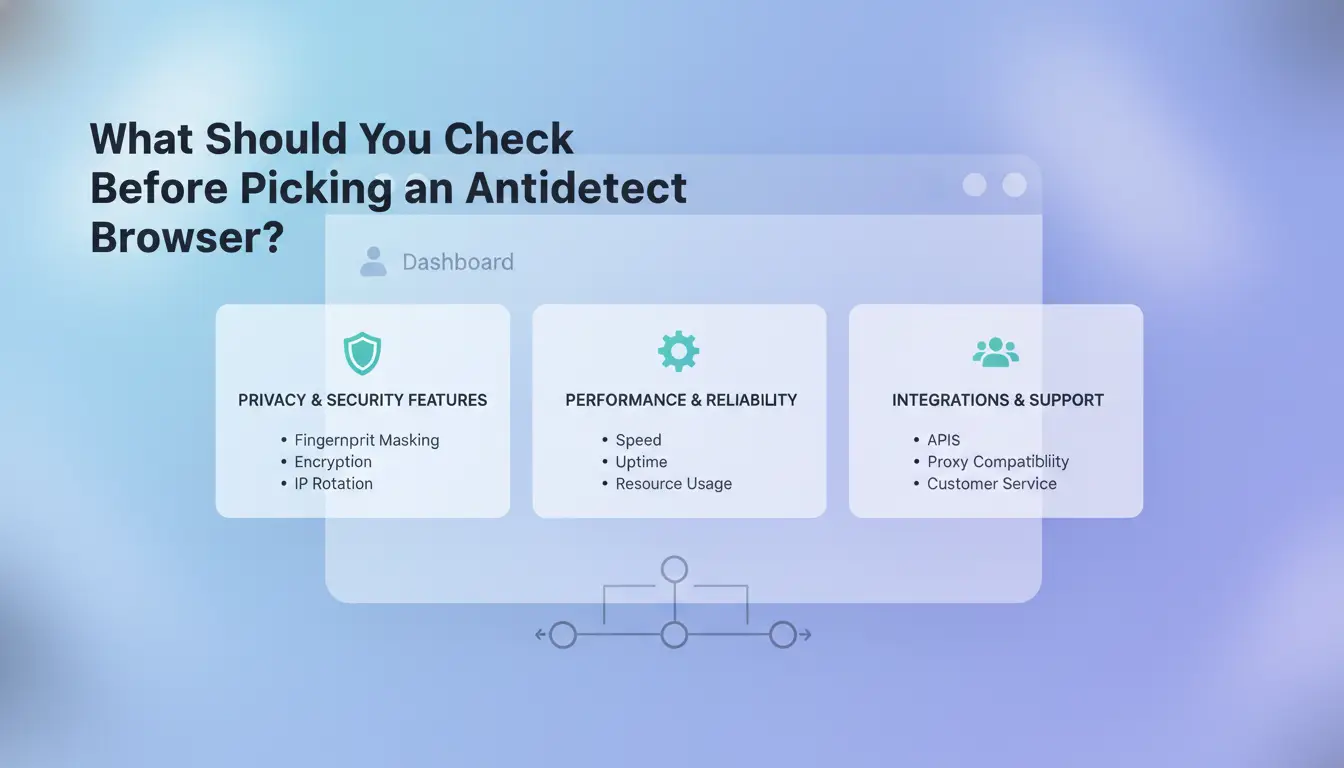
Choosing the best antidetect browser is not about chasing the longest feature list. What matters is whether the tool can actually keep your accounts safe and your team workflows clean. Before you commit, focus on how the browser handles fingerprinting, account isolation, and proxy integration. The wrong choice can mean silent bans, account leaks, or wasted budgets. Here’s how experienced users judge what’s real and what’s risky.
Sites don’t just check your IP, they track dozens of hidden signals. Browser fingerprinting uses device traits, screen sizes, installed fonts, and even GPU details to spot patterns. If you run multiple accounts with the same fingerprint, platforms like Facebook and Google can link and block them fast. A browser that can fully customize and isolate these signals per profile is now a baseline for any multi-account setup.
Core Features That Actually Reduce Detection Risk
A safe antidetect browser should let you set unique fingerprints for each account. This means simulating different systems, locations, and browsing histories. Proxy integration must support bulk setup and flexible management, don’t settle for tools that only handle simple proxies. You need logs, audit trails, and strict separation between users. If the browser can’t guarantee profile isolation and proxy control, it’s not worth your assets.
Why Do Some Accounts Still Get Banned Even with Antidetect Browsers?
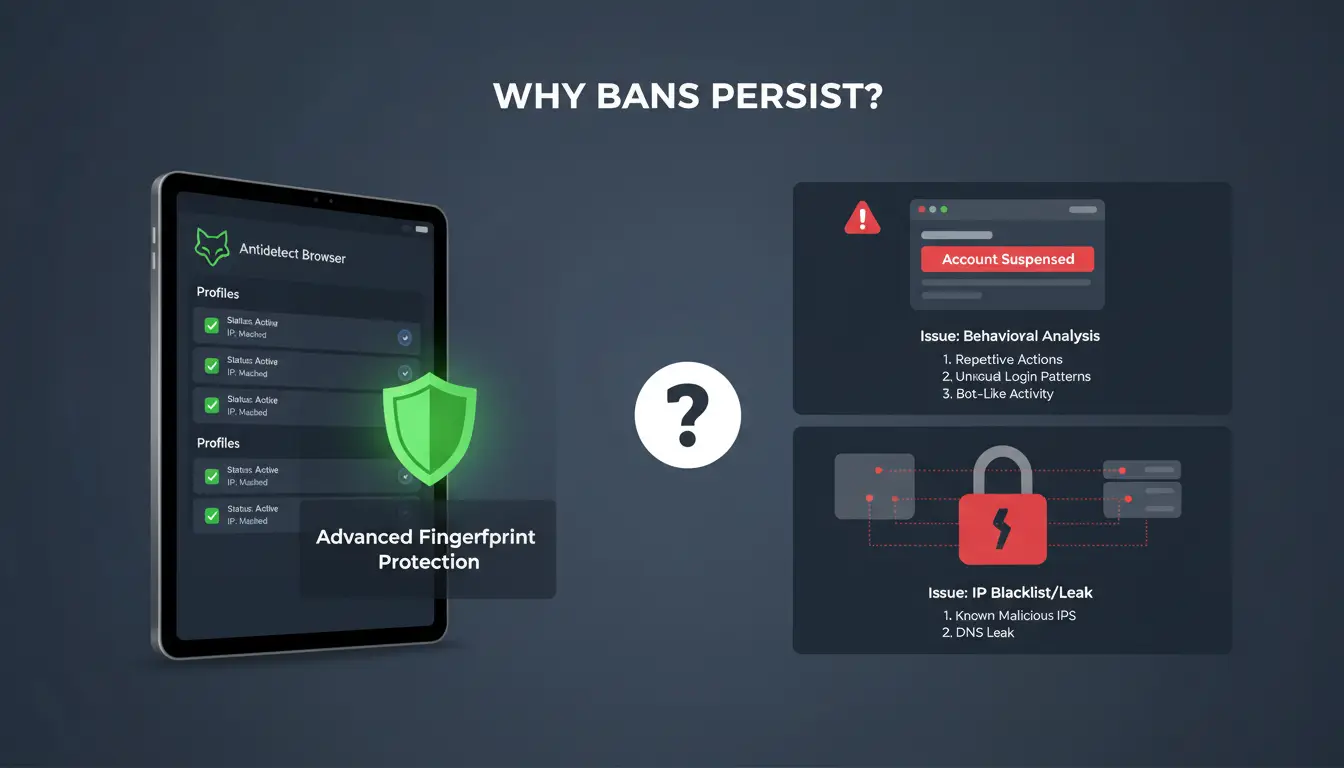
Even the best antidetect browser won’t block every ban. Platforms now dig much deeper than just browser fingerprints. If you’re seeing bans despite using advanced tools, the real problem is usually in the details most users skip.
Most Overlooked Mistakes That Trigger Detection
Reusing the same proxy or browser fingerprint across accounts is a common trap. It only takes one overlap for a platform to catch a pattern. Changing a few settings isn’t enough, some users forget to rotate device types, or they log in from the same network too often. Another big mistake is copying and pasting content or links between accounts. That can link profiles faster than any fingerprint. Even small details count. For example, setting up all accounts in the same time zone or never changing usage hours looks fake to detection systems.
How Platforms Detect Multi-Accounting in 2026
Platforms now use more than just browser and IP checks. They watch for how you move, click, and type. Advanced algorithms spot if two accounts always act in sync, or if a login location doesn’t match past behavior. They might even track mouse speed and scroll patterns. This means you can have the "best antidetect browser" on paper, but one missed step in behavior can still get you banned. Teams now use tools like DICloak to assign unique proxies, randomize actions, and log all changes for audits. Even then, human error remains the weak link.
What Features Separate the Best Antidetect Browsers from the Rest?
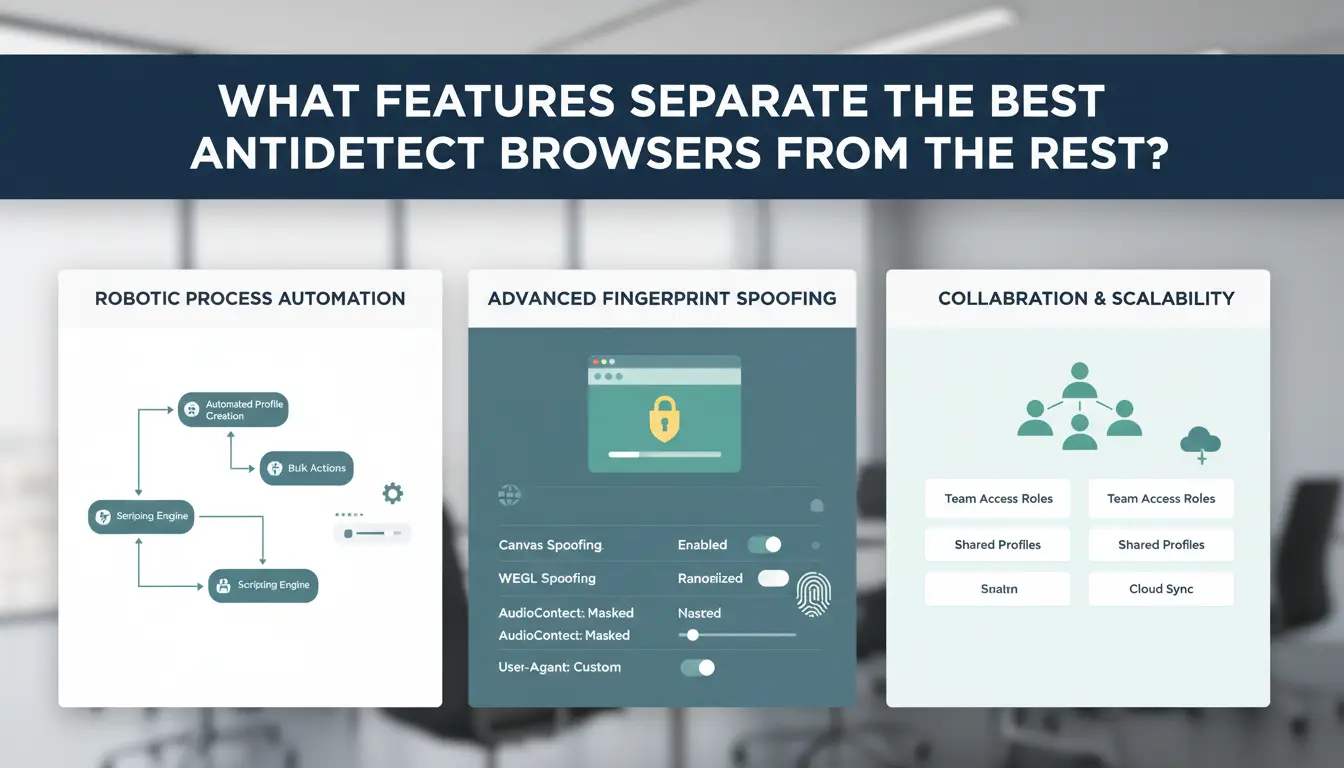
Picking the best antidetect browser means looking past flashy promises and checking what actually keeps your accounts safe and your team working smoothly. Not every tool that claims to hide your identity does the job when you run real budgets or handle dozens of accounts. Here’s what to look for before trusting any browser with your assets.
Fingerprint Control: What You Need and What’s Overkill
The basics matter most, control over user agent, timezone, language, WebGL, and screen resolution is non-negotiable for long-term use. Browsers that let you adjust these per profile cut down on linkages that trigger bans. But some tools market deep fingerprint tweaks that sound advanced but actually flag your setup as suspicious. Too much randomization can harm more than help. The real advantage is consistent, believable fingerprints, not endless sliders.
Assigning a unique proxy to each profile is what stops one flagged account from risking them all. Look for browsers that let you bind proxies on a per-profile basis and support HTTP/HTTPS and SOCKS5. True isolation also means browser cookies, storage, and history never cross between accounts. Without this, even the best antidetect browser will fail under basic anti-fraud checks. DICloak and similar tools handle proxy pools and keep profiles truly separate, which is why teams managing 100+ accounts trust them.
How to Test If Your Antidetect Browser Setup Is Really Working
Getting fooled by a fake “best antidetect browser” is easy if you never test what’s actually showing up to websites. Before you risk real accounts, it’s smart to check if your browser setup hides you as well as you think.
Fingerprint Testing: Tools and Methods
You can use online fingerprint checkers like Pixelscan.net, CreepJS, or BrowserLeaks to see what data your browser leaks. Open your antidetect browser with a new profile and run these tests. A “clean” result means the tool sees a unique browser fingerprint, not matching your real device or other profiles. Watch for signs like duplicate WebGL hashes, missing time zones, or shared IPs, those mean your setup is not unique enough. If your fingerprint looks too generic or repeats, your accounts are at higher risk of detection.
Simulating Real-World Scenarios Safely
Don’t skip real-world checks. Use a new dummy account instead of risking your main one. Log in on big platforms (like Facebook or Telegram), then try the actions you’d normally do, posting, joining groups, or switching profiles. Track if you see sudden CAPTCHAs, phone verification popups, or get soft bans. Frequent triggers usually mean your “antidetect” setup is leaking info or reusing fingerprints. Fix problems before going live, or switch tools. This is how real teams judge if they have the best antidetect browser for their workflow.
When and How to Scale Multi-Account Operations Without Raising Flags
Scaling up means more than just adding accounts, it means controlling risk at every step. If you try to manage dozens or hundreds of accounts without a real plan, silent bans or mass lockouts are almost guaranteed. The best antidetect browser is the one that lets you keep every account separate and trace what happens if something goes wrong.
Batch Operations and Automation: What’s Safe, What’s Not
Automation is tempting, but bulk actions can trigger platform alarms fast. Safe scaling means changing only one thing at a time: don’t import 50 accounts and log in from the same IP or device fingerprint. Instead, assign a unique proxy and profile for each account. For example, DICloak lets you do this in bulk while keeping profiles isolated. Automation tools should add delays, randomize actions, and avoid obvious patterns. Every platform (like Facebook, Instagram, Telegram) has its own limits, test small batches and watch for warnings before growing.
Team Collaboration and Permission Control
Sharing account access is risky if you don’t control who sees what. Never let team members use the same browser profile or fingerprint. Use tools with granular permissions, each user gets their own login, and you set what they can see or do. Audit logs matter: if something breaks, you need to know who did what, and when. The best antidetect browser for teams will log every action, making it much easier to catch mistakes early and keep accounts safe.
How DICloak Helps Teams and Power Users Run Accounts More Safely
Isolated Profiles, Proxy Integration, and Bulk Tools in Action
Most bans and account linkages happen when teams reuse browsers, IPs, or device fingerprints. Tools like DICloak let you create over 1,000 isolated browser profiles on a single device, each with its own unique fingerprint and proxy. You can launch accounts in bulk and swap proxies without leaks, no extra hardware needed. That’s why experienced teams now call this the best antidetect browser for real-world multi-account work.
Team Collaboration, Permission Control, and RPA Automation
Running accounts with a team brings new risks, wrong people getting access, or someone making a bad click. DICloak covers this with profile sharing, permission control, and operation logs. You can assign roles, give limited access, and track every action for audit. Built-in RPA tools let you automate repeat tasks, like logins or posting, so you skip manual mistakes and save hours each week.
Free vs Paid Antidetect Browsers: What’s Worth Paying For?
Free antidetect browsers look tempting for anyone starting out. Most offer basic profile isolation and simple fingerprint tweaks. But the gap shows up fast once you try real multi-account work or team sharing.
Limitations of Free Tools
Free options almost always cap profiles, often 3 to 10 at most. That means you run out of slots quickly, especially for team use or bulk operations. Security features are minimal: you rarely get encrypted storage, reliable profile syncing, or detailed audit logs. Automation is nearly absent; you handle logins, routine actions, and account handovers by hand. Without custom proxy assignment per profile, you risk cross-linking accounts. Free tools rarely support more than one operating system or device type. If you’re managing valuable assets, these limits matter more than the price.
| Feature |
Free Tools |
Paid Tools |
| Profiles per device |
3–10 |
1000+ |
| Fingerprint customization |
Basic |
Advanced |
| Proxy per profile |
Limited |
Full control |
| Team collaboration |
None |
Full features |
| Automation (RPA) |
None |
Built-in |
Table: Typical feature differences. DICloak pricing starts from $15/month.
When Paid Solutions Save Time and Reduce Risk
Paid browsers unlock scaling and safer workflows. You can run hundreds or thousands of accounts with full fingerprint and proxy control. Tools like DICloak give teams permission management, shared profiles, and operation logs. Built-in automation cuts manual work, especially for repetitive tasks. If your assets are at risk, paying for the best antidetect browser keeps your accounts safer and saves hours every week. Support and updates mean problems get fixed fast, not left for you to solve.
How to Avoid Common Pitfalls When Using Antidetect Browsers
Even users who pick the best antidetect browser can run into bans, leaks, or wasted hours if they skip the basics. Most mistakes happen not because the browser is missing features, but because teams miss key details in setup and daily use. Here’s how to avoid the traps that real users report most often.
Security Hygiene and Data Protection
The single biggest cause of account bans is letting cookies, passwords, or session tokens cross from one profile to another. Always keep each account in a separate profile, and never copy data between them, even by accident. Use tools that encrypt stored credentials and cookies, so even if someone gets device access, they can’t steal accounts. For teams, browsers like DICloak let you assign permissions and log every action, so you always know who did what. If you skip proper profile isolation, you risk silent bans or even full account loss.
Keeping Up with Platform Policy Changes
Platforms like Facebook and Google change their detection methods without warning. If your browser setup stays static, even the best antidetect browser won’t keep you safe for long. Watch official policy updates and user forums, and adapt your fingerprints or proxy choices as soon as new blocks appear. Some tools let you update browser core versions or script changes in bulk, use these to stay ahead. Missing one policy change can mean every account gets flagged overnight.
For more details on browser safety, see Wikipedia’s Browser Fingerprinting and DICloak’s official page.
Frequently Asked Questions
Is using the best antidetect browser legal in my country?
The legality of using the best antidetect browser depends on where you live and how you use it. Some countries ban tools that hide your online identity. Also, platforms like Facebook or Amazon may restrict multi-accounting. Always check your local laws and the platform’s terms of service before using the best antidetect browser.
Can I use the best antidetect browser for social media or e-commerce accounts?
Yes, you can use the best antidetect browser to manage social media or e-commerce accounts. Make sure to follow platform rules to avoid bans. Many users rely on features like fingerprint masking and profile isolation. Still, breaking site policies can result in account suspension or permanent bans.
How many accounts can I safely run with one antidetect browser?
The number of accounts you can manage depends on the best antidetect browser’s profile isolation, your proxy setup, and the platform’s rules. For example, some browsers allow hundreds of profiles, but e-commerce sites like eBay often limit users to a few accounts. Always match each account with a unique proxy and browser profile.
Do I need a proxy with my antidetect browser for full anonymity?
Yes, using a proxy with your antidetect browser is essential for strong anonymity. A proxy changes your IP address, making each account look like a real user from a different location. Without a proxy, even the best antidetect browser can’t fully protect you from account links or bans.
What’s the difference between an antidetect browser and a privacy browser?
The best antidetect browser is built for running many accounts without linking them. It masks fingerprints and creates separate browser profiles. A privacy browser, like Brave or Firefox, focuses on blocking ads and trackers for one user, but doesn’t offer the same level of multi-account isolation.
Choosing the best antidetect browser comes down to balancing advanced fingerprint protection, ease of use, and reliable performance. With the right tool, you can safeguard your online activities and simplify your workflow across multiple accounts. Try DICloak For Free
 Web Proxy Tools
 Free Tools
 Cookie Plugin
 UA Generator
 MAC Address Generator
 IP Generator
 IP Address List
 2FA Code Generator
 World Clock
 Anonymous Check
 WebRTC Leak Test
 UUID Generator
 Free Web Proxy Site
 Proxy Checker
 FB Ad Checker
 AI Web Scraping
 Free SMM Tools
 Twitter Shadowban Checker
 Instagram Name Checker
 UTM Generator
 Username Generator
 AI Hashtag Generator
 LinkedIn Headline Generator
 Social Media Image Resizer