ChatGPT reached 100 million monthly active users about two months after launch, based on UBS estimates reported by Reuters. Yet the same question still shows up in search, forums, and team chats: what is chatgpt and how it works. People can use it daily and still feel unsure about what is happening under the hood.
This guide gives you a clear mental model you can keep. You will learn what ChatGPT is in plain terms, how a prompt turns into a response, where answers can fail, and what changes when you use the web app versus the OpenAI API. You will also see the core ideas behind large language models without math-heavy jargon, plus the practical limits listed in OpenAI’s ChatGPT product page. By the end, you should be able to explain ChatGPT to a beginner, spot common myths, and use it with better expectations. Start with the basic definition, then build up to the response process step by step.
What is ChatGPT, exactly, and what can it do today?

If you are asking what is chatgpt and how it works, keep this simple: ChatGPT is a chat assistant built on a GPT language model. The model predicts likely next words from your prompt, then the app wraps that model with chat history, tools, and safety rules. It sounds confident, but each reply is still a probability-based guess, not a checked fact.
ChatGPT in plain English: model, interface, and assistant behavior
| Part |
What it is |
What you notice |
| Model |
Core AI that predicts text |
Fast drafting, coding help, summaries |
| App |
Chat interface around the model |
Memory in a session, buttons, file uploads |
The “human” tone comes from training on patterns in language and dialogue. It does not think like a person. It maps your input to likely output. That is why one prompt can produce slightly different answers across tries.
What GPT means and why it matters for language tasks
GPT stands for Generative, Pre-trained, Transformer. Generative: it creates new text. Pre-trained: it learned language patterns before you asked anything. Transformer: the model design that handles context across tokens.
Pretraining is why it can answer broad questions, rewrite tone, explain code, and translate style without task-specific setup. You can read model basics in large language models.
Common use cases: writing, coding, learning, summarizing, and planning
Strong use cases: draft emails, outline docs, explain code errors, summarize notes, create study plans, and brainstorm options fast.
Use extra checks for legal, medical, finance, policy, and live facts. Verify with primary sources or your internal docs. Capabilities and limits are listed on ChatGPT and tool behavior differs when you build through the OpenAI API.
That is the practical answer to what is chatgpt and how it works: a strong language engine, useful daily, but not self-verifying.
How does ChatGPT work step by step from your prompt to its answer?
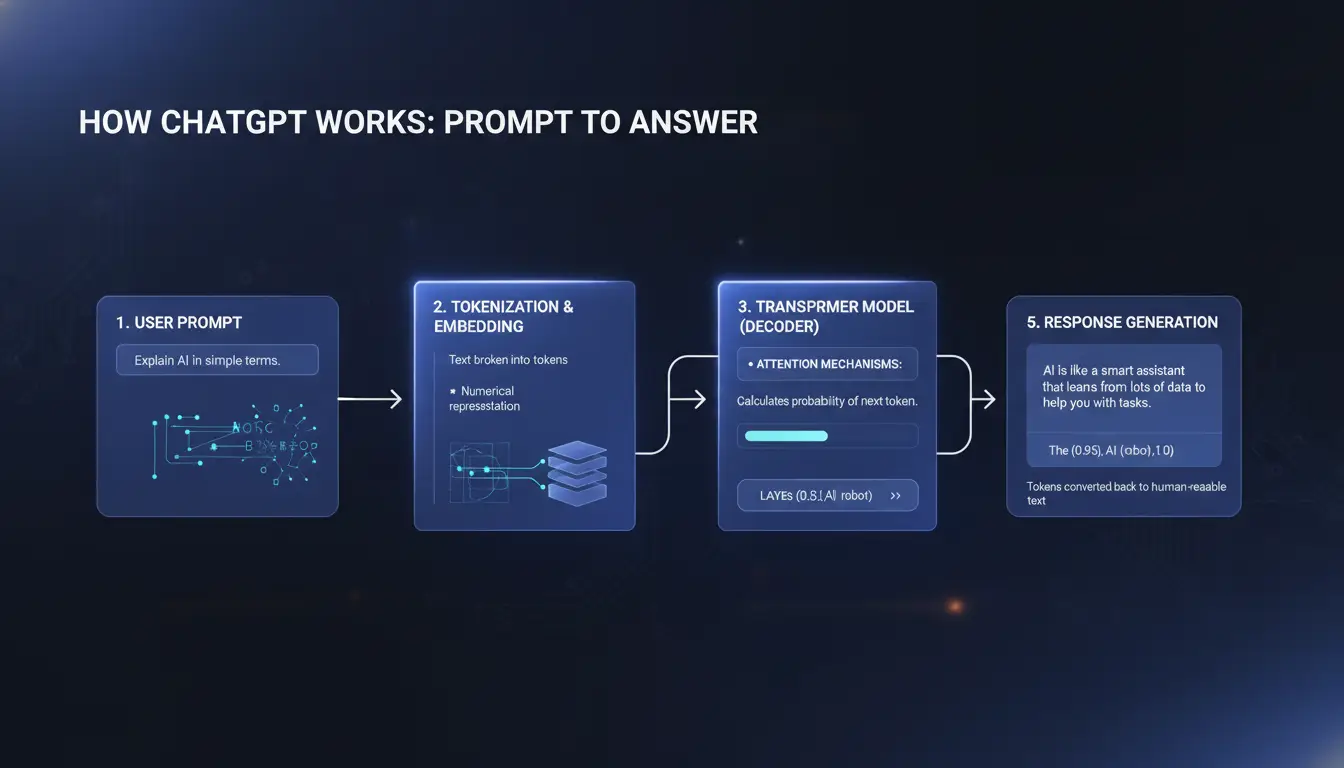
If you have asked what is chatgpt and how it works, this pipeline gives the clearest mental model. Each stage changes the output, so small prompt edits can change the final answer.
Step 1: Your input becomes tokens the model can process
ChatGPT does not read text like a person. It breaks your prompt into tokens, which are small chunks of text. A token can be a whole word, part of a word, punctuation, or even a space pattern. If your prompt is vague, the token pattern is vague too, so the model has less direction. If your prompt is clear, with goal, context, and format, the model gets a stronger signal. Context length also matters. The model works inside a token window, so long chats can push older details out of focus. That is one reason answers can drift in long threads.
Step 2: Transformer attention predicts likely next tokens
After tokenization, a transformer model uses attention to connect related tokens across your prompt. It weighs what seems most relevant, then predicts the next token, one step at a time, until it forms a full response. The model predicts what text is likely, not what is guaranteed true. That is why replies can sound confident and still include mistakes. This core mechanism comes from transformer architecture) and large language models.
Step 3: Safety and alignment layers shape the final response
Before you see the answer, alignment layers adjust behavior. Instruction tuning teaches the model to follow requests in a helpful format. Safety rules can block, refuse, or redirect harmful or restricted requests, as noted in OpenAI’s safety approach. So if you ask what is chatgpt and how it works, you get technical detail; if you ask for disallowed content, you get limits or refusal.
Why can ChatGPT sound confident but still be wrong?
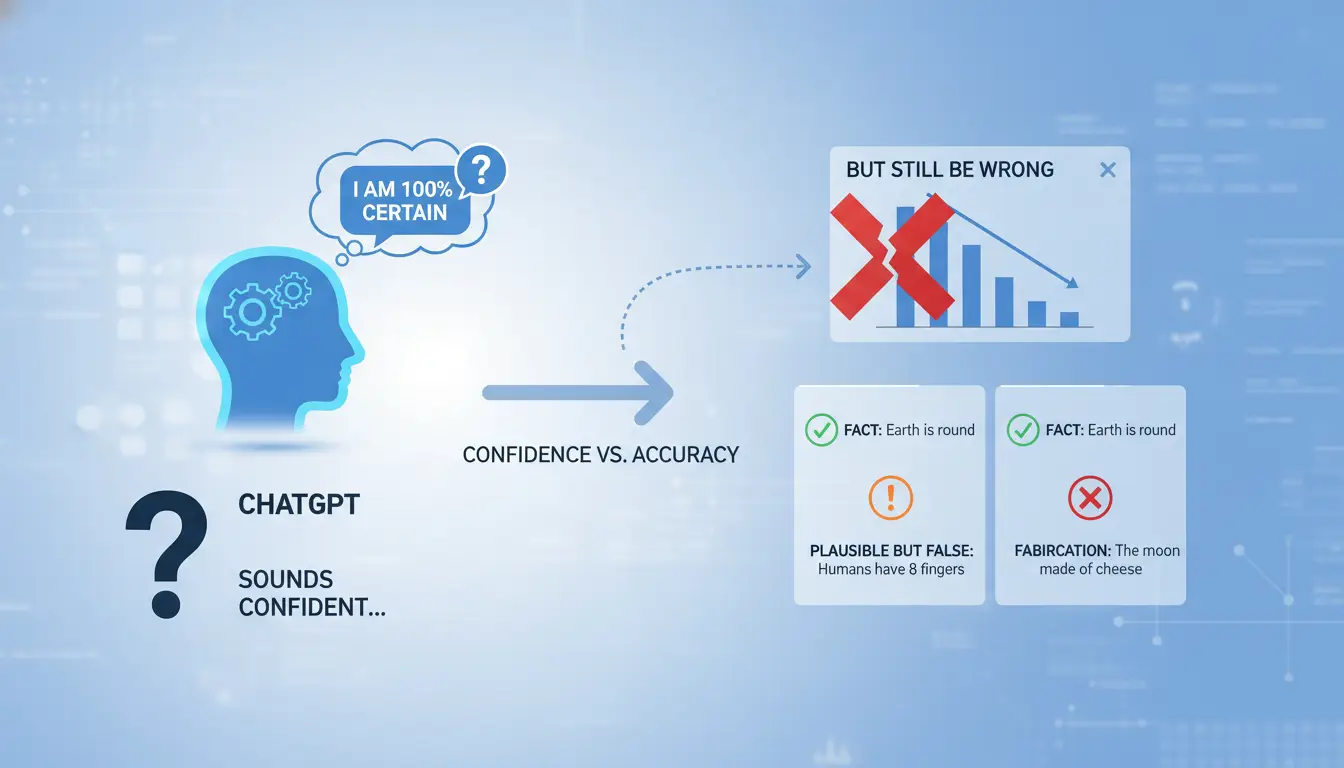
If you are learning what is chatgpt and how it works, this is the risk to remember: the model predicts likely text, not truth. It can write in a clear, certain tone even when key facts are missing, old, or guessed.
How training data patterns can create plausible mistakes
ChatGPT learns language patterns from large datasets. During a reply, it picks the next likely token based on your prompt and prior tokens. That process can produce fluent errors.
It does not run a built-in fact check against live databases by default. So it may invent a book quote, mix two legal cases, or give a fake paper title that sounds real. This behavior is widely called hallucination in OpenAI’s documentation and research on large language models.
What causes hallucinations: ambiguity, missing context, and overreach
Ambiguous prompts raise error risk fast. “Summarize the latest policy” is unclear: which country, agency, and date? Missing context pushes the model to fill gaps with likely patterns.
Overreach also happens when you ask for certainty where uncertainty exists, like future prices or unverified rumors. The output can still sound final. Confident wording is a style effect, not proof.
Fast verification habits before you trust an answer
Treat answers as drafts. Verify names, dates, and claims in primary sources. If a claim is recent, check it in a live source such as Reuters or the official page from the agency involved.
Ask the model to list assumptions, uncertainty, and what could change the answer. Ask for citations with links, then open them. For high-stakes work, run a second prompt that tries to disprove the first answer. That habit closes context gaps and cuts avoidable mistakes.
How should beginners prompt ChatGPT to get better results?
If you already understand what is chatgpt and how it works, your next win is prompt quality. A clear prompt gives clearer answers and cuts rework. Use one repeatable format so you do not start from scratch each time.
Use the role + goal + context + constraints prompt formula
Use this copy-ready template:
Role: “Act as a [job or skill].” Goal: “Help me [task and outcome].” Context: “Here is what I already have: [input, background, limits].” Constraints: “Use [tone], [length], [audience], and [format]. Exclude [items].”
Example: “Act as a project coordinator. Help me write a weekly update email. Context: notes pasted below. Constraints: 140 words max, plain English, audience is non-technical managers, output as 4 bullet points.”
The key insight: tighter constraints reduce vague output. If you skip constraints, ChatGPT fills gaps with guesses.
Ask for structured outputs: tables, steps, checklists, and rubrics
Free-form answers drift. Structured outputs stay usable.
Ask directly:
- “Give me a 7-step checklist.”
- “Return this as a table with columns: issue, cause, fix.”
- “Score each draft with a 1-5 rubric for clarity and accuracy.”
You can also set delivery rules in one line: “Write at 8th grade level, under 120 words, neutral tone, for new team members.”
This works well for daily tasks like emails, bug triage, meeting notes, and study plans.
Iterate with follow-up prompts instead of starting over
Keep the same chat and refine fast:
- “Shorten this by 30%.”
- “Challenge your own answer and list weak points.”
- “Give two alternatives: one concise, one detailed.”
- “Debug this code and explain each fix in plain English.”
This loop is how beginners move from okay results to reliable results with less effort.
What privacy, security, and policy risks should you know before using ChatGPT?
If you are learning what is chatgpt and how it works, treat every prompt like a data-sharing action. The model can help fast, but your inputs can still create legal, security, or trust issues if you paste the wrong thing. OpenAI’s privacy policy and ChatGPT controls explain how data settings work, but safe behavior still depends on your workflow.
What data is risky to paste into AI chats
Do not paste direct identifiers: full names with contact info, ID numbers, payment data, health records, or private employee files. Do not paste client secrets, API keys, internal source code, contract drafts under negotiation, or unreleased plans.
Use redaction before prompting: replace names with labels like “Client A,” mask numbers, and remove unique facts that can re-identify a person. If a detail would trigger a breach report in your company, do not put it in chat at all.
Account-level risks: shared credentials, weak access controls, and shadow usage
Shared logins hide who did what. That breaks audit trails and can violate internal policy. Shadow usage happens when staff use personal AI accounts for work data outside approved tools.
Set unique logins, enforce MFA, and restrict who can access paid workspaces. Keep usage logs so security teams can review unusual activity. This aligns with common access guidance from the OWASP access control standard and NIST identity guidance.
A simple safe-use policy for individuals and teams
Write a one-page policy with allowed tasks, blocked data types, and an approval path for high-stakes outputs. Allowed: drafting outlines, summarizing public docs, code comments without secrets. Blocked: legal advice sent without review, HR decisions, security incident conclusions, and client-ready content without human check. For high-impact work, require a reviewer to verify facts, citations, and policy fit before use. This is the practical side of what is chatgpt and how it works in real teams.
How can teams share ChatGPT accounts more safely without access chaos?
If your team is learning what is chatgpt and how it works, shared access can create account risk fast. The tool is easy to open, but hard to control once logins spread across devices, cities, and staff roles. A safe setup needs stable login signals, clear access rules, and a trace of who changed what.
Why shared-account workflows often break: login conflicts, location mismatch, and no audit trail
Teams often share one login in chat apps or spreadsheets. That causes two problems: people sign in from different IP regions, and browser fingerprints change each session. Platforms can read this as unusual behavior, then trigger extra verification or temporary blocks.
The bigger risk is silent misuse. When passwords are copied around, ex-staff or contractors may still have access. Without logs, you cannot check who exported prompts, changed settings, or reset sessions. The core failure is not sharing itself, but sharing with no controlled environment and no record.
How DICloak helps: isolated browser profiles, proxy binding, and unified fingerprint settings
You can use DICloak to create one fixed browser profile for each shared account context, such as “Support Shift A” or “Content Team.”
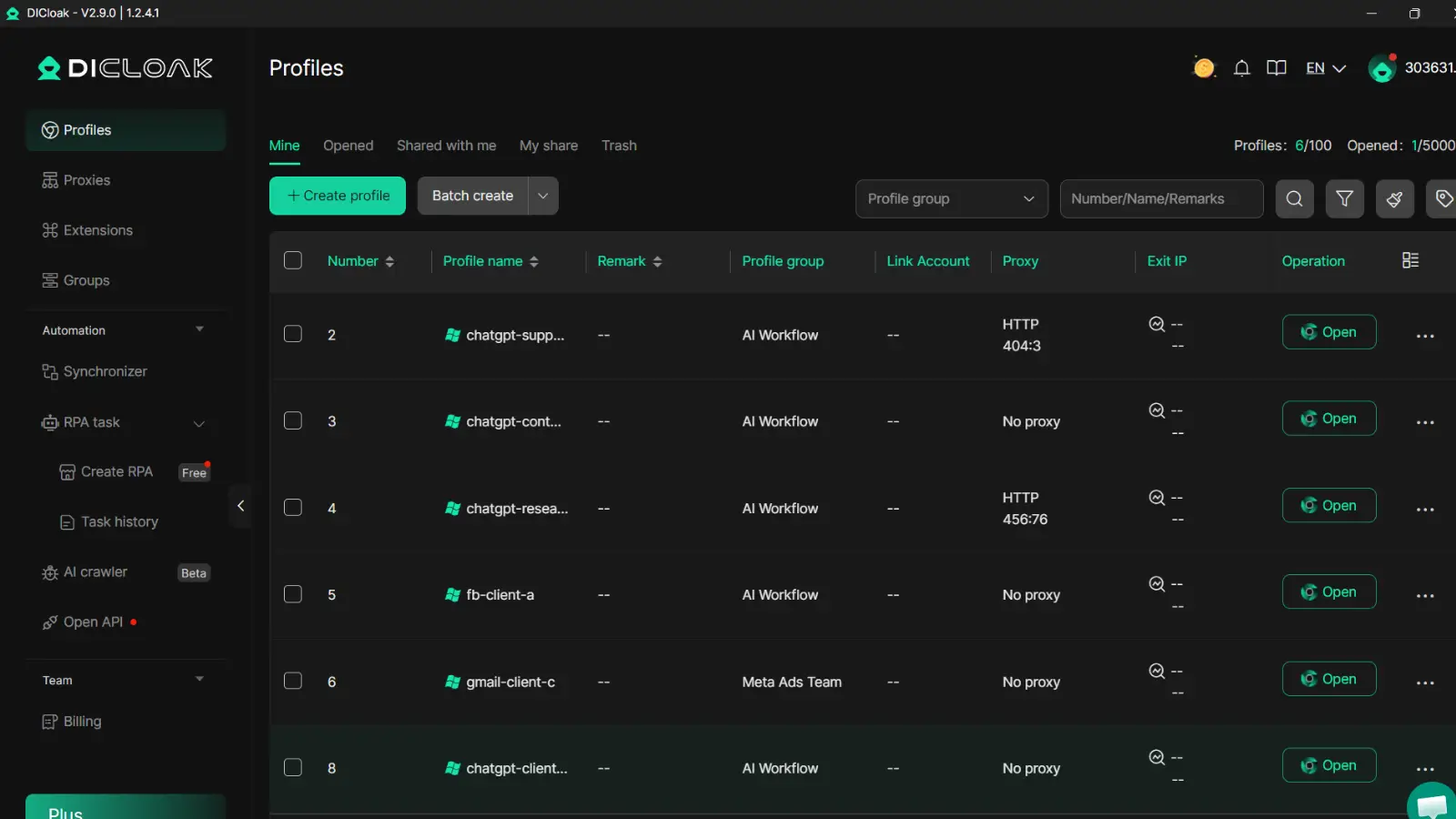
Inside each profile, bind a dedicated proxy and keep the same fingerprint setup across sessions. This reduces sudden login pattern shifts that trigger checks. It also keeps cookies, sessions, and local data inside that profile instead of mixing across personal browsers.
This gives teams a cleaner operational model while working with ChatGPT in daily tasks.
Team control features that reduce risk in daily operations
Use role-based permissions so only approved members can open or edit a profile. Set profile sharing rules by team and shift. Keep operation logs so admins can audit sign-ins, setting changes, and sensitive actions.
For repeated setup steps, use batch actions or RPA to reduce manual errors, especially when rotating team access. This keeps shared use practical while people still learn what is chatgpt and how it works in real workflows.
ChatGPT vs search engines vs other AI assistants: when should you use each?
If you are learning what is chatgpt and how it works, pick tools by task, not habit.
When ChatGPT is the better choice
Use ChatGPT for drafting, rewriting, summarizing, tone changes, and step-by-step explanations. It works well when your prompt needs back-and-forth edits. It is weaker for fresh facts, citations, and local queries like store hours.
When a search engine is safer or faster
Use search when facts must be current or verifiable. Search also wins for maps, legal rules by country, and product release notes.
| Task |
Faster tool |
Why |
| Rewrite email |
ChatGPT |
Iterative edits |
| Verify breaking news |
Search engine |
Live indexing |
| Find local service hours |
Search engine |
Location intent |
| Explain a concept simply |
ChatGPT |
Conversational teaching |
For higher reliability, search for sources, then ask ChatGPT to compare them. Check against Google Search help and OpenAI ChatGPT.
How to evaluate other assistants for your workflow
For team access, login risk and accountability often fail before model quality. You can use DICloak isolated profiles with stable fingerprint and dedicated proxy settings per shared ChatGPT workflow to reduce abnormal login patterns.
Tools like DICloak let you apply role permissions, profile sharing rules, and operation logs, so teammates can collaborate without sharing raw credentials. This keeps audits clear while you test what is chatgpt and how it works across tools.
What is the best way to start using ChatGPT today? A 7-day beginner plan
Use this plan if you are learning what is chatgpt and how it works and want better outputs fast. Keep one notebook for prompts, results, and fixes. Track quality from day one, not after mistakes pile up.
Day 1-2: Set goals, pick 2-3 use cases, and define quality checks
Choose 2-3 tasks you repeat each week: email drafts, summaries, or spreadsheet formulas. Rank each task by effort and impact, then start with high impact and low effort. Set baseline metrics: minutes per task, revision count, and error rate.
Day 3-5: Build prompt library and review loop
Save winning prompts by task type: “draft,” “rewrite,” “explain,” “check errors.” Add a review step for high-risk work like legal, medical, finance, or customer policy text. Use OpenAI API docs to test repeatable prompts.
Day 6-7: Document standards and scale what works
Write short SOPs: input format, prompt template, output checklist, and approval rules. Then decide if automation is worth it for stable tasks. Re-test weekly as your use cases grow.
Frequently Asked Questions
Is ChatGPT replacing Google search completely when learning what is chatgpt and how it works?
No. ChatGPT and search do different jobs. ChatGPT is strong at explaining ideas, comparing options, and drafting emails, outlines, or code. Search engines are better for fresh facts, local results, and source checking. A smart workflow is: ask ChatGPT for a clear summary, then verify key claims in trusted sources.
Does ChatGPT learn from my prompts automatically when I ask what is chatgpt and how it works?
Not always. Data use follows the product, plan, and your settings. Some accounts let you turn chat history or model training on or off in data controls. Team and enterprise plans often have different defaults. Check your account privacy settings and policy page before sharing sensitive business or personal information.
Can ChatGPT access live internet information every time?
No. ChatGPT may answer from built-in model knowledge, which has a cutoff date. In some products, connected tools (like browsing) can fetch newer web content. In others, live access is off. If you need current prices, breaking news, or policy updates, confirm that browsing is enabled and verify sources directly.
What jobs or tasks should not rely on ChatGPT without human review?
Do not use ChatGPT alone for high-stakes decisions: legal advice, medical diagnosis, drug dosing, tax filing, investment moves, safety procedures, or regulatory compliance. Use it for first drafts, question lists, or plain-language summaries. Then have a qualified expert review and approve the final decision or document before action.
What is a good first prompt if I am new to what is chatgpt and how it works?
Use a clear template: “You are a [role]. Help me [goal]. Context: [key facts]. Constraints: [deadline, tone, length, audience]. Output: [format: bullets/table/step-by-step]. Ask me up to 3 questions if needed.” This structure gives better results fast and reduces back-and-forth.
ChatGPT is an AI language model that understands prompts, predicts likely next words, and generates useful responses by combining patterns learned from massive text data with ongoing refinements for safety and quality. Knowing how it works helps you use it more effectively, whether you are drafting content, exploring ideas, or automating routine tasks while still applying human judgment for accuracy and context.Try DICloak For Free
 Web Proxy Tools
 Free Tools
 Cookie Plugin
 UA Generator
 MAC Address Generator
 IP Generator
 IP Address List
 2FA Code Generator
 World Clock
 Anonymous Check
 WebRTC Leak Test
 UUID Generator
 Free Web Proxy Site
 Proxy Checker
 FB Ad Checker
 AI Web Scraping
 Free SMM Tools
 Twitter Shadowban Checker
 Instagram Name Checker
 UTM Generator
 Username Generator
 AI Hashtag Generator
 LinkedIn Headline Generator
 Social Media Image Resizer