When teams manage more profiles, members, and login devices, small operation details can quickly slow things down. The DICloak V2.9.2 update focuses on smoother profile setup, clearer member access review, faster startup control, and more manageable login device limits.
Key Takeaways
- ChromeBrowser 147 is now available when creating or editing profiles.
- Deactivation Time has been added to the member list with sorting support.
- Cancel profile startup helps users stop a profile before the startup process finishes.
- Same-IP login device limit helps teams control how many devices can log in under the same IP.
- Concurrent Profile Limit lets admins control how many profiles each member can open at the same time.
ChromeBrowser 147 for Profiles That Need a Newer Browser Version
Some account tasks may work better with a newer browser version. When teams manage different profiles for different workflows, using one browser version for every profile may not always fit the real setup.
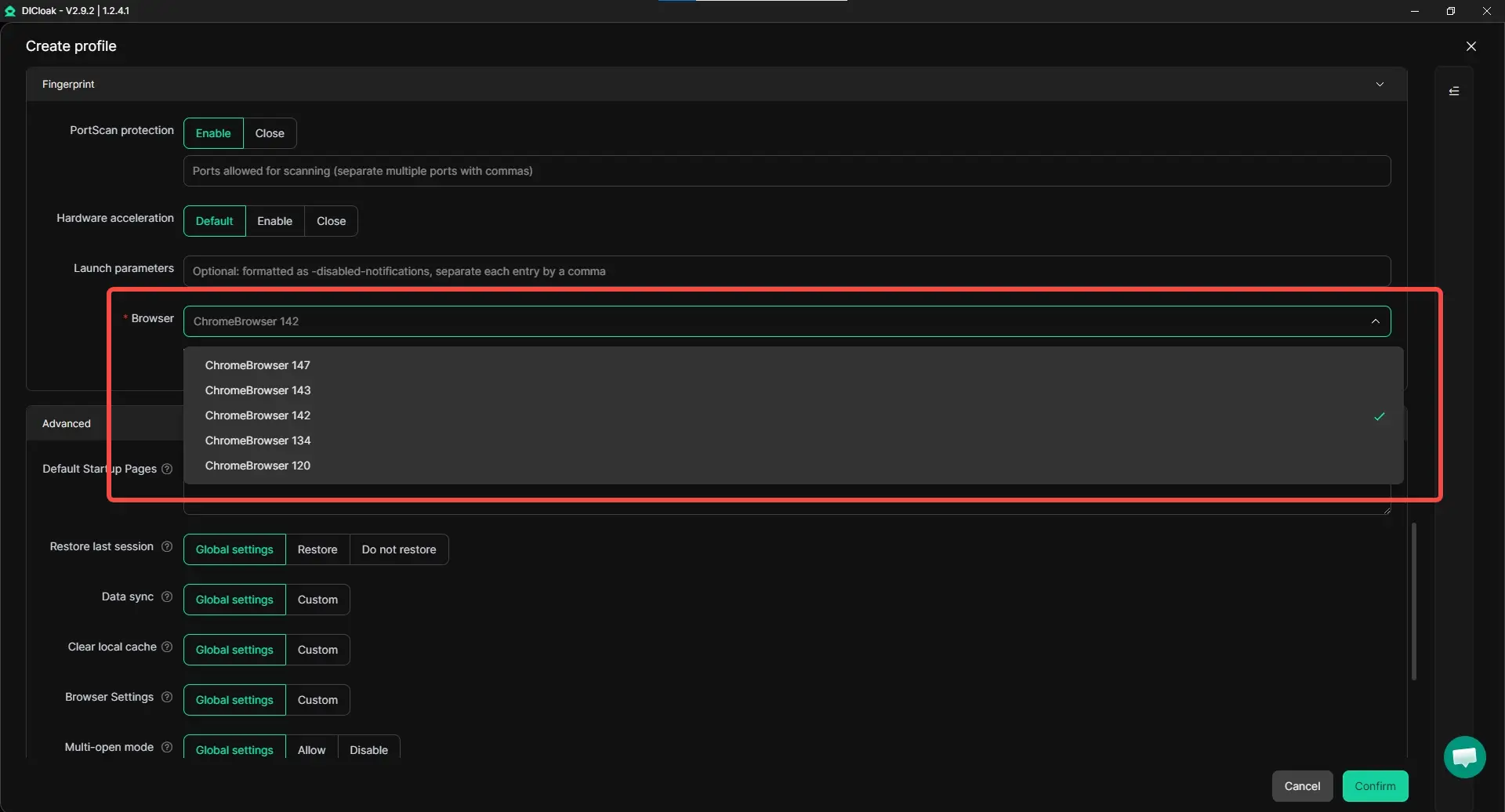
With this update, users can:
- choose ChromeBrowser 147 when creating or editing profiles.
- set up profiles with a newer browser kernel option when needed.
- keep browser version selection more flexible across different account operation tasks.
Clearer Member Access Review with Deactivation Time
As a team grows, member lists can become harder to review. Admins may need a clearer way to check member status and time-sensitive access information without switching between different places.
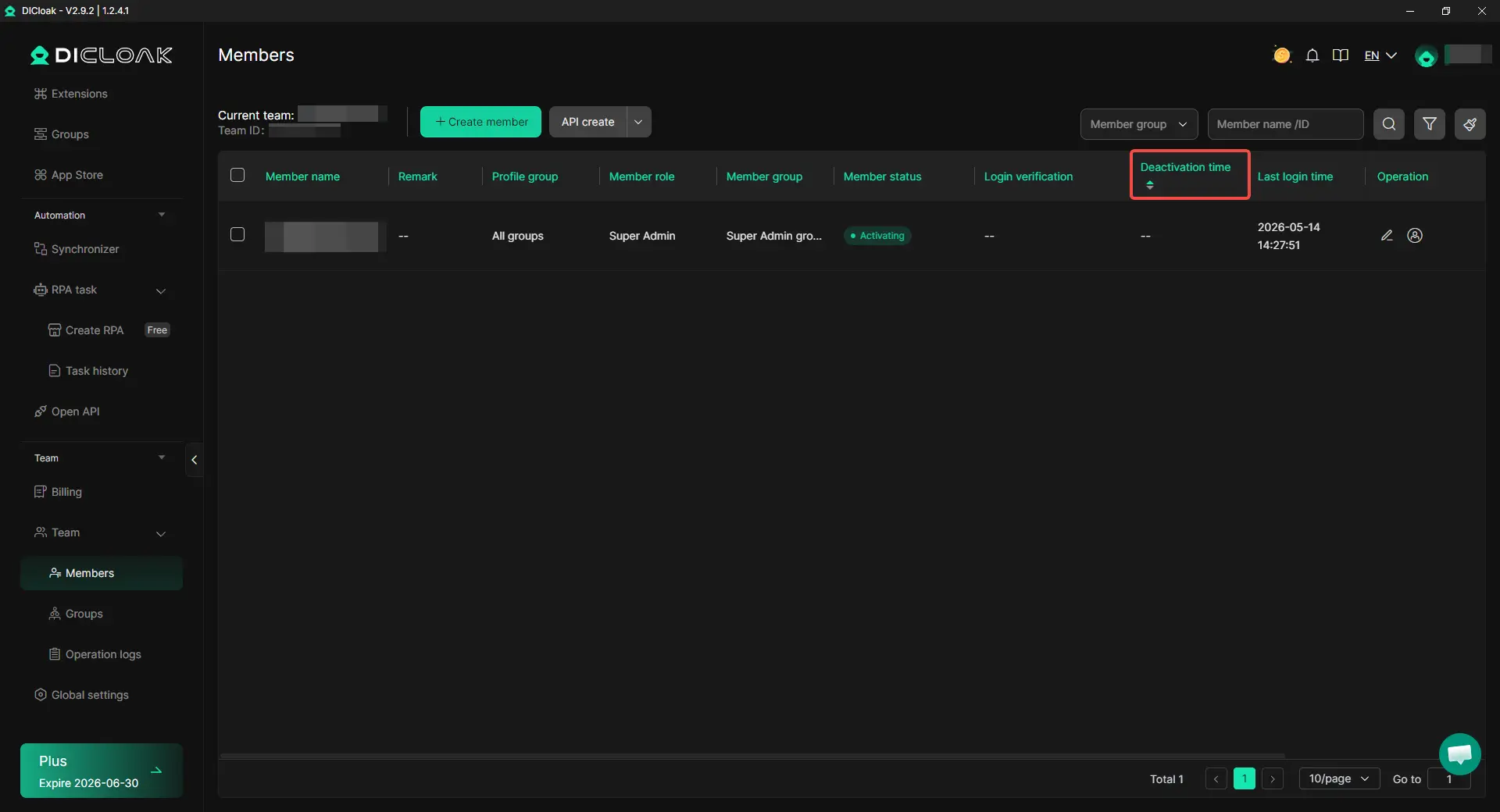
With Deactivation Time, admins can:
- view related time information directly in the member list.
- sort members by Deactivation Time.
- review member access timelines more clearly during team management.
Cancel Profile Startup Before It Finishes
Opening the wrong profile can waste time, especially when the profile is still starting or detecting proxy. In batch work, one wrong startup can also interrupt the next operation.
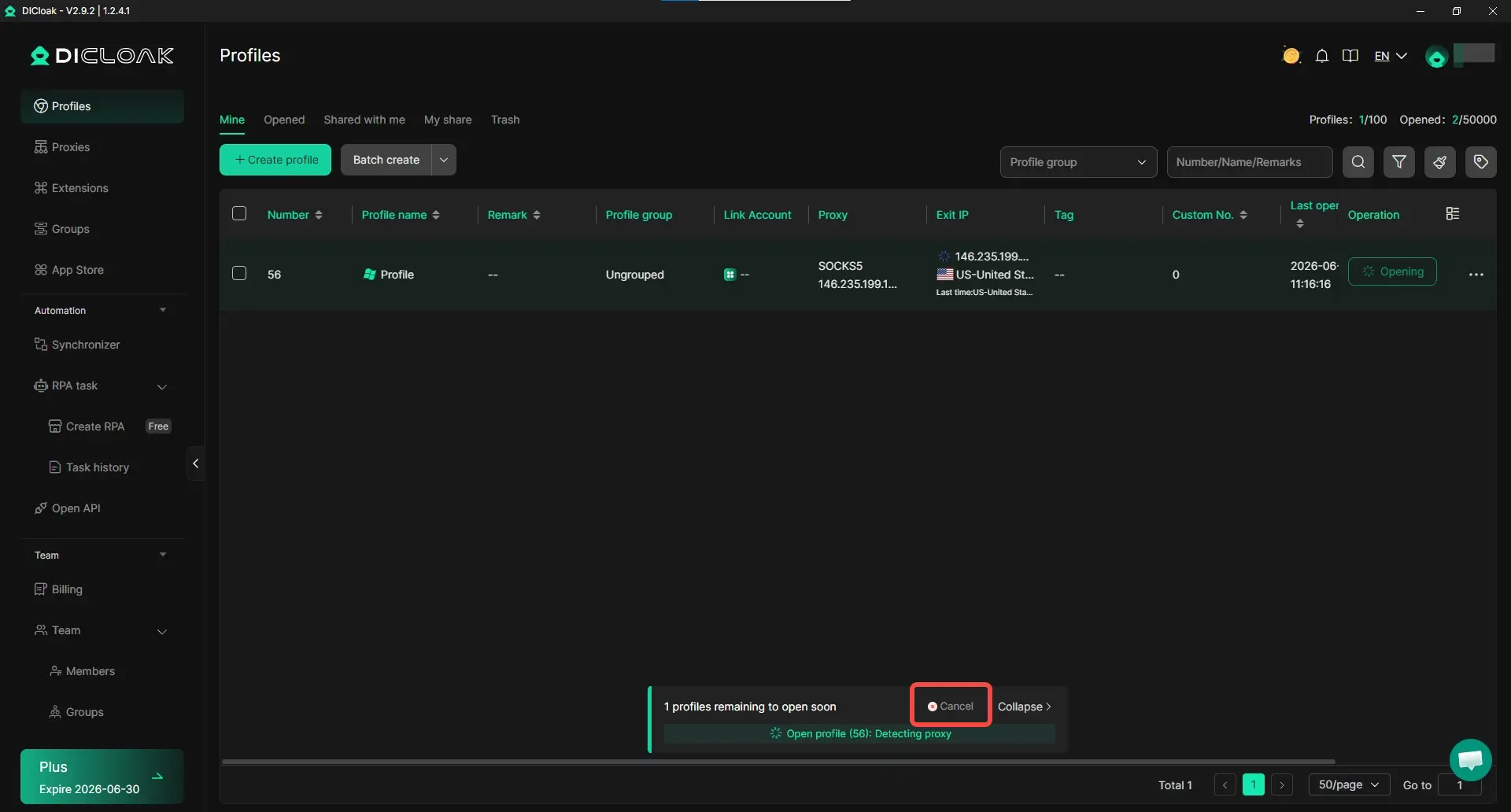
With cancel profile startup, users can:
- stop a profile before the startup process finishes.
- avoid waiting when the wrong profile was selected.
- handle daily or batch profile opening tasks with more control.
Same-IP Login Device Limit for Clearer Access Control
When several devices log in under the same IP, teams may need a clearer rule for how many devices can access the workspace from that IP. Without a set range, device usage can become harder to review as the team grows.
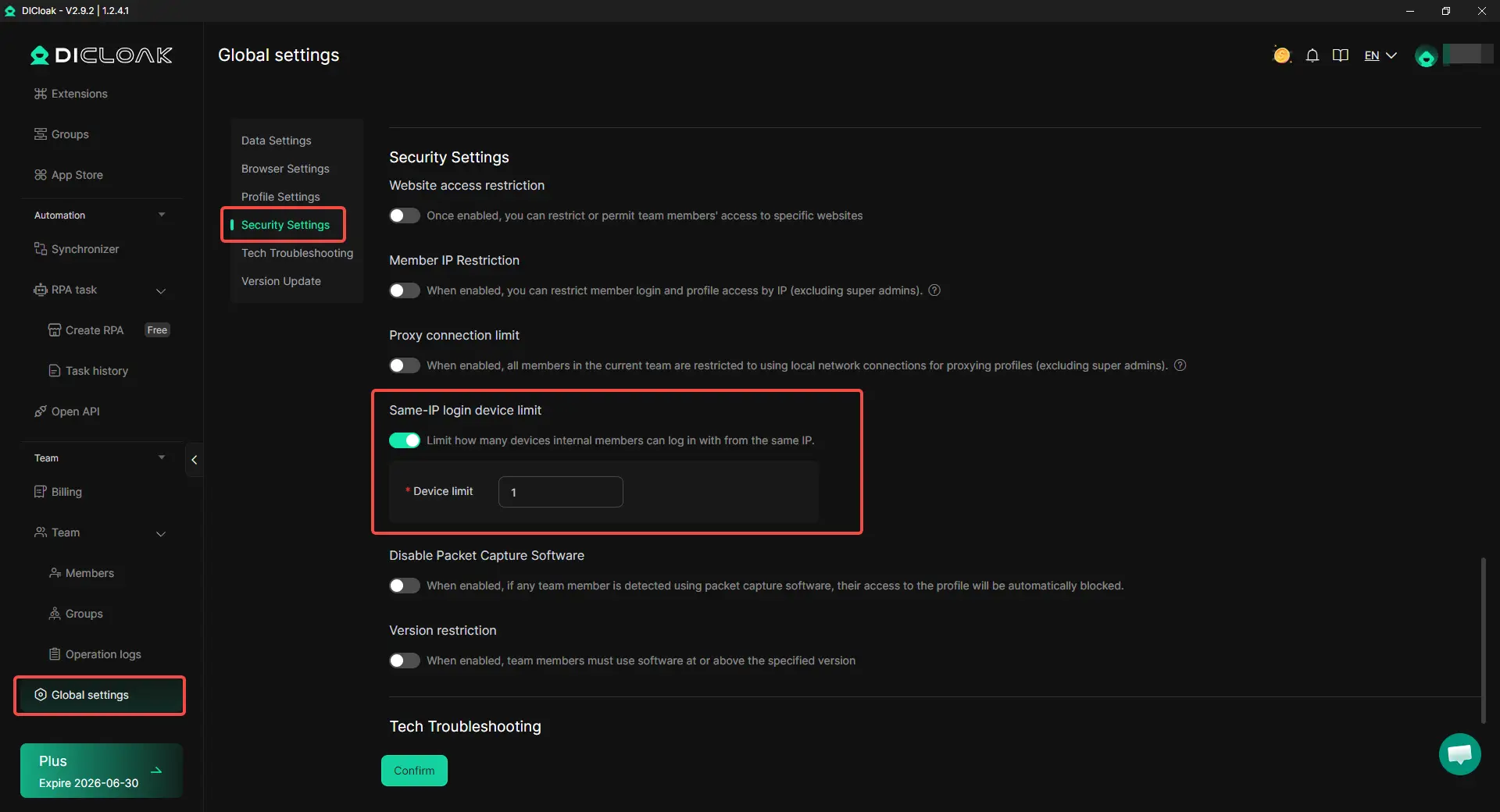
With Same-IP login device limit, teams can:
- set how many devices can log in under the same IP.
- keep access from one shared IP within a clearer range.
- reduce repeated manual checks when device usage increases.
Concurrent Profile Limit for Controlled Profile Usage
When team members work with different accounts or tasks, admins may need a clearer rule for how many profiles each member can open at the same time. Without a set limit, some members may open more profiles than their role or task actually needs.
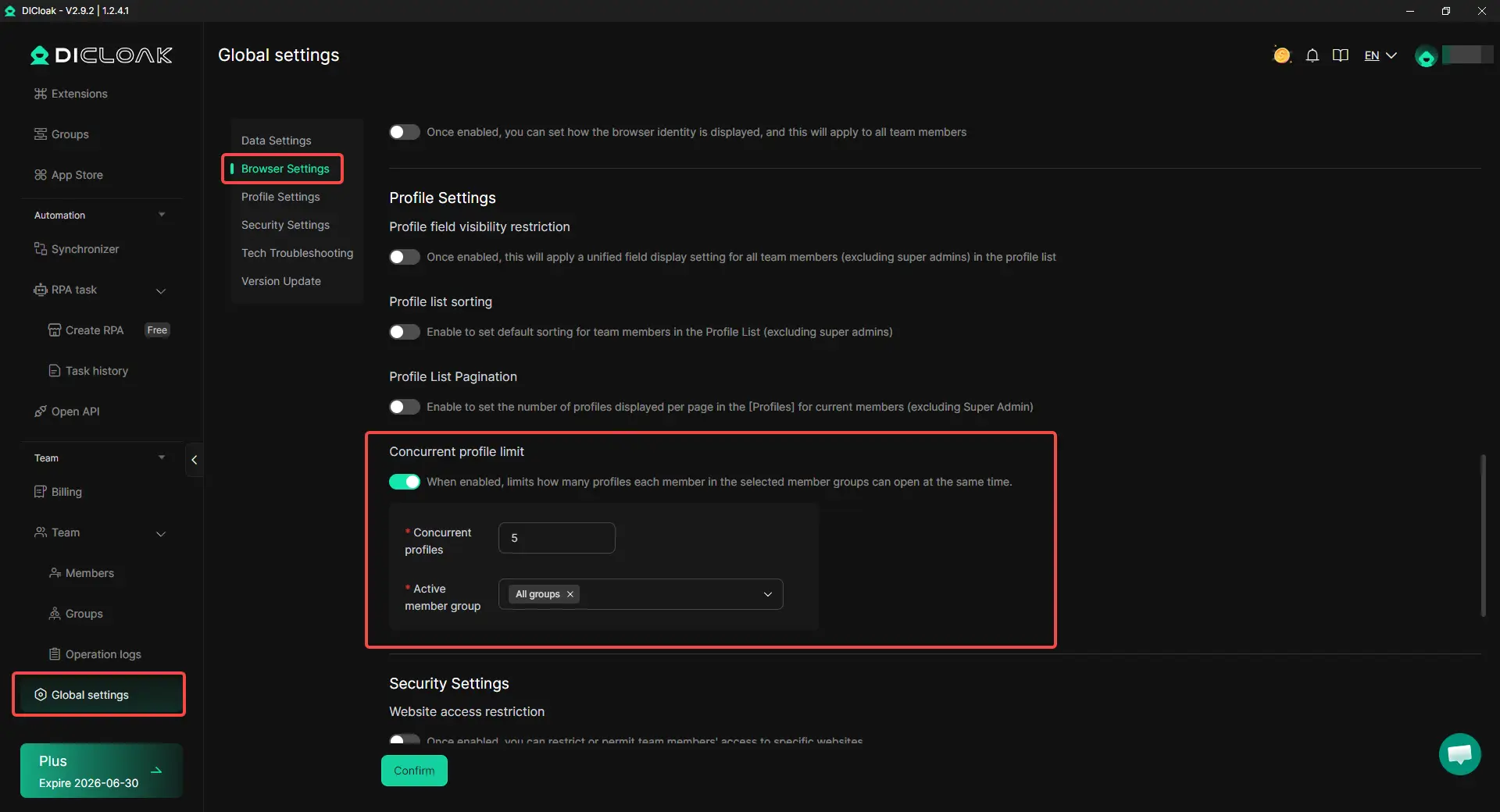
With Concurrent Profile Limit, admins can:
- set the maximum number of profiles each member can open at the same time.
- apply the limit to selected member groups.
- keep profile usage more aligned with each member's role and workload.
Get Started with the New Version
DICloak V2.9.2 brings more control to daily profile work, covering browser version selection, member access review, profile startup cancellation, Same-IP login device limits, and Concurrent Profile Limit. Less waiting, clearer access, and smoother profile management are now available in the latest version of DICloak.
 Web Proxy Tools
 Free Tools
 Cookie Plugin
 UA Generator
 MAC Address Generator
 IP Generator
 IP Address List
 2FA Code Generator
 World Clock
 Anonymous Check
 WebRTC Leak Test
 UUID Generator
 Free Web Proxy Site
 Proxy Checker
 FB Ad Checker
 AI Web Scraping
 Free SMM Tools
 Twitter Shadowban Checker
 Instagram Name Checker
 UTM Generator
 Username Generator
 AI Hashtag Generator
 LinkedIn Headline Generator
 Social Media Image Resizer