The Strategic Importance of Google Account Access in 2026
In the hyper-connected digital landscape of 2026, your Google account is far more than a simple login; it is your primary digital identity. Serving as the central nervous system for Gmail, Drive, and YouTube, it holds the keys to your professional reputation and history. For a specialist or business owner, losing this access isn't just an inconvenience—it is a strategic crisis that can halt productivity, jeopardize client relationships, and lead to the permanent loss of proprietary data. Navigating the Google Account Recovery Form effectively is now a mandatory skill for any professional operating in the digital economy. This guide serves as the authoritative roadmap for utilizing Google’s finalpr safety net to regain control of your digital life.
Understanding the Purpose of the Google Account Recovery Form
Google provides the Google Account Recovery Form as a rigorous, final-tier online verification system. It is designed to evaluate legitimate ownership when standard protocols—like 2FA or simple password resets—are no longer viable.
The "So What?" Factor: Why This Tool Is Essential
- Algorithmic Depth: Unlike standard resets, the form employs complex algorithms that analyze your responses against years of historical account metadata to determine if you are the true owner.
- The Ultimate Safety Net: It serves as the only path forward when you have lost access to your secondary email and your registered phone number is no longer active.
- Ownership Validation: It shifts the verification burden from "what you have" (a physical phone) to "what you know" (the intimate history of the account).
This Google Account Recovery Form is your final opportunity to prove your identity to Google’s automated security systems when the front doors are locked.

Critical Scenarios: When to Use the Google Account Recovery Form
"Digital crises" come in many forms, and recognizing when to transition to the recovery form is vital for success.
Forgotten Credentials & Failed Backups
This scenario occurs when both the primary password and the backup recovery methods are inaccessible.
For example, a freelance consultant who set up an account in 2018 may find they can no longer access the legacy "Outlook" or "Yahoo" email they originally assigned as a backup, leaving them with no automated way to reset their password.
Outdated Security Information
Failures in proactive account maintenance often lead here. If you move or change providers without updating your settings, your security becomes your obstacle.
For instance, an expat who recently moved to a new country and discarded their old SIM card suddenly finds themselves locked out because Google demands a 2FA code sent to a phone number that no longer exists.
Compromised Accounts and Session Hijacking
In 2026, sophisticated threats like Session Hijacking allow hackers to bypass standard protections by stealing browser cookies. Once inside, a hacker’s first move is to change your recovery phone and email.
For example, a social media manager discovers their account was breached via a malicious browser extension; the hacker immediately swapped the recovery details to their own, leaving the Google Account Recovery Form as the only way to prove original ownership and override the intruder.
Step-by-Step Guide to Filling Out the Google Account Recovery Form
Accuracy and consistency are the only metrics that matter during this process. You must provide a "pattern of truth" that Google’s algorithm can recognize.
Step 1: Initiating the Request
Navigate directly to the official Google recovery page. You must avoid unofficial links or "third-party support" sites found in search results, as these are frequently phishing portals designed to steal the metadata you are about to provide. Enter your email or phone number and click "Next."
Step 2: Answering Identity Verification Questions
Provide the last password you remember. Even if the password is several years old, any previous password acts as a powerful signal of legitimate ownership. If you cannot remember even one, select "Try another way."
Step 3: Providing Critical Account Metadata
You must be prepared to provide the following data points with as much precision as possible:
- Creation Date: The specific month and year the account was opened.
- Last Successful Login: The approximate date you last had legitimate access.
- Previous Passwords: A list of any older passwords used on the account.
- Used Services: Identification of specific Google services you used frequently (e.g., Gmail, YouTube, or Drive).
- Historical Recovery Email: A recovery email address that was previously associated with the account, even if it is currently changed or inaccessible.
Pro-Tip: You must complete the Google Account Recovery Form using a familiar device (like your primary workstation) and a familiar Wi-Fi network (home or office). Google prioritizes "known" digital fingerprints, and performing this from a recognized IP and hardware profile significantly increases your success rate.
Post-Submission: What Happens After Using the Form?
Once submitted, your data undergoes a review that balances automated algorithmic checks with potential manual oversight.
- Variable Response Times: While a response may arrive within a few hours, the standard processing window is 3 to 5 business days. Do not submit multiple forms during this window, as it may flag your request as spam.
- The 24-Hour Rule: If your initial request is rejected, do not panic. Some users report significantly better results after waiting 24 hours between attempts. This cool-down period can sometimes reset certain security thresholds.
- Persistence Pays: A rejection is rarely final. Success often comes on the second or third attempt as you recall more accurate dates or older passwords that better satisfy the algorithm’s requirements.
2026 Best Practices: Avoiding the Google Account Recovery Form
In 2026, "proactive security" is the only way to ensure uninterrupted access. Implement these measures immediately:
- Enabling Advanced 2FA: Move beyond SMS-based verification and use physical security keys or authenticator apps.
- Bi-Annual Security Audits: Set a recurring six-month reminder to verify that your recovery phone and secondary email addresses are still active and accessible.
- Encrypted Offline Storage: Store your account creation date and a log of old passwords in a secure, offline location or an encrypted password vault.
Strategic Protection: Why DICloak Prevents Recovery Crises
For professionals managing high-value or multiple accounts, standard browsers are a liability. DICloak Antidetect Browser provides hardware-level protection that stops recovery issues before they start.
Prevention of "Unusual Activity" Flags
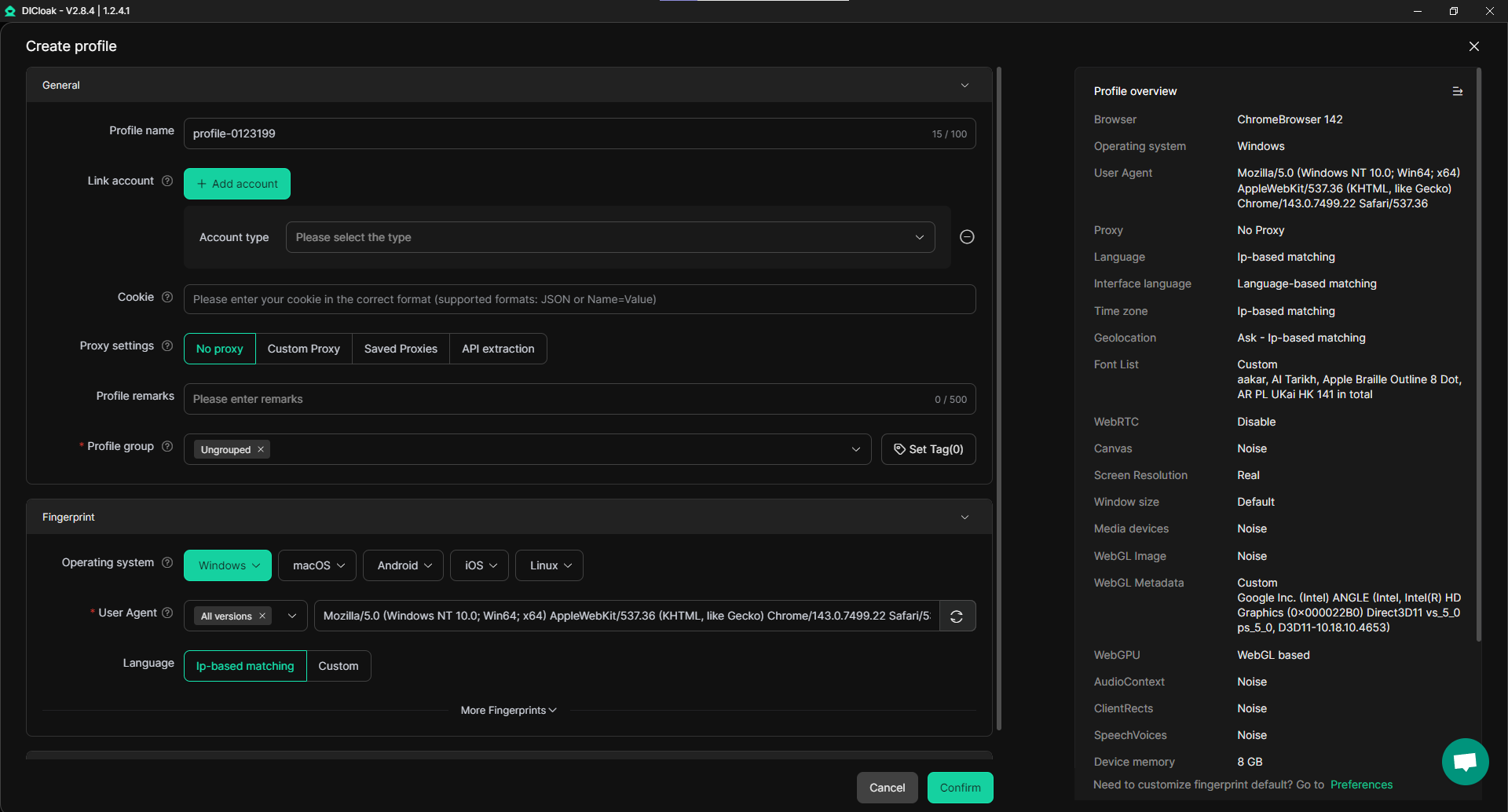
Google often triggers the recovery form when it detects an "unusual login" location or device. DICloak’s primary differentiator is its ability to maintain a consistent fingerprint. By spoofing and locking key elements like IP address, WebGL, WebGPU, and Canvas data, DICloak helps that Google sees a stable, recognized user every time.
Virtual Machine-Like Isolation
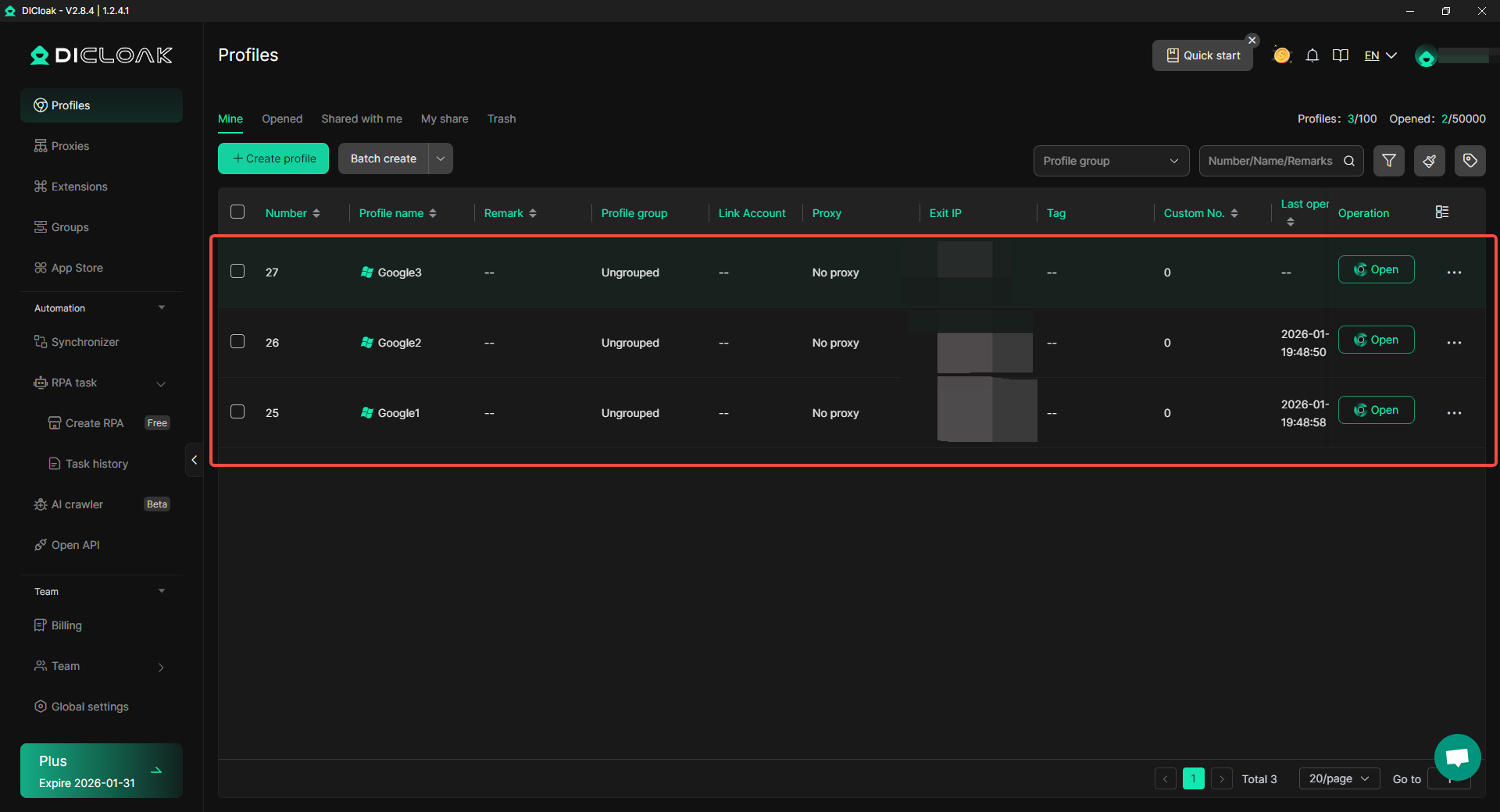
Each DICloak profile offers virtual machine-like isolation but at a fraction of the resource cost. This prevents "chain-reaction" bans; if one account faces a security challenge, your other identities remain completely isolated and unaffected.
Secure Team Collaboration
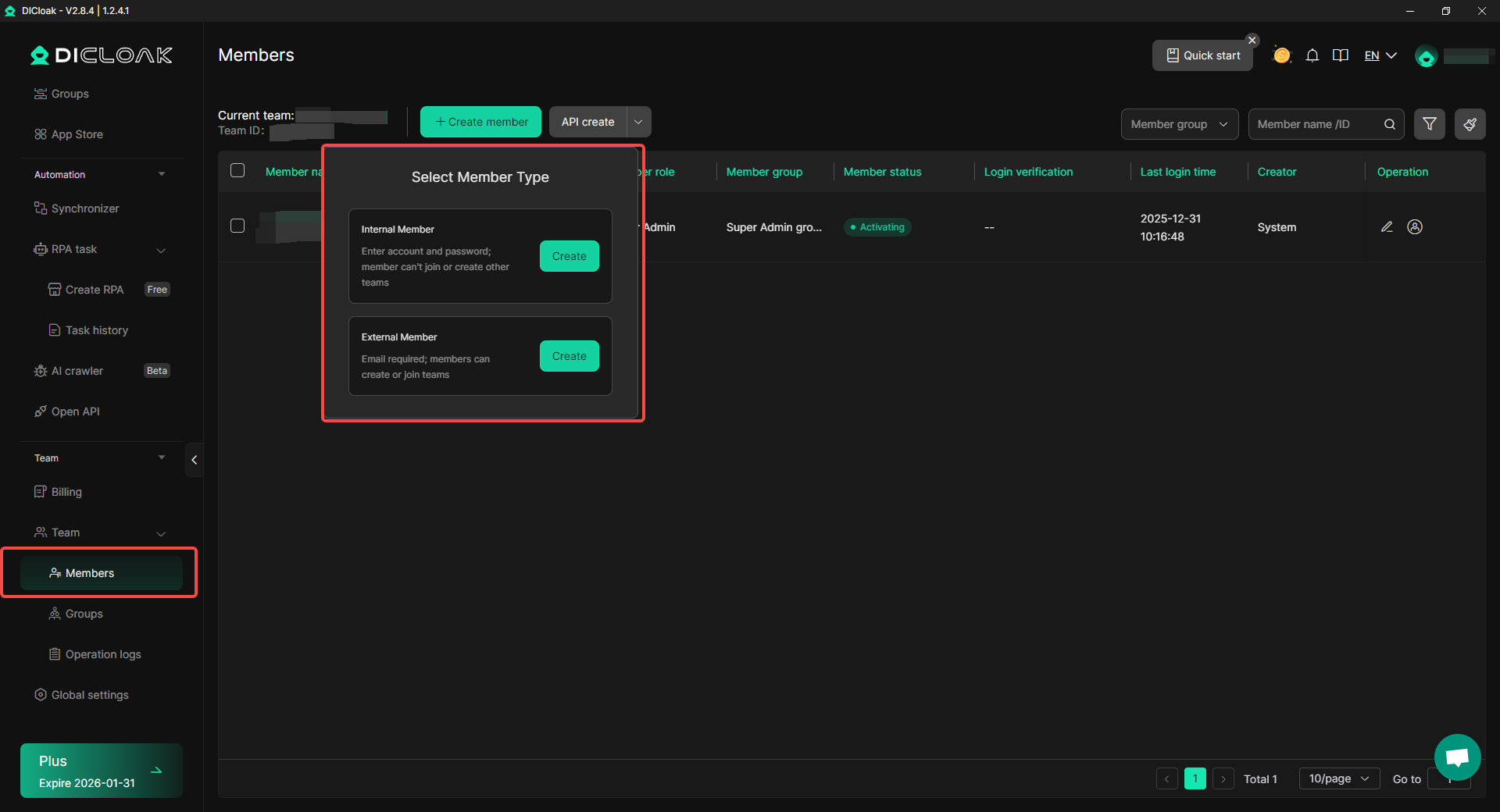
Rather than sharing raw passwords—which frequently triggers "unusual login" alerts and forces the use of the Google Account Recovery Form—DICloak allows teams to share entire browser profiles. This keeps the session active and the digital fingerprint identical across different team members' devices.
Conclusion: Securing Your Digital Future
The Google Account Recovery Form is a powerful tool for crisis management, but true digital security in 2026 relies on prevention. By combining the knowledge of Google's recovery systems with the technical, hardware-level protection provided by DICloak, you can insulate your digital identity from the risks of lockouts and hacking.
Protect your professional future today. Visit DICloak now to start your free trial and secure your accounts with the industry's most advanced antidetect technology.
Frequently Asked Questions
How long does the Google Account Recovery Form process take?
While you may receive a response within a few hours, the typical review period is 3 to 5 business days. More complex cases involving session hijacking or hacked accounts may take longer.
What if I don’t remember my account creation date for the form?
Search your other email accounts for the original "Welcome to Google" message. If that’s not possible, an approximate month and year is often enough for the algorithm to verify ownership.
Can I use the Google Account Recovery Form if my account was hacked?
Yes. It is the primary tool for regaining access when an intruder has changed your recovery email or phone number.
How does DICloak help me avoid the Google Account Recovery Form?
DICloak prevents "suspicious activity" triggers by maintaining consistent browser fingerprints (IP, WebGL, cookies). This ensures Google recognizes your login as legitimate, bypassing the need for advanced recovery checks.
Is the form the only way to recover an account without a phone number?
While the Google Account Recovery Form is the primary path, you should also consult the Google Help Center for alternative support resources if the form fails after multiple attempts.
 Web Proxy Tools
 Free Tools
 Cookie Plugin
 UA Generator
 MAC Address Generator
 IP Generator
 IP Address List
 2FA Code Generator
 World Clock
 Anonymous Check
 WebRTC Leak Test
 UUID Generator
 Free Web Proxy Site
 Proxy Checker
 FB Ad Checker
 AI Web Scraping
 Free SMM Tools
 Twitter Shadowban Checker
 Instagram Name Checker
 UTM Generator
 Username Generator
 AI Hashtag Generator
 LinkedIn Headline Generator
 Social Media Image Resizer