For social media professionals, Facebook remains a primary platform for staying connected with friends, clients, and audiences. It is where advertising campaigns are managed, customer inquiries are handled, and long-term relationships are built.
However, since Facebook separated Messenger from the main Facebook app years ago, users have been required to install a standalone application just to read messages. While the Messenger app is convenient, not everyone is willing—or able—to use it. Device restrictions, limited storage, privacy concerns, or the need for a clean and efficient workflow often make browser-based access a necessity.
Learning how to complete a Facebook messenger login directly in a browser is not merely a fallback option. It is a practical way to stay productive without installing additional software. This guide explains reliable ways to access Messenger smoothly from a browser.
Can You Log In to Facebook Messenger Directly in a Web Browser?
Yes, you can. Most users rely on the iOS or Android Messenger app, and some use desktop clients. In reality, there are simple ways to log in without installing any application at all. As someone who manages multiple client accounts, I often work on systems where app installation is restricted, storage is limited, or fast cross-platform access is required. In these situations, browser-based Messenger access becomes essential.
The good news is that you can completely bypass the app. With browser-based solutions, you can log in, send messages, and manage conversations directly—without consuming device space.
Using DICloak to Open Facebook Messenger in a Browser
If you are tired of switching between apps just to use Messenger, DICloak offers a different approach. Unlike standard browser tabs, DICloak allows you to access Facebook Messenger through isolated browser profiles, without switching devices.
For users managing advertising campaigns or personal accounts, this setup enables smoother operations and faster response times within a single desktop workflow, while keeping each Messenger session independent and more stable.
Why DICloak Is an Effective PC-Based Android Solution for Facebook Messenger Login
DICloak allows fast and stable access to Messenger. You can operate multiple accounts simultaneously, avoid repeated logins, and automate routine actions using scripts.
Whether you are replying to customer messages or handling outreach at scale, DICloak centralizes communication efficiently. It combines the flexibility of mobile-style web access with desktop-level control, which is especially valuable for marketing teams.
Core Features Supporting Facebook Messenger Login in DICloak
DICloak is more than a tool for accessing Messenger without an app. It also addresses common operational challenges faced by social media professionals:
Run the Mobile Version of Messenger in a Browser
DICloak supports common web-based interactions such as file uploads and media sharing through the browser, allowing users to handle Messenger conversations efficiently without relying on the mobile app.
Reduce Restrictions and Regional Access Issues
Each profile can use customized device fingerprints, including IP region, language, and carrier attributes.
Multi-Account Management
Even the free plan supports up to five Messenger accounts, with support for managing up to five Messenger accounts through isolated profiles, assisted workflows, and one-click profile reset to reduce abnormal activity signals.
Facebook Messenger Login in Pure Browser Mode (No App Required)
If you prefer logging in through standard Chrome-style browser tabs rather than simulating a mobile profile, DICloak also supports this workflow. I regularly manage multiple Messenger accounts directly through browser pages—without installing apps or emulating a phone.
Each account runs inside an independent profile, where fingerprint parameters such as timezone, resolution, and language can be adjusted. You can also assign a dedicated IP to each profile, significantly reducing the risk of account flags caused by unusual login behavior.
This is why DICloak has become a core part of my daily workflow. It allows Messenger, Facebook, and Instagram accounts to be managed from a single interface, without switching tools. Each profile remains isolated, helping prevent cross-account tracking.
Key DICloak Features for Secure Facebook Messenger Login
DICloak functions not only as a antidetect browser but also as a structured account management system:
- Anti-detection multi-account profiles Each profile simulates an independent browser profile with its own IP, timezone, fonts, and screen resolution.
- Free multi-profile synchronization Create up to five profiles for free, synchronize actions across accounts, or send messages in batches.
- IP privacy and regional control Assign a dedicated HTTP or SOCKS5 proxy to each profile to avoid IP conflicts or access limitations.
- Built-in automation tools Use RPA features to schedule messages, auto-reply, or perform batch logins with ready-made scripts—no coding required.
For professionals managing marketing activities at scale, this approach consolidates fragmented workflows into a centralized control system.
How to Open Facebook Messenger in a Browser Without an App
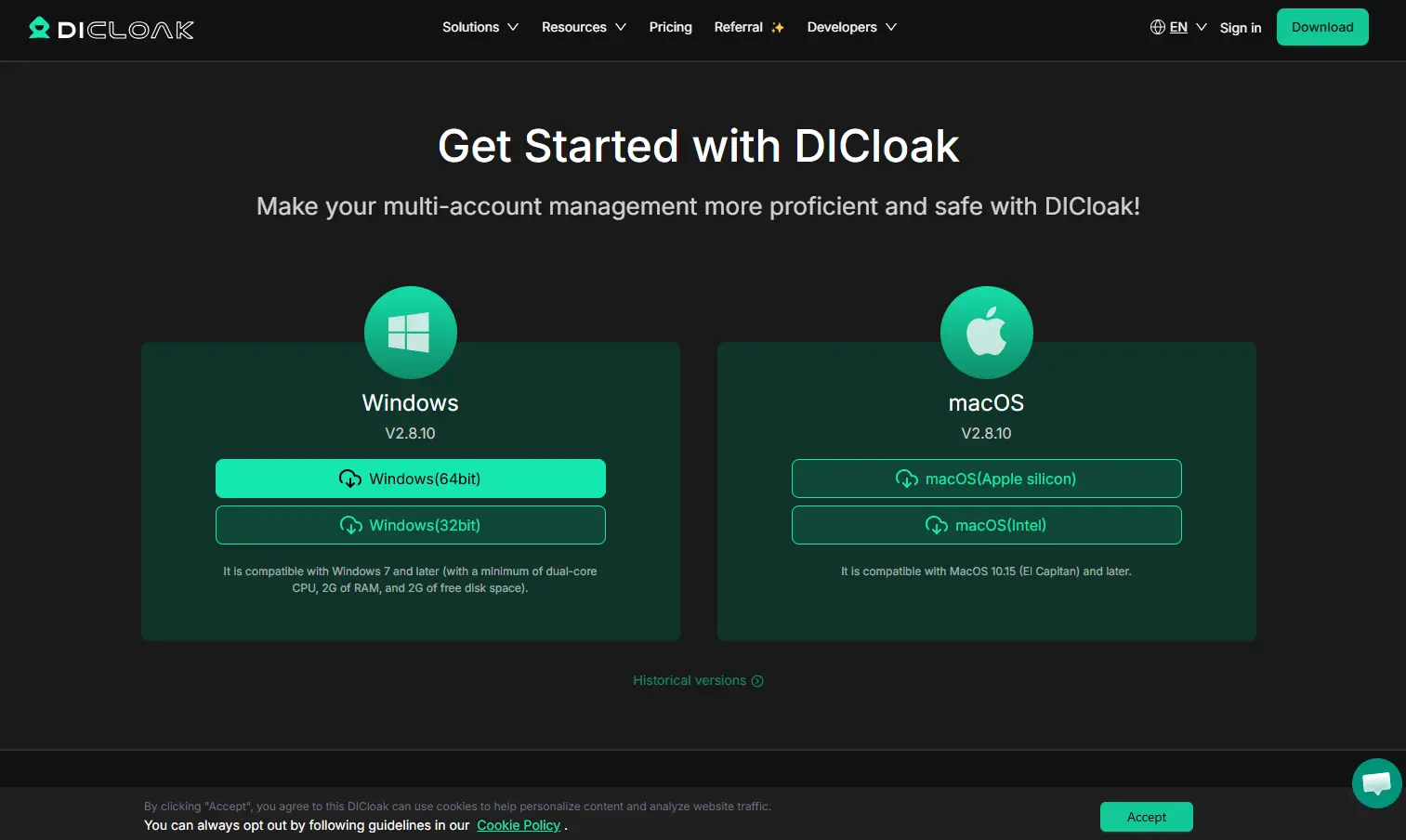
Step 1: Download and Install DICloak
Visit the official website to download DICloak for Windows or macOS. Register an account to receive five free profiles.
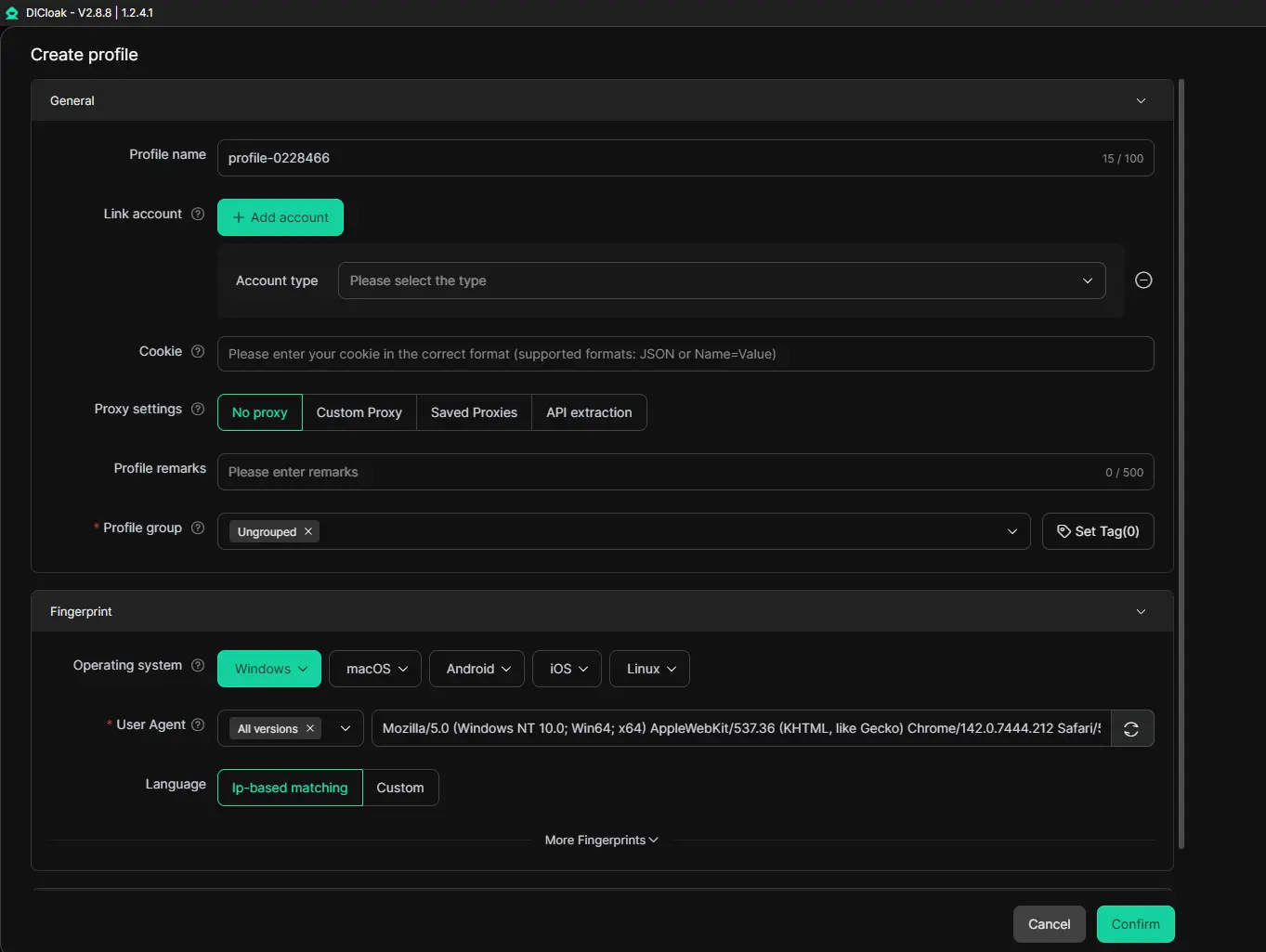
Set Messenger as the target website within a new profile. Enter account details if required, and configure device parameters such as timezone.
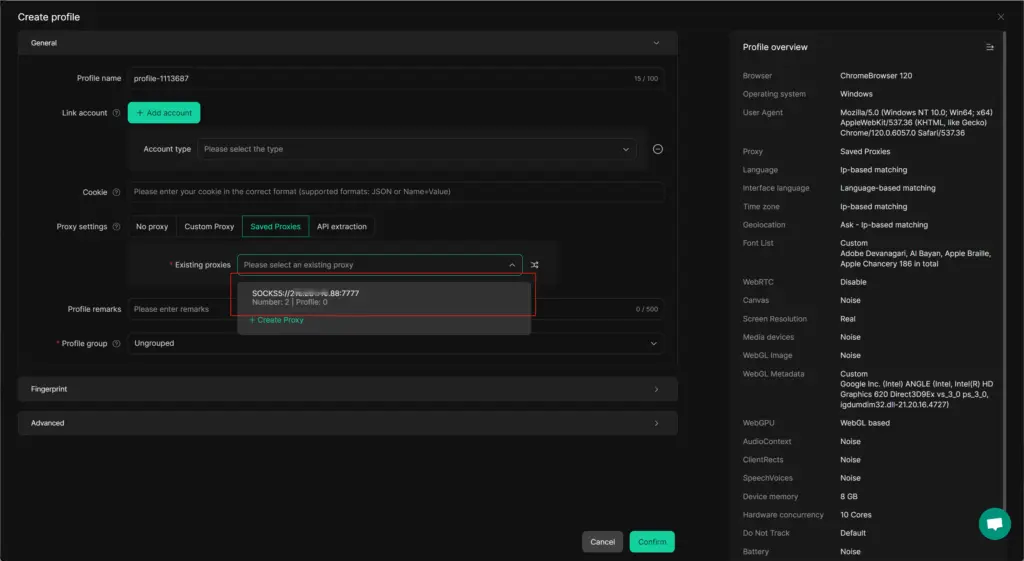
Step 3: Configure an IP Proxy (Recommended)
Assign a dedicated IP to each Messenger account. You can add an existing IP you already use, or select one from the DICloak proxy pool.
Step 4: Launch the Profile
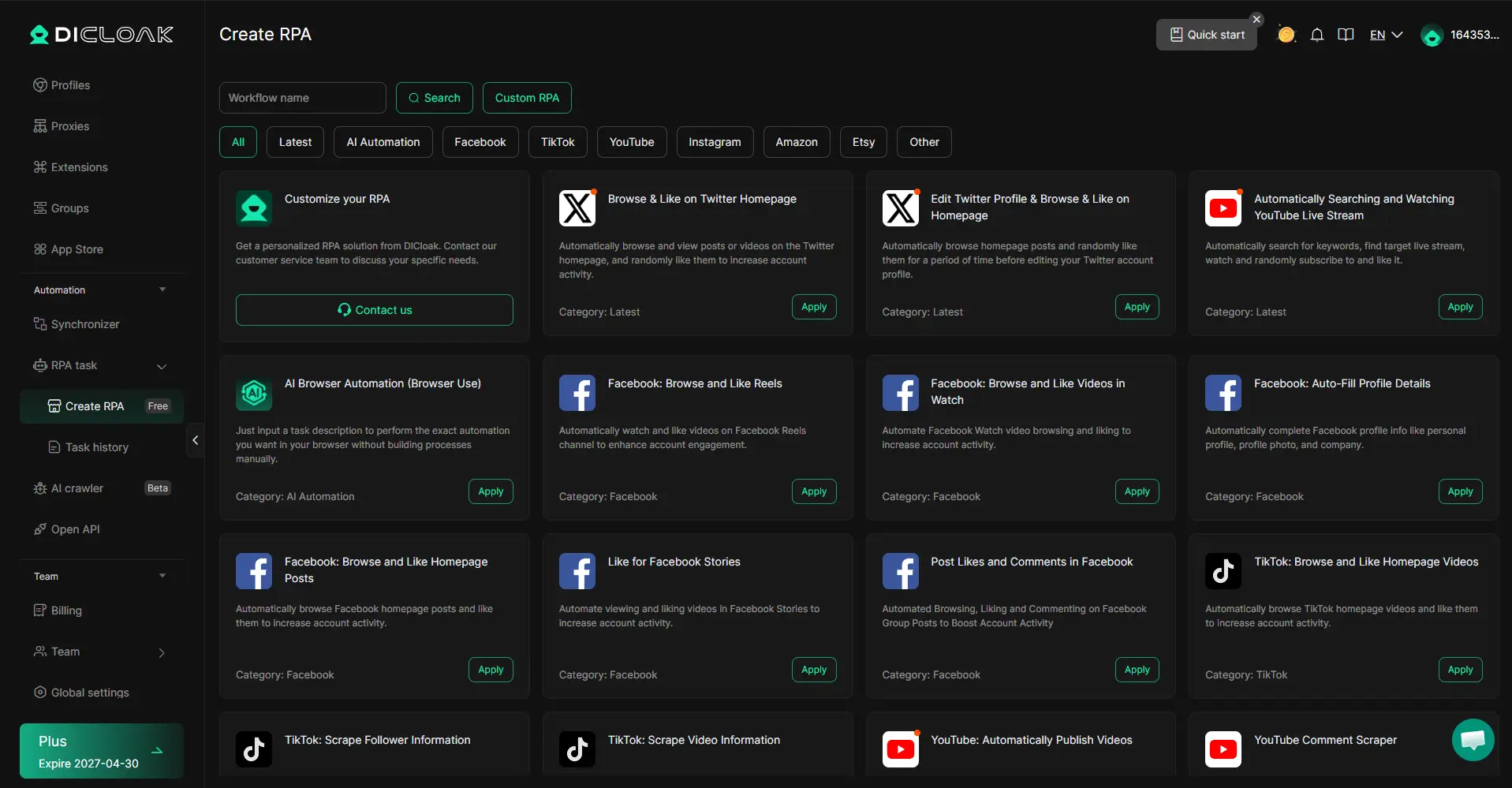
Click “Open” to run the profile. Advanced users can explore RPA automation, extensions, and the script marketplace.
Note: Messenger web access requires browsers that support end-to-end encryption, such as Chrome, Edge, or Brave.
Step 5: View and Manage Messages
Once the profile is running, Messenger can be used normally—send messages, manage conversations, and handle client communication in one place.
Official Facebook Messenger Login via Browser
You can also log in by visiting messenger.com directly.
This method is convenient for personal use, but it carries risks when managing multiple accounts. Frequent account switching can trigger Facebook’s monitoring systems and lead to restrictions. For client account management, this official method is often inefficient and unsafe at scale.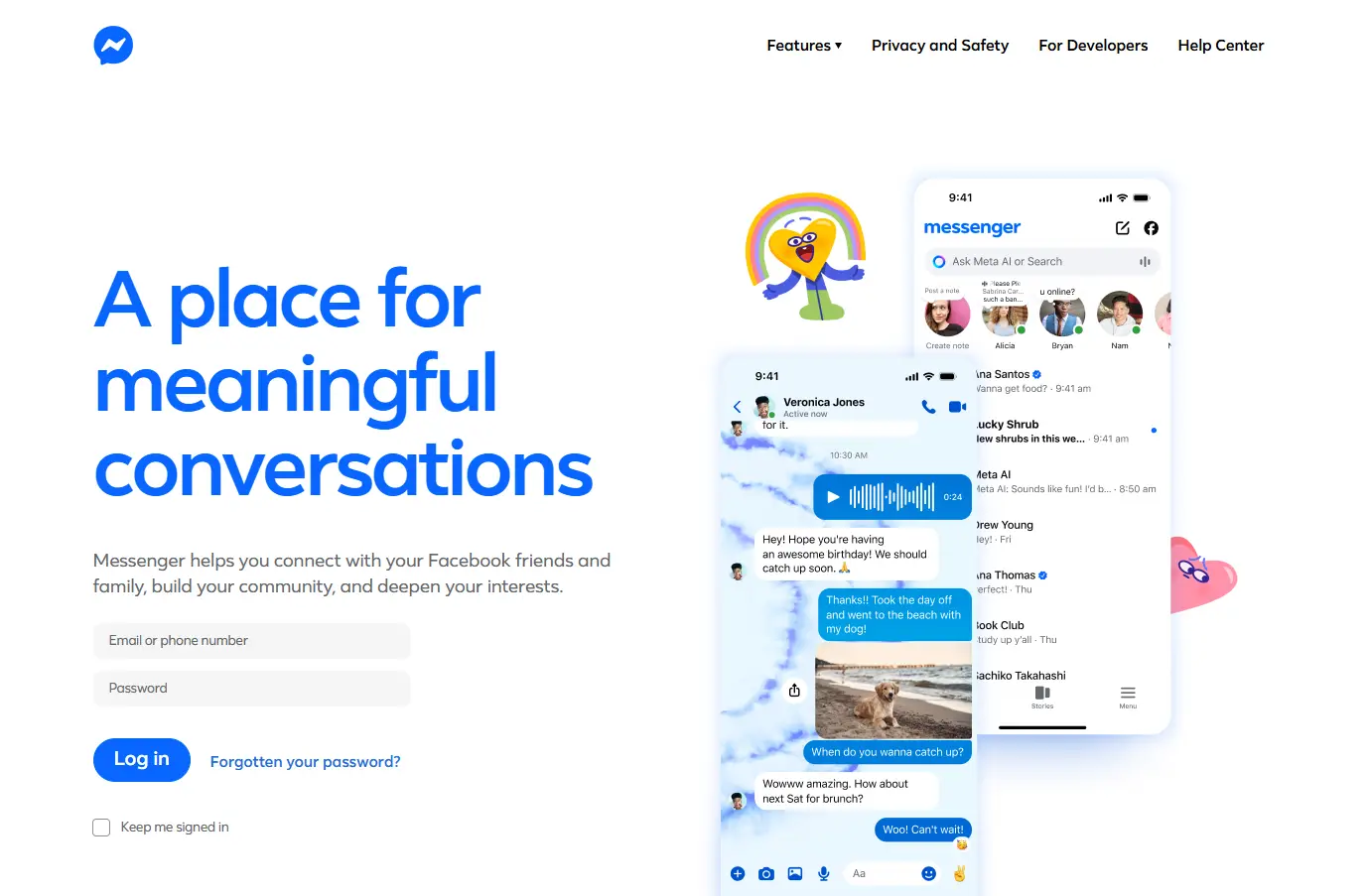
Basic Web Messenger Login Method
If you accept the limitations, follow these steps:
- Open Chrome, Edge, or Brave and visit messenger.com
- Log in and manage messages, replies, and file sharing
Avoid switching accounts frequently within the same browser session.
Facebook Messenger Login FAQs
Can Facebook Messenger be used in a browser?
Yes. You can complete a facebook messenger login through Chrome, Edge, or Brave without downloading the app.
Can Messenger be used without installing the app?
Yes. Use a compatible browser and avoid frequent account switching to reduce the risk of restrictions.
Why does Messenger not work properly on Safari?
Messenger relies on end-to-end encryption technologies that Safari does not fully support. This reflects different design priorities: Safari emphasizes privacy controls, while Messenger depends on technologies aligned with data-driven platforms.
Conclusion: How Should You Choose a Facebook Messenger Login Method?
- Single-account users: The official browser login via Chrome or Edge is the simplest option.
- Marketing professionals managing multiple accounts: DICloak offers a more secure and scalable approach through isolated profiles and dedicated IPs.
- Users who prefer mobile-style web access on desktop: DICloak can simulate Android-style mobile web browser profiles and provide more consistent access to Messenger through browser-based interfaces.
DICloak suitable for individuals and teams. Its automation and batch management tools save time while reducing account risk. Regardless of whether your priority is simplicity, scalability, or flexibility, choosing the right facebook messenger login method can significantly improve daily workflow efficiency.
 Web Proxy Tools
 Free Tools
 Cookie Plugin
 UA Generator
 MAC Address Generator
 IP Generator
 IP Address List
 2FA Code Generator
 World Clock
 Anonymous Check
 WebRTC Leak Test
 UUID Generator
 Free Web Proxy Site
 Proxy Checker
 FB Ad Checker
 AI Web Scraping
 Free SMM Tools
 Twitter Shadowban Checker
 Instagram Name Checker
 UTM Generator
 Username Generator
 AI Hashtag Generator
 LinkedIn Headline Generator
 Social Media Image Resizer





