- ResourcesOnline Tools



EN

Ever get stuck in a Facebook login loop?
You enter your email and password. The page refreshes. You’re back at the login screen—again.
If this happens while you’re checking ads, managing a Page, or replying to customers, it’s more than a small glitch. It can stop your work at the exact moment you need access.
This guide explains why Facebook login fails in real-world scenarios in 2026, not just in theory. You’ll see what actually triggers login loops, security codes, and temporary restrictions—and how a stable, isolated login setup helps reduce repeat issues when managing multiple accounts.
Facebook does not judge a login by password alone. It compares each login attempt with past sessions to decide whether the device and behavior look familiar. This check can include browser version, device signals, stored session data, and network consistency. When too many signals change at once, Facebook may slow down the login or trigger extra verification.
A login loop happens when Facebook accepts your credentials but never completes the session. You sign in, but the page reloads and asks you to log in again.
This usually means the session could not be saved correctly.
When many accounts share one browser profile, session data can conflict.
Facebook may allow login but fail to finalize the session because:
Fix: Clear cookies and cache before retrying, or avoid logging multiple accounts in the same browser profile.
Login loops often come from outdated or corrupted browser data.
Typical causes include:
Clearing cookies and cache resolves many login loops, especially for single-account users.
Ad blockers, privacy extensions, or script blockers can prevent Facebook’s background security scripts from loading.
When required scripts fail:
Fix: Temporarily disable extensions and retry the login.
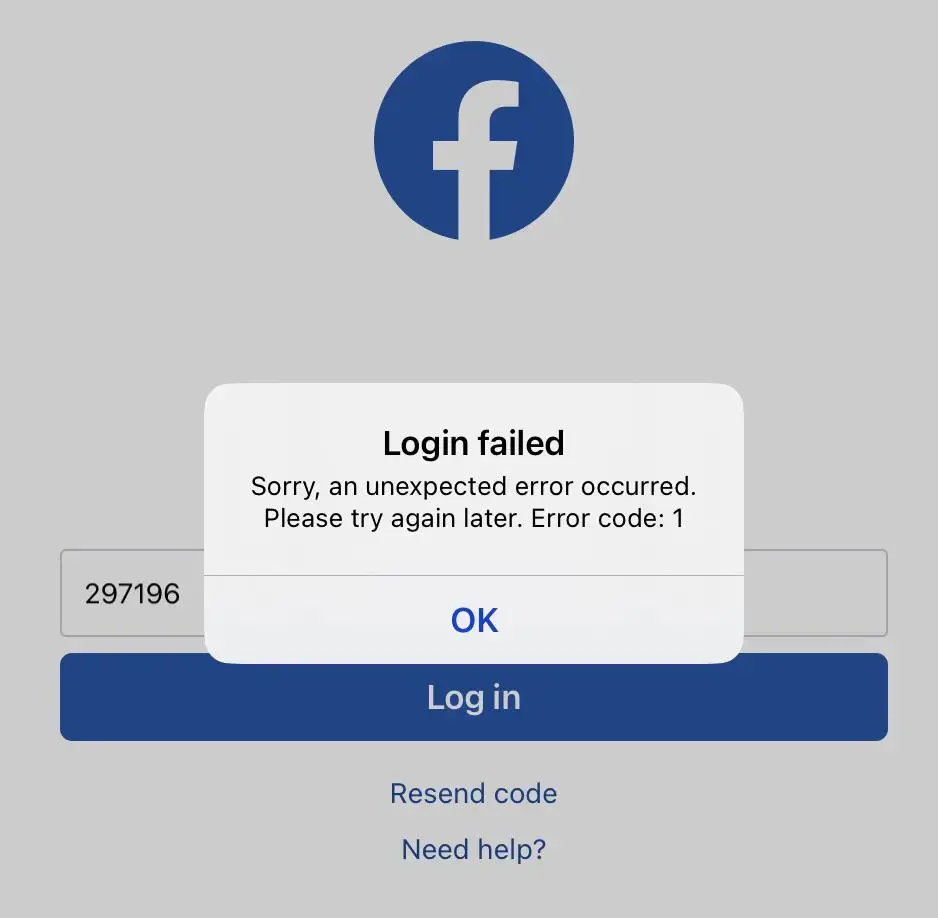
The “unexpected error” message is not a password issue. It usually means Facebook could not safely complete the login request.
In these cases, retrying repeatedly often worsens the situation.
When Facebook asks for a security code, it means the login looks unfamiliar.
This often happens when:
For most users, this is a one-time check.
For professionals managing many accounts, code requests can repeat across accounts. This usually indicates shared signals, not isolated mistakes—especially when multiple accounts are accessed from the same browser setup.
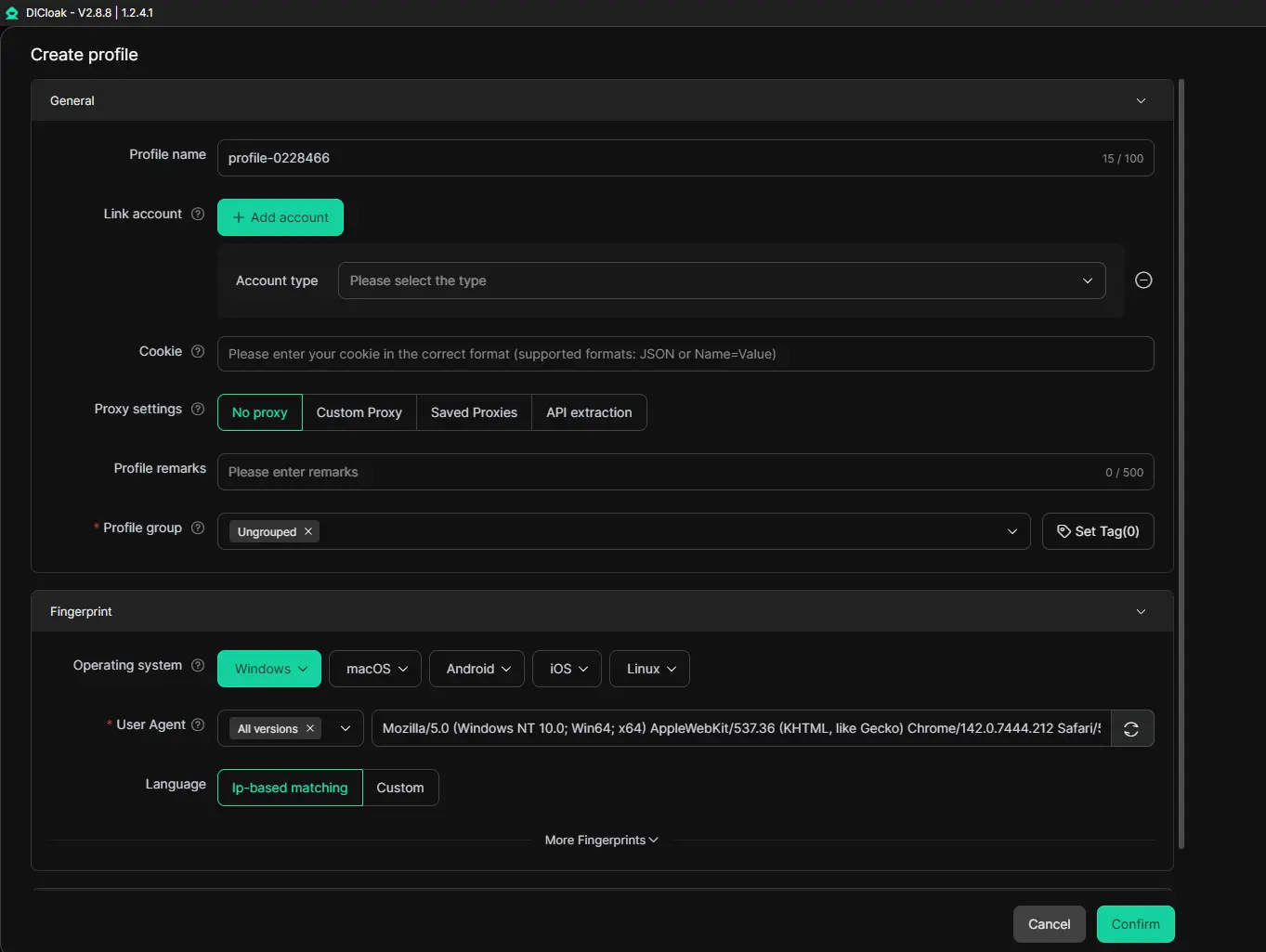
In these cases, using isolated login profiles can help. For example, DICloak lets teams run each Facebook account inside its own separate browser profile, keeping cookies and session data from mixing across accounts. When each account keeps a consistent profile over time, Facebook is less likely to treat the login as “new” every time you switch accounts.
If verification prompts continue even after successful logins, the account has likely entered a higher-risk state.
Most Facebook login fails are not caused by a single mistake. They usually happen when multiple risk signals stack up—especially in multi-account workflows.
Common triggers include:
Over time, these patterns increase the likelihood of:
At scale, the issue is not one failed login attempt. It’s repeated, connected signals that make different accounts look linked.
Using a standard browser to manage multiple Facebook accounts creates structural risk because the browser was never designed for account isolation.
Most browsers are built to reuse the same local session layer across logins, including:
When one account triggers a security check, other accounts running in the same browser setup may follow. This “collateral impact” is a common reason login loops and verification prompts spread across accounts—especially when teams switch between accounts quickly during daily work.
On a small scale, clearing cache may be enough. But once you manage multiple accounts consistently, the real problem is not a single error—it’s shared session data.
This is exactly the gap between standard browsers and antidetect browsers like DICloak—how login profiles and session data are handled at scale.That’s why many operators move to an isolation approach where each account runs in its own dedicated browser profile.
Facebook does not rely on cookies alone to recognize devices.
It also uses browser fingerprinting, which can include:
Even if cookies are cleared, fingerprint signals often remain consistent. When these signals change too much between sessions, Facebook may treat the login as unfamiliar and apply additional security checks.
This is why clearing cookies alone does not always resolve Facebook login fails—fingerprint consistency matters.
DICloak reduces Facebook login fails by keeping each account’s login profile stable and isolated, especially in multi-account and team-based workflows.
DICloak creates isolated browser profiles for each Facebook account.
Each profile keeps its own cookies, local storage, and session history, so logging into one account does not affect another.
This helps prevent:
Facebook compares current logins with past sessions. When fingerprint signals change frequently, logins are more likely to be flagged.
DICloak helps keep fingerprint signals consistent within each profile over time. When the same account always logs in with the same profile configuration, Facebook is less likely to trigger extra verification.
In a shared browser, one account triggering a security check can impact others.
With isolated profiles:
This is especially important for users managing multiple pages, ad accounts, or client assets.
When multiple people access the same Facebook account from different devices, login risk increases.
DICloak supports profile sharing and permission-based access, allowing teams to:
In short, DICloak reduces Facebook login fails by separating accounts into dedicated profiles and keeping login signals consistent over time. This helps avoid session conflicts and repeated verification prompts.
DICloak does not bypass Facebook security systems or guarantee that accounts will never be restricted.
What it does is help teams:
In other words, DICloak focuses on preventing avoidable risk signals, not forcing access.
Login checks do not stop after access is granted.
Facebook also evaluates what happens immediately after login. Actions that happen too fast or follow rigid patterns can look automated—especially when repeated across accounts.
Examples include:
Even when automation tools are used, behavior needs variation. Human-like timing and natural pauses reduce escalation risk. Otherwise, login issues can evolve into broader account restrictions.
Stop repeated login attempts. Too many retries can extend the lock. Check whether browser or network conditions have changed. If nothing changes, waiting 24 hours often resets the security timer.
Most last between 24 and 48 hours. If the original trigger—such as unstable sessions or shared profiles—is removed, access often restores automatically.
Yes. When accounts share one browser profile, one flagged login can affect others. Isolated profiles reduce this collateral impact by separating sessions and device signals.
Password-based login is often the highest-risk moment. Using existing session cookies makes the login appear as a continuation of a trusted session.
Facebook login failures are rarely random.
They usually result from unstable sessions, changing environments, or shared browser data that links accounts together.
For individuals, basic fixes like clearing cache or disabling extensions may work.
For professionals managing multiple accounts, long-term stability requires infrastructure, not repeated troubleshooting.
This is why many teams move away from standard browsers and adopt isolated login profiles. Tools like DICloak are used not as shortcuts, but as infrastructure—helping keep profiles consistent, sessions stable, and workflows uninterrupted over time.
The shift is simple: less reacting to errors, more preventing them by design.