Managing Instagram followers sounds simple at first, but it gets harder as an account grows. For brands, creators, and agencies, follower data is not just a number. It can help show audience quality, campaign results, and possible account risks. That is why more people now look for an IG follower export tool to organize follower data in a clearer and more useful way.
But not every export method is safe. Some tools are easier to use, while others create privacy, compliance, or account security risks. In this guide, we will look at why follower export matters, what to check before using any tool, which options are available in 2026, and how to use exported data more safely for marketing and growth.
Why Do You Need an IG Follower Export Tool?
If you manage an Instagram account for business, marketing, or content growth, follower data can get messy fast. An IG follower export tool helps you turn that scattered audience data into something clear and usable. In 2026, that matters even more because teams need faster reporting, cleaner audience review, and safer ways to organize account insights.
What problems does it solve for businesses and influencers?
For businesses and influencers, the biggest problem is that follower growth is easy to see, but follower quality is much harder to judge. A brand may gain many new followers after a campaign, but still not know which users are real prospects, which are inactive, and which may be low-value or suspicious accounts.
An IG follower export tool helps solve that. It gives teams a better way to review audience data, compare follower changes, and organize lists for outreach, reporting, or campaign checks. For example, if a skincare brand works with several creators in one month, it can export follower-related data and compare growth with clicks, coupon use, or DM replies instead of only looking at the follower count.
How does it streamline audience management?
The main benefit is speed. Without an IG follower export tool, people often check accounts one by one, copy notes by hand, and sort everything manually. That takes too much time and creates more mistakes.
With an export workflow, audience management becomes easier. A team can sort followers, group them, label useful accounts, and review campaign results in a more organized way. For example, a small agency may separate giveaway followers, active customers, and possible spam accounts so the next campaign is easier to plan.
What are the risks of not using such a tool?
The first risk is wasted time. Manual review becomes very slow once an account starts growing. The second risk is poor decisions. If follower data is unclear, a team may trust the wrong growth signals or miss fake engagement.
There is also a safety risk. Some users try to collect follower data through unsafe methods, and that can create compliance or account problems. That is why using a careful IG follower export tool is much safer than relying on random shortcuts.
What to Check Before Using an IG Follower Export Tool
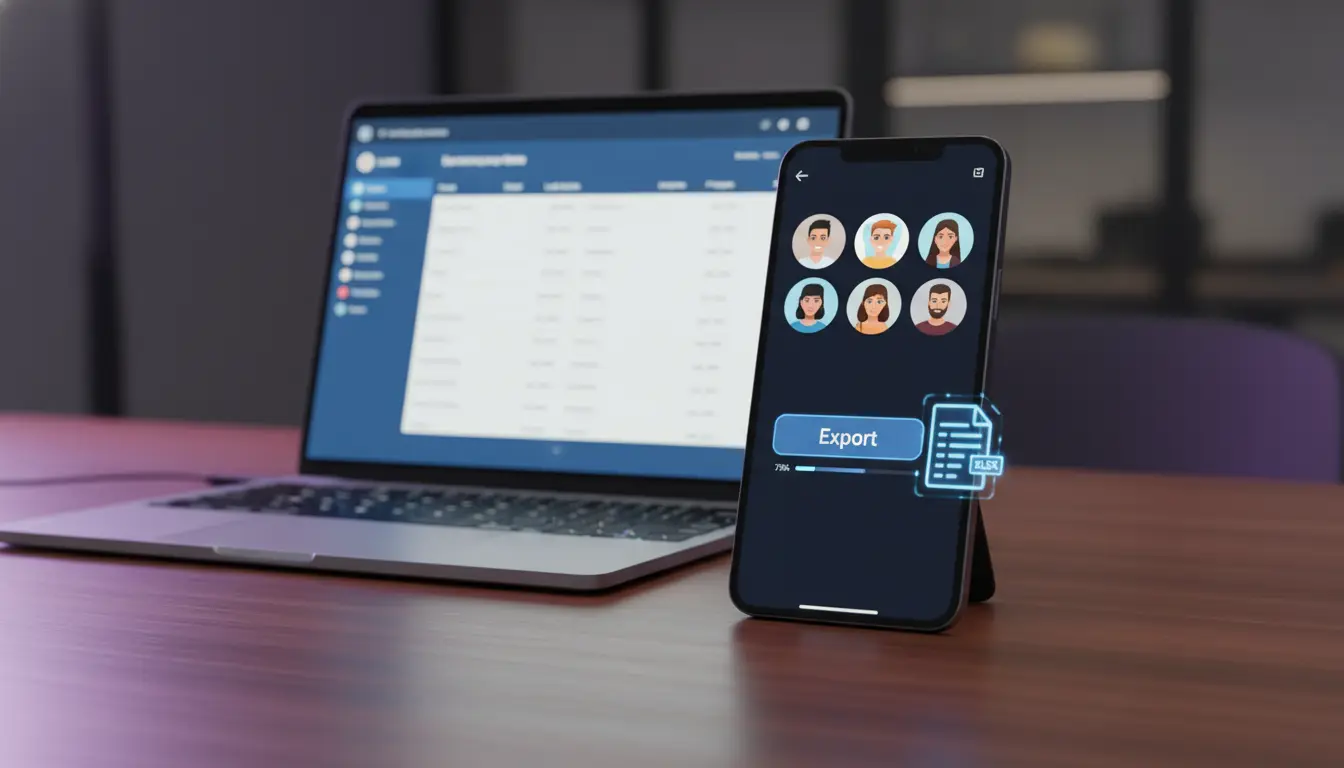
Before you use any IG follower export tool, slow down and check how it works. In 2026, this matters more than ever because Instagram allows official data export, but it also restricts unauthorized scraping and access methods.
Is the tool compliant with Instagram’s policies?
This is the first thing to check. Instagram’s Terms do not allow people to access or collect information in unauthorized ways, and Meta also says data scraping can lead to account restrictions. That means a safe IG follower export tool should not promise “secret access,” mass scraping, or bypass methods that clearly go beyond normal approved use.
How to verify the safety and security of the tool?
A good IG follower export tool should explain what data it collects, where it stores it, and how long it keeps it. If the website has no real privacy policy, no company details, and no clear support channel, that is a bad sign. On the security side, OWASP guidance says apps should use the smallest set of permissions possible and reduce access to only what is truly needed.
Think about a real case. A small agency wants to review follower lists for campaign reporting. A safer tool would clearly say what fields it exports, require only necessary access, and let the team revoke permissions later. A riskier tool might ask for full account login details, keep broad access forever, and never explain where the exported data goes. That difference matters because once follower data is copied into a third-party system, the privacy and account risk move beyond Instagram itself. This is why checking trust signals before using an IG follower export tool is not optional. It is part of basic account safety.
What permissions does the tool require?
Always read the permission request before you connect anything. Meta’s developer documentation shows that official Instagram access is permission-based, and each permission is meant for a defined type of data access. For example, the instagram_basic permission is for reading basic profile information and media from an Instagram account, not unlimited access to everything.
That is why permission scope matters so much. If an IG follower export tool asks for more access than its job requires, stop there. A tool that only helps organize audience data should not need unrelated permissions or full control over account activity. As a practical rule, look for the minimum access needed, make sure you understand every permission screen, and avoid tools that ask for your password directly when an official login authorization flow should be enough. That one habit can help you avoid many account and data problems before they start.
Step-by-Step Guide to Exporting Instagram Followers Safely
Before you start, remember one thing: safe export matters more than fast export. Instagram gives users official ways to review and export account information, and Meta also warns that unauthorized scraping can lead to restrictions.
How to set up and install the tool correctly
Before using any IG follower export tool, it is important to set it up the right way. A safe setup can help you avoid login issues, bad data, or unnecessary account risks.
- Choose a trusted tool first Start with a tool that clearly explains what it does, what data it exports, and how it connects to Instagram. If the website gives very little information or makes unrealistic promises, that is a warning sign.
- Download it from an official source Always install the tool from its official website, app store page, or verified product page. This helps reduce the chance of installing a fake version or unsafe file.
- Check the login and connection method A safer IG follower export tool should use a normal login or permission flow. Be careful with tools that ask for direct password sharing, hidden scripts, or unusual browser actions.
- Review all permission requests Before you approve access, read what the tool is asking for. If a tool only claims to export follower-related data, it should not ask for broad control over your whole account.
- Test it on one account first If you manage several accounts, do not connect all of them at once. Start with one account, run a small test export, and make sure the process works normally.
- Check the export result before doing more After the first export, open the file and review the data. Make sure the format is clear, the fields are useful, and the export matches your actual needs.
- Keep your setup simple Do not install too many tools at the same time. Using one clear workflow is safer and easier to manage than mixing several unknown tools together.
What data can you export and in which formats?
The exact export fields depend on the tool and the permission scope, but Instagram’s own export system shows the basic model: users can request account information and download it in machine-readable HTML or JSON formats. That means a compliant IG follower export tool should also be clear about what it exports and how the file is structured.
How to avoid common errors during the export process
The most common mistake is rushing. People install an IG follower export tool, click through permissions too fast, and only later realize they do not understand what the tool can access. Another common problem is using tools that rely on scraping shortcuts. Meta explicitly says unauthorized scraping breaks its rules and can lead to restrictions, so that is a risk not worth taking.
To avoid errors, keep the process simple. Use one verified tool, one account, and one clear export goal at a time. Check that your login session is stable. Review the permission scope before approval. Export a small sample first. Then open the file and make sure the data looks correct before doing more. If a tool produces messy files, missing fields, or unclear account behavior, stop and review the setup instead of retrying again and again.
Comparing IG Follower Export Tools: Which One is Right for You?
Before choosing the right IG follower export tool, it helps to look at the main options on the market first.
Phantombuster — Best for cloud-based automation
Phantombuster is one of the most visible names in this space. It offers a dedicated Instagram Follower Collector and Instagram Following Collector, which are built to pull Instagram profile data into exportable files. According to Phantombuster’s own product and support pages, users provide an Instagram cookie, run the automation in the cloud, and then download results in CSV or JSON.
What makes it attractive is convenience. A team does not need to sit in front of the screen during the whole export. That makes it useful for agencies, lead-gen teams, or marketers who need repeat exports. The downside is that it still relies on third-party access, so it is not risk-free.
Best for: agencies, marketers, and users who want a more automated IG follower export tool
Export format: CSV, JSON
Main trade-off: easier workflow, but still a third-party scraping-style tool
Instaloader — Best free option for technical users
Instaloader is a well-known open-source tool. Its GitHub repository and official site describe it as a command-line tool for downloading Instagram content and metadata, including profile-related data. It is free, widely used, and flexible, but it is clearly made for people who are comfortable with scripts or terminal commands.
This is not the easiest IG follower export tool for beginners. Still, for developers or technical marketers, it can be powerful because it gives more control and does not require paying for a SaaS plan. The main problem is usability. If someone on your team is not technical, setup and data formatting can quickly become frustrating.
Best for: developers, analysts, and command-line users
Export format: raw text and metadata, often processed further into CSV
Main trade-off: free and flexible, but not beginner-friendly
Browser-based export tools and extensions — Best for simple CSV exports
This category includes tools like IGExport, IGExporter, and similar Chrome extensions. Their product pages say they can export Instagram followers or followings into CSV, Excel, or similar spreadsheet-friendly formats, often directly inside the browser session. Some also say they process data locally or work without asking for a password.
These tools are popular because they are easy to start with. A non-technical user can often install the extension, open Instagram, and export data with much less setup than a command-line tool. But this convenience comes with a clear warning: browser extensions can access your session, so trust matters a lot. If the developer is unclear, the reviews are weak, or the permissions look too broad, it is better not to use it.
Best for: solo creators, small teams, and non-technical users
Export format: CSV, Excel, sometimes JSON
Main trade-off: easiest setup, but extension permissions need extra caution
Apify Instagram scrapers — Best for scale and API workflows
Apify is a scraping platform with ready-made Instagram actors. Current listings on Apify show follower scraper tools that can export public account follower data in JSON, CSV, and sometimes Excel, with API access for automation. Some actors are positioned for no-login public scraping, while others are built more for developer workflows and batch jobs.
This type of IG follower export tool is usually better for agencies, data teams, or people who want exports at scale. It is less about “click once and download” and more about repeatable data operations. For a small creator, this may feel too technical. For a business running audience research across many accounts, it can be much more practical.
Best for: developers, agencies, and large-scale data workflows
Export format: JSON, CSV, Excel
Main trade-off: strong scalability, but more technical and more sensitive from a compliance view
Instagram’s own data download — Best for the safest baseline
Even though it is not a classic third-party IG follower export tool, Instagram’s own data download option should still be part of the comparison. Instagram allows users to request and download account information, and official help documentation says the export is available in formats such as HTML or JSON.
This is usually the safest starting point because it comes from the platform itself. The limitation is that it is not always as convenient or spreadsheet-ready as dedicated export tools, especially if a team wants quick filtering, CRM use, or repeated follower analysis. Still, from a policy and account-safety view, this is the cleanest baseline.
Best for: users who want the lowest account risk
Export format: HTML, JSON
Main trade-off: safest route, but less flexible for fast business workflows
Tool Comparison
| Tool |
Best For |
How It Works |
Export Formats |
Free Option |
Main Strength |
Main Limitation |
Safety Notes |
| Phantombuster |
Agencies, marketers, users who want automation |
Runs cloud-based follower or following collection through your Instagram session cookie |
CSV, JSON |
Yes — limited free credits for small export tasks |
Easy to automate and good for repeat export tasks |
Larger exports usually need a paid plan |
More controlled than many small tools, but still a third-party scraping-based option |
| Instaloader |
Developers, analysts, technical users |
Uses command-line scripts to download Instagram data and profile-related information |
Raw text, metadata, can be processed into CSV |
Yes — fully free and open source |
Free, flexible, and powerful |
Not beginner-friendly and needs technical setup |
Widely used, but aggressive use may still trigger rate limits |
| Browser Extensions |
Solo creators, small teams, non-technical users |
Works inside your logged-in browser session and captures follower/following data as you browse or scroll |
CSV, Excel, sometimes JSON |
Usually yes — many offer limited free exports |
Fast to start and easy to use |
Manual scrolling may be needed for large lists |
Extensions can access your browser session, so trust and permissions matter a lot |
| Apify Instagram Scrapers |
Developers, agencies, teams handling large-scale exports |
Uses cloud-based scraper actors and API workflows for Instagram data collection |
JSON, CSV, Excel |
Yes — free monthly credits for small jobs |
Strong for scale, batch work, and automation |
More technical than simple export tools |
Better for experienced users; compliance and use method should be checked carefully |
| Instagram Data Download |
Users who want the safest baseline |
Uses Instagram’s official account data request and download process |
HTML, JSON |
Yes — built into Instagram |
Lowest account-risk option |
Less flexible and not always spreadsheet-ready |
Safest option from a platform-compliance view, but less convenient for repeated workflow use |
How to Use Exported Data for Marketing and Growth
Once you export follower data with an IG follower export tool, the next step is to turn that file into decisions.
How to analyze follower demographics and behavior
A good way to use exported data is to compare your follower list with the audience signals you already see in Instagram Insights. For example, Instagram says professional accounts can view growth, reach, engagement, and some audience demographics, including engaged audience demographics once the account has reached the required threshold. That means your IG follower export tool can help you organize the raw list, while Instagram Insights helps you understand the bigger pattern behind that list.
How to identify and remove fake or inactive accounts
Exported follower data is also useful for spotting low-quality accounts before they distort your results. Industry guidance on influencer audits keeps pointing to the same warning signs: sudden follower spikes, weak engagement compared with audience size, repetitive comments, suspicious account patterns, and large groups of inactive-looking followers.
In simple terms, if an account grows fast but likes, comments, replies, and clicks do not move with it, something is off. A brand or creator can use an IG follower export tool to review usernames, profile signals, and activity patterns in batches instead of checking everything one by one. For example, if a giveaway adds 5,000 followers but many of those profiles have empty bios, very low activity, strange usernames, or never engage again, that list may be hurting more than helping.
Common Mistakes to Avoid When Using IG Follower Export Tools
Using an IG follower export tool can save time, but small mistakes can create bigger problems later.
Choosing a tool just because it is fast or free
A lot of users pick the first tool they see because it promises quick exports or a free plan. That is risky. A better check is whether the tool clearly explains how it works, what data it pulls, and what kind of access it needs. If the setup is vague, the claims sound too big, or the site hides basic details, that is a bad sign. Instagram’s rules already make it clear that unauthorized collection methods can cause account trouble, so “fast” should never be the only reason to choose a tool.
Ignoring Instagram’s policy rules
Some users focus only on getting the export done and forget to ask whether the workflow is compliant. That is one of the biggest mistakes. Instagram says data scraping in unauthorized ways goes against its Terms of Use, so using aggressive tools or hidden collection methods can create real account risk. If a tool seems built around bypassing limits instead of working in a transparent way, it is safer to avoid it.
Granting more permissions than the tool really needs
Another common mistake is approving every permission request without reading it. Meta’s developer guidance says people can grant only a subset of permissions and that apps should ask for the bare minimum they need. So if a tool only claims to help with follower export, but asks for broad access that does not match that job, that should raise a red flag.
Using unsafe extensions or unknown websites
Browser extensions and web tools may look simple, but they can still expose your account if the developer is not trustworthy. This matters even more when a tool works inside your logged-in browser session. Before using one, check whether the developer is visible, whether the privacy policy is clear, and whether there is a real support channel. A clean-looking interface alone does not make a tool safe. Meta also lets users review and remove apps or websites connected to Instagram, which is a good habit after testing any tool.
Exporting too much data too quickly
Trying to pull a very large follower list all at once is another avoidable mistake. Even well-known third-party tools can run into rate limits or trigger warnings if used too aggressively. A safer habit is to test a small export first, check the result, and only then move to a larger job. That is slower, but it helps reduce errors and makes problems easier to catch early.
Failing to review the exported file
Some people finish the export and move on without checking the actual file. That can lead to bad reports, wrong audience analysis, or messy CRM records. Always open the file, review the columns, and make sure the data is complete and readable before using it for outreach or campaign planning. A tool is only useful if the export is accurate enough to support real decisions.
Is It Safe and Legal to Use IG Follower Export Tools in 2026?
This depends on the tool, the method, and the data you collect. In 2026, using an IG follower export tool is not automatically illegal, but it can become risky very fast if it relies on unauthorized scraping, over-collects personal data, or ignores privacy law. The safest approach is to stay close to Instagram’s official export options, limit the data you handle, and make sure your workflow has a real legal and business reason behind it.
What are Instagram’s terms of service regarding data export?
Instagram does give users an official way to review and export their own account information. Its Help Center says users can request a copy of their Instagram information, and some exports are available in formats like HTML or JSON. That is the cleanest starting point because it is built into the platform itself.
The problem starts when a third-party tool collects data in ways Instagram does not approve. Meta’s Help Center clearly says data scraping goes against its Terms when people access or collect information in unauthorized ways. So the key issue is not just “exporting followers.” It is whether the tool uses a method Instagram allows. If a tool promises hidden access, mass extraction, or collection from accounts without proper authorization, that is where the risk goes up.
How to ensure compliance with privacy laws like GDPR?
If exported follower data includes personal data, privacy law starts to matter right away. Under GDPR-style thinking, the safest habit is to collect only the data you truly need, keep it only as long as needed, and make sure you have a lawful reason to process it. Meta’s developer materials also remind businesses that they must meet their own obligations under data protection laws such as the GDPR.
In practice, that means being careful with purpose and scope. For example, if a brand exports follower data only to review campaign quality, it should not quietly reuse that same data for broad cold outreach or indefinite storage. It should also document what it collected, why it collected it, who can access it, and when it will be deleted. This matters because European regulators are still actively enforcing scraping and transparency rules. In January 2025, the French authority fined KASPR over scraped personal data practices, and in 2026 the EDPB launched a coordinated enforcement action focused on transparency and information obligations.
What are the potential consequences of misuse?
The first consequence is account trouble. If Instagram decides a tool is collecting data in unauthorized ways, the account connected to that workflow could face warnings, restrictions, or loss of access. That alone is a strong reason to avoid shortcuts.
The second consequence is legal and compliance exposure. If a company exports follower data carelessly, stores too much of it, or uses it without a valid basis, regulators may treat that as a privacy violation. Recent European enforcement around scraped data shows that “publicly visible” does not mean “free to collect and use however you want.”
The third consequence is trust damage. If users, clients, or partners feel their data was collected in a careless way, that can hurt a brand long after the export itself is finished. So in 2026, the safest answer is simple: an IG follower export tool can be safe only when the method is authorized, the permissions are limited, and the data handling is disciplined.
Enhancing IG Follower Exports with DICloak Antidetect Browser
For teams that manage more than one Instagram account, follower export is not only about getting the data out. It is also about keeping profiles separate, keeping workflows organized, and reducing avoidable account risk during day-to-day operations. In that kind of setup, people often need a cleaner browser profile, better profile isolation, and an easier way to handle repeated export tasks across accounts.
How DICloak ensures secure multi-account management
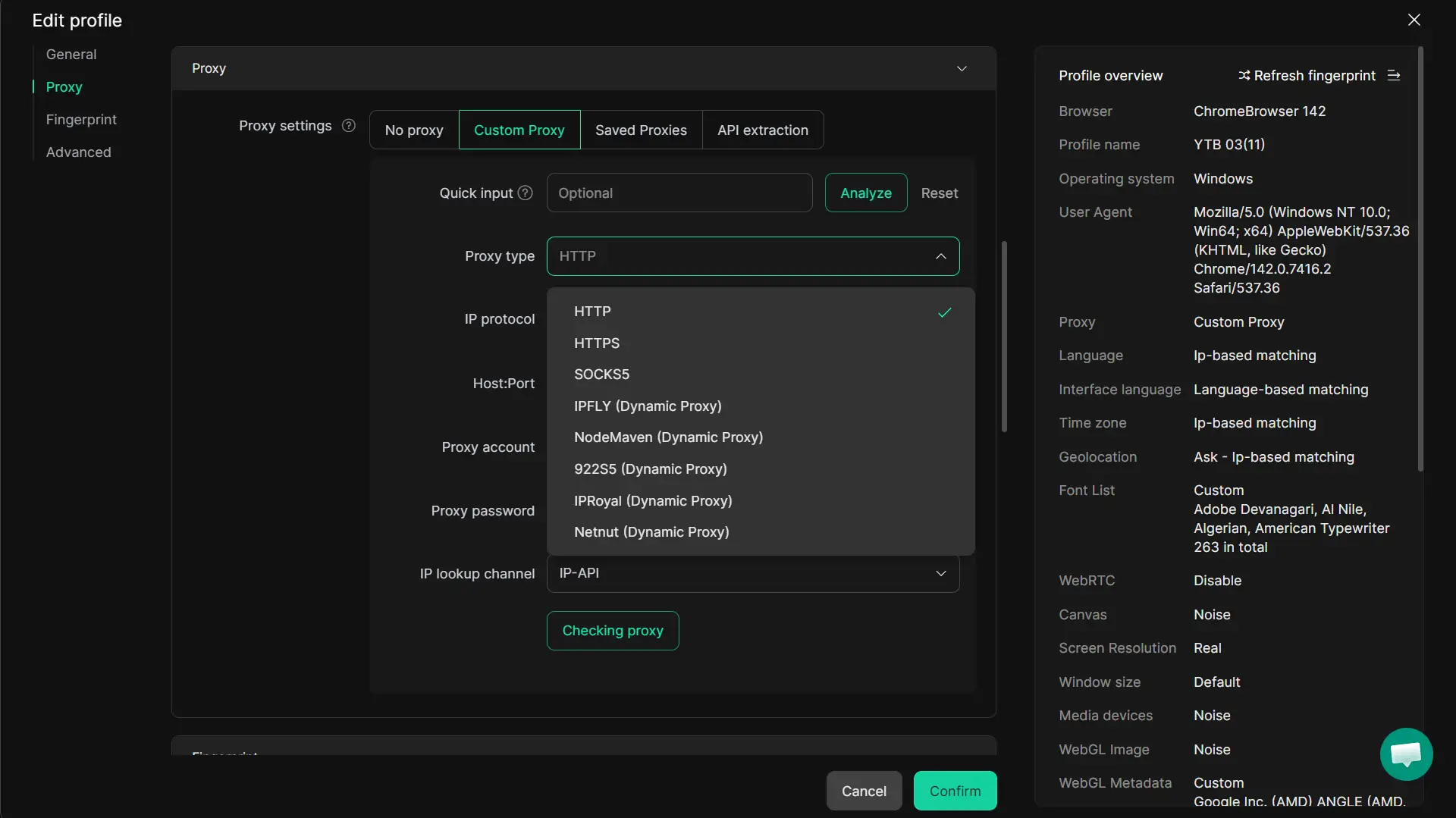
When people manage several Instagram accounts at the same time, the biggest problem is often account mixing. With DICloak, users can place each account in a separate browser profile, so each one keeps its own cookies, local storage, login state, and proxy settings. This makes it easier to review follower data account by account instead of mixing everything together in one browser session.
Using DICloak for seamless bulk follower exports
If people need to work across many accounts, doing everything one by one becomes slow very quickly. Through DICloak, users can create profiles in batches, organize them into groups, and configure proxies in bulk before starting routine work. That makes repeated export preparation much more manageable.
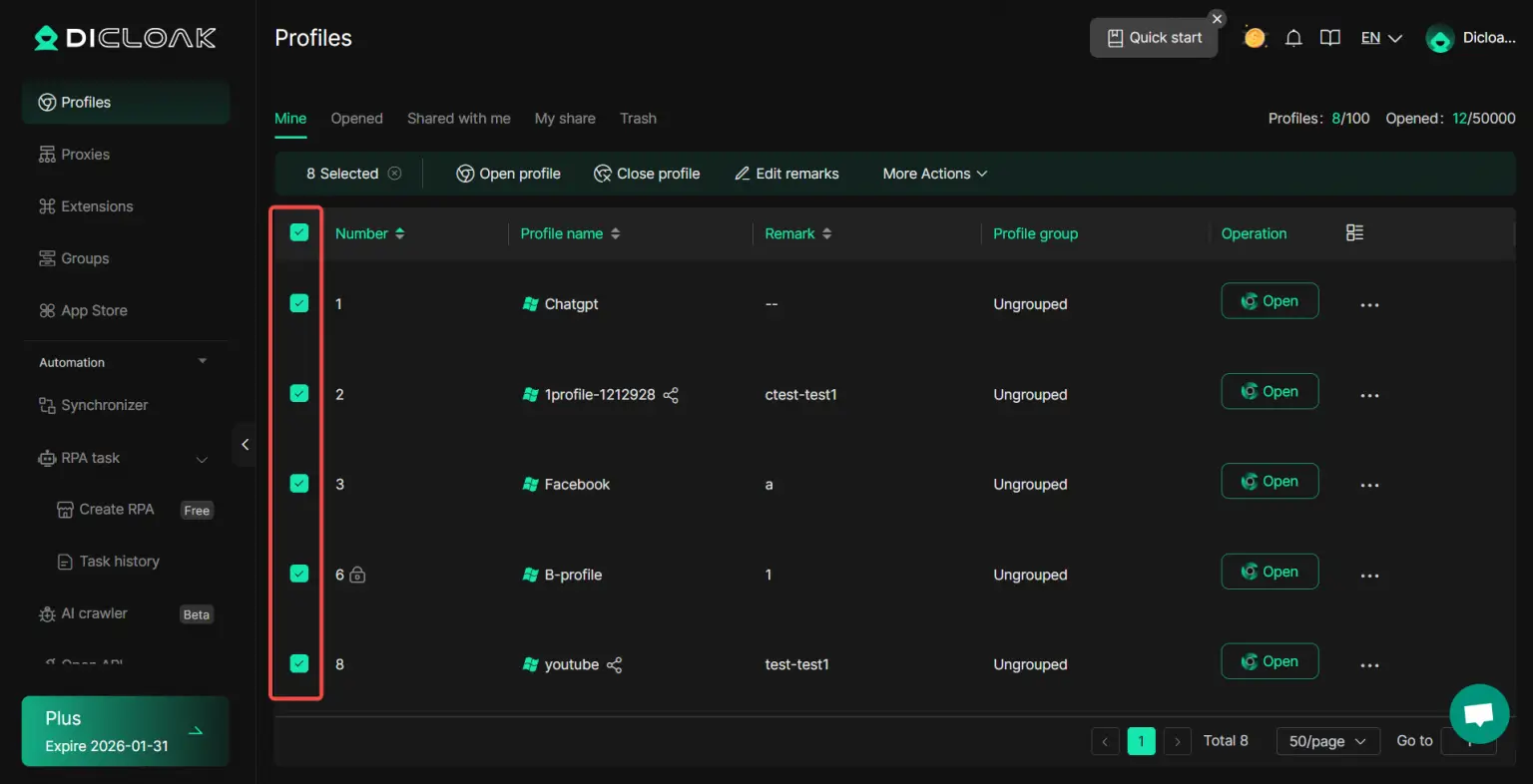
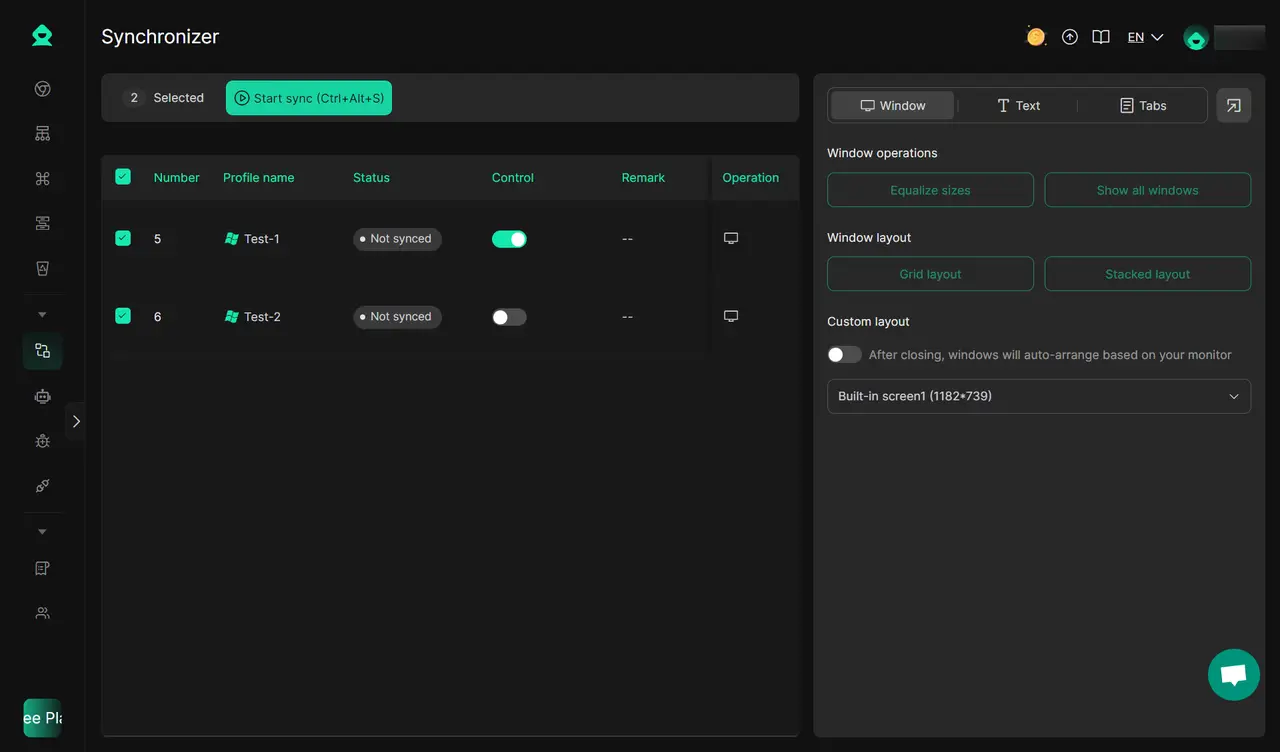
For example, a team handling giveaway accounts, influencer accounts, and client accounts can separate those profiles first, then move through follower export tasks in a more orderly way. If the same steps need to be repeated across several profiles, users can also use tools like Synchronizer, RPA, or bulk profile actions to reduce repetitive switching and setup work.
With DICloak, users can assign a separate fingerprint setup to each browser profile and pair that profile with its own proxy configuration. This helps keep account profiles more independent from each other.
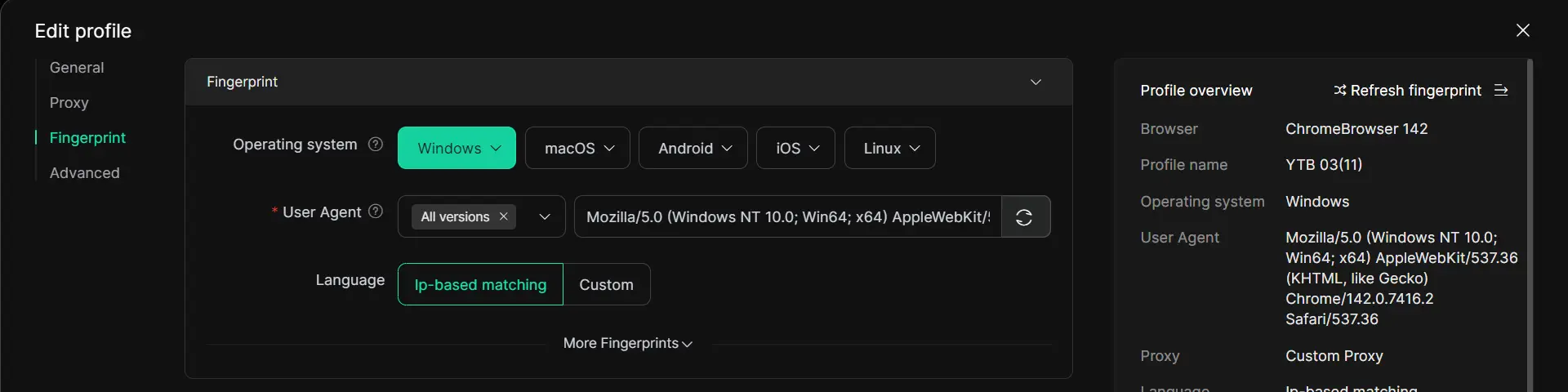
In real work, that means a team is less likely to open the wrong account, overwrite the wrong session, or carry browser traces from one export workflow into another.
For businesses that handle follower data across several Instagram profiles, that kind of separation makes the whole process more controlled and easier to manage.
FAQs
Can I export followers from someone else’s account?
In most cases, you should not assume that exporting followers from someone else’s account is allowed. Instagram gives users an official way to review and export their own account information, but Meta also says unauthorized scraping and data collection go against its rules. So if a tool claims it can freely pull follower data from other accounts without proper authorization, that is a clear risk. The safer rule is simple: only work with data you have a legitimate right to access.
Do I need to log in with my Instagram account to use these tools?
Often, yes. Many follower export tools need some form of account access, whether that means a direct login, an authorized connection, or your active browser session. That is why Instagram warns users to be careful before giving third-party apps or websites access to their account, and not to share login information with untrusted apps. If a tool asks for full credentials without a clear reason, that is a sign to stop and review it more carefully.
What should I do if the tool stops working midway?
First, do not keep retrying too fast. Check whether the tool lost access, whether your session expired, or whether the export file saved only part of the data. Then review connected app access and make sure the tool still has the permissions you approved. If the tool looks unstable, it is better to stop, verify the setup, and restart with a smaller export batch instead of pushing through repeated failed attempts. Instagram also lets users manage and remove connected apps and websites, which is helpful if something starts acting strangely.
Are there tools that work on both desktop and mobile?
Some do, but desktop is still the more practical option for follower export. Instagram’s own data export tools work through its account systems, and many third-party export workflows are easier to manage on desktop because files are easier to review, store, and sort there. Mobile may work for lighter tasks, but for larger exports, checking file quality and cleaning the data is usually much easier on a computer. Instagram’s export formats, such as HTML or JSON, also make more sense in a desktop workflow.
How often should I export my follower data for analysis?
That depends on how active the account is. A small creator may only need a monthly export. A brand running giveaways, ad campaigns, or influencer collaborations may need to check follower data weekly or after each campaign. The goal is not to export constantly. It is to export often enough to spot changes in audience quality, campaign impact, or suspicious growth patterns before they become harder to explain. A simple routine, such as once a month plus one export after major campaigns, is usually enough for most teams.
Conclusion
An IG follower export tool can be useful when you need to understand your audience better, review follower quality, and manage account data more efficiently. The key is not just finding a tool that works, but choosing a method that is safer, more transparent, and easier to control over time.
In 2026, the best approach is to stay careful with permissions, avoid risky shortcuts, and use exported data with a clear purpose. If you manage multiple Instagram accounts, keeping each profile separate and organized can also make follower export workflows much easier to handle. In the end, better follower data only helps when it leads to better decisions.
 Web Proxy Tools
 Free Tools
 Cookie Plugin
 UA Generator
 MAC Address Generator
 IP Generator
 IP Address List
 2FA Code Generator
 World Clock
 Anonymous Check
 WebRTC Leak Test
 UUID Generator
 Free Web Proxy Site
 Proxy Checker
 FB Ad Checker
 AI Web Scraping
 Free SMM Tools
 Twitter Shadowban Checker
 Instagram Name Checker
 UTM Generator
 Username Generator
 AI Hashtag Generator
 LinkedIn Headline Generator
 Social Media Image Resizer