A bank lost its entire Facebook ad account overnight, one flagged landing page triggered a chain reaction and every campaign went dark. Teams scrambled, but appeals failed. The root cause? Hidden behind a redirect, facebook cloaking tricked Facebook’s review system but left the business exposed. This is not a rare case, account bans linked to cloaking have hit e-commerce shops, agencies, and affiliate marketers worldwide. Even sites with clean public pages have been caught when Facebook’s detection tools spotted mismatched content behind the scenes. Meta’s official documentation lists cloaking as a top violation, and their automated systems catch thousands of offenders each week.
The draw is obvious: cloaking lets some marketers show Facebook’s moderation team a harmless page, while real users see offers that would be rejected. It promises higher approval rates and short-term wins, but often ends with full account loss and blacklisting. Recent updates to Facebook’s enforcement algorithms mean even small mistakes can get expensive fast. Real teams are looking for safer approaches that still let them run multiple accounts or manage gray-area verticals, without risking everything. Here’s how the risks stack up, how detection works, and which alternatives actually keep your marketing running.
What Does Facebook Cloaking Actually Mean Today?
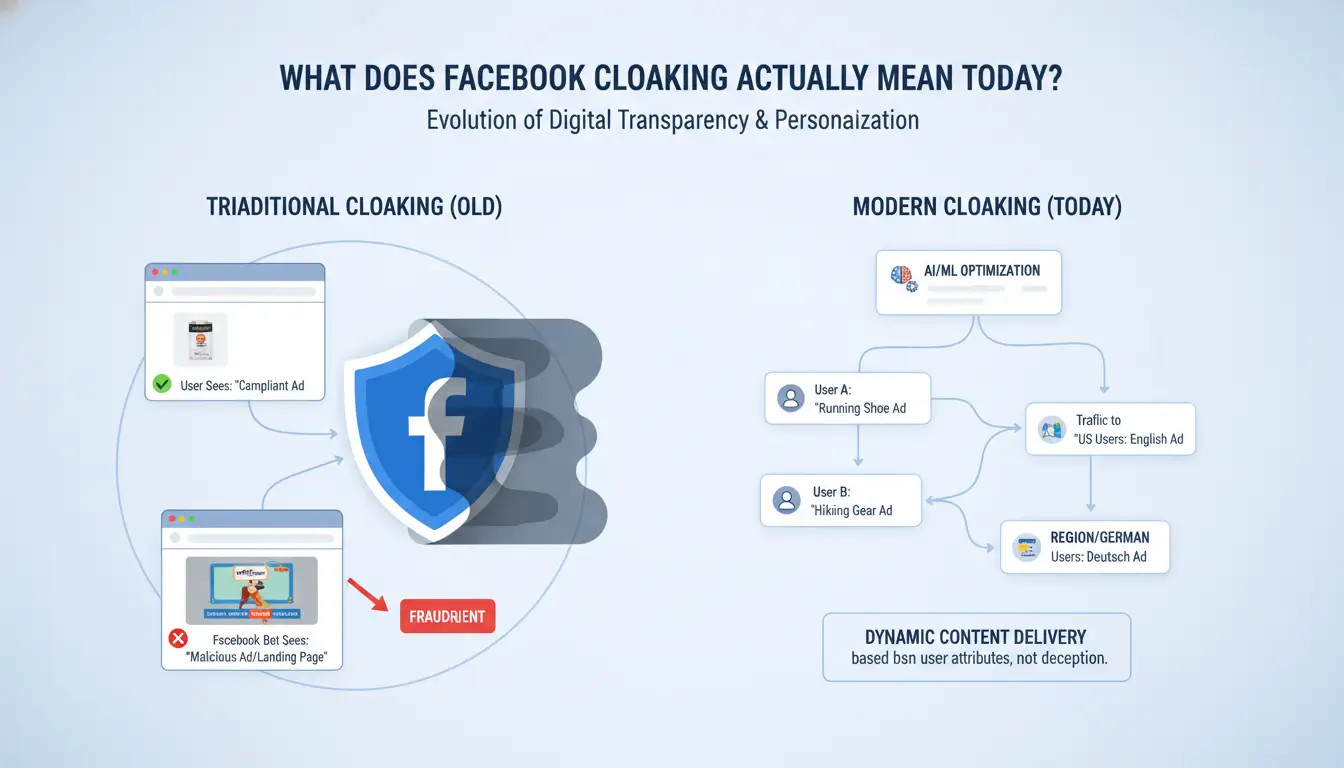
Facebook cloaking means tricking Facebook’s review system so that moderators see a different page than real users do. The main goal is to bypass ad checks, usually by showing a “clean” version to Facebook and a restricted or banned offer to people who click the ad. This is not just a technical trick, it’s a clear violation of Facebook’s ad policies. Compared to general ad cloaking used on other platforms, Facebook cloaking faces faster, smarter detection and harsher penalties because Facebook controls both the ad platform and the review process.
How Facebook Cloaking Works in Practice
Cloakers set up websites that show Facebook’s automated reviewers a simple, safe page, often just a generic product or even a blank site. When a real person clicks the ad, the site instantly detects they’re not a reviewer (by checking IP, browser fingerprint, or cookies) and shows a totally different offer. This could be anything from a risky supplement to a gambling app. Modern cloaking tools update their methods constantly to dodge Facebook’s detection, but the gap is shrinking as Facebook’s enforcement algorithms get better.
Types of Cloaking Used on Facebook
There are two main types of facebook cloaking:
- Pre-click ad cloaking: Hides the true ad content from Facebook’s system before a user clicks anything. Often involves fake ad copy or images that change after approval.
- Post-click landing page cloaking: Changes the page after the ad is clicked. Reviewers get a safe version, real users see the “money page.”
Both methods carry account ban risk, but post-click cloaking is more common because Facebook’s detection starts as soon as the ad is reviewed. Most teams using these tricks lose their accounts quickly, safer alternatives now matter more than ever.
Why Facebook Cloaking Is Risky for Marketers and Businesses
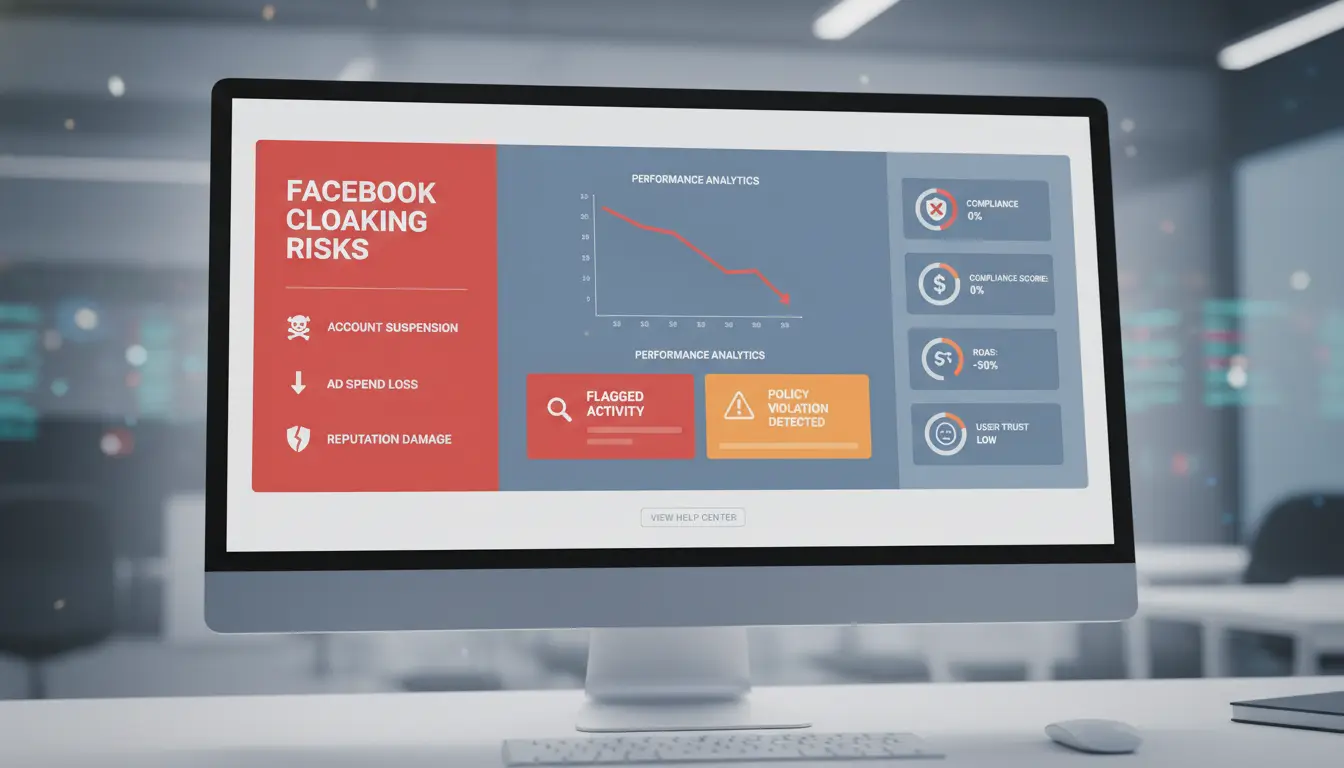
Cloaking on Facebook looks tempting to marketers who want to bypass ad reviews. But the fallout can be severe. The risks go beyond losing one account, you can lose all connected assets, waste money on blocked ads, or even damage your business’s reputation. Here’s how the dangers break down.
Account Ban and Permanent Loss
Facebook’s detection systems don’t just look for obvious tricks. They check browser fingerprints, IP addresses, and patterns that don’t match normal advertiser behavior. Even if you use new profiles or try fresh proxies, Facebook’s enforcement algorithms can connect accounts that share device traits or login habits. Once flagged, most bans are permanent. You won’t just lose your ad account, the ban can hit your business page, payment methods, and even personal profiles linked to the setup. Getting assets back is rare. Most appeals go nowhere, especially when cloaking is involved.
Hidden Costs: Lost Budgets and Reputation
The money risk is real. Teams often spend days or weeks running cloaked ads before Facebook catches them. That means real ad spend goes out, but results vanish once the ban drops. Sometimes, entire campaigns get wiped, and refunds are almost impossible. The hit isn’t just financial. If your business name or domain gets flagged for facebook cloaking, your future ads may get blocked before they even run. Worse, clients and partners can see your brand as untrustworthy. The damage to trust can last much longer than a single ban. For a safer way to handle multiple accounts or gray-area projects, consider tools like DICloak for Social Media Marketing, which focus on account isolation rather than risky hiding tactics.
How Facebook Detects Cloaking: Methods and Common Mistakes
Facebook cloaking relies on showing one page to reviewers and a different page to real users. The problem is, Facebook has built its detection around catching these mismatches. Even a single error can lead to a full account ban. Understanding how their system works, and what mistakes get flagged most, can help you avoid instant shutdowns.
Detection Techniques: Bots, Reviewers, and AI
Facebook uses a mix of automated bots, manual reviewers, and AI systems to check for cloaking. Bots scan landing pages from a range of devices, locations, and browsers. They don’t just look at the main content, they test what happens if you refresh, click, or visit from different IP addresses. This means basic IP filtering or user agent tricks rarely work for long.
Manual reviewers step in when the system spots something off or if your page gets reported. Reviewers compare what they see to what users see in different countries. If there’s a mismatch, the account is flagged. The latest AI-based detection looks for hidden redirects, script changes, and even fingerprint mismatches that show a page is acting differently for Facebook than for normal users.
Common Cloaking Errors That Trigger Detection
The most common mistakes in facebook cloaking aren’t just technical, they’re operational. A single fingerprint mismatch (like device, browser, or timezone) is enough for Facebook to spot cloaking. If your proxy isn’t stable, their bots will see IP switches or mismatched geolocations. Forgetting to sync language settings or missing a hidden element (like a pixel or script) can also give you away.
Running too many accounts from one device, or reusing the same proxy, makes patterns easy to track. Teams often get caught when one member logs in from a new location or device without matching the setup. Using tools like DICloak helps by creating isolated profiles and locking in unique fingerprints for each account, lowering the risk of leaks and accidental overlap. For more on Facebook’s review process, see Meta’s ad policies.
What Happens When Facebook Cloaking Fails? Real-World Scenarios
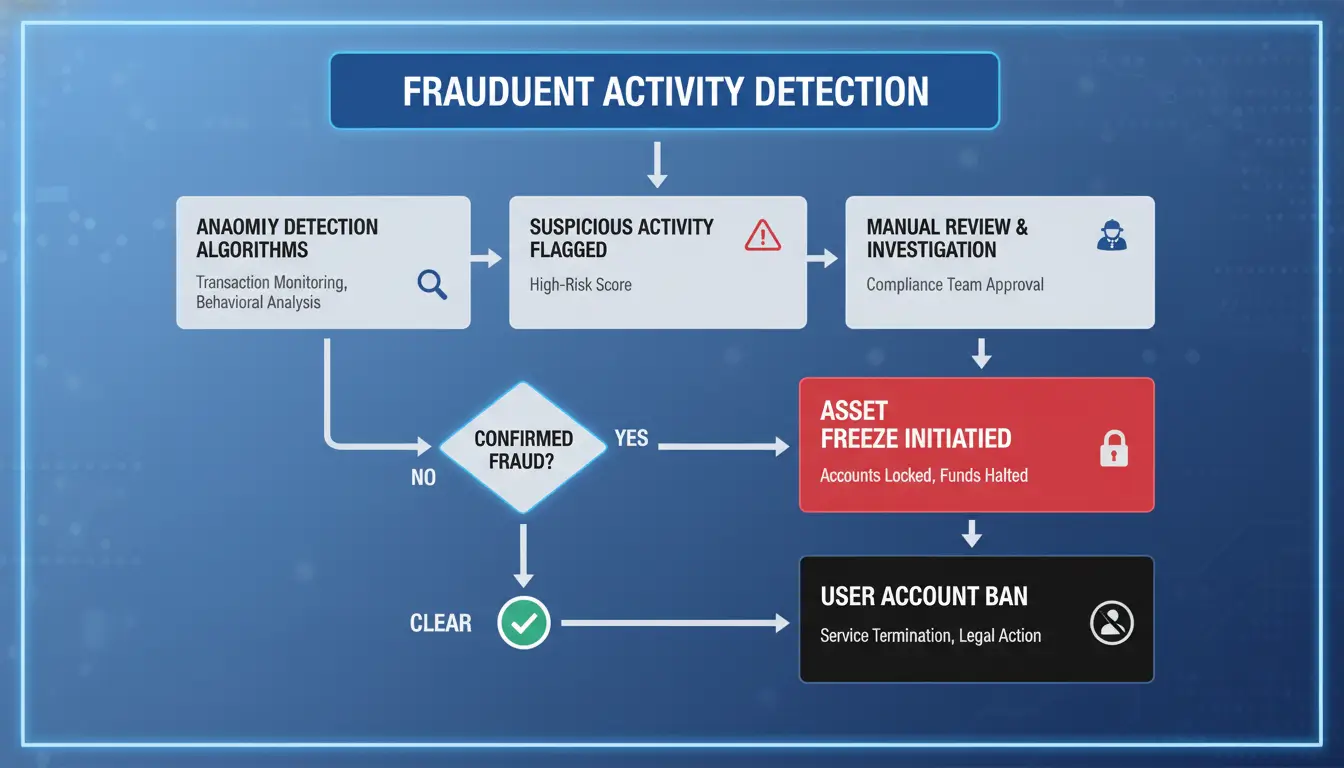
Cloaking on Facebook can look safe at first, but the risks are immediate once detection hits. Facebook’s detection systems run nonstop, flagging suspicious redirects, mismatched content, or abnormal account fingerprints. When the system catches a cloaker, the fallout is fast and hard to reverse.
Instant Ban and Asset Freeze
Most teams using facebook cloaking see the same pattern after a detection: everything connected to the flagged ad account gets locked within minutes. That means all current ad campaigns stop, business pages get disabled, and even saved payment methods are frozen. Sometimes, personal profiles tied to the account also get banned. For agencies or solo marketers, this can erase months of work, kill ongoing campaigns, and lock up remaining ad balances with no warning.
Even if you appeal, Facebook rarely restores assets linked to cloaking. Their rules are clear, see Facebook’s official enforcement page for details on how fast and strict these bans are. If your business depends on these accounts to generate leads or run offers, a ban can mean real downtime and lost clients.
Long-Term Consequences: Blacklists and Legal Risks
Immediate bans are only part of the story. When facebook cloaking is detected, Facebook often blacklists your business IP addresses, payment fingerprints, and even company names. This blocks you from creating new ad accounts or pages, even on fresh profiles. Some marketers try to return using proxies or new devices, but Facebook’s tracking usually spots repeated patterns.
The most lasting damage comes from being added to Facebook’s internal blacklist, which can follow your business for years. In rare cases, if your campaigns break laws (like selling restricted goods), Facebook may report your activity to outside authorities. For more on enforcement policies, check Meta’s transparency report.
Safer Alternatives to Facebook Cloaking for Multi-Account Marketing
Cloaking on Facebook might sound like a shortcut, but the risk now outweighs the reward, full account bans hit both new and seasoned marketers. Instead, running multiple Facebook accounts safely means building a setup that doesn’t rely on hiding or tricking detection systems. Real teams shift focus to technical isolation, permission management, and transparent workflows. The right tools and habits let you avoid the blacklists and keep campaigns running, even in harder verticals.
Using Proxies and Browser Fingerprint Isolation
Switching to proxies is one of the most basic steps to break the link between accounts. Each Facebook account should have its own proxy, never share the same IP. But just changing IPs isn’t enough. Facebook also checks your browser fingerprint, which includes details like fonts, canvas data, and time zone. If two accounts log in from the same browser profile or device, flags go up fast.
The practical answer is to isolate every account in a separate browser profile. Tools like DICloak let you set up unique profiles, each tied to its own proxy, so accounts never overlap. This lowers the chance of mass bans and keeps each profile clean.
Team Collaboration Without Risky Cloaking
Many bans happen when teams share logins or pass credentials in unsafe ways. Instead of using facebook cloaking to hide actions, set clear rules on who can access which account. Use permission settings and share browser profiles only as needed. DICloak supports permission control and lets you track who did what with audit logs. If something goes wrong, you know which action triggered it, no guessing or blaming.
What actually keeps your accounts alive is a mix of isolation and accountability, not tricks that Facebook already watches for. For more on safe team workflows, see Meta’s Business Help Center and Wired’s coverage on platform enforcement.
How DICloak Helps Social Media Marketers Avoid Facebook Cloaking Risks
Running Facebook ad accounts with cloaking is a fast way to lose everything, one error links your profiles and triggers bans across your team. Instead of hiding intent, you can use DICloak to run campaigns safely, even in tough verticals. Here is how practical teams use these tools to avoid facebook cloaking while scaling up.
Isolated Browser Profiles for Each Account
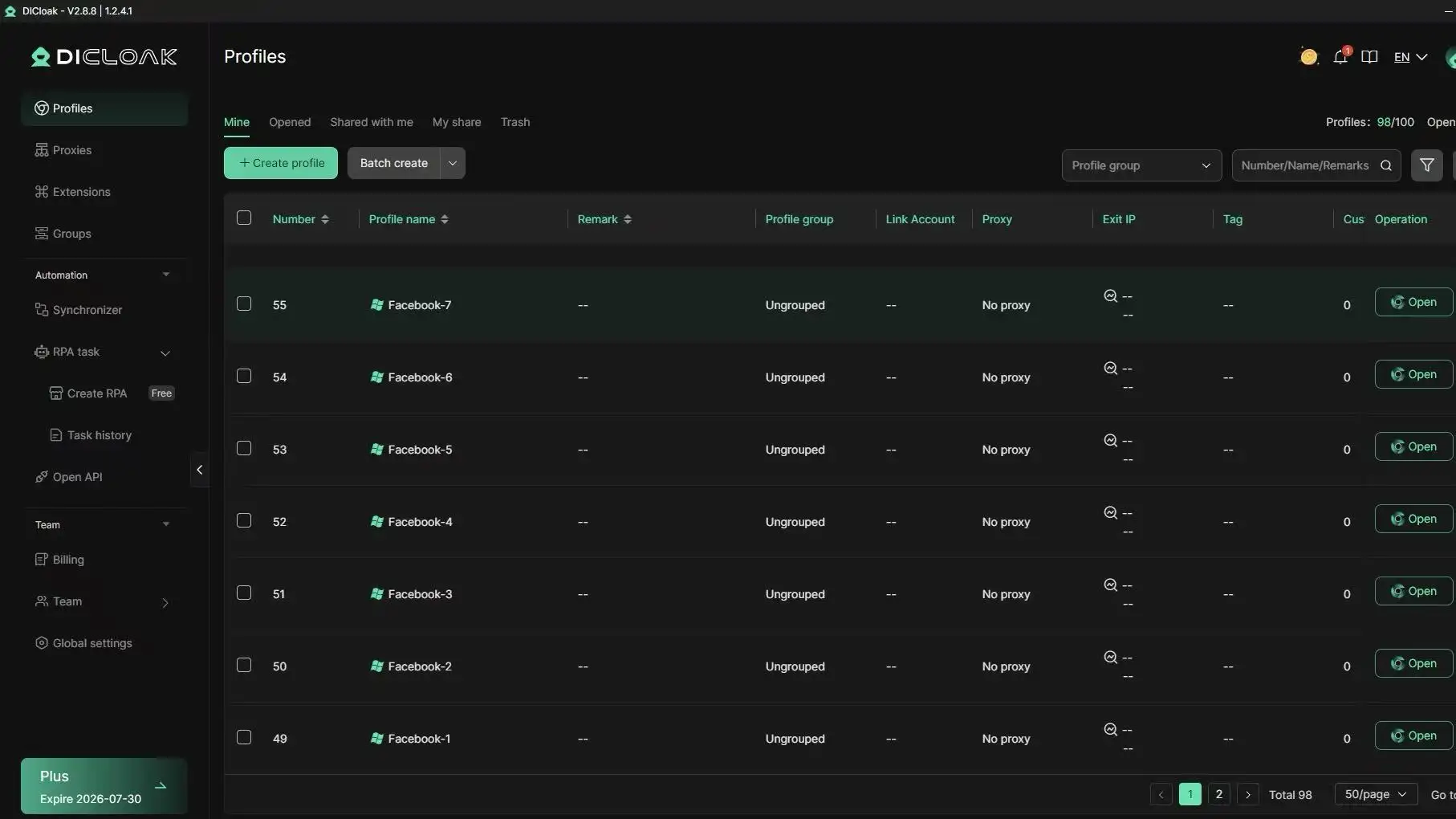
Each Facebook account sits in its own browser profile with a unique fingerprint and proxy. This setup stops Facebook from linking accounts by device or IP, so mass bans become far less likely. If one account gets flagged, the rest stay safe.
Automation and Team Collaboration Tools
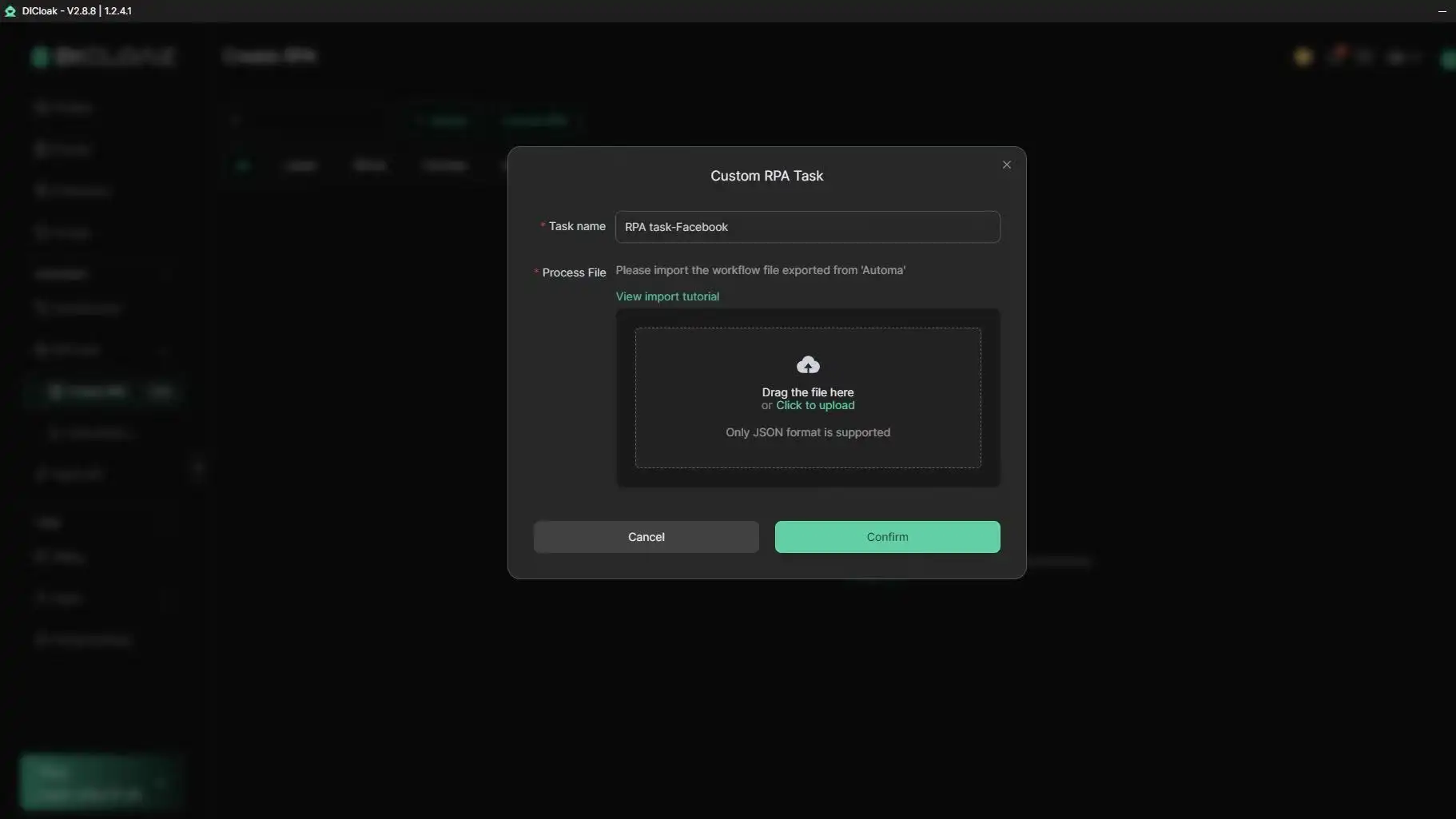
You can automate posts, likes, and comments using DICloak’s built-in RPA tools. Team managers set permissions and check operation logs, so every action is tracked. This stops accidental mistakes and makes handoffs smooth.
Scaling Multi-Account Operations Safely
Bulk profile creation lets teams add dozens of accounts in minutes. Cloud sync means you can move between devices without breaking account isolation, no more risky workarounds or facebook cloaking tricks.
When Facebook Cloaking Makes Sense, and Why It’s Rarely Worth the Risk
Facebook cloaking tempts marketers chasing fast results, but the fallout usually outweighs any short-term gain. Most teams looking for real growth or business stability find the risks too high and the window for success shrinking every year. Here’s why some still take the risk, and why safer, long-term strategies lead to better outcomes.
Why Some Still Try Cloaking
Some affiliate marketers still attempt facebook cloaking for high-risk offers that would never pass Facebook’s ad review, think adult content, aggressive weight loss claims, or restricted products. Cloaking can also show up in short-lived campaigns, where the goal is to push as much traffic as possible before the account gets banned.
But detection tools have advanced. Facebook’s automated systems use machine learning to spot mismatches between what reviewers see and what users get. A single slip can burn not only the ad account, but also related pages, payment profiles, and even devices. Recovering from a ban often means losing all prior investment, domain, creative, and user data included.
For most marketers, the question isn’t “Can I cloak and get away with it?” but “Is it worth losing everything for a few days of traffic?” Now, even large affiliate networks warn newcomers to avoid these tactics unless they’re ready to burn accounts on purpose.
Safer Long-Term Strategies for Growth
The teams that last on Facebook focus on building trust with the platform. That means using real profiles, warming up accounts with normal activity, and avoiding shortcuts that trigger review flags. Gradual account warming, posting, commenting, and engaging over weeks, creates a history that lowers the chance of sudden bans.
Running multiple accounts for “gray-area” marketing is still possible, but safety depends on clean separation. Using browser fingerprint isolation tools and unique proxies for each account reduces cross-linking risk. The safest results come from combining slow, organic account building with strict operational discipline. Shortcuts like cloaking rarely pay off in the long run.
Common Mistakes Marketers Make When Managing Multiple Facebook Accounts
Teams running multiple Facebook accounts face bans for reasons that go beyond facebook cloaking. Even without cloaking, detection often starts with sloppy setup and careless account handling. Here’s where most marketers slip up, and how it leads to restrictions, lost budgets, and wasted effort.
Mixing Account Data and Device Fingerprints
Sharing devices between accounts is a fast track to getting linked and flagged. Facebook tracks browser fingerprints, device IDs, and subtle patterns, opening several accounts from the same phone, computer, or browser profile usually triggers review. If you run two accounts on one browser without isolation, fingerprint overlap shows up in Facebook’s logs. That overlap marks both accounts as “related,” which can get them banned together.
The risk multiplies when team members use shared computers or skip browser profile isolation. Even changing small settings isn’t enough. The most common mistake is running accounts side-by-side without separate fingerprints, making detection almost automatic. Tools like DICloak help by creating isolated browser profiles for each login, but many skip this step.
Ignoring Proxy Hygiene and IP Rotation
Unreliable proxies or sloppy IP management break trust fast. Facebook logs every login IP and checks history for patterns, accounts switching between residential and datacenter IPs, or reusing “dirty” IPs flagged for spam, get flagged much quicker. Using cheap proxies that recycle IPs across different accounts can link profiles and trigger bans.
Teams often overlook how IP reputation affects account health. Clean, stable IPs matter more than jumping to random locations. Failing to rotate IPs properly or using the same proxy for multiple accounts makes detection easier. Facebook’s ad enforcement updates mean these mistakes now lead to instant restrictions, hurting campaigns before they even start.
Frequently Asked Questions
Is Facebook cloaking illegal?
Facebook cloaking breaks Facebook’s policies and can also violate laws against deceptive advertising or fraud. If caught, you risk permanent bans and possible legal action, especially if your cloaked content leads to scams or harmful products. Facebook invests heavily in anti-cloaking tech, so the risk of detection and serious consequences is high.
Can Facebook cloaking ever be safe?
No, facebook cloaking is always risky. Facebook uses machine learning and manual reviews to spot cloaking techniques. Even advanced methods get detected over time. Accounts, ad spend, and business assets can be lost. The risk is growing, not shrinking, as detection tools get smarter every year.
What tools do professionals use instead of cloaking?
Professionals avoid facebook cloaking and use legal tools to manage multiple accounts. These include proxy servers for different IP addresses, browser fingerprint isolation tools to prevent tracking, and team workflow software for secure collaboration. These help manage accounts safely without breaking Facebook’s rules or risking bans.
How many Facebook accounts can I manage safely?
You should only manage one Facebook account per real person. To manage multiple business accounts, use Facebook Business Manager and unique profiles for each. Using fake or duplicate accounts, or sharing profiles, breaks Facebook’s rules and raises the risk of bans, even if you avoid facebook cloaking.
What happens if my account is banned for cloaking?
If your account is banned for facebook cloaking, you lose access to your profile, ad accounts, and related pages. Facebook rarely restores accounts banned for cloaking. Appeals are usually denied. You may also lose all your ad data and cannot use the same payment methods again. Prevention is the only safe path.
Conclusion
Understanding Facebook cloaking is essential for marketers and advertisers who want to navigate the platform’s policies while maximizing campaign efficiency. By leveraging advanced cloaking tools, businesses can protect their ad accounts and maintain compliance with Facebook’s guidelines.
Try DICloak For Free
 Web Proxy Tools
 Free Tools
 Cookie Plugin
 UA Generator
 MAC Address Generator
 IP Generator
 IP Address List
 2FA Code Generator
 World Clock
 Anonymous Check
 WebRTC Leak Test
 UUID Generator
 Free Web Proxy Site
 Proxy Checker
 FB Ad Checker
 AI Web Scraping
 Free SMM Tools
 Twitter Shadowban Checker
 Instagram Name Checker
 UTM Generator
 Username Generator
 AI Hashtag Generator
 LinkedIn Headline Generator
 Social Media Image Resizer