A Facebook seller in a popular Telegram group claimed he could deliver 50 clean accounts for $60, by the next morning, half were restricted and the rest had login issues. Scams like this aren’t rare, and most buyers searching for facebook accounts for sale are not just looking for a good price, but want to avoid accounts that get banned, locked, or recovered by the seller a week later. Even on public marketplaces like PlayerUp or AccsMarket, you’ll find dozens of listings that look safe, but checking buyer reviews often tells a different story.
The real risk isn’t just wasting money. Accounts with mismatched fingerprints, reused proxies, or suspicious login patterns often trip Facebook’s detection systems, leading to instant lockouts or bans. Some sellers recycle the same recovery email and phone number, making it easy for them, or someone else, to take back accounts even after you change the password. For businesses and agencies running multiple campaigns, losing control mid-launch isn’t just annoying, it can burn ad budgets and put client projects at risk.
If you’re considering buying Facebook accounts, skipping basic checks is the fastest way to lose both money and access. This guide breaks down what to check before you pay, where scams usually happen, and how to keep accounts safer after purchase, so you don’t learn the hard way.
What Should You Check Before Buying a Facebook Account?
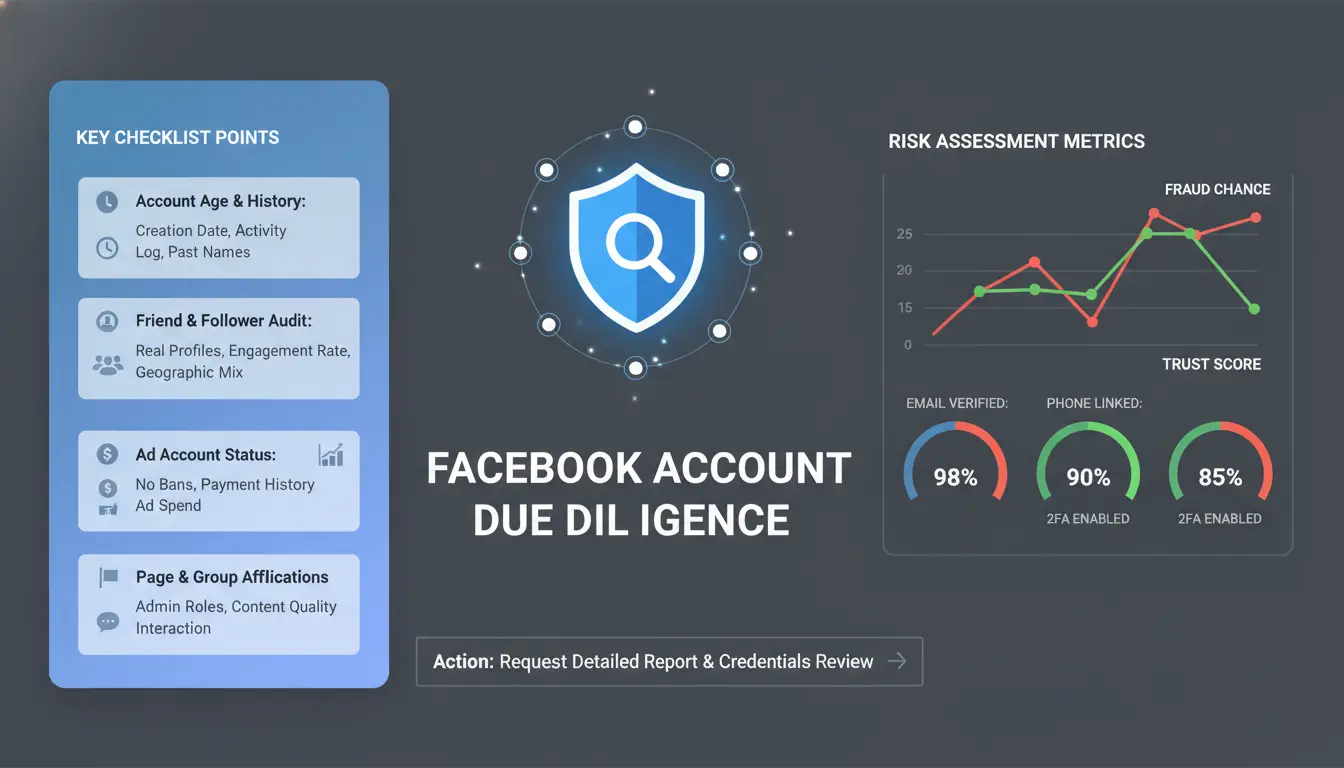
Buying Facebook accounts for sale can seem simple, but skipping basic checks is the fastest way to lose money or control. Many sellers cut corners or hide risks, so rushing in without a real review often leads to accounts that get locked, banned, or reclaimed. Before paying, focus on two things: proof of authenticity and what’s included with the account. If you miss even one key detail, you might end up with an account that’s unusable or disappears after a few days.
How to Verify Account Authenticity and Ownership
Don’t trust screenshots alone. Always ask the seller for live login proof, such as screen sharing or a video showing real-time access. This should include navigating between profile, inbox, and activity logs. Screenshots can be faked, but live evidence is harder to trick. Check for signs of previous owner traces, like posts in unknown languages, sudden location changes, or links to other profiles. These are red flags that the account may have been traded before, or is part of a recycled batch.
Look for recent activity. An account that hasn't posted, liked, or commented in months can trip Facebook’s security checks after you start using it. If you see random friend requests, spam messages, or odd group memberships, step back, these are signs of risky history.
Which Account Details Matter Most (Age, Activity, Verification)
Aged accounts, those registered at least 12 months ago, are less likely to trigger Facebook’s anti-spam filters, especially if they have a steady history of posts and interactions. Active accounts are valued higher, not just for age, but because consistent activity tells Facebook the account is real. Check how many friends, posts, and likes are visible. A sudden spike or drop in activity is a warning sign.
Never skip checking the recovery information. Make sure the account comes with access to the original email and phone number, or at minimum, allows you to add yours and remove the old. Verified accounts (with email and phone confirmed) are safer, but only if you can change recovery settings after purchase. If you’re managing multiple accounts, you can use a tool like DICloak to keep account fingerprints, proxy, and login patterns clean, reducing lockout risk.
Why Do Some Bought Facebook Accounts Get Restricted or Banned So Quickly?
Buying facebook accounts for sale might look easy, but most new owners run into problems soon after logging in. Facebook’s systems are built to spot anything that looks off, from the device you use, to how you log in, to the kinds of actions you take that first day. Sellers rarely explain these details, so buyers learn the hard way: accounts get flagged, locked, or outright banned before they’re any use.
How Facebook Detects Suspicious Ownership Changes
Facebook tracks changes in IP address, device fingerprint, and location. When an account that always signed in from one country suddenly logs in from a different continent, that’s a red flag. If the login device changes, from Android to a new Windows laptop, for example, Facebook’s risk systems notice. Even using the same device but switching to a new browser profile can trigger alerts.
Other triggers include patterns like logging in from a public or datacenter proxy that’s been used by many people before. Facebook keeps records of known risky IPs. If you buy facebook accounts for sale and access them from these flagged addresses, your account is likely to face extra checks or even a restriction right away.
Unnatural activity matters just as much. If the account’s behavior suddenly shifts from normal personal use to rapid friend requests, mass posting, or joining dozens of groups, detection kicks in. These patterns don’t look human and Facebook’s systems are tuned to catch them.
Common Mistakes That Trigger Instant Restrictions
The most common mistake is logging in for the first time from a device or proxy that looks nothing like the account’s history. Public proxies or reused tools are especially risky. Some buyers even try to access new accounts from multiple devices at once, which almost always leads to a review or ban.
Skipping “warm up” steps is another trap. If you don’t spend a few days browsing, liking posts, or sending small messages before running ads or making big changes, you’ll get flagged. Forgetting to change the recovery phone and email leaves the door open for sellers, or attackers, to take the account back.
The fastest way to lose a bought Facebook account is to ignore these signals and rush the process. Safe handling means taking it slow, using a clean environment, and always updating recovery info before trusting the account for real work. For safer multi-account workflows, you can use tools that isolate browser fingerprints and assign unique proxies. For more on Facebook’s security rules, see the Facebook Help Center.
How Can You Spot Facebook Account Scams and Red Flags Before Paying?
Buying facebook accounts for sale can go wrong fast if you miss common warning signs. Scammers know most buyers are rushing to get accounts live, so they use tricks that look legit on the surface. If the seller can’t prove account control or dodges detailed questions, you’re likely their next target.
Typical Scam Scenarios and Seller Tricks
One of the oldest tricks is selling “aged” accounts that look real at first glance. The problem? Many are just recycled profiles, old accounts renamed, with new photos and a fresh bio. These often have odd friend lists, inconsistent posting history, or profile pictures copied from other sites. If you see an account that suddenly became active after months of silence, be careful.
Phishing is another big risk. Some sellers send fake login pages or Google Docs, asking you to “verify” details. Once you enter info, they steal your credentials. Also, watch out for fake escrow sites that claim to hold your payment safely. These are often controlled by the scammer, so once you pay, your money is gone and the account never arrives.
How to Vet Sellers and Avoid Losing Money
A real seller should have a clear transaction history and verifiable feedback. Ask for screenshots that show recent activity and proof that they control the account, like a live screen share or a short custom video. On big forums such as BlackHatWorld or PlayerUp, check seller profiles for trade history and other buyers’ reviews.
Always use payment channels with clear buyer protection, such as PayPal Goods & Services or Wise, not crypto or direct transfers. Communicate only through platforms with logs you can check later. If a seller pushes you to Telegram or WhatsApp right away, that’s a red flag.
If you’re buying accounts in bulk, you can use a browser isolation tool like DICloak to safely preview logins without exposing your device or main browser cookies. This lowers your risk of phishing or hidden malware.
What Factors Affect Facebook Account Pricing, and When Is a Deal Too Good to Be True?
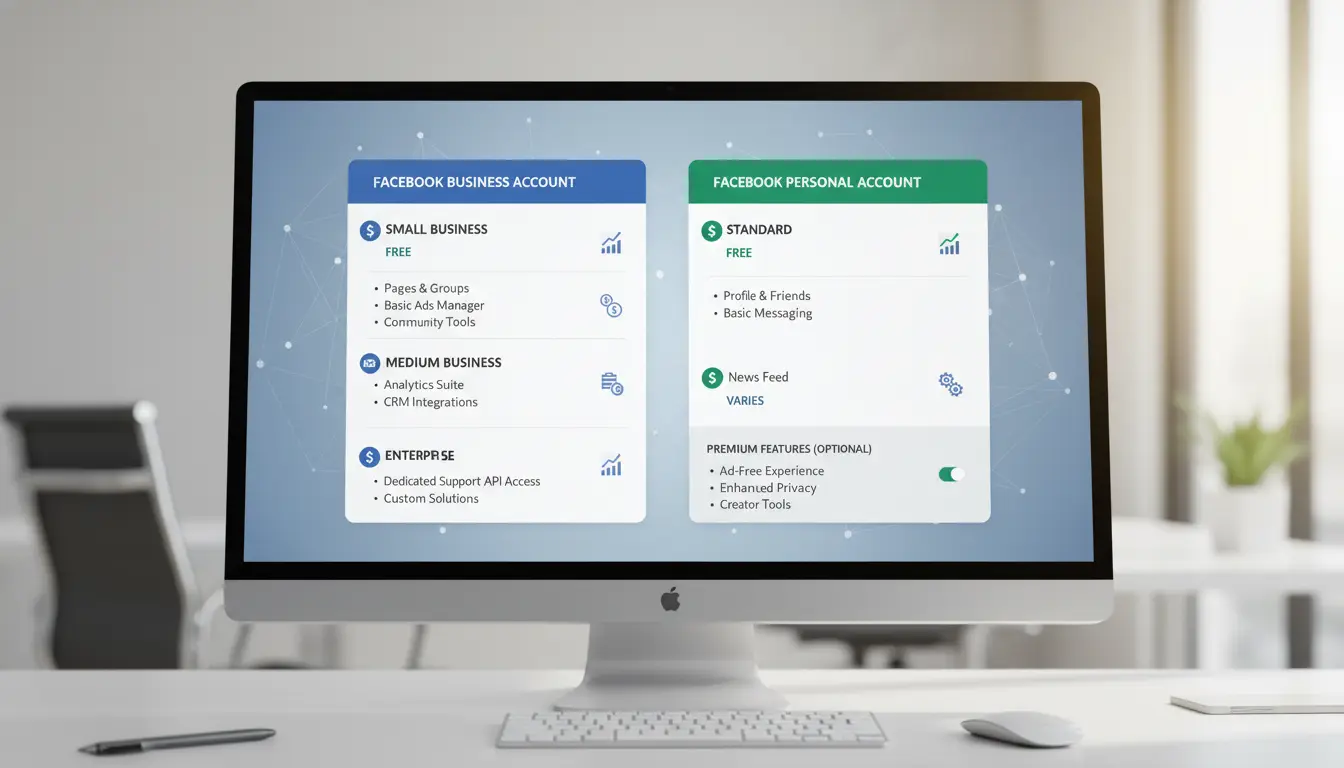
Scrolling through lists of facebook accounts for sale, you’ll see prices all over the place. Some accounts cost just a few dollars, while others go for $50, $100, or even more. That gap isn’t random, real sellers price accounts based on age, trust level, and how much work’s gone into making them look like a real person.
Why Aged, Verified, and Active Accounts Cost More
Older accounts almost always cost more. A Facebook profile created five years ago with regular posts, photos, and a full friends list looks like a real user to Facebook’s systems. These “aged” accounts are much less likely to get flagged or banned after a sudden change in device, IP, or usage pattern. If an account has been active, with comments and likes over time, it carries more “trust signals” that help it survive login checks.
The price climbs again for accounts that are verified by phone and email. Sellers put in extra work to pass Facebook’s identity checks, which means you’re less likely to be asked for re-verification after you buy. Business-ready accounts, those with access to ad tools or Meta Business Suite, can cost several times as much as basic profiles. Some sellers even add real friends, groups, or a posting history to boost the account’s look.
| Account Type |
Typical Price Range |
Main Features |
| Fresh / Unused |
$2–$10 |
Basic profile, no history |
| Aged & Active |
$20–$70 |
1–5+ years old, real activity |
| Verified/Business |
$50–$200+ |
Phone/email verified, ad access |
Source: Facebook Help Center
When Low Prices Signal High Risk
Deals that look too good to be true often are. Bulk sellers dumping hundreds of facebook accounts for sale at $1–$2 each usually cut corners, accounts might share the same recovery info, proxies, or even device fingerprints. This makes them easy targets for bans or hijacks. Many “cheap” accounts are made by bots, recycled from old leaks, or created in batches with fake details. They often fail Facebook’s security checks within days.
If a price seems low, the real cost often comes after your money is gone and the account stops working. Always check for unique recovery details, a clean login record, and proof that the seller controls the account before you pay.
What Should You Change Immediately After Taking Over a Bought Facebook Account?
Taking control of a Facebook account you just bought is risky if you skip the basics. Many “facebook accounts for sale” look ready to use, but old recovery info, unsafe devices, and hasty profile changes can trigger instant lockouts or let sellers take back access. The first few hours matter most, what you change now decides whether you keep the account or lose it before your next login.
Essential Security Changes (Passwords, Recovery, Devices)
The password is usually the only thing buyers remember to change. That’s not enough. Always set a new, strong password that you’ve never used elsewhere. Right after, update both the recovery email and phone number to addresses you control, if the seller can still access these, they can reset your password at any time.
Next, check the list of active devices in Facebook’s “Where You’re Logged In” section. Remove every old session you don’t recognize. Miss one, and someone else might still have a door in. Also, review connected apps and browser logins, delete anything that looks off. Only after these steps should you trust the account is really yours.
How to Warm Up the Account and Avoid Sudden Suspicion
Facebook tracks device, IP, and usage changes. If you log in from a new location and start posting, adding friends, or changing info too fast, the system flags you. Start with small steps: login once from your regular device and internet connection, then wait a few hours before making any edits.
Gradually update profile information, don’t swap everything at once. Change the profile picture or add a bio on day one, but leave big changes (like name or birthday) for later. Spend a few days browsing, liking posts, or joining groups slowly. For teams, use tools like DICloak to keep browser fingerprints and proxies consistent across devices, lowering the risk of automated bans. Missing these warm-up steps is the fastest way to get your new account locked or banned.
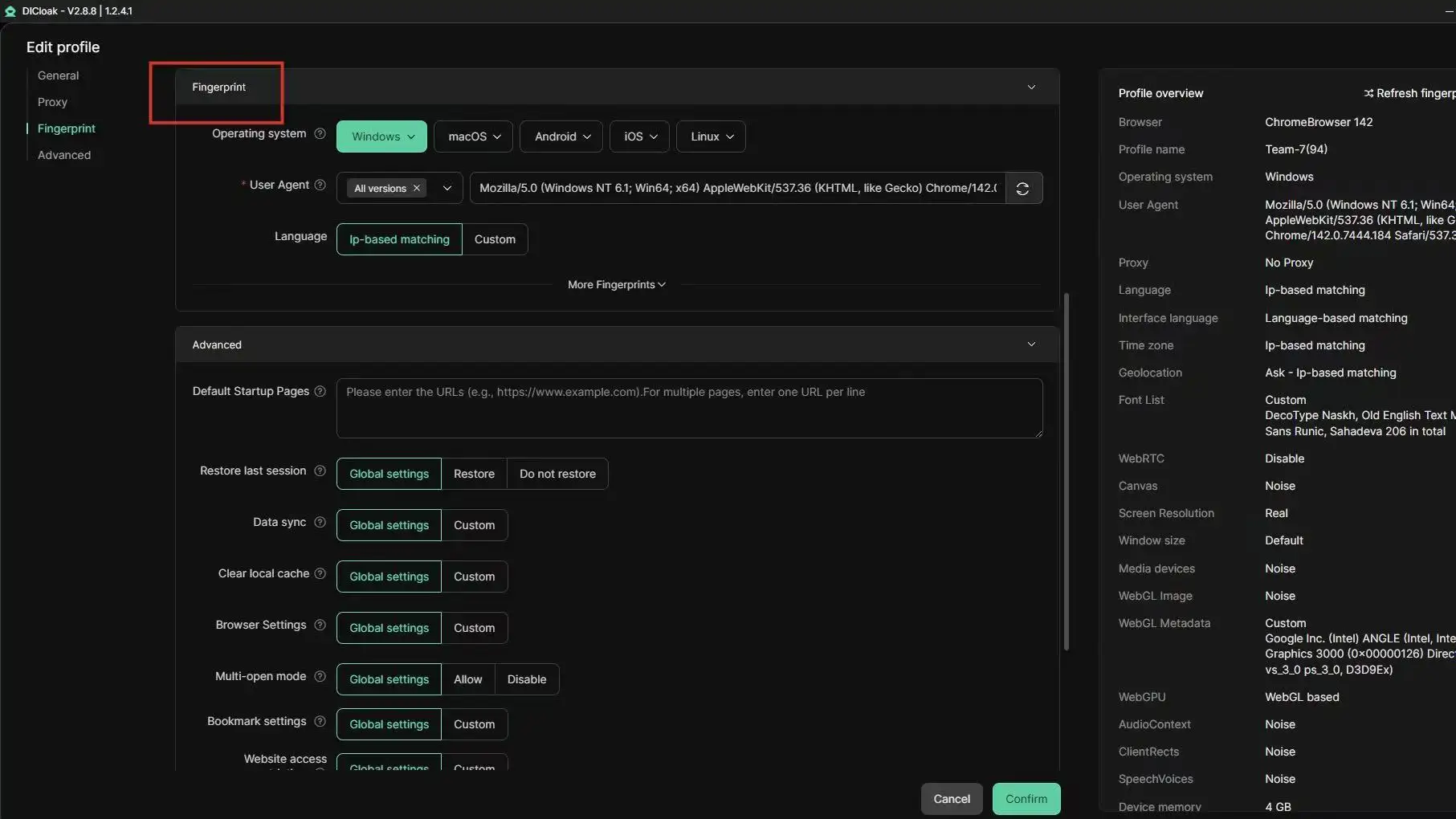
How to Manage Multiple Bought Facebook Accounts Safely for Social Media Marketing (with DICloak)
Risks of Managing Multiple Accounts on One Device
Running several bought Facebook accounts on the same device often triggers blocks. Facebook looks for patterns, shared browser fingerprints, reused IP addresses, or sudden jumps in login locations. When accounts share details, it doesn’t matter if you bought from different "facebook accounts for sale" listings. The platform can still connect them, leading to bans or requests for identity checks. Even normal actions, like posting or reacting too fast, may raise flags if your setup isn’t clean.
How DICloak Makes Multi-Account Management Safer and More Efficient
You can use tools like DICloak to set up a unique, isolated browser profile for each Facebook account. Each profile gets its own fingerprint and connects through a separate proxy. That means actions from one account won’t link to another, even if you manage all of them on one device. DICloak’s RPA automation lets you schedule posts, comments, or likes across accounts, so you avoid mass actions that look robotic. For teams, role-based permissions and shared profiles help split work without sharing passwords or mixing up accounts.
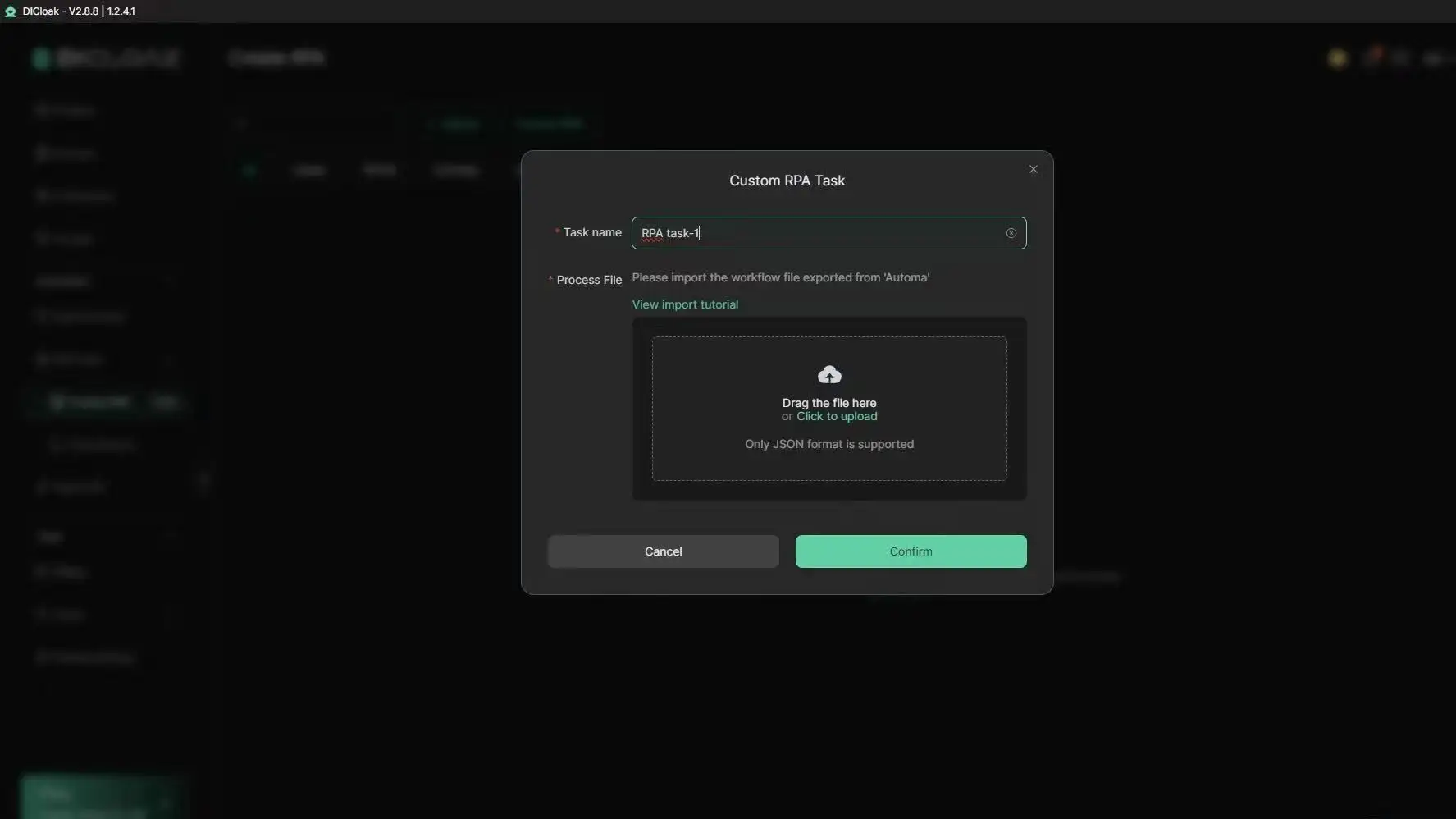
Best Practices for Social Media Marketing with Multiple Accounts
Keep activity natural, spread actions throughout the day and never bulk-add friends. Use automation to handle routine tasks but always review for anything that seems forced. For group projects, the safest approach is to assign each member their own set of accounts within DICloak, keeping workflows clean and risk low.
When Is Buying Facebook Accounts the Wrong Choice, and What Are Safer Alternatives?
Buying facebook accounts for sale might look simple, but the risk often outweighs the reward, especially if your project depends on trust, compliance, or long-term stability. Many buyers focus on price or speed and miss why some scenarios make buying a bad fit. Here’s where it backfires, what you can do instead, and how to match your approach to your goals.
Situations Where Buying Accounts Backfires
If you’re handling high-value projects, like ad campaigns with strict compliance, customer support, or managing a brand’s main page, using bought accounts is asking for trouble. Facebook tracks device fingerprints, IP history, and activity patterns. When accounts for sale are reused, mismatched, or have incomplete recovery info, bans often happen within days. For business owners, a locked account can freeze ad budgets or destroy client trust. Regulatory rules add another layer: using accounts with unclear origins can trigger audits and legal problems, especially in regions with strict data laws (see Meta’s official policy). When your work depends on long-term access, shortcuts rarely pay off.
Alternatives: Organic Growth, Account Farming, and Partnerships
Building accounts from scratch takes more effort, but you control every detail, from device setup to recovery info. Farming accounts means starting with genuine phone numbers, fresh browser profiles, and natural activity. Over weeks, you can grow accounts that survive real-world checks. For brands, partnering with real users or influencers sidesteps the risk completely. Instead of buying, you get direct access, real engagement, and audience trust. Organic growth can be slow, but it’s far safer for campaigns that need stability. Tools like DICloak browser help manage multiple accounts, isolate fingerprints, and automate daily activity, making farming and organic use easier.
How to Decide What’s Best for Your Goals
The right choice depends on risk, cost, and how long you need control. For short-term testing, buying facebook accounts for sale can work, but expect churn and possible bans. If your strategy relies on stable access or compliance, building or partnering is safer. Check this quick comparison:
| Approach |
Risk of Ban |
Control |
Cost |
Long-term Fit |
| Buying Accounts |
High |
Low |
Cheap |
Weak |
| Organic Farming |
Low |
High |
Moderate |
Strong |
| Partnerships/Influencers |
Very Low |
Shared |
Varies |
Strong |
(Source: Facebook Business Help Center)
If you need reliability and trust, organic growth or real collaborations beat buying every time.
Frequently Asked Questions
Is it legal to buy facebook accounts for sale?
The legality of buying facebook accounts for sale depends on your country’s laws and Facebook’s terms. Most countries do not allow account transfers, and Facebook strictly prohibits buying and selling accounts. If caught, Facebook will usually ban or disable the accounts involved. Always check the rules before considering facebook accounts for sale.
Can I use the same proxy for multiple Facebook accounts?
Using the same proxy for several Facebook accounts is risky. Facebook can link accounts by IP and may ban all of them. For safety, use a unique proxy for each account you manage. This helps prevent detection and keeps your facebook accounts for sale from being flagged or disabled.
How many Facebook accounts can I manage safely?
You can manage multiple Facebook accounts only if each account has a separate IP address and browser profile, like using different devices or virtual machines. This reduces the risk of Facebook linking the accounts. Most sellers of facebook accounts for sale recommend strict isolation for every account.
What payment methods are safest when buying Facebook accounts?
When buying facebook accounts for sale, use escrow services or reputable marketplaces. These protect both buyers and sellers. Avoid sending money directly to unknown sellers, as scams are common. PayPal, cryptocurrency, or platforms with buyer protection are safest. Always verify the seller’s reputation before making a payment.
Can I recover a bought Facebook account if it gets banned?
Recovering a banned Facebook account you bought is tough. Facebook often flags accounts with unusual activity or mismatched info. If you have full access to original email and security details, you might appeal. However, facebook accounts for sale are rarely restored after bans, since Facebook’s support team checks ownership closely.
Conclusion
Buying or selling Facebook accounts comes with significant risks, including security threats and potential violations of platform policies. It is essential to prioritize privacy and security when managing your online presence or exploring alternatives.
Try DICloak For Free
 Web Proxy Tools
 Free Tools
 Cookie Plugin
 UA Generator
 MAC Address Generator
 IP Generator
 IP Address List
 2FA Code Generator
 World Clock
 Anonymous Check
 WebRTC Leak Test
 UUID Generator
 Free Web Proxy Site
 Proxy Checker
 FB Ad Checker
 AI Web Scraping
 Free SMM Tools
 Twitter Shadowban Checker
 Instagram Name Checker
 UTM Generator
 Username Generator
 AI Hashtag Generator
 LinkedIn Headline Generator
 Social Media Image Resizer